
Multiboard 8x8 Core and Border 10 Stack 0.4 & 0.6
Print Profile(1)
Bill of Materials





Description
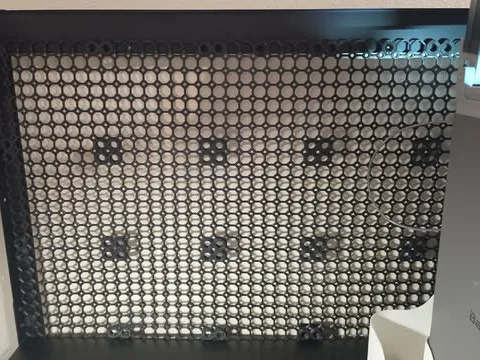
I recently started using the Multiboard ecosystem and very quickly came to the conclusion that I had zero desire to print them one at a time and wanted to reduce my print times as much as I could. As comparison, it is roughly 1d20h for 0.4 vs 1d6h for 0.6HF.
Once I confirmed that the tolerances were good with 0.6 (I am able to use the Tight tolerance option for my Snaps, even with it printed in PETG-I strongly recommend printing a Demo or Learning Pack from the Multiboard site as a form of tolerance test before committing to a day+ worth of printing), I created some 10 stacks of the Core plates and the Border plates.
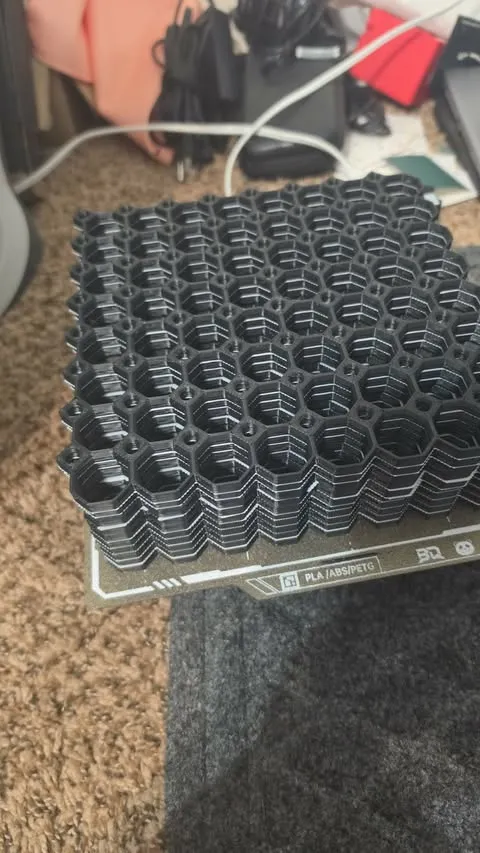
I printed mine in PETG with PLA as my support material and it all peeled apart in that satisfying way. Just slip the edge of a palette knife or scraper blade between the plates, twist the tiniest bit and they should quickly break apart with a pleasing crack. Lovely.
Each plate is 0.30mm from its neighbors, giving it the right amount of room for a support layer of the same thickness and all of the plates have had support blockers painted on to keep layer changes to a minimum; default Multiboard plates will place supports along the edges when printed in stacks, adding 20+ more filament changes, an extra hour of print time and requiring a bunch of annoying post-processing. Horrible.
Each of the plates starts with the number that represents its position in the stack to make it simple to remove plates for small prints. Just start deleting at #10 and work your way down to the number you need. Easy.
If you want/need to print with a different nozzle size:
0.4 should work, but I haven't personally tested it
0.8 looks like you'd end up with plates 5 and 6 bonded together due to the shuffling caused by the larger layer height, so I wouldn't print any more than five at once and double (check to make sure there is support showing between every plate after slicing). I would also personally be concerned about fitment with a 0.8 nozzle, definitely a situation calling for a tolerance print.
This remix is based on

License



Comment & Rating (1)