
Master Cake Topper Generator - Ultimate Edition
Print Profile(1)
Description
Membership
Want to sell physical prints of this model? Get the official commercial license by joining my MakerWorld Membership directly on my profile!
Boost Me (for free)
Support this project and help me create more models made directly for you.
- 🚀 Support with a Boost – every bit of support helps me bring more detailed models to life.
- 📸 Share your prints – I’d love to see your makes in the comments section!
- ✅ Follow my profile to stay updated on all new releases.
- Warning: This designer converts caffeine into 3D objects! ☕🔧 I literally drink buckets of coffee every day while designing.
- If you want to keep me alive (and creating) by buying me a cup, I'd be super grateful:
- https://linktr.ee/MP3DART
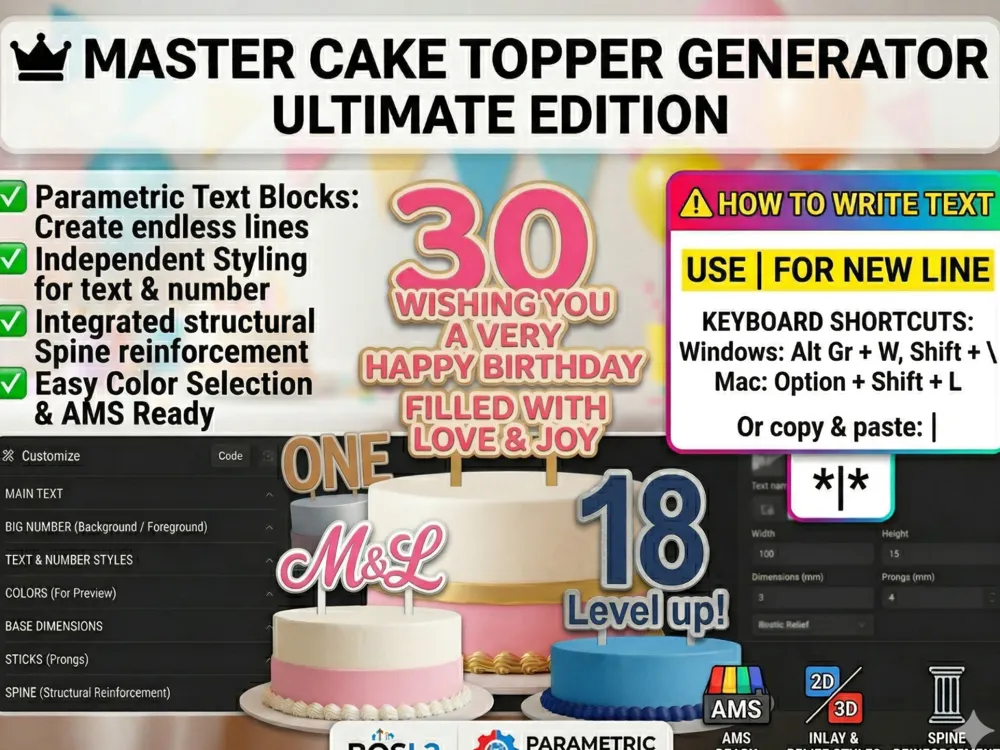
🎂 Master Cake Topper Generator - Ultimate Edition
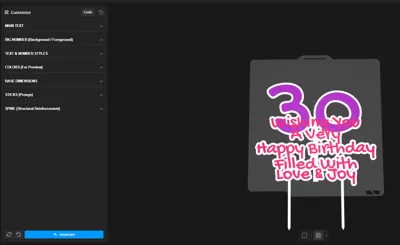
Create perfect, multi-colored, and professional cake toppers in seconds! This generator is designed to give you absolute control over every detail—from custom text and styling to seamless multi-color 3D printing with AMS.
⚠️ HOW TO ENTER TEXT (Read this first!)
Do not use the 'Enter' key to create multiple lines. Instead, use the vertical bar (pipe) character: |
For example, typing: Happy|Birthday|Name will automatically generate three beautifully aligned lines stacked on top of each other.
💡 How to type the | character:
- Windows: Press Shift + \ (usually above the Enter key).
- Mac: Press Shift + \ or Option + 7 (depending on your keyboard layout).
- Pro Tip: Or just copy and paste this character right here: |
🌟 Main Features:
🌈 AMS Ready (Bambu Studio Split-to-Parts) Forget complex layer painting! This generator uses a microscopic 0.01mm gap trick in the code to separate the base, main text, and large number. Just right-click the model in Bambu Studio, select Split -> To Parts, and color individual words with a single click!
🔢 Big Number & Independent Text Styles Add a massive background or foreground number to celebrate a milestone. You can independently set the style for both the text and the number:
- Relief: Popping 3D text standing out from the base.
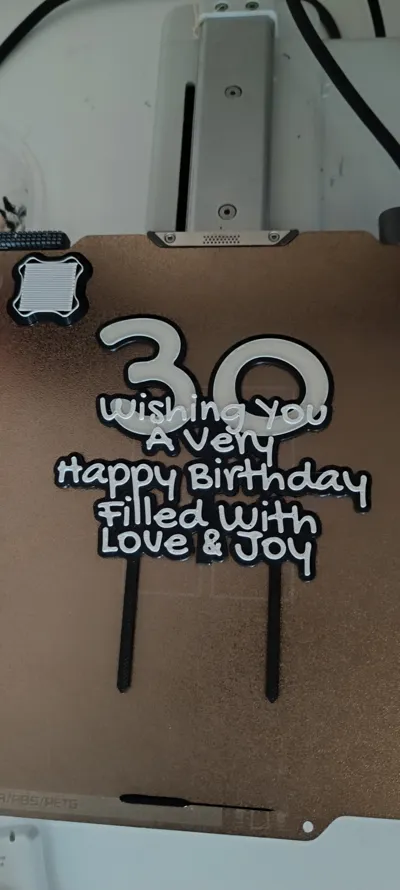
- Inlay: Text completely flush with the base (perfect for face-down printing on a textured PEI plate!).
- Engraved: Text beautifully cut into the base.
🛡️ Extreme Strength with a Structural "Spine" Ever had a topper snap because the words were too far apart? Our generator includes an optional "Spine"—an invisible structural pillar that you can adjust, move, and thicken to securely weld the entire topper together.
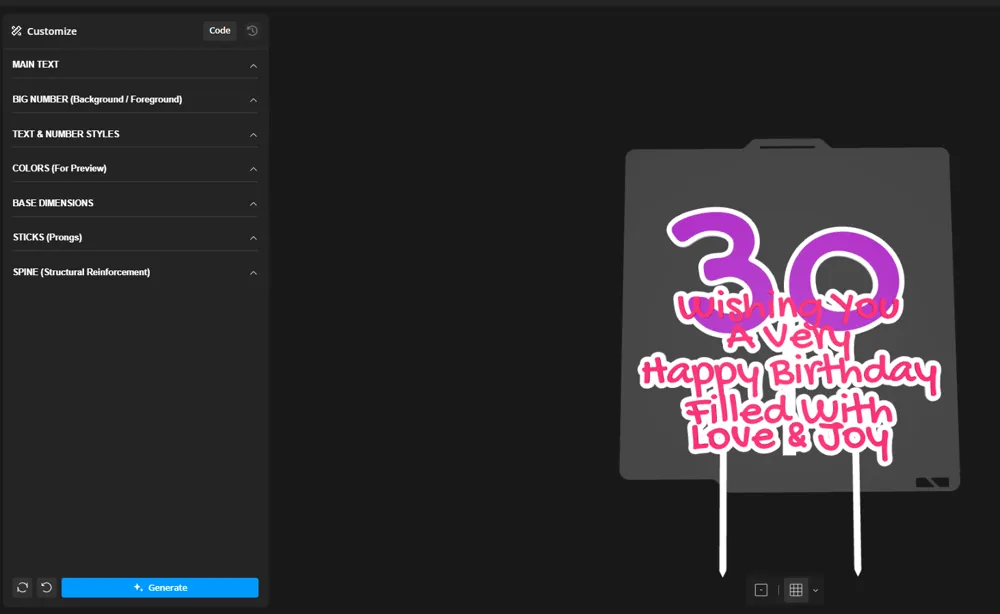
🎨 Easy Color Picker Preview No more hunting for HEX codes! Choose colors for your base, text, and number directly from a clean dropdown menu to preview your multi-color masterpiece instantly before generating.
📏 Fully Adjustable Prongs (Sticks) Choose 0, 1, or 2 sticks. Adjust their width, length, distance from the center, and even the "Overlap" (how deep they anchor into the text) to guarantee they never break off in the cake.
🖨️ How to Print in Multi-Color (Bambu Studio Guide):
- Customize your design and click the blue Generate button.
- Download the .stl file and open it in Bambu Studio.
- Right-click the model on the build plate and select Split -> To Parts.
- In the Object list on the left (Process panel), you will now see the Base, Main Text, and Number as separate, selectable parts.
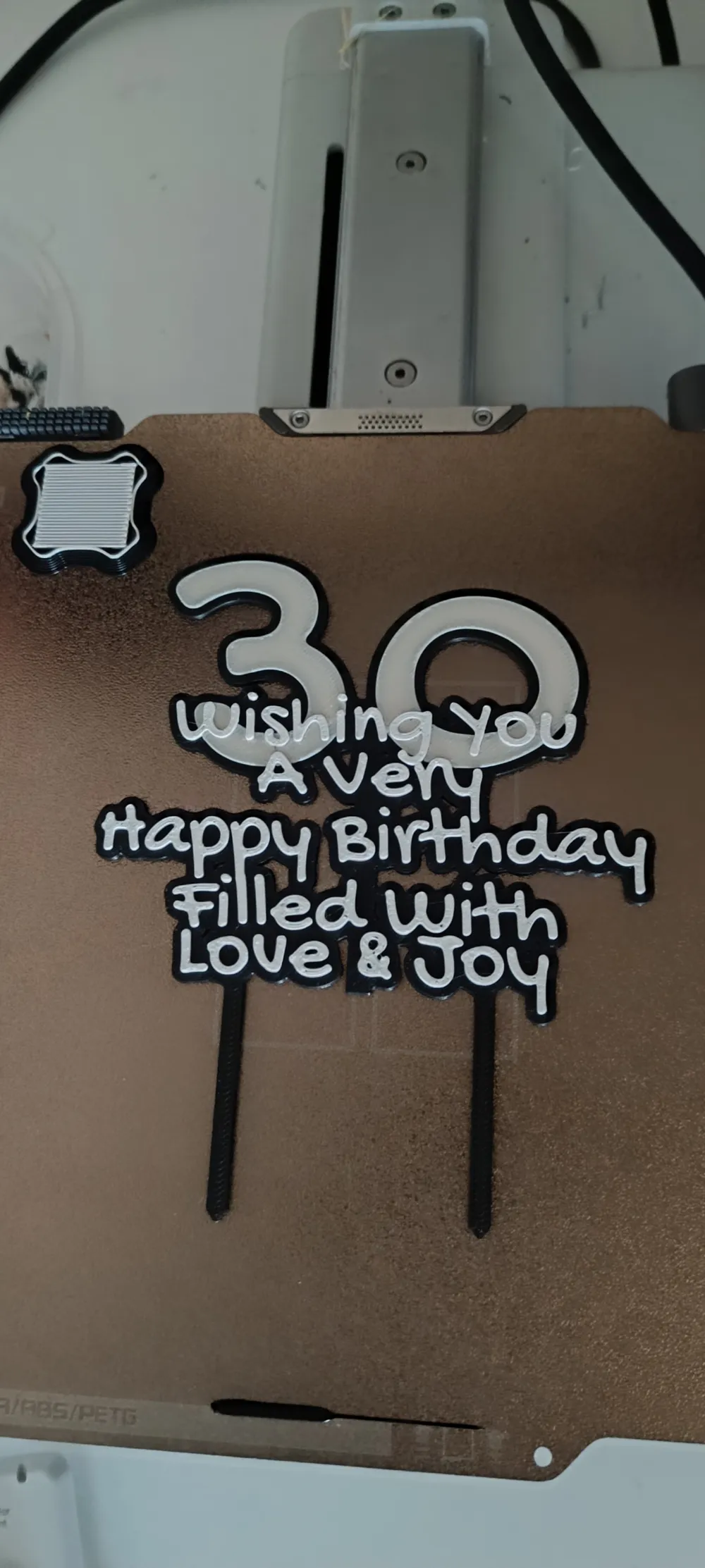
- Press 1, 2, 3, etc., on your keyboard to select your AMS filament colors, and simply click on the specific parts to paint them instantly. You're ready to print!
Thank you for supporting the project.
Follow my profile for more models and updates.
License

You shall not share, sub-license, sell, rent, host, transfer, or distribute in any way the digital or 3D printed versions of this object, nor any other derivative work of this object in its digital or physical format (including - but not limited to - remixes of this object, and hosting on other digital platforms). The objects may not be used without permission in any way whatsoever in which you charge money, or collect fees.


Comment & Rating (5)