
The Ultimate Accessories for the BIQU Panda Station
Print Profile(10)
Description
The Ultimate Accessories for the BIQU Panda Station
Optimal Enhancements and Practical Tips for Your Panda Station
Introduction
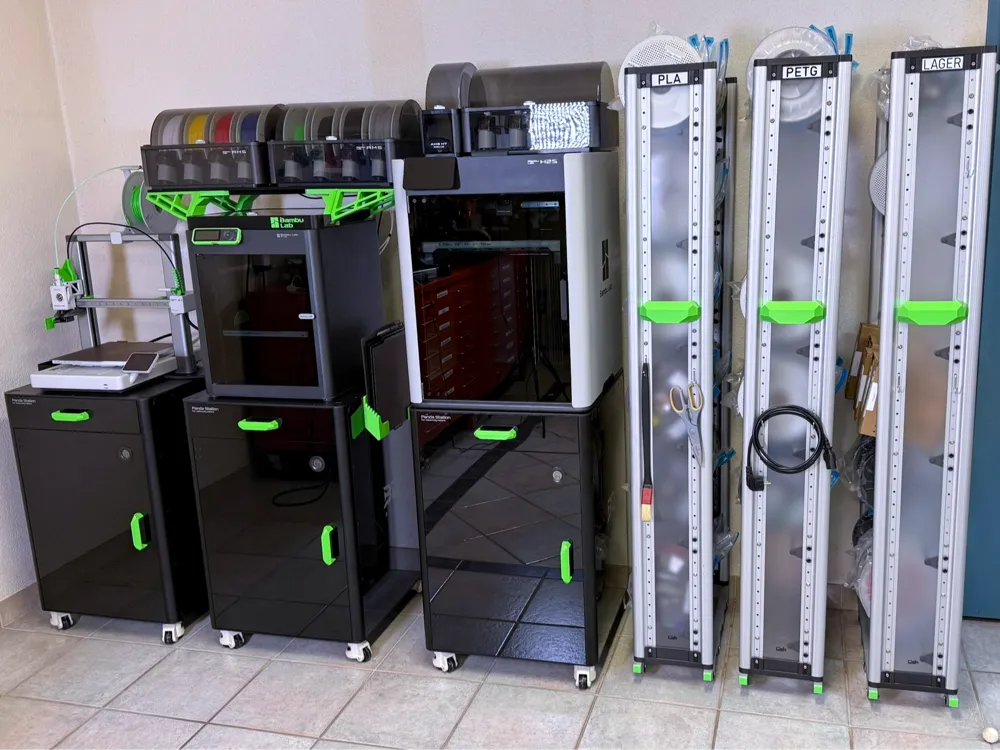
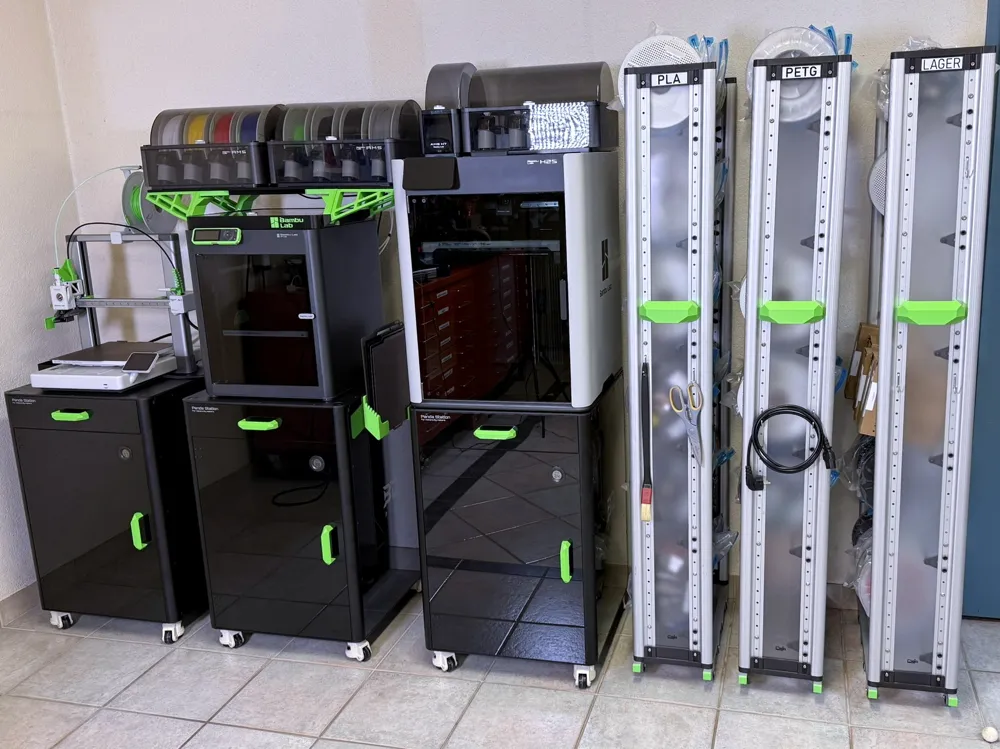
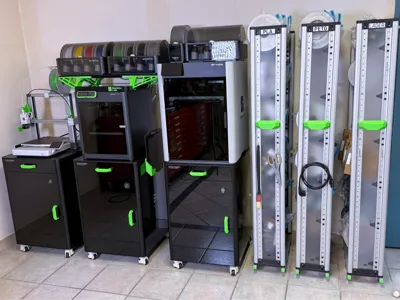
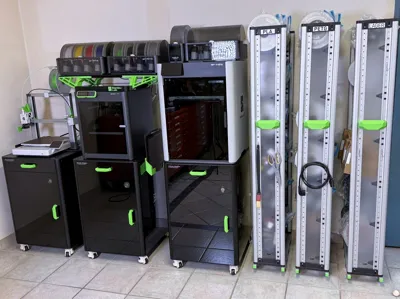
The BIQU Panda Station can be specifically optimized with selected accessories to increase functionality and comfort. The following introduces useful enhancements and explains their assembly and benefits in detail.
KOPPLA Holder with Cable Management
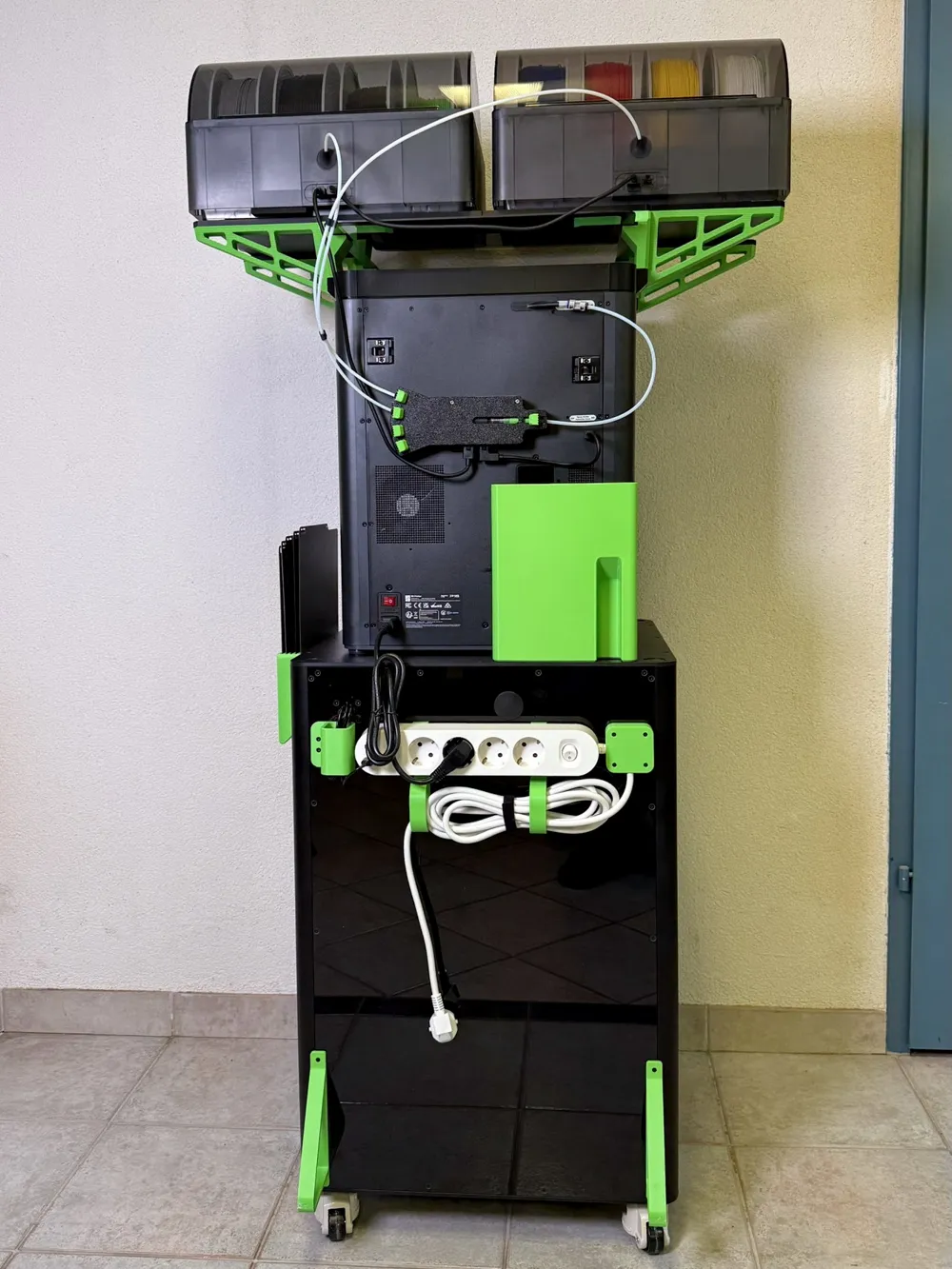
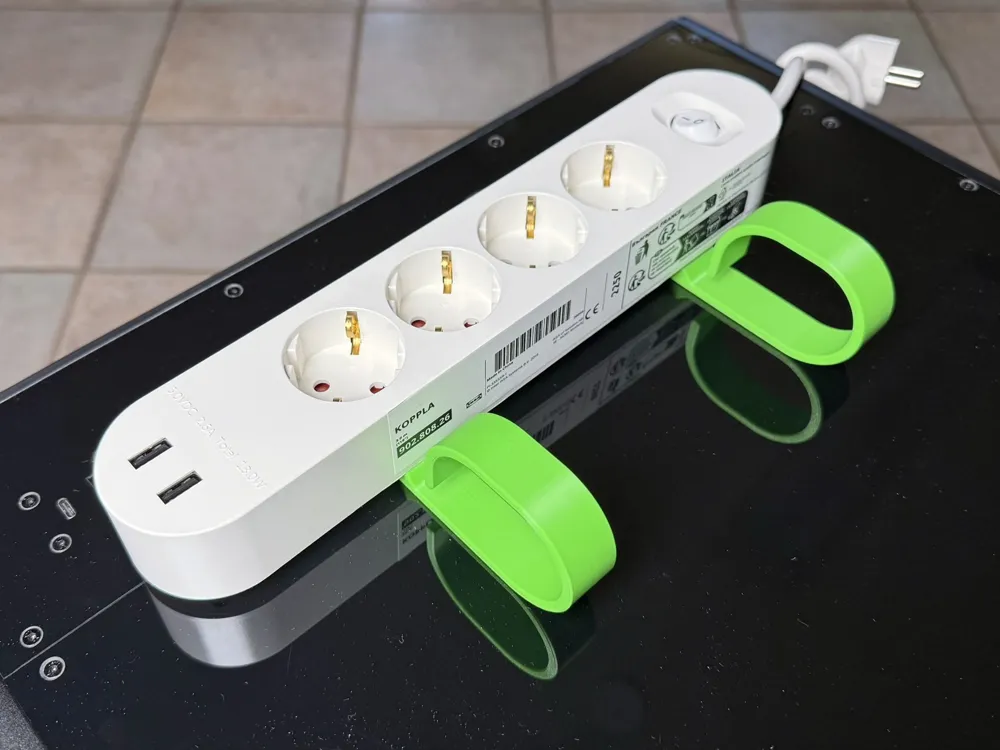
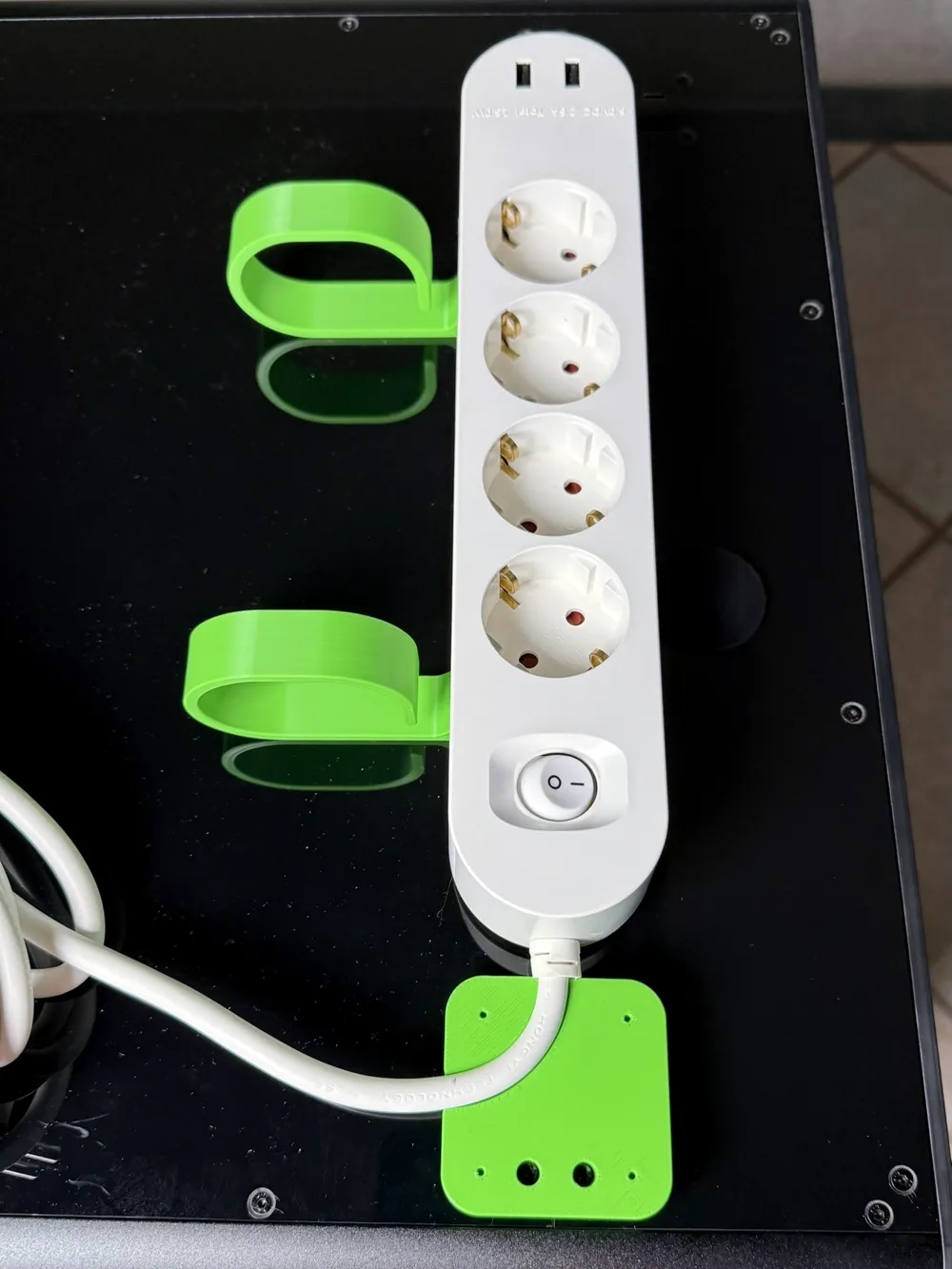
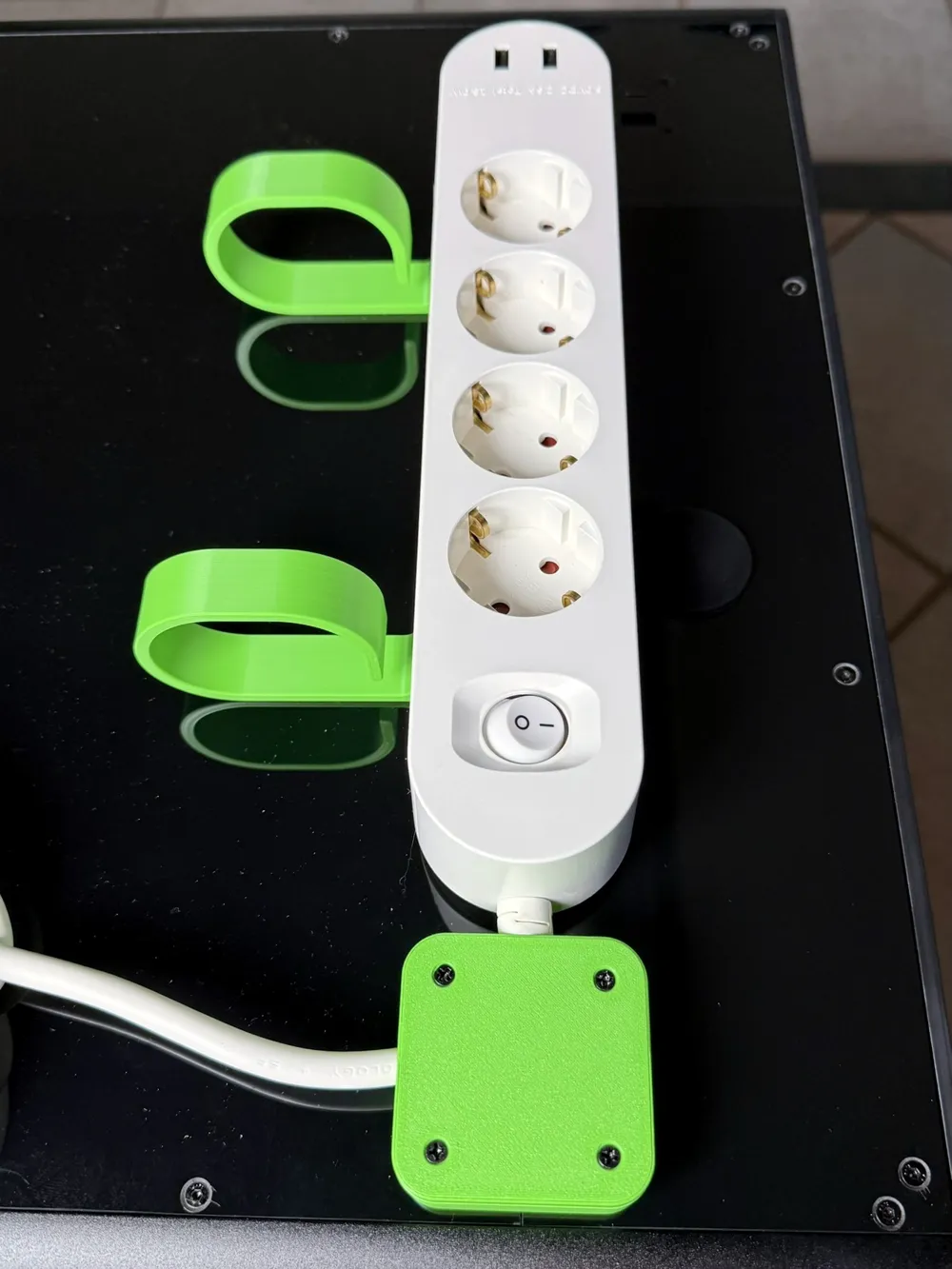
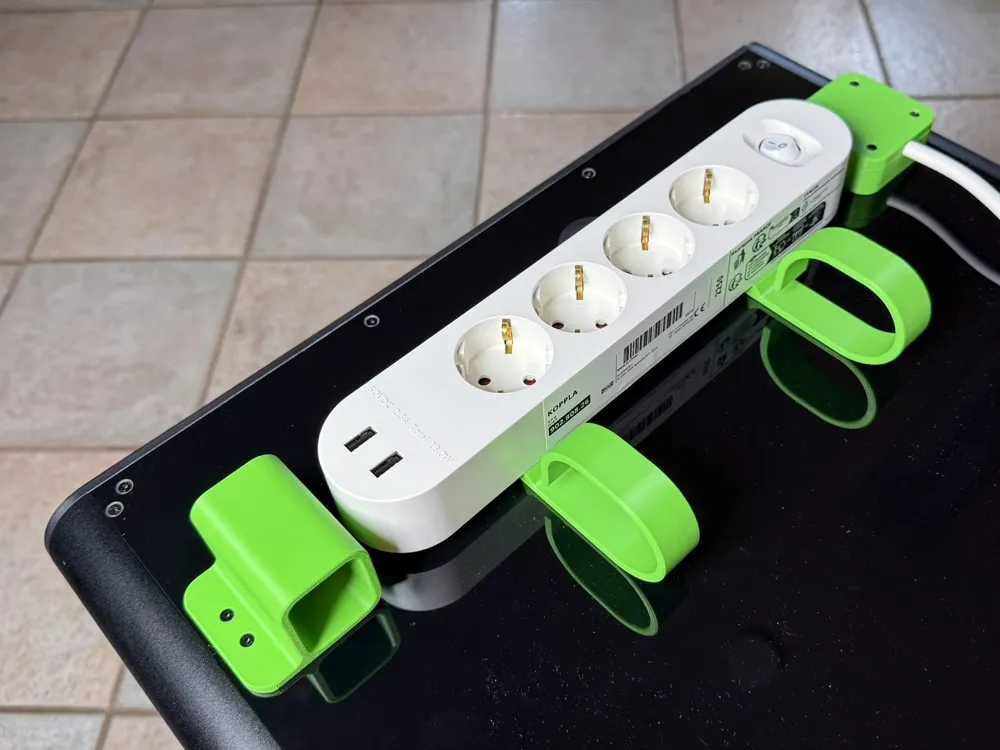
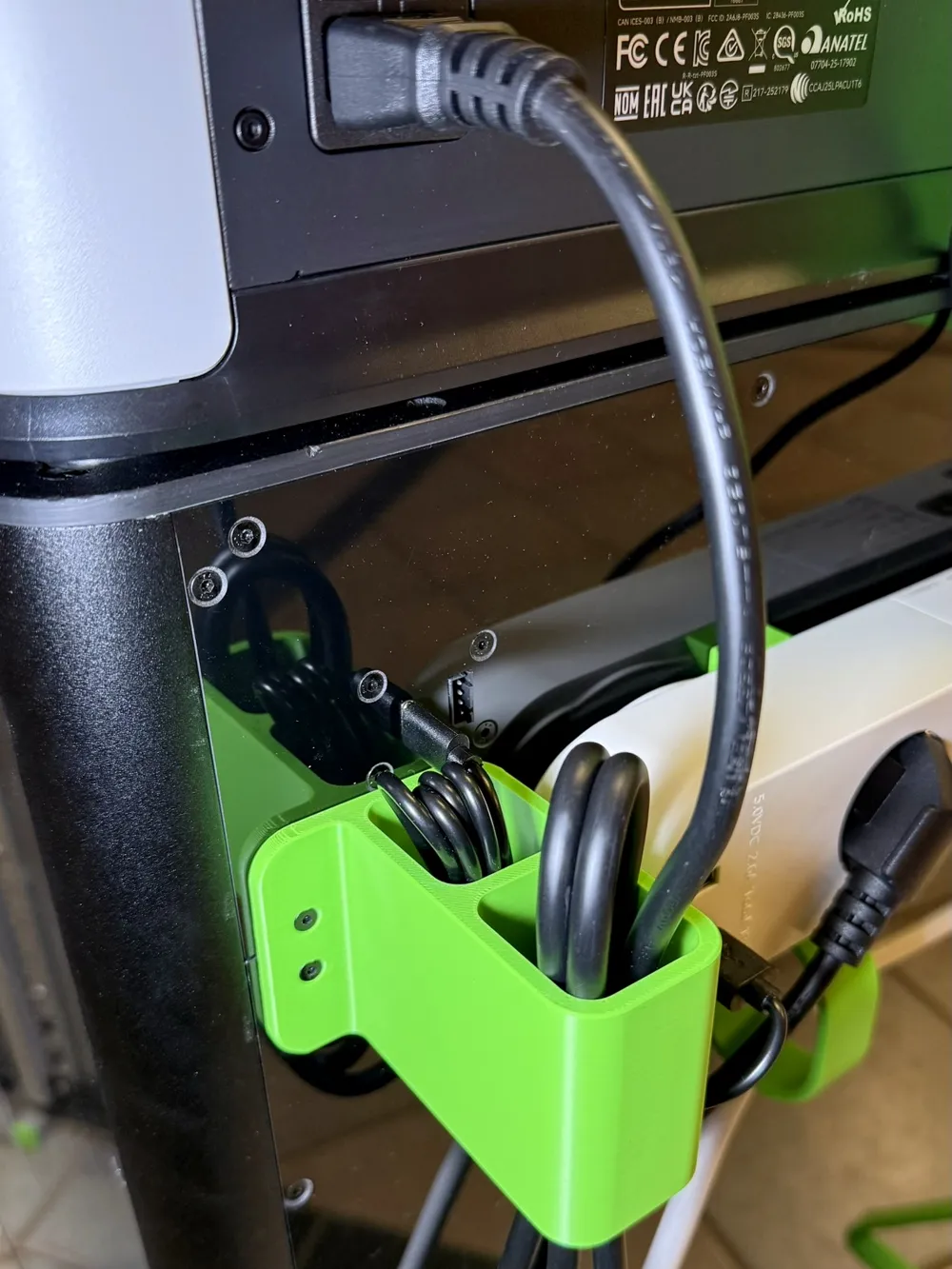
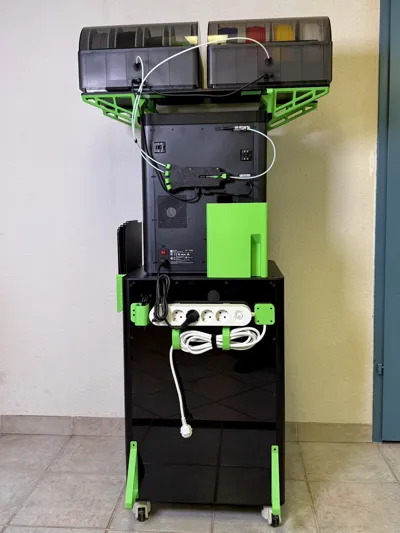
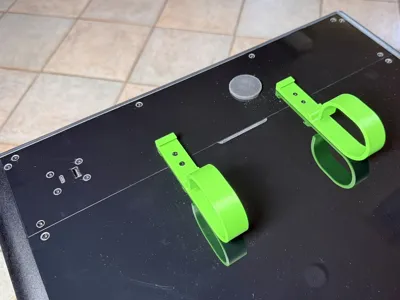
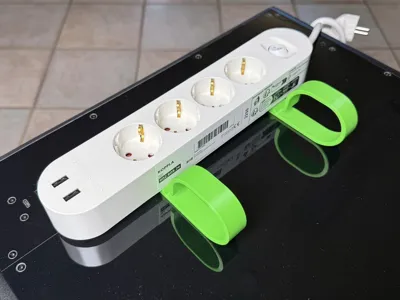
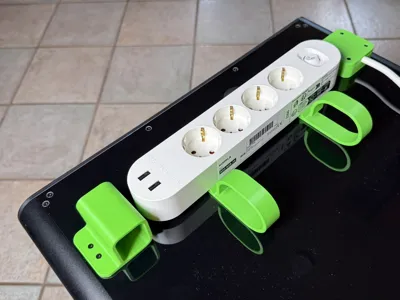
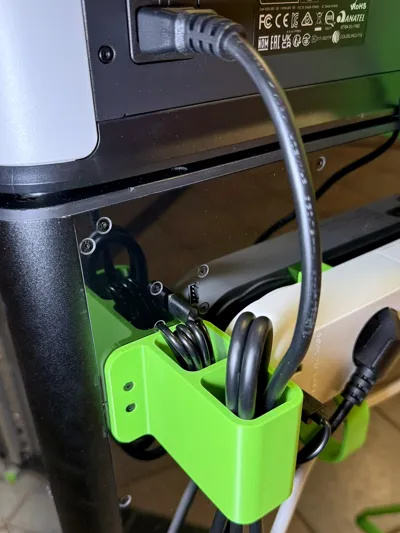
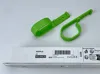
IKEA's KOPPLA multi-socket strip is perfect as an addition to the Panda Station – it offers ample opportunities for connecting additional devices and has two USB-A ports that can be ideally used for lighting the station. This eliminates the need for a separate power supply and all outlets remain available. The 3-meter long cable provides sufficient freedom of movement, for example, when moving the printer for maintenance. The groove on the underside of the power strip allows for discreet attachment, which was achieved with two clips. The holders also have an integrated hook for cable management. Installation is done at the separation point of the back wall: Remove the middle four screws (M3x8mm) and attach the holders with the longer (M3x15mm) screws included with the Panda Station. The power strip is gently pushed in, with the precise fit effectively preventing it from slipping. If you need more cable hooks, additional holders can be freely placed when inserting the power strip. These do not need to be screwed on and hold independently to the back of the power strip.
Cable Strain Relief
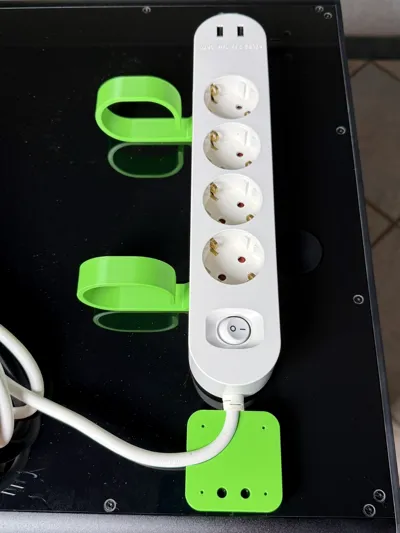
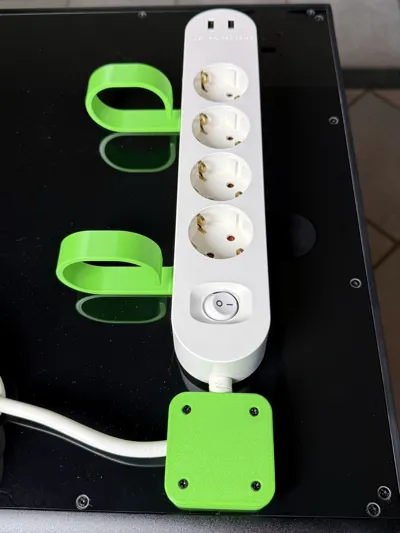
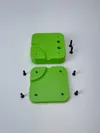
For additional protection, it is recommended to install a cable strain relief. This prevents damage to the power strip if the cable is pulled and simultaneously ensures its optimal position. Installation is done to the right of the power strip at the separation point of the back: Remove the existing screws and attach the base plate with longer (M3x15mm) screws. Then slide the power strip to the right until the cable's bend protection rests against the strain relief. The cable is placed in the recess and the cover plate is secured with four M3x12mm countersunk screws. The relatively stiff cable is thus guided in the correct direction and no longer protrudes sideways.
USB Cable Protector
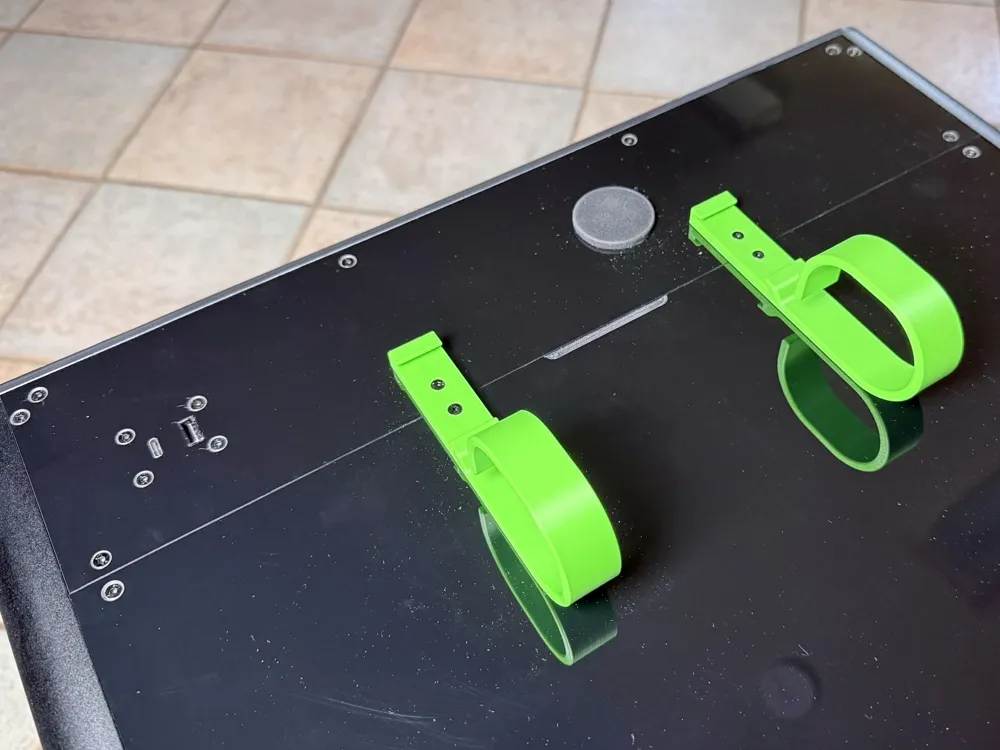
To optimally route the cables, USB cable protection is also recommended. This protector is mounted in the original drill holes of the Panda Station. Remove the short screws and replace them with the included longer (M3x15mm) screws. The USB cable is then pushed through and inserted into the USB sockets – this not only provides protection but also an appealing appearance.
Handle for Door and Drawer
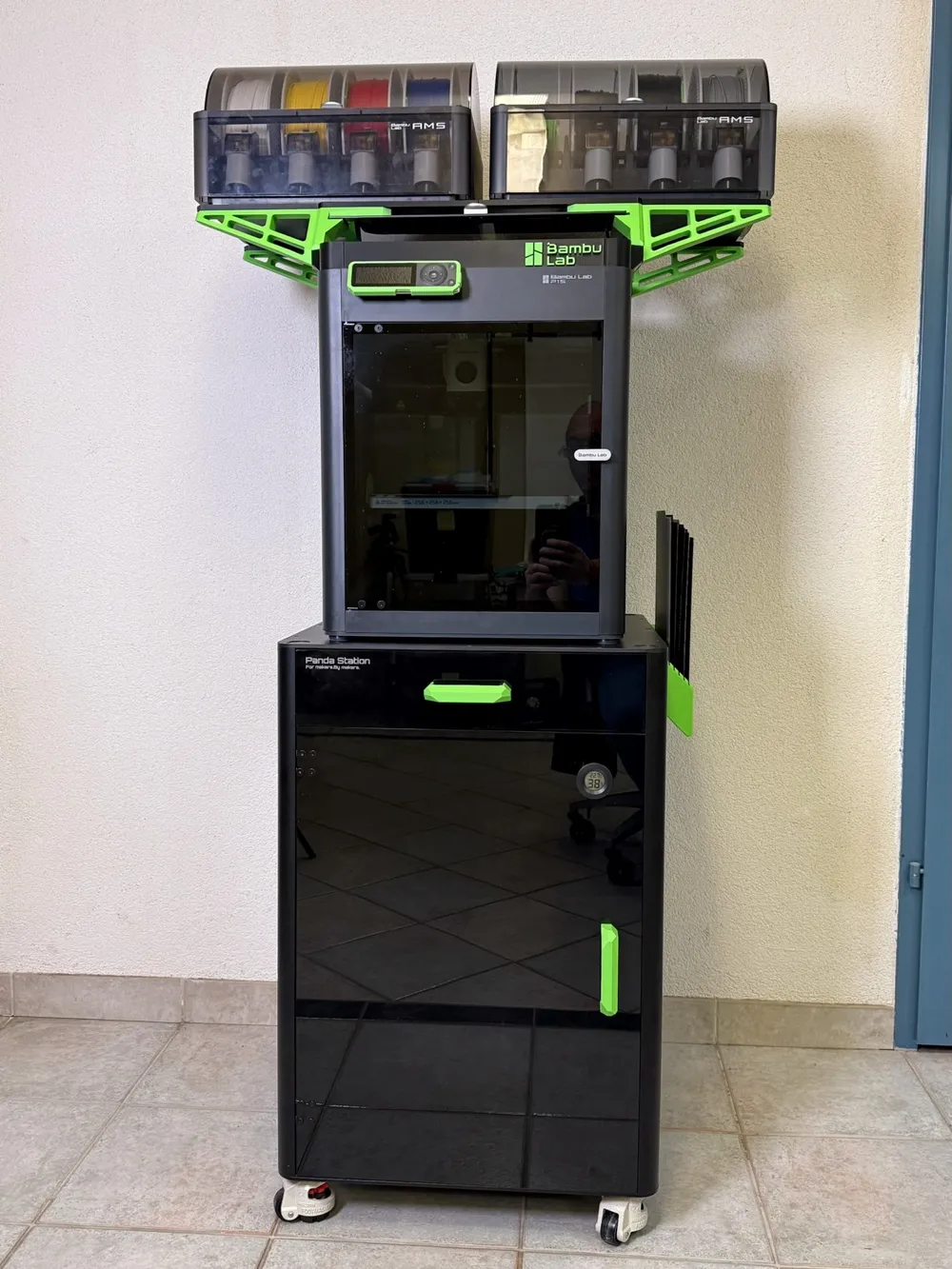
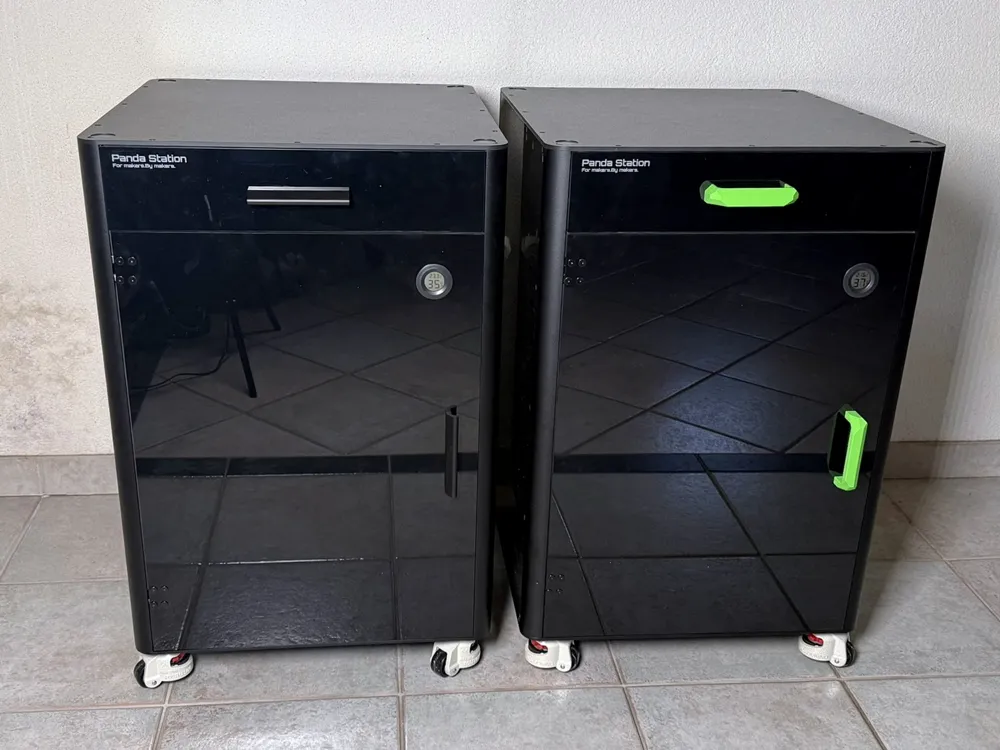
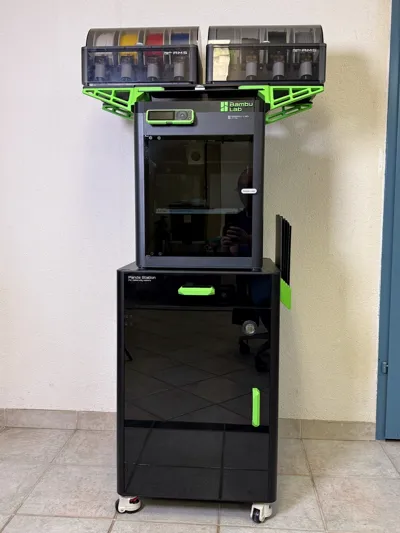
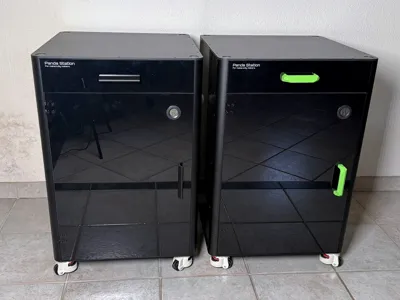
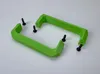
The original handles of the Panda Station are high-quality and minimalist, but a real eye-catcher was missing on the front. The new handle is inspired by the angular design of a stealth aircraft and feels particularly good in the hand, which facilitates access. Remove the original handles and mount the new handles with self-tapping M4x20mm screws.
Stopper
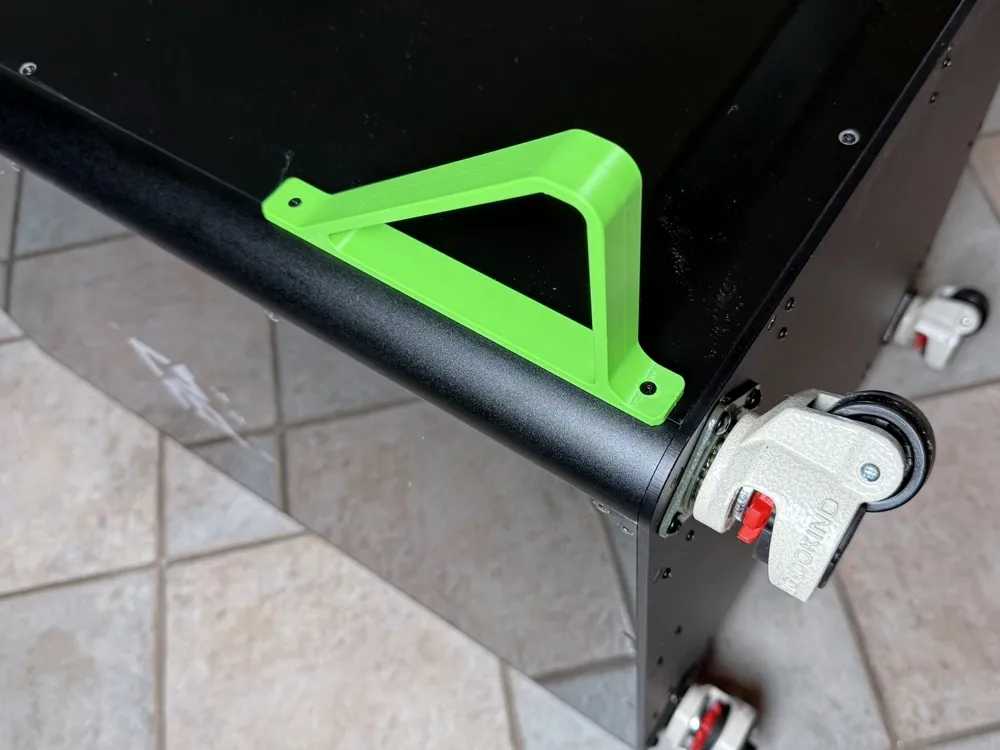
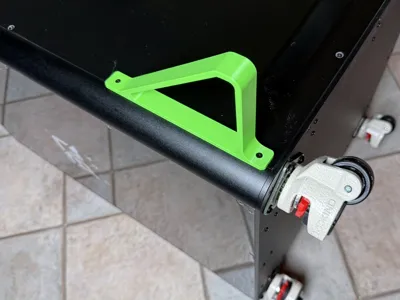
To ensure the correct distance to the wall and prevent damage to the cables, special spacers were designed for the lower area. The stoppers use the original fastenings of the back plate: Remove the short screws and attach the stoppers with the longer (M3x15mm) screws. Additionally, the connecting cables are replaced with cables featuring angled plugs, which reduces the distance to the wall.
Modular Plate Holder
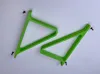
Due to its three-part construction, the plate holder can also be easily printed on an A1 Mini. Furthermore, material consumption is minimized, and no support structures are needed. The deep insertion slot prevents the print plates from falling out, while the open bottom facilitates access. By mounting it below table level, the printer can be easily lowered without damaging the holder. The holder accommodates up to five plates. The holder elements are assembled with the connecting piece, with the larger element belonging to the back. The holder is fastened on the right side using the original side wall fastenings – remove two short (M3x8mm) screws and replace them with longer (M3x15mm) screws. For mounting on the left side, all parts must be printed mirrored.
Notes on Design and Assembly
- All parts were designed to offer minimal material requirements and maximum strength. PETG is recommended because it is more elastic and impact-resistant than PLA.
- Ensure good adhesion during printing, as the contact surface for some parts is very small.
- Reducing the print speed significantly improves the result.
- If multiple parts are printed on one plate simultaneously, the recommended settings and orientations should be observed. Only one part was arranged per plate.
- All parts are printable on the A1 Mini and thus also fit easily on other printers. For multiple objects, printing order by object is preferred.
- All attachments use the existing mounting holes and are fastened with the (M3x15mm) screws that are supplied as standard with the Panda Station. Additional screws are needed for some parts. These are visible in the photos and were specified in the description.
- Nothing is changed or glued to the Panda Station itself, so a removal or modification is possible at any time without leaving traces.
- If you have any further ideas for enhancements, please let me know. If possible, I will try to implement them and expand this project further.
License

You may create derivative works based on this object, provided that all such derivative works are published exclusively on the MakerWorld platform and include proper attribution to the original creator. You may not share, upload, host, distribute, or publish this object—or any derivative work of this object—on any other digital platform, marketplace, or distribution channel. Commercial use of this object and any derivative works is strictly prohibited. This includes, but is not limited to, selling, renting, sublicensing, or using the object in any context in which you receive monetary compensation or other financial benefits.


Comment & Rating (56)