
Parametric Dust Extraction Adapter Flow-Optimized
Print Profile(1)
Description
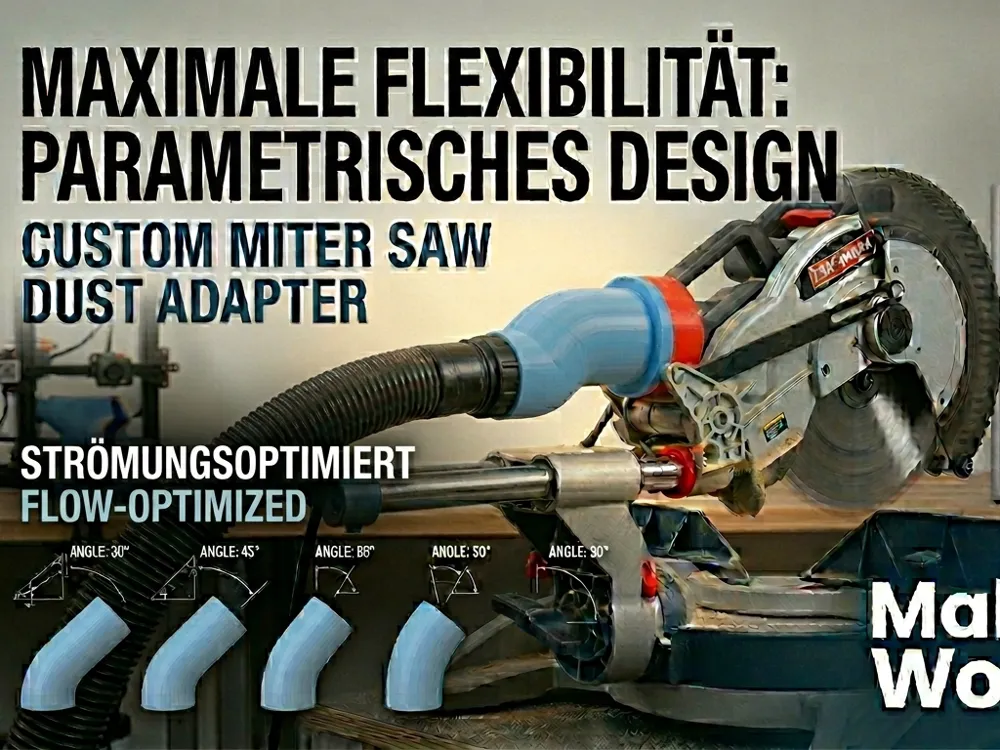
🛠️ Universal Parametric Dust Adapter (Flow-Optimized)
Stop fighting with ill-fitting vacuum hoses! This is a fully parametric, flow-optimized adapter designed to bridge the gap between any tool and any vacuum system. Whether it's a 90° bend or a straight reducer, this model handles it with ease.
🌟 Why this adapter?
Unlike simple "stepped" connectors, this design features a smooth internal transition. This flow-optimized geometry maintains maximum airflow (CFM) and prevents sawdust from clogging at sharp edges.
⚙️ How to Customize
- Open the Universal_Adapter.f3d file in Autodesk Fusion 360.
- Go to Modify ➔ Change Parameters.
- Adjust these specific values to fit your needs:
- Pipe_1_ID: Inside diameter of your first connection.
- Pipe_2_OD: Outside diameter of your second connection.
- Pipe_1_Length & Pipe_2_Length: How long each straight section should be.
- Transition_Length: The length of the smooth section between the two pipes.
- Wall_Thickness: Adjust the durability and airtightness of the walls.
- Flare: Add a flare/taper for easier plug-in (optional).
- Angle: Set any bend from 0.01° to 90° (and beyond!).
Depending on the diameters of both connections, an appropriate Transition_Length must be selected. If the Transition_Length is too short, the bend cannot be generated, and the design will result in an error.
🖨️ Print Settings
- Material: PETG is highly recommended for workshop environments (impact and heat resistant). PLA works for light-duty use.
- Wall Loops: 3–4 for a strong, airtight seal.
- Infill: 15–20% (Gyroid recommended).
- Supports: Generally not needed for straight adapters or angles up to 45°. For steeper angles, use "Tree Supports".
💡 Pro Tip: Measure your tool ports with calipers! I recommend adding a small tolerance (e.g., 0.2mm) to your diameters for a perfect "press-fit" experience.
Show your setup! Please upload a profile or a photo of your print – it helps others see which tools this adapter works with!
Boost Me (for free)
Sending a Boost 🚀 Your support helps me dedicate more time to creating functional, free tools for the maker community. Happy making!
License

You shall not share, sub-license, sell, rent, host, transfer, or distribute in any way the digital or 3D printed versions of this object, nor any other derivative work of this object in its digital or physical format (including - but not limited to - remixes of this object, and hosting on other digital platforms). The objects may not be used without permission in any way whatsoever in which you charge money, or collect fees.


Comment & Rating (0)