
Low-Profile AEM Wideband Bezel
Print Profile(1)
Bill of Materials

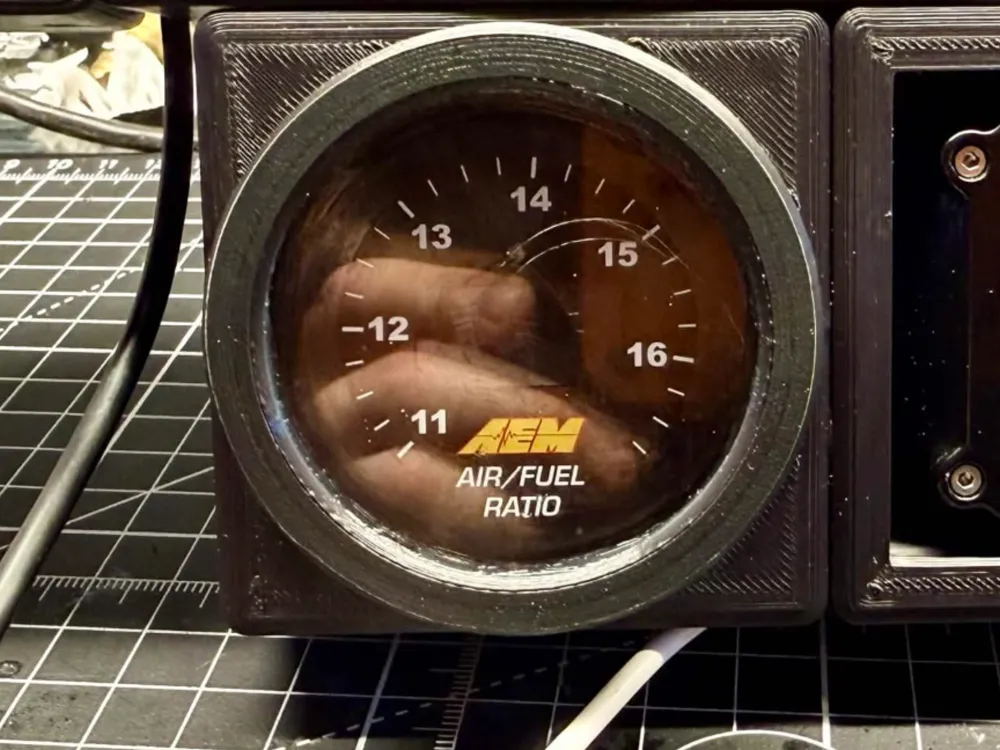
- AEM Air/Fuel Ratio Gauge x 1: 30-4110 is the AFR Gauge in the picture
Description
Here is a quick replacement bezel for the AEM Air Fuel Ratio Gauge. I needed one to match my dash cluster so I modeled this.
Its a lower-profile bezel so it doesn't lose so much visibility from the larger ring it came with.
Printing is easy, I recommend using ABS/ASA due to the temperatures inside your vehicle during summer, and to help make sure the threads remain strong.
Make sure you print with the 0.12mm FINE profile so the threads are 1:1. No supports are needed in its current orientation. Slower speeds will yield a cleaner thread.
Installation is simple, simply remove the old ring, swap the plastic lens into the new ring, and tighten the new ring back down. DO NOT tighten too much, or you'll split the layer lines.
Post-Processing Note - If you want to match the smooth, and shiny ring that AEM came with. Once printed and cooled down, use Acetone to vapour smooth it until its smooth and shiny. Takes about 5-30 minutes depending on Acetone % and ambient temperature. Just watch that you don't cause disfiguration of the threads during this process.
License



Comment & Rating (1)