
HATSUNE MIKU AND KASANE TETO BROOCHES
Print Profile(1)
Description
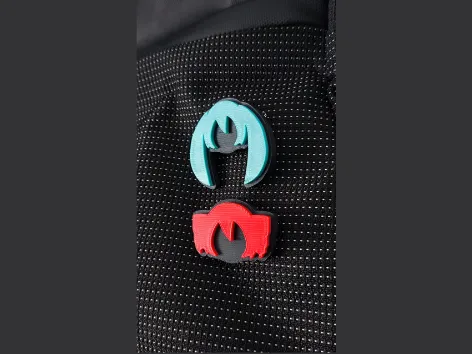
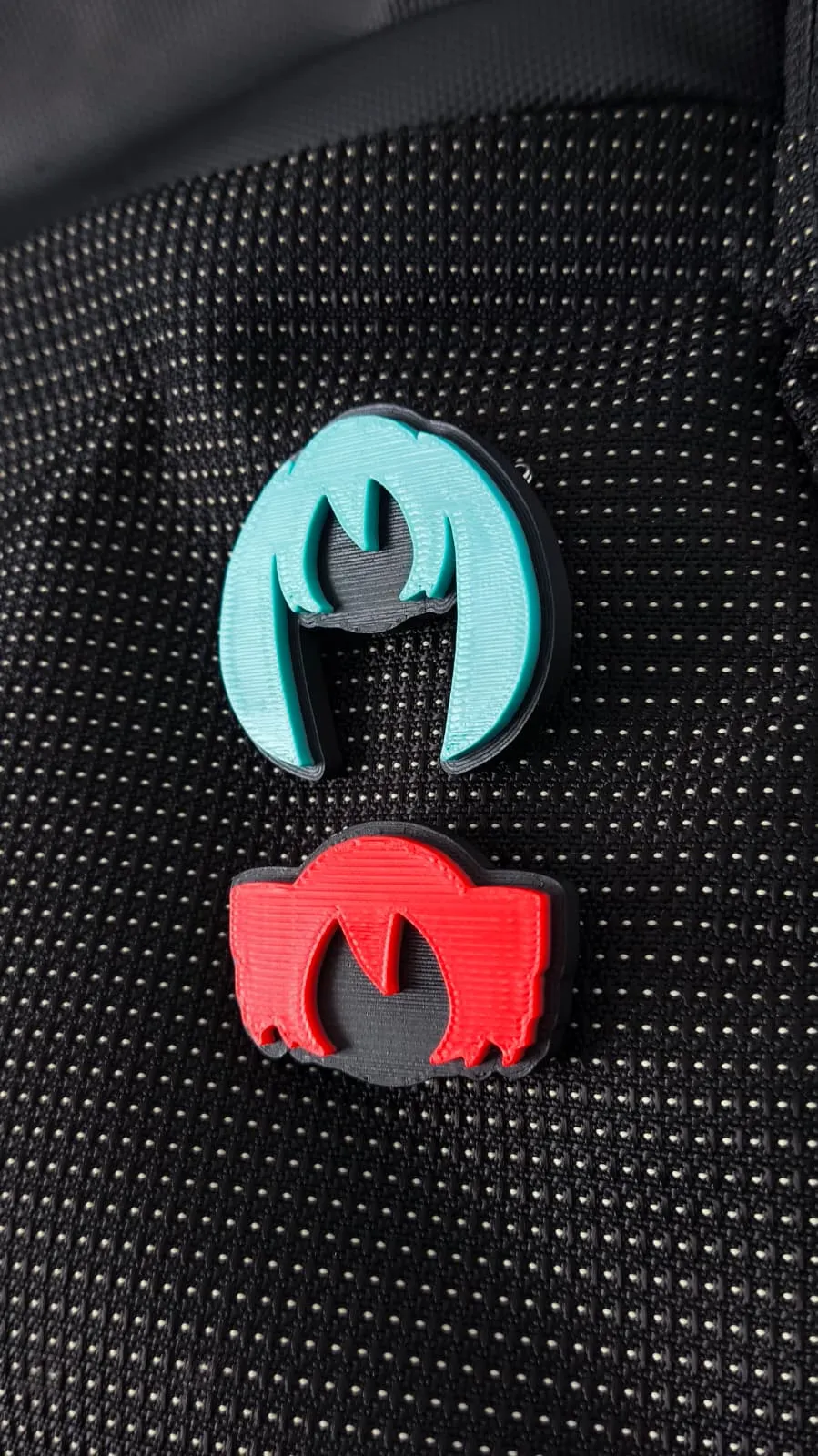
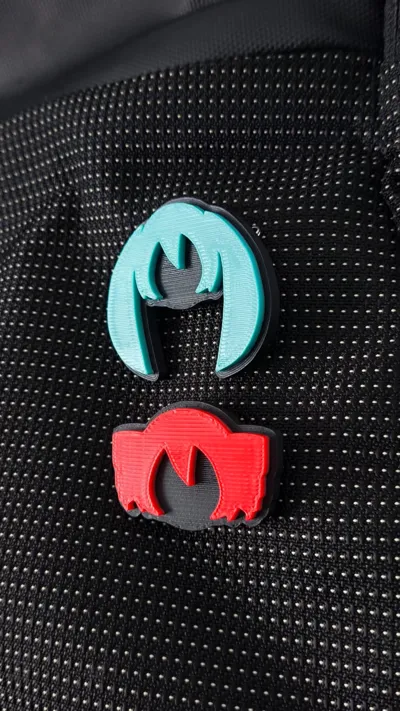
Hatsune Miku and Kasane Teto Brooch or Pin
Do you want to take this dynamic duo everywhere? Well, now is your chance to print it and show everyone what a true Vocaloid fan you are. I am currently working on more designs like Neru (to complete the Triple Baka).
DIMENSIONS
- Hatsune Miku: 42.5 x 37 x 5 mm
- Kasane Teto: 36.5 x 25 x 5 mm
HOW DO I PRINT IT?
- Open the model in your favorite slicer.
- Choose the colors you want (all Mikus are canon). You can print the safety pin holder in any color or material.
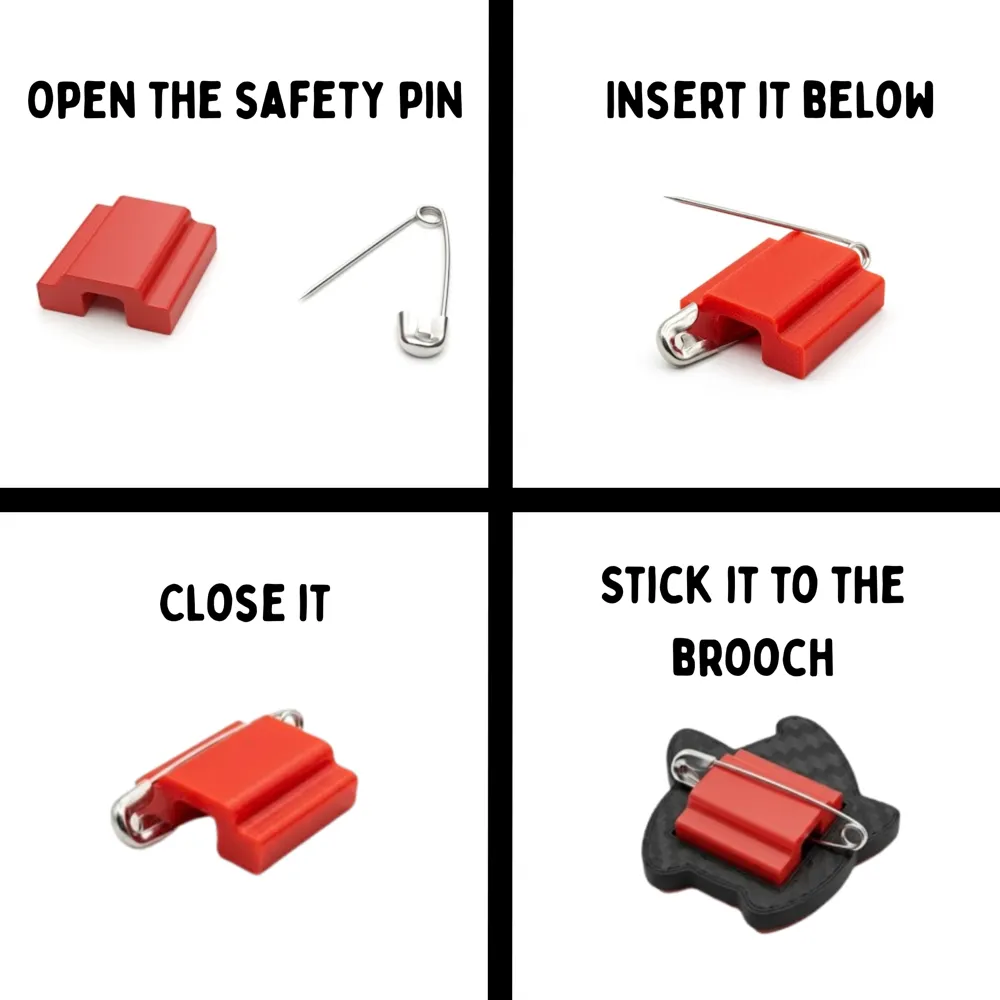
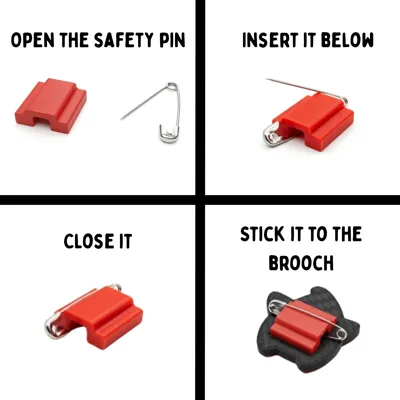
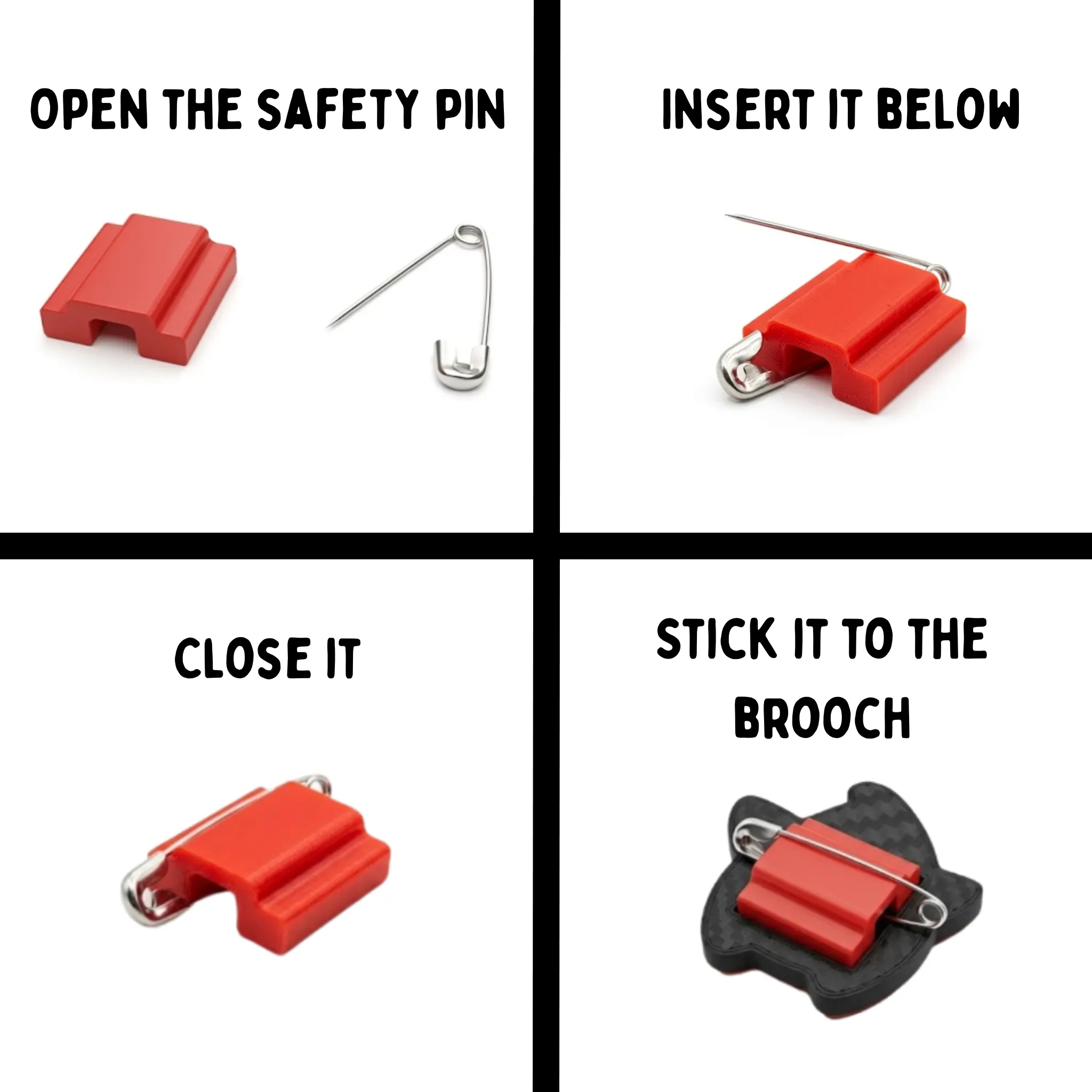
- Follow the tutorial below to glue it and insert it into your favorite garment or backpack, just like I did.
- Ready! Your Hatsune Miku and Kasane Teto are now ready to accompany you everywhere.
POSSIBLE PROBLEMS
- The model does not stick to the base: Clean the print bed before printing; having it dirty is bad for your printer's health, DO NOT EAT CHEESE BALLS ON TOP OF YOUR PRINTER!
- The support is too small: Try increasing the size of the model and the hook to fit the size of your safety pin.
- The support does not stick to the brooch: Use good instant glue or a little baking soda to aid adhesion.
FILAMENT USED
- Bambulab - PLA Matte
- Bambulab - PLA Basic
FINAL THOUGHTS
This is a model that took me a bit of effort, as I couldn't find the optimal way to add the safety pin to the design without having to perform operations like cylinders, printing it upside down, pausing the print... a total mess, really.
Leave me comments about the designs you want to see next so I can upload and design them soon.
HAPPY PRINTING!
This model was designed entirely from scratch in Fusion360 without AI assistance. If you like it, consider leaving a Boost to support the design of more functional and unique accessories. Your support helps me keep creating! 🧡
License

You shall not share, sub-license, sell, rent, host, transfer, or distribute in any way the digital or 3D printed versions of this object, nor any other derivative work of this object in its digital or physical format (including - but not limited to - remixes of this object, and hosting on other digital platforms). The objects may not be used without permission in any way whatsoever in which you charge money, or collect fees.


Comment & Rating (13)