
JL Wrangler steering wheel volume button extension
Print Profile(1)
Description
WARNING: INCOMPATIBLE WITH STEERING WHEELS WITH PADDLE SHIFTERS
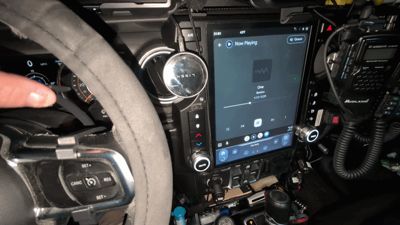
This is a non-destructive method that allows you to use your left hand (or, to be more precise, the left thumb) to change the media volume using the steering wheel volume control. This is meant for those who have difficulty using their right hand to access the volume control buttons. But you can also use it with your right thumb, as well. Who am I to judge?

Uconnect doesn't allow vehicle owners to flip the track selection and volume control buttons on the rear of the steering wheel. Some people resort to rewiring the clockspring cables, similar to what others have done for JKs. And then there are absolute mad men who invert the steering wheel, which is honestly pretty dangerous. Obviously, those aren't something that you want to do to a brand new vehicle or something that's leased.
The idea began when someone who bought a brand new 2026 JL Wrangler asked if there was a way to control the volume using their left hand. Seeing how his vehicle quite literally just rolled out of the dealership parking lot, it didn't make much sense to do a hack job or replace the Uconnect with an aftermarket head unit. Instead, I suggested moving the controls so it can be accessed from the front using the thumb, while still maintaining control of the steering wheel. The theory was sound, and that's how this model started.
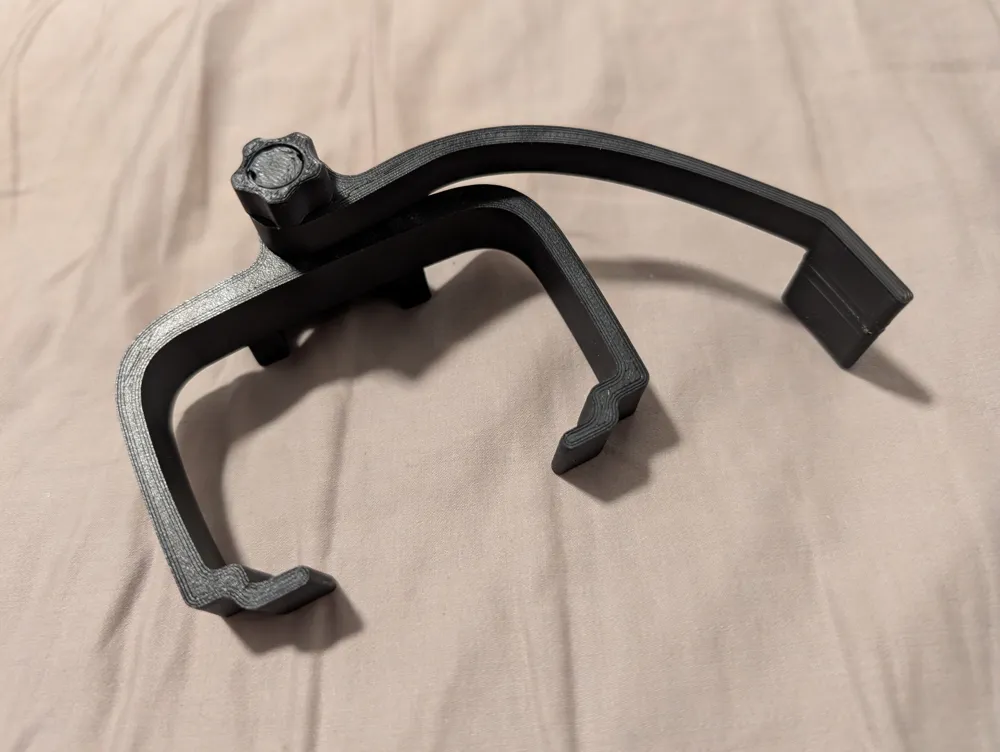
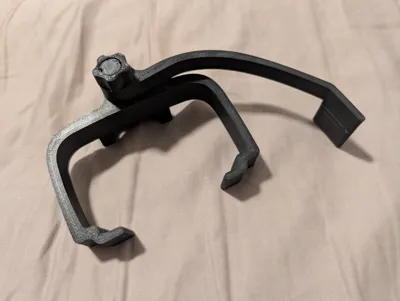
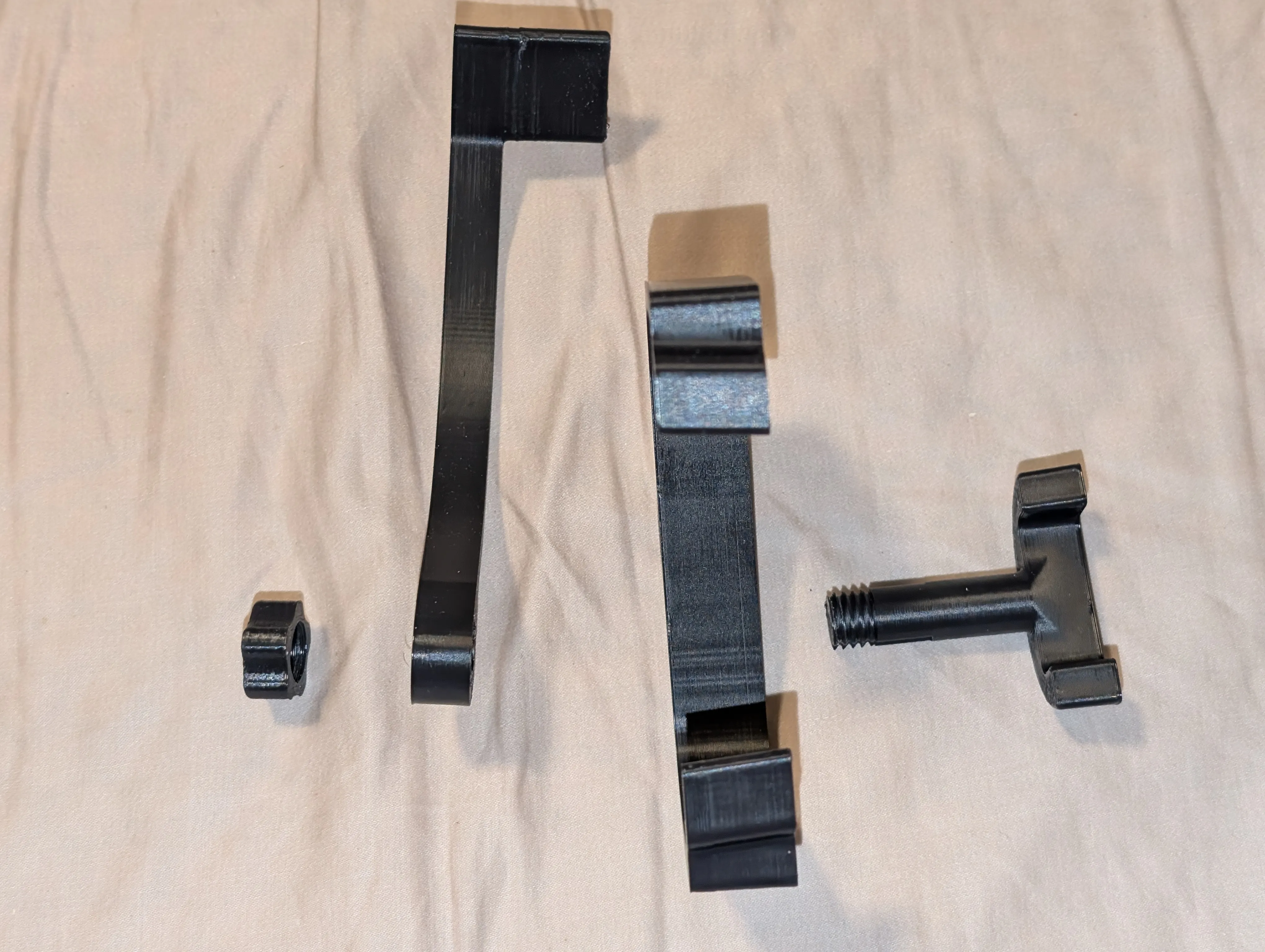
There are two near-identical parts in the print profile--named the “switch presser”. One is meant to be used with the device clipped on, and the other is meant for if you want to use some VHB tape with it to really secure it in place. The latter just has protrusions that press the buttons that are 1mm longer to compensate for the increased distance from presence of the tape.
Additionally, there are three different levers with different protrusion length--short, medium and long. They have different amount that the paddle sticks out past the steering wheel, to assist with ergonomics. Try all three and pick the one that best suits your usage.
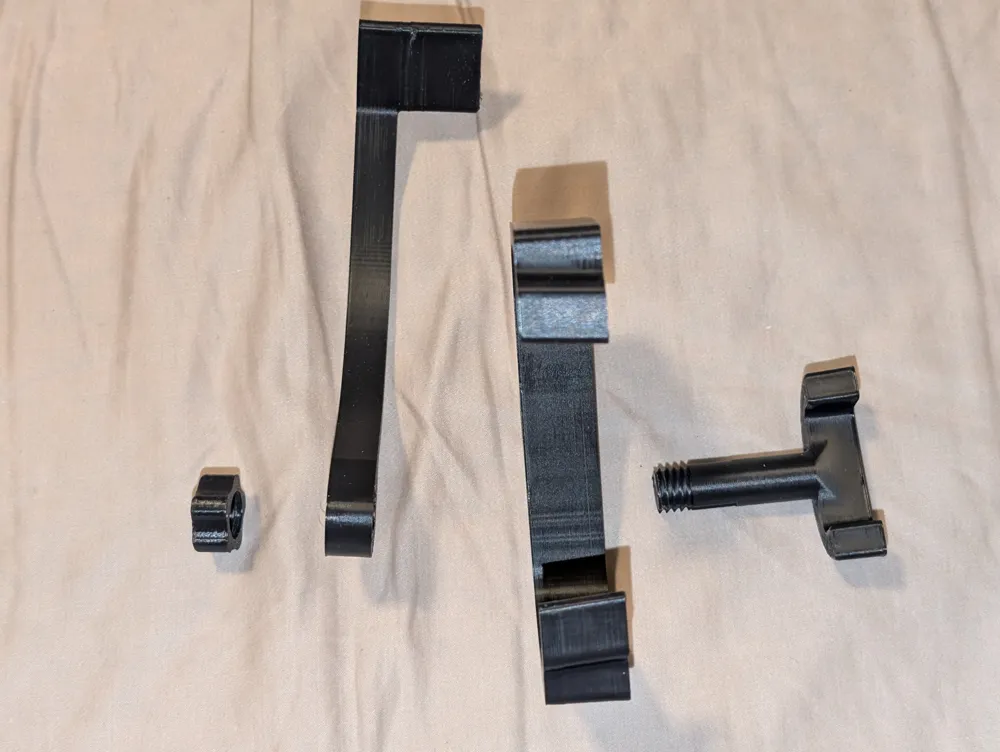
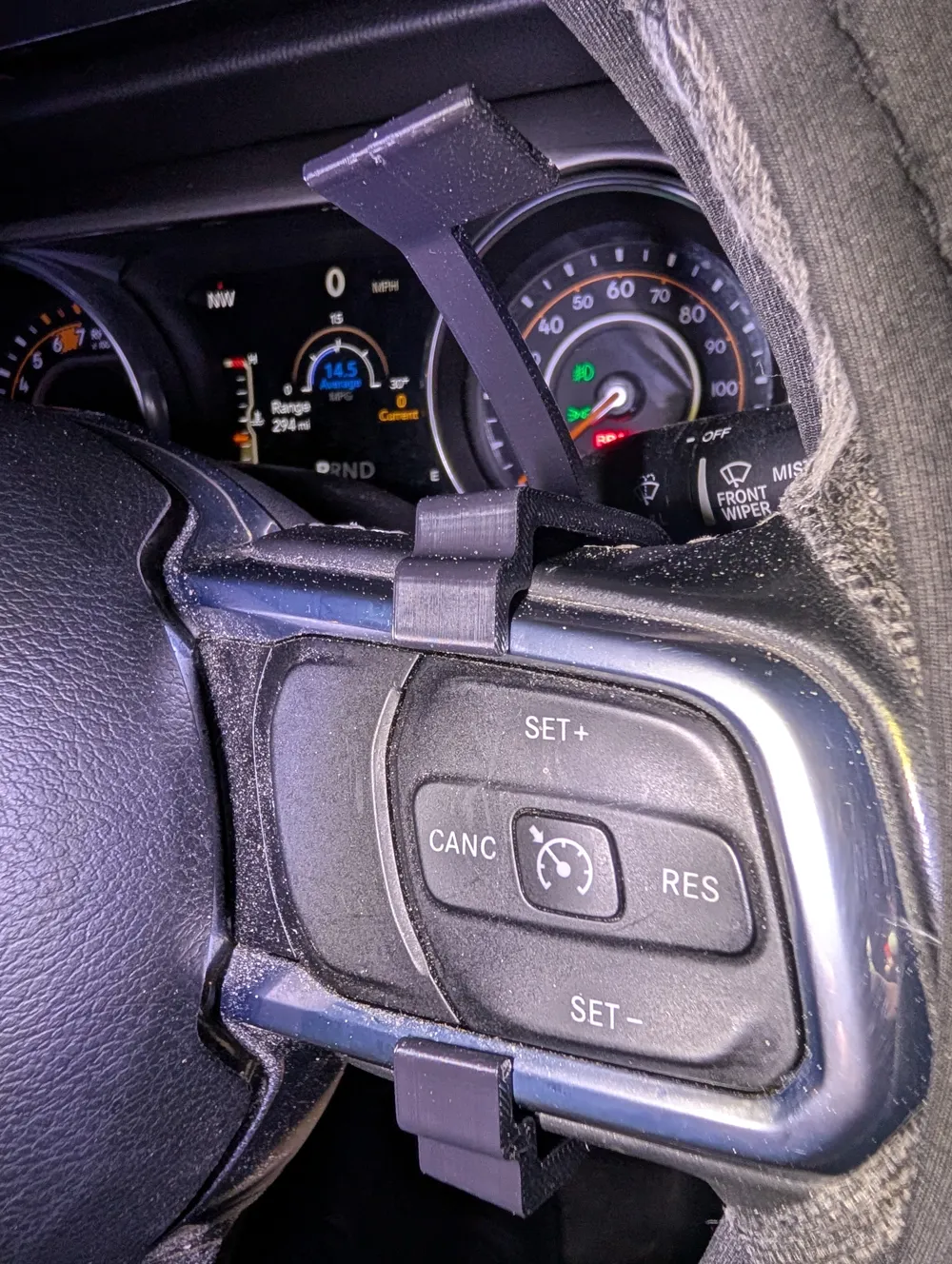
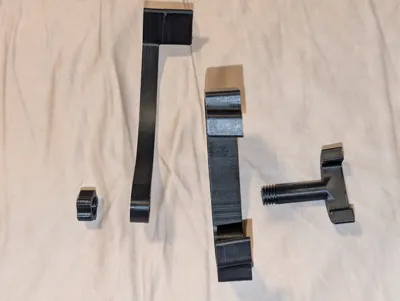
Once you have all the parts printed, put them together the way they are ordered in the photo:
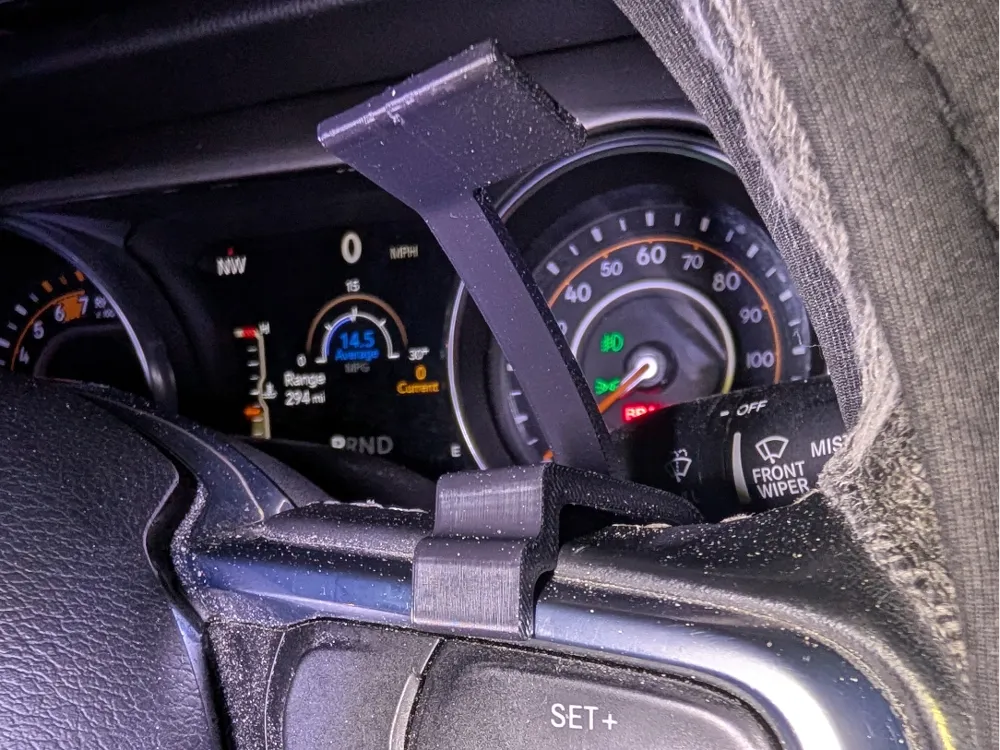

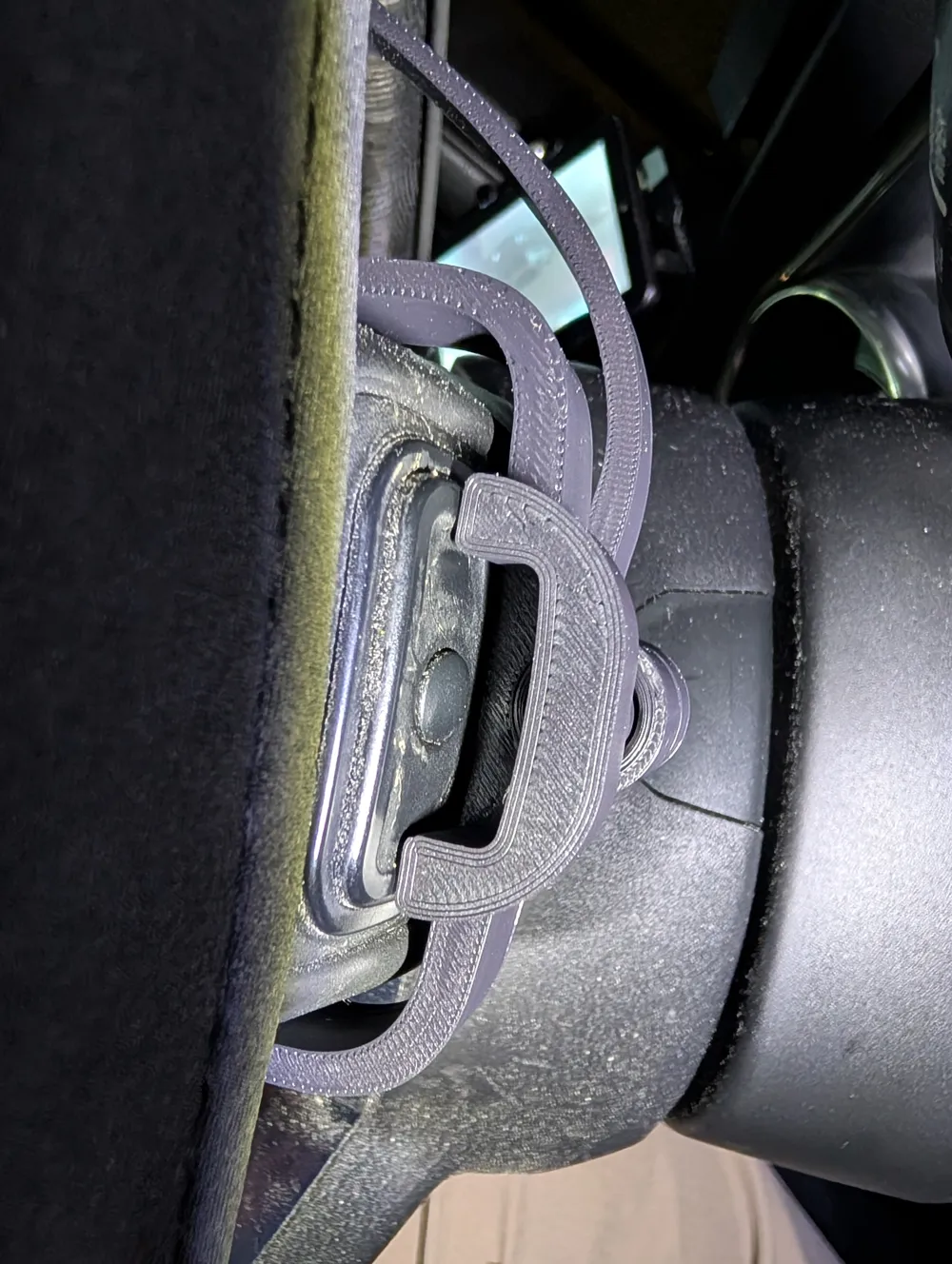
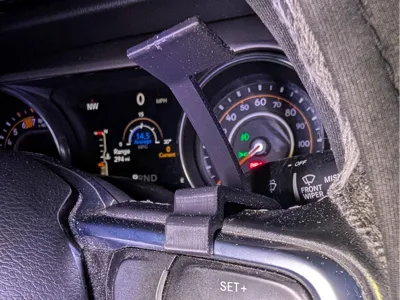
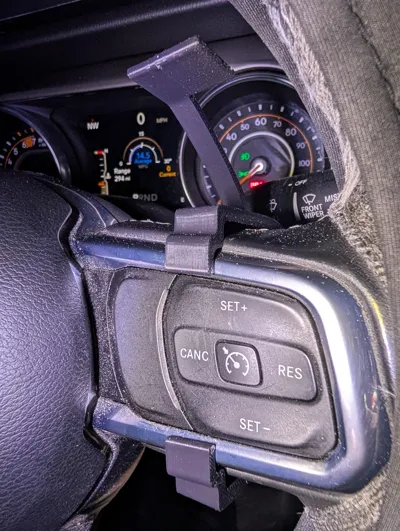
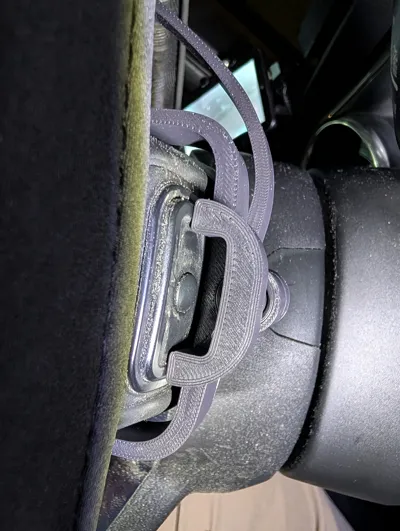
After that, just clip it to your steering wheel as shown in these two photos:
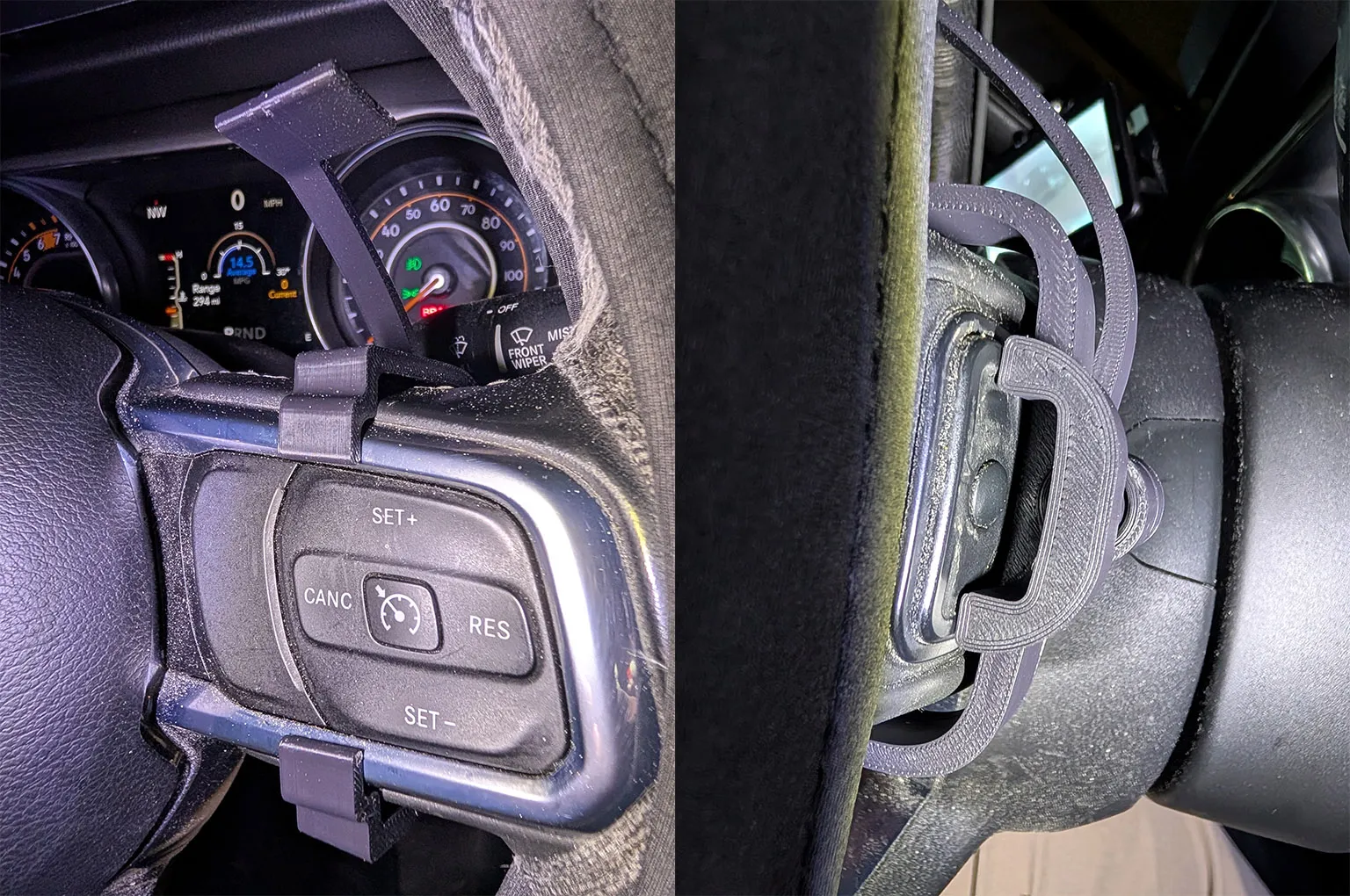
It didn't really budge when I tested it, but you can add some VHB tape to really secure it if you want. There's just enough slack on the lever to prevent it from accidentally pressing the buttons when hitting a bump.
Pulling the lever up will lower the volume. Pushing it down will raise it.
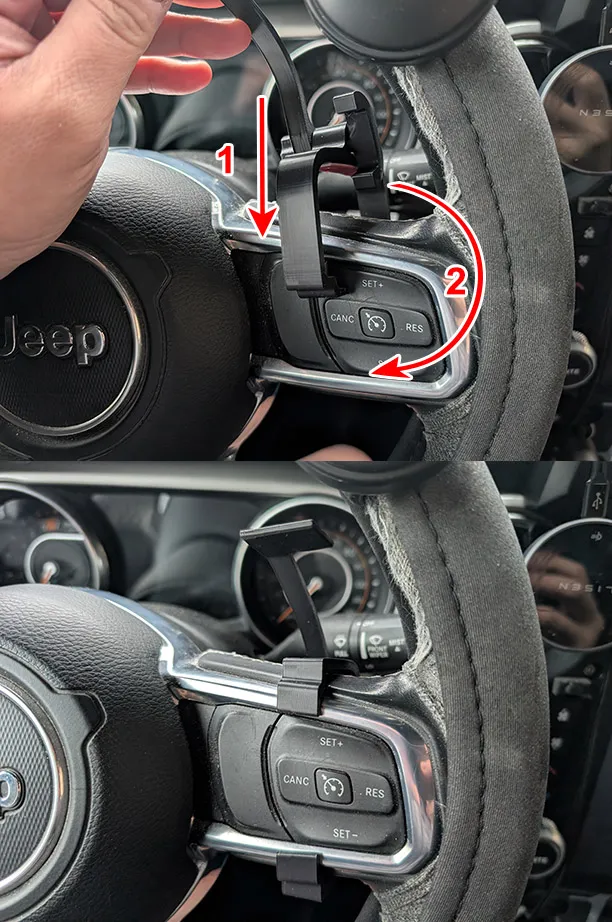
To install, have the open end of the clip come in from top, and rotate it into place:
As mentioned all the way up top, this is not compatible with steering wheels that have paddle shifters. I'd love to make one compatible with them, but my JL doesn't have them, so I have nothing to get the measurements from.
License



Comment & Rating (1)