
Tetra-Aide (AMS version)
Print Profile(1)
Description
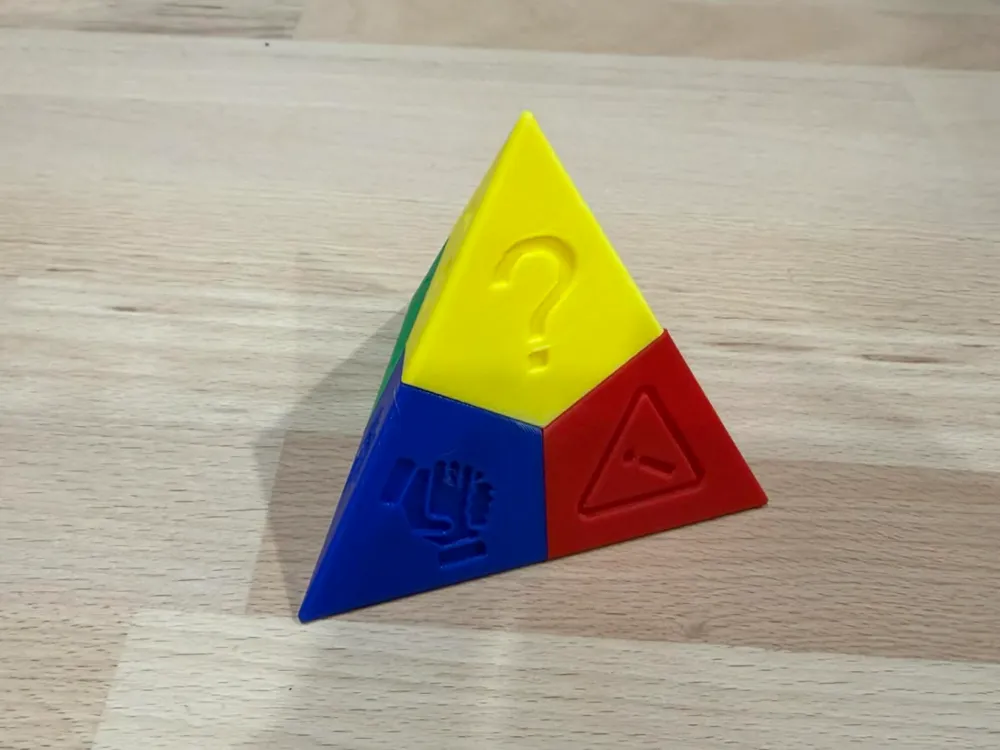
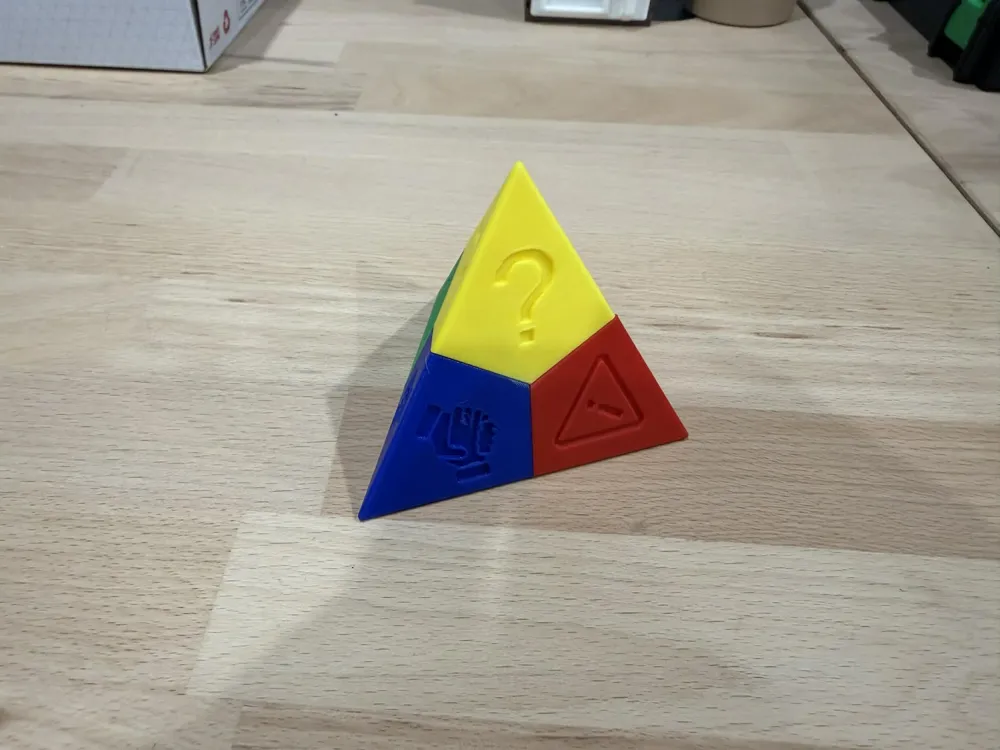
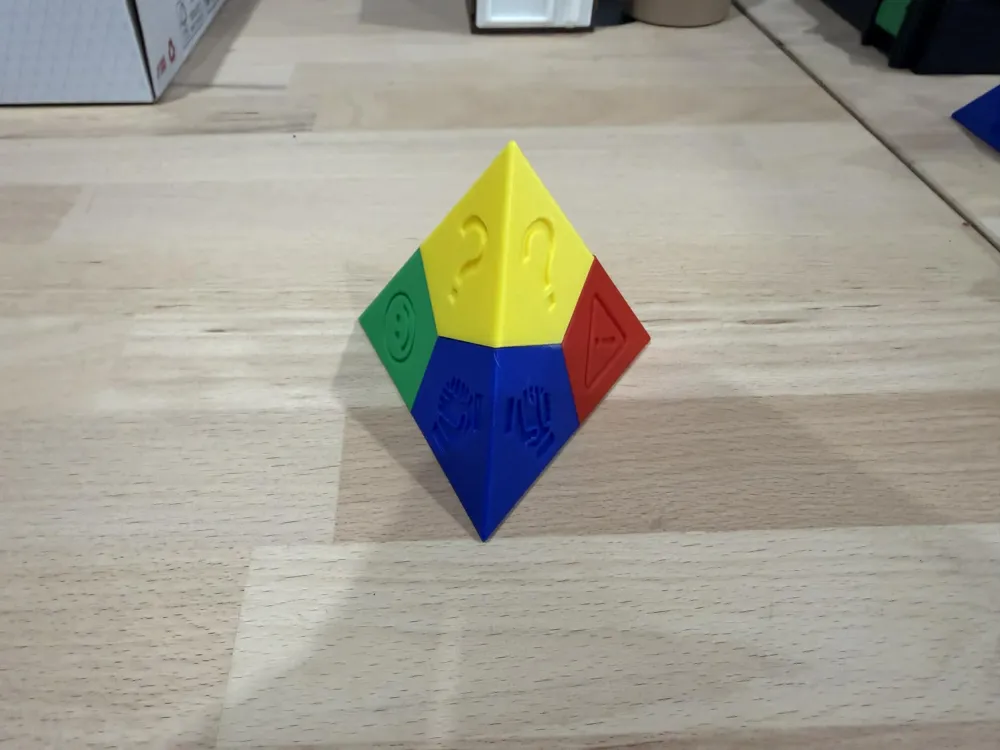
Tetra-Aide – A Simple Tool to Support Student Autonomy and Classroom Organization
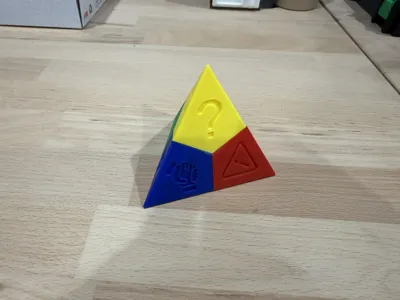
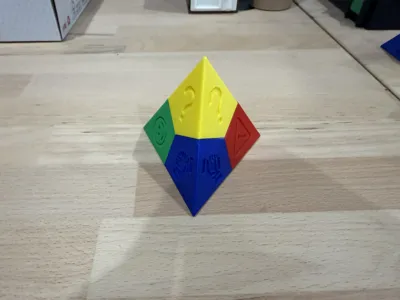
The Tetra-Aide is not just an object — it’s a teaching tool that helps students communicate their level of understanding and manage when and how they ask for help
Each color represents a different learning situation, but students need to be guided to understand when and why to use them. This makes the Tetra-Aide a powerful support for both learning and classroom flow
🔹 How it works:
- Green: “I understand and I’m working well.”
- Blue: “I’m a bit stuck, but I’m trying to solve it myself (re-reading, checking examples, or asking a classmate).”
- Yellow: “I have a question, but I can continue working while I wait.”
- Red: “I’ve tried several things and I really need help.”
🔹 Why use the Tetra-Aide?
- Encourages students to think before asking for help
- Promotes independence and problem-solving
- Helps teachers quickly see who needs support
- Improves classroom organization and reduces interruptions
- Fosters cooperation between students
🔹 A learning process, not just a tool
Teachers introduce the Tetra-Aide by modeling thinking aloud, guiding students through examples, and establishing an important rule:
👉 Before using red, students should first try to reread the instructions, check examples, and ask a peer.
Over time, the Tetra-Aide becomes a natural part of the classroom, helping students take ownership of their learning while making help requests clearer and more efficient
Download the 3D model and bring more structure, autonomy, and collaboration into your classroom!
Tetra-Aide – A Simple Tool to Develop Autonomy and Classroom Organization
The Tetra-Aide is not just an object — it’s a teaching tool that helps students communicate their level of understanding and better manage their requests for help
Each color corresponds to a learning situation, but students must learn when and why to use them. This is what makes the Tetra-Aide a real lever for improving work in class
🔹 How it works:
- Green: “I understand and I’m working well.”
- Blue: “I’m a bit stuck, but I’m trying to solve it myself (re-reading, checking examples, or asking a classmate).”
- Yellow: “I have a question, but I can continue working while I wait.”
- Red: “I’ve tried several things and I really need help.”
🔹 Why use the Tetra-Aide?
- Encourages students to think before asking for help
- Promotes independence and problem-solving
- Helps teachers quickly see who needs support
- Improves classroom organization and reduces interruptions
- Fosters cooperation between students
🔹 A learning process, not just a tool
Teachers introduce the Tetra-Aide by modeling thinking aloud, guiding students through examples, and establishing an important rule:
👉 Before using red, students should first try to reread the instructions, check examples, and ask a peer.
Over time, the Tetra-Aide becomes a natural part of the classroom, helping students take ownership of their learning while making help requests clearer and more efficient
Boost Me (for free)
Thanks for boosting my creativity!
License

You shall not share, sub-license, sell, rent, host, transfer, or distribute in any way the digital or 3D printed versions of this object, nor any other derivative work of this object in its digital or physical format (including - but not limited to - remixes of this object, and hosting on other digital platforms). The objects may not be used without permission in any way whatsoever in which you charge money, or collect fees.


Comment & Rating (0)