
Urvan | Fire Emblem: Radiant Dawn




Print Profile(1)

Description
If you like my stuff and got a Boost, why not toss it my way? Every bit I get
helps me to do this full time.
Boost Me (for free)
Press this button to use a Boost Token to give me a free dollar!
And if you're interested in purchasing a Commercial License Membership, check it out here!
Membership
Click here to get the rights to sell prints of my models yourself!
Sorry for the interruption; on to the Meat and Potatoes!
Intro
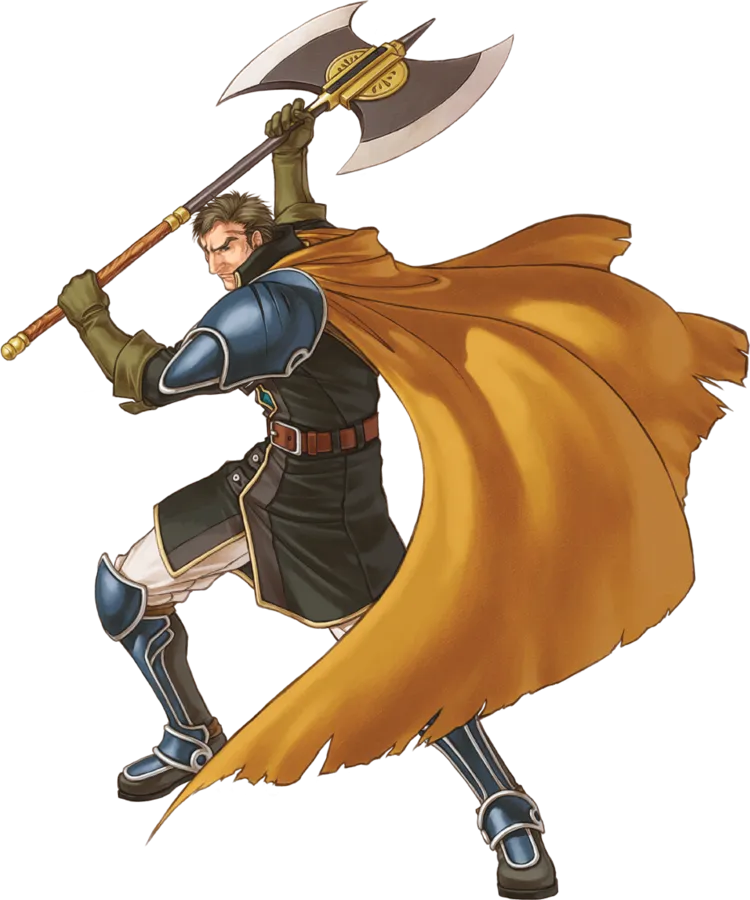
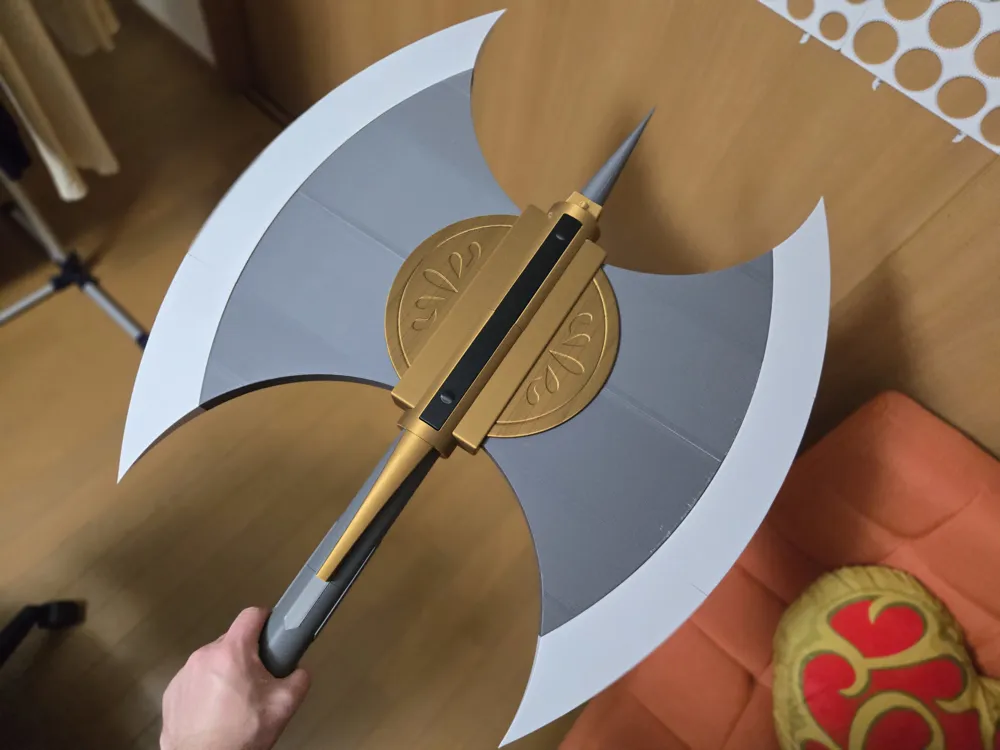
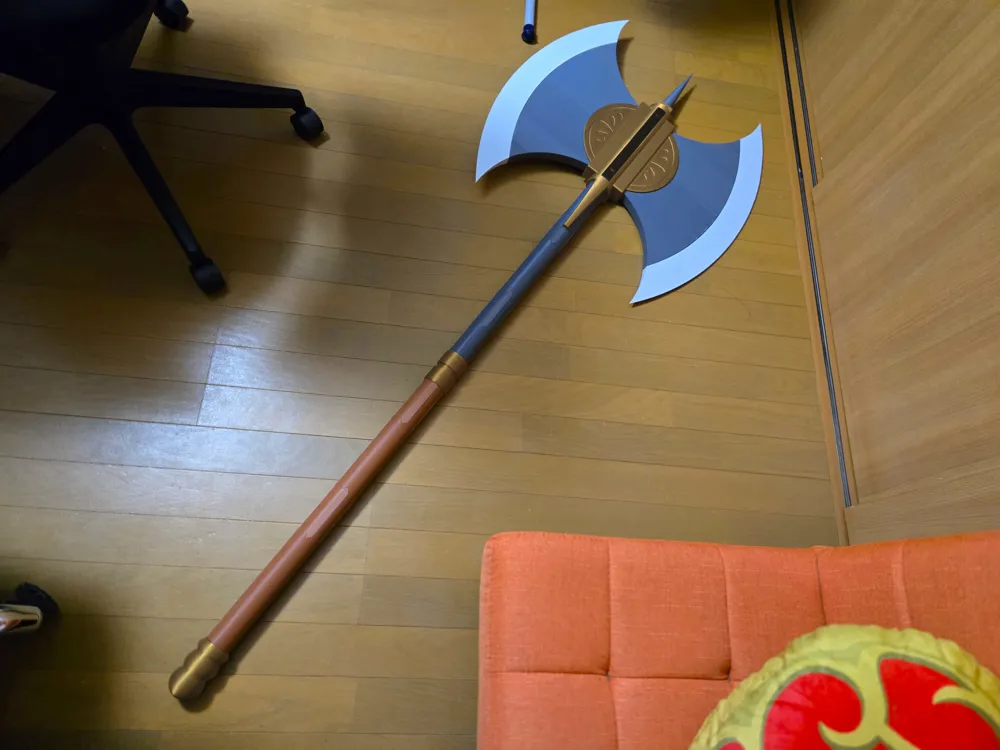
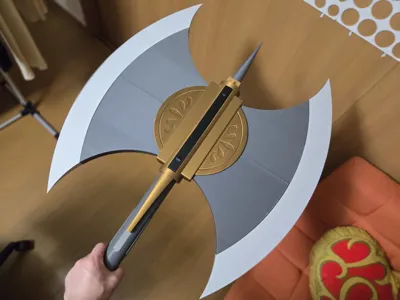
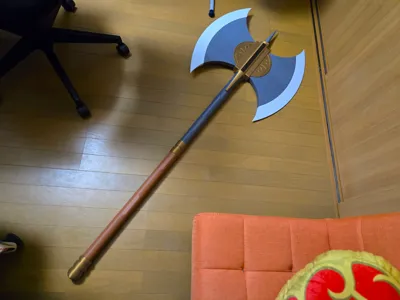
In Fire Emblem: Path of Radiance, Urvan is the chosen weapon of Ike’s father, Greil, after he swears off swordplay. Eventually, it finds its way into Ike’s hands near the end of the story in its sequel, Radiant Dawn.
It serves as the strongest axe in the game; able to be wielded by Ike or any unit of the 7 recruitable units that specialize in axes.
I’ve made this using a combination of the concept art of Greil and the in-game model. The model was used for a reference of the proper shape of each of the individual parts, but with the proportions of the Greil art, since the in-game one is absolutely giant.
You are free to read the assembly instructions here, but I highly recommend you just check out the video below.
Parts List
Files:
- UrvanSTEP.stp - A STEP file containing all the individual pieces of the axe in one place.
- X1CUrvan3mf.3mf - a 3mf file containing the axe separated into parts and ready to be printed. Set to the BambuLab X1C by default, but it can be changed.
Filaments:
All filaments are Bambu Lab Basic PLA.
- Dark Grey - Blade Core pieces, Upper Handle and its 8 Locks, Spike
- Light Grey - Blade Edge Pieces
- Gold - Junction pieces, MidHandle 4-5, Blade Design, Butt
- Black - Front and Back panel
- Brown - Bottom Handle and its 8 locks
- Jade White - All Pegs (any color is fine)
Printed Parts:
Special Print Instructions:
All parts were printed with 5% infill, with the exception of all pegs, which have 20% infill.
- Blade
- BladeCore x4 - Dark Grey
- MidBlade x2 - Light Grey
- Lower/Upper Blade x4 - Light Grey
- Blade Peg x4 - any color
- Middle Peg x6 - any color
- Blade Design x4 - Gold
- Handle
- Butt1 x1 - Gold
- BottomHandle2 x1 - Brown
- BottomHandle4 x1 - Brown
- BottomHandle4 x1 - Brown
- Lock x8 - Brown
- MidHandle4-5 x1 - Gold (Needs Supports)
- UpperHandle5 x1 - Dark Grey
- UpperHandle6 x1 - Dark Grey
- UpperHandle7 x1 - Dark Grey
- UpperHandle8 x1 - Dark Grey
- Spike9 - Dark Grey
- Lock x8 - Dark Grey
- HandlePegs (fat and long) x8 - any color
- HandlePegs (skinny and long) x2 - any color
- HandlePeg (fat and short) x1 - any color
- Junction
- LowerMainJunction x1 - Gold
- UpperMainJunction x1 - Gold
- MiddleJunction x1 - Gold
- Front/BackHandleDeco x2 - Gold
- JunctionTop x1 - Gold
- Front/BackPanel x2 - Black
- Hanger
- Hanger x1 - Gold
Non-Printed Parts:
- Glue (many of the parts can get away with craft glue/no glue, but super glue is needed for a few of the pieces)
Assembly
Intro:
This one is a bit more prone to messing up compared to some of my other models; there are a few opportunities to put pieces together in the wrong order. Follow the steps in order (or, more ideally, just watch the video), and you’ll be fine.
However, in order to help with confusion, all the handle pieces have numbers intended/protruding from them in the order they are assembled, and most pieces have symmetry with themselves/other pieces, so it’s very difficult to put pieces in the wrong place; just in the wrong order.
Instructions:
- First, remove all supports and brims that may be on your parts.
- Let’s start with the handle. Match the Butt1 with BottomHandle2, and use the short and fat HandlePeg to put them together. I recommend gluing these pieces together.
- Using a long and fat HandlePeg, combine BottomHandle2 and BottomHandle3. Once they’re flush together, use 4 Brown Keys to keep them that way.
- Do the same thing with BottomHandle3 and BottomHandle4.
- Insert MidHandle 4-5 over top of BottomHandle4. Make sure the four tabs line up, and it properly covers the top of the Keys. You might want to invert it and press it down on the floor to ensure it goes all the way down.
- Now for the Dark Grey pieces. Insert UpperHandle5 into MidHandle 4-5 in the same fashion as the last step.
- Using another fat long HandlePeg and 4 Dark Grey Keys, attach UpperHandle6 to UpperHandle 5.
- Do the same with UpperHandle7 to UpperHandle 6.
- Put the two long and skinny HandlePegs into the top of UpperHandle7, and set that aside.
- Using the Middle Pegs, attach the various Lower and UpperBlades to either side of the MidBlades.
- Insert the Blade Pegs into the corresponding holes in the BladeCores. Two of the BladePegs hold two different BladeCores together.
- Glue the two BladeEdge assemblies to their corresponding BladeCore assemblies.
- Insert the two Blade assemblies into the MiddleJunction such that they meet in the middle.
- Going back to the Handle, put the end of UpperHandle6 through the hole in the LowerMainJunction (the one with the circular hole in it), with the arms facing outwards. It will be blocked by the little diamond bumpouts; that’s fine.
- Put the end of UpperHandle7 into the Blade assembly, making sure the LowerMainJunction is rotated such that the arms fit around the MiddleJunction. Slide them together until the MiddleJunction is flush with the flat part of UpperHandle7.
- In the opposite hole of the MiddleJunction, insert UpperHandle8 until it is flush with MiddleJunction.
- Insert UpperMainJunction so that the small nubs align with the small holes in MiddleJunction.
- Insert the JunctionTop into the square hole in the top of UpperMainJunction. Make sure the two slots in them are facing front and back, such that you can see them through the holes in the Upper and LowerMainJunction.
- Insert the Spike9 into the JunctionTop.
- Insert the four BladeDesigns into the gap between the MiddleJunction and the BladeCores. You may want to glue them.
- Glue the Front/BackHandleDeco, using the little diamond-shaped divot to line them up with those on UpperHandle7.
- Finally, insert the Front/BackPanels into the holes made by the Upper/LowerMainJunction. There’s a little tab sticking out on one side; make sure that slots into the JunctionTop to keep it down.
- If you wish to use the Hanger, pound nails/screws/hooks into the wall spaced out to fit the divots in the back of the Hanger, and then hang that bad boy up!
Conclusion:
Thanks for checking this out! I’m toying with the idea of making another weapon from the Fire Emblem Series sometime soon, so if you have any suggestions, drop them in the comments!
Overall, though, I worked rather hard trying to make this into a reasonable size that still stayed true to the source material. I hope you enjoy it!
Oh, and if you do, feel free to drop me a like and share the model around!
And if I could be so bold as to suggest, if you print it, why not post a pic or two? Both here and on social media.
License



Comment & Rating (0)