
StripFlowing Desk - Physical Attention Queue

Print Profile(1)
Description
StripFlowing Desk — Physical Attention Queue for AI Developers
Your AI agents run in parallel. Your attention is single-core.
You can launch ten agents at once, but you can only review one at a time. The problem isn't your setup — it's that your attention doesn't scale with your agents. A CPU handles context switches in nanoseconds because it has RAM ready: it saves the current thread state, loads the next one, and picks up instantly. You don't. When you finish a prompt and need to move to the next agent, you don't have RAM ready. You have a blank.
You try to remember where you were. Which tab, which branch, which conversation. You switch windows, re-read context, and meanwhile another agent finishes and starts pulling at you. You're not driving anything. You're reacting.
StripFlowing is a physical protocol that creates that RAM. A FIFO queue for your attention — not for your agents.
How it works

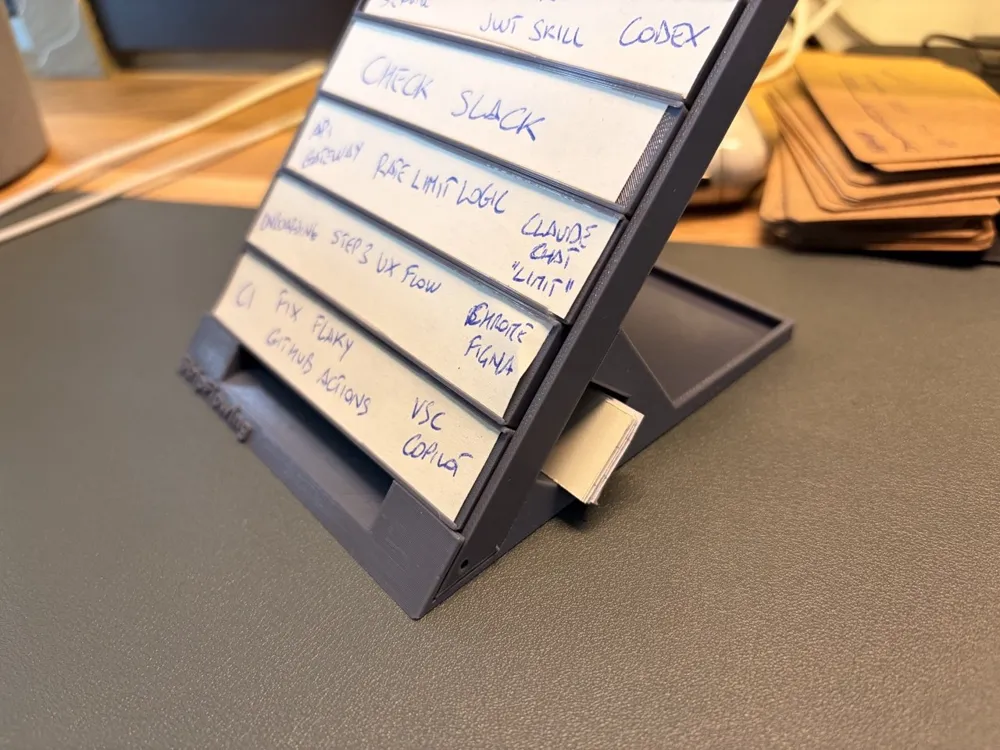
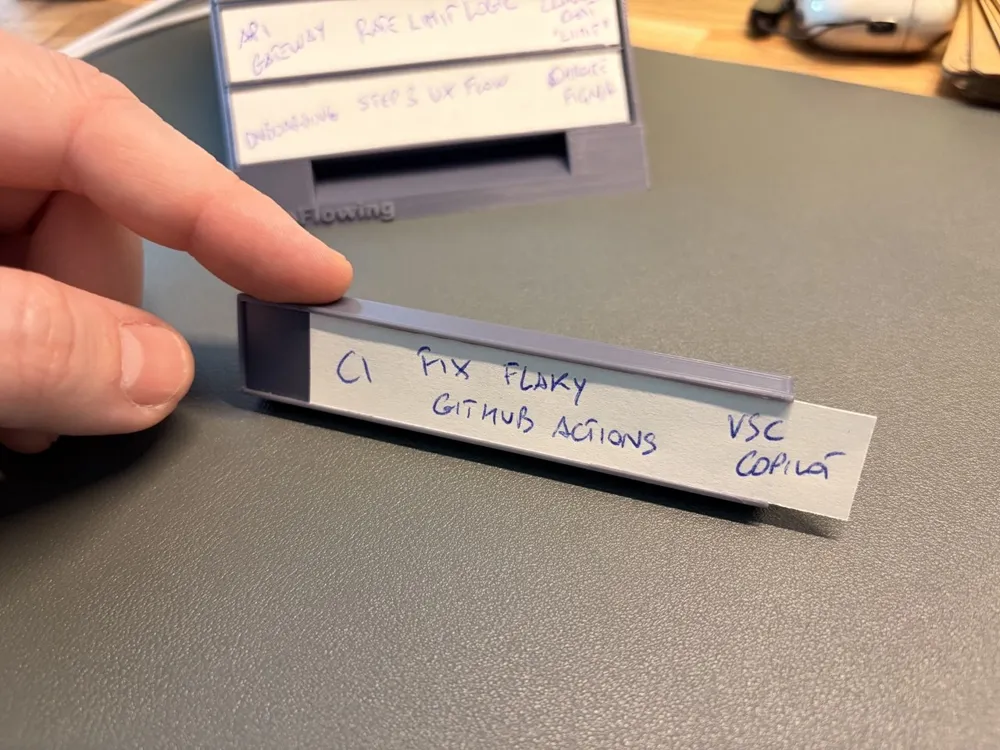
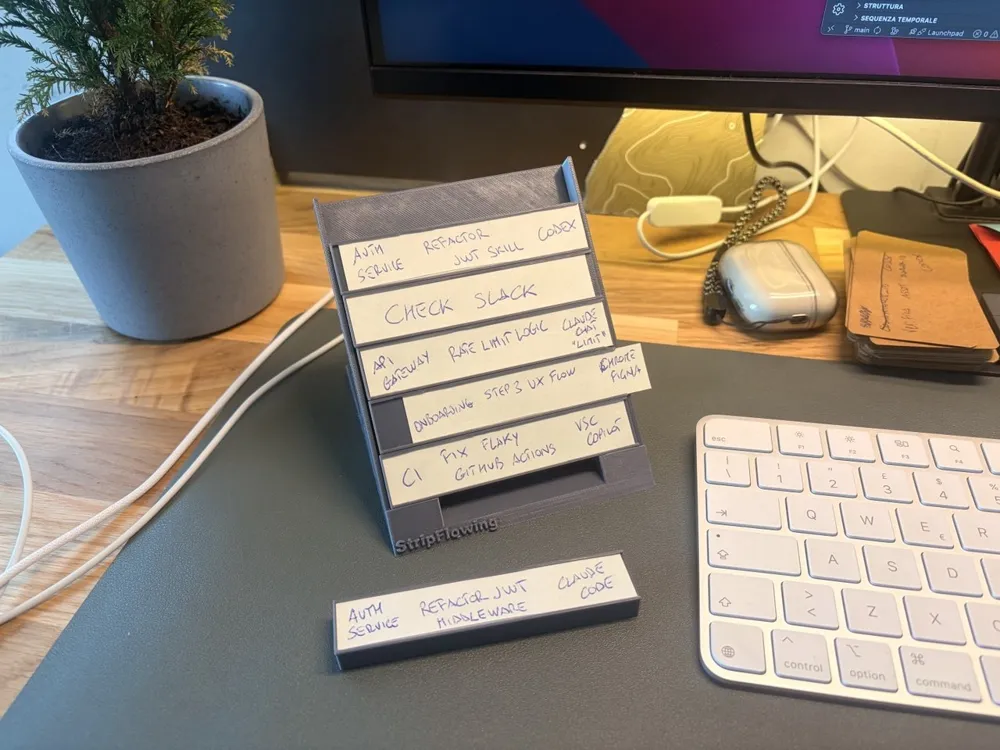
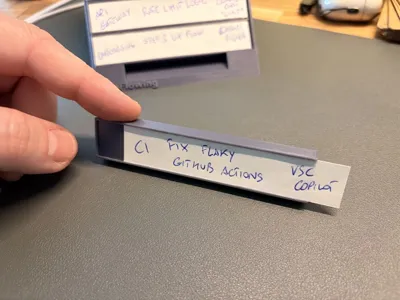
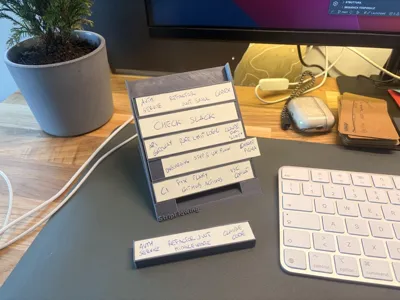
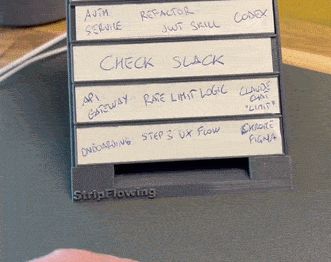
Every time you launch an agent on a task, you write a strip — an index card with three fields:
- Project — which codebase or context you're working in
- Task — what the agent is doing, in one line
- Anchor — the exact place you need to return to: "Claude Code — Fix #3554", "VSCode Window 2 — auth test suite", "Cursor — form refactor". The tool name, the conversation title, whatever gets you back to the right spot without searching.
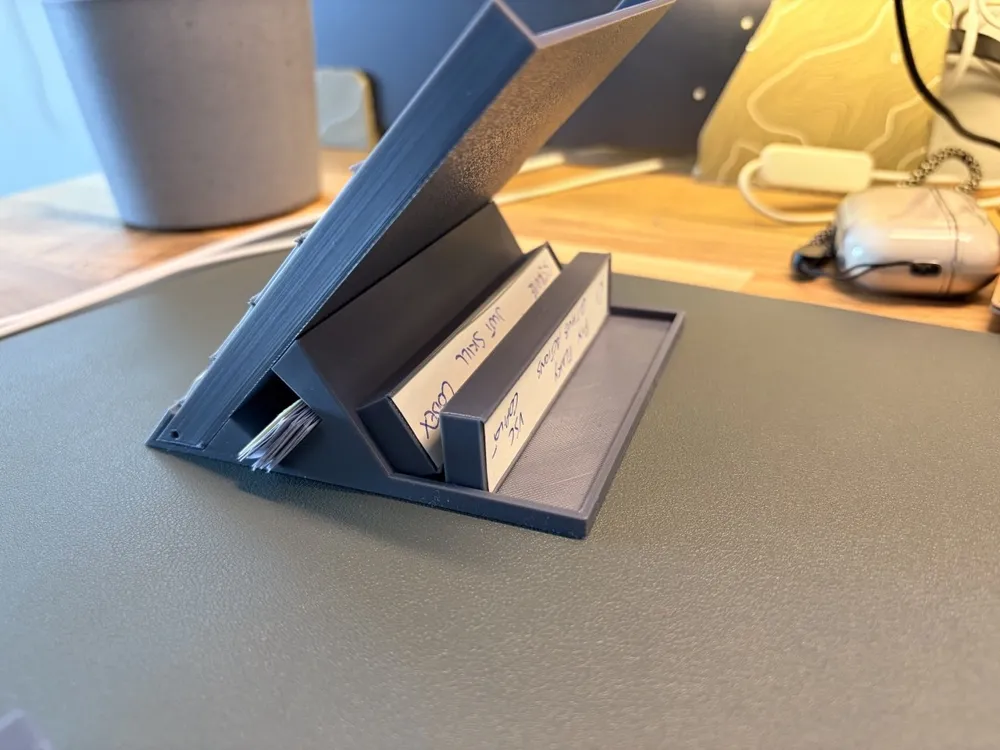
The strip goes into the rack, on top. Three rules:
Always work from the bottom strip — the oldest one, first in first out. Even if another agent just finished, even if a notification comes in, the next strip in the queue is the next thing you do. No exceptions.
After review, the strip goes back on top. Reviewed the output and given new input? The strip goes back up. Over time it'll work its way back down, waiting its turn.
Task closed, strip out. The slot is free.
The Anchor is what makes everything work. The real cost of context switching isn't the mental jump itself — it's the search phase that comes before it. Which tab? Which branch? The strip eliminates that moment of disorientation. It's your context save — the thing the CPU keeps in RAM that your brain can't.
Boost Me (for free)
If this method clicked for you, a boost helps it reach other developers drowning in alt-tabs. Takes two seconds. Means a lot.
Why physical, not digital
Every existing tool for managing multiple agents — kanban boards, multi-agent dashboards, IDE extensions — adds another panel inside the screen. The problem is that agent supervision and deep work execution are already competing in the same visual field. Every alt-tab is an interruption that starts right there.
The rack sits on your desk, off-screen, always visible in your periphery without demanding active attention. Strips can't disappear like a closed tab or a dismissed notification. They're there — tangible, stable. And when the rack is full, you can't launch new tasks: it's a hard physical circuit breaker against cognitive overload.
The method comes from air traffic control. ATC controllers have been managing dozens of aircraft in parallel for decades using Flight Progress Strips: paper strips in a physical rack. They have sophisticated radar systems, yet the strips remain central. Research has shown that electronic systems that tried to replace them often degraded controllers' situational awareness. Theirs is called Air Traffic Control. This is Attention Traffic Control.
Why it works
StripFlowing is grounded in three well-established principles from cognitive science.
Cognitive offloading (Risko & Gilbert, 2016) is the use of physical actions to transfer mental processing onto an external support. Writing the strip and placing it in the rack is a brain dump: you move out of your head what doesn't need to be there, so your head can focus on one thing at a time.
Attention residue (Leroy, 2009): when you switch from one task to another without an explicit plan to resume the first, part of your attention stays stuck there. The strip is that plan. Three fields, frozen context, ready to pick back up.
Working memory limits: your brain holds roughly four items at once (Cowan, 2001). If you have six agents open, the extra two aren't managed worse — they're lost. Strips are the external memory that compensates for that limit.
The freeze: not just sessions, transitions too
Strips handle pauses as well. Breaking for lunch with three agents still running and two strips waiting for review? When you come back to your desk, pick up the bottom strip, check the Anchor, and you're back inside in thirty seconds. No "where was I", no twenty-minute warmup.
At the end of the day, the strips on your desk are your frozen state. Tomorrow picks up from the exact point you left off — a feeling you've never had closing your laptop with twenty tabs open.
Cocking: the alert signal
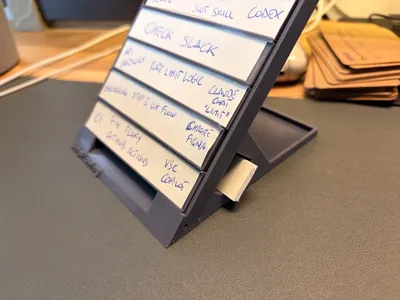
Borrowed from real ATC. If you shift a strip sideways in the rack, it means something — an agent error, a blocker, a dependency you can't forget. You decide what it means. Unlike a digital notification that vanishes, a cocked strip stays physically visible until you deal with it.
Who it's for
Anyone working with multiple asynchronous tasks that require focus: developers running parallel AI agents, people doing code review across branches, anyone managing projects across multiple channels, anyone who simply has too many things open and no order to any of it.
You don't need to work with AI. It works for any context where interruptions are the enemy and context switching is the hidden cost.
What's in this project
- StripFlowing_desk_bay.stl
- StripFlowing_desk_support.stl
- StripFlowing_desk_strip_holder.stl (print multiple copies)
Strips can be cut from any cardstock. A printable PDF template is attached to this model. For a precise, repeatable cut, there's also the StripFlowing Cutter: ⚠️ [MAKERWORLD CUTTER LINK]
The StripFlowing ecosystem
🖥️ StripFlowing Desk (this model) — Angled desktop rack
🔑 StripFlowing Portable (model) — Key ring loop and slim strip holder, for mobile work
✂️ StripFlowing Cutter (model) — Cutting guide for perfectly sized strips
📎 Printable strip template: attached to this model
📝 The article that explains everything: Article
"Everyone's trying to orchestrate their AI agents. The real problem is orchestrating yourself."
Tags: productivity desk-organizer office workflow developer-tools ai focus attention kanban task-management organizer coding pomodoro adhd deep-work context-switching strip-bay atc fifo agentic-ai
Documentation (1)
License

You may create derivative works based on this object, provided that all such derivative works are published exclusively on the MakerWorld platform and include proper attribution to the original creator. You may not share, upload, host, distribute, or publish this object—or any derivative work of this object—on any other digital platform, marketplace, or distribution channel. Commercial use of this object and any derivative works is strictly prohibited. This includes, but is not limited to, selling, renting, sublicensing, or using the object in any context in which you receive monetary compensation or other financial benefits.


Comment & Rating (2)