
Adjustable Rode VideoMic Me Desktop Stand
Print Profile(1)
Bill of Materials


.jpg)
Description
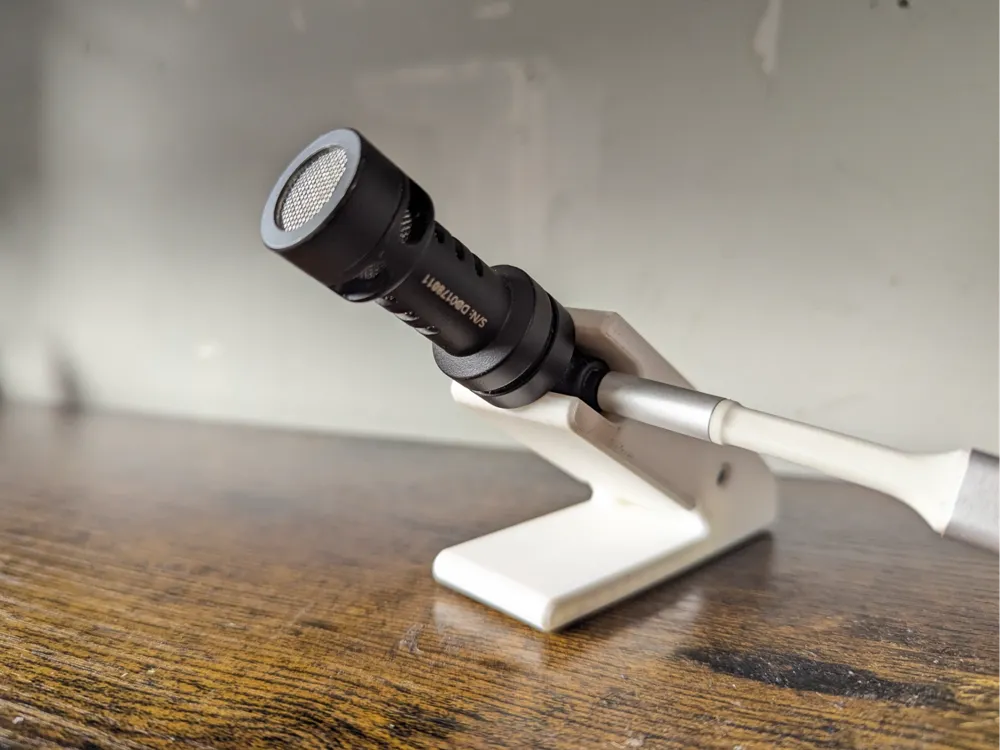
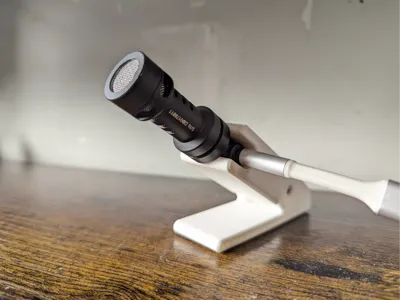
Adjustable Desktop Mount for Rode VideoMic Me Series
Stop buying gear you don’t need! If you own a Rode VideoMic Me (Me, Me-L, or Me-C) for your phone, you already own a high-quality shotgun mic. This 2-piece adjustable stand lets you repurpose that mobile mic into a professional desktop setup for gaming, Zoom calls, or voiceovers without spending a dime on new hardware.
Why this design?
The Rode VideoMic Me is highly directional. If it’s not pointed at your mouth, your audio quality drops. Most stands are static, but this design features a built-in pivot point, allowing you to dial in the perfect angle for your height and desk layout.
Key Features
- Dual-Part Pivot System: Adjustable tilt so you can aim the mic exactly where you need it.
- Anti-Slip Ready: The base includes recessed cutouts for rubber or foam feet, ensuring the mic stays exactly where you put it.
- Budget-Friendly: Designed to use minimal filament while remaining rock-solid.
Printing & Assembly
- Parts: Includes the Lower Base and the Mic Holder.
- Hardware: The pivot is designed to work with a standard M3x30, screw and M3 nut, or can be friction-fitted depending on your print tolerances.
- Settings: * 3 Walls for strength at the pivot point.
- 15% Cross Hatch infill.
- No supports required for the base some minimal supports needed for the holder depending on your print orientation.
Pro-Tip
For the best "pro" feel, add some 10mm rubber bumper feet to the bottom cutouts. It dampens desk vibrations (like typing) and keeps the stand from sliding around during intense sessions.
If this saved you from buying a $100 desktop mic, please leave a Comment or Boost! I’d love to see your setup.
Boost Me (for free)
Hi again! If this helped your build, boosts, likes, and follows are always appreciated — helps it reach more makers who need it. Thanks!
License

You shall not share, sub-license, sell, rent, host, transfer, or distribute in any way the digital or 3D printed versions of this object, nor any other derivative work of this object in its digital or physical format (including - but not limited to - remixes of this object, and hosting on other digital platforms). The objects may not be used without permission in any way whatsoever in which you charge money, or collect fees.


Comment & Rating (2)