
Football Trophy – Customizable









Print Profile(29)




Description
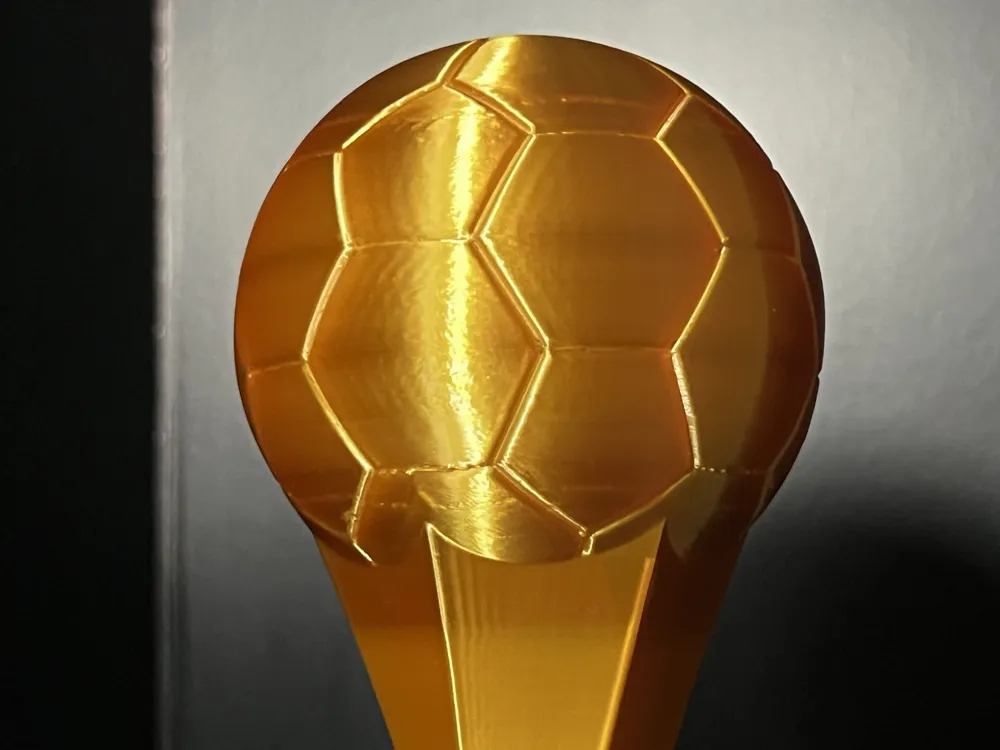
This football trophy is perfect for tournaments, sports events, or football awards. Its clean and elegant design makes it ideal for club competitions, official tournaments, or friendly matches.
The top features a stylized football, while the base includes a customizable name plate where you can add the name of the tournament, the winner, or any text you want.
A version without a name plate is also available for a more minimal look.
Available Sizes:
The model is available in multiple sizes from 150 mm to 300 mm.
The 150 mm and 175 mm versions are also perfect for printers with smaller build volumes such as the Bambu Lab A1 Mini.
Each size includes 3 different versions:
- AMS Version – Designed for multi-color printing with systems like Bambu Lab AMS
- Single Color Version – A simple version designed for single-filament printing
- NO AMS (Color Change) Version – Even without AMS, you can achieve a two-color effect: a pause is already set at the correct layer, so you just need to change the filament when the printer stops
Versions Without Nameplate:
For each size, a version without a nameplate is also available, in both AMS and single-color options.
The model includes 3 different plates:
Champions League
Fanta League
Blank / Editable Plate for custom text
A guide is included explaining how to easily modify the plate text.
Assembly
The plate simply needs to be glued into the front slot of the trophy.
Only a very small amount of glue is needed to fix it in place.
Customization guide:
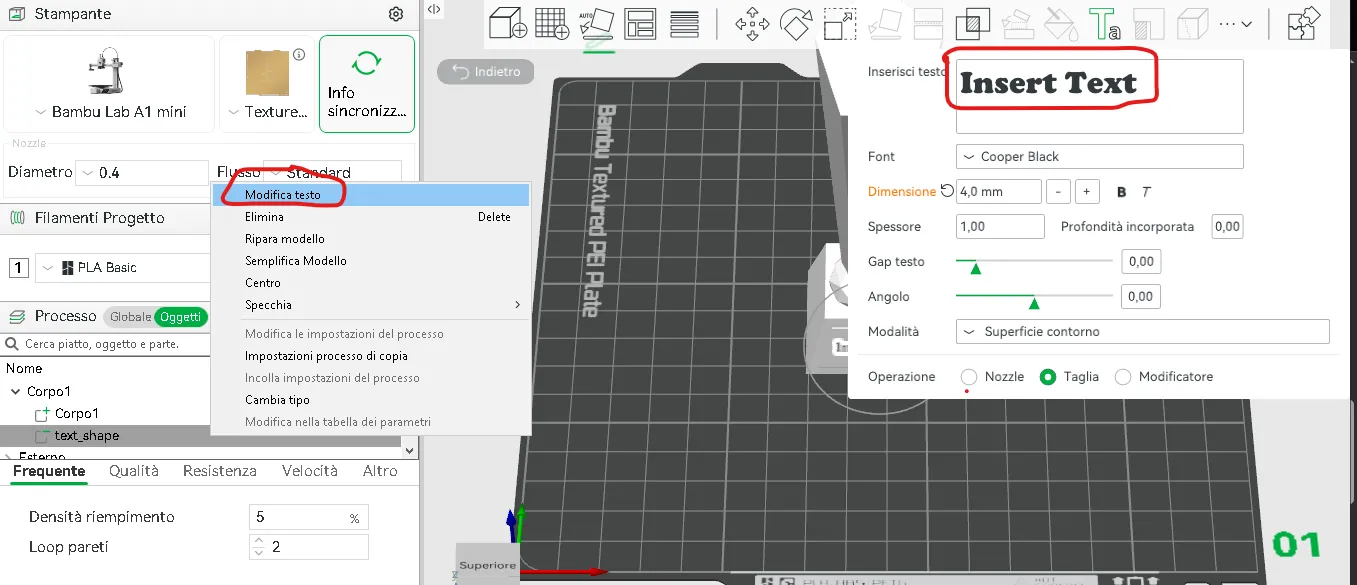
- Open the selected profile in Bambu Studio.
- In the "Process" panel, click on the "Objects" tab to view the list of parts.
- Right-click on the element named "Text" and select "Edit Text".
- Enter the desired text.
Support my work
Patreon → Commercial license
Buy me a coffee → A small gesture that makes a big difference
Boost Me (for free)
Support creativity!
Every Boost helps my 3D projects grow and motivates me to create new ones, always more useful and original. Thank you for your support!
Membership
Commercial license Membership now also available via makerworld
License

You shall not share, sub-license, sell, rent, host, transfer, or distribute in any way the digital or 3D printed versions of this object, nor any other derivative work of this object in its digital or physical format (including - but not limited to - remixes of this object, and hosting on other digital platforms). The objects may not be used without permission in any way whatsoever in which you charge money, or collect fees.


Comment & Rating (46)