
1–10 Spin Dial Counter – MTG EDH & Board Games
Print Profile(1)

Description
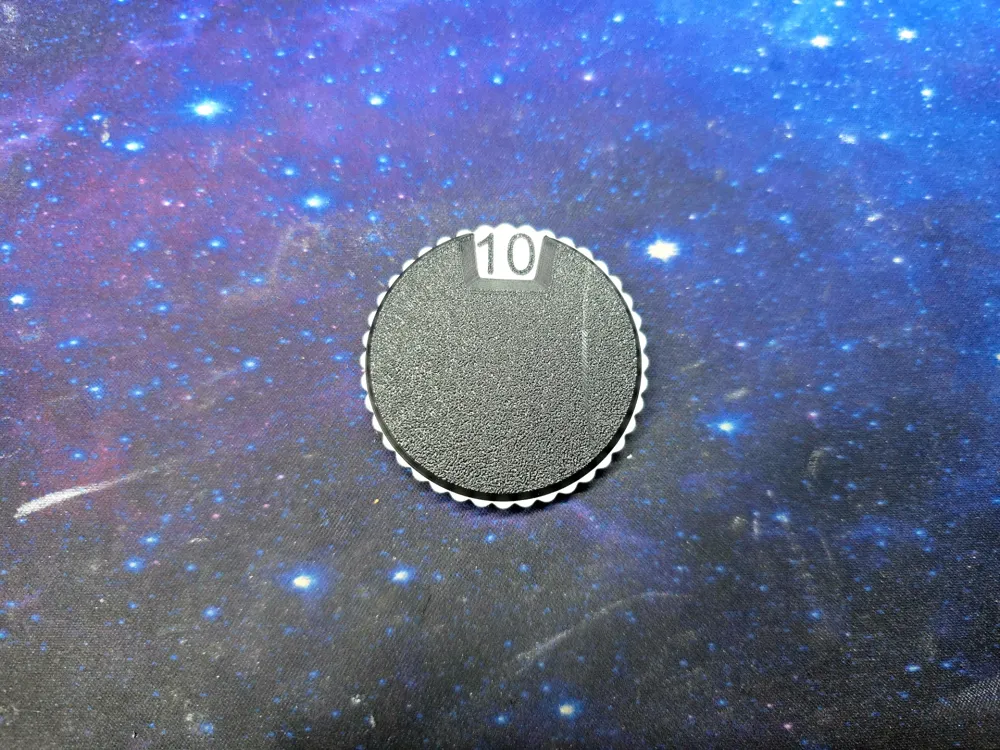
This compact spin dial counter is designed for quickly tracking numbers from 1–10. It works well for board games, tabletop RPGs, card games, or any situation where you need a simple rotating counter.
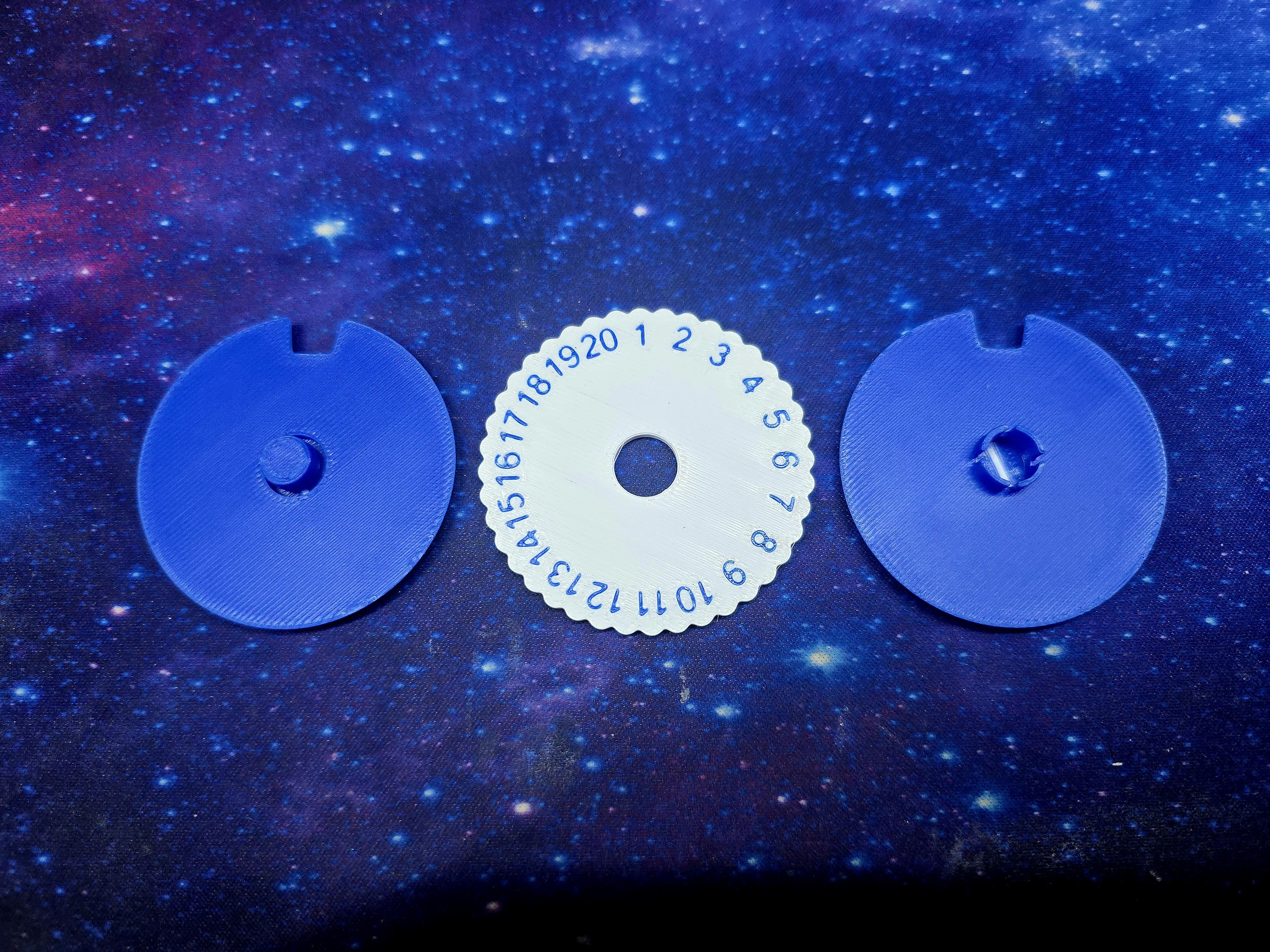
The dial spins inside two locking faceplates that snap together to form a smooth rotating mechanism. The numbers are printed directly on the dial using multi-color printing, making them easy to read while keeping the overall design compact and durable.
The model is optimized for 0.4 mm nozzles and uses Arachne wall generation to ensure the numbers print cleanly.
Print Requirements
- 0.4 mm nozzle recommended
- Arachne wall generation required
- Multi-color printing required for the numbered dial
- No supports needed
The faceplates print flat and snap together around the dial.
Assembly
- Faceplates print without supports
- IMPORTANT Push the two faceplates together BEFORE final assembly to get them ready, then pull them back apart. They will not seat all the way if you do not take this step before adding the dial!
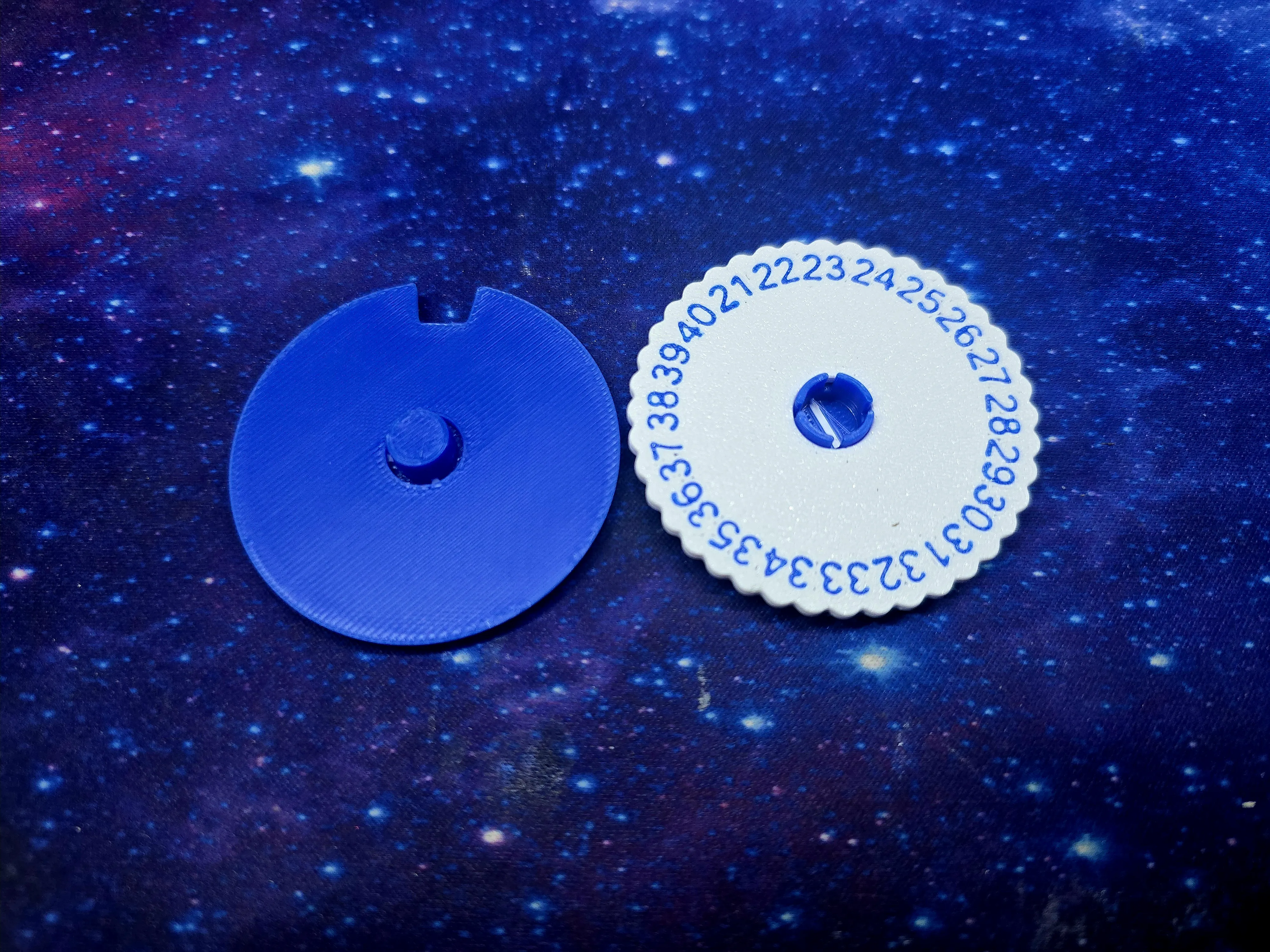
- Insert the dial, then the two halves snap together with a firm squeeze - all the ones I have made “Click” into place when they are all the way in
- Once locked, the fit is secure and durable for repeated spinning
Breaking In the Dial
After assembly, the dial may feel slightly stiff.
Simply rotate the dial several times to smooth the contact surfaces. After a few rotations the movement becomes noticeably smoother.
Customizing the Text
The faceplates can be easily customized if you would like different labels or symbols.
To add your own text, open the faceplate file in Bambu Studio and use the Text tool to place your desired wording on the surface of the plate. Adjust the size and position as needed so it fits cleanly within the recessed label area.
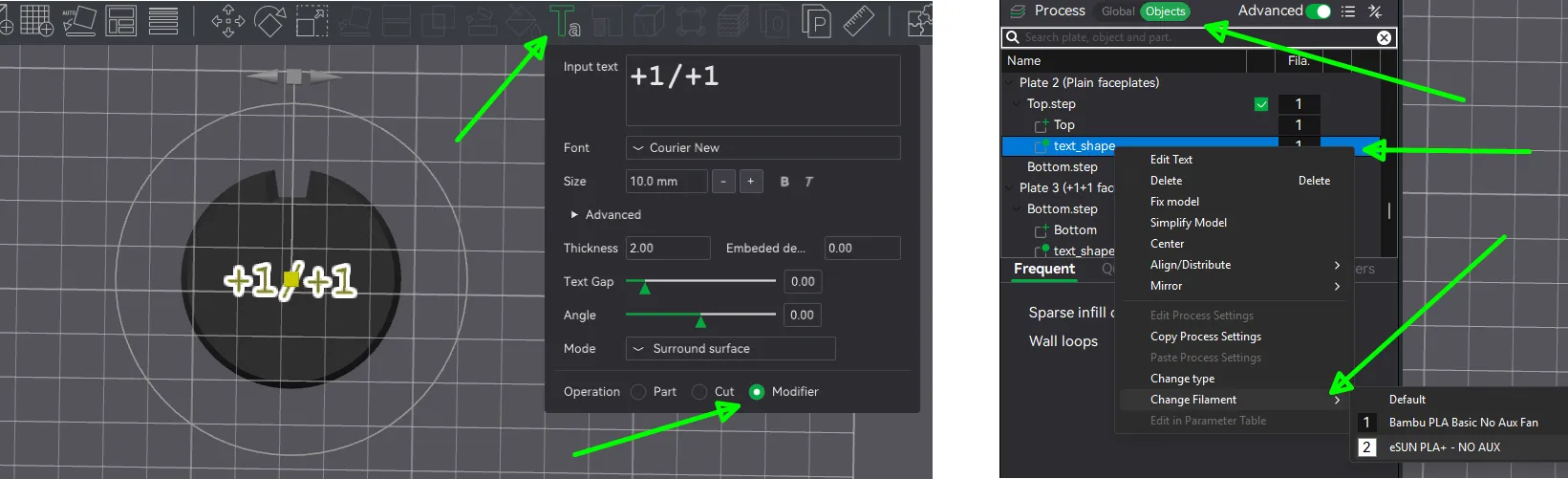
For best results:
- Select the face of the model you want to add text to before you click the Text tool
- Set the operation to Modifier
- Keep the text thick enough to print well with a 0.4 mm nozzle
- Change the Process from Global to Objects, find the text_shape layer and change its filament color from the right-click menu
- Be sure to use Arachne wall generator for best results
You can find my other MTG/EDH models here:
https://makerworld.com/collections/20893963
Boost Me (for free)
If you like my models, boost me! it lets me get more filament to test more prints!
License

You shall not share, sub-license, sell, rent, host, transfer, or distribute in any way the digital or 3D printed versions of this object, nor any other derivative work of this object in its digital or physical format (including - but not limited to - remixes of this object, and hosting on other digital platforms). The objects may not be used without permission in any way whatsoever in which you charge money, or collect fees.


Comment & Rating (1)