
0.8mm Nozzle Ironing Calibration Test
Print Profile(1)
Description
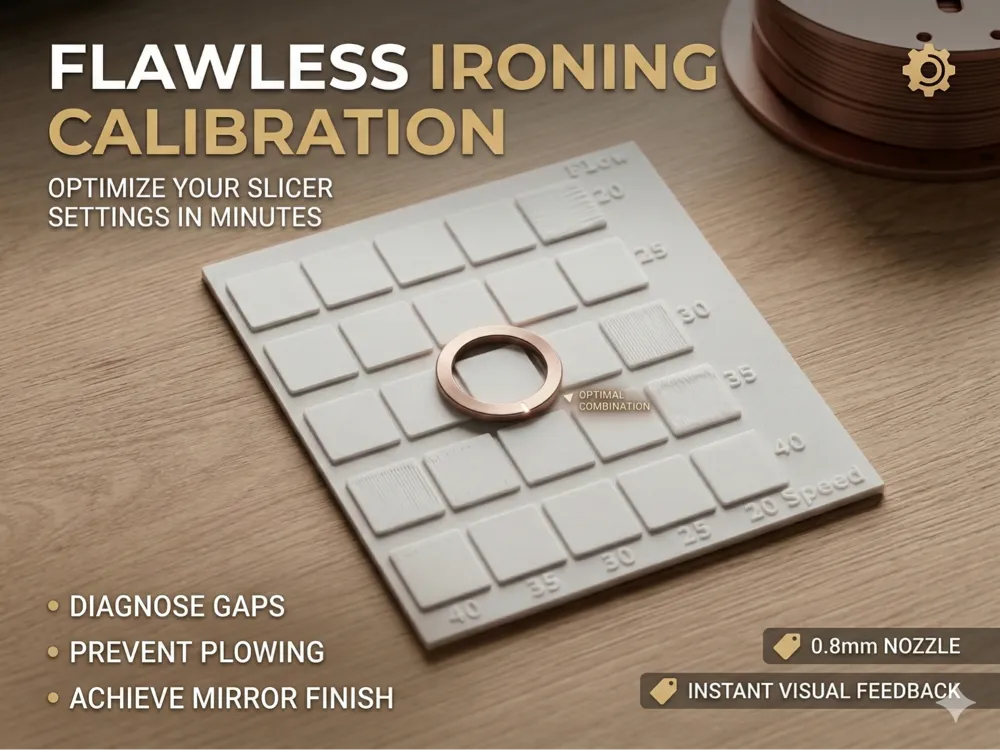
Are you using a 0.8mm nozzle and struggling to get perfectly smooth top surfaces? Because larger nozzles extrude much wider lines, top layers can often look rough or grooved. This quick and simple test model is designed to help you calibrate your Ironing settings specifically for a 0.8mm setup, using very little filament and time.
Why use this test? Default ironing settings are usually optimized for 0.4mm nozzles. When switching to 0.8mm, you often need to manually adjust the parameters to prevent plowing (too much material) or gaps (too little material). This test allows you to quickly iterate and fine-tune:
- Ironing Flow
- Ironing Speed
- Ironing Line Spacing
How to use it:
- Print the model using your current ironing settings.
- Inspect the top surface:
- Are there gaps or deep grooves between the passes? Increase the ironing flow or decrease the line spacing.
- Are there rough ridges, clumps, or a "plowed" look? Decrease the ironing flow or increase the ironing speed.
- Tweak one setting at a time and repeat the test until the surface is as smooth as glass!
Print Profile Instructions (Notes)
You can paste this directly into the Print Profile description inside Bambu Studio:
- Nozzle Size: 0.8mm
- Layer Height: 0.32mm or 0.40mm (Standard for 0.8mm)
- Wall Loops: 2
- Top Shell Layers: Minimum 3 to 4 (Crucial to ensure a solid, flat foundation before the ironing pass)
- Infill: 15% - 20% (Grid or Gyroid)
- Ironing: ON (All top surfaces)
- Supports: None
- Brim: None
License

You shall not share, sub-license, sell, rent, host, transfer, or distribute in any way the digital or 3D printed versions of this object, nor any other derivative work of this object in its digital or physical format (including - but not limited to - remixes of this object, and hosting on other digital platforms). The objects may not be used without permission in any way whatsoever in which you charge money, or collect fees.


Comment & Rating (2)