
Anivia, the Cryophoenix | Absolute Zero
Print Profile(1)

Description
Anivia, the Cryophoenix | Absolute Zero
❄️ Model Introduction
"Iceborn bloodline, reborn with wings."
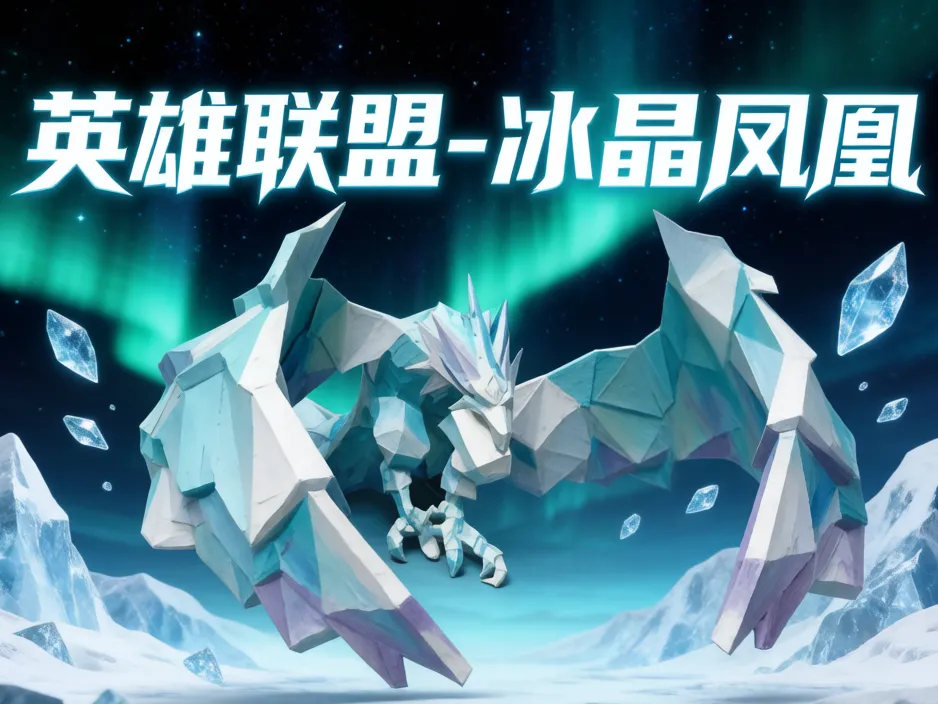
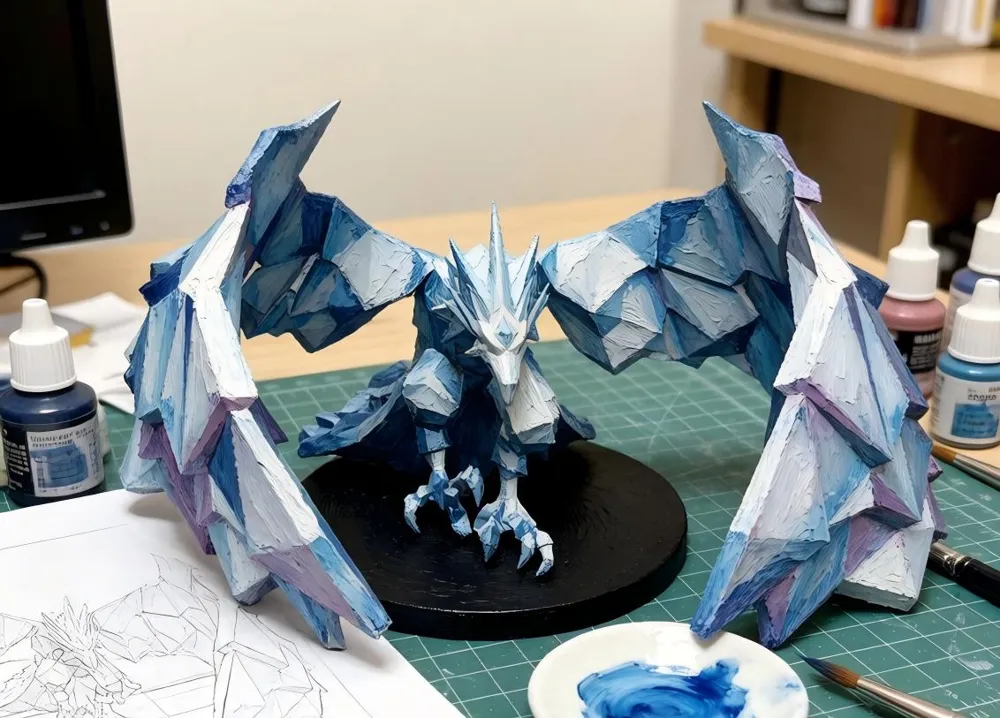
Bring the eternal guardian of Freljord to your desktop. This Anivia, the Cryophoenix, 3D model perfectly captures the essence of this legendary League of Legends mage and guardian with her iconic elegant posture, sharp ice crystal feathers, and swirling frigid energy. The model is optimized for the Bambu Lab ecosystem, pre-sliced, and includes a handmade acrylic texture painting guide, designed to help you transform a smooth print into a piece of art imbued with handcrafted warmth and magical chill.
🖨️ Printing Guide
Recommended Devices: Bambu Lab X1/P1/A1 Series
Core Material Recommendations:
- Key Settings:
Supports: Tree supports are highly recommended. Enable "build plate only" supports for overhangs such as under the wings and tail icicles to maximize surface quality.
🎨 Hand-painted Acrylic Coloring Ideas (Ice Magic Core)
- Color Tones and Magical Lighting:
- Basic Ice Blue: Use cobalt blue + a large amount of white as the base, blending ultramarine into the feather roots and crevices for shadow.
- Energy Core: Centered with fluorescent blue-green or turquoise, gradually fading outward to sky blue and ice white, simulating the internal magical cold current.
- Highlights and Refraction: Use pure white or ice white, dry brush or dot onto the highest edges of each feather and icicle to simulate strong light reflecting off icy surfaces.
- Key Techniques for Creating an "Icy" Texture:
- Wet Blending Gradient: On large areas of the wings and tail feathers, use wet blending to create a natural transition from deep blue to ice white, mimicking the condensation and diffusion of cold air.
- "Cracked" Effect: Use a very fine brush tip, dipped in diluted dark blue-grey paint, to draw subtle web-like cracks on larger ice crystal surfaces.
- Fluorescent Accents: In the very center of the energy core or along magical pathways, use fluorescent blue acrylic or UV resin to create a faint glow in the dark, greatly enhancing the magical atmosphere.
🔧 Post-processing and Display Recommendations
- Support Removal: Carefully cut tree supports from the base with precision flush cutters. For contact points, gently sand with fine sandpaper (e.g., 800-1000 grit).
- Effect Enhancement (Optional):
- Gloss Treatment: Locally apply "gloss medium" to areas where you want to simulate "wet ice" or "newly formed ice crystals".
- Matte Finish Unification: Finally, spray a layer of matte protective varnish over the entire model to perfectly unify hand-painted brushstrokes and give the model a "frosty" matte texture, enhancing its cold appearance.
- Display Ideas: Place it under a deep blue backlight, or illuminate it from below with white LED strips to create a mysterious polar glacier effect.
Copyright and Disclaimer: This model is a fan-created derivative artwork based on a League of Legends character, intended for personal learning, appreciation, and non-commercial use only. Anivia, the Cryophoenix, is a registered trademark and intellectual property of Riot Games, Inc. Please respect the original work and support the official release.
License

You shall not share, sub-license, sell, rent, host, transfer, or distribute in any way the digital or 3D printed versions of this object, nor any other derivative work of this object in its digital or physical format (including - but not limited to - remixes of this object, and hosting on other digital platforms). The objects may not be used without permission in any way whatsoever in which you charge money, or collect fees.


Comment & Rating (0)