
Skadis-ify everything, modular SKÅDIS hook
Print Profile(1)

Description
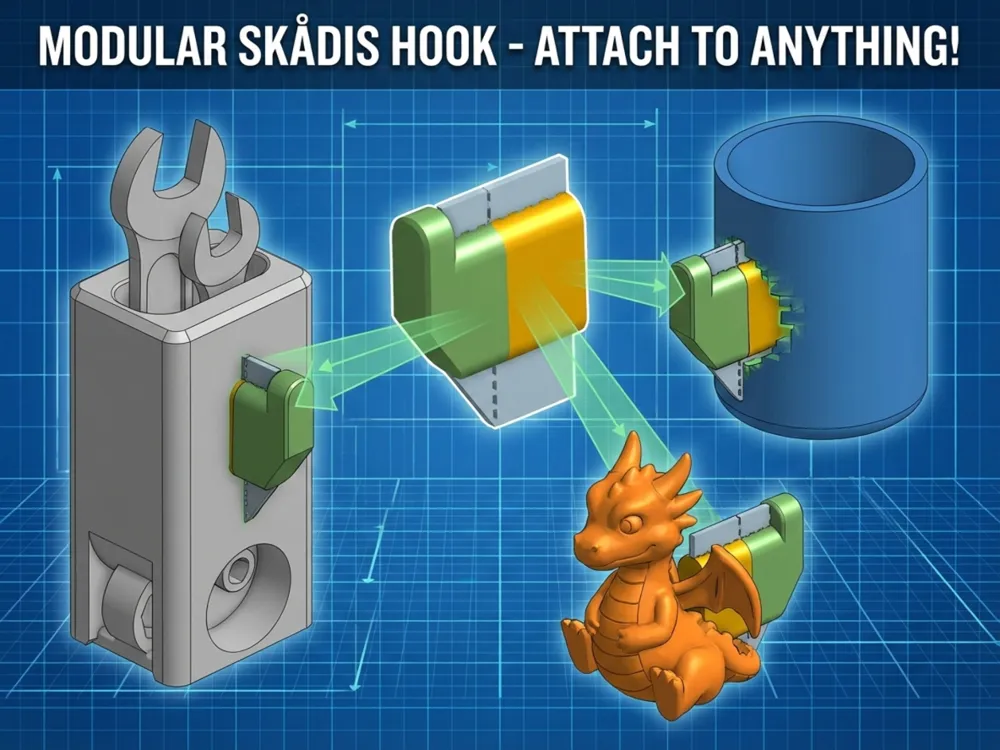
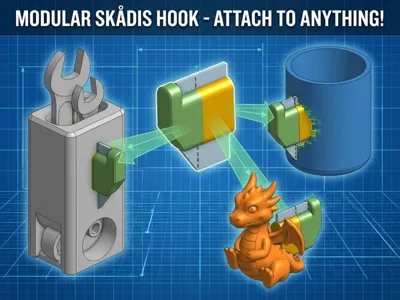
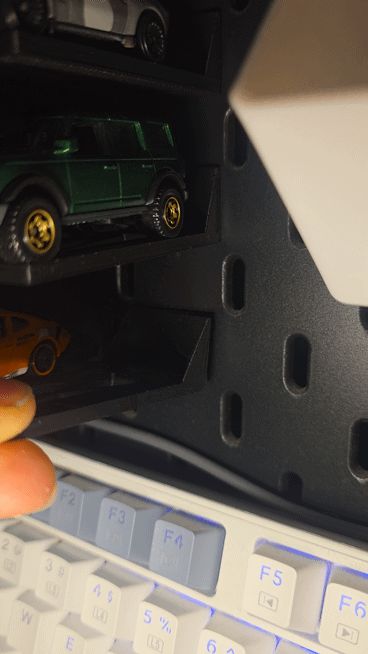
Skadis-fy Everything! | Modular SKÅDIS Hook System

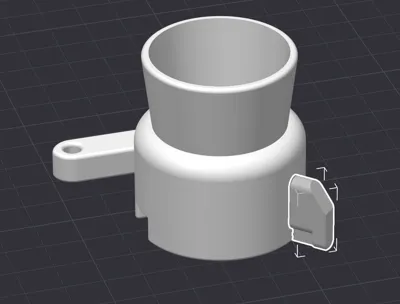
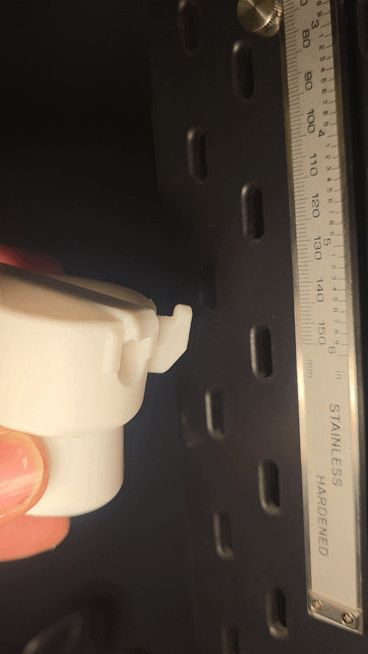
Stop searching for specific holders and start making your own! This is a modular connector designed to be merged with any 3D model—tools, containers, or art—instantly turning them into IKEA SKÅDIS-compatible accessories.
🛠 How to Use (Slicer Required)
This is a remix tool, not a standalone print. You will need Bambu Studio, OrcaSlicer, or PrusaSlicer to "mesh" this hook into your desired object.
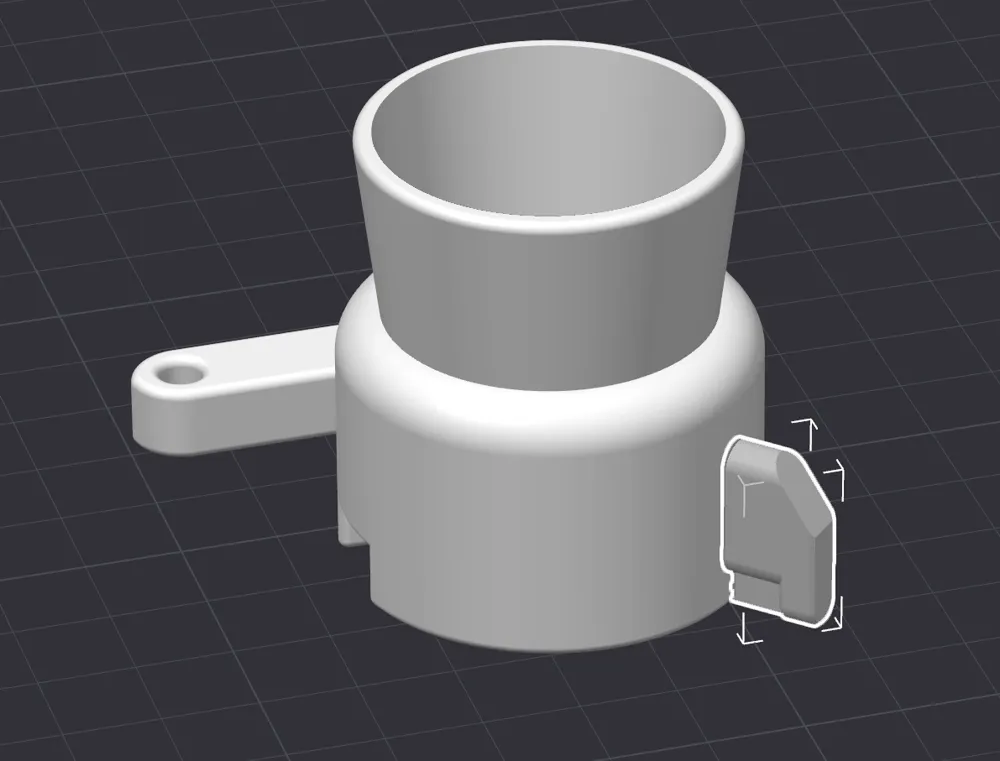
- Import both your model and this hook into your slicer.
- Position the hook on the back of your object (aim for the top edge for the best stability).
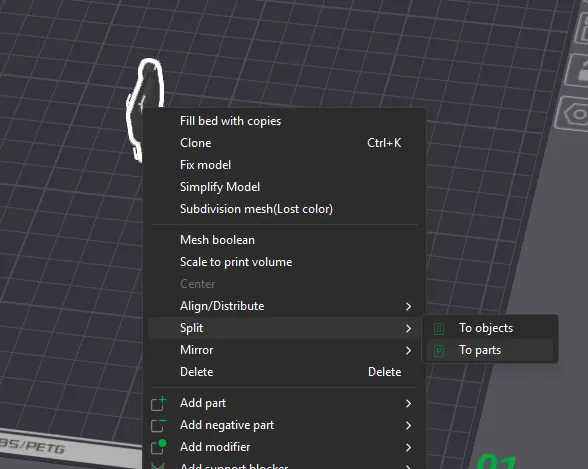
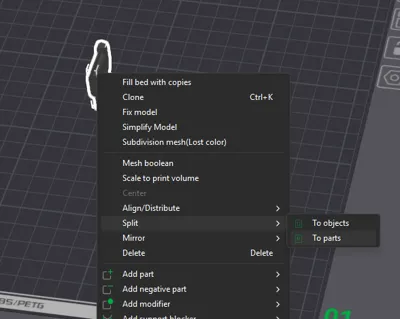
- Split to Parts: Right-click the hook and select "Split to Parts." This allows you to see the internal geometry and ensure the depth is perfect.
- Align & Merge: Once positioned, select both objects, right-click, and select Assemble (or Merge).
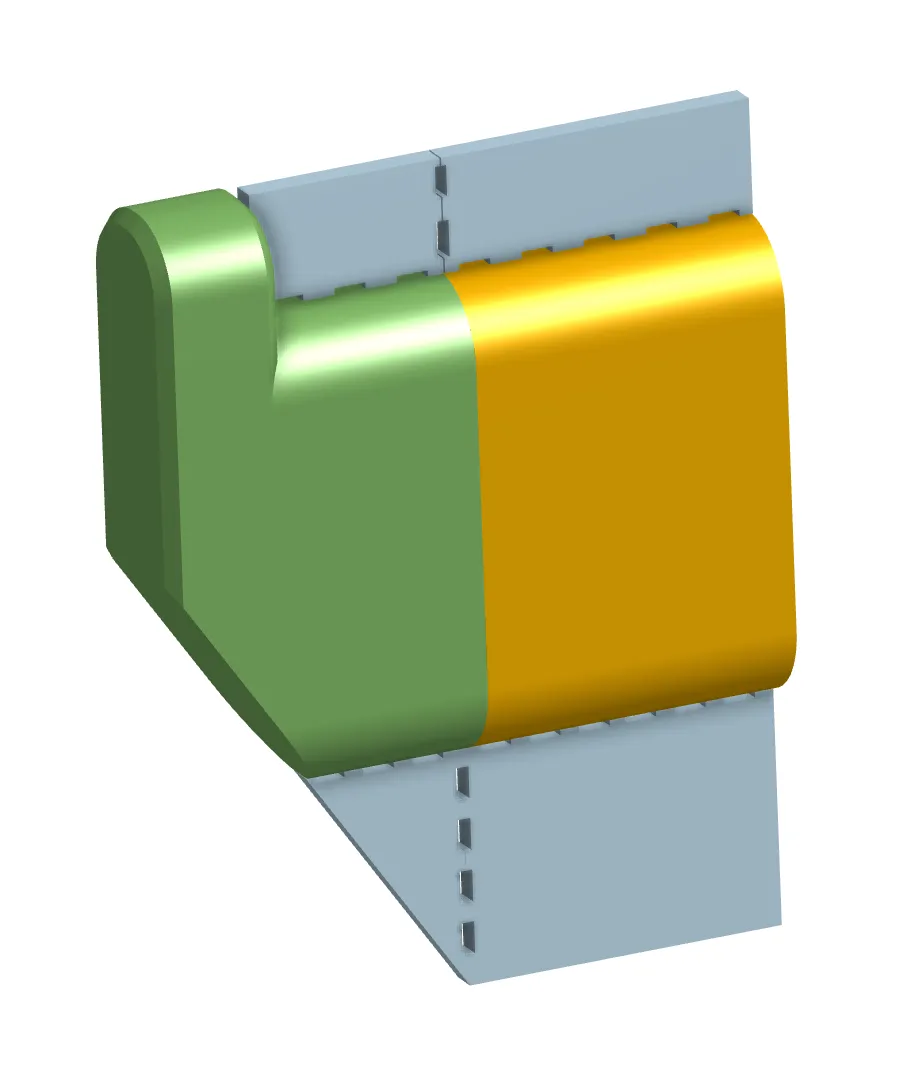
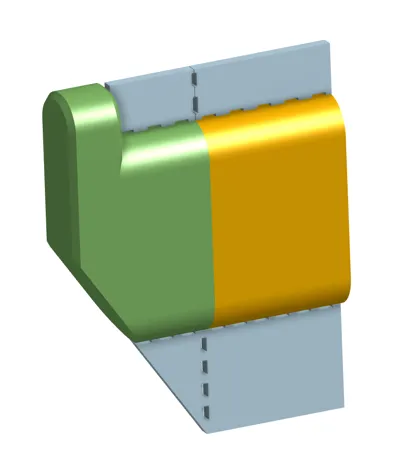
🟢 The "Green & Yellow" image
To ensure a rock-solid, "fluid" fit on your pegboard, pay attention to the depth:
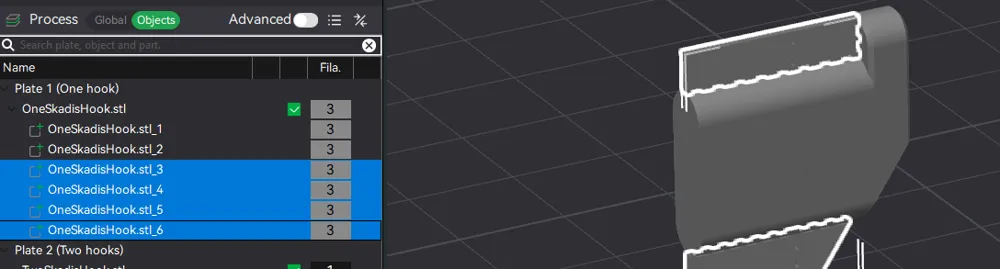
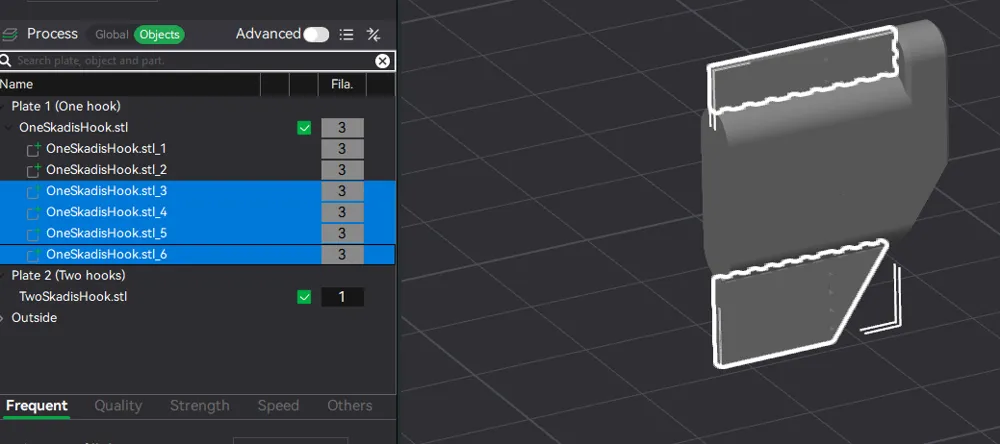
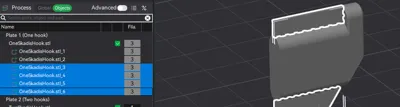
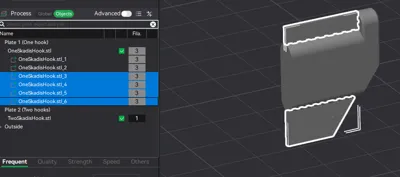
- GREEN PART: This must remain outside your model. It is the active locking mechanism.
- YELLOW PART: This should be buried inside your model.
- ⚠️ IMPORTANT: If the yellow part pokes out from your model, the hook will sit too far forward and feel loose on the wall. Use the "Split to Parts" view in your slicer to align the dividing line exactly with the surface of your object.
💡 Pro-Tips for a Perfect Fit


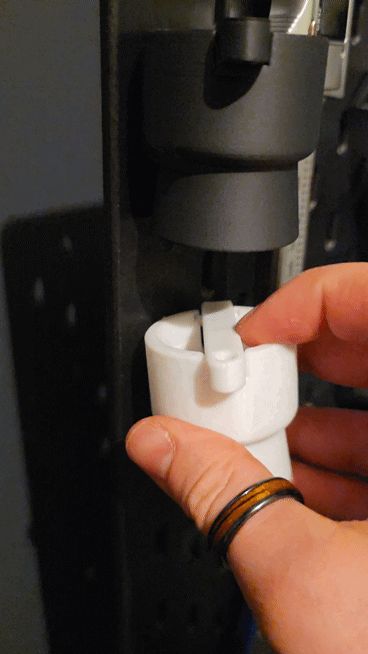
- The Tilt Factor: Because these are secure hooks, you need to tilt the object upward to insert it into the SKÅDIS holes. For this reason, place the hooks near the upper edge of your model so it doesn't hit the wall while you're trying to hook it in.
- Built-in Supports: The light blue parts in the diagram are sacrificial supports.
- In Slicer: If you are an advanced user, you can delete these parts before merging.
- Post-Print: If printed, they snap off easily with a pair of snips or a hobby knife.
- Orientation: Print your final merged model in an orientation that prioritizes the strength of the hook (usually on its side if possible, or use high wall loops).
Boost Me (for free)
If this model helped to HOOK something on you Skadis wall feel free to boost :)
License

You may create derivative works based on this object, provided that all such derivative works are published exclusively on the MakerWorld platform and include proper attribution to the original creator. You may not share, upload, host, distribute, or publish this object—or any derivative work of this object—on any other digital platform, marketplace, or distribution channel. Commercial use of this object and any derivative works is strictly prohibited. This includes, but is not limited to, selling, renting, sublicensing, or using the object in any context in which you receive monetary compensation or other financial benefits.


Comment & Rating (19)