
CNC Endmill & Bit Storage Case, Multi-Color Labels
Print Profile(4)
Description
CNC Endmill & Bit Storage Case (Parametric, Multi-Color Labels)
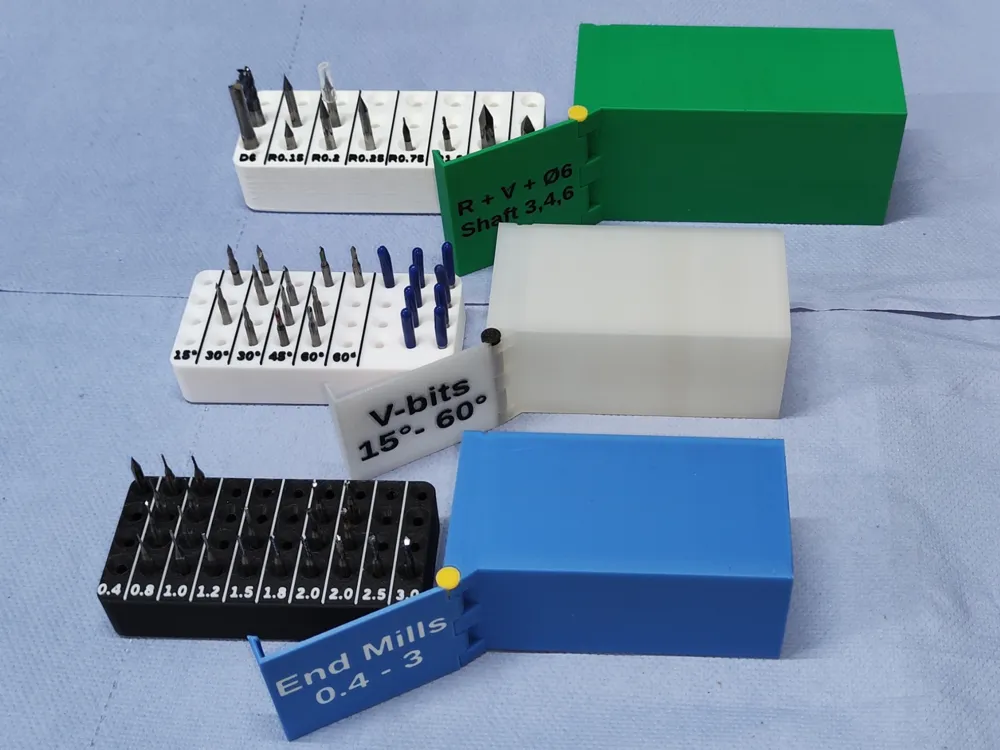
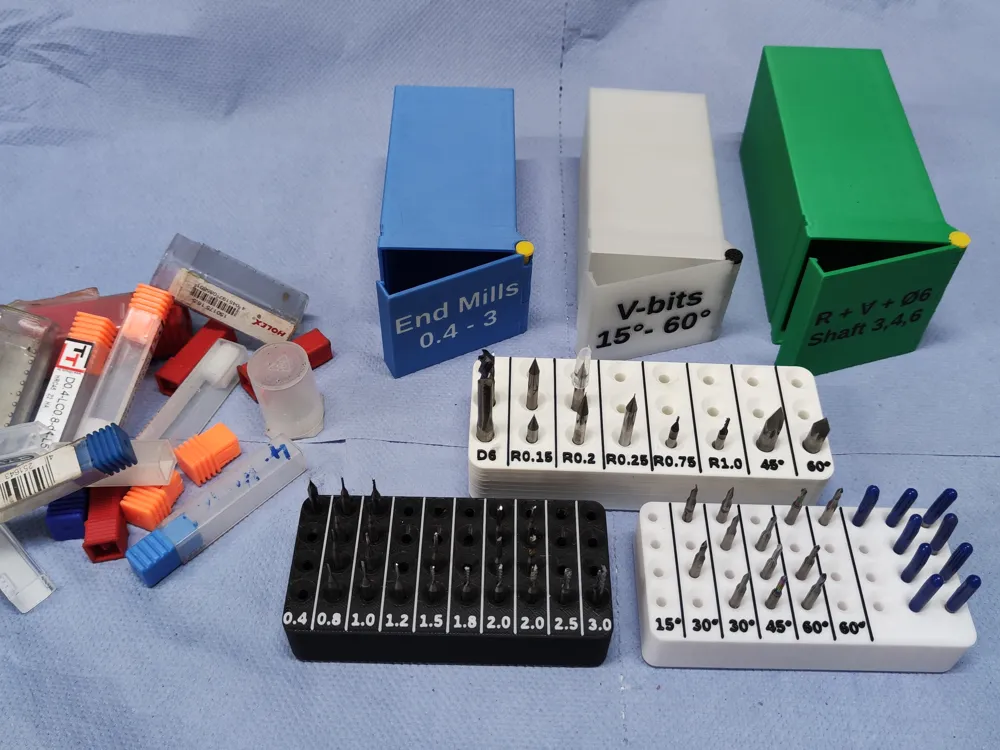
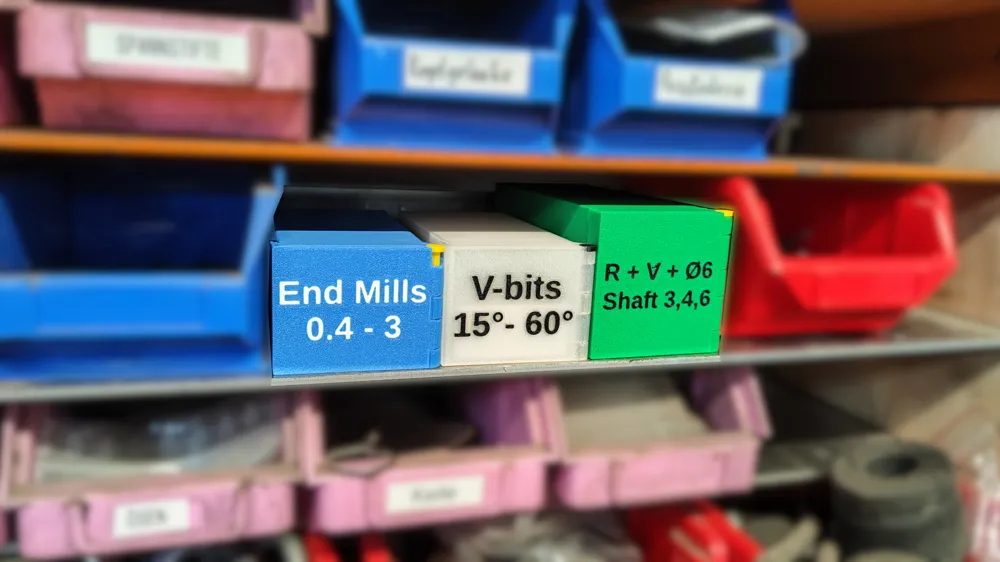
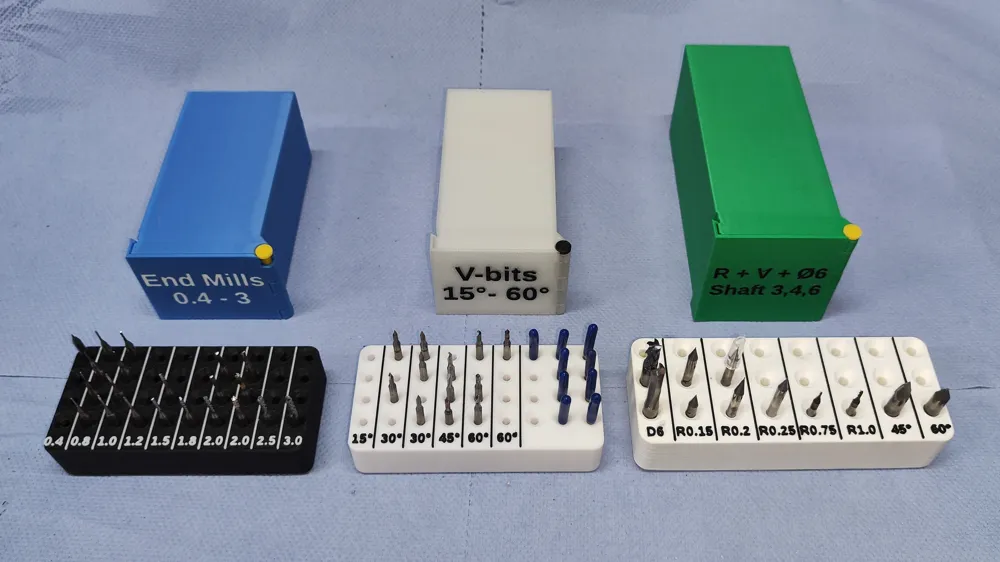
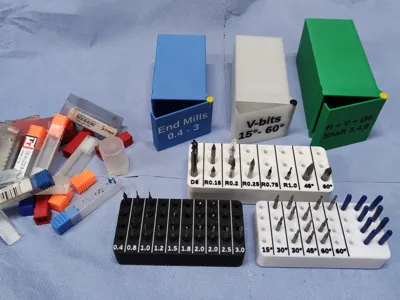
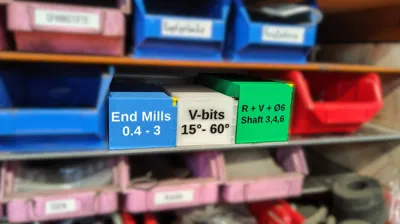
A compact CNC bit storage / transport case with a sliding, labeled insert – replaces the usual chaos of individual plastic bit cases and keeps the full tool stock visible at a glance.
Key features
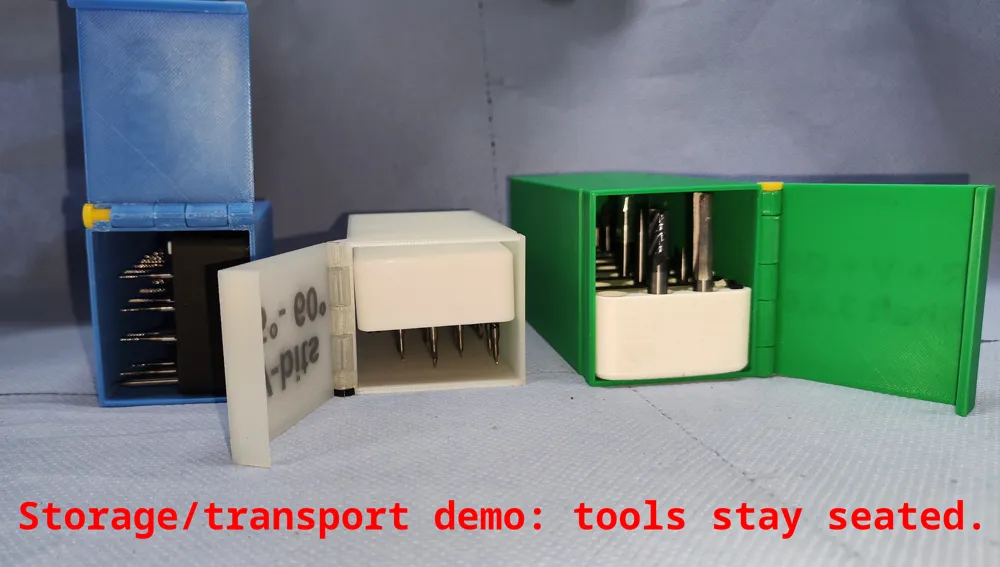
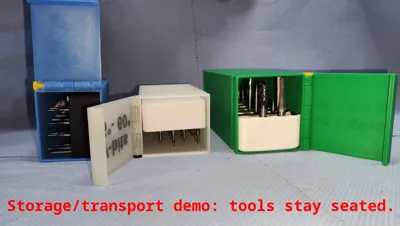
- Transport/storage case: tools stay seated and protected inside the box (good for storage + moving around).
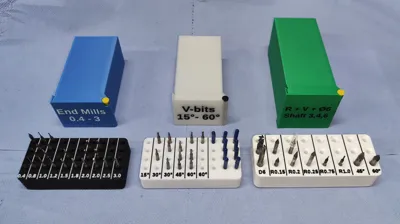
- Sliding insert block: holes + grouped labels to organize bits by type/size/angle.
- Door with hinge + snap latch: simple printed hinge + pin/bolt, door snaps shut when closed.
- Multi-color labels (easy):
- Column labels next to the holes
- 2-line label on the door/front
Labels/text are separate objects, so in the slicer you can simply assign a different color/material to those parts (no manual text painting).
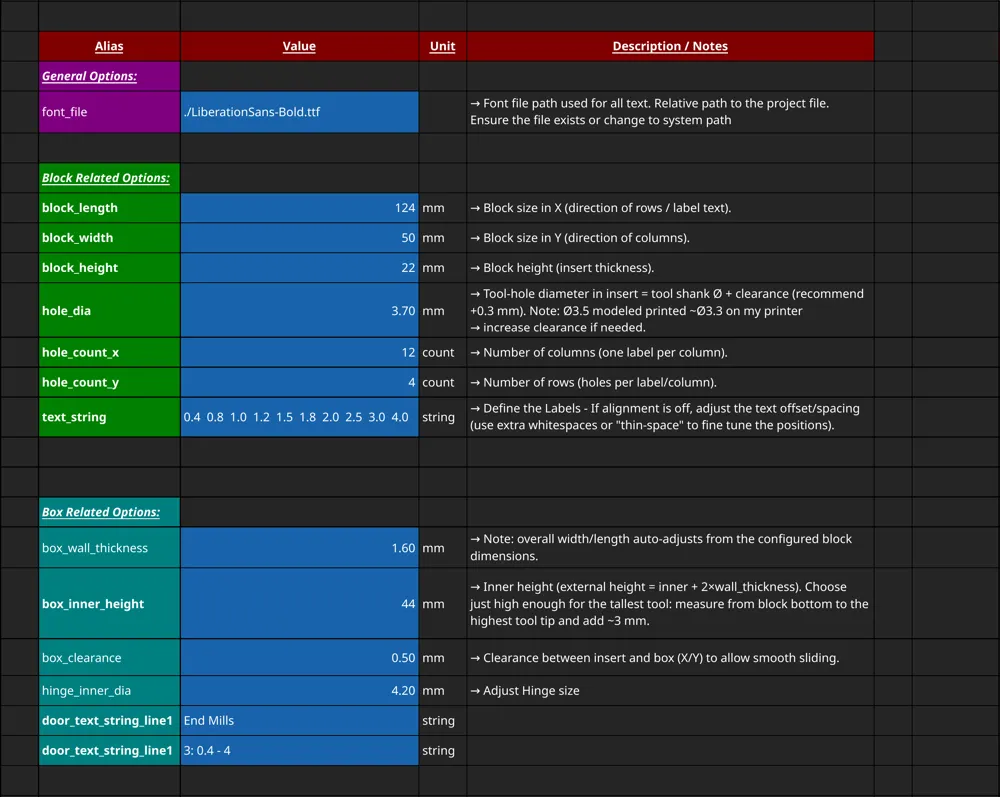
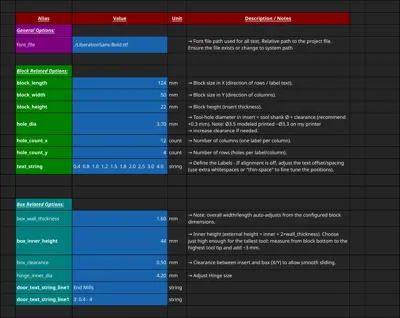
- Fully parametric / customizable (FreeCAD): all main dimensions, counts, hole diameters, label strings, and door text are controlled via a spreadsheet (see screenshot).
Ready-to-print presets
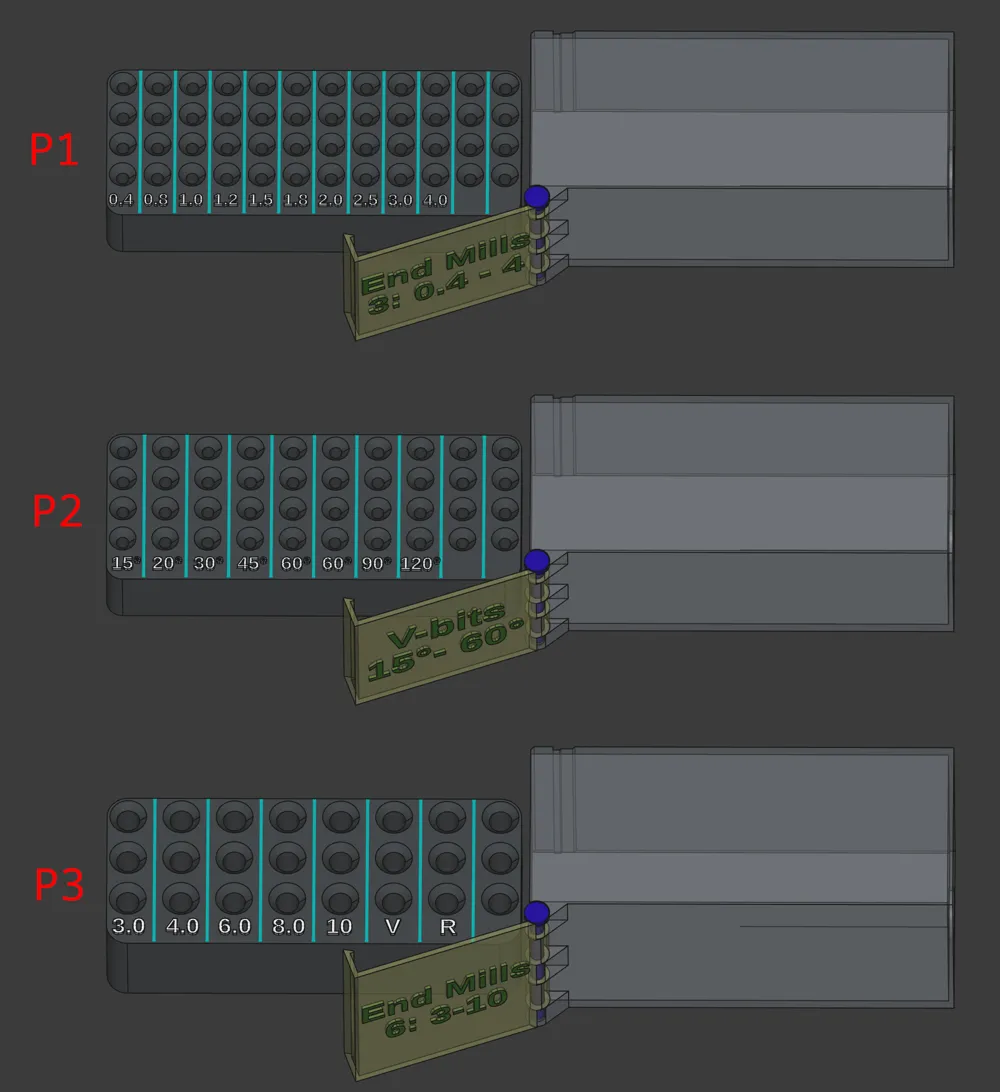
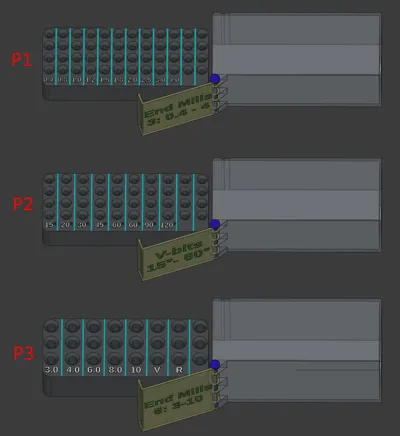
Currently, there are 3 ready to print profiles:
See the screenshot “P1–P3” to understand what each version is for.
Each preset consists of 4 parts
Preset-1: 12x4 3.7mm Holes for End mills 0.8 to 5mm:
For Small End mills (3mm / 1⁄8" shank)
Preset-2: 10x4 3.7mm Holes for V-Bits 15 to 120 Degree:
For V-Bits for engraving (3mm / 1⁄8" shank)
Preset-3: 8x3 6.8mm Holes for End mills 3 to 8mm + misc
For Mixed / Larger Shanks (recommend manually drilling to larger diameter)
Need another preset?
Comment your grid + hole size + labels — if it’s useful for others I may add it.
Multi-color printing (labels)
The label/text parts are exported as separate objects.
In your slicer, just select the label/text object and assign a different color/material. No manual selection of letters needed.
Customization (FreeCAD)
Download Bit-Organizer_FreeCAD-Customization-Package.zip (contains the .FCStd + the font file).
Keep both files in the same folder so FreeCAD can find the font.
Steps:
- Open the .FCStd in FreeCAD
- Open spreadsheet param → edit the Active values column (or copy/paste a preset column)
- Recompute
- Export the 4 parts one by one as STL (Box, Block, Door, Bolt)
Print settings
- 0.4 mm nozzle
- 0.2 mm layer height (standard)
- No supports needed
- Brim recommended (especially for the box/bolt depending on your bed adhesion)
License



Comment & Rating (1)