
DIY Sim Wind Simulator – 120mm Fan Hardware Kit
Print Profile(1)
Description
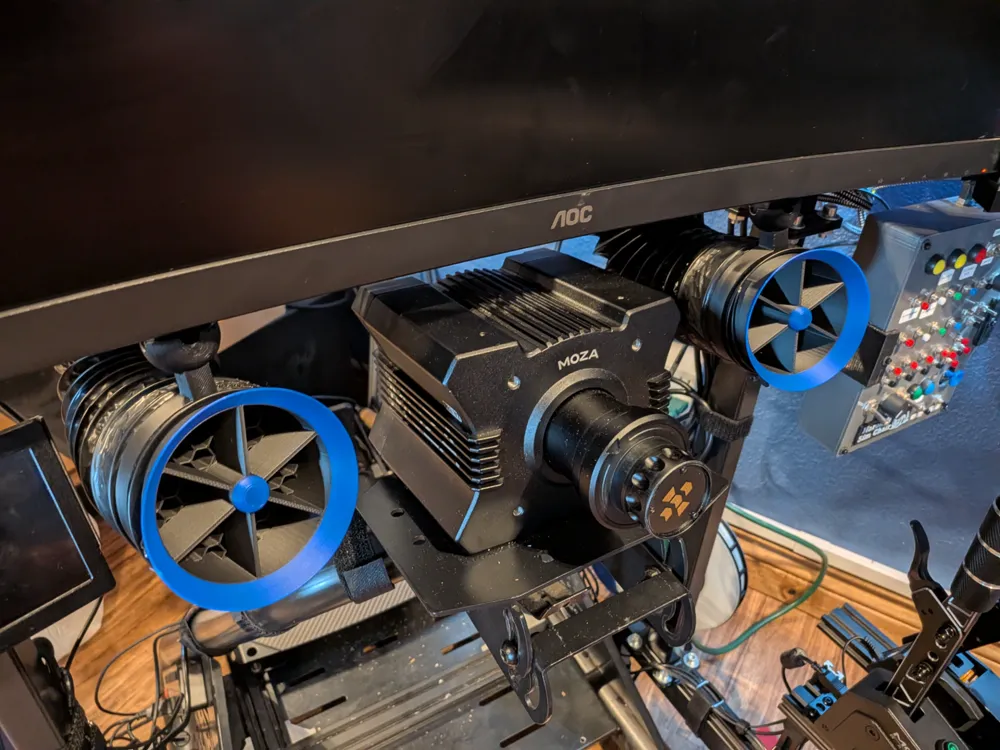
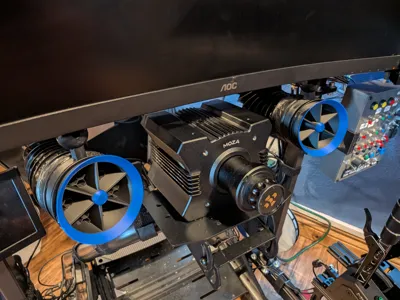
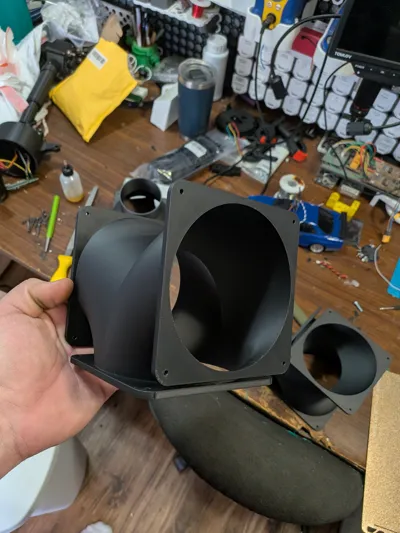
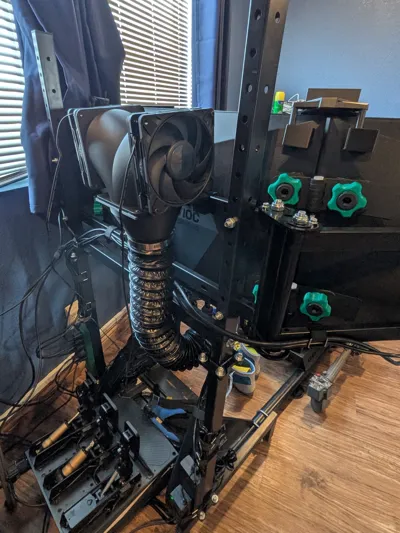
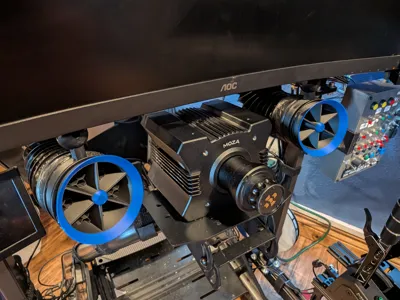
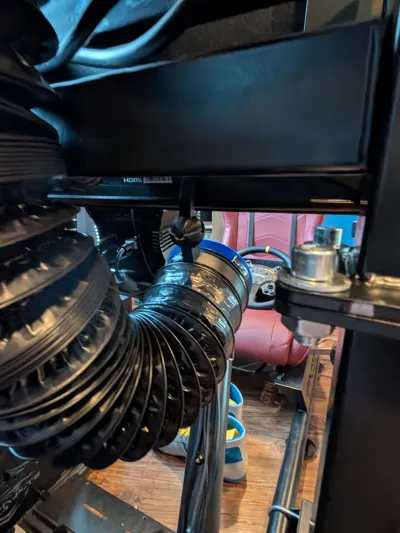
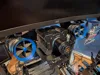
120mm hardware kit for mounting and enjoying immersion and comfort. Left and right channel.
| WARNING: I only suggest one method of using this device. But there are many ways to achieve the same thing. Some people have fans already and need a duct conversion kit. Others might need to build the whole thing. |
What to print
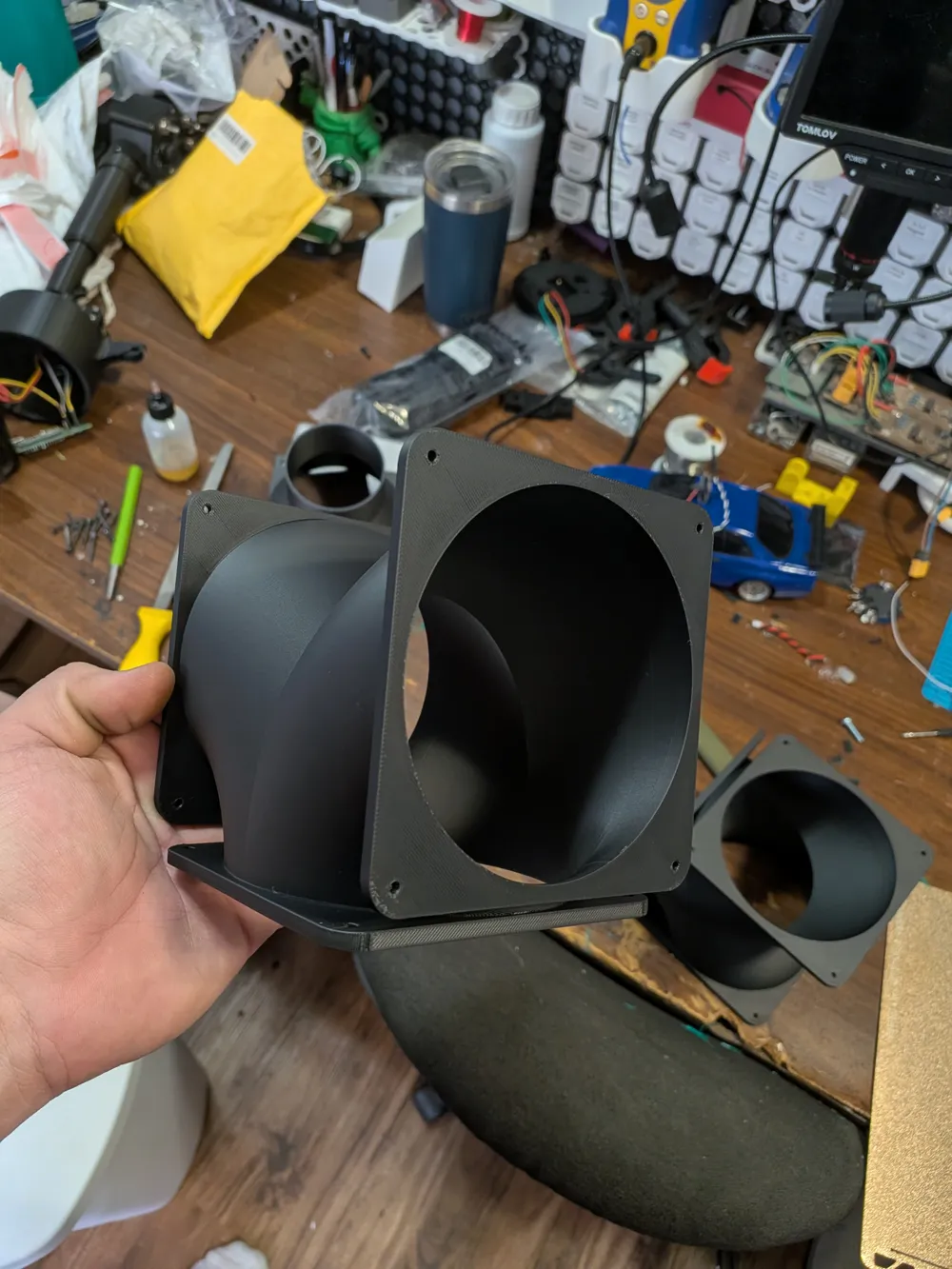
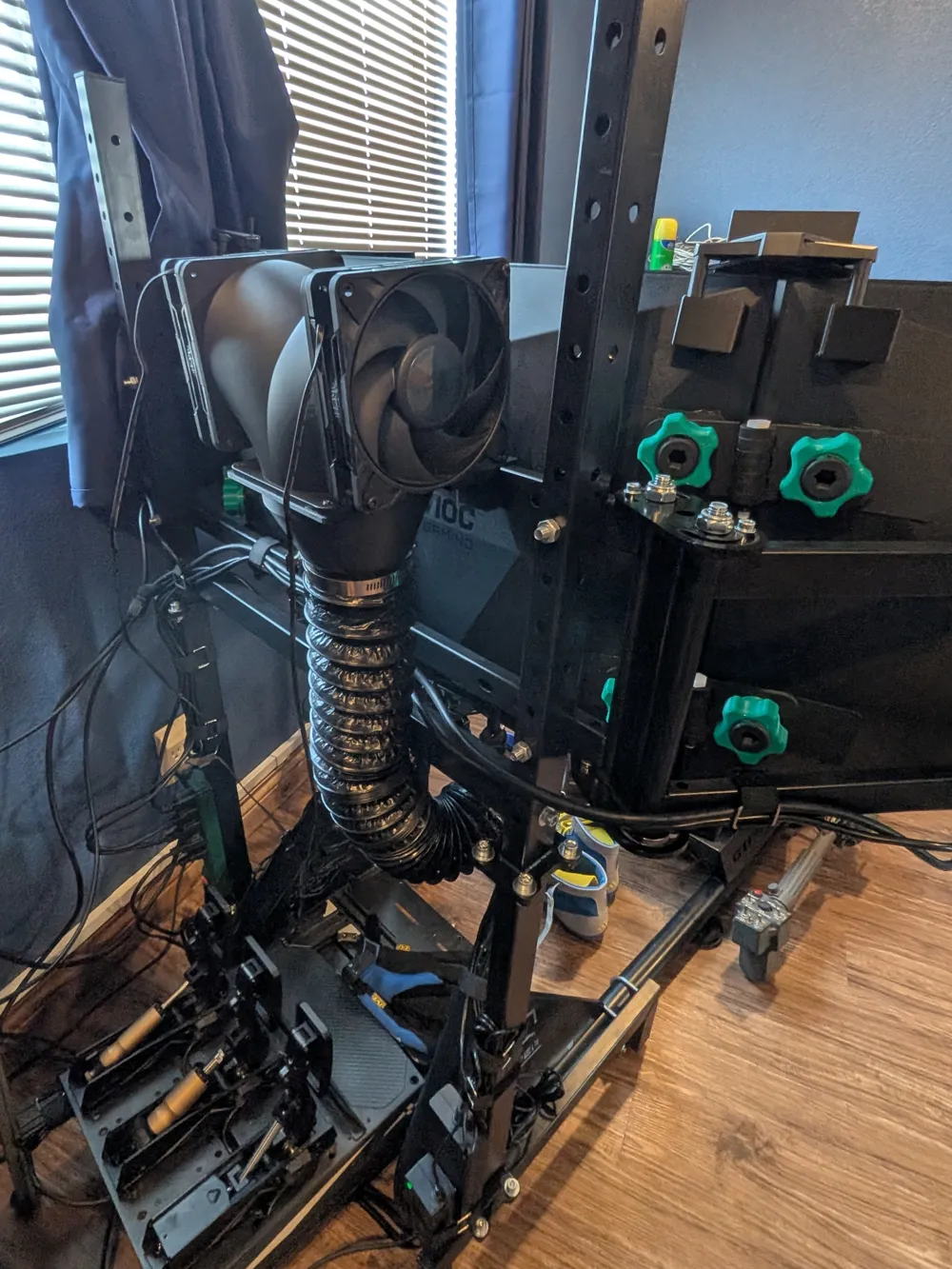
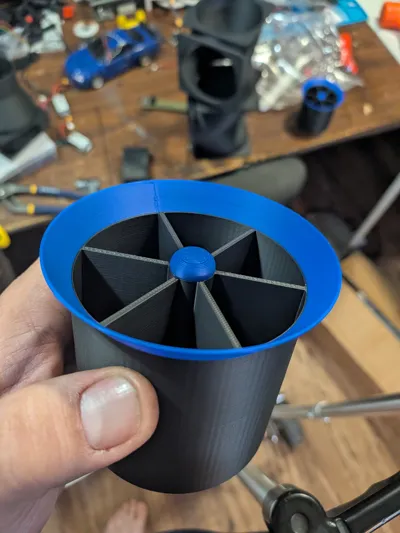
2x 120mm T-Junction: Credited to CodeVent on Thingiverse
2x 120mm-to-76mm Reducers: Note: The screw holes on these are not lined up perfectly; you may need to drill them out slightly if you are using fatter mounting screws.
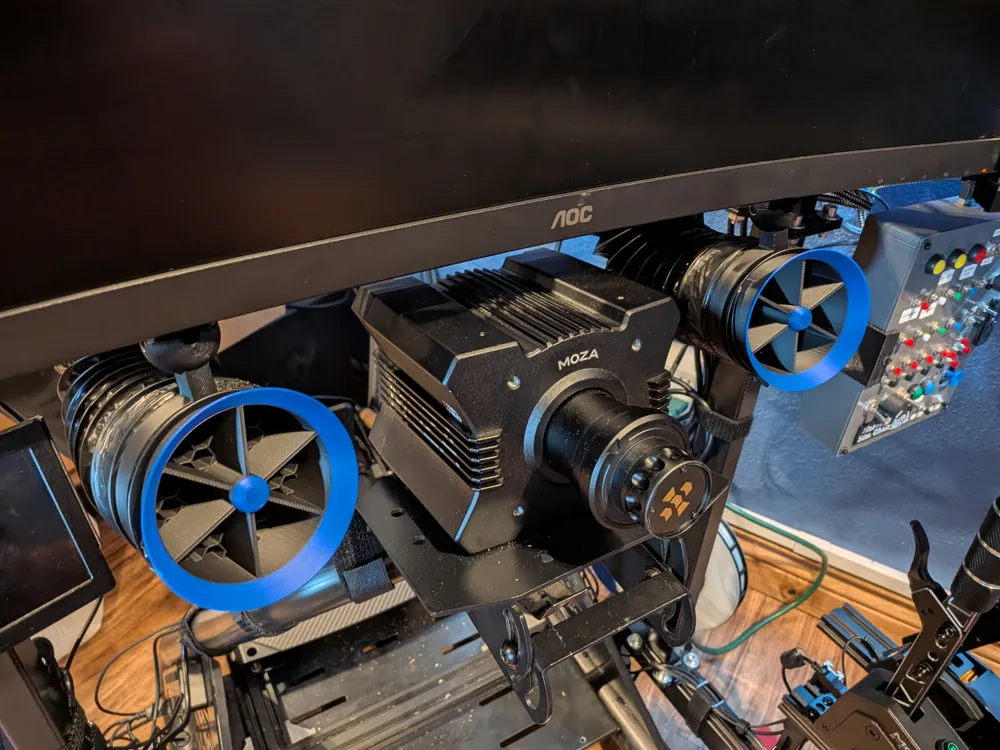
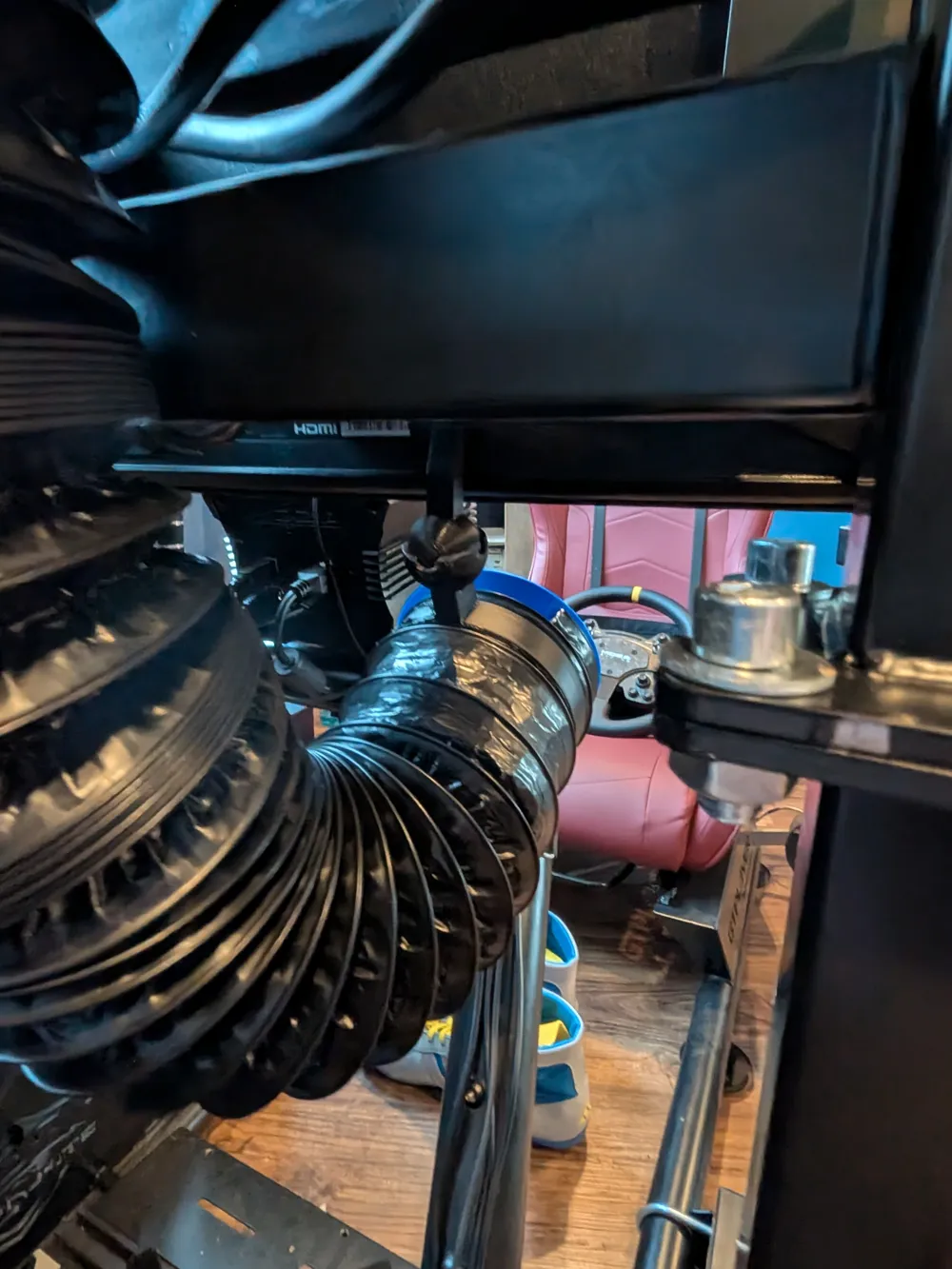
2x Monitor Ball Joint Mounts: Allows for directional adjustment.
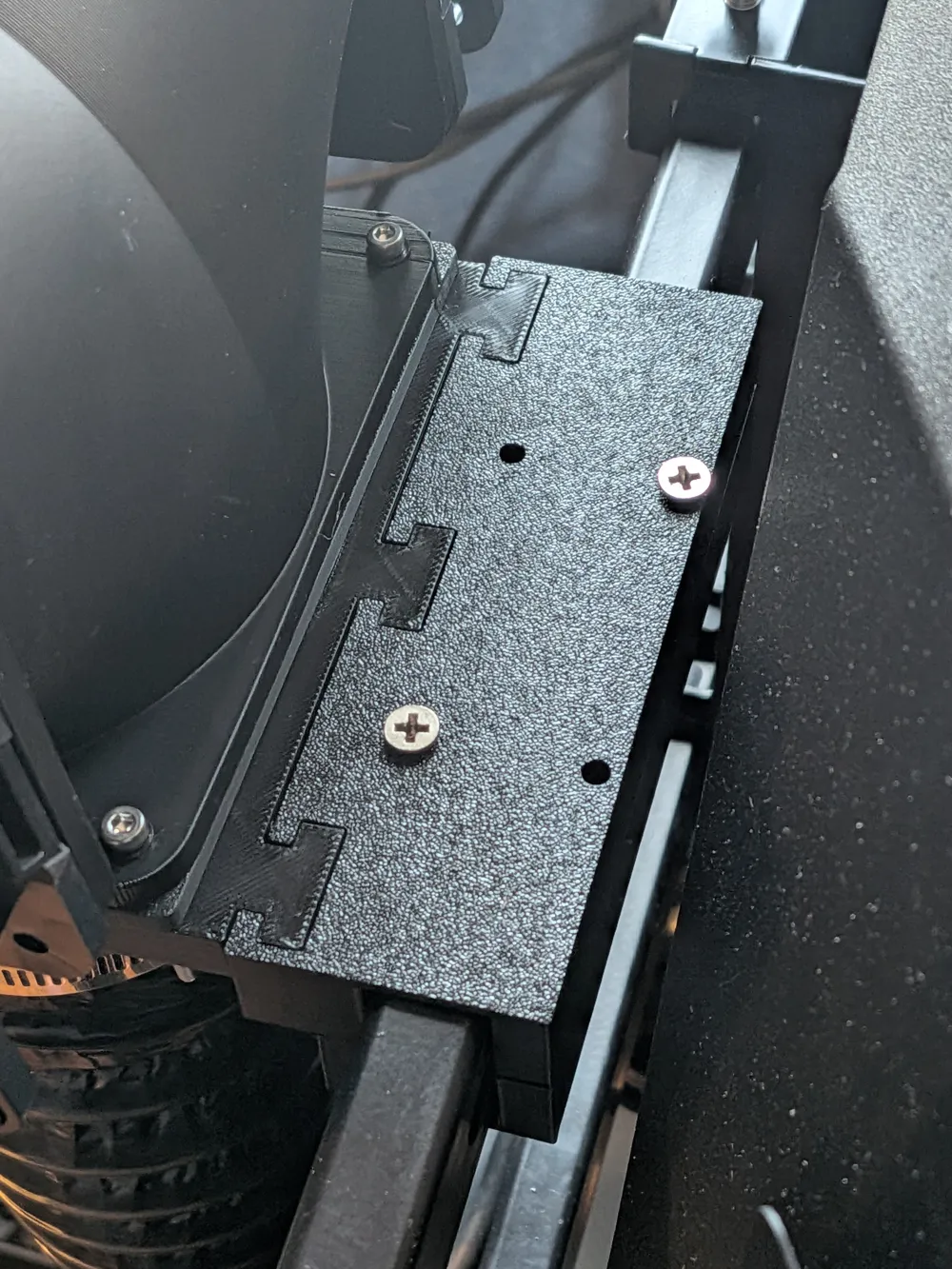
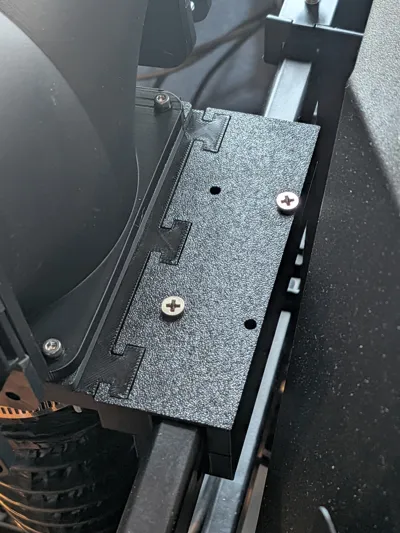
2x Fan Rig Mounts: Designed to clamp onto bars measuring 29.5mm x 16mm.
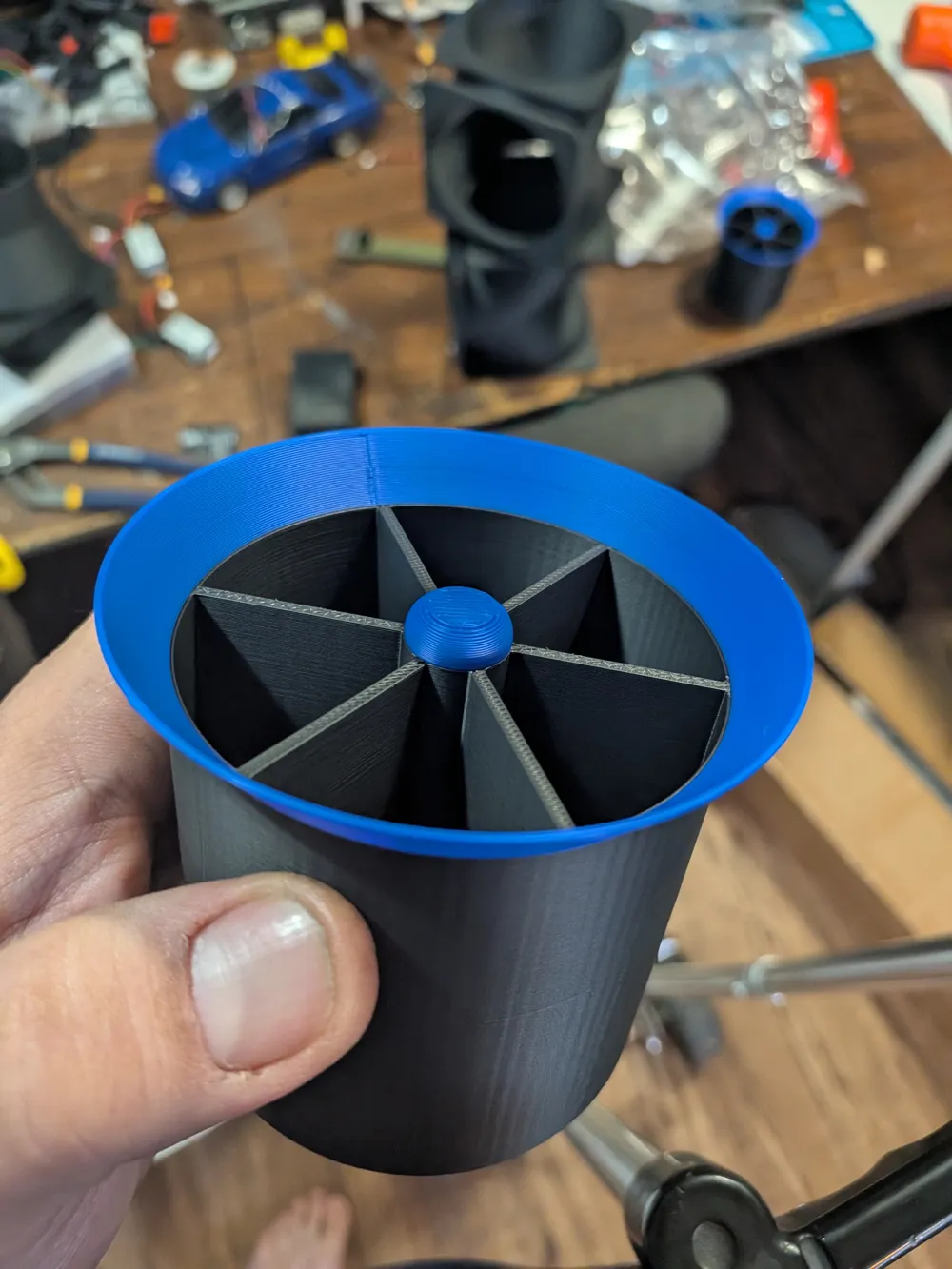
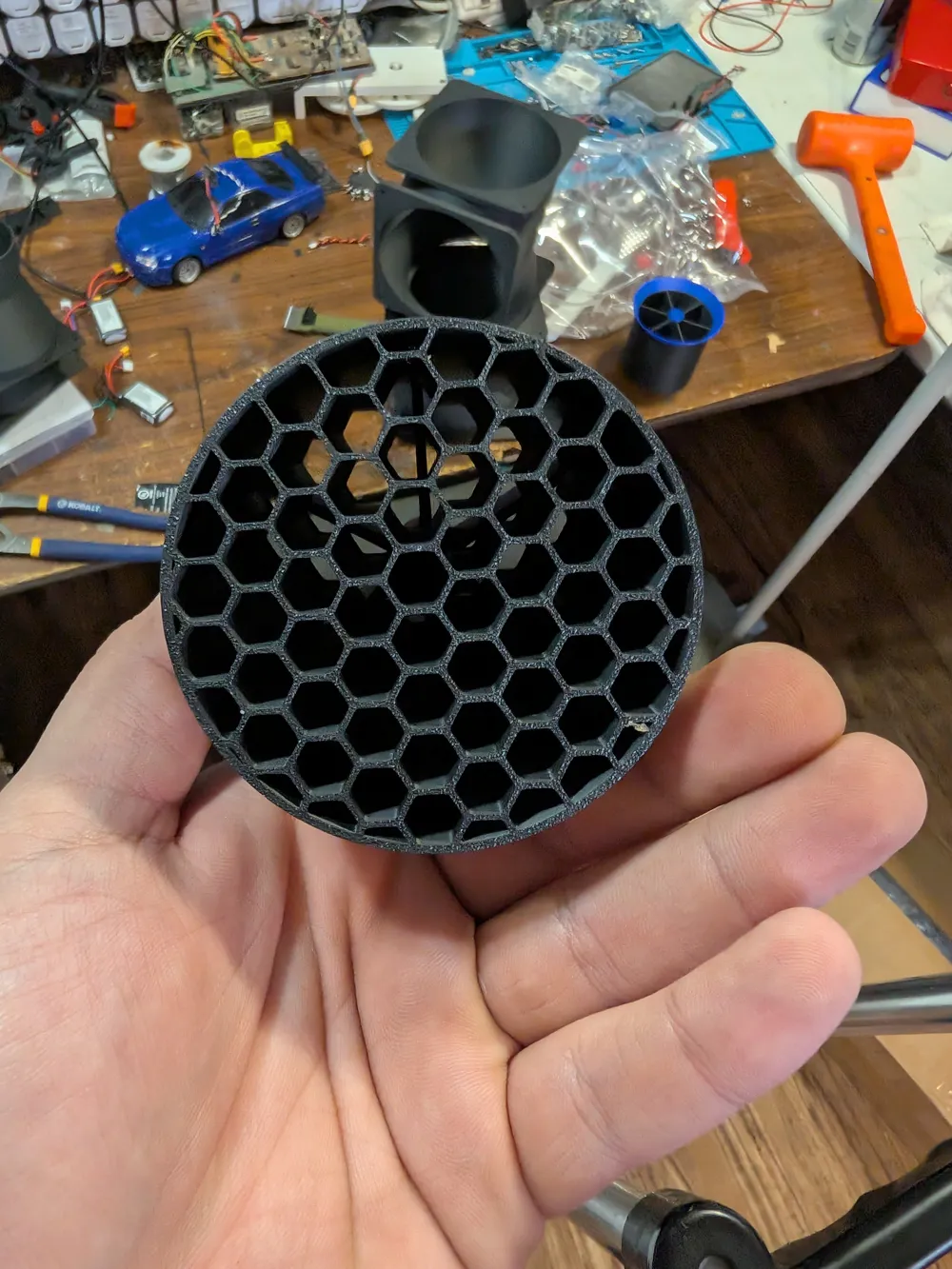
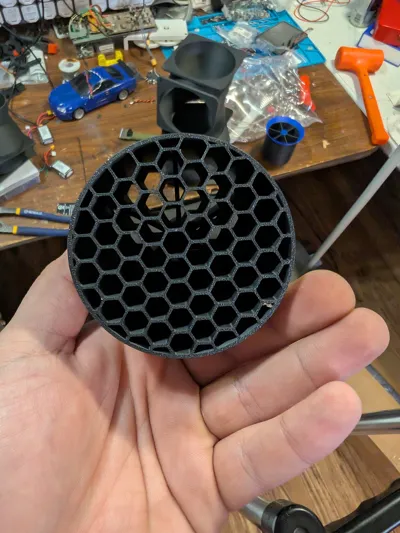
2x Honeycomb Exhaust Ports: For airflow straightening and it looks cool.
How to use this contraption
Because there are lots of ways to drive this I will suggest the easiest method you can use.
You'll need some parts:
4x 120mm fans of your choice
1x Arduino nano.
1x PCA9685 16 Channel 12 bit PWM Servo Motor Driver I2C
1x 12V 5A Power Supply Adapter Converter Transformer 60W AC 100-240V.
3 Inch Air Ducting, 8 Feet Flexible Aluminum Dryer Vent Hose
The screws are your choice. Find your best junk drawer. Some threads are fastened into holes directly. Theres not a whole lot of pressure going on with the mounts or ducts. But you can use inserts if you want.
SIMHUB
You can configure this anyway you like, idle only, race wind simulation, curves, etc, the packet will send the calculated value to the arduino.
I like using a high idle speed. Gotta keep those giblets cool on and off the tarmac.

Simhub Packet:
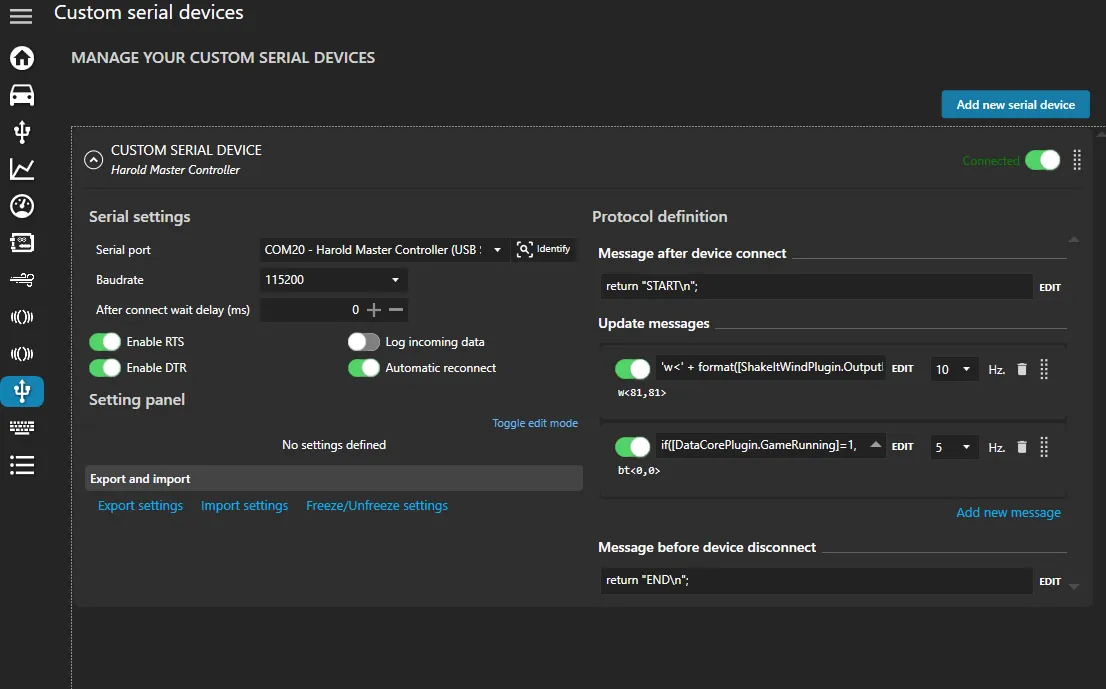
'w<' + format([ShakeItWindPlugin.OutputLeft], '0') + ',' + format([ShakeItWindPlugin.OutputRight], '0') + ‘>\n’
SimHub Custom Serial Device Configuration:
Note: You must enable Custom Serial Devices in the settings menu. It is a plugin.
Arduino Information:
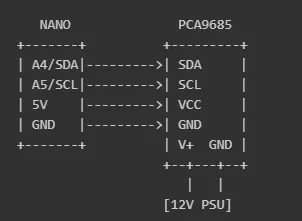
Wiring diagram
Dependencies
You will need to install the Adafruit PWM Servo Driver Library via the Arduino Library Manager (or lib_deps in PlatformIO).
Standalone Wind Simulator Script
| Warning: This specific block of code is untested by me. I use a completely different method of driving this but using the same packet data. It should work but if you run into problems let me know. |
#include <Arduino.h>
#include <Wire.h>
#include <Adafruit_PWMServoDriver.h>// --- Configuration ---
#define I2C_ADDRESS 0x40 // Default address for PCA9685
#define SERIAL_BAUD 115200 // Match this in SimHub
#define TIMEOUT_MS 2000 // Turn off fans if no data received for 2 seconds// --- Globals ---
Adafruit_PWMServoDriver pwm = Adafruit_PWMServoDriver(I2C_ADDRESS);
unsigned long lastUpdate = 0;
char buffer[64];
int bufIdx = 0;// --- Helper Function to Set Fan Speed ---
void setWind(int left, int right) {
// Map 0-100 input from SimHub to 12-bit PWM (0-4095)
int pwmLeft = map(constrain(left, 0, 100), 0, 100, 0, 4095);
int pwmRight = map(constrain(right, 0, 100), 0, 100, 0, 4095);// --- Channel 0: Left Fan ---
if (pwmLeft == 0) {
// Special value 4096 in 'off' parameter turns it fully off
pwm.setPWM(0, 0, 4096);
} else if (pwmLeft >= 4095) {
// Special value 4096 in 'on' parameter turns it fully on
pwm.setPWM(0, 4096, 0);
} else {
// Standard PWM duty cycle
pwm.setPWM(0, 0, pwmLeft);
}// --- Channel 1: Right Fan ---
if (pwmRight == 0) {
pwm.setPWM(1, 0, 4096);
} else if (pwmRight >= 4095) {
pwm.setPWM(1, 4096, 0);
} else {
pwm.setPWM(1, 0, pwmRight);
}
}void setup() {
Serial.begin(SERIAL_BAUD);
// Initialize PCA9685
pwm.begin();
pwm.setOscillatorFrequency(27000000); // Standard for many breakout boards
pwm.setPWMFreq(1600); // Max frequency, good for DC fans
// Initialize fans to OFF
setWind(0, 0);
// Wait for Serial
while (!Serial) { delay(10); }
}void loop() {
// --- Safety Timeout ---
// If SimHub crashes or disconnects, turn off the fans
if (millis() - lastUpdate > TIMEOUT_MS) {
setWind(0, 0);
}// --- Serial Parsing ---
while (Serial.available() > 0) {
char c = (char)Serial.read();
// Check for end of line (newline or carriage return)
if (c == '\n' || c == '\r') {
if (bufIdx > 0) {
buffer[bufIdx] = '\0'; // Null-terminate the string
// Expected format: "w<LEFT,RIGHT>" (e.g., "w<100,50>")
if (strncmp(buffer, "w<", 2) == 0) {
char* endPtr = strchr(buffer, '>');
if (endPtr) {
*endPtr = '\0'; // Terminate at '>'
char* params = buffer + 2; // Skip "w<"
char* comma = strchr(params, ',');
if (comma) {
*comma = '\0'; // Split at comma
int leftVal = atoi(params);
int rightVal = atoi(comma + 1);
setWind(leftVal, rightVal);
lastUpdate = millis();
}
}
}
// Handle SimHub "END" command to stop fans immediately
else if (strncmp(buffer, "END", 3) == 0) {
setWind(0, 0);
}
}
// Reset buffer for next message
bufIdx = 0;
}
else if (bufIdx < (int)sizeof(buffer) - 1) {
// Add character to buffer if there is space
buffer[bufIdx++] = c;
}
}
}
🚀If you happen to like the project pretty please boost🚀

Documentation (1)
License

You shall not share, sub-license, sell, rent, host, transfer, or distribute in any way the digital or 3D printed versions of this object, nor any other derivative work of this object in its digital or physical format (including - but not limited to - remixes of this object, and hosting on other digital platforms). The objects may not be used without permission in any way whatsoever in which you charge money, or collect fees.


Comment & Rating (3)