Search models, users, collections, and posts

AMS Cable Management for P2S /Organizer

Print Profile(1)

All
P2S
H2D
X1 Carbon
A1
P1S
X1
A1 mini
H2S
H2C
H2D Pro
P1P
X1E
X2D
A2L

0.16mm layer, 2 walls, 15% infill
Designer
2.2 h
3 plates
4.6(31)

Open in Bambu Studio
Boost
192
845
74
11
264
149
Released 

Bill of Materials

Maker's Supply Kits and Parts
Select all
D6x4 mm Round Magnet (10PCS) - CA013
Bambu Filaments
Select all
Matte Nardo Gray (11104) / Refill / 1kg
Red (10200) / Refill / 1kg
Black (10101) / Filament with spool / 1kg

Description

Content has been automatically translated.
Show original


Boost Me (for free)

Love it? Boost it! Your support keeps new designs coming.

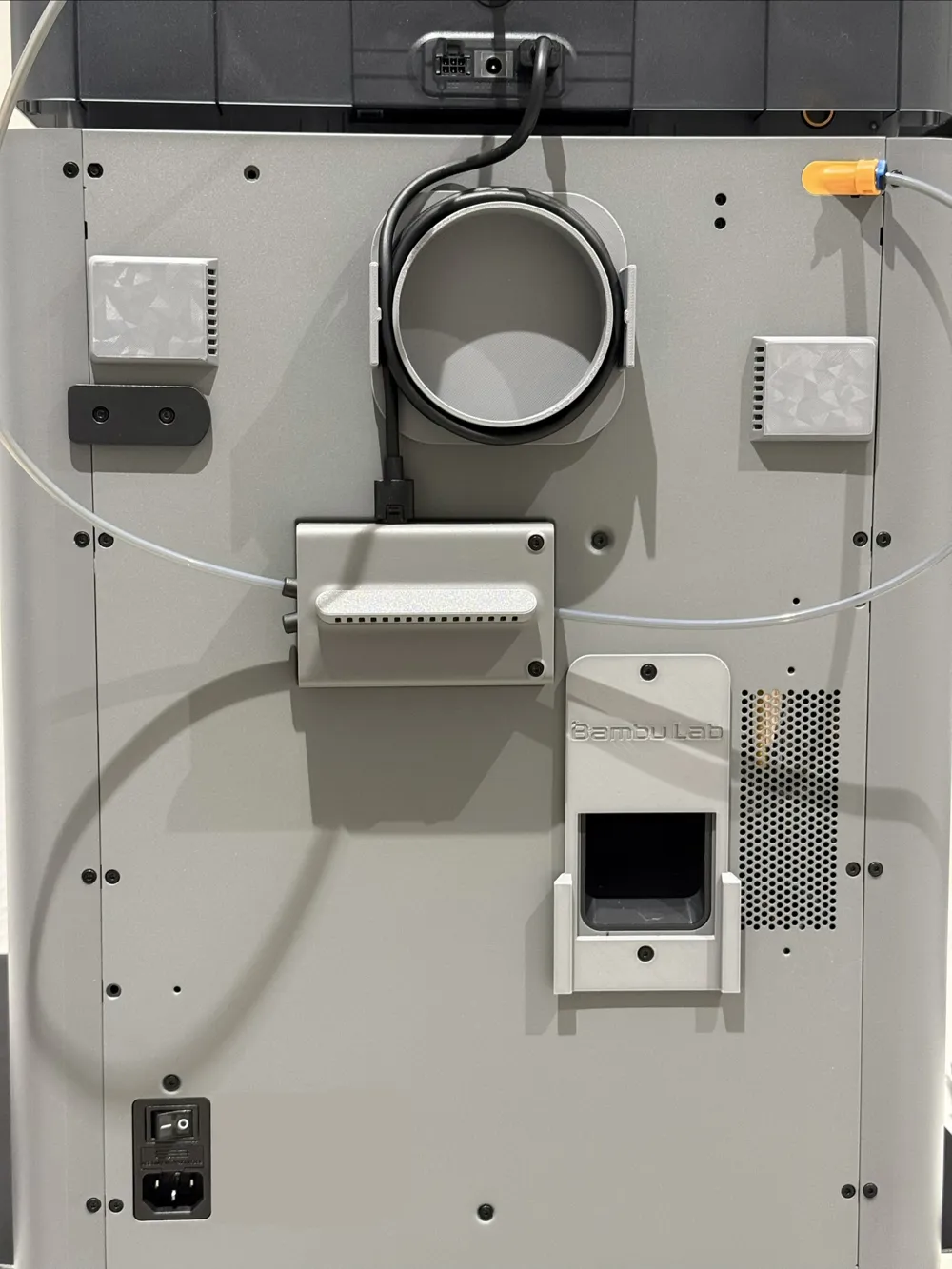
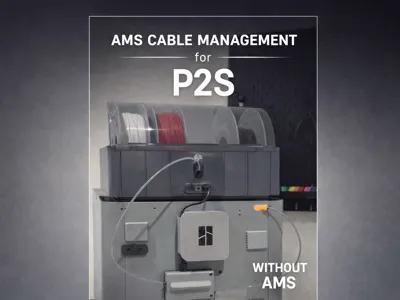
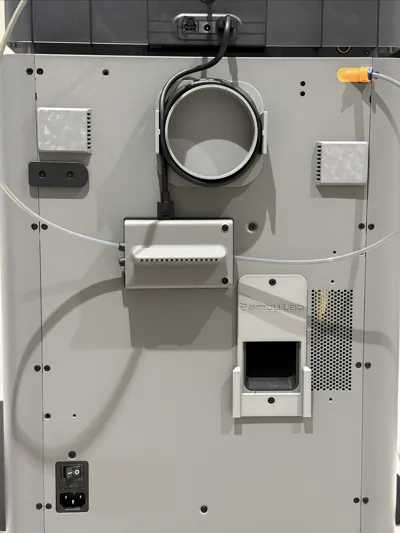
AMS cable management with magnetic attachment – modern, functional design for clean cable routing.

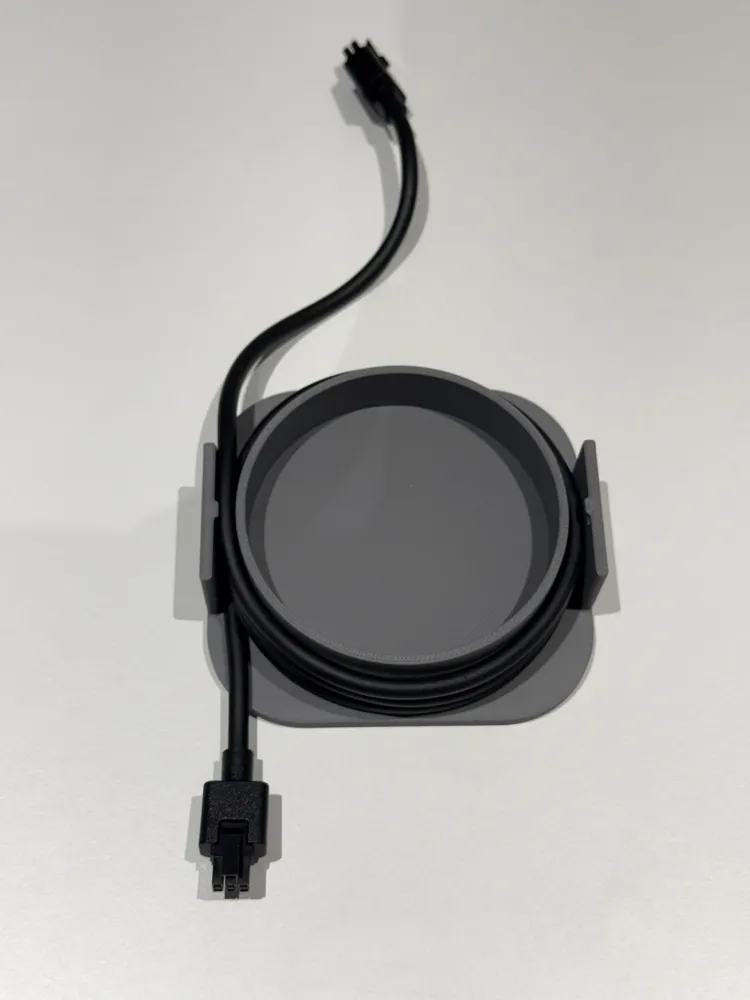
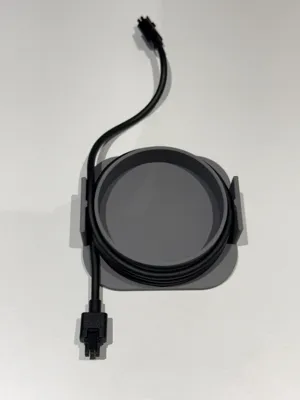
This model was developed to neatly wind and protect the AMS cable. The integrated strain relief ensures that the cable is routed without tension and is not kinked or damaged.
The round winding was deliberately chosen, as it represents the best and gentlest solution for cables.

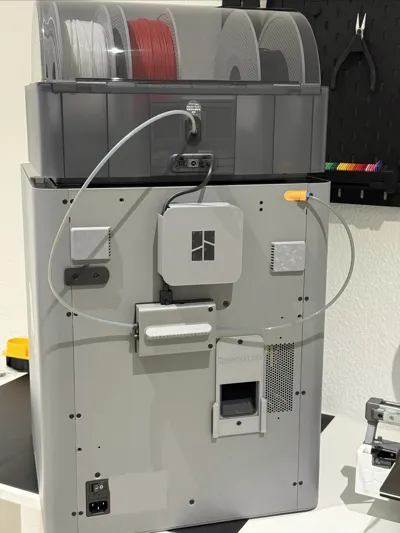
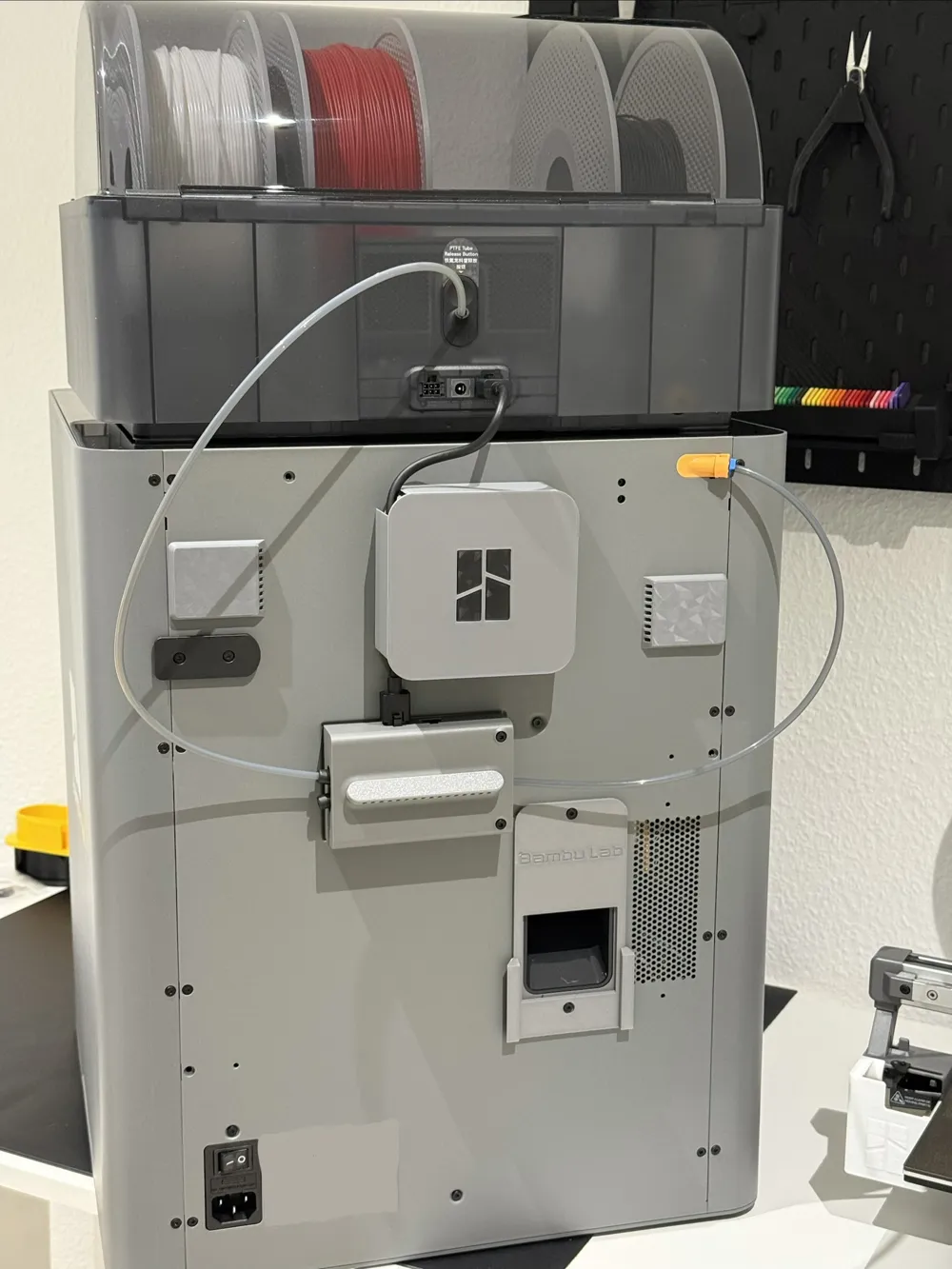
Magnets are integrated inside. The rear panel of the printer is magnetic, allowing the cable management to be attached easily and securely with magnets – without any screws. This keeps everything tidy and always accessible.
The modern, minimalist design discreetly blends into the overall appearance of the printer and ensures a clean setup without cable clutter.

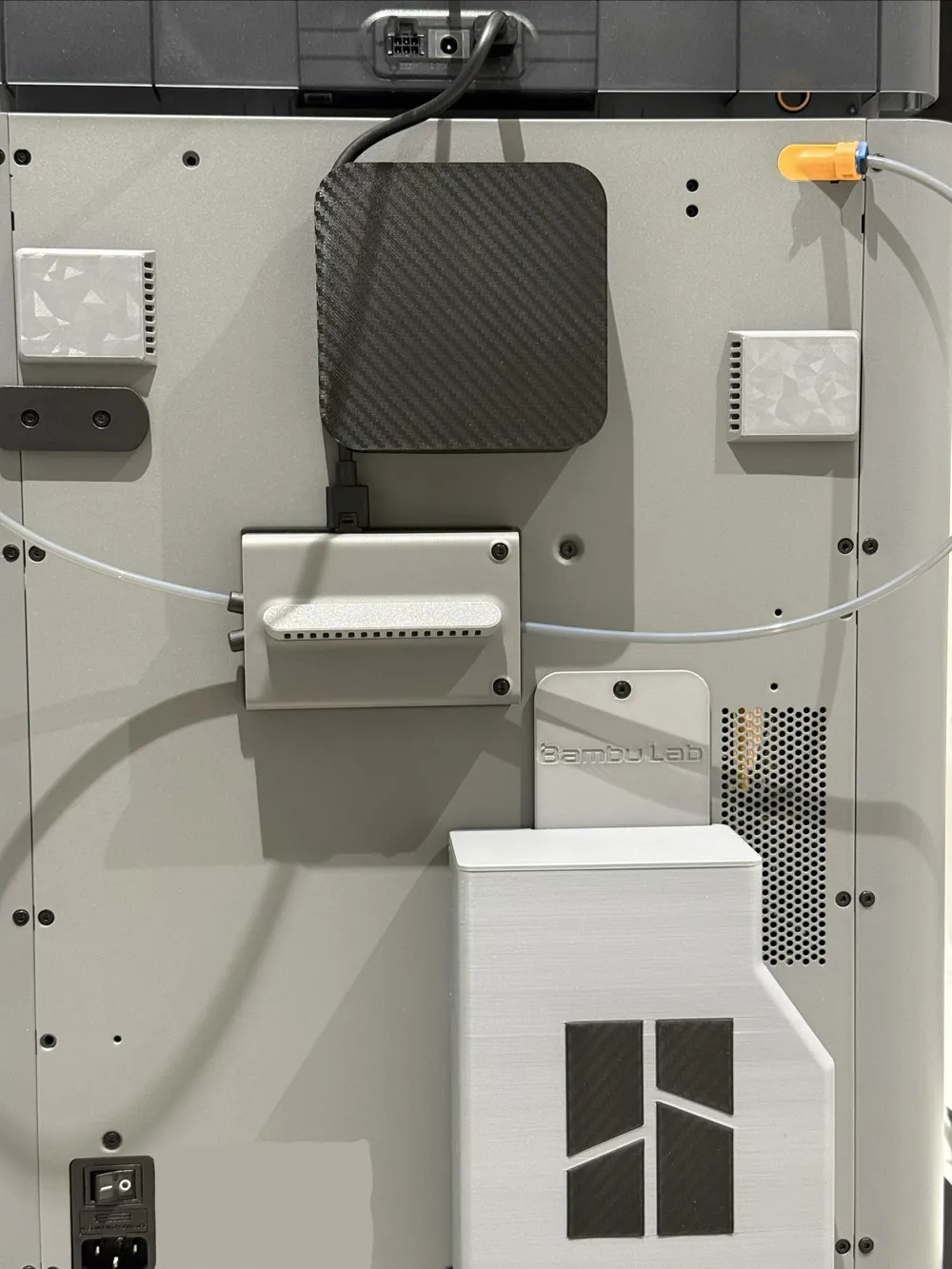
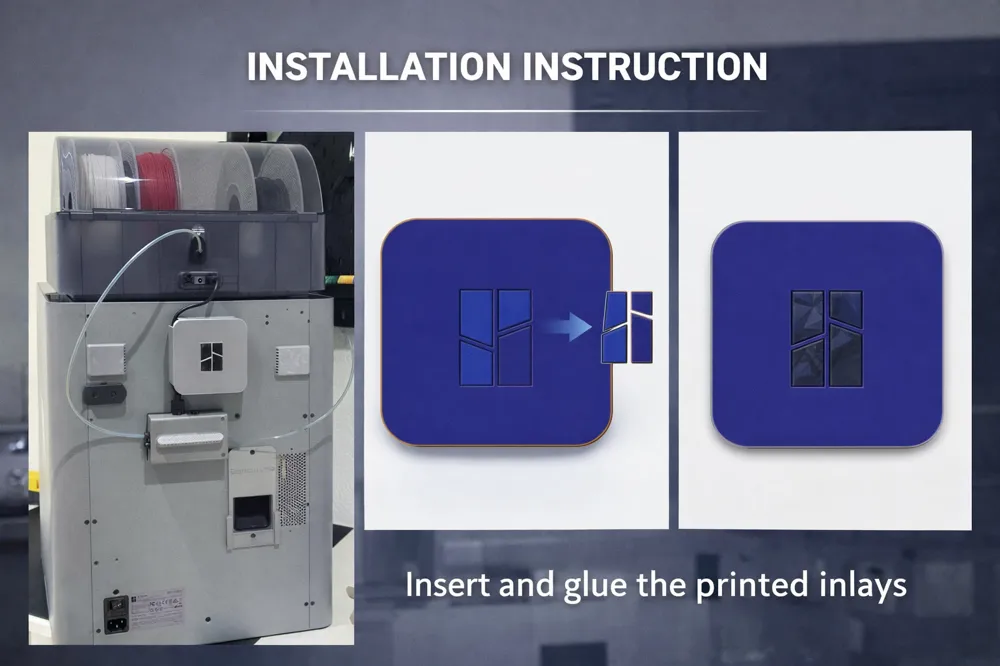
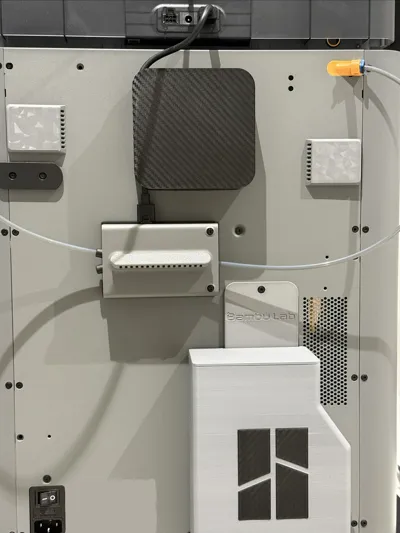
An optional cover is available:

  • with logo
  • without logo (will be provided later)

A simple installation guide with pictures will follow separately.


✔ Practical
✔ Cable-friendly
✔ Magnetic attachment
✔ Modern design
✔ Clean organization


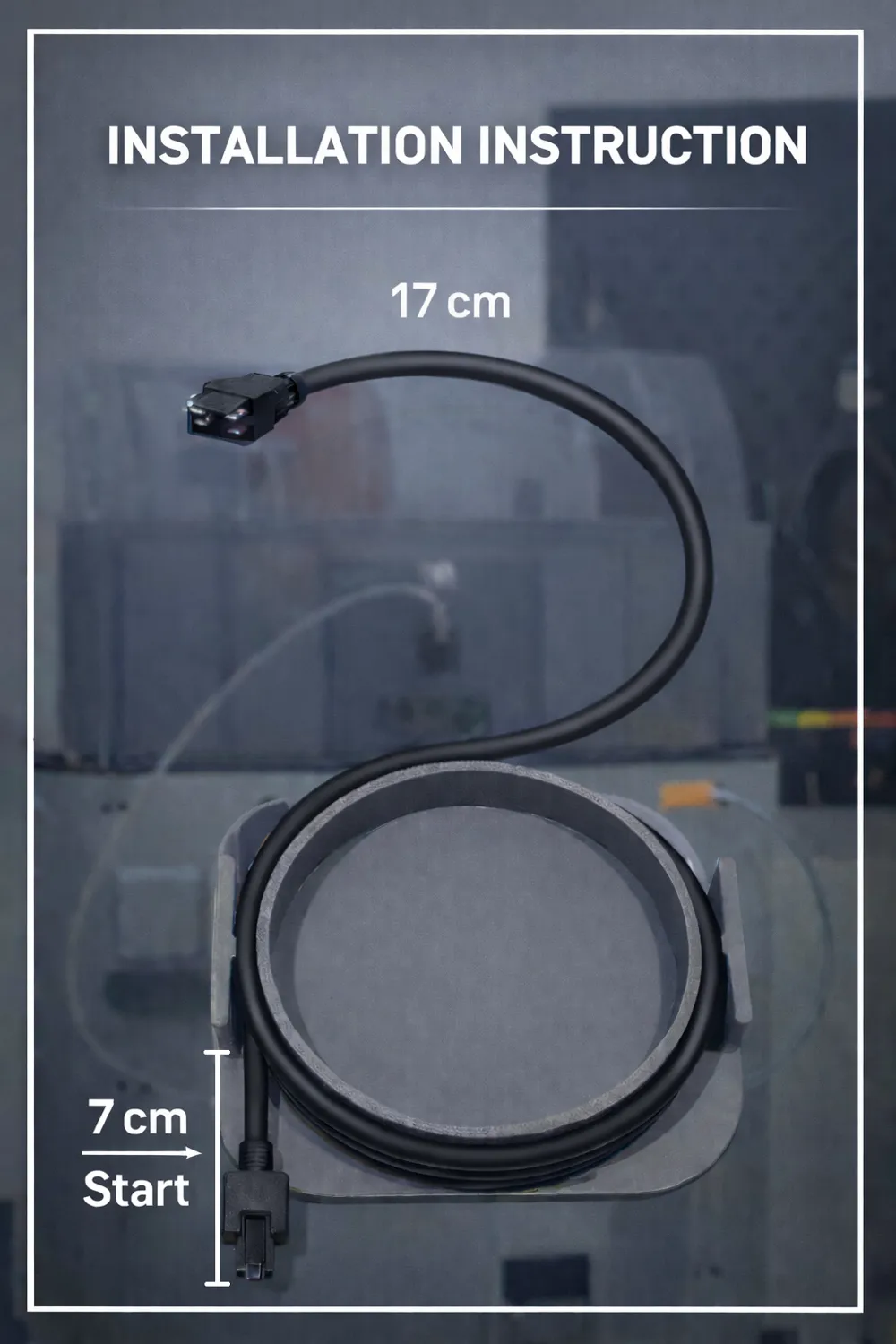
Installation Instructions:


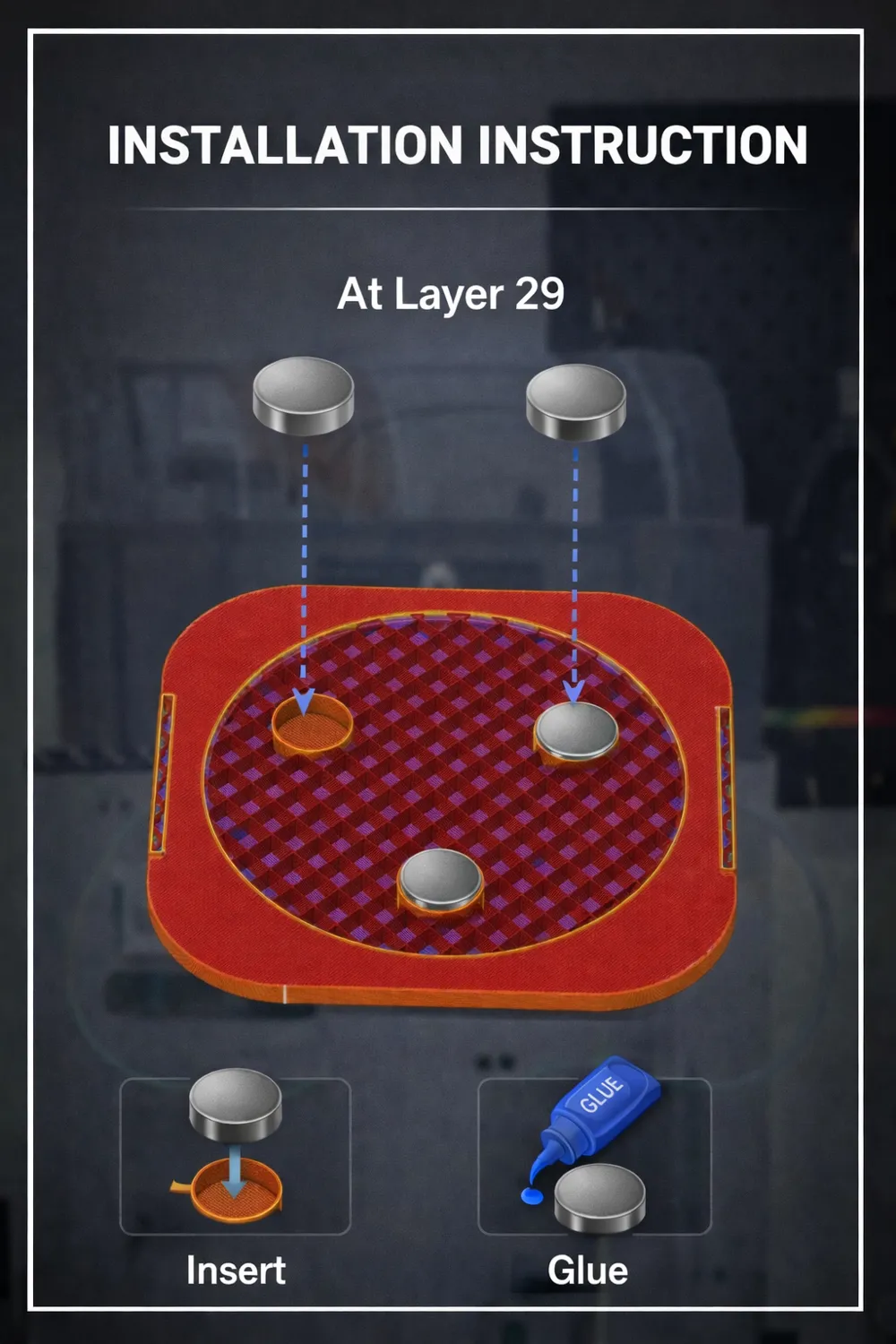
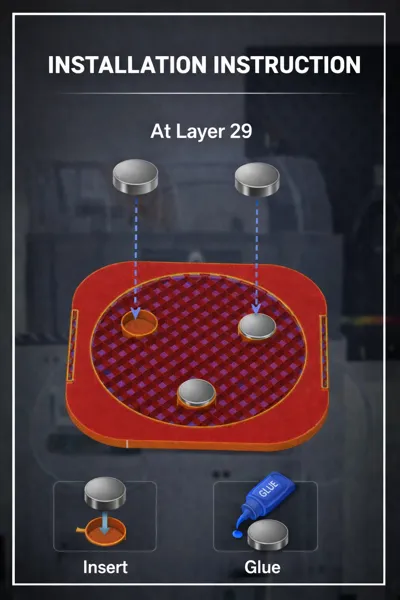
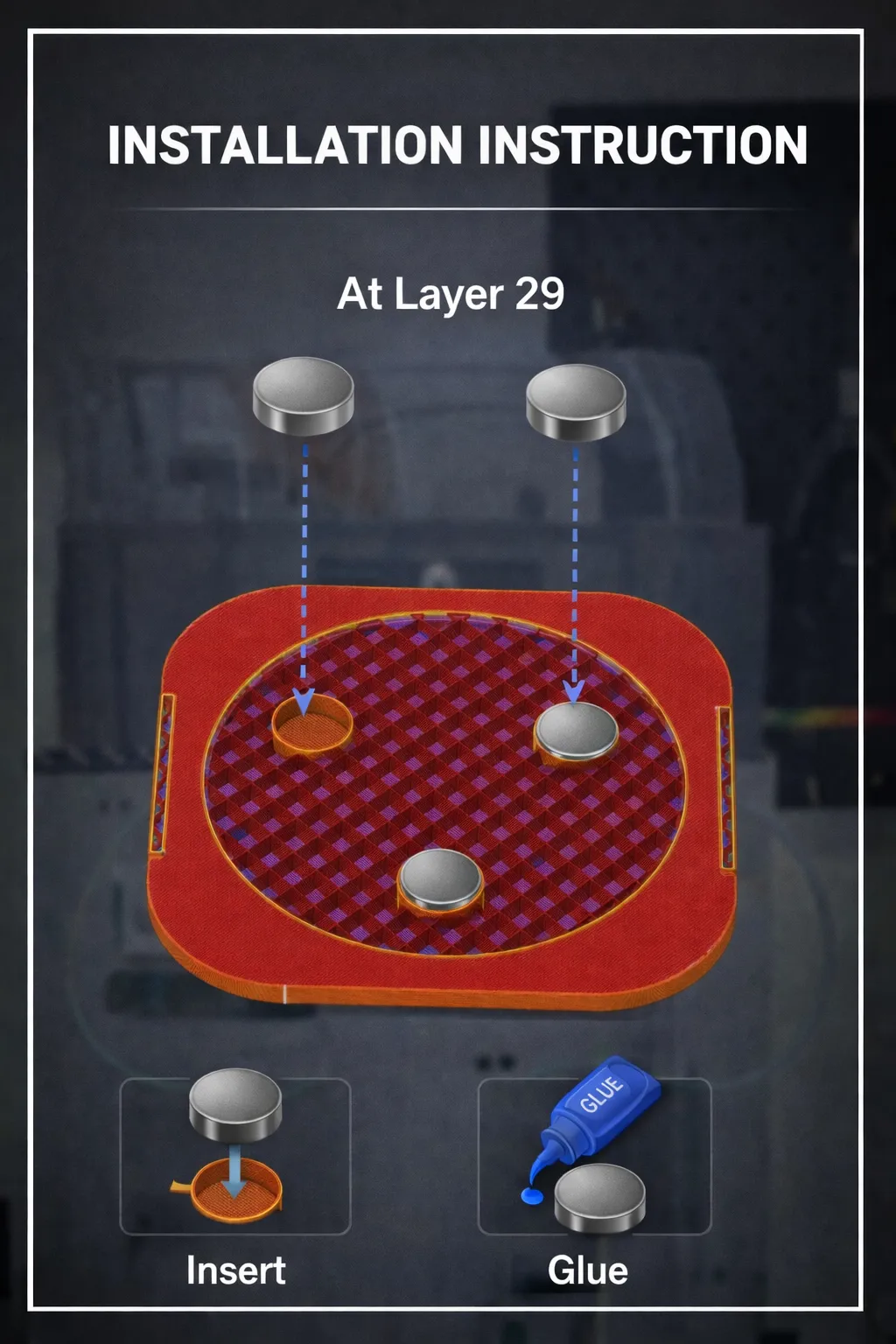
1. Insert magnets
From Layer 29, the print will automatically pause.
During this pause, the magnets can be inserted into the designated openings or optionally

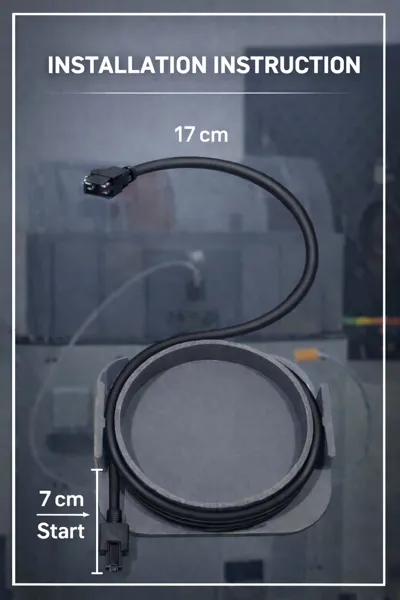
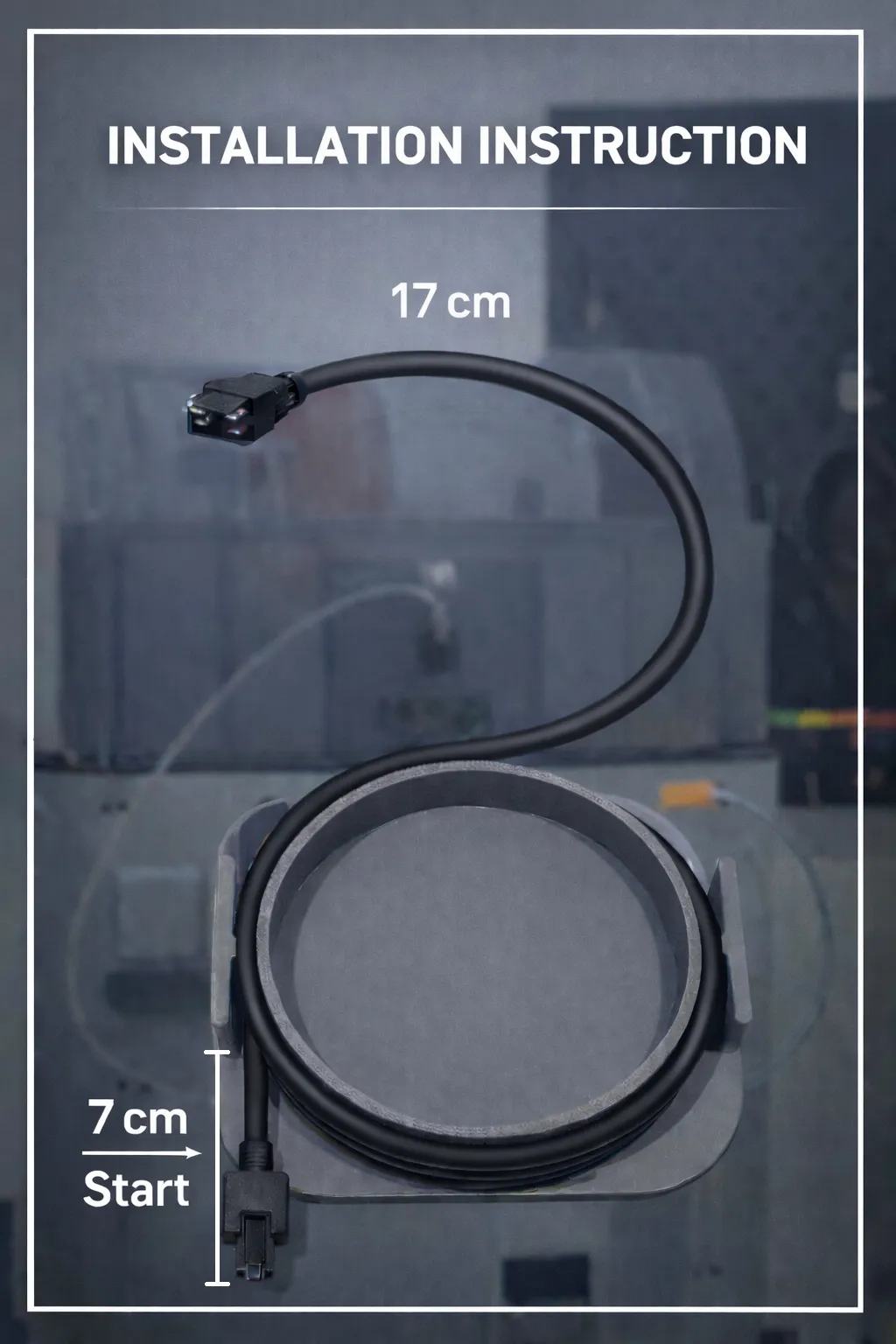
2. Prepare the cable
Place the AMS cable into the rounded guide and wind it evenly.
The integrated strain relief ensures that the cable remains free of tension.

3. Mount to the printer
Attach the cable management magnetically to the rear panel of the printer.
The rear panel is magnetic, screws are not necessary.

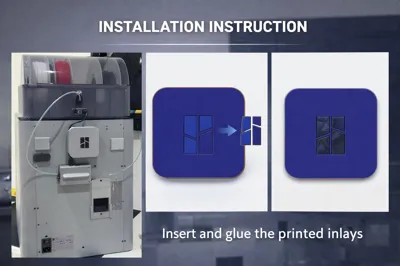
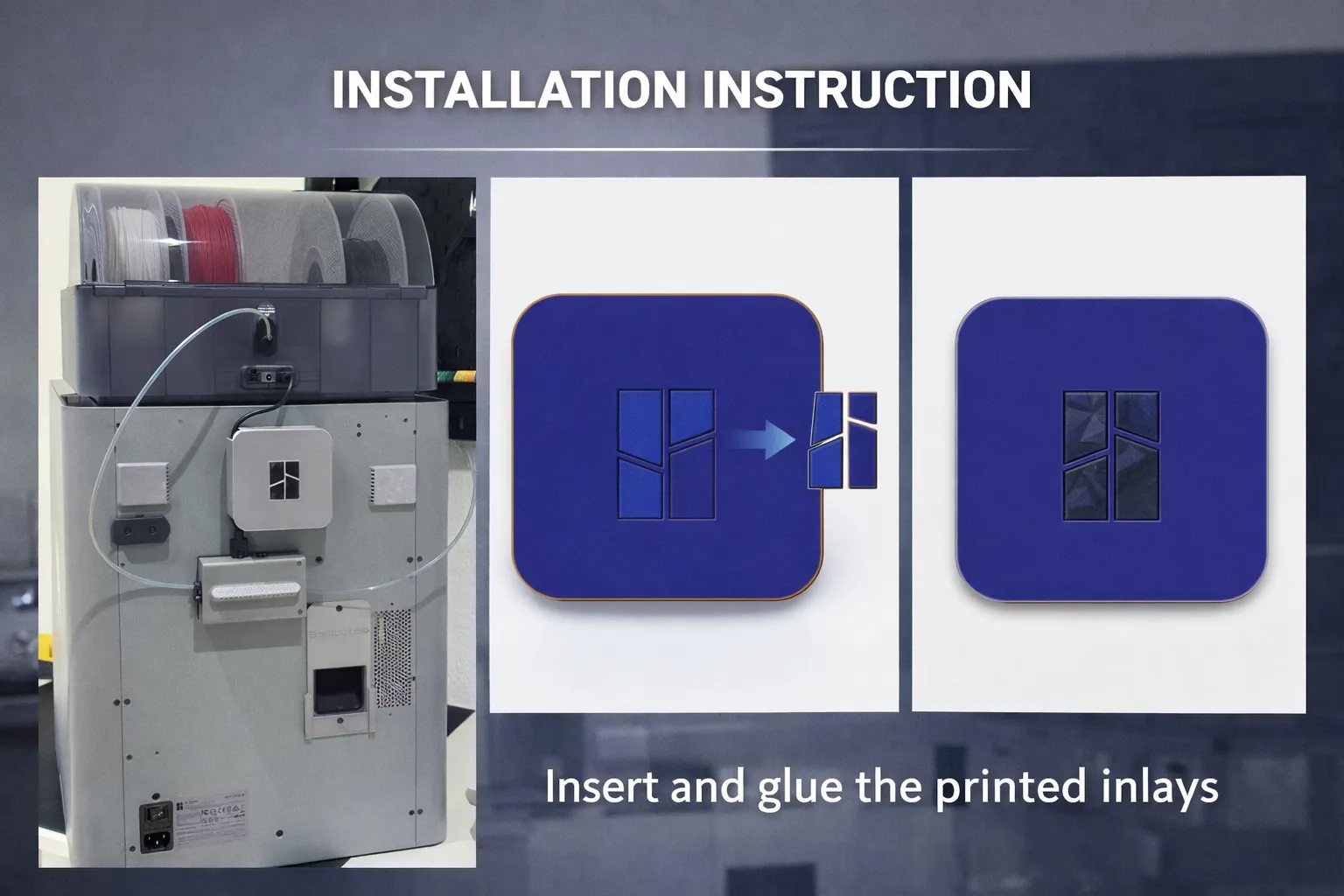
Attach cover (optional)
Optionally, the cover can be mounted with or without a logo.


Compatible with:

  • P2S / Additionally, the model is auch mit P1S kompatibel.
    The mounting there is done with double-sided adhesive tape, as the rear panel is not magnetic.
    A special P1S model will be released shortly.
  • AMS
  • AMS 2 Pro

-------English-------------


AMS cable management with magnetic mounting – clean, functional, and cable-friendly design.

This model is designed to neatly organize and safely coil the AMS cable while protecting it from stress and damage. An integrated strain relief ensures the cable can be wound without tension, preventing sharp bends or wear.
The rounded cable path was chosen intentionally, as round guides are the best solution for long-term cable protection.

Built-in magnets allow easy and secure installation. Since the printer’s rear panel is magnetic, the cable management can be mounted magnetically without any screws. This keeps everything tidy, accessible, and easy to reposition.
The modern and minimal design blends seamlessly into the printer setup and eliminates cable clutter.

An optional cover is available:

  • with logo
  • without logo (will be provided later)

A simple installation guide with images will be added separately.

✔ Practical
✔ Cable-friendly
✔ Magnetic mounting
✔ Clean and modern design
✔ Organized cable routing


Installation Instructions:

1.Insert magnets
At layer 29, the print automatically pauses.
During this pause, the magnets can be inserted into the designated slots or optionally glued in place.

2. Prepare the cable
Place the AMS cable into the rounded guide and coil it evenly.
The integrated strain relief keeps the cable free of tension.

3.Mount to the printer
Attach the cable management magnetically to the rear panel of the printer.
The rear panel is magnetic, no screws required.

Attach cover (optional)
Optionally install the cover with or without logo.


Compatible with:

  • P2S
  • AMS
  • AMS 2 Pro

The model is also compatible with the P1S.
For the P1S, mounting is done using double-sided adhesive tape, as the rear panel is not magnetic.
A dedicated P1S version will be released soon.


Comment & Rating (74)

(0/1000)

Print Profile
0.16mm layer, 2 walls, 15% infill
nice and neat design. But don't like the way it leans out at the top
The profile uploader has replied
1
Reply
Something isn’t right there. Either you have weak magnets, or the cable is wound incorrectly. Try pressing the cables together a bit more evenly.
(Edited)
2
Reply
Replying to @Sinue :
what magnets?
0
Reply
Replying to @UserBORG359 :
I’m confused. The magnets that are needed for this — three pieces?
(Edited)
1
Reply
I ordered the magnets as per the maker's supply, and they do not fit the design. Measuring them with calipers appears to require a 10 mm by 5 mm magnet. Please advise.
The designer has replied
0
Reply
Good day, no, that is not correct. You can also use smaller magnets. Material is printed over the magnets, so it is normal that there is some space above them. Please print it exactly as described in the instructions and you will see that it works. There is likely a misunderstanding here. You can use the magnets exactly as specified in the guide — it has worked for everyone so far. The magnets are placed inside, there is a small gap, and then material is printed over them. Just follow the instructions as written.
0
Reply
The holes are intentionally made slightly larger so that different magnet sizes can also be used. This is part of the design. Even if the magnets are a bit smaller, they will still work correctly once the part is printed.
0
Reply
Print Profile
0.16mm layer, 2 walls, 15% infill
The cable wraps around the base nicely and is very secure. The cover is a bit too thin and flimsy for my taste but I can live with it since it won't be getting handled very often. Overall the design is pretty good and looks quite nice, well done!
(Edited)
The profile uploader has replied
0
Reply
thank you ☺️
0
Reply
Print Profile
0.16mm layer, 2 walls, 15% infill
I remade and printed this as a single piece because the Bambu Lab logo is separate and needs to be attached afterwards. The print pauses automatically, so if you re-start it with a magnet, it will be perfectly finished. In my area, magnets with a diameter of 13mm and a height of 2.3mm are readily available and inexpensive, so I changed the hole size and modified the magnet hole position to be closer to the outside to increase the magnetic force. The following are problems in my environment ・The cable length is not sufficient because the riser and AMS flipper are attached to the P2S, which puts a strain on the terminals. ・This is a riser that allows the glass top to slide to the back, but the cable interferes and prevents it from sliding. ・The edges of the cover are sharp, and the cable may get scratched by the printing vibrations, so I want to widen the cable slit on the cover to ensure clearance. I believe many people use the riser and flipper, so I would like to see one with sufficient cable length after winding.
The profile uploader has replied
Show original
0
Reply
Thank you for your rating and feedback. I will check if I can make adjustments soon. It was not originally designed for risers, but I think it's possible to adjust it to accommodate them. Thank you.
Show original
0
Reply
How do I find out the size of the magnets?
The designer has replied
1
Reply
Do you want to know the minimum and maximum sizes, or what exactly?
1
Reply
Replying to @Sinue :
I want to know the diameter and depth of the magnet pocket.
(Edited)
1
Reply
Replying to @user_1169716759 :
The space for the magnets has a maximum diameter of 12 mm and a maximum height of 4 mm. These are the maximum dimensions allowed for the magnets.
1
Reply
Boosted
Print Profile
0.16mm layer, 2 walls, 15% infill
The profile uploader has replied
0
Reply
thank you
0
Reply
Print Profile
0.16mm layer, 2 walls, 15% infill
Fresh off the printer! The details on this model are insane!
The profile uploader has replied
0
Reply
thank you ☺️
0
Reply
Replying to @Sinue :
exactly👍🏼🙋
Show original
0
Reply
Print Profile
0.16mm layer, 2 walls, 15% infill
It works beautifully, just be careful to have the right magnets. the cover is a bit fragile but sufficient for the job it does. it saves a lot of material
The profile uploader has replied
Show original
0
Reply
thank you
0
Reply
Is there room with the cover on for a second plug for second AMS?
The designer has replied
0
Reply
it’s Only for One AMS
0
Reply
Print Profile
0.16mm layer, 2 walls, 15% infill
Very nice file, the print with the P2S was great thank you very much
The profile uploader has replied
Show original
0
Reply
thank you, I would appreciate some support :)
Show original
0
Reply

License

This user content is licensed under the MakerWorld Exclusive License.

You may create derivative works based on this object, provided that all such derivative works are published exclusively on the MakerWorld platform and include proper attribution to the original creator. You may not share, upload, host, distribute, or publish this object—or any derivative work of this object—on any other digital platform, marketplace, or distribution channel. Commercial use of this object and any derivative works is strictly prohibited. This includes, but is not limited to, selling, renting, sublicensing, or using the object in any context in which you receive monetary compensation or other financial benefits.