Search models, users, collections, and posts

Dock SUNLU Filament Welder Connector V2 skadis
GIF

Print Profile(1)

All
P2S
P1S
H2C
H2D Pro
X1 Carbon
H2D
H2S
X1E
P1P
X1
A1
X2D
A2L

SUNLU CONNECTOR V2 desk+skadis version
Designer
6 h
4 plates
4.8(23)

Open in Bambu Studio
Boost
54
165
46
7
188
97
Released 

Description

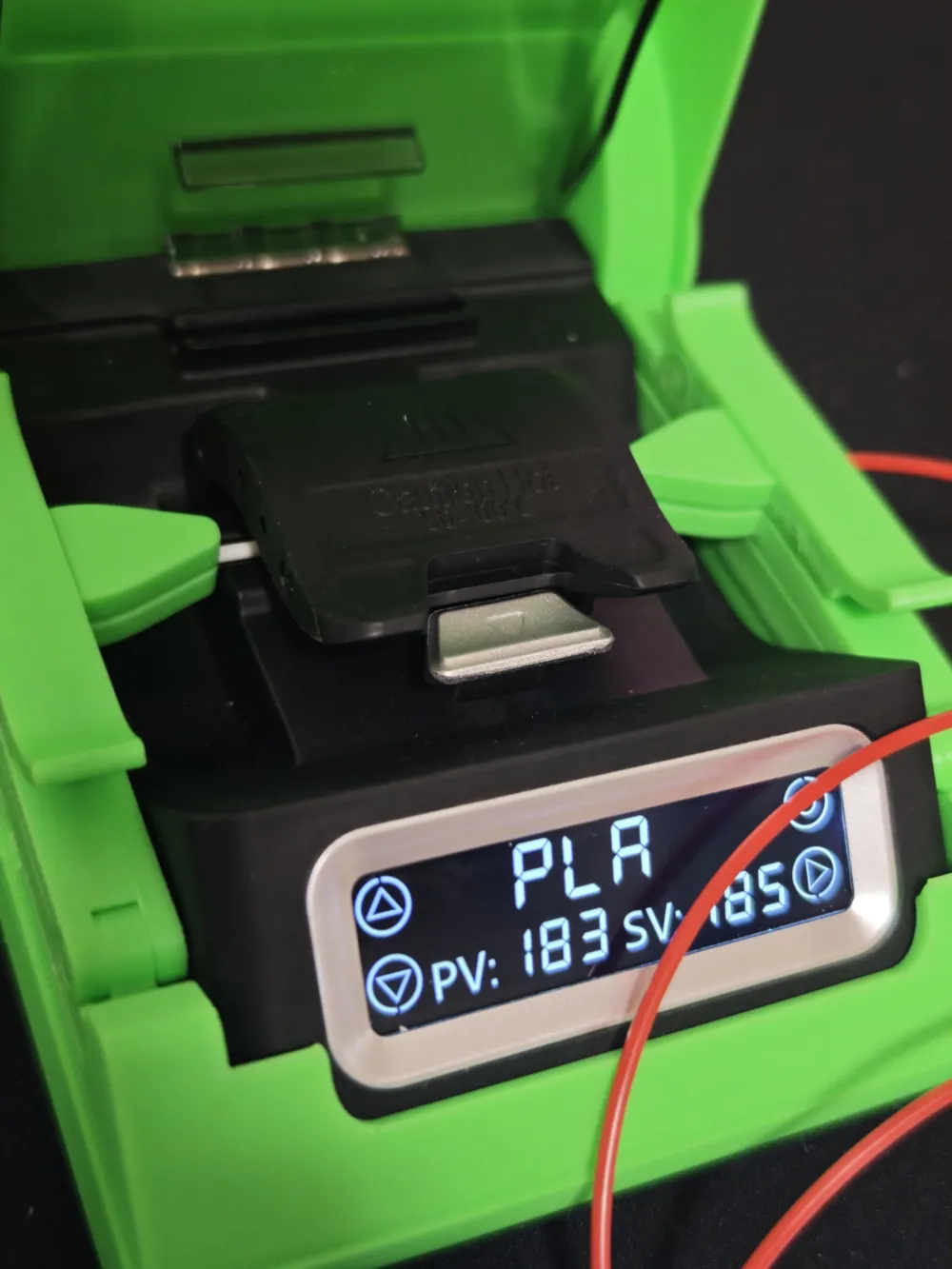
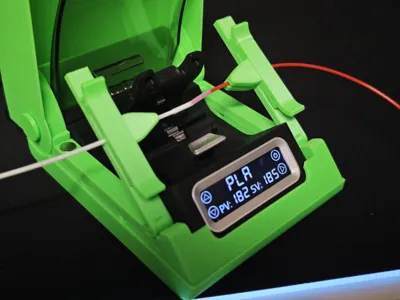
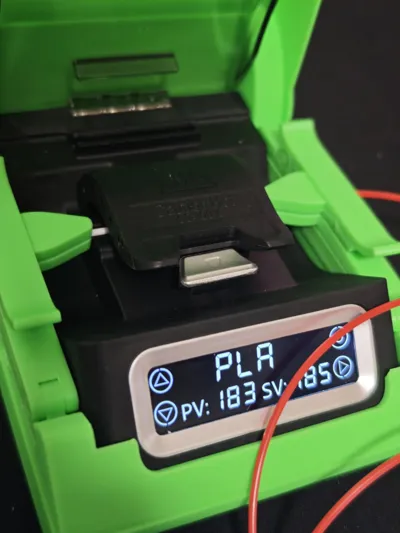
This is Version 2 of the dedicated 3D printed box for the SUNLU filament welder, designed to make filament splicing cleaner, more repeatable, and significantly easier to manage, especially during multi-color or multi-material jobs.

The V2 focuses on better accessibility, improved filament control, and higher splice quality, while keeping the same compact and modular philosophy of the original design.

The station can be used as a stand-alone desktop unit or clipped directly onto an IKEA SKÅDIS pegboard, allowing you to keep the welder exactly where you need it and free up valuable workspace.

Function and main features

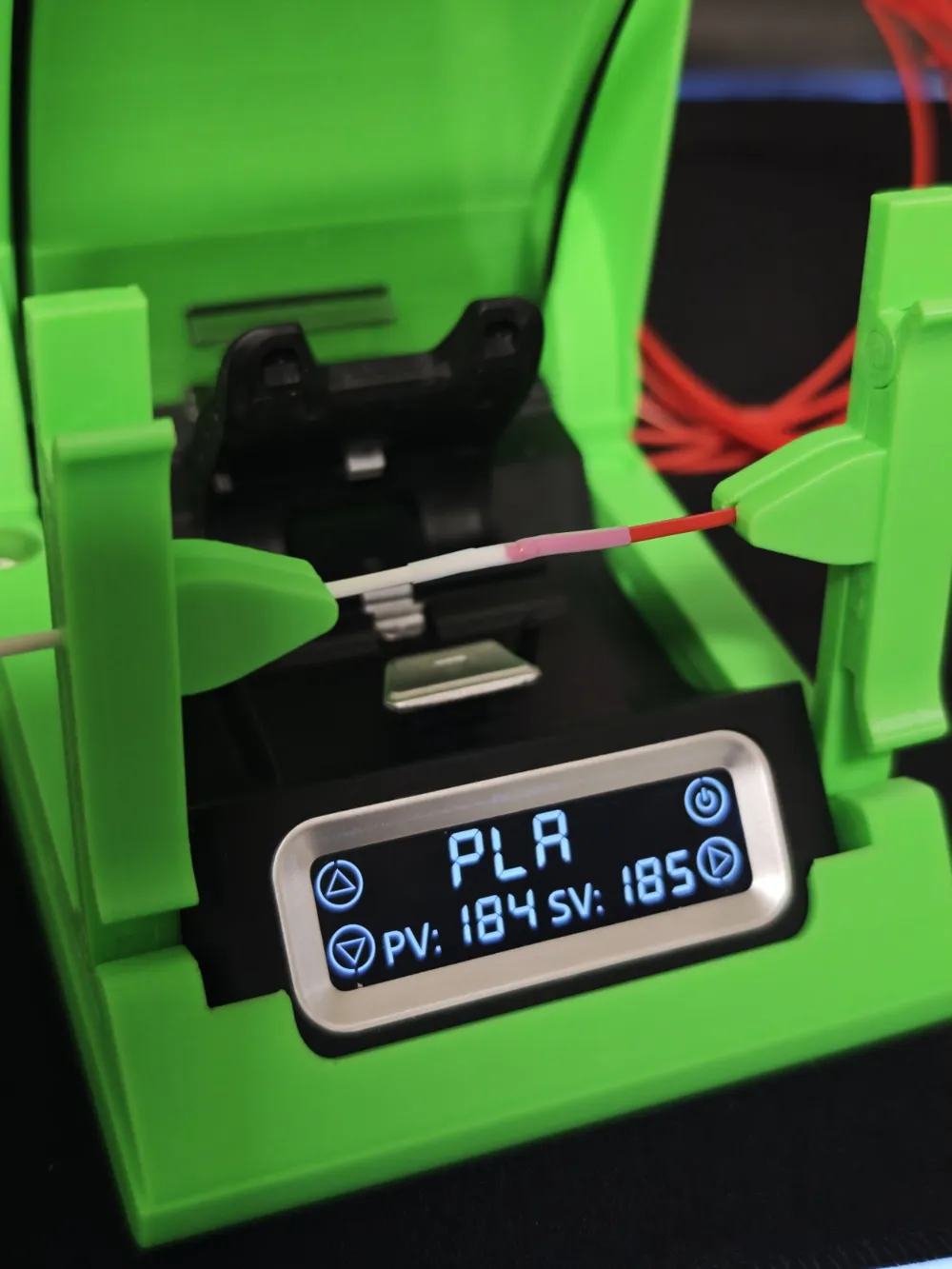
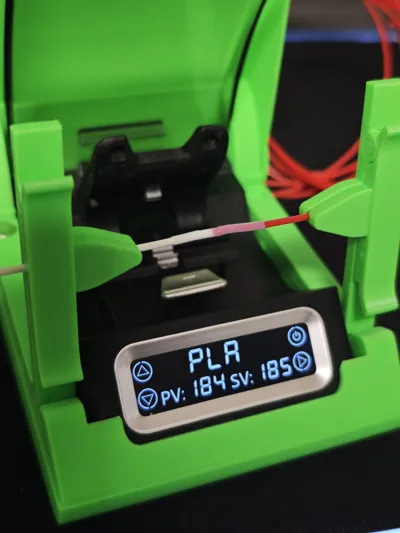

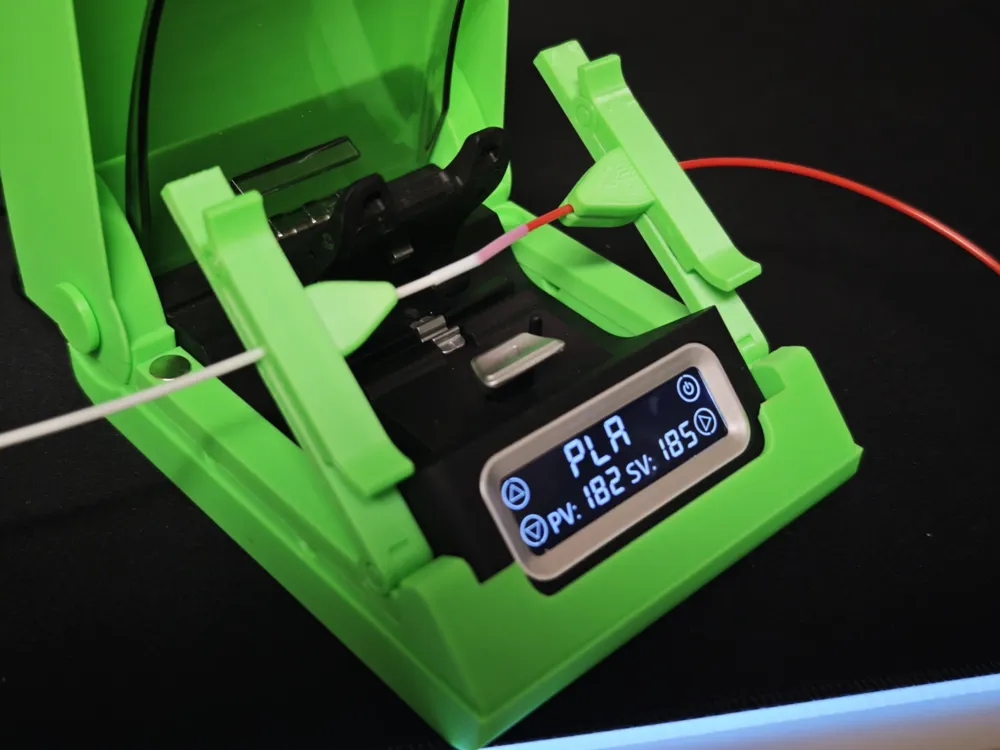
The box securely holds the SUNLU welder body and adds two side magnetic crocodile clamps that keep both filament ends perfectly aligned and tensioned during welding, dramatically reducing failed splices and misaligned joints.

Dual-action crocodile clamps (V2 upgrade)

The crocodile clamps now support two distinct working positions:

  • Welding position
    Holds the filament firmly in place during welding, preventing any movement while heat is applied.
  • Cooling position
    After welding, the clamps can be lifted while still holding the filament aligned, allowing the joint to cool naturally without deformation.

This is a major improvement compared to V1:

  • Cleaner and more consistent welds
  • Reduced risk of weak joints
  • Helps prevent hotend jams and clogs caused by poorly aligned splices

Improved lid opening (V2 upgrade)

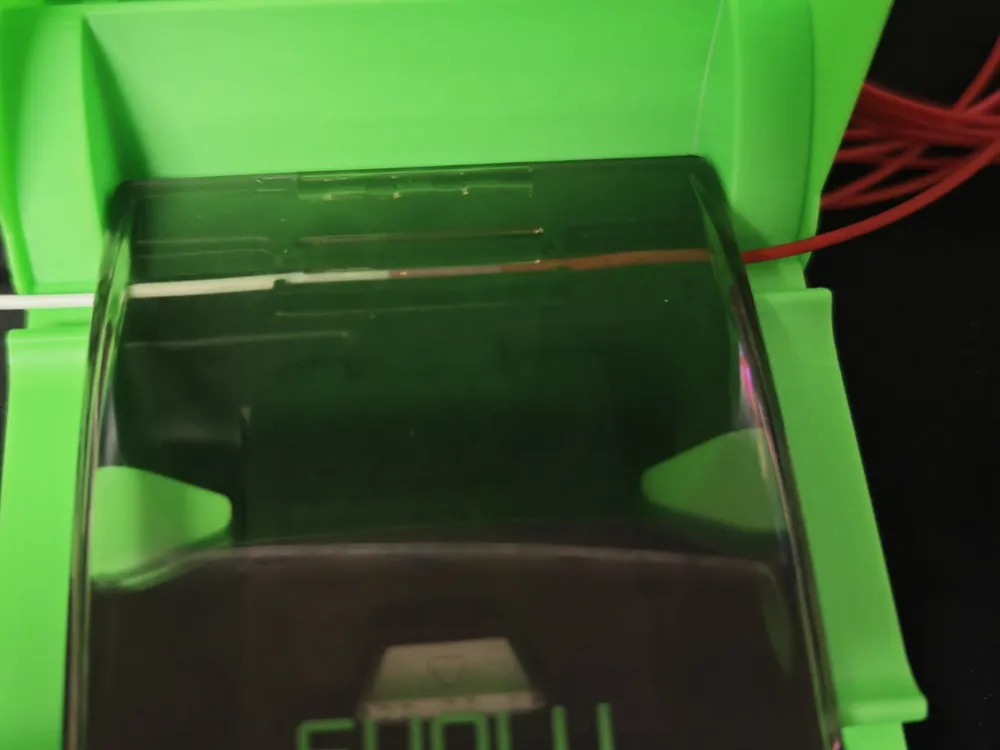
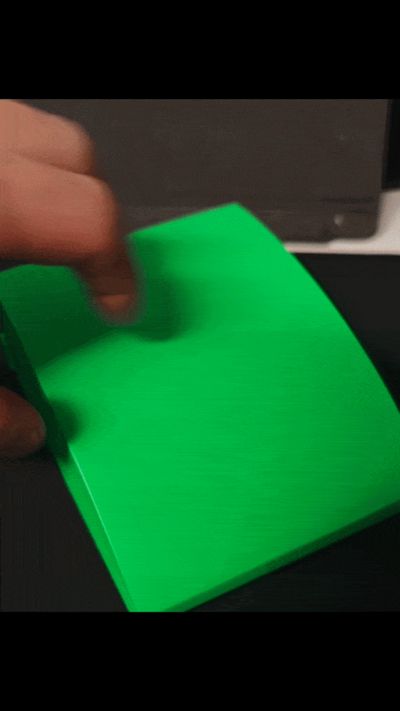
The lid opening has been redesigned to provide full and unobstructed access to the cutter after welding.
This makes trimming the filament faster, easier, and safer, without awkward angles or limited working space.

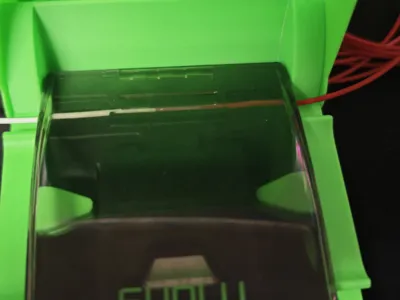
The top cover remains optional:

  • Print it for a clean, dust-protected look
  • Or leave the station open for quicker access during frequent splicing sessions

Accessories and modularity

An additional SKÅDIS-mount container is included in the print files to store:

  • welding connectors
  • the power cable

This keeps all accessories organized and always together with the tool.

The design is available in:

  • SKÅDIS version
  • Desk version

Assembly and magnets

  • No glue is required for the main assembly
  • It is strongly recommended NOT to glue the side crocodile clamps to the base
    They must remain removable to allow the SUNLU welder to slide in and out of the box

Under each magnetic clamp there are dedicated access holes that allow you to lever the clamps out easily for removal or maintenance.

The magnet seats are designed for standard 8 × 3 mm round magnets
(actual size used is approximately 8 × 2.7 mm).

Glue is not required, but can be used if you prefer extra retention.

👉 Compared to V1, Version 2 uses two additional magnets, providing:

  • improved stability
  • stronger holding force during operation

Clamp fit adjustment (important note)

Due to printer tolerances and material differences, clamp fit may vary slightly.

  • If the crocodile clamps feel too loose, apply a very small amount of glue to the base pins where the clamps snap in
  • Let the glue dry completely
  • ⚠️ DO NOT glue the clamps in place
    The glue is only used to slightly increase friction

If the fit becomes too tight after this adjustment:

  • Lightly sand or file the pins until smooth and controlled movement is restored

This allows fine tuning based on your printer and filament.

Printing guidelines

The included print profile is fully tuned for correct clearances and reliable operation.
⚠️ Do not modify the profile, or parts may not fit or move as intended.

Recommended materials:

  • PLA
  • PETG

The crocodile clamps are the most delicate parts of the print:

  • They must be printed exactly in the provided orientation
  • Use well-calibrated filament
  • After printing, let them cool completely
    (placing them in the freezer for about 5 minutes can help)
  • Carefully free the movable jaw using gentle up-and-down movements
  • Do not flex or force the parts while still warm
    Use controlled, alternating movements instead of brute force

With this accessory, your SUNLU filament welder becomes a compact, tidy, and far more ergonomic splicing station.
Filament stays aligned and tensioned, welds are cleaner and more consistent, and the entire setup fits neatly on your pegboard or workbench—ready for your next color or material change.

Comment & Rating (46)

(0/1000)

very frustrating! was about to give up on the 3rd attempt then saw my heat gun. give it about 2 sec and slowly wiggle. be careful though at it may deform the entire arm. there is really something wrong with the support on the dx arm
(Edited)
The designer has replied
0
Reply
hi, I'm sorry for the problem you are experiencing. did you print according to the print profile? the objects have been optimized on the plates for printing. if you are trying to print two together this could be one of the causes of your print failure. what material are you using for printing? was it properly dried? what printer do you have? I could try to make an optimized print profile to allow you to finish printing correctly. regards I await your news
Show original
0
Reply
Replying to @ilkekkoLab :
try also to disable supports, they are not necessary for this piece. I am sorry for the problem but I believe it is a problem with some configuration or incorrect calibration because the file on 4 platforms already has over 1k downloads and no one has had this problem. I remain available to solve it together. regards
Show original
0
Reply
Replying to @ilkekkoLab :
hi, thanks for the quick reply. i printed this thru banbu handy so it used your profile and settings. printed on h2s, i eas eventually successful using a heat gun. i read some other comments who experienced the same. all good now but try to look into it, especially the dx part. i used gray pla bambu brand
0
Reply
Print Profile
SUNLU CONNECTOR V2 desk+skadis version
the idea is good, the design is very nice, but when inserting the magnets, the crocodile clip always breaks I have printed about 20 of them PLA PETG nothing worked then I printed with Bambu P1S it worked better
The profile uploader has replied
Show original
0
Reply
Hello, thank you for the message, may I ask which printer you were printing it with before? Because if it works with p1s I don't understand why it didn't work with others, it seems like a different problem than a print profile issue honestly, otherwise it wouldn't have worked with p1s either. Another question, have you measured the diameter of the magnets to ensure they are correct? Because in my prototype, in any case, I had to glue them because the tolerances were high........ I am sorry to receive a negative rating if the problem did not originate from the same. I await your answers to understand better, thank you, regards
Show original
0
Reply
the first attempts were with Kobra S1 from Anycubic I had to adjust the outer holes on both printers with a milling cutter the ones directly on the clamp could be inserted without problems the magnets are 8x3mm both devices were calibrated during the printing attempts no idea why it is the way it is
Show original
0
Reply
Great design! I added it to a 3x5 gridfinity with a bin to hold the PTFE.
The designer has replied
designer
1
Reply
Great idea, congratulations!
0
Reply
This is freaking amazing! This actually makes this thing useful, mine has been collecting dust since it came out...thank you so much!
The designer has replied
0
Reply
Thanks for your comment I really appreciate it!!!
0
Reply
Print Profile
SUNLU CONNECTOR V2 desk+skadis version
also broke one side after following the instruction on carefully wiggling the arms. other side was ok as i decided to just quickly snap it close. printing another piece, hopefully the quick snap action works. dont need magnets i think, we will see on actual use
(Edited)
0
Reply
Print Profile
SUNLU CONNECTOR V2 desk+skadis version
Makes it actually useful!
0
Reply
Boosted
Finally - this looks like it might finally tick all the boxes. Haven't even printed it yet and I'm already boosting. The animated picture really helps tell the story - nicely done.
The designer has replied
designer
2
Reply
Thank you very much for your comment and for your trust in boosting before printing I really appreciate it :D
Show original
0
Reply
Print Profile
SUNLU CONNECTOR V2 desk+skadis version
I've been waiting for a model like this Thank you very much
The profile uploader has replied
Show original
0
Reply
thank you for your message!!
Show original
0
Reply
great print. works perfectly with the sunlu splicer
The designer has replied
0
Reply
thank you for the comment
Show original
0
Reply
Print Profile
SUNLU CONNECTOR V2 desk+skadis version
Fits snug as a bug in a rug. I've only had the chance to use it a couple of times but this works so much better than when I tried connecting two filaments without this.
The profile uploader has replied
0
Reply
Thank you for the rating! I'm glad it was helpful to you!
Show original
0
Reply

License

This user content is licensed under a Standard Digital File License.

You shall not share, sub-license, sell, rent, host, transfer, or distribute in any way the digital or 3D printed versions of this object, nor any other derivative work of this object in its digital or physical format (including - but not limited to - remixes of this object, and hosting on other digital platforms). The objects may not be used without permission in any way whatsoever in which you charge money, or collect fees.