
Bambu Lab PTFE Connector

Print Profile(1)
Description
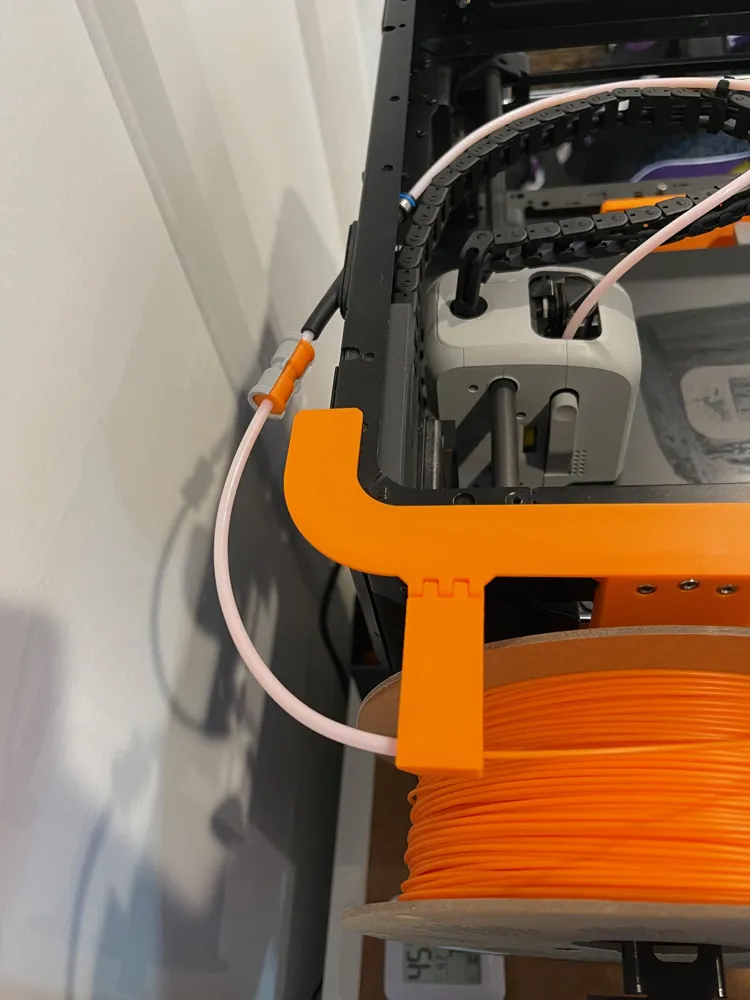
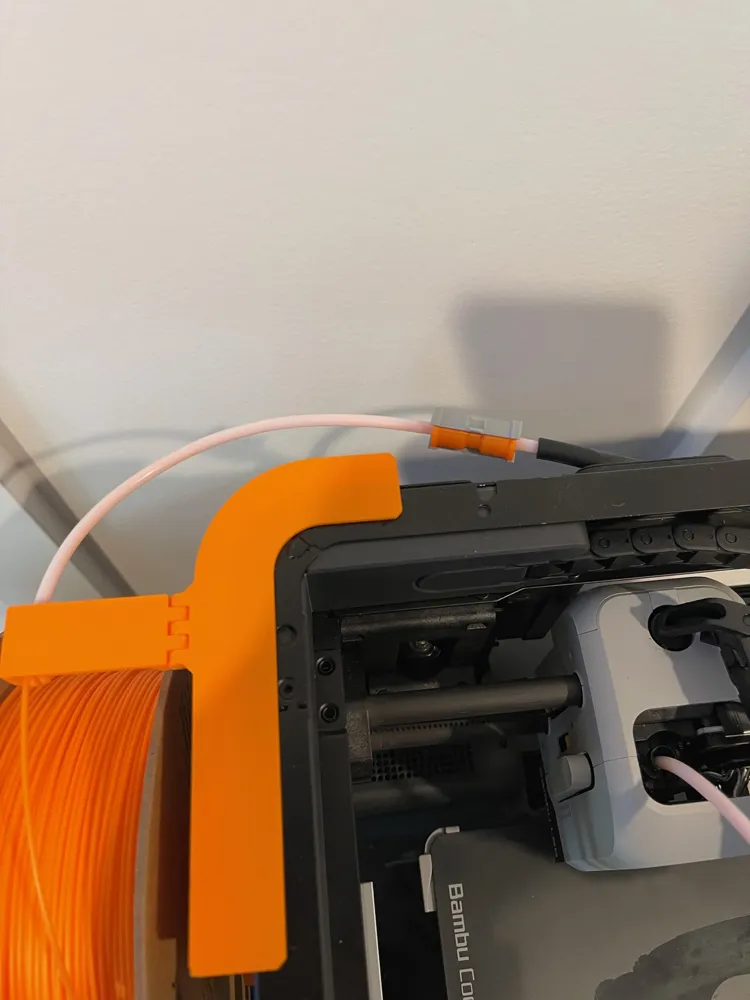
Bambu Lab PTFE Connector (6/8/2023)
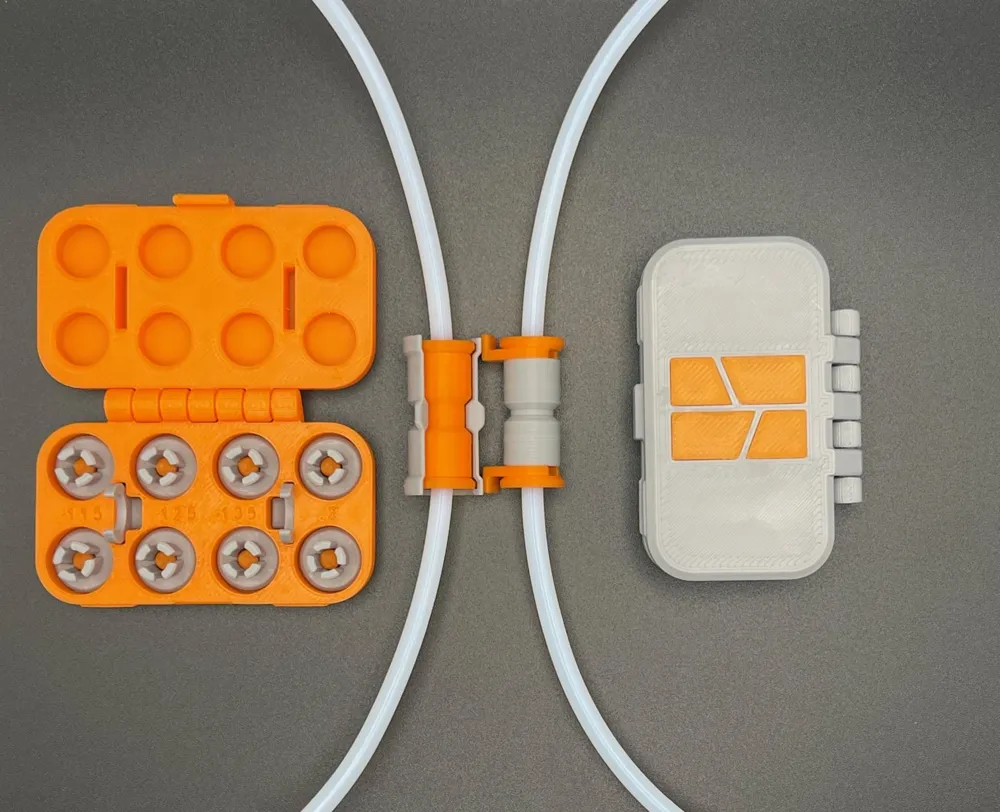
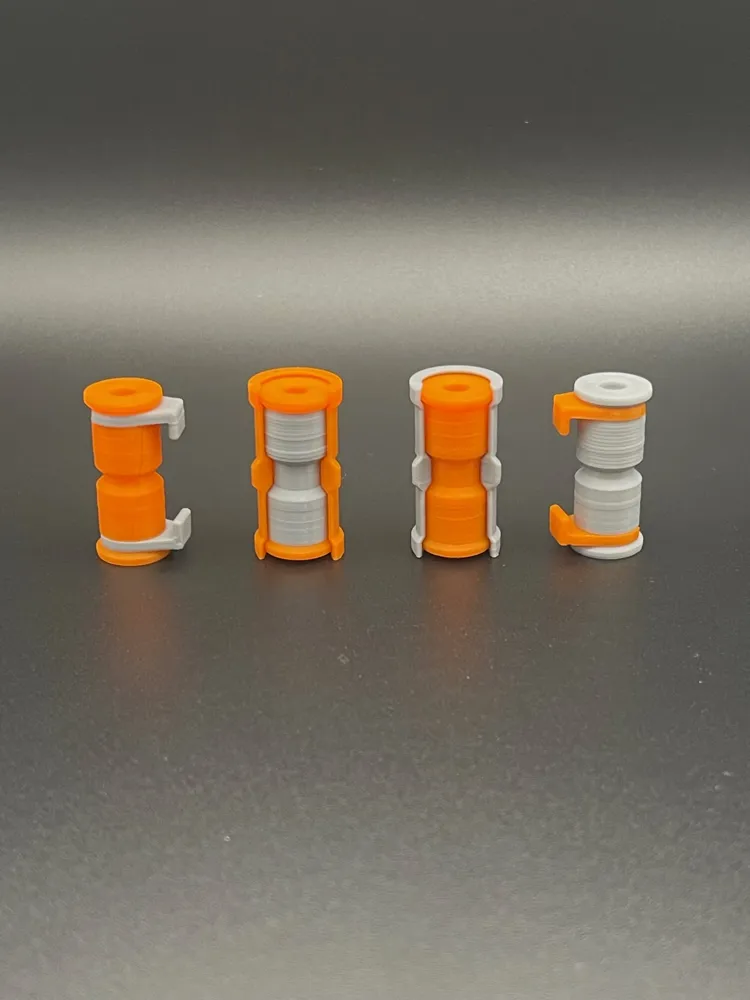
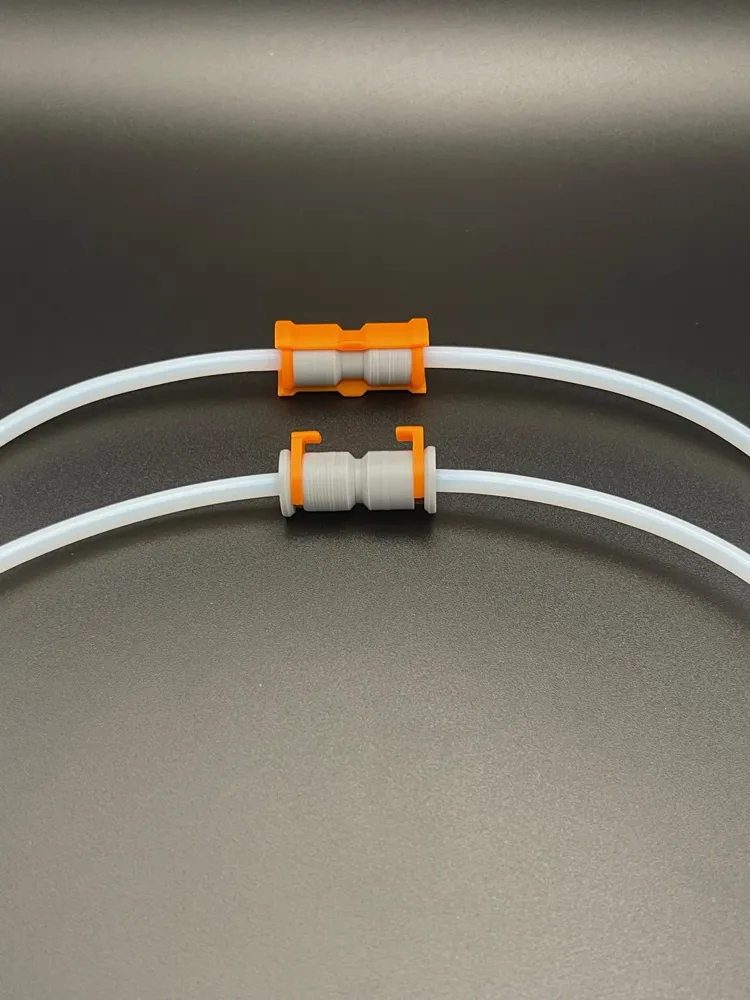
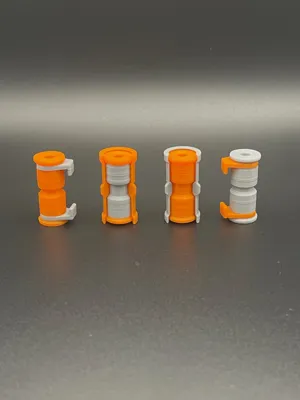
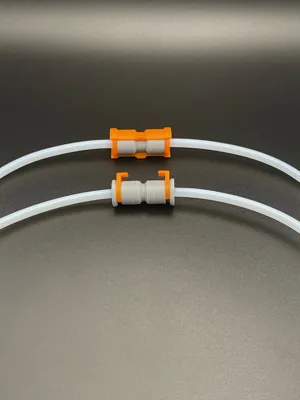
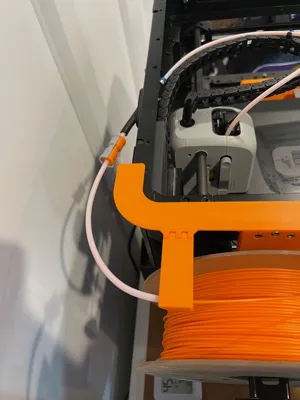
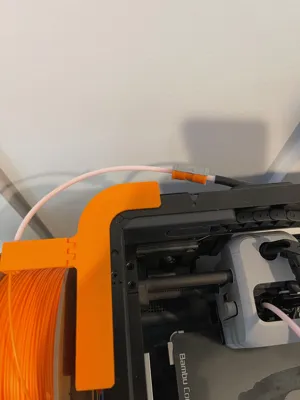
Designed PTFE connectors for Bambu Lab printers. There are two types of connectors, one that's compatible with AMS and another one that won't work with AMS. The AMS version is designed to push the tubes into each other, creating a gapless connection that allows the filament to easily slide past the connection joint. The other version is designed to be quicker to use ( aimed at users without the AMS) but also creates a small gap between the tubes which could cause the filament to get stuck when the AMS pushes it through.
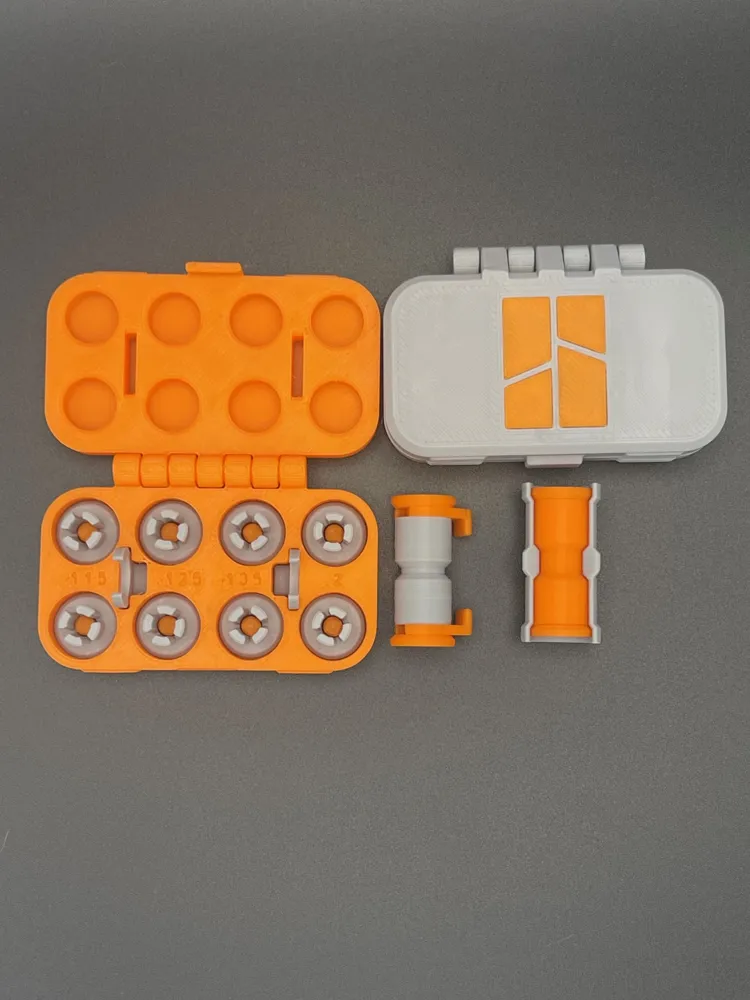
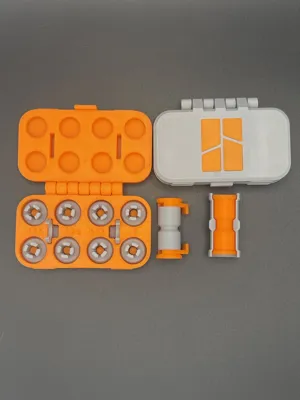
During testing, I noticed small variation with the PTFE tube diameter ( not cut perfectly, used vs new, etc.) so I also included 4 adapters with slightly different sizes and a case that will hold all of the attachments. Instruction below will explain more in detail.
Files
Main Files
- Insert Holder Case
- Insert Options
- Logo Insert for Case
- PTFE AMS Clip Lock
- PTFE AMS Connector
- PTFE Standard Clip Lock
- PTFE Standard Connector
Print Files
- Print File
Printing Preview
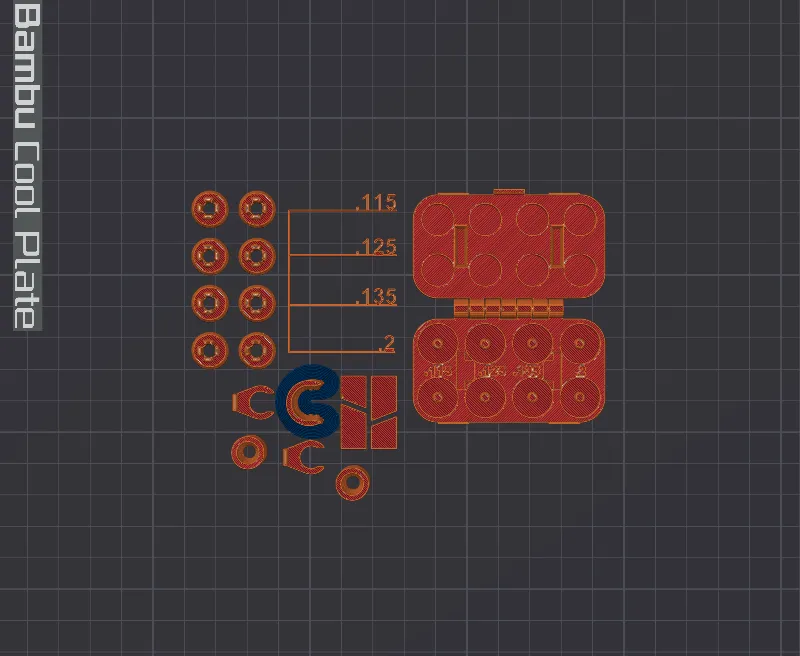
Print Settings
Normal PLA could break ( I haven't tried though) but please use PETG, ASA, PLA+ , etc.
I used Polylite Pro PLA+
Set your K calibration and adjust setting based on your filament
Quality
- Please see build plate file.
Support
- Please see build plate file.
Other
- Bed adhesion - use brim if you're having adhesion issues, its already configured in the print file so please go over the settings first.
Assembly
- Once printed everything is stored like this ( minus the additional case).
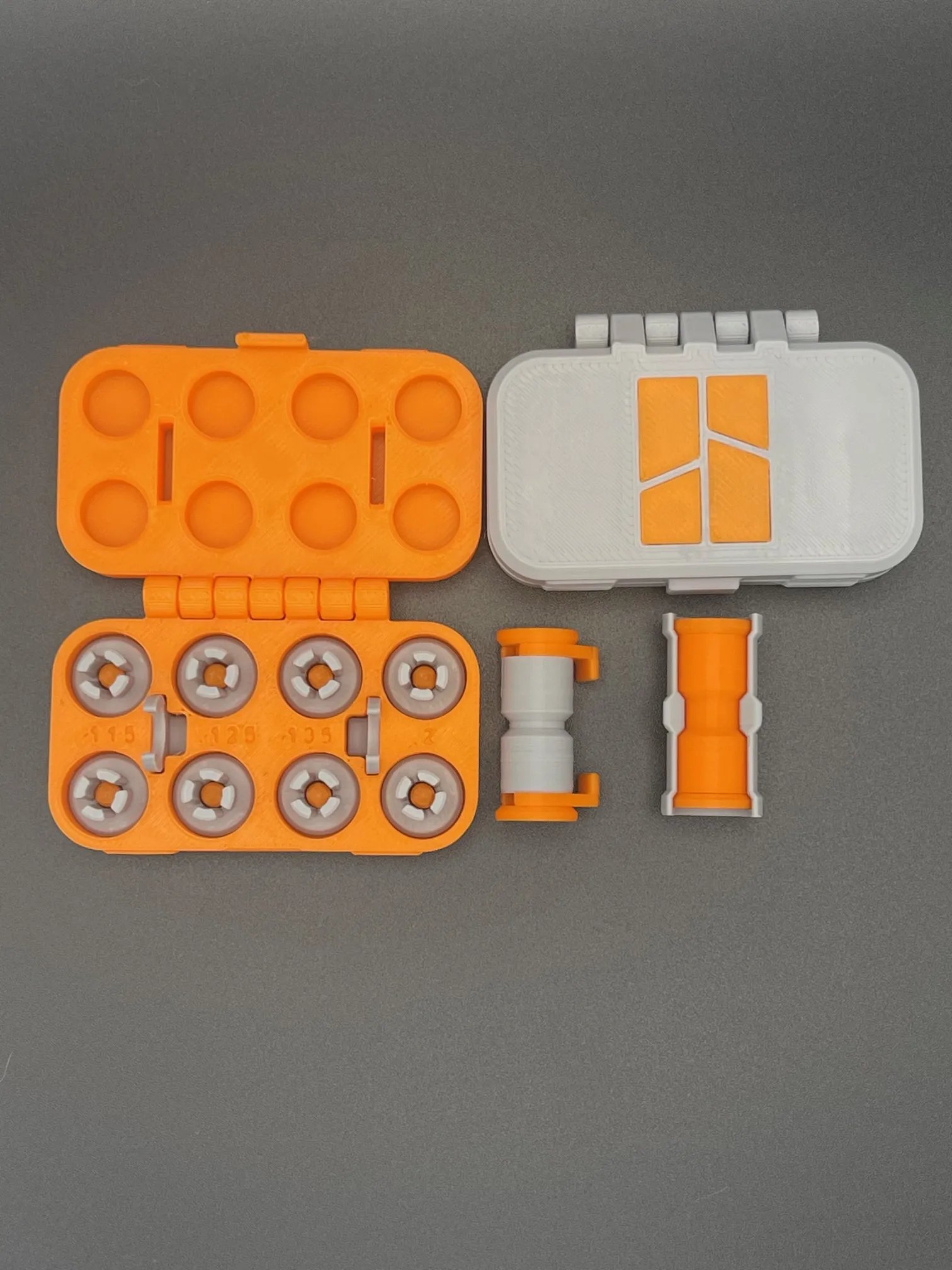
- The numbers on the case and print file refer to a small chamfer at the top of the inserts, the smaller the number the tighter the fit with the exception of .2 ( .2 was designed first and was the best fit for most PTFE tubes I tried, during testing I realized some tubes were too tight or loose so I created the other 3 sizes. .2 also has a slightly different angle on the chamfer so .2 does not = loosest fit.
- .115 will be the tightest fit and .135 will be the loosest.
- .2 fit the majority of the time followed by .125.
- .115 will be the tightest fit and .135 will be the loosest.
Non-AMS Assembly
- Insert the insert clips all the way in
- Then push the tubes in until they hit a stop.
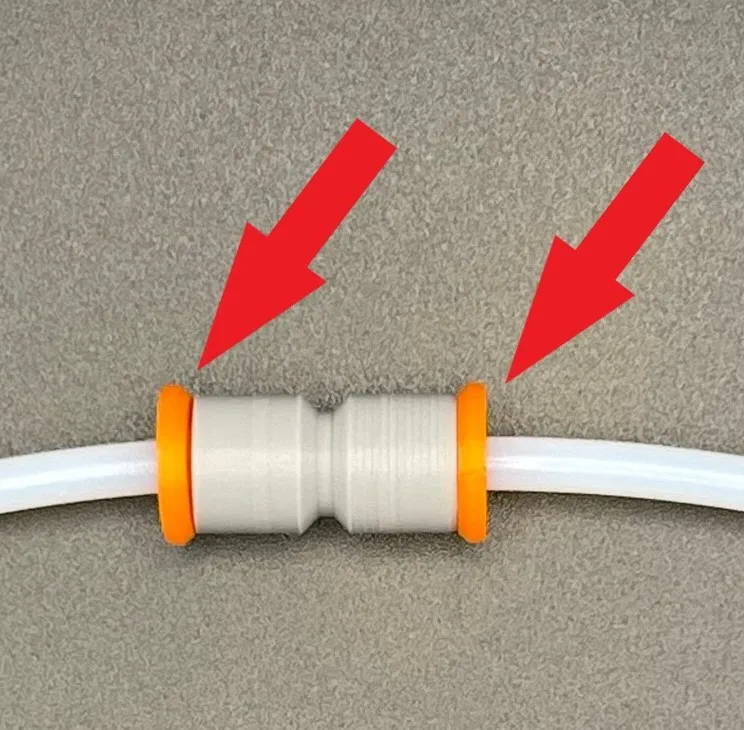
- Pull the inserts outwards, this will allow the insert to clamp down on the tubes.
- If the tubes are too loose or its extremely difficult to pull out the inserts , try a different size.
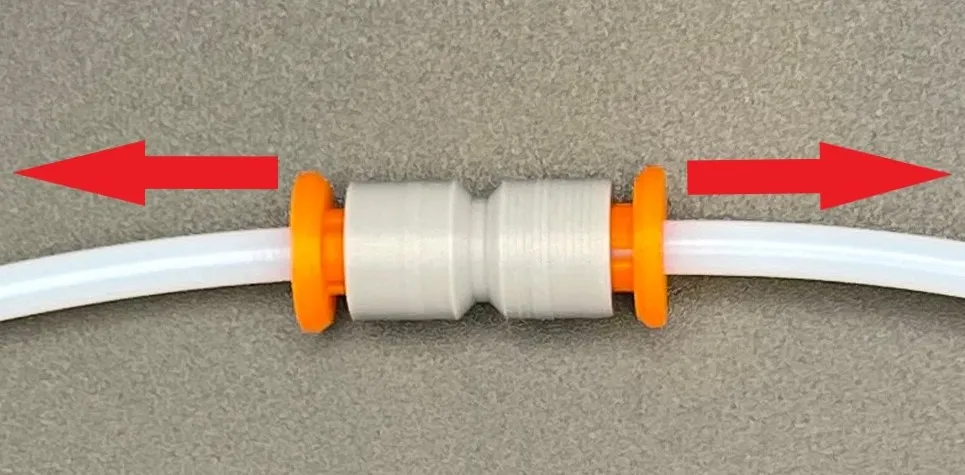
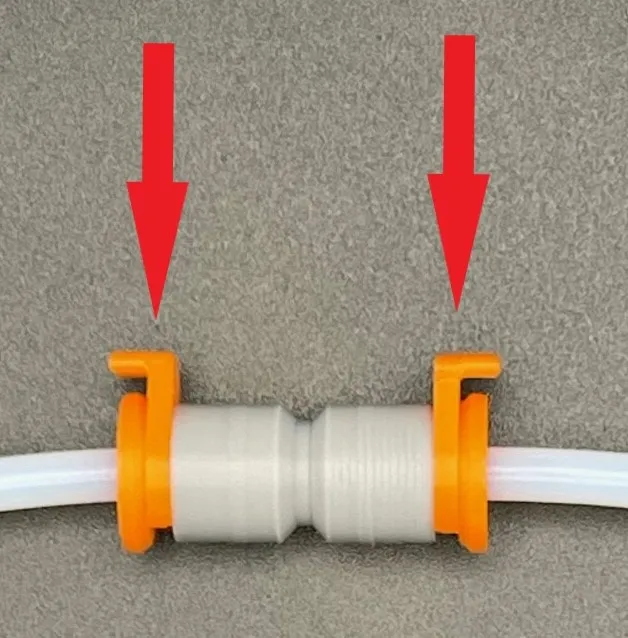
- If everything is snug, add the clips. The clips will make sure the inserts stay in position
- To remove the tubes, take the clips off and push the inserts back towards the center and the tube should come out easily.
AMS Assembly
- First add the inserts, then add the clips.
- The clips are only used to keep the inserts in the correct position. If the inserts are all the way in or too far out, it'll be difficult to push the tubes in. The clips aren't neccesary but it'll make it easier.
- Add the tubes
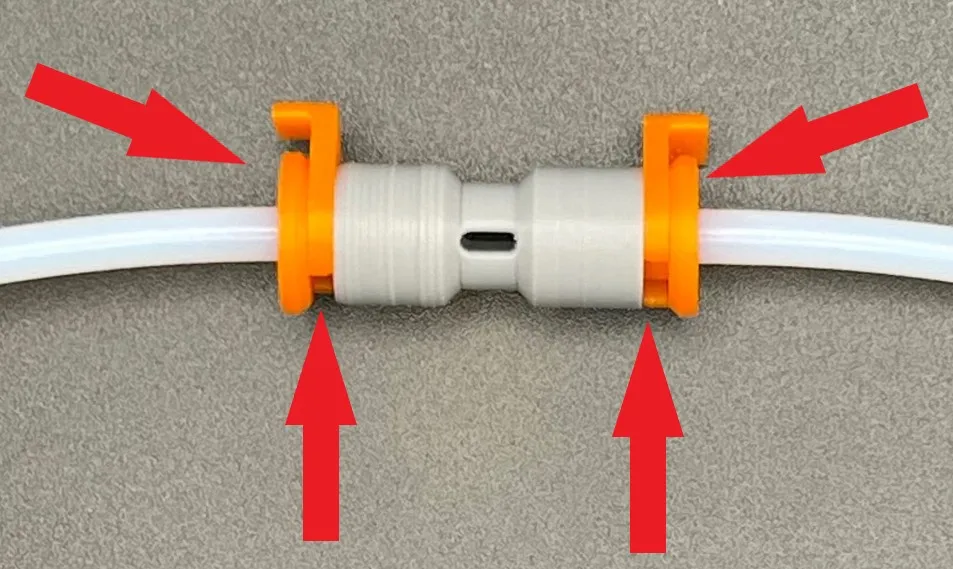
- The tubes should be pushed in until you barely see them in the window
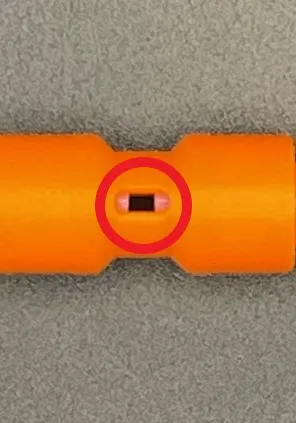
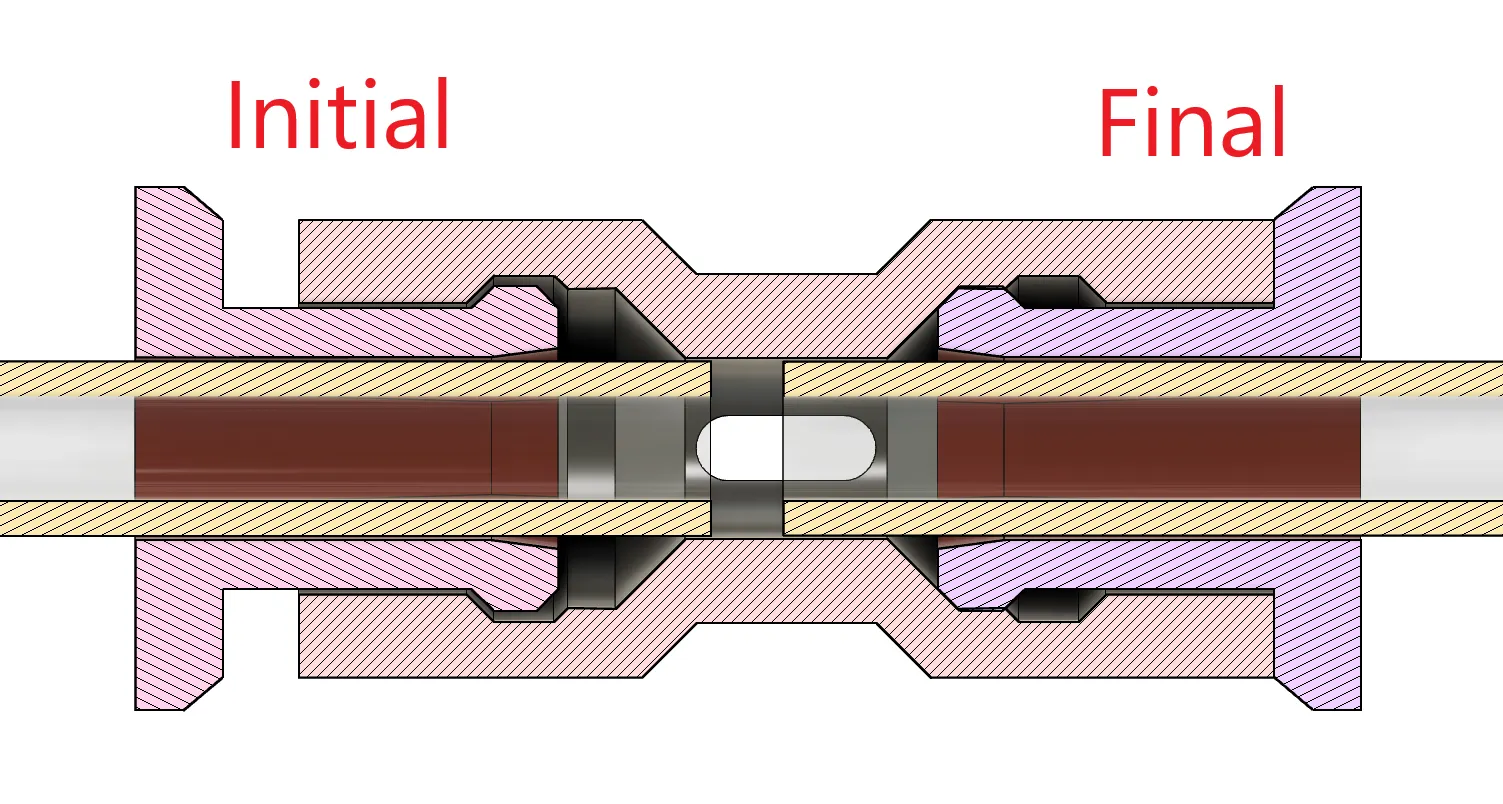
- Remove the clips and push both inserts inwards, both tubes should end up flush against each other. If they don't, just readjust how far in they initially started
- Again if the tubes are too lose or its too difficult to push the inserts in, try a different size insert.
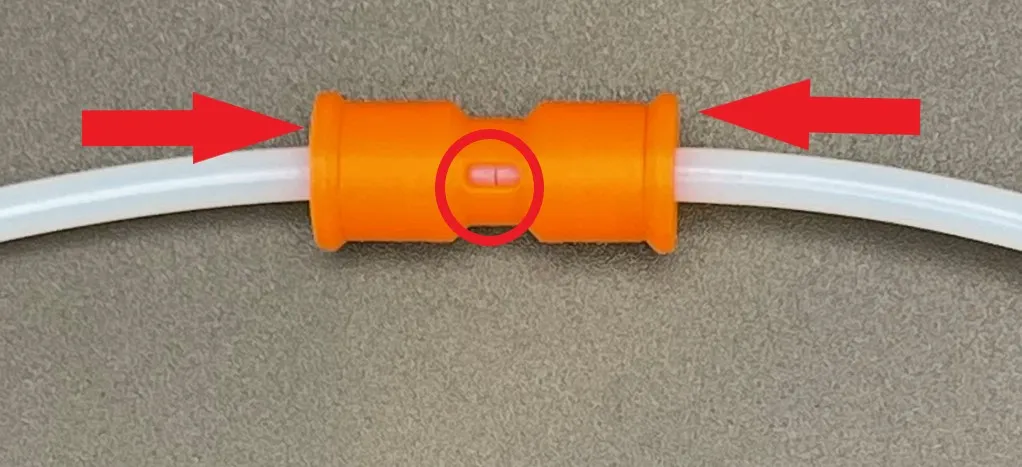
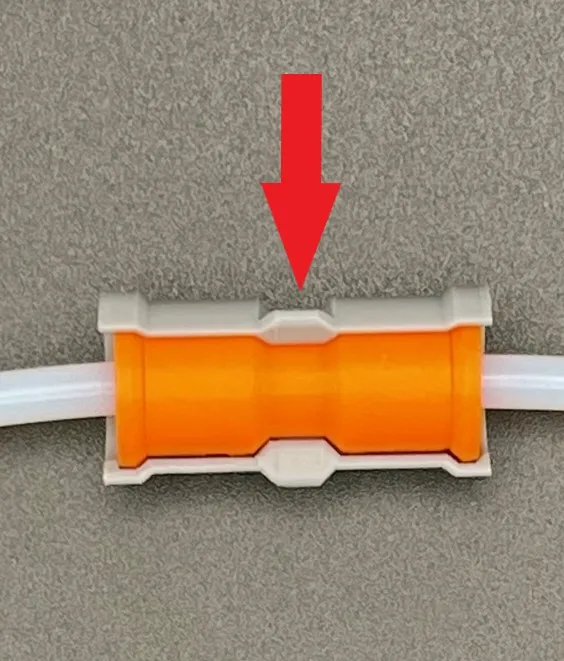
- Lasty, add the AMS clip lock.
- The lock prevents the clips from moving outwards and also seals/covers up the window
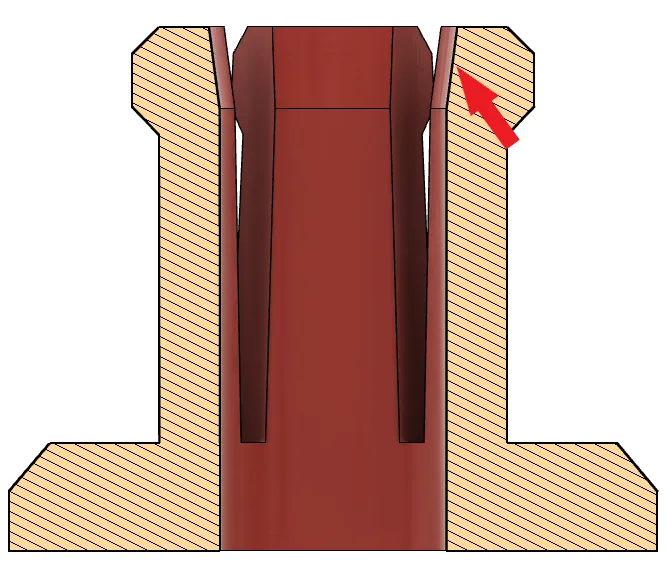
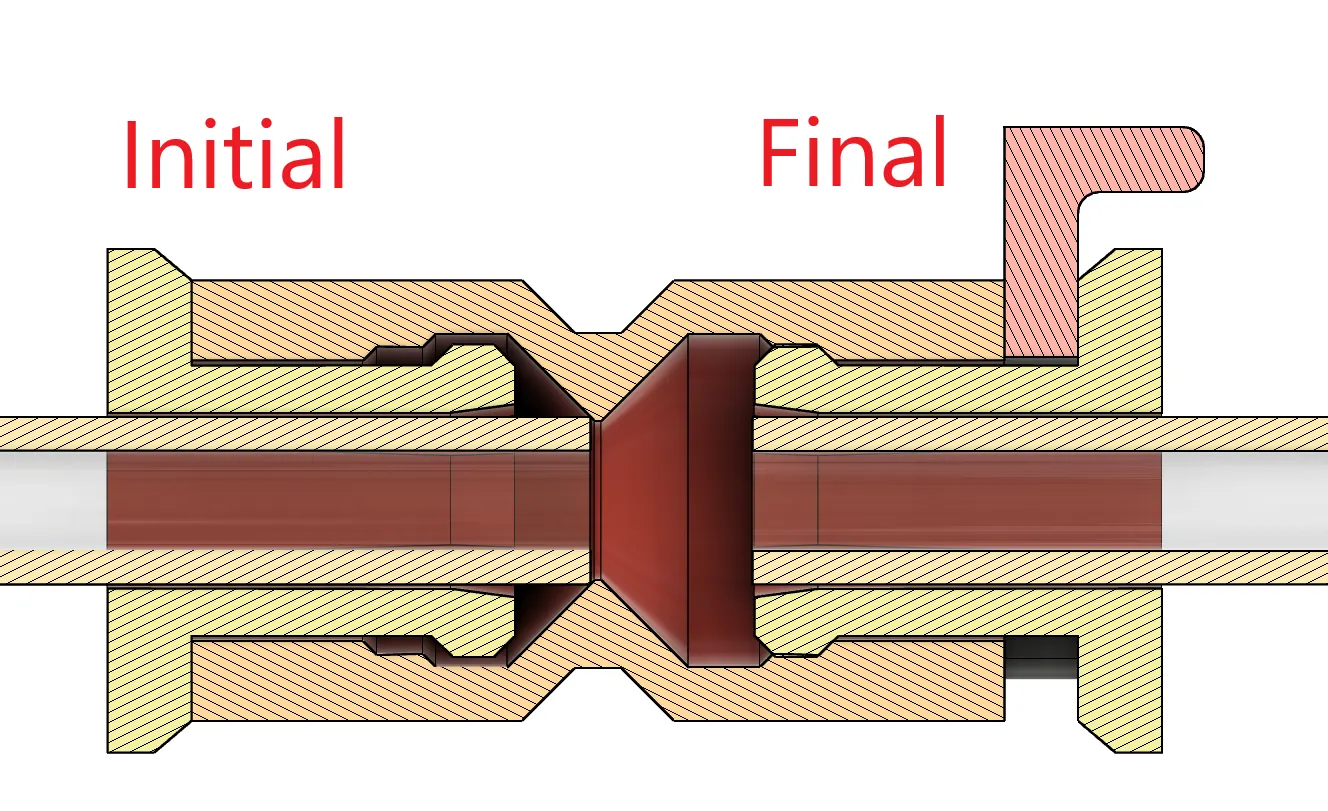
Section Views
- Non AMS Connector
- AMS Connector
That's all!
If you like my designs and want to say thanks, you can buy me a coffee and help fund the filaments I need for prototyping. A donation of any amount to Buy Me a Coffee or PayPal would be greatly appreciated!
As always, given different printing environments, filaments, etc., prints may not work perfectly for everyone. If you are having issues please message or comment and I will try my best to resolve the issue.
License



Comment & Rating (77)