Search models, users, collections, and posts

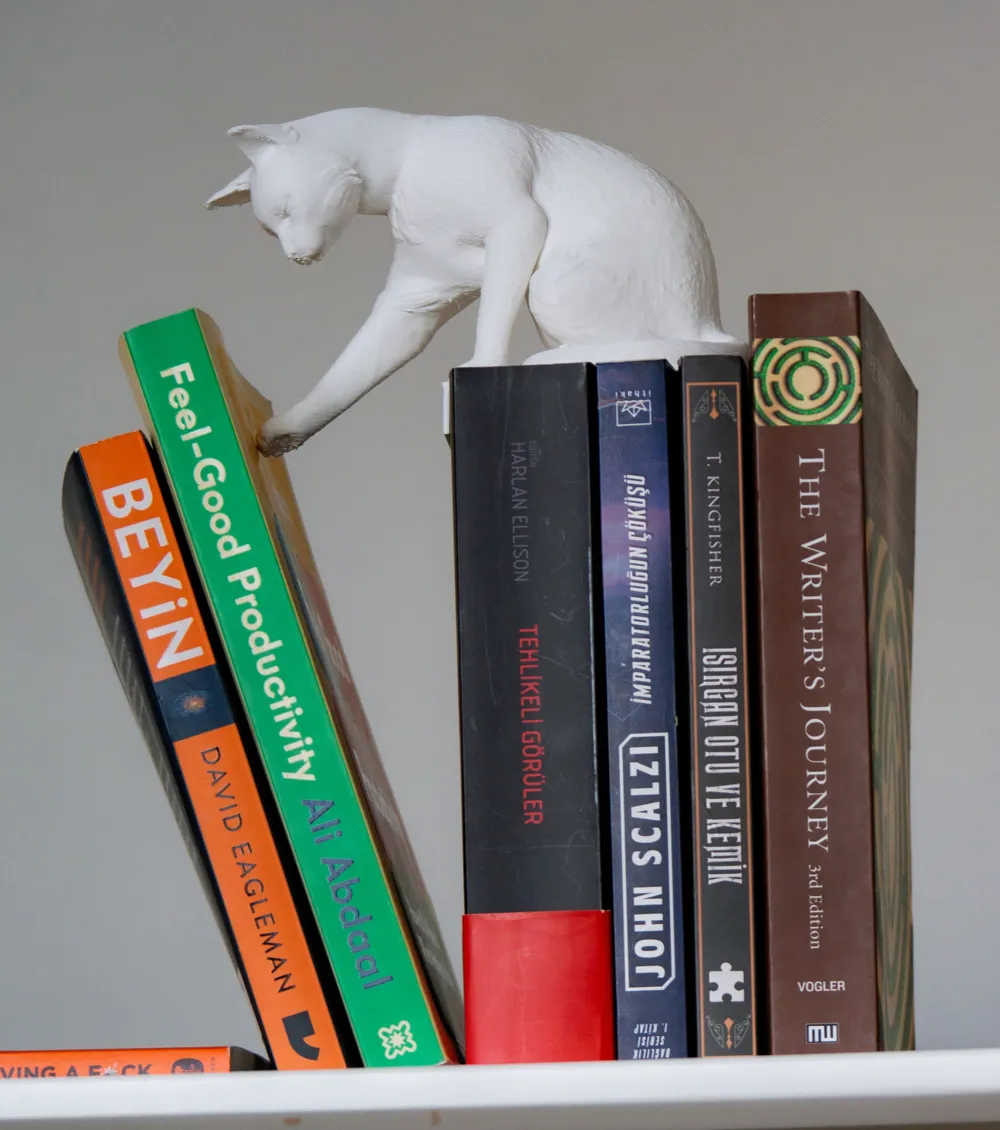
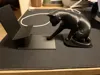
Cat Pushing Book(s) Nook - With Hidden Book Holder

IP Report

Print Profile(3)

All
P1S
H2D
X1
H2C
X1 Carbon
A1
H2D Pro
H2S
X1E
P2S
P1P
X2D
A2L
A1 mini

0.2mm layer, 2 walls, 5% infill
Designer
5.1 h
1 plate
4.2(26)

A1 Mini 0.2mm layer, 2 walls, 5% infill
Designer
4.5 h
1 plate
5.0(2)

0.2mm layer, 4 walls,  7% infill, add support &brims, slower
0.2mm layer, 4 walls, 7% infill, add support &brims, slower
6.4 h
1 plate
4.6(7)

Open in Bambu Studio
Boost
1643
5432
63
30
1.1 k
532
Released 

Description

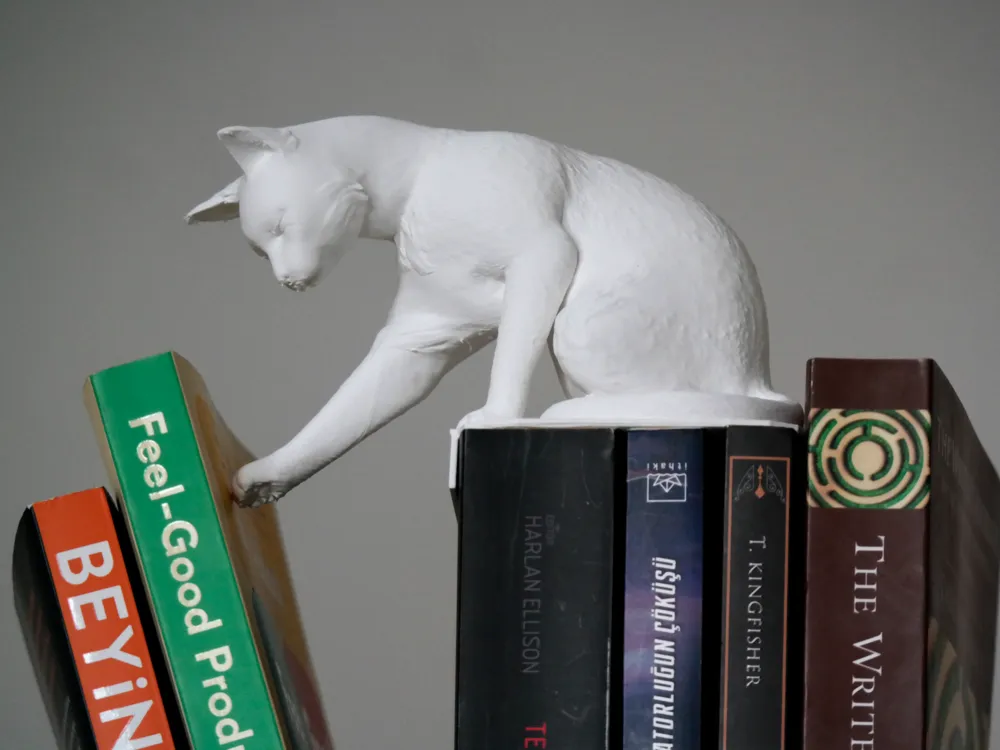
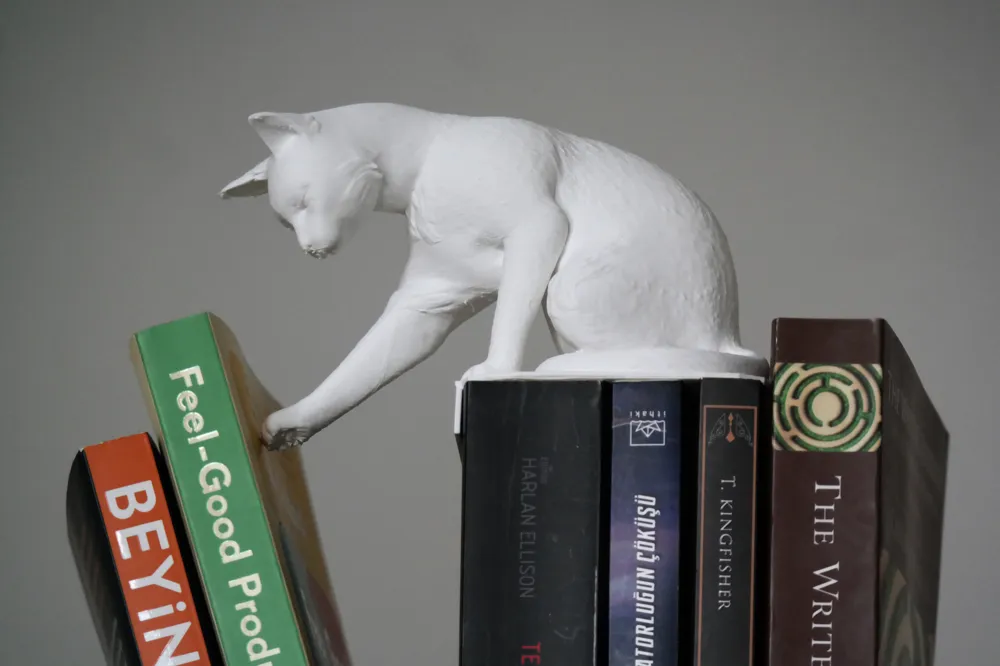
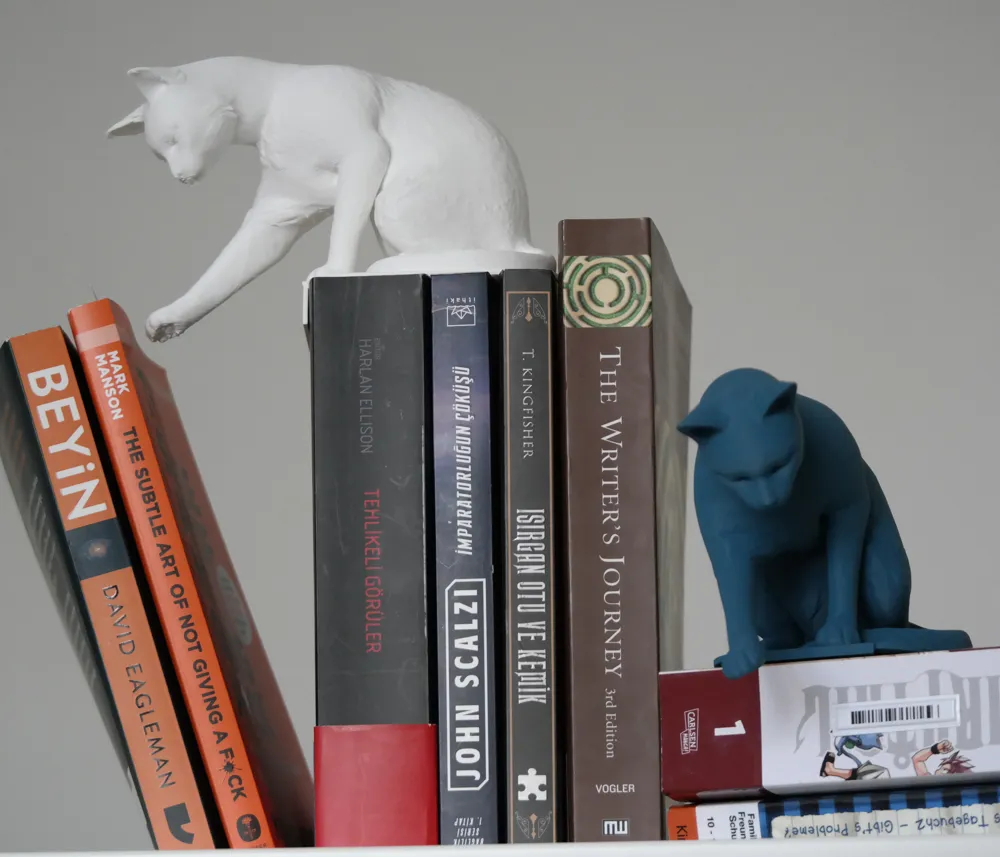
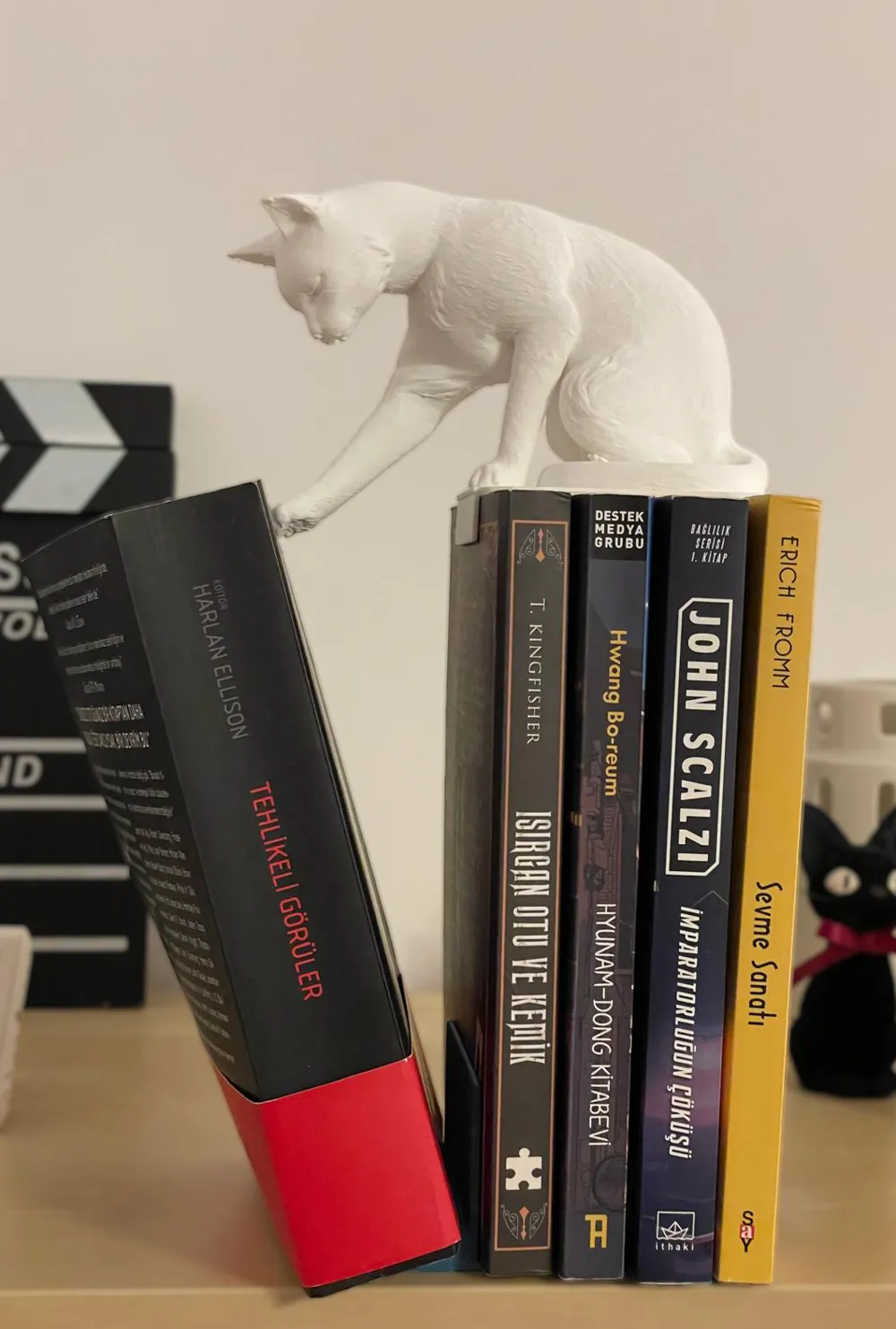
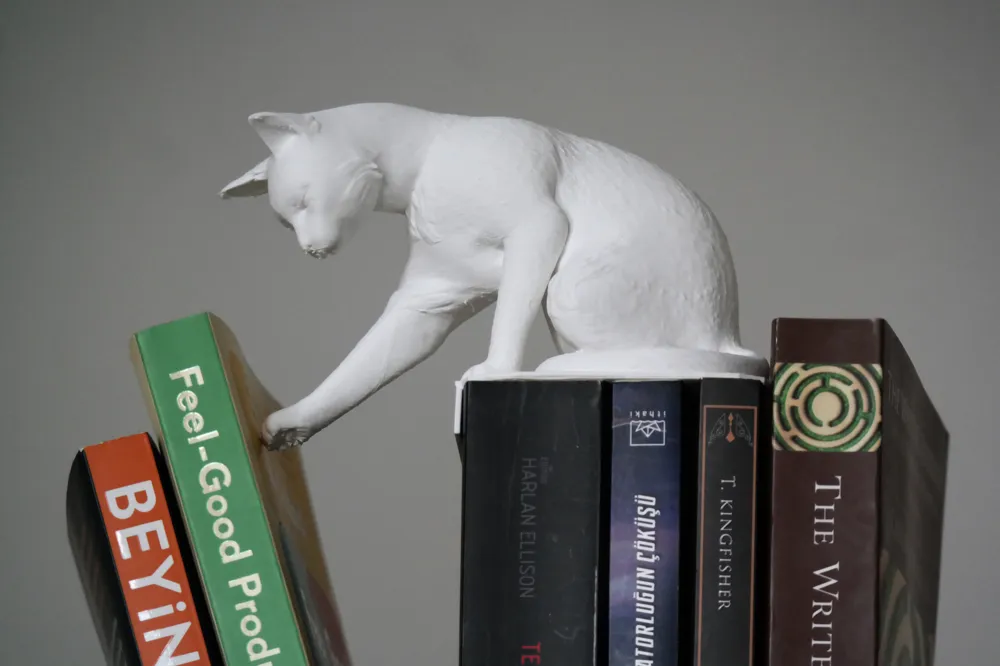
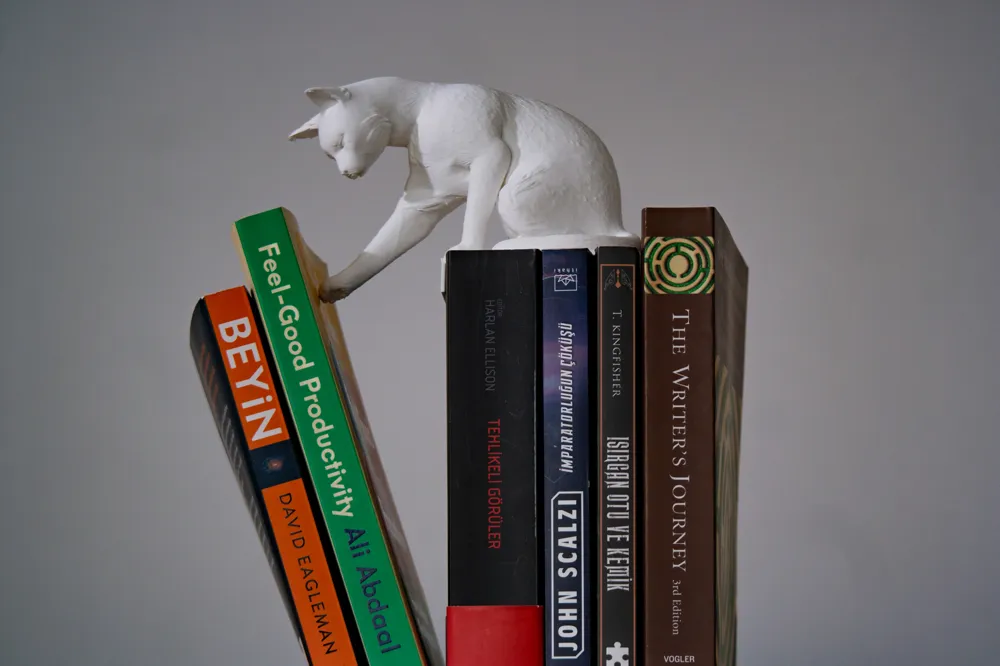
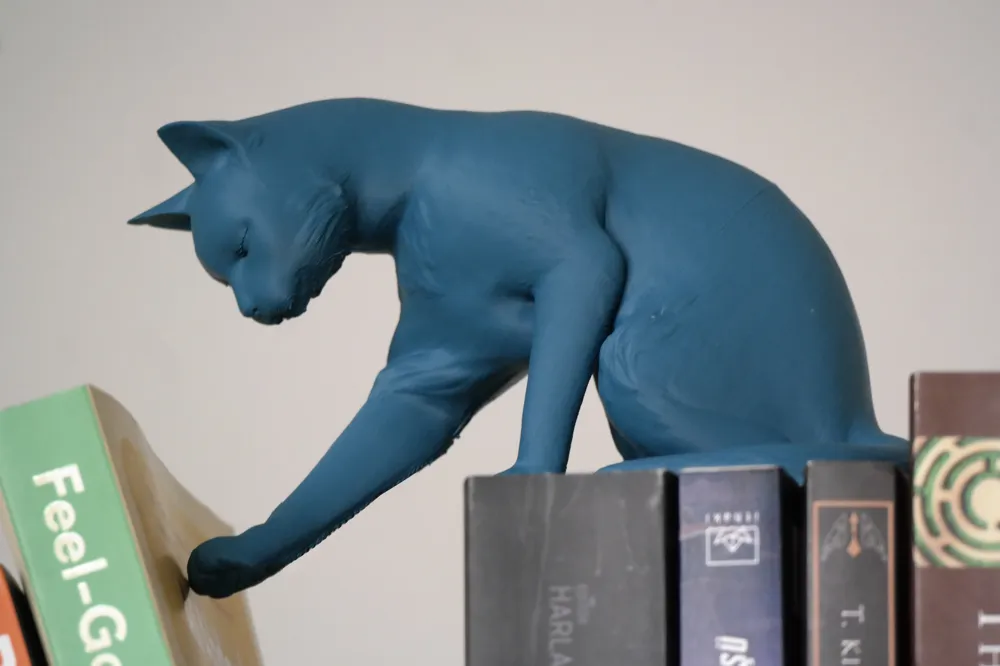
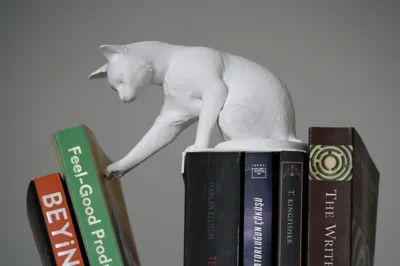
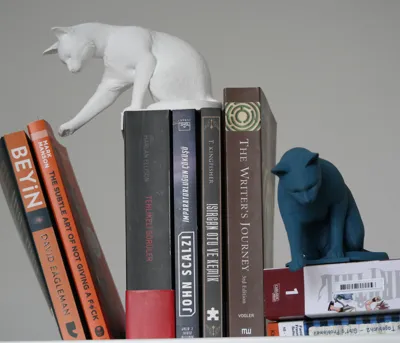
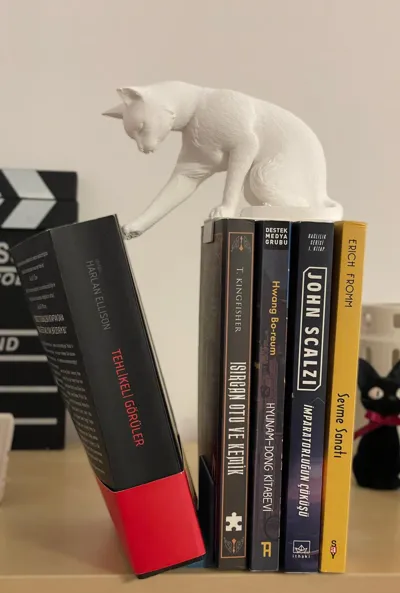
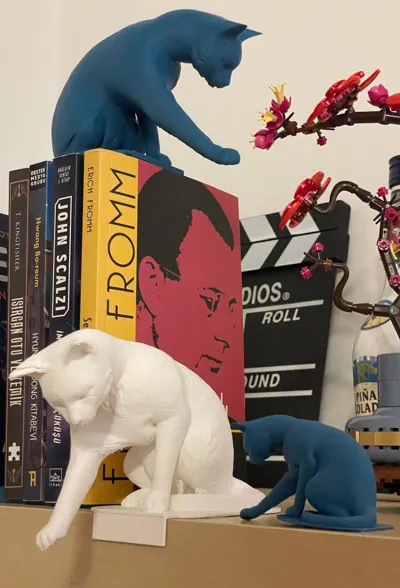
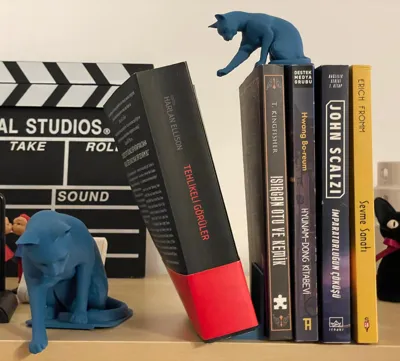
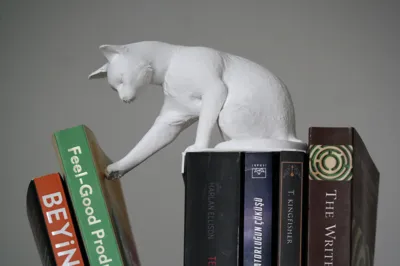
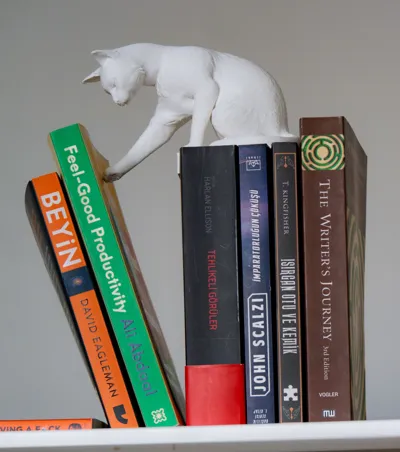
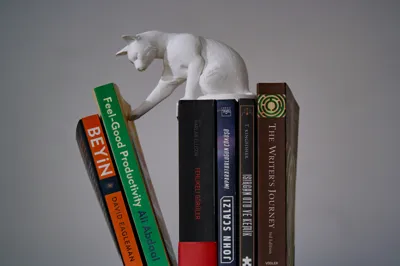
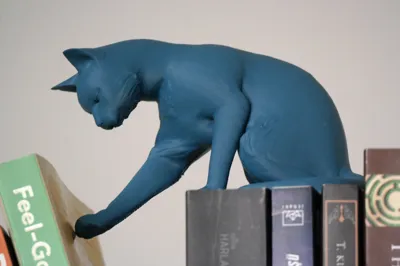
I wanted to take a different approach to separating or ending line of books so i modelled and sculpted a curious cat gently pushing books. 


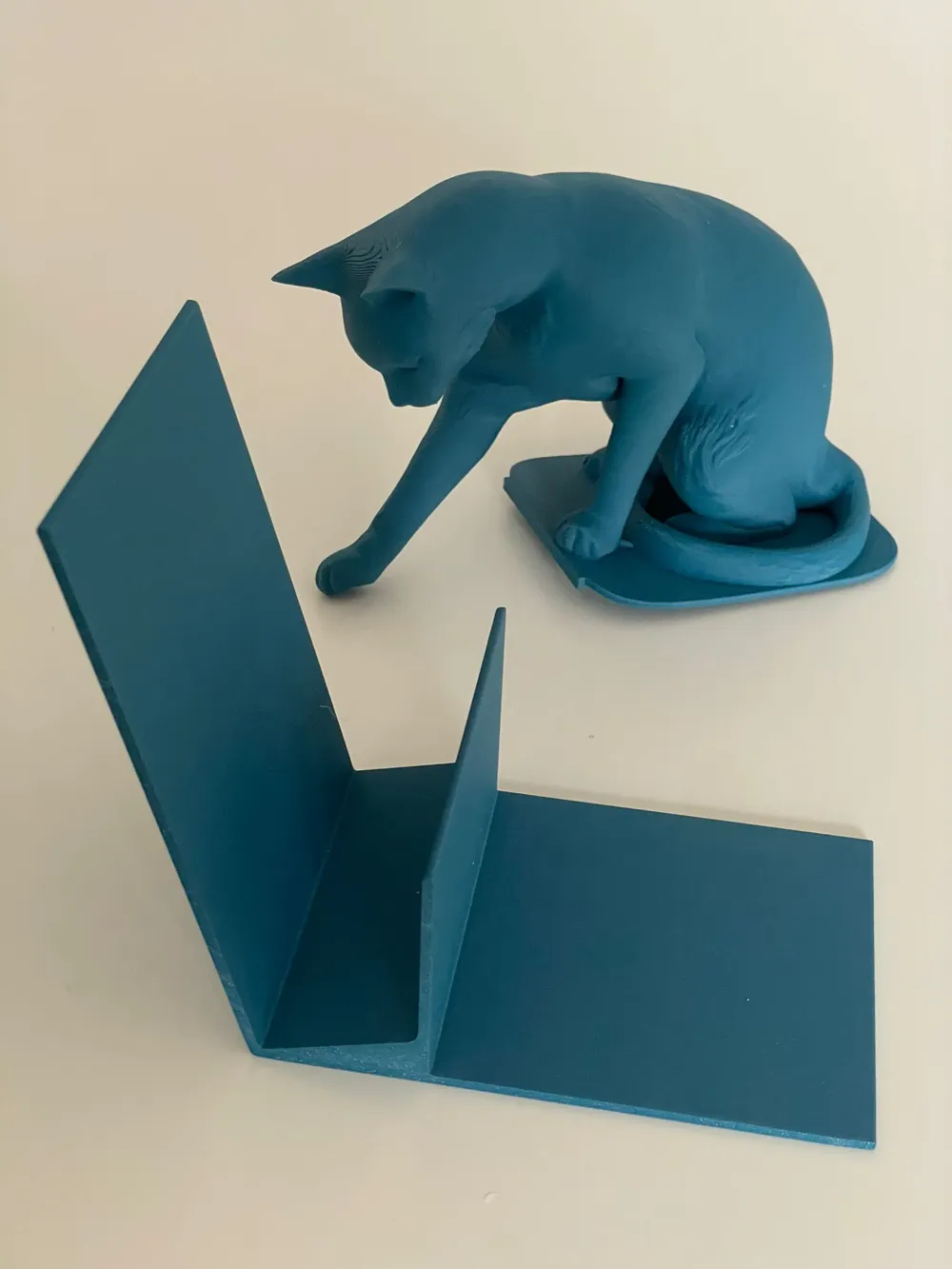
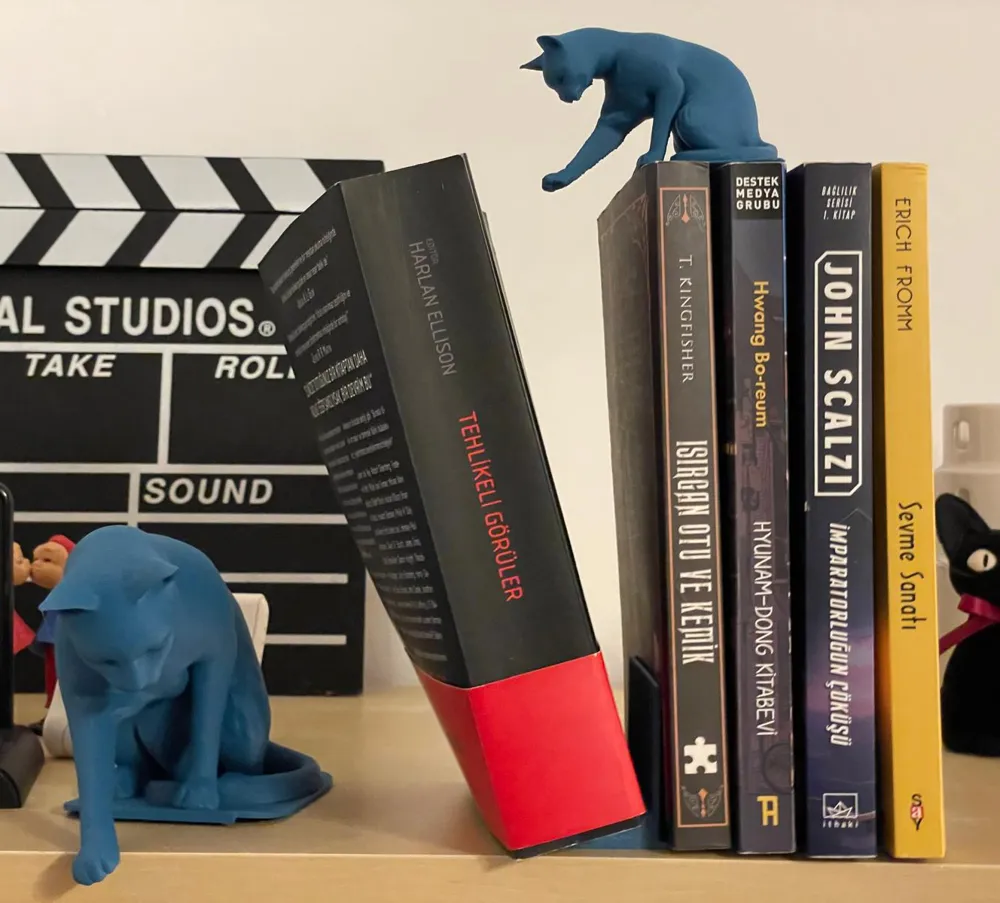
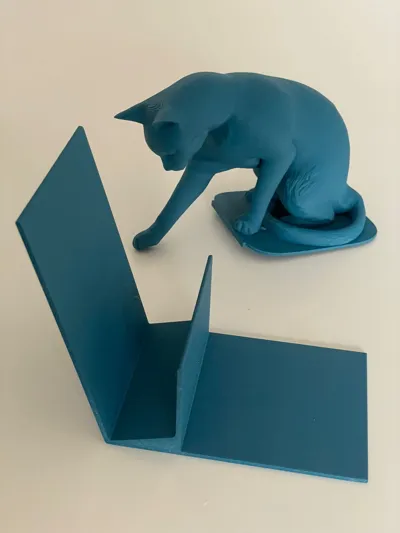
The illusion is stabilized with a hidden book holder beneath other books as well as a tilted book stop to hold a large or 2 smaller books.

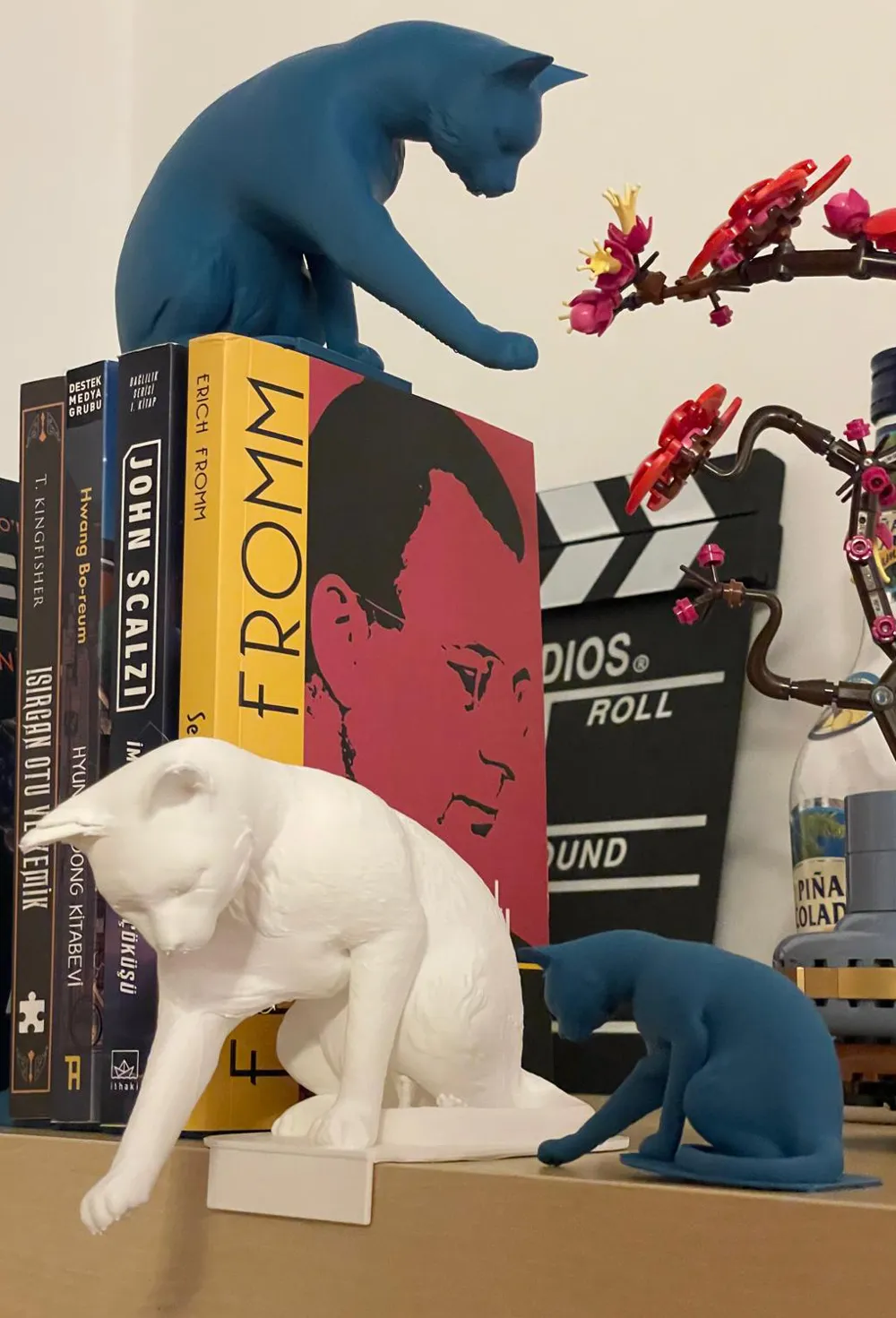
You can print the cat (or cats) in your choice of sizes to fit your book shelf. For our Ikea simple shelves the cat in full size fits with standart 20cm books. But for bigger books you can print 50% (as shown in photo) or much bigger if you like.


I hope you enjoy it and i am looking forward for your feedbacks (or if any problems you face)


Note: I haven't used any ai generating this model, but modelled, pose and sculpted in blender.


Boost Me (for free)

I would appreciate the boost if you like the model

Comment & Rating (63)

(0/1000)

I tried to print it twice with a P1S but the big cat failed the same way the two times, there seems to be a shifting issue. I printed from Bambu Handy and don't have access to a slicer at the moment so I can't figure it out. I printed other models without any issue.
The designer has replied
1
Reply
oh thats interesting. i will check it out by sending the print from my phone and try to come up with a solution. if you ever find the reason please also let me know since this is a new one for me. 😵‍💫
2
Reply
hello @JohnAbitbol i am trying to pinpoint the problem. any chance you can give some more details? by any chance can the supports are failing while printing with the weight? Also which material are you using?
0
Reply
Replying to @chronom.art :
Hi, I'm quite new to this so I don't really know what could have happened... I used bambu lab basic PLA
designer
1
Reply
very nice print! I have to say, next time I would scaled it up to be even bigger. I've mirrored the cat to fit on my bookshelf, and printed it at 50% speed in SunIu Matte black. The standard supports are perfectly fine to print the model, just bear there will be visible overhang marks. Due to the filament, the light reflections make it look worse than in real life - the cat has some fur pattern on it so those 'artefacts' are intentional. I cant't give it a 5 star rating because I mirrored it - maybe add a second plate on which the model will be already mirrored so everybody can print from bambu handy? overall solid model!
(Edited)
The designer has replied
2
Reply
thank you for the feedback. that looks pretty nice! Yeah i couldnt find a way to solve the overhang marks under the chin. I am also not a fan :/. Adding a mirrored one sounds a really good idea. Will add one soon!
1
Reply
what do you mean mirror it?
0
Reply
Replying to @Chrisd636r :
select the model, and in the right mouse click menu select mirror. that way you can print the cat facing the other way. unfortunately so far its possible only via the regular studio, not the handy
0
Reply
Print Profile
0.2mm layer, 2 walls, 5% infill
I was not able to get this to print without adding my own supports (under the big cat plate) in the slicer prior to printing. It failed twice before I painted my own in.
4
Reply
Print Profile
0.2mm layer, 2 walls, 5% infill
due to comments: I changed to supports (tree) unchecked critical only and put it in silent 50% speed mode, with manual brims on the L shaped holder. was successfully on A1 with 3 walls and abit more infill then default
(Edited)
The profile uploader has replied
0
Reply
Thank you very much. I would appreciate if you upload your profile also. (since i don’t have an A1 i cant test for a successful print. ) open for all suggestions:)
(Edited)
1
Reply
Replying to @chronom.art :
i have no idea how to do that honestly. I opened your stuff, added a wall loop, then added brims in preparation etc. if you can tell me how, i will share it
0
Reply
Replying to @chronom.art :
i think i figured it out, see my upload, only works through browser for some reason. (i checked for you to get points still for it)
0
Reply
Print Profile
0.2mm layer, 2 walls, 5% infill
perfect, I love it. printed the small cat first but it was too small for my liking, so printed the big one
(Edited)
The profile uploader has replied
1
Reply
wonderful place! Loved it and thank you :D
(Edited)
1
Reply
Print Profile
0.2mm layer, 2 walls, 5% infill
The cat printed out very easily with supports. The leaning book support was a bit more of a pain. The first one lifted off the build plate (Cool Plate Super Tack) at the corners of each long edge, and the print head ended up knocking the model from its original position. Ended up slowing down the print, added a brim, increased the bed temperature a little bit, changed the orientation of the model, slowed down the cooling fan and it printed better. It still lifted up at the same corners but the brim kept it held down enough to finish.
profile
2
Reply
Print Profile
0.2mm layer, 4 walls, 7% infill, add support &brims, slower
IT'S INCREDIBLE!! love the detail thank you so much! this is a gift for my brothers girlfriend! I bet she will love this!! gonna print the book stand in black separately. I COMPLETELY RECOMMEND THIS
(Edited)
profile
2
Reply
Print Profile
0.2mm layer, 2 walls, 5% infill
was printing fine for 2 hours. cleaned the bed and leveled it before starting
2
Reply
Print Profile
0.2mm layer, 4 walls, 7% infill, add support &brims, slower
have tried both profiles in all possible ways. won’t work for me. Could still be my fault, not an Expert yet.
The profile uploader has replied
0
Reply
hi, is it on the plate there? if so; regularly clean it with dish soap without added scents or something else to degrease it, dry with a towel. seems it didn’t hold on the bed. also; did you try lowering the speed to “silent” through the bambu app? (this basically lowers print speed, which in turn makes it easier to not go wrong) i had similar issue with the original profile edit; and just fyi; it’s best to dry filament by following what the box says on the label. (especially in humid climates)
(Edited)
0
Reply
Print Profile
0.2mm layer, 2 walls, 5% infill
Support Issue:The cat parts in this profile are on a 45° incline. as one would expect, the printing plane becomes more unstable as the part becomes larger. in my case, the cat broke free from the bed and the print failed. I would say even with ideal printing conditions, there's a 10% chance of failure because of the poor orientation and/or lack of support.
3
Reply
Ran into the same issue here.
0
Reply
I had 2 fails in pla, for some reason im attempting a 3rd time, this time using petg. im past the part it failed the first 2 times and it seems the supports that are there dont tie in till too late into the print. it needs a tree lower down between the first tree and the base. petg seems to be sticking better, it may be a better option.
0
Reply
I tried that and failed again. another issue is the single edge of the part touching the bed. there needs to be more surface flat against the plate. next, I'll print it flat with strong tree supports.
0
Reply

License

This user content is licensed under a Standard Digital File License.

You shall not share, sub-license, sell, rent, host, transfer, or distribute in any way the digital or 3D printed versions of this object, nor any other derivative work of this object in its digital or physical format (including - but not limited to - remixes of this object, and hosting on other digital platforms). The objects may not be used without permission in any way whatsoever in which you charge money, or collect fees.
