Search models, users, collections, and posts

Take6 SpotifyMusic
IP Report
Print Profile(1)
0.2mm layer, 2 walls, 15% infill
Designer
34 min
1 plate
Open in Bambu Studio
Boost
2
4
0
0
3
0
Released


Description
Content has been automatically translated.
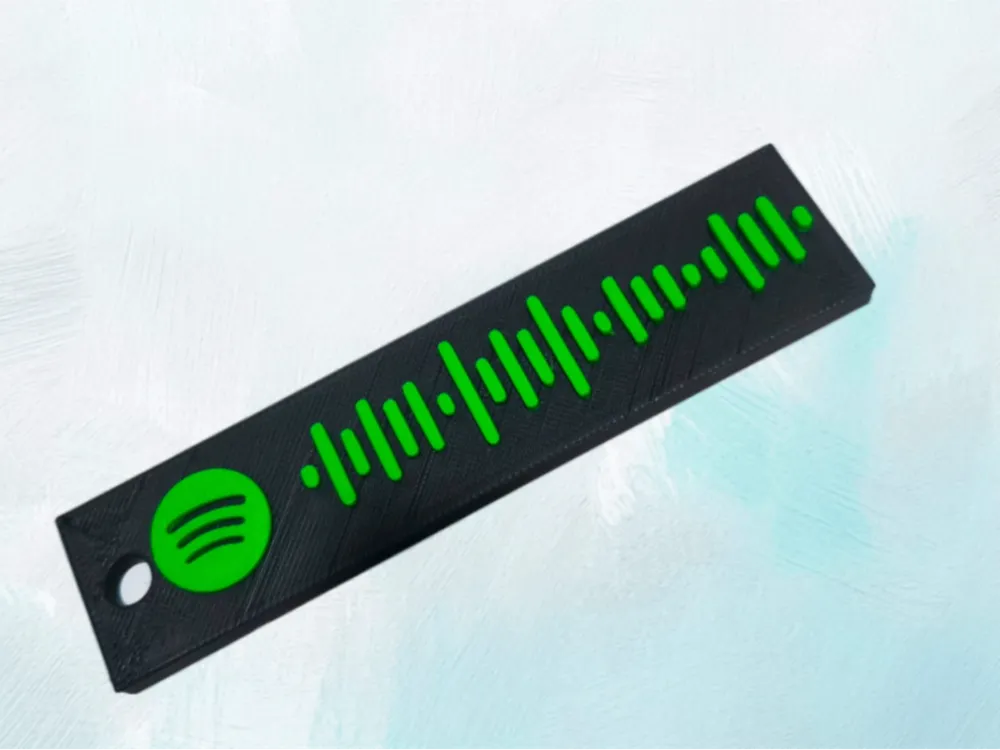
the created project is a tag that can be scanned to start music on Spotify, specifically in this case Take6 by Shiva
to create it with any song, you can contact me, or I will explain step by step how to do it
- go to “Spotify.com”, choose the desired song and click on the 3 dots, then go to share and copy the link
- go to “SpotifyCodes.com”, paste the song link, choose color and size (tip: leave it as is and modify later), and then download in the desired format
- once the image is downloaded, go to Bambu Studio, MakerWorld, scroll until you see \"create your vector images\" and create a new file, choose the image, it does everything itself you simply need to cancel the \"Keep Background\" command and then confirm by clicking it 3 times
- once the image is open, click on download, download as STL
- open a 3D modeling software of your choice (Autocad not recommended, there can be Fusion360, Sketchup…), import the STL file, which we see in relief and we can freely choose the base measurements, it can be Long, small, short…
- before sending the file to the slicer and then printing it, my advice is to try scanning the code and see if it finds the correct song
License

This user content is licensed under a Standard Digital File License.
You shall not share, sub-license, sell, rent, host, transfer, or distribute in any way the digital or 3D printed versions of this object, nor any other derivative work of this object in its digital or physical format (including - but not limited to - remixes of this object, and hosting on other digital platforms). The objects may not be used without permission in any way whatsoever in which you charge money, or collect fees.


Comment & Rating (0)