Search models, users, collections, and posts

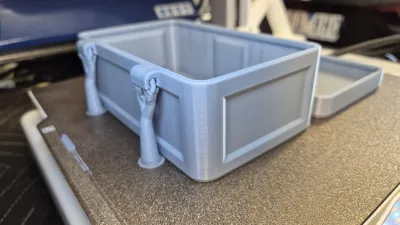
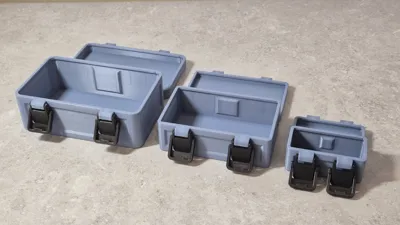
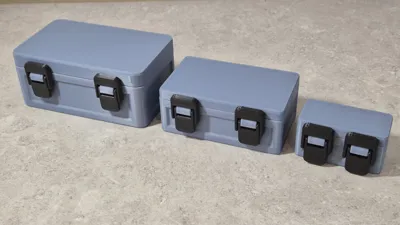
Custom size box case with dual toggle latches MKII
IP Report

Print Profile(1)

All
A1
X1 Carbon
H2D Pro
H2C
P2S
X1
P1P
H2D
H2S
X1E
P1S
X2D
A2L

0.2mm layer, 6 walls, 25% infill
Designer
9.2 h
4 plates
4.9(15)

Open in Bambu Studio
Boost
355
1079
40
34
605
200
Released 

Description

DO NOT USE MATTE FILAMENT, IT IS NOT STRONG ENOUGH, PLEASE USE PLA BASIC/PLUS ETC OR PETG


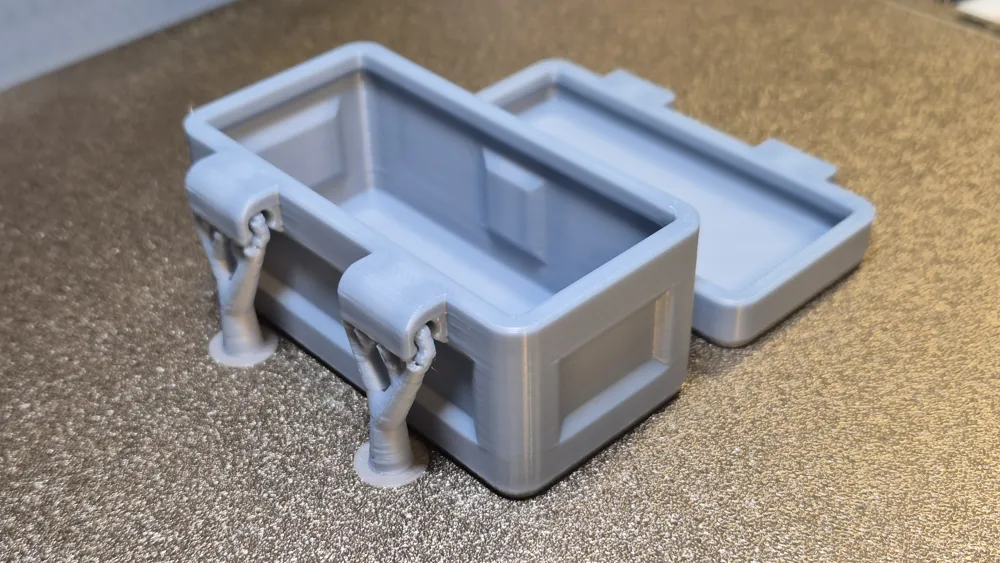
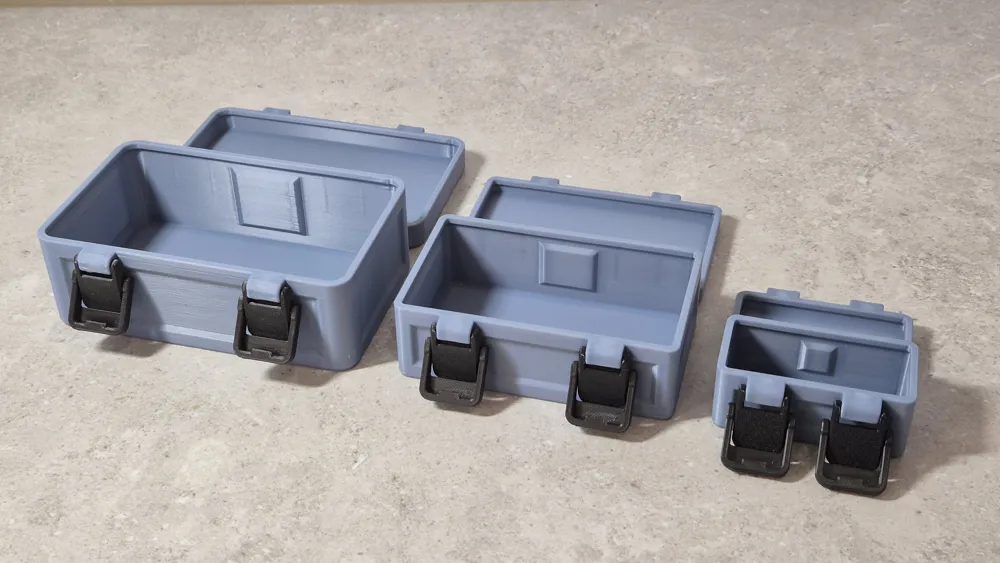
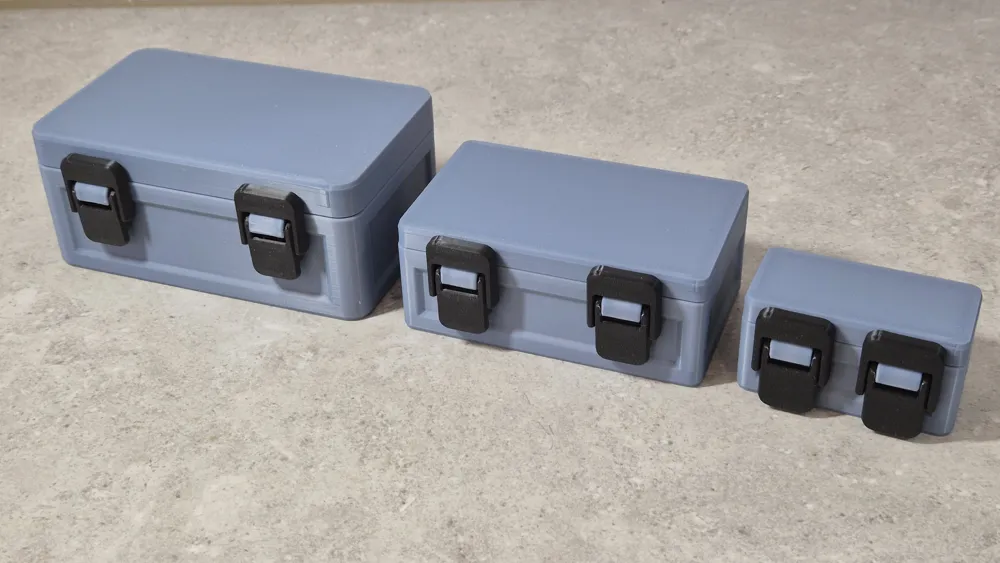
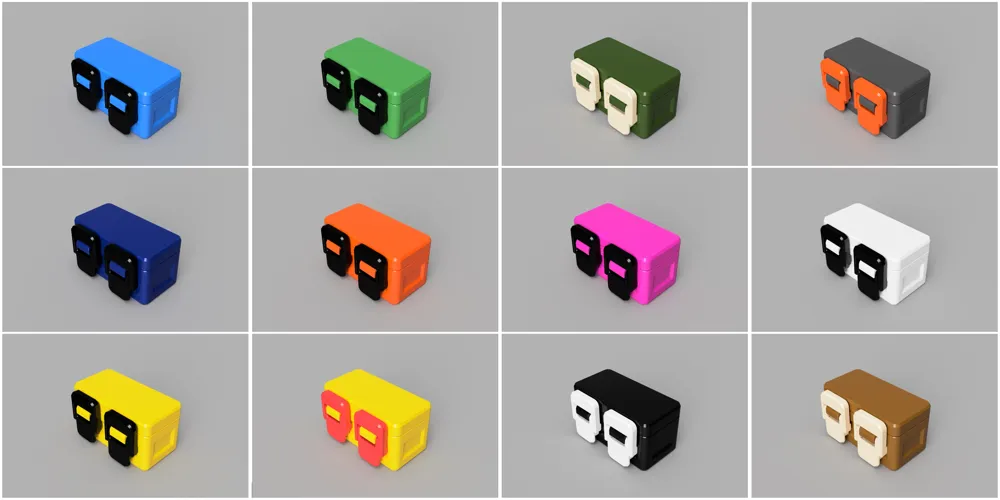
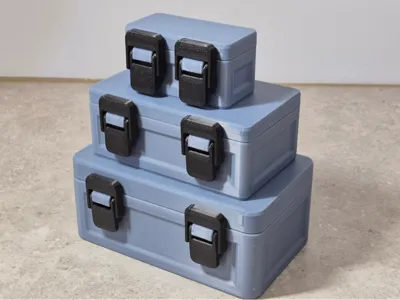
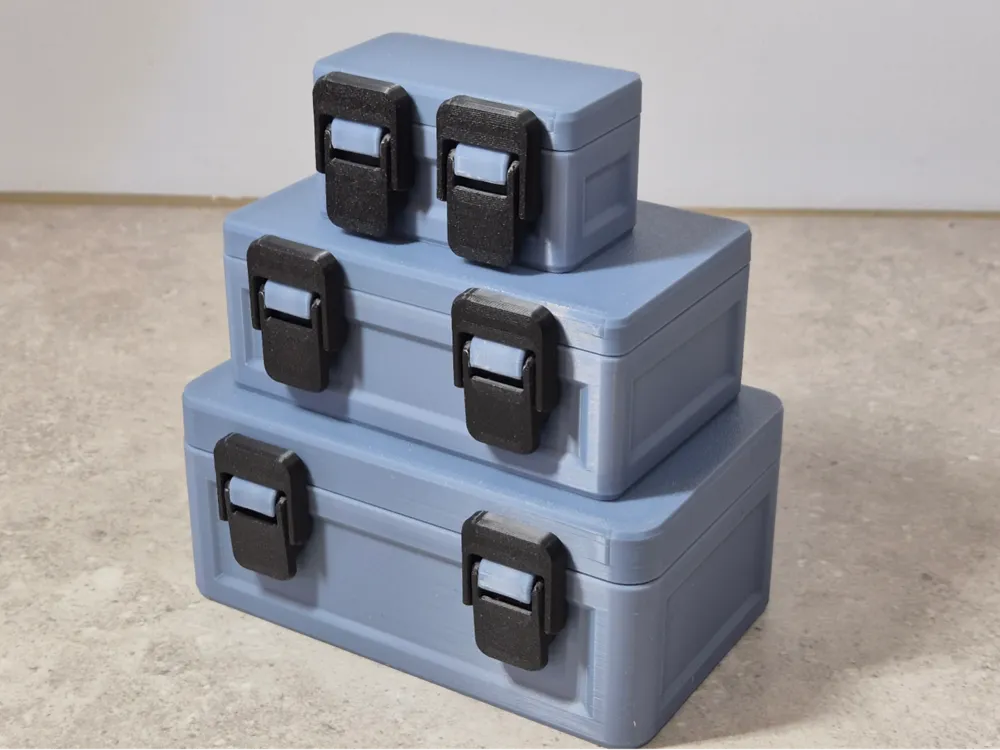
It's only been just over a year since I designed the original case, a lot has happened since then, I've learnt how to use FUSION 360, I've upgraded my A1 Mini to the A1 with AMS & responding to a user's request, I have made this case parametric so that you can create your own custom size case.


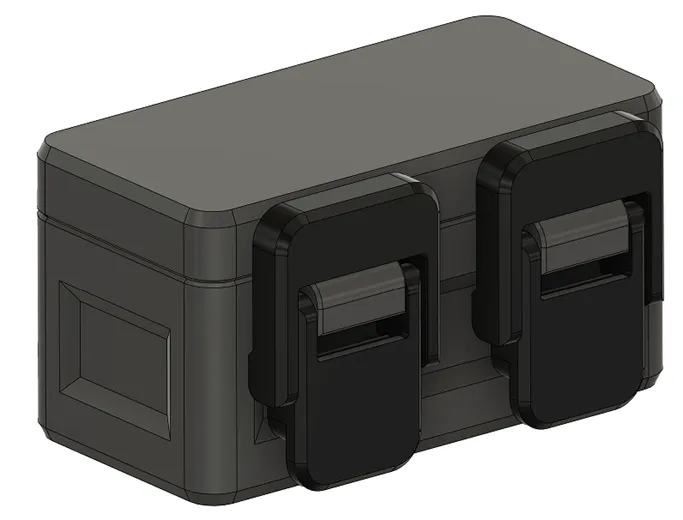
I have 2 different models available, this model with dual toggle latches.
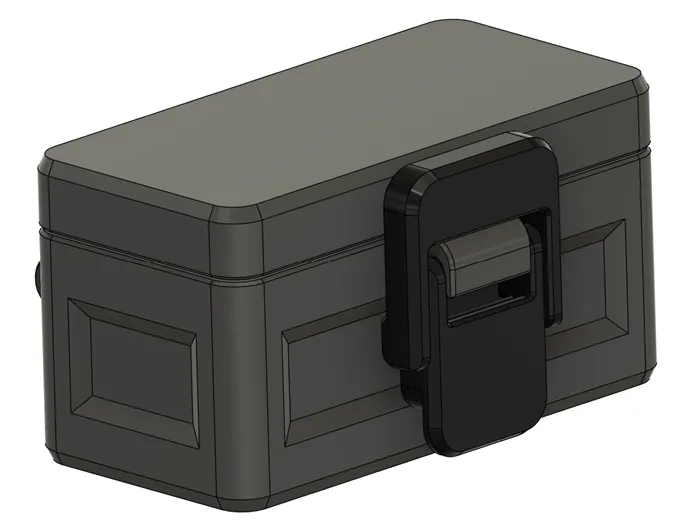
Another model with a single toggle latch.
I’ve shared the FUSION 360 file; you can modify the parameters or go further & re-engineer the case design entirely.


For those who don't know how to use FUSION 360, you can use the Maker World CUSTOMIZE button to generate your custom size case.


Follow these guidelines for sizes

80mm is the minimum length recommended which will allow the toggle latches and the hinges to fit
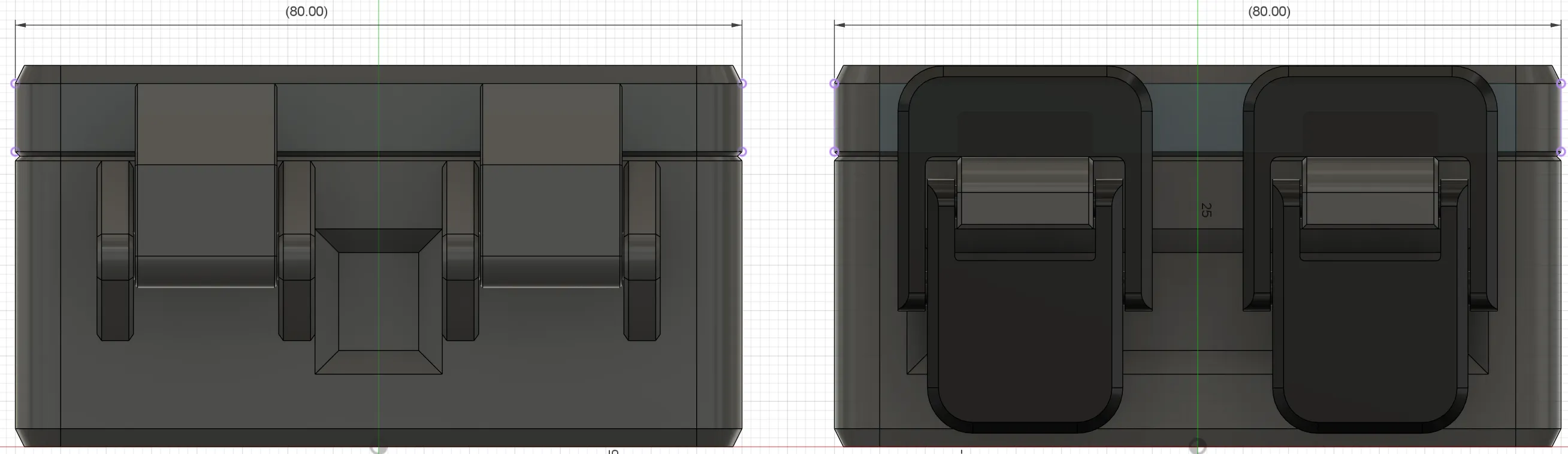
 

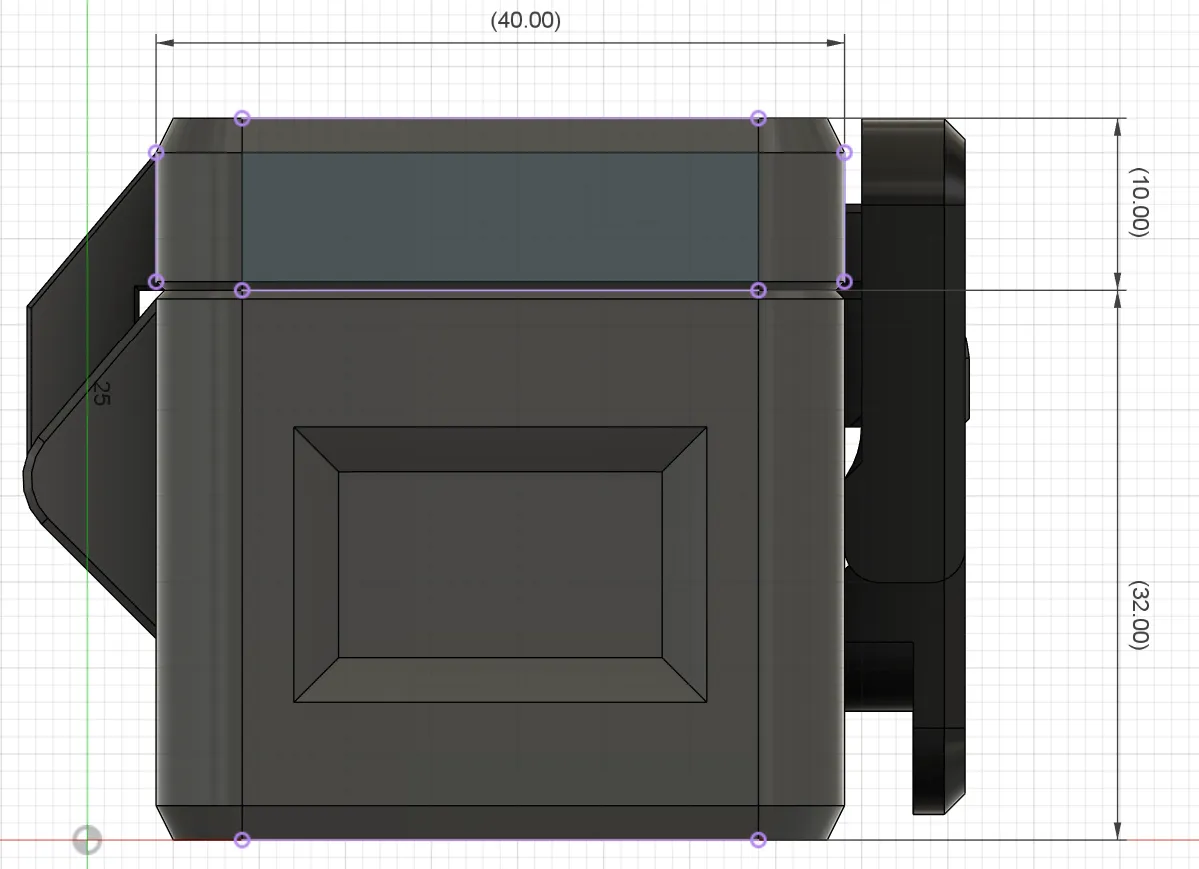
40mm is the minimum width, 10mm is the minimum lid & 32mm is the minimum base dimensions.
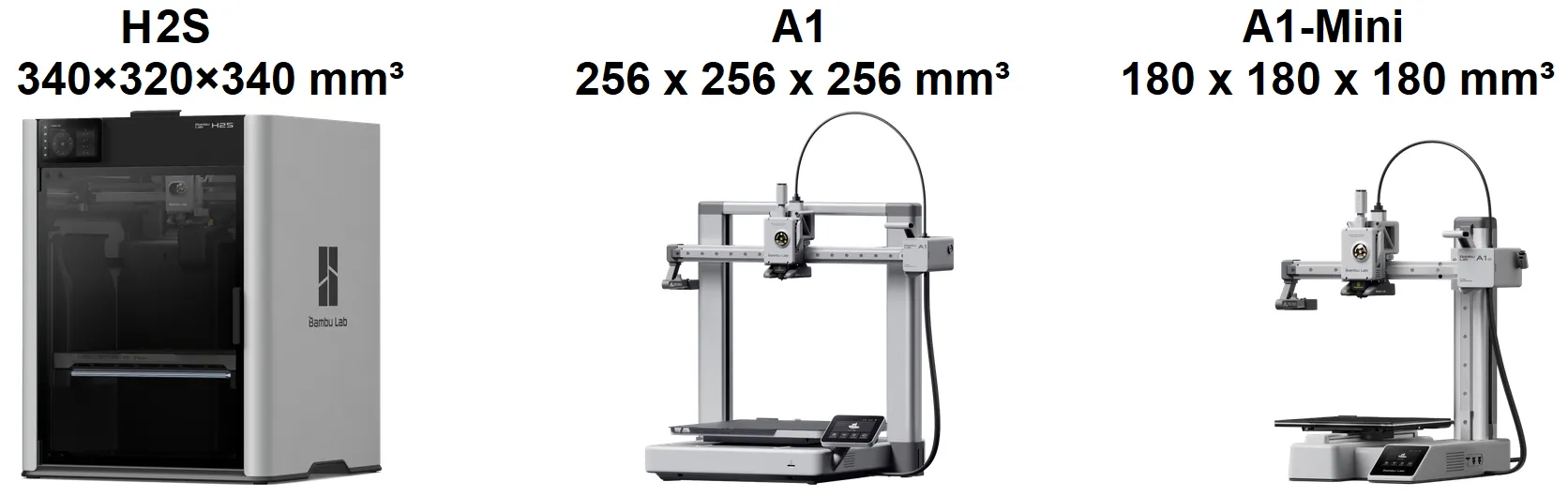
The maximum size will depend on the size of your printer’s bedplate. 

For example, we wanted to print the largest box on the A1, with a bedplate size of 256mm x 256mm,
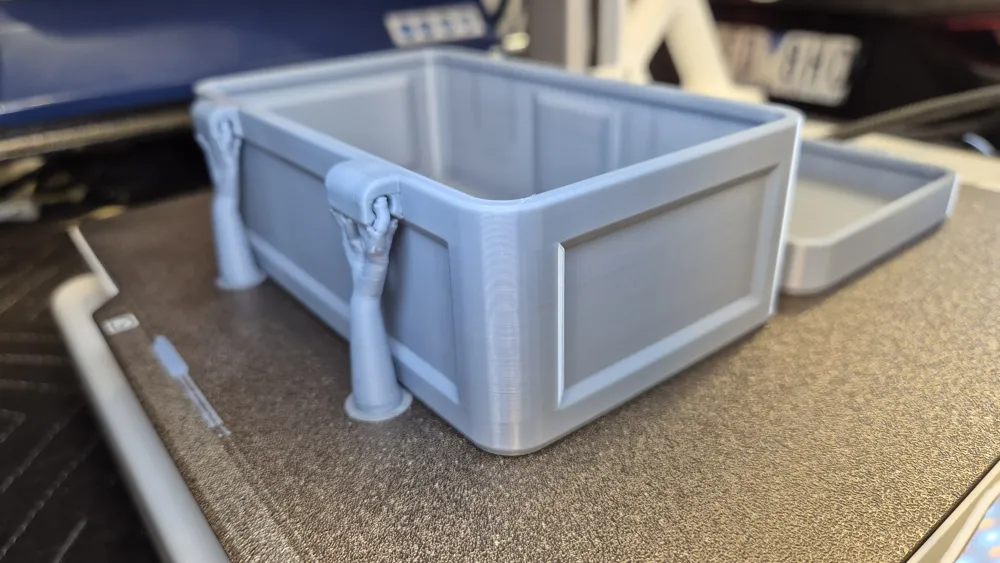
we can make the length up to 250mm long, however the width must be less than half the bedplate, we must also allow for the hinge area, the hinge and locking tabs and also for tree supports.
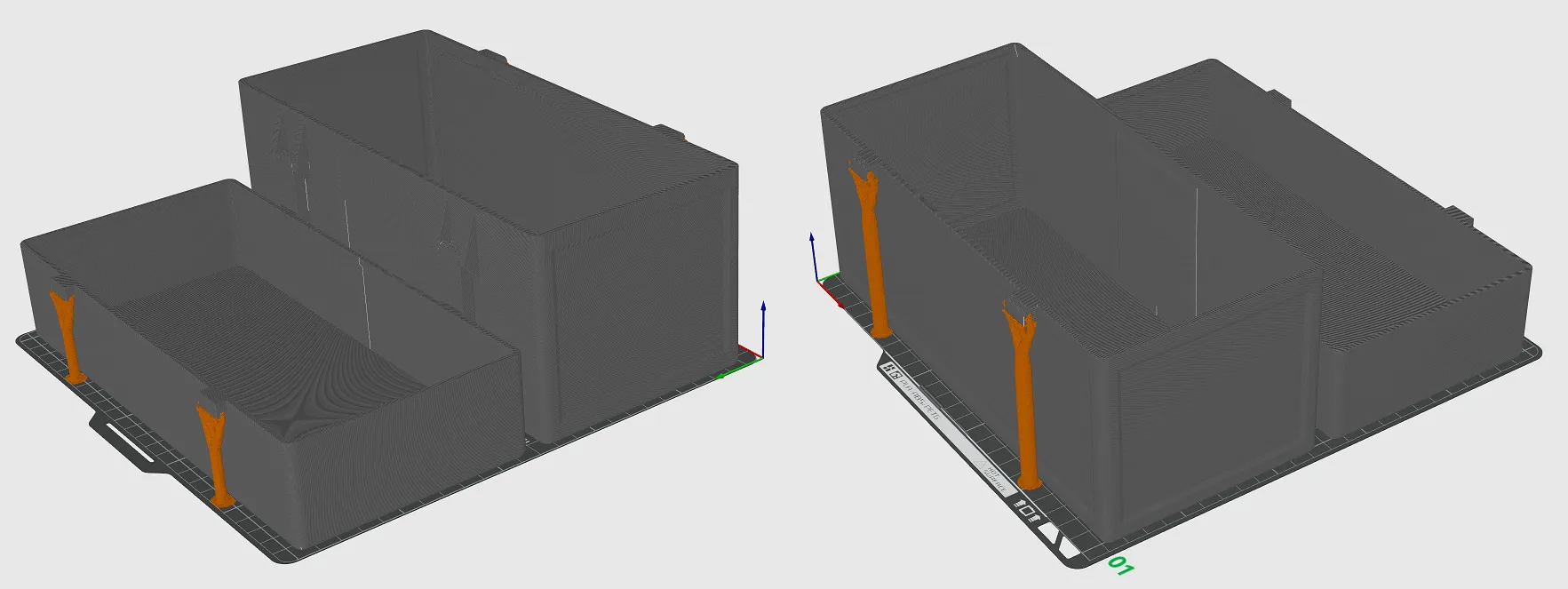
So the maximum width would only be 115mm on the A1 printer. Theoretically the height of the base & lid could be ridiculously high by comparison.

Make adjustments to the maximum size based on your printer’s bedplate.
 

There are 2 other variable parameters that can be adjusted:

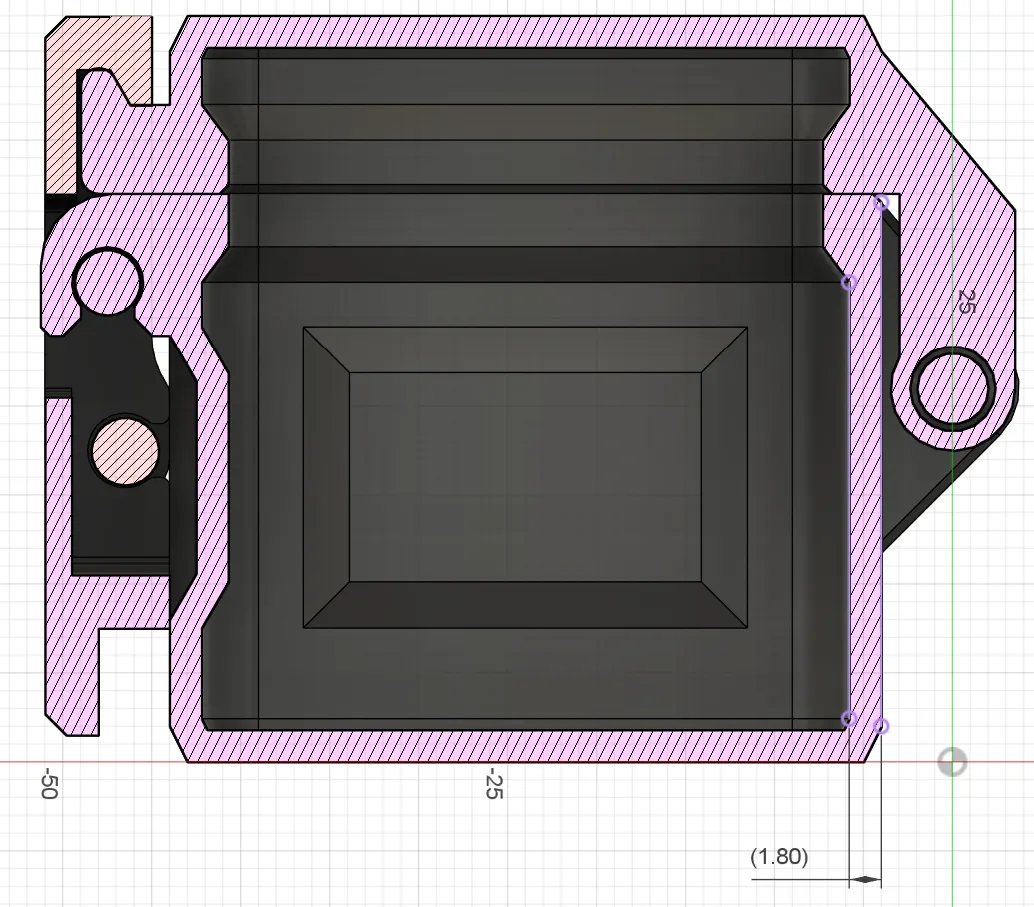
Wall thickness can be reduced to as low as 1.5mm but 1.8mm is recommended as standard.
 

The corner radius can be adjusted to suit the size of the box case, 
5mm to 10mm is recommended as standard.
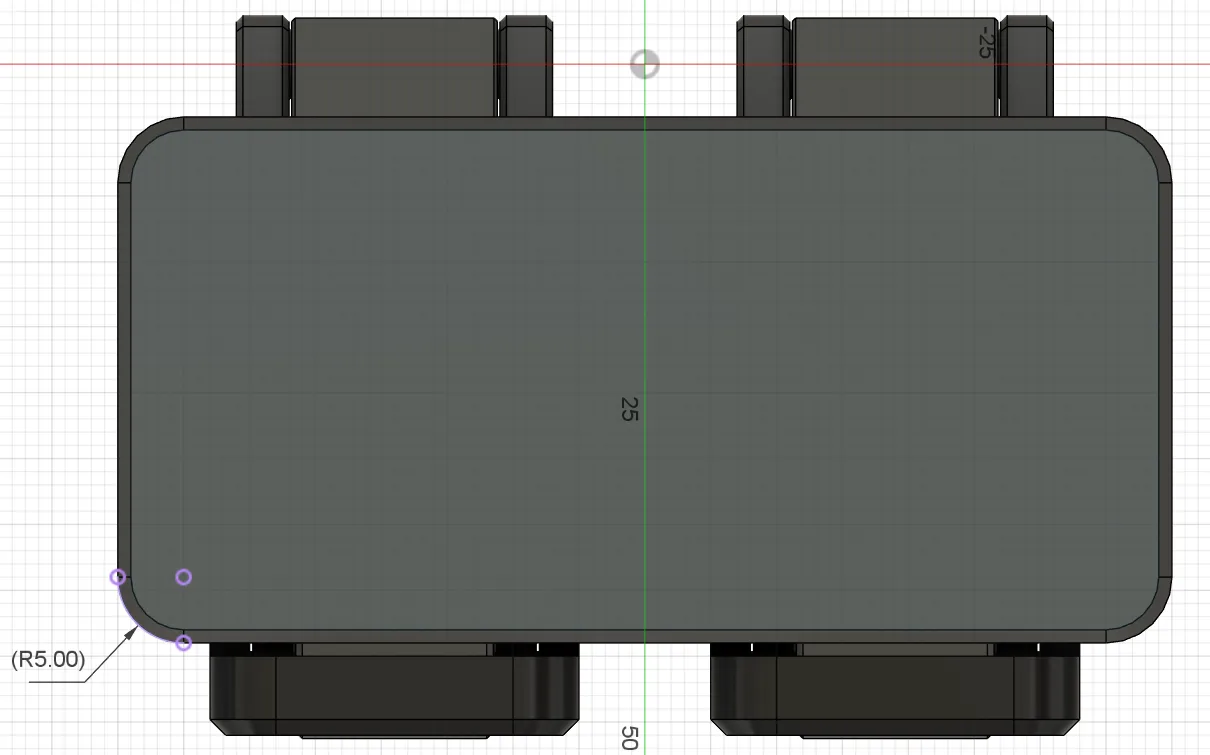
The smallest radius possible is equal to your wall thickness plus 1.5mm


Boost Me (for free)

All my models are free & I am happy to support the MakerWorld community. Every response, photo & BOOST is greatly appreciated


Documentation (1)

Other Files (1)
Customizable box case with toggle latches.pdf

Comment & Rating (40)

(0/1000)

Printed a large version in Silver ABS. (H2S) Slight lift in corners, but that was my fault... Gave you a boost for good work !
The designer has replied
2
Reply
OMG that's huge & the print is nice, I am surprised you only had a little lift on something that big! well done & thanks for sharing, greatly appreciate it & the boosts
0
Reply
Replying to @Dean_Menhennet :
Thanks for the comment. I'm new to Bambu, though I built my 1st printer several years ago. I appreciate the work put in by people like yourself for others to enjoy printing with very little input.
0
Reply
Replying to @GQ_3221983741 :
You are doing well, very nice print. I started off with the A1 mini (no AMS) as I had no idea if I would like 3D printing, loved it straight away then upgraded to the A1 combo a year later & this year I will upgrade to the H2S. Been using FUSION 360 for a year now, getting better at it, but I think I have some way to go. Love the MakerWorld community, Thanks for your encouragement. Regards Dean
0
Reply
Thank you very much for providing this as a parametric model. I assumed that you oriented the STL in the best position for printing so I printed it in that way. my result was that downward facing surfaces are very rough. Suggestions?
The designer has replied
0
Reply
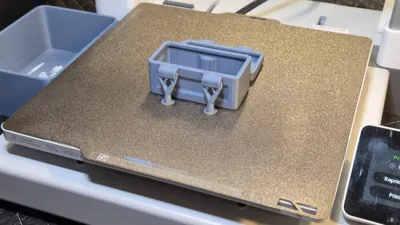
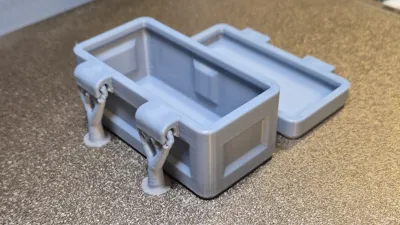
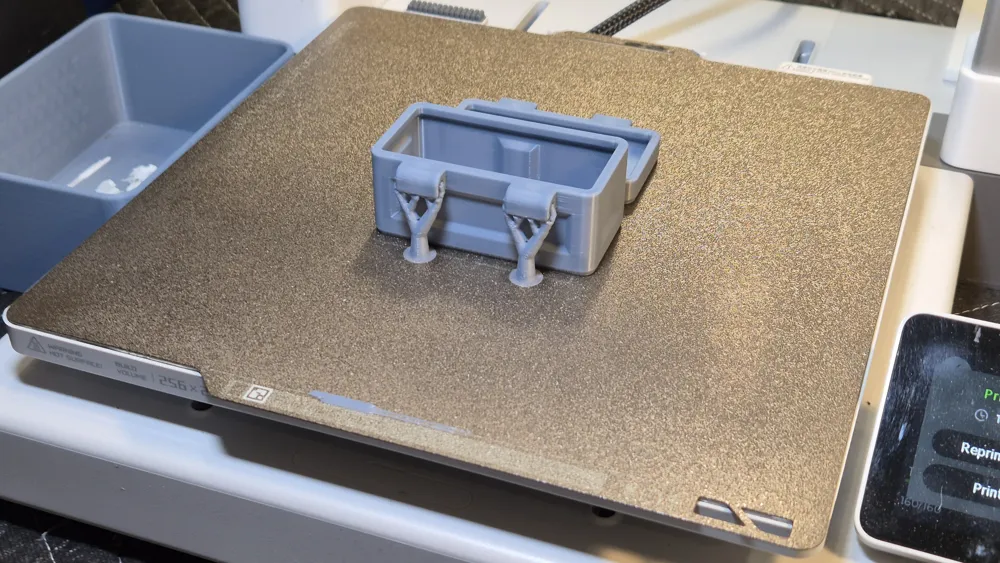
OMG that is awful! Just too many questions, Did you orientate the print in the same orientation as the sample file? see photo. What printer & what filament are you using, my brain hurts looking at what has come out..... I printed heaps of these without issue as per the sample photo. I'm happy to help you but dont know where to start. Could you print one of the 3D models in my Bambu Studio file first? ie don't generate one from fusion or using the customize button. I want to understand is it something wrong in your slicer, FUSION 360 etc? So if you print one the 3 sizes I shared that should at least give me a hint to where your issue is
0
Reply
Replying to @Dean_Menhennet :
Thanks for responding. I have a new P2S. I left the orientation as it was downloaded: the box came into Bambu Studio vertically with the top closest to the plate. That is likely the issue.
0
Reply
Replying to @user_1782733420 :
As you learn more you'll develop an intuitive sense of when objects are not oriented correctly for what ever reason. The fact it even printed in that orientation is surprising. The Auto Orient button in Bambu Studio would have sorted this for you in 2 seconds. So you may want to try that button if things seem... questionable.
0
Reply
Print Profile
0.2mm layer, 6 walls, 25% infill
Excellent project, seems very solid
The profile uploader has replied
Show original
0
Reply
Thanks for sharing the photo & the feedback, much appreciated. Can I ask what brand/model printer & what brand/type filament you used? I am always interest in how different prints can be.
0
Reply
Print Profile
0.2mm layer, 6 walls, 25% infill
Strength Issue:The hinge design works, but ultimately is fragile due to the print orientation. Had to use a 3d print pen because hinge snapped easily.
The profile uploader has replied
0
Reply
Hi, What material did you print it out of Brand/Type. It is impossible for me to dial in something that will work for everyone due to the countless variations, how tight was it to insert the hinge? was the filament dry? Not sure if you are aware, but a 3 star is a LOW rating, which actually detracts from the model, in line with Bambu Labs, if you give such a low score you should follow their guidelines & share your specific details of the failure so people can guess if the fault is the model or the end user's issue. I know the layers are not helping, but you have to be able to print it. Please keep in mind when giving a LOW rating the amount of work that has gone into the design & the number of other users that have had no issue. I assume you printed more than once to determine your score, printed a test section to refine the fit etc..... https://wiki.bambulab.com/en/makerworld/tutorials/rating-guidelines
0
Reply
Hey there, I used pla matte, one of the more fragile filaments, which is my mistake; especially for mechanically oriented objects. With the orientation of the latches (which ultimately can't be avoided with this, or any other similar, design) the layers are aligned in such a way that they can peel apart when pressure is applied, especially since the clasps are not included on the boxes design and need to be added separately. Additionally, the back hinges would be greatly improved by allowing them to also be scalable with how long the box is; allowing for greater stability for longer boxes. The rating I ultimately decided is just below the typical "positive" range. However I applaud your dedication to educate, troubleshoot, and adapt as you receive precious feedback!
0
Reply
Print Profile
0.2mm layer, 6 walls, 25% infill
Printed in silver, the box is very pretty and works very well with the closure system. I had a problem with the printing, a defect on the lid. Too bad. It doesn't matter, though, as it's not visible once closed
(Edited)
Show original
0
Reply
Print Profile
0.2mm layer, 6 walls, 25% infill
very good box
0
Reply
will pla+ 2.0 from sun work
The designer has replied
0
Reply
I have not used that filament before (I only use Bambu Labs filaments) but I see no reason why it would not work, sorry I cant be anymore specific
0
Reply
Replying to @Dean_Menhennet :
thank you I was trying to find a box that a could latch and I could edit to make it hold my charging stuff for my neo
0
Reply
Boosted
Print Profile
0.2mm layer, 6 walls, 25% infill
I have printed 3 of the largest to hold the accessories for my sewing machines. Love these containers! Thank you
The profile uploader has replied
0
Reply
thanks for the feedback, much appreciated
0
Reply
Boosted
good model and fusion files are a blessing
The designer has replied
0
Reply
Thank you for your feedback, your welcome.
0
Reply
Thank you very much, it worked great
The designer has replied
Show original
0
Reply
Thank you for the positive feedback, much appreciated
0
Reply

License

This user content is licensed under a Standard Digital File License.

You shall not share, sub-license, sell, rent, host, transfer, or distribute in any way the digital or 3D printed versions of this object, nor any other derivative work of this object in its digital or physical format (including - but not limited to - remixes of this object, and hosting on other digital platforms). The objects may not be used without permission in any way whatsoever in which you charge money, or collect fees.