
P1 / X1 series - Motherboard Noctua fan holder




Print Profile(1)

Description
Boost Me (for free)
Don't hesitate to boost my model if you like it !
Model
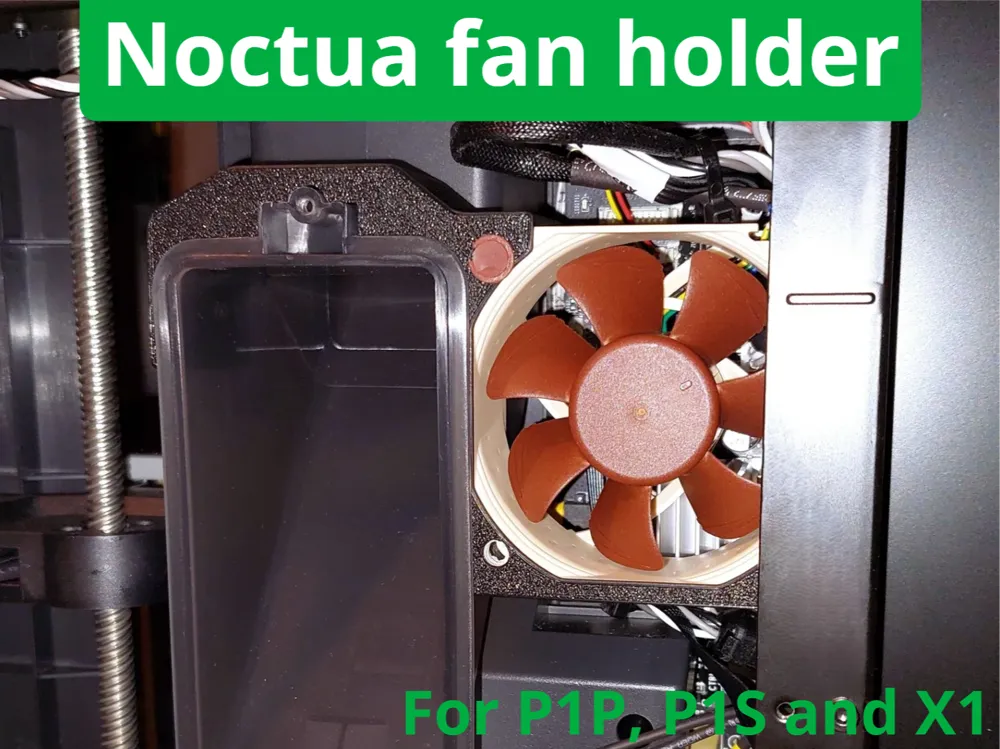
A simple model to mount a Noctua 60mm fan on your Bambu Lab printer motherboard.
Assembly
First, fix the fan to the model using the rubber OmniJoins included with it, you can cut them as shown in the 3rd picture but that's totally optional. You can also use the included screws.
Then you will need to change the fan connector, for that you will need the 4 pin version of theses : Aliexpress link
One this is done, you will need to remove the poop chute and place the fan holder on it, you can secure it with a M3*4 or longer if you have one, that's optional as well.
And finally re-assemble everything and plug the fan in the correct header.
If you picked the PWM version and you want to install it on a P1P, cut the PWM wire.
Your Bambu Lab printer will go through any heat wave now ;)
License



Comment & Rating (40)