
Ford Transit Rearview Mirror Camera Mount
Print Profile(1)

Description
+10° Upward Tilt | +5° Toward Center (Better Highway Alignment)
Problem this solves
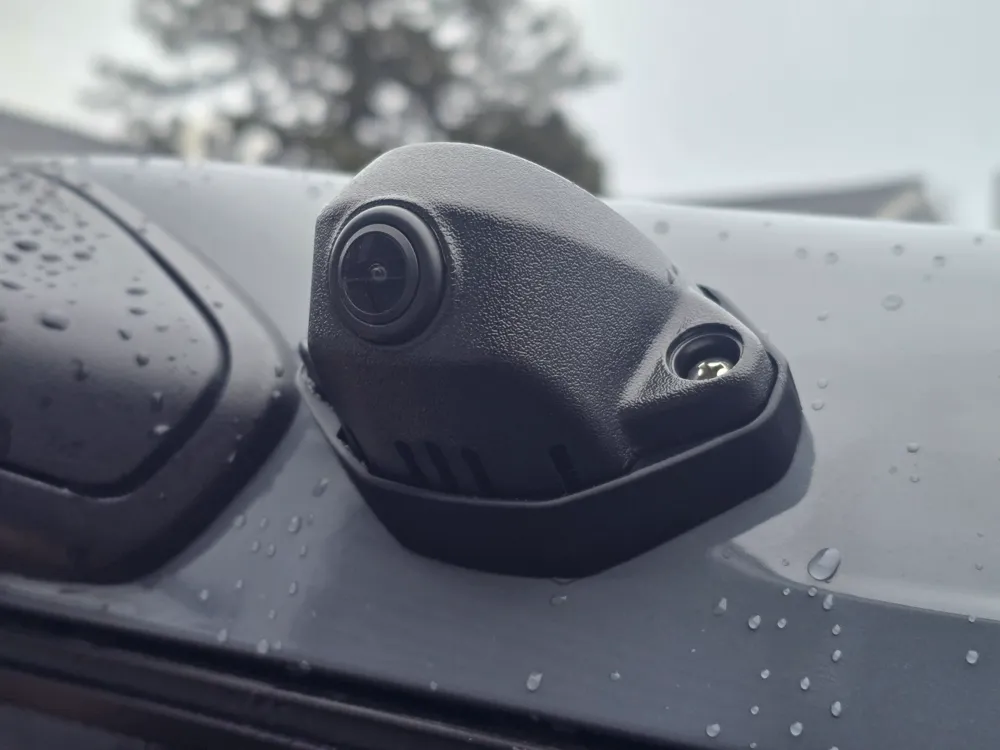
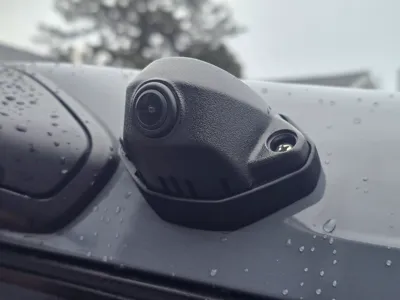
Many Ford Transit owners with the factory digital rear view mirror complain about the same issue: the OEM camera mount points too downward, making it hard to see distant traffic on the highway. Even maxing out the electronic adjustment (+5) doesn't give a useful view of vehicles behind you when cruising and you mostly see the road surface right behind the van. This is a common frustration discussed in Transit forums, and temporary shims (like plastic pieces or spatulas) are often used as hacks.
My solution
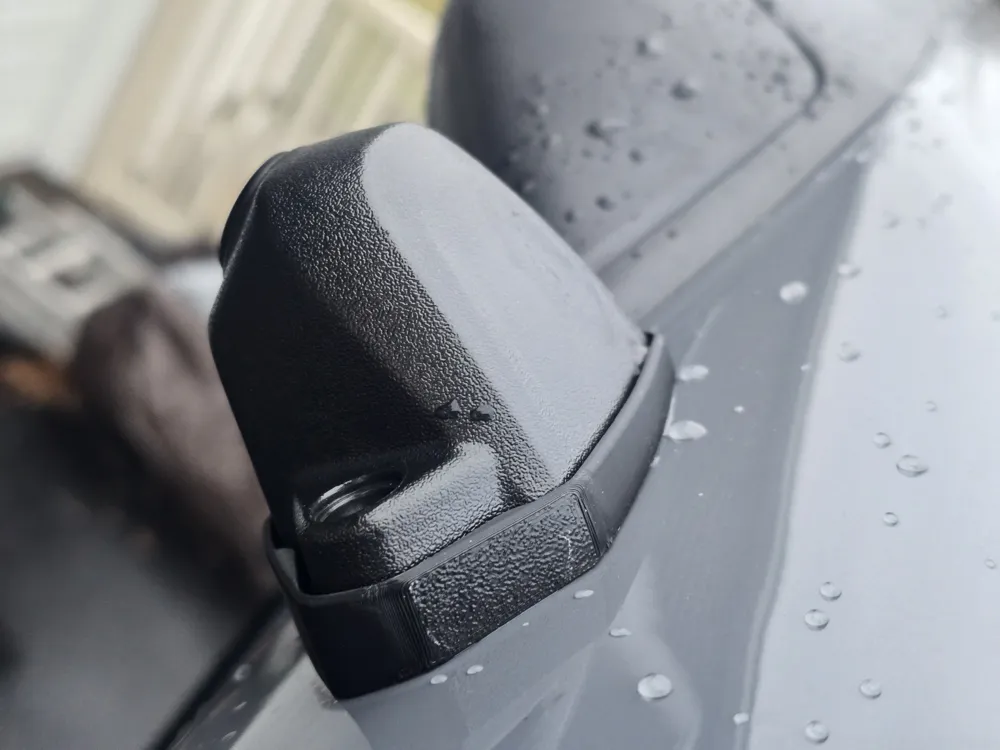
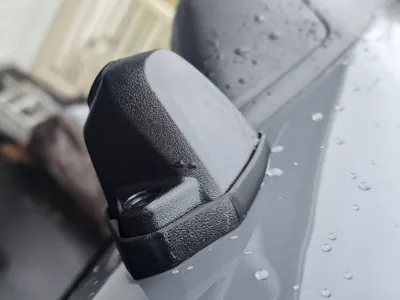
I designed this custom replacement camera mount that physically repositions the camera for better real-world usability:
- +10 degrees upward tilt
- +5 degrees inward (toward the center of the road)
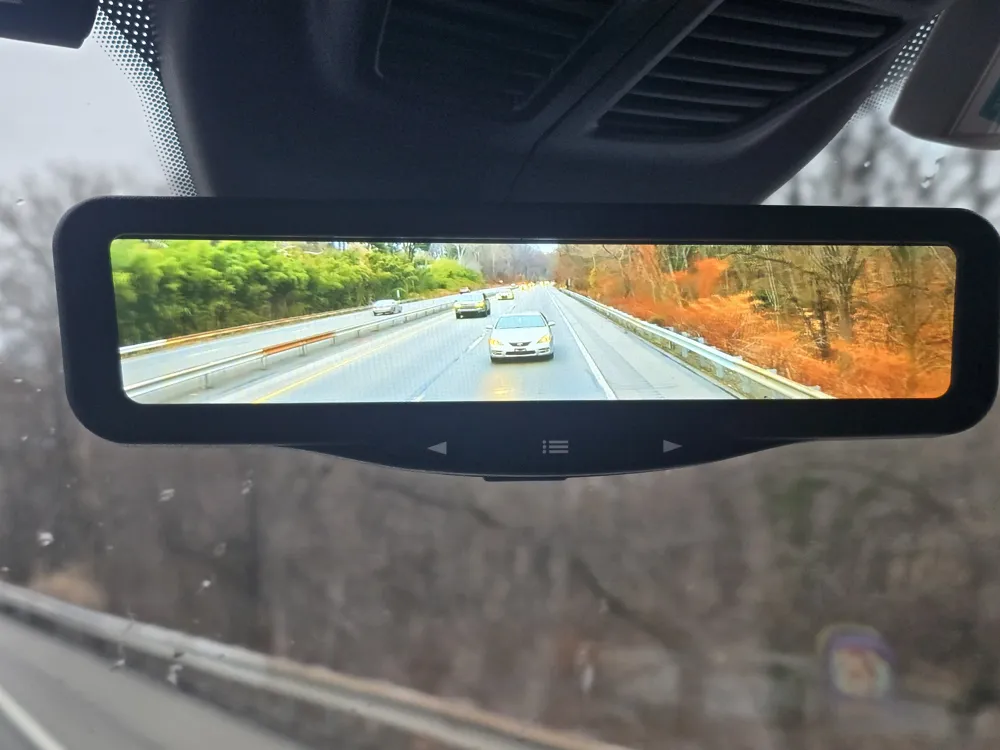
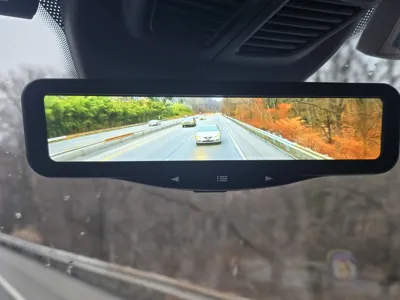
This gives a much more natural rear view; perfect for highway driving, seeing following vehicles clearly, and reducing blind spots without relying solely on the electronic tweak.
Compatibility
Tested on recent 2025 Ford Transit with the factory digital rear view mirror camera assembly (commonly found on 2020+ models, but check your part for fit). Direct drop-in replacement for the OEM camera base/mount.
Installation (Easy ~15-20 min job)
- Remove the two screw covers on the camera housing.
- Remove the screws.
- Carefully disconnect the camera cable connector inside the van. With enough slack you may be able to pull the connection through the hole but likely you’ll need to remove the inside headliner to get at the connection.
- Pull out the entire camera assembly.
- Reuse the original foam gasket if in good condition, or replace with 1/8" EPDM foam for weatherproofing/sealing. Alternatively, you can use a silicon sealant but a new 1/8" EPDM foam slice gives you the best weather sealing.
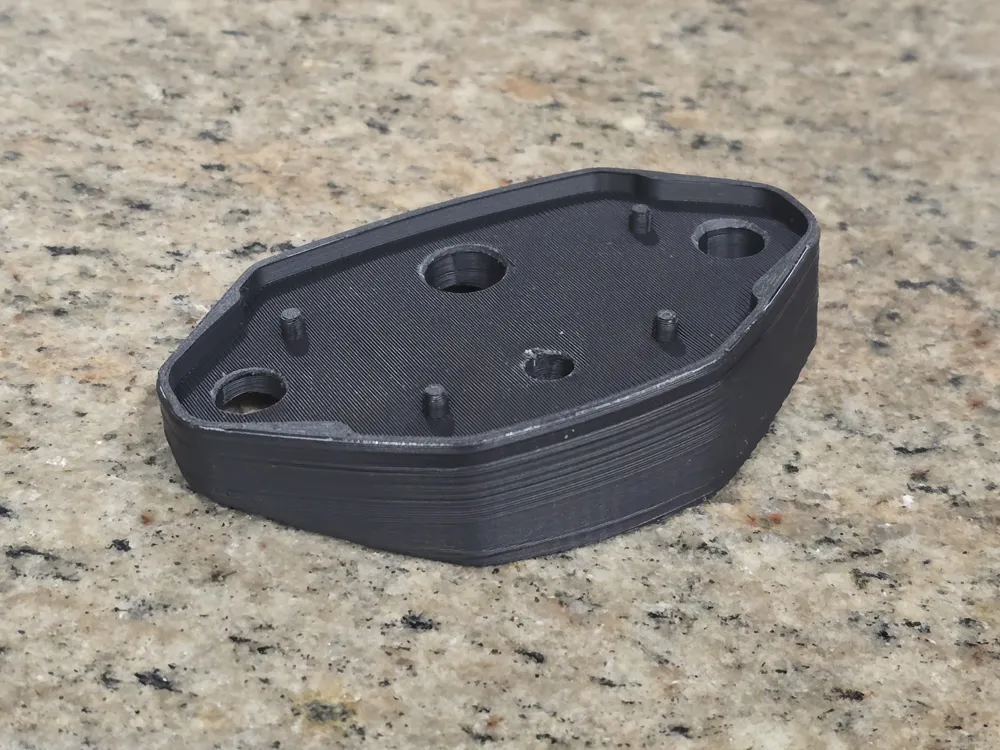
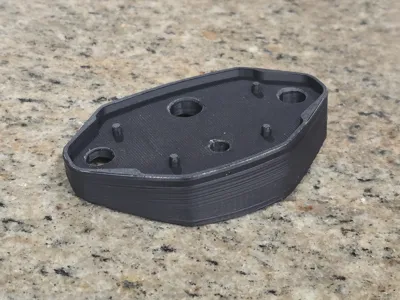
- Cut out the single cover layer for each of the 4 through holes in my printed mounted (needed for better quality bridging surface).
- Swap in my printed mount (exact footprint match).
- Reconnect the camera cable.
- Reassemble and secure with longer 1" #8 stainless steel sheet metal screws (highly recommended for better thread engagement into the van body, OEM screws can be short).
No drilling, no permanent modifications and fully reversible if needed.
Printing Recommendations
- Material: ASA (best for UV resistance & heat exterior to the vehicle) or PETG (good alternative but will color fade). Avoid PLA.
- Infill: 40-50%+ for strength (this part takes some thermal load).
- Orientation: Print with the camera mounting face down for best accuracy.
- Supports: Printed to support bridging. Easily removed.
Why this works better
After installing, you'll finally get a usable highway view without constant electronic fiddling. The slight inward angle also helps center the view on the road instead of off to one side. I personally like the electronic set point at 0 so that I mostly see road with a little bit of sky but I know some people like more sky so they can set +5. Your choice! If you're tired of staring at asphalt instead of traffic, give this a try! Feedback welcome. Happy printing and safer driving!
License

You may create derivative works based on this object, provided that all such derivative works are published exclusively on the MakerWorld platform and include proper attribution to the original creator. You may not share, upload, host, distribute, or publish this object—or any derivative work of this object—on any other digital platform, marketplace, or distribution channel. Commercial use of this object and any derivative works is strictly prohibited. This includes, but is not limited to, selling, renting, sublicensing, or using the object in any context in which you receive monetary compensation or other financial benefits.


Comment & Rating (7)