
Calibration Cube – X & Y Axis Surface Check
Print Profile(1)

Description
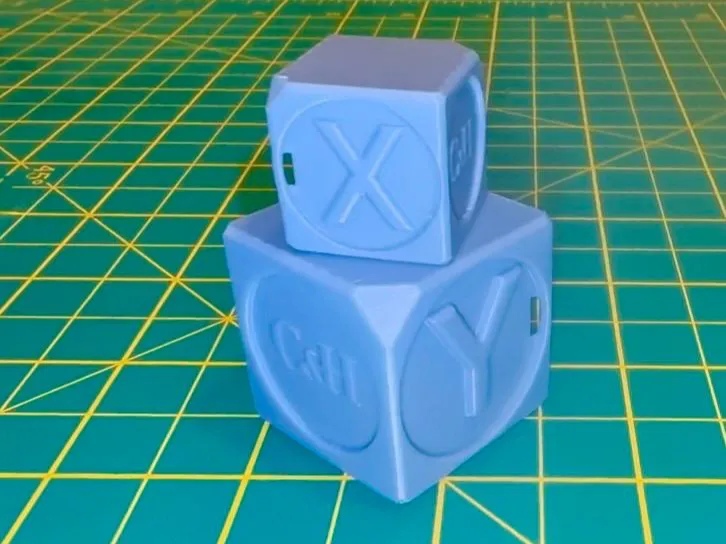
This calibration cube is designed as a quick baseline check before running flow calibration.
It focuses on surface finish and axis consistency, making it useful for spotting subtle differences before and after Flow Dynamics or Flow Rate Calibration.
In the video, I printed this cube in two sizes to check whether scaling had any noticeable impact on print quality — both printed cleanly, making it a solid reference point before calibration.
🔍 What this cube helps you check
- X and Y axis surface consistency
- Wall uniformity
- General extrusion behaviour
- Subtle surface finish differences before and after calibration
This is not a dimensional accuracy cube — it’s intended as a visual and tactile reference.
🎥 Related Video
This model is featured in Episode 4 of the Bambu Studio series, where it’s used alongside Flow Dynamics and Flow Rate Calibration to compare prints before and after calibration.
Boost Me (for free)
If you find this model useful, a boost on MakerWorld would be really appreciated.
And if you’re not able to boost, hitting like or sharing your print means just as much.
License

You shall not share, sub-license, sell, rent, host, transfer, or distribute in any way the digital or 3D printed versions of this object, nor any other derivative work of this object in its digital or physical format (including - but not limited to - remixes of this object, and hosting on other digital platforms). The objects may not be used without permission in any way whatsoever in which you charge money, or collect fees.


Comment & Rating (3)