
Stunt Plane V7
Print Profile(1)

Bill of Materials
.jpg)



Description
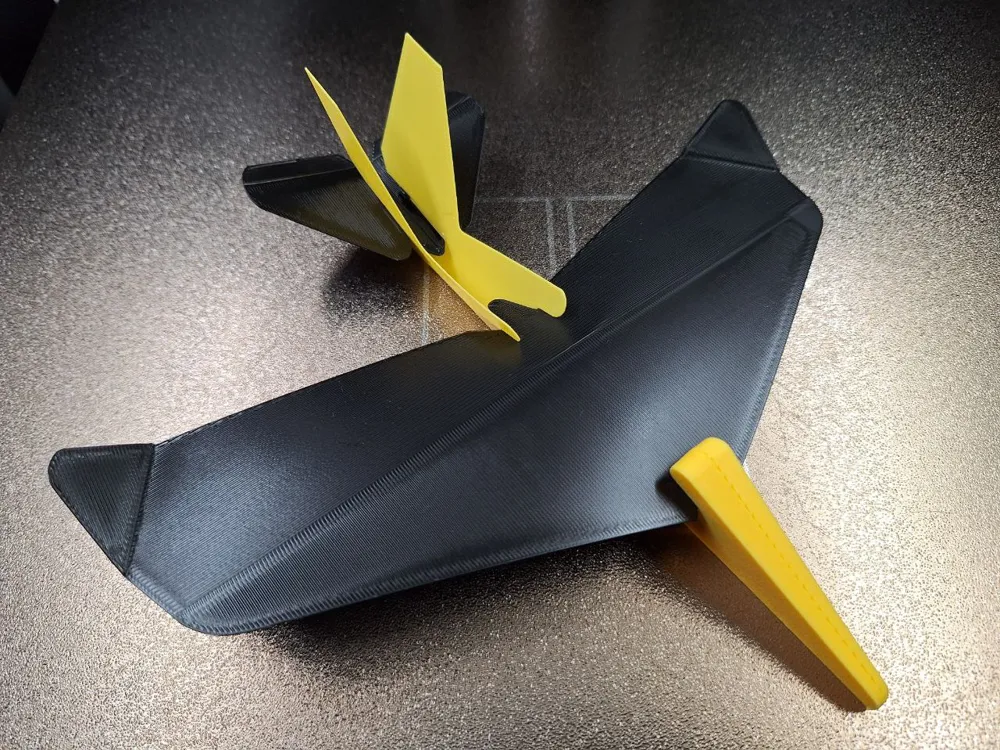
Stuntplane V7
I have been tinkering with this one for a while now, and it’s time to release it and see what you think about it. Let me know.
My motivation for making this came after printing lots of gliders, different models, all of which did not really glide well at slower speeds, requiring a high launch speed and then breaking easily.
My goals were:
Curved wing design,
No rubber band or other launcher needed, slow-speed hand-launchable,
Easy to print on all build plate sized,
Easy to build,
CG already correct, no need for additional weight,
Control surfaces built in,
Glides well indoors and outdoors,
Robust design that last.
All you need for this is some glue. I recommend superglue, or if you do not have that on hand, you can also use some thin tape instead. PLA Basic works fine; PLA Tough+ is also good if you already have a roll at home.
Instructions:
1.Fold the fuselage in half. There is a crease to make this easier. Add a drop of glue to the two nose parts that meet.
2. Fold the tail slightly up at the crease in the middle and insert it into the tail section of the fuselage. Add a drop of glue on each side, as pictured.
3. Carefully insert the wing into the fuselage, bending it slightly in the process so it follows the contour of the fuselage. Take care not to make a sharp bend in it.
4. Bend the wing tips up (or down) at the crease. This gives the plane more stability in flight. Pinch the fuselage together under the wing so you have a good place to hold the plane when launching. There are two control surfaces on the tail that you can adjust at the crease to make it go up, down, left, or right.
5. Let me know what you think
Infos:
I oriented the model so that the first layer is perpendicular to the folds, and most of the last layers on the large areas are in line with the plane’s movement. If you slice it yourself, it is better to keep these orientations.
The layer thickness on the wing is thicker in the front to give more durability, and it is also in front of the CG to help move the CG forward. The line where the wing becomes thicker is also close to the CG. Inserting the wing with the back, the thinner part, first into the fuselage makes insertion easier.
If you are using regular PLA, the control surfaces can tear if you do a lot of adjusting. You can use a small strip of Scotch tape to make them more durable. I find that BL PLA Tough+ performs much better with repetitive bending.
If you are not very familiar with the control surfaces, here is what they do.
(All is described while looking at the back of the plane, with the tail facing you)
To get the plane trimmed to fly straight:
If the plane flies in a left turn, raise the right surface to counteract.
If the plane flies in a right turn, raise the left surface to counteract.
If the plane flies up and then nose-dives to the ground, lower both left and right surfaces to counteract.
If the plane nose-dives, raise both left and right surfaces to counteract.
If the plane still goes to one side, you can also use the wing tips as controll surface.
License

You shall not share, sub-license, sell, rent, host, transfer, or distribute in any way the digital or 3D printed versions of this object, nor any other derivative work of this object in its digital or physical format (including - but not limited to - remixes of this object, and hosting on other digital platforms). The objects may not be used without permission in any way whatsoever in which you charge money, or collect fees.


Comment & Rating (5)