
The Union Clip: IBEW Customizable Hard Hat Clip
Print Profile(1)

Description
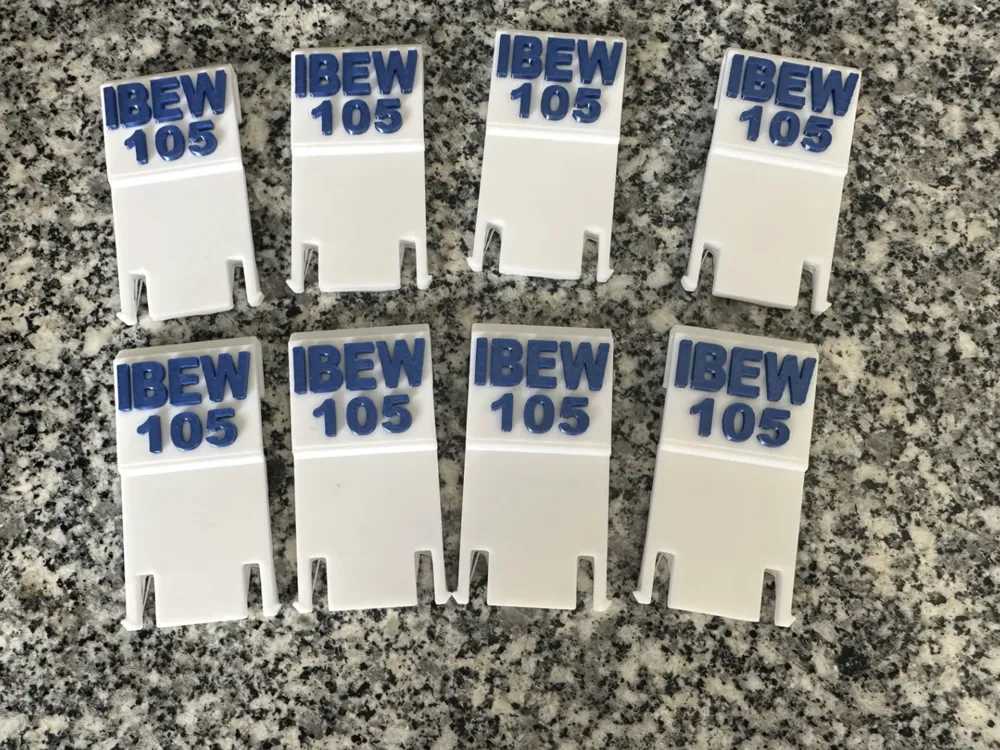
This is a multi-purpose hard hat clip specifically designed for IBEW Brothers. Whether you’re working in a dark mechanical room or trying to find your apprentice, this clip keeps your essential tools exactly where you need them.
⚡Features:
- Customizable Union Number: Use the "Customize" button to enter your specific IBEW Local number.
- Dual Function: Securely holds a standard carpenter pencil or pen and acts as a retainer for headlamp straps to keep them from sliding up.
- Built for the Trade: Designed to fit most standard-brim hard hats.
 🖨️ Printing Recommendations:
- Material: PETG is recommended. PLA may warp or lose its "spring" tension if left in a hot truck or used under heavy work lights. The ones I printed I used PLA…
- Infill: 15% or higher (Adaptive Cubic) for maximum clip strength.
- Walls: 2 or more walls to ensure the clip doesn't snap under tension.
- Supports: YES. Required.
- Top Interface Spacing: 1 mm.
- Support/Object XY distance: 0.7 mm.
- Support/Object first layer gap: 0.7 mm.
🛠️ How to Customize Your Clip
Click the "Customize" button to open the editor and follow these steps:
Set Your Local Number: Under the Customizable Text tab, change the number to show to your specific IBEW Local number.
Adjust Text Placement: If your number or text looks off-center, use the Number Position or Text Position sliders (pos_x and pos_y) to shift them until they sit perfectly on the clip surface. (They should be flush on the surface now)
- Fine-Tune the Fit: * Use Spacing to prevent numbers from touching or being too far apart.
Use Thickness to control how far the letters stick out from the clip.
Surface Alignment: If the text is "floating" or buried too deep, adjust the pos_z value until it sits flush against the clip face.
- Pick Your Font: Choose a font that is easy to read. Note that "Anton" (set as default) provides a bold, professional look that prints well at small scales.
License



Comment & Rating (6)