
Print Profile(1)

Description
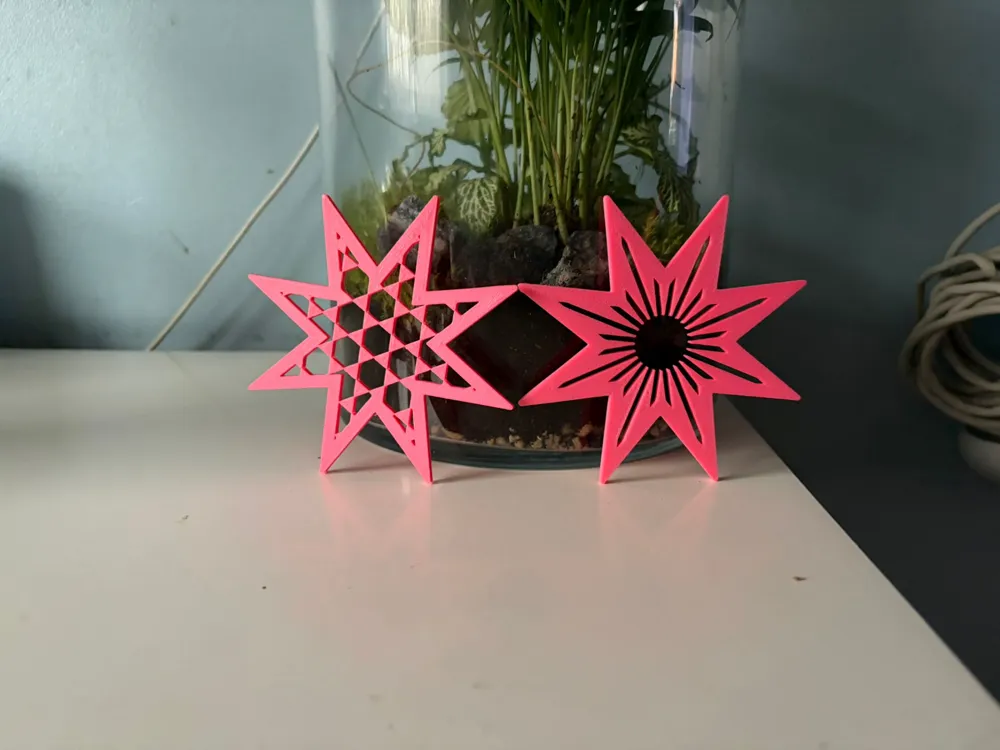
A clean, backlight friendly star ornament with a professional looking internal lattice. This is a fully parametric OpenSCAD model, so you can generate loads of variations quickly by changing a few values at the top of the file. It looks brilliant on a Christmas tree, in a window, or hanging in front of fairy lights where the lattice throws a really nice glow pattern.
Great for
- Tree ornaments and gift toppers
- Window decorations with fairy lights behind
- Gift tags (scale down)
- Garlands and bunting (print a set, mix patterns)
How to customise in OpenSCAD
Open the .scad file and edit the parameters at the top, then press F6 to render and export as STL.
Main shape
- outer_r controls the overall size of the star.
- points changes how many points the star has.
- inner_ratio changes how “sharp” or “chunky” the star looks (lower = longer points, higher = fuller star).
- corner_round rounds the corners for a softer look (set to 0 for sharp points).
- thickness sets the final print thickness.
Border and strength
- border controls the thickness of the star outline.
- min_web protects the internal webbing so it does not get too thin. Increasing it makes the star stronger but blocks more light.
Pattern selector
Set:
- lattice_pattern = "hex_hex";
Pattern choices:
- hex_hex honeycomb hex holes, the clean classic look
- hex_round round holes on a hex grid, softer but still ordered
- grid_round round holes in neat rows
- grid_square square holes, modern and bold
- diamond diamond holes, classy geometric
- tri triangle holes, more aggressive style
- grill crossed slot grille, very strong print
- radial radial slots, looks amazing backlit
- random_circles and random_slots for a more organic style
- none for a solid star
For ordered patterns, the key “look” controls are:
- hex_pitch and hex_hole_size for hex patterns
- grid_pitch and grid_hole_size for grid, diamond
- pattern_rotate rotates the whole lattice so you can line it up visually
Hanging hole
- add_hole toggles the hanging hole on or off.
- hole_d and hole_offset control the hole size and position.
Best print settings
These are tuned for clean webs and a strong border.
- Material: PLA or PETG
- Nozzle: 0.4 mm
- Layer height: 0.2 mm (0.16 mm if you want extra crisp edges)
- Walls: 3 to 4
- Top and bottom layers: 4 to 5
- Infill: 0 to 10 percent (the border and lattice provide structure)
- Supports: none
- Brim: optional if you scale small or use sharp points
Tip: If any internal webs look too thin in the slicer preview, increase border, increase min_web, or reduce hole size for your chosen pattern.
License

You may create derivative works based on this object, provided that all such derivative works are published exclusively on the MakerWorld platform and include proper attribution to the original creator. You may not share, upload, host, distribute, or publish this object—or any derivative work of this object—on any other digital platform, marketplace, or distribution channel. Commercial use of this object and any derivative works is strictly prohibited. This includes, but is not limited to, selling, renting, sublicensing, or using the object in any context in which you receive monetary compensation or other financial benefits.


Comment & Rating (0)