Search models, users, collections, and posts

Chameleon Scene – Multicolor Print
IP Report

Print Profile(3)
All
P1S
X1
P1P
H2D
X1E
H2S
X1 Carbon
P2S
A1
H2D Pro
X2D
A2L
H2C

Chameleon_AllParts_256x256mm_Plate
Designer
264.9 h
5 plates
5.0(3)

Chameleon_BranchLeaf_Stone
Designer
99.7 h
4 plates
4.5(2)

Chameleon_BranchLeaf_StoneMoss
Designer
111.8 h
4 plates
5.0(1)

Open in Bambu Studio
Boost
301
583
30
25
370
40
Released 

Bill of Materials

Bambu Filaments
Select all
Jade White (10100) / Refill / 1kg
Black (10101) / Refill / 1kg
Red (10200) / Refill / 1kg
Sunflower Yellow (10402) / Refill / 1kg
Bambu Green (10501) / Refill / 1kg
Turquoise (10605) / Refill / 1kg
Bright Green (10503) / Refill / 1kg
Matte Dark Brown (11801) / Refill / 1kg
Matte Dark Chocolate (11802) / Refill / 1kg
Matte Nardo Gray (11104) / Refill / 1kg
Matte Grass Green (11500) / Refill / 1kg
Matte Dark Green (11501) / Refill / 1kg

Description

Content has been automatically translated.
Show original

Model Description

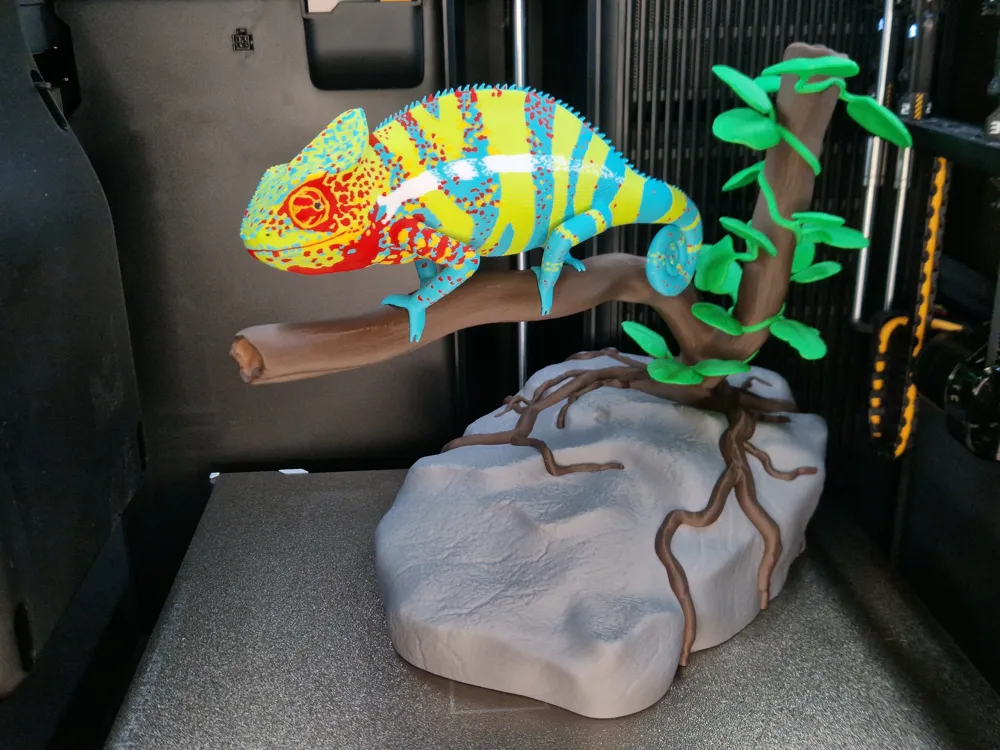
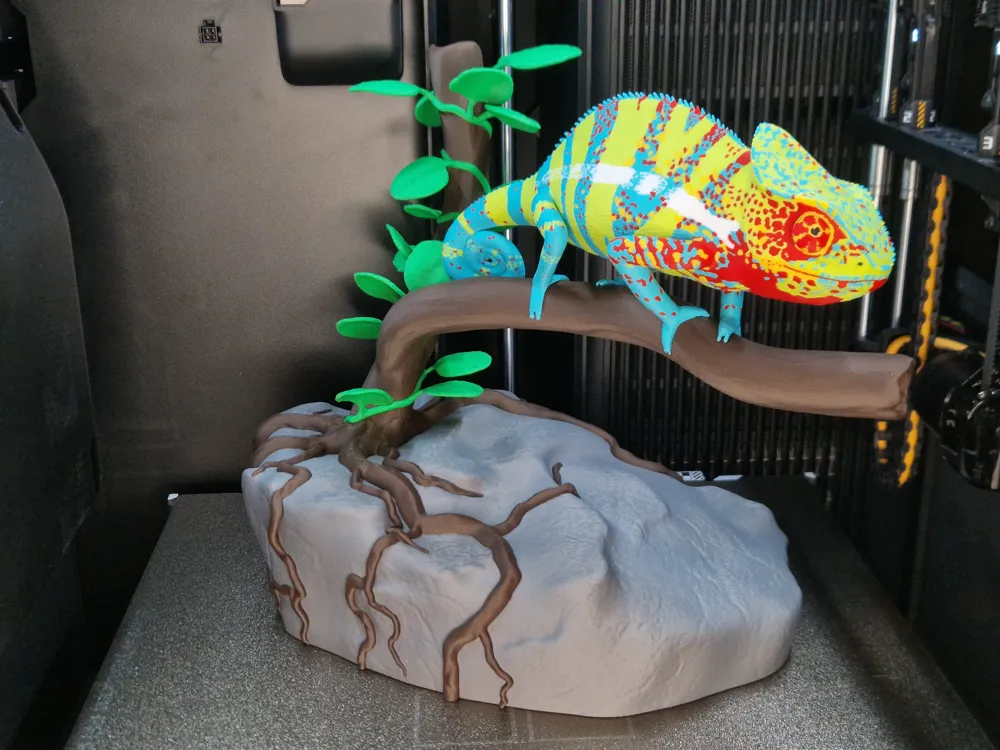
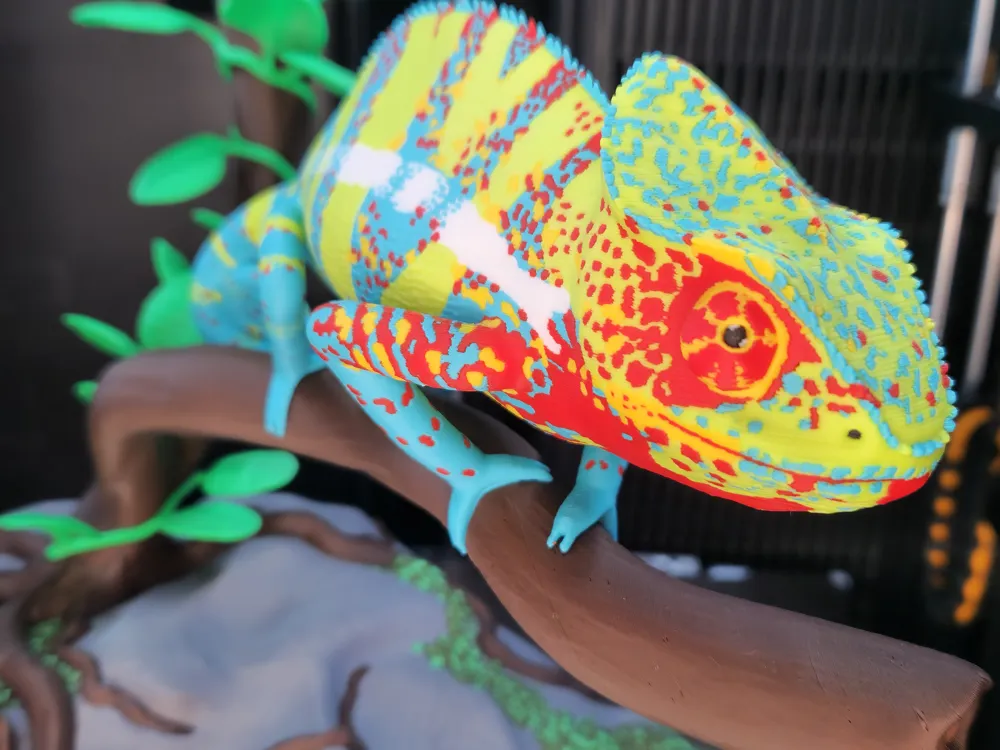
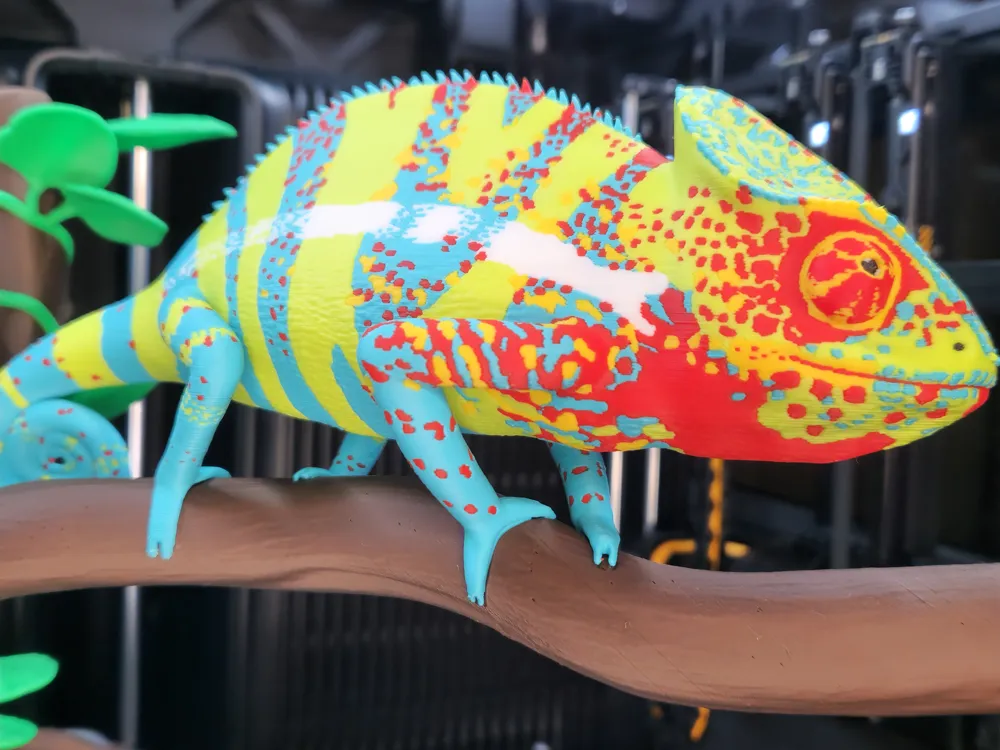
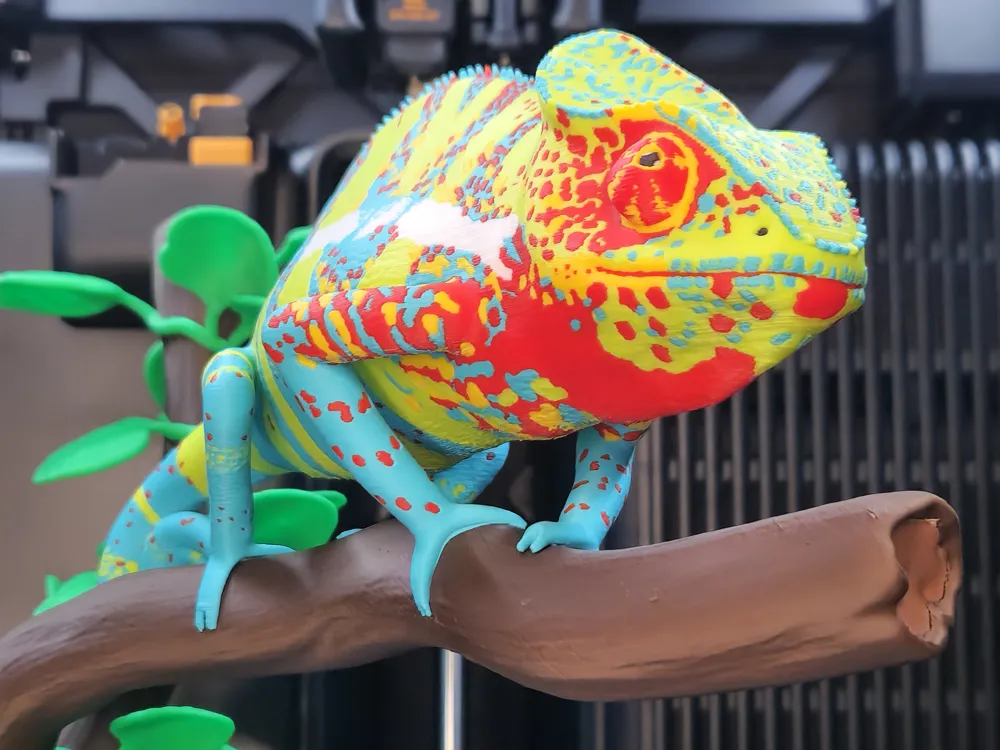
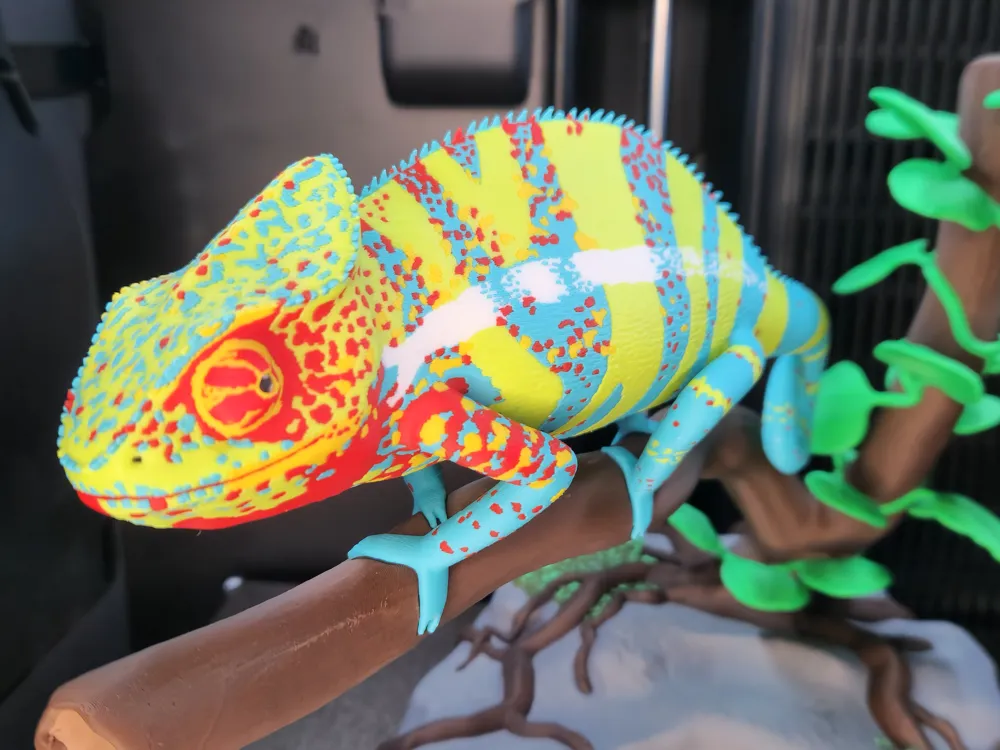
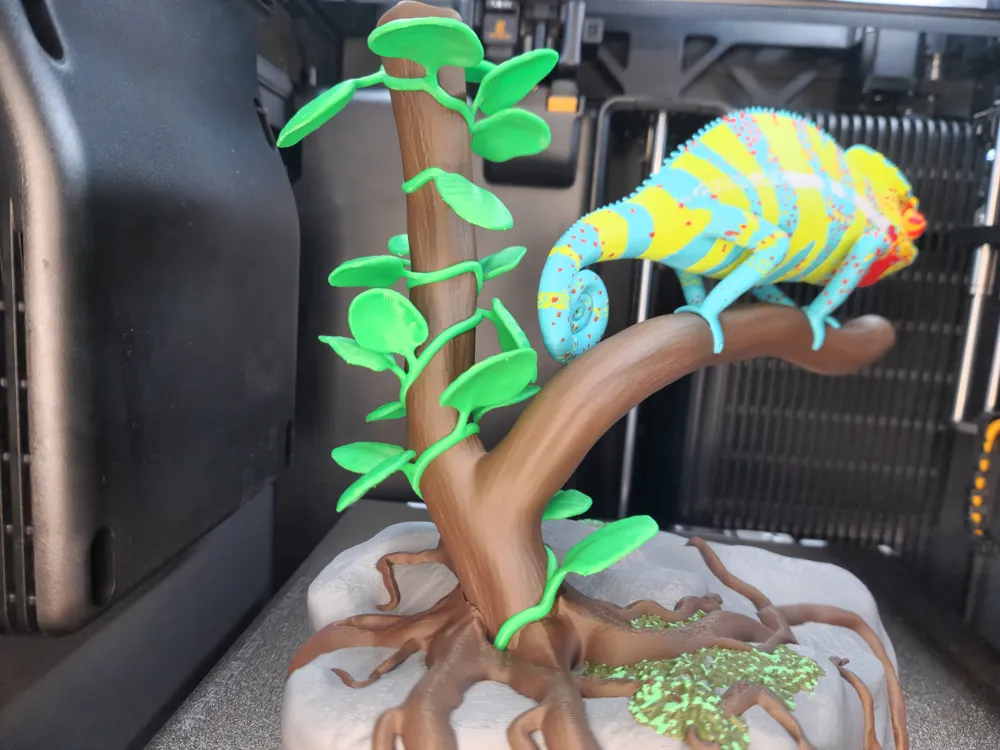
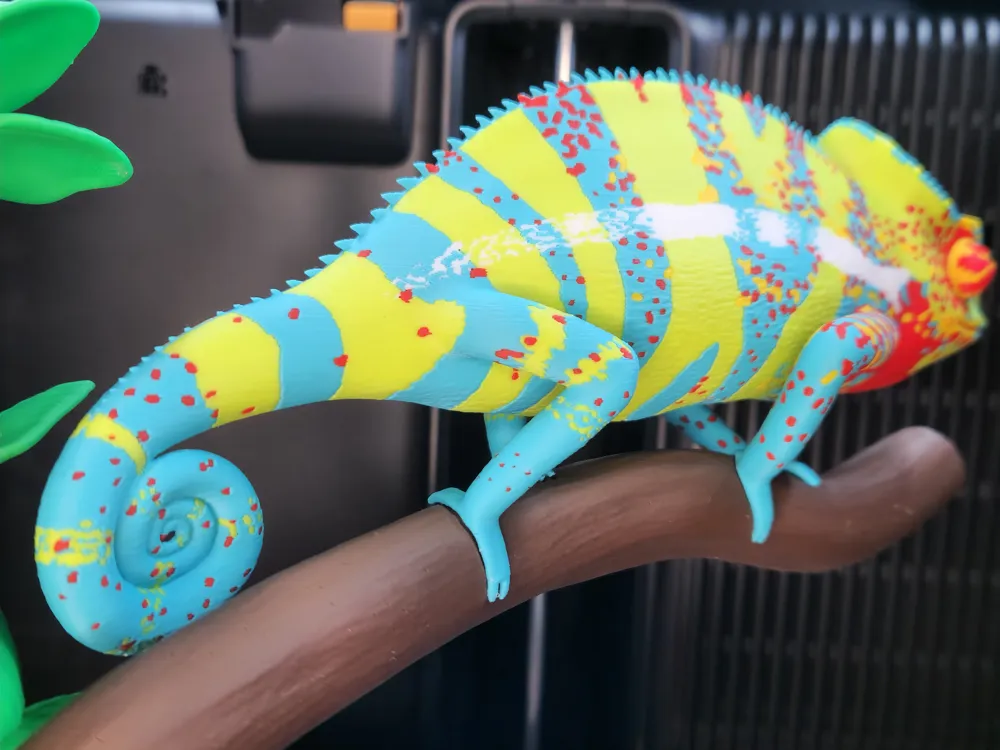
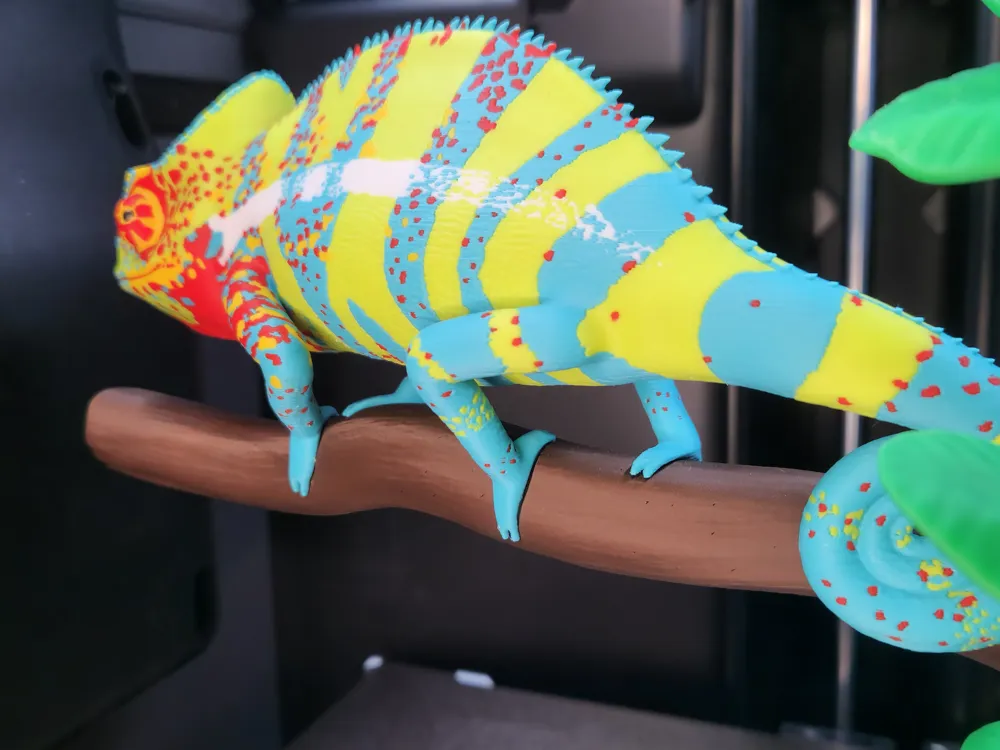
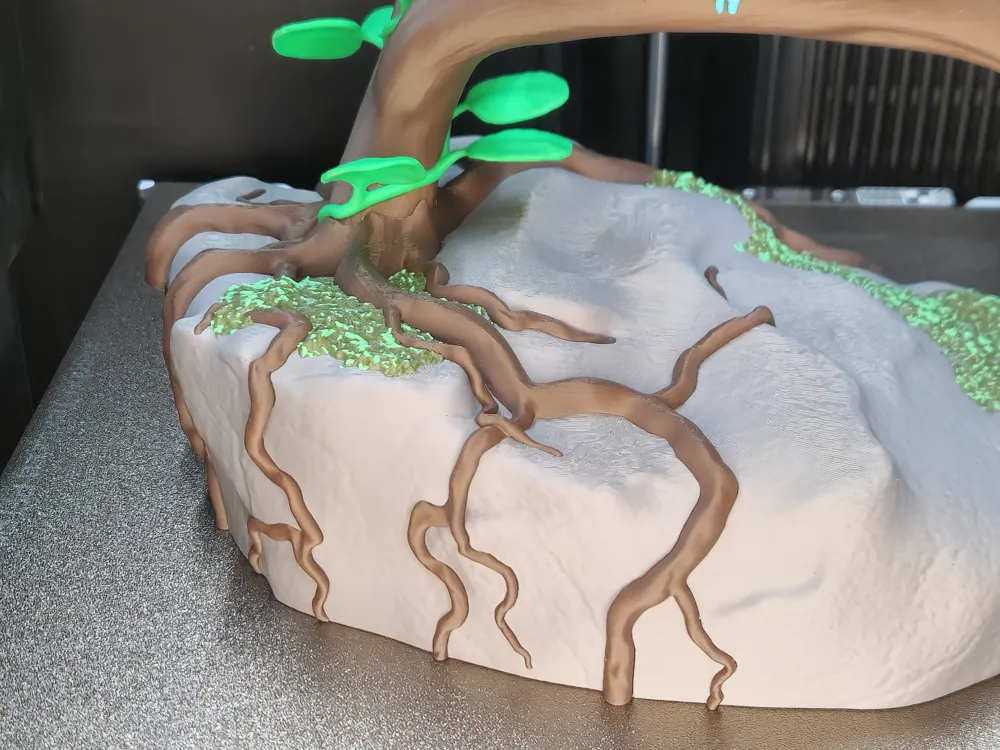
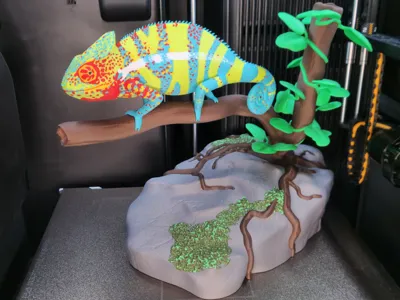
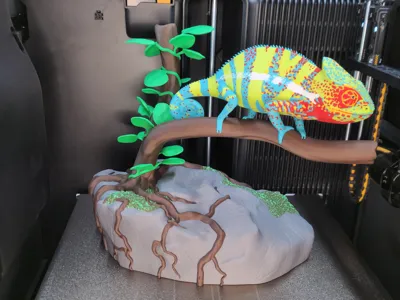
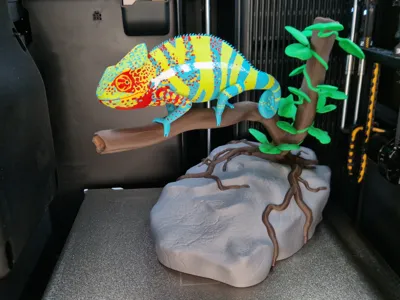
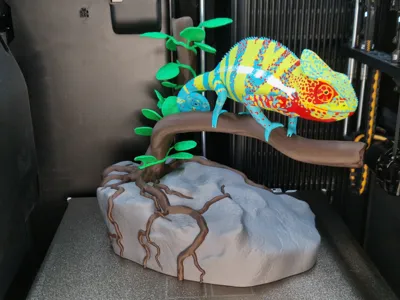
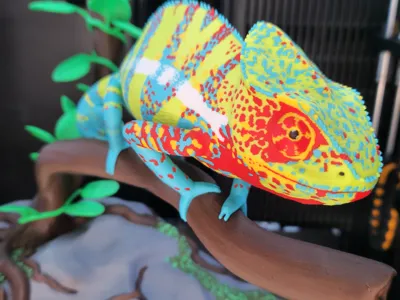
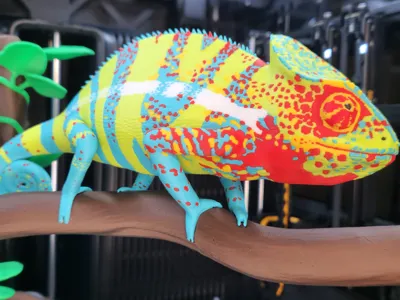
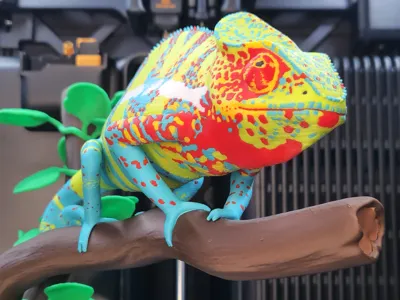
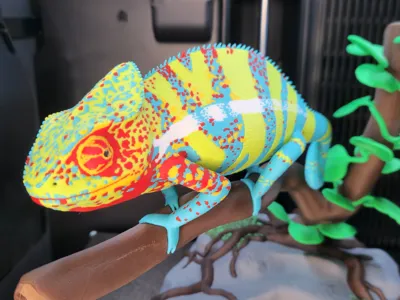
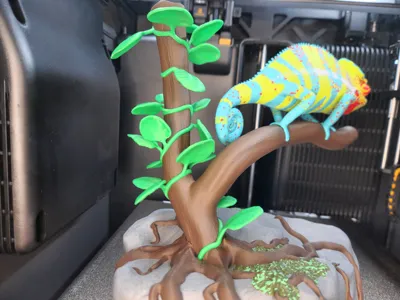
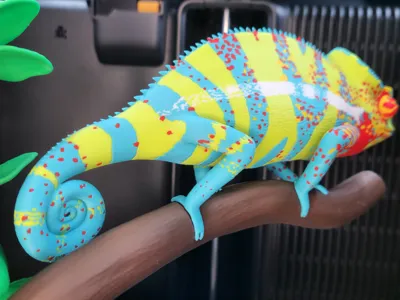
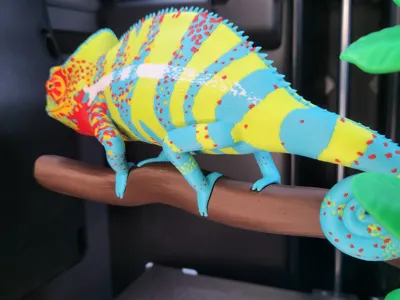
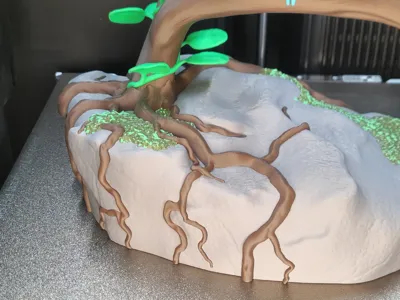
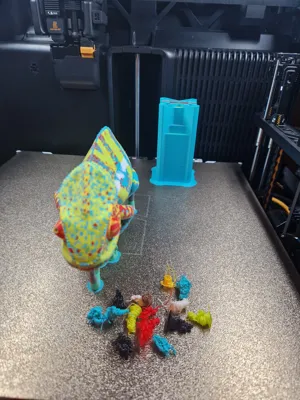
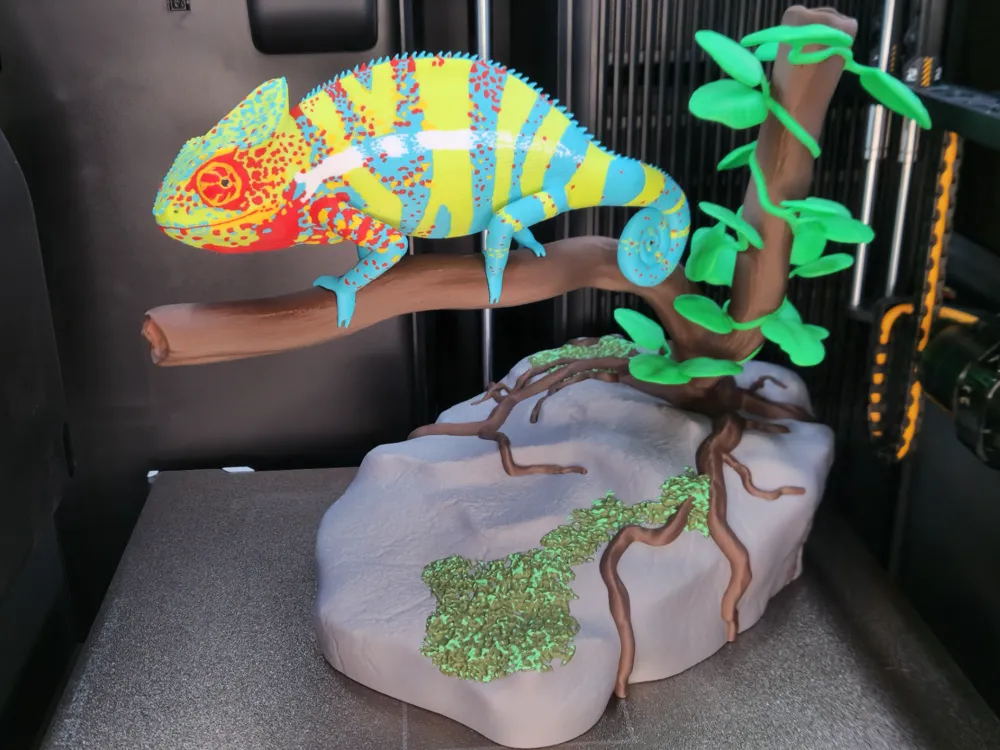
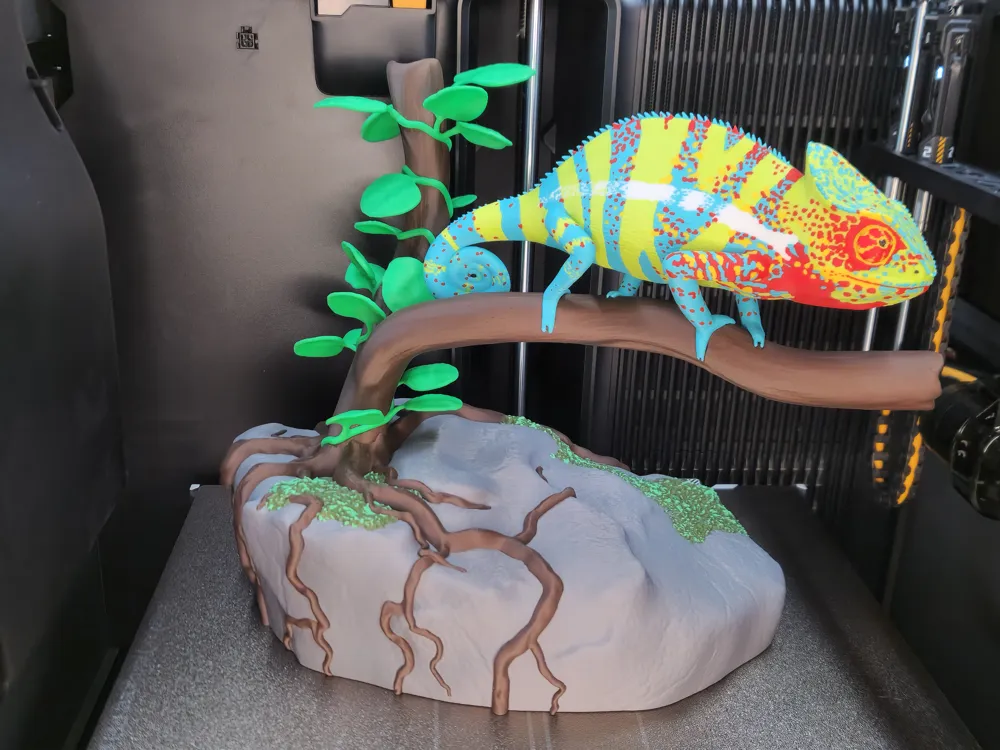
This model features a **colorful chameleon**, inspired by the shapes and color effects of a **Panther Chameleon (Furcifer pardalis)**. The chameleon sits on a branch that has **grown on a rock and embraces it with its roots**.
A plant with leaves winds around the branch, organically blending into a **harmonious overall shape**.


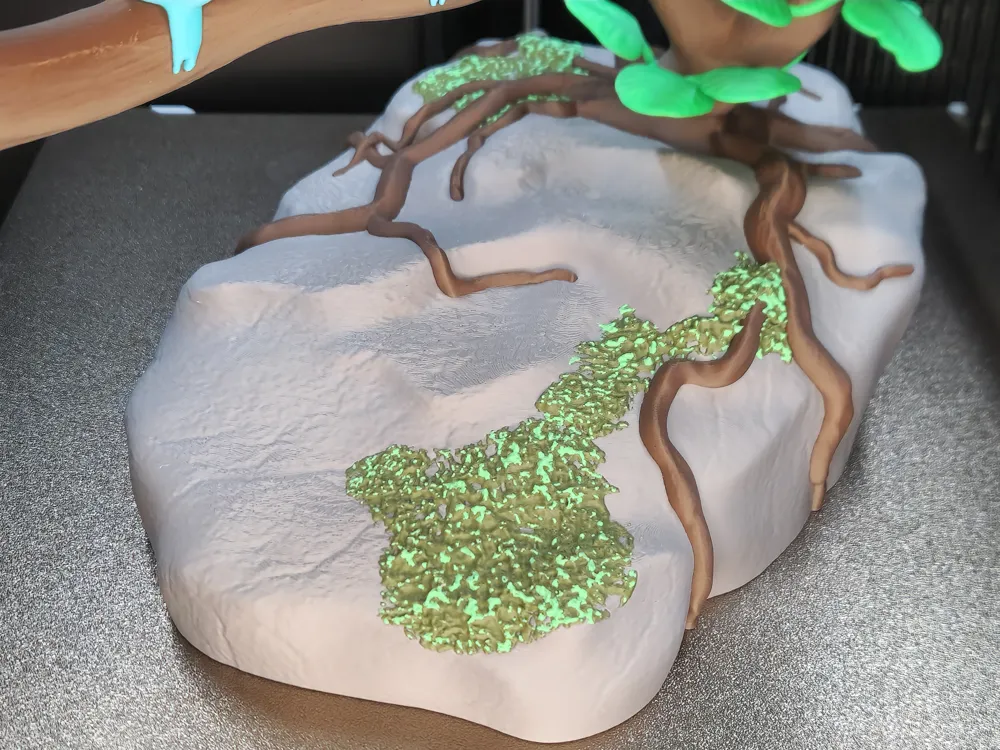
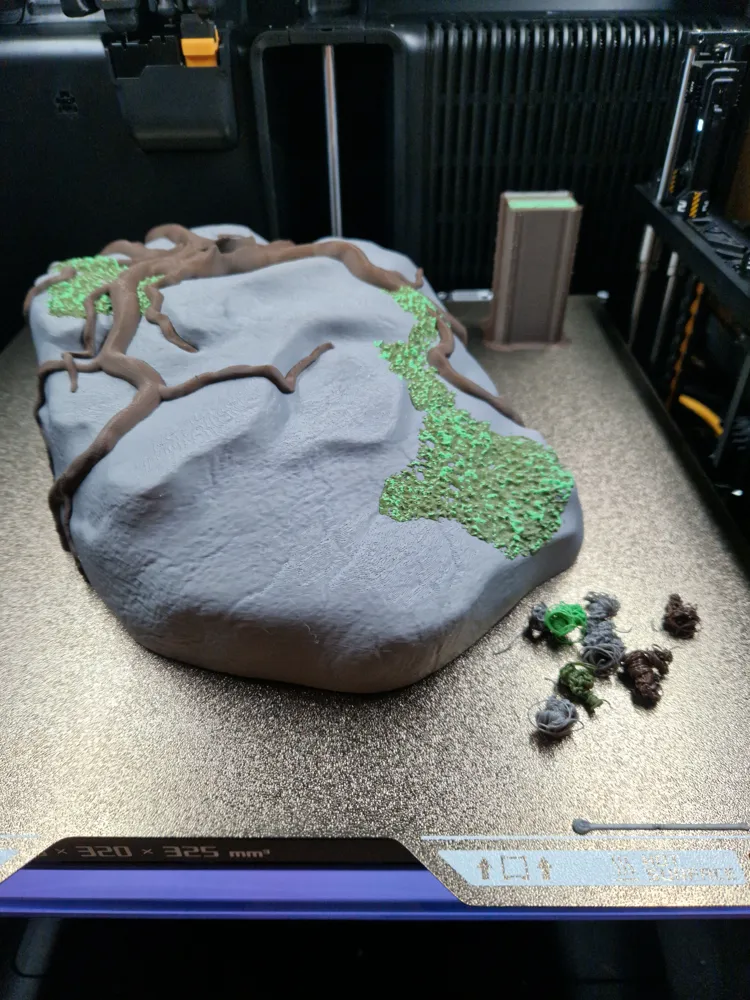
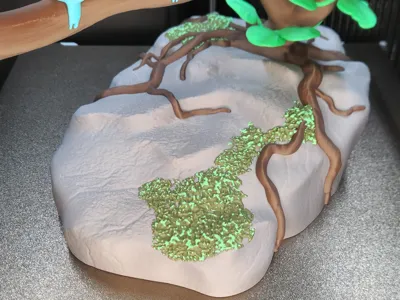
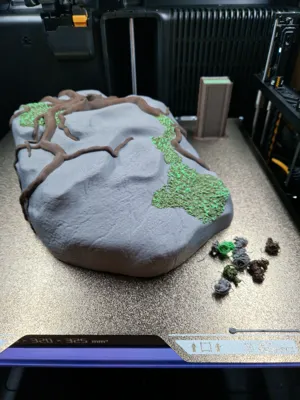
The rock is **covered with moss**, giving the scene a vibrant, natural effect.
Additionally, a **version without moss** is available – for users who prefer a simpler look or want to save print time and material.


The model is designed from the ground up for **multicolor printing**. Colors are an integral part of the design and not an afterthought. The goal was to create a scene that works without painting and can be presented as a complete object.


All components of the model were **entirely self-modeled**. Reference images were used solely for orientation regarding proportions, anatomy, and details. No third-party models, scans, or pre-made assets were used.


Idea & Creation

The idea for this model arose from the competition **“The Vortek Challenge: Zero Compromise”**.

After many open approaches and different ideas, I happened to have a conversation with my grandma. She showed me a picture of a chameleon – at that moment, it was immediately clear that this exact motif would be realized.


A chameleon is colorful, vibrant, and ideally suited to fully exploit the possibilities of multicolor printing. From this, the decision arose not just to model a single animal, but a **complete scene** that you don't just test print, but can also visibly display at the end – as an object where you can say: **I printed that with my 3D printer.**


During implementation, it was particularly important to me that the model **not only looks good**, but is also **consistently printable**.


Every shape, division, and orientation was developed and tested with the real printing process in mind.


Construction & Print Design

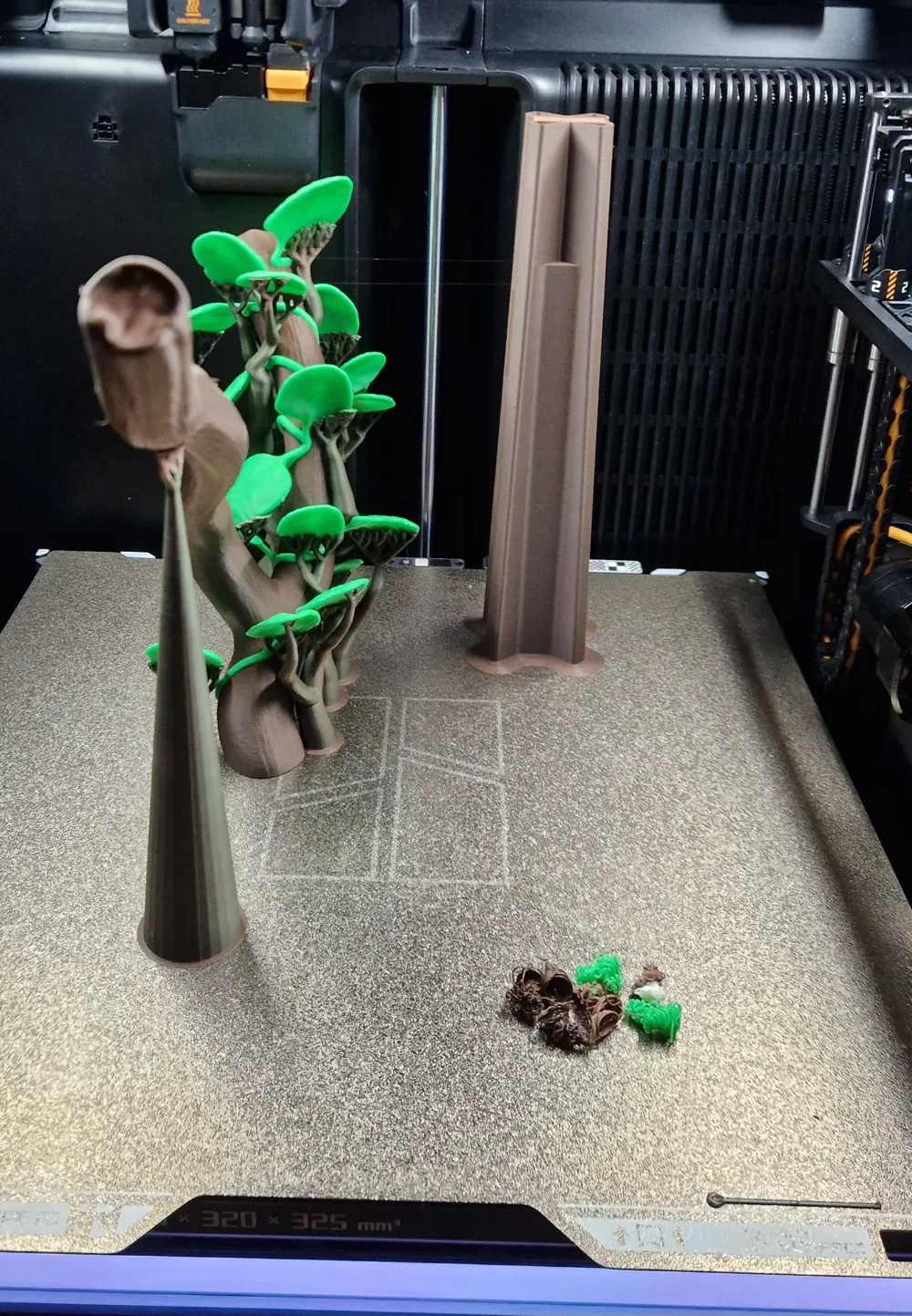
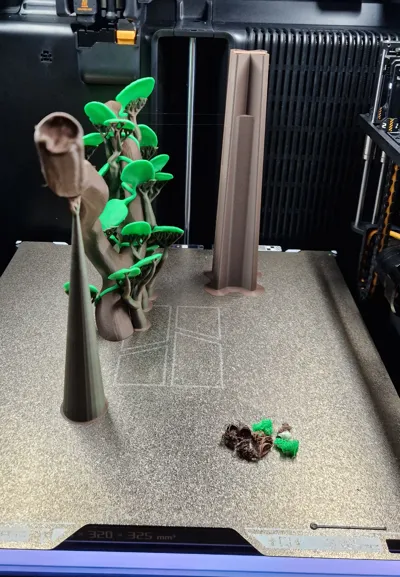
The branch with the leaves was deliberately **constructed and oriented at an angle** so that the leaves have favorable angles during printing.


This avoids messy top surfaces and large, flat transitions. The goal was a clean surface quality where textures and contours clearly emerge from the print.


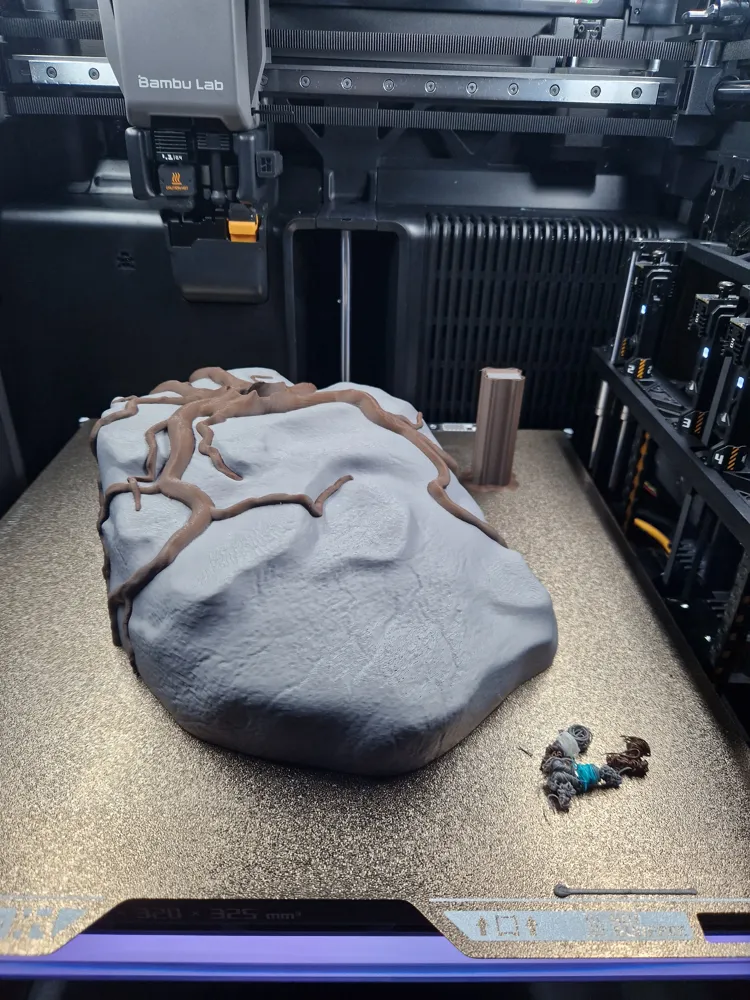
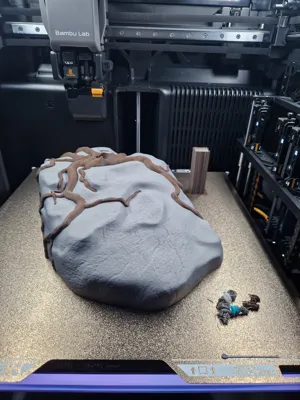
The rock with the surrounding root system is designed so that it can be printed **no supports**.


Supports & Handling

The chameleon and the branch with leaves are printed with support structures. These were deliberately **designed to be more stable** and not reduced to an absolute minimum. The reason is that the slicer does not always correctly consider how long the print head dwells on individual supports for complex, delicate geometries. Supports that are too weakly designed would break during printing.


The support structures are removable, but require a **careful and clean approach**. Removal has been successfully tested by myself and is easily manageable with a little experience.


The connection between the branch and the rock is designed as a **press fit**, so no gluing is necessary.


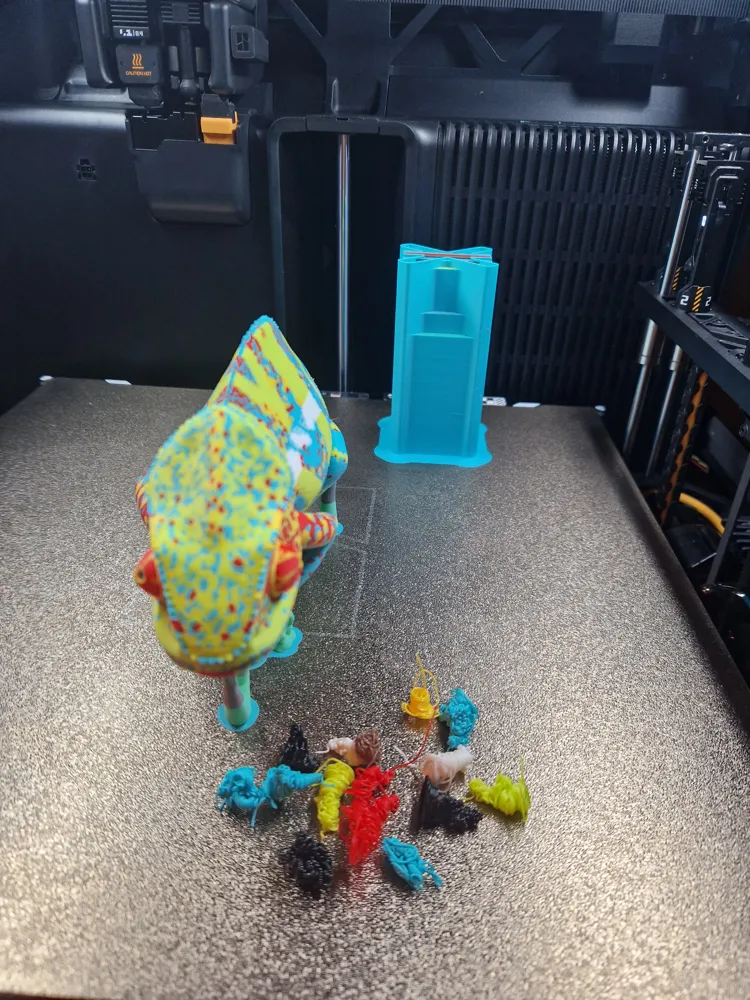
For this purpose, a **separate fit test piece is included directly on the print plate**. This test piece exactly replicates the later plug connection.


If the fit is too tight during the test print, **only the rock part** can be slightly scaled (e.g., +1–2%). Scaling directly affects the opening.
The determined percentage values can then be **applied identically to the final rock**. This allows the fit to be adjusted precisely without wasting unnecessary material on complete test prints.


Note on Infill (Rock):
The rock was printed with **3% infill** to reduce material consumption and print time.
Due to the slicer's internal color distribution within the object, it can occasionally happen that internal lines are not fully supported. In rare cases, this can lead to small, rough spots on the internal structure, which can be easily removed after printing.

If you want to avoid this, you can easily increase the infill value to **5% or higher** – at the expense of print time and material consumption.


Variants & Extensions

Currently, the full version with leaves is provided.
Further variants are planned and will be added after sufficient testing:

  • Branch without leaves (more robust, faster to print)
  • Chameleon's white stripe has been revised

These extensions will only be released once they have been fully tested.


Print Recommendation

  • Recommended layer height: **0.12 mm**

This layer height was deliberately chosen to cleanly represent fine color transitions, organic shapes, and especially the chameleon's surface, without disproportionately increasing print time.


Used Filaments

Chameleon

  • Bambu PLA Basic – Jade White
  • Bambu PLA Basic – Turquoise
  • Bambu PLA Basic – Light Green
  • Bambu PLA Basic – Red
  • Bambu PLA Basic – Sunflower Yellow
  • Bambu PLA Basic – Black

Branch / Tree

  • Bambu PLA Matte – Dark Chocolate Brown
  • Bambu PLA Matte – Dark Brown
  • Bambu PLA Basic – Bamboo Green

Rock & Root System

  • Bambu PLA Matte – Dark Chocolate Brown
  • Bambu PLA Matte – Nardo Grey

Rock with Moss

  • Bambu PLA Matte – Dark Chocolate Brown
  • Bambu PLA Matte – Nardo Grey
  • Bambu PLA Matte – Dark Green
  • Bambu PLA Matte – Grass Green


Boost Me (for free)

If you like the model, I'd appreciate a boost or a review.
This helps make more high-quality designs possible. Thank you!

Comment & Rating (30)

(0/1000)

Print Profile
Chameleon_BranchLeaf_Stone
Tricky to remove the supports and not break the leaves with such small stems. Nothing a bit of patience and glue couldn’t fix though.
The profile uploader has replied
profile
2
Reply
Thank you for the review. Yes, the supports are unfortunately a bit difficult. It might be possible to improve this with support material, although that didn't work reliably in my tests. I deliberately enlarged the connection points to the leaves because they used to break off very easily. Unfortunately, I cannot make them larger, as this would significantly impair the appearance. However, what actually surprises me is that the support broke at this point. I specifically adjusted all supports and reduced the printing speed to avoid exactly this. I hope that Bambu Lab will improve the slicer so that supports that are too thin can be automatically detected and generated more stably in the future. Nevertheless, have fun with the model and thank you for the feedback and pictures
(Edited)
Show original
2
Reply
use PVA from Bambu. once your project you soak in warm water and the support material dissolves. No cutting no gluing just a little bit of time and it completely dissolves. This stuff is freaking amazing
(Edited)
1
Reply
Boosted
I absolutely love this. Printed my chameleon in pastel shades. I didn’t want the leaves on the tree so I removed them. I also cut the height of the base in half and added a few weights mid print to make sure it would be heavy enough.
The designer has replied
designer
2
Reply
Looks absolutely amazing Thank you for rating I will definitely add the branch without leaves as a standard file for others The moss thing is also brilliant
Show original
0
Reply
looks amazing printed on H2C
The designer has replied
designer
2
Reply
I'm glad to hear that Thanks for the rating with picture 👍🏻
Show original
0
Reply
doesn’t fit
The designer has replied
0
Reply
finally got it to fit by bascially breaking all the leaves so I could shove it in
0
Reply
Hello, I am sorry to hear that it did not go in as it should have. For such cases, I actually designed the test part specifically. Here again, a bit more precisely, how it should go in: As can be seen in the pictures I have added, the branch can be laid very well against the shape at the beginning of insertion. It is sufficient to hold it at the part where there are no leaves. With a slight back and forth movement, or if you hold the front part in its shape with a finger, sufficient pressure is enough to slowly let it slide down inside. In the picture where the screws point to the green part, it should be noted that from this point on, it should go all the way down with slight movement and pressure. I hope I was able to help at least a little and will consider writing it in the description just in case. Although that was the reason for the test part.
Show original
0
Reply
looks very cool 👍🏻 just right to test the new H2C a review with pictures will follow
The designer has replied
Show original
designer
1
Reply
Thanks, I'm looking forward to it Regarding the stone, as in the description, you might want to check if the infill should be increased Also, the stone with moss is currently printing for me and should be finished by Sunday, in case that's of interest If anything comes up, please let me know, I'll try to help 😉
Show original
1
Reply
Preview 👀
Show original
1
Reply
Replying to @Print3DMichi. :
What could I use as an alternative to light green, any ideas Otherwise, I have all other filaments available, maybe glow green 🤔
(Edited)
Show original
0
Reply
Print Profile
Chameleon_AllParts_256x256mm_Plate
The profile uploader has replied
profile
1
Reply
Thank you for the review Looks amazing, also with the glitter gray from the stone Have fun with it😉
Show original
0
Reply
hello, super great model.... I use a1... would like to print larger.... only when I do the sharing of the chameleon the colors disappeared... Is there possibly a possibility to get the chameleon in 2 colored parts as a file? thank you in advance sincerely Torsten
The designer has replied
Show original
0
Reply
Hello, I could try to cut the original model in my program. The question is, is that enough? Can it then be scaled without the colors disappearing? And the question would be if I should put connectors in directly? Let me know how you want it and I will try to implement it as quickly as possible (but I want to see a photo in the review of the giant thing😉). Regards Michi
Show original
0
Reply
That would be super cool.... Scaling the size of the current one works without the colors disappearing.... Connectors would be cool.... I would be very very grateful to you for that..... Thank you in advance Torsten
Show original
0
Reply
Boosted
I have two H2Cs. I have er... some filament (lol). I want this.
The designer has replied
designer
1
Reply
Thank you for the boost
Show original
0
Reply
Congrats on the win!
The designer has replied
1
Reply
Vielen Dank
0
Reply
Boosted
Print Profile
Chameleon_BranchLeaf_StoneMoss
profile
1
Reply

License

This user content is licensed under a Standard Digital File License.

You shall not share, sub-license, sell, rent, host, transfer, or distribute in any way the digital or 3D printed versions of this object, nor any other derivative work of this object in its digital or physical format (including - but not limited to - remixes of this object, and hosting on other digital platforms). The objects may not be used without permission in any way whatsoever in which you charge money, or collect fees.