
California License Plate Keychain (2 Style)
Print Profile(0)
Description
Test🚗 Bring your California vibe!
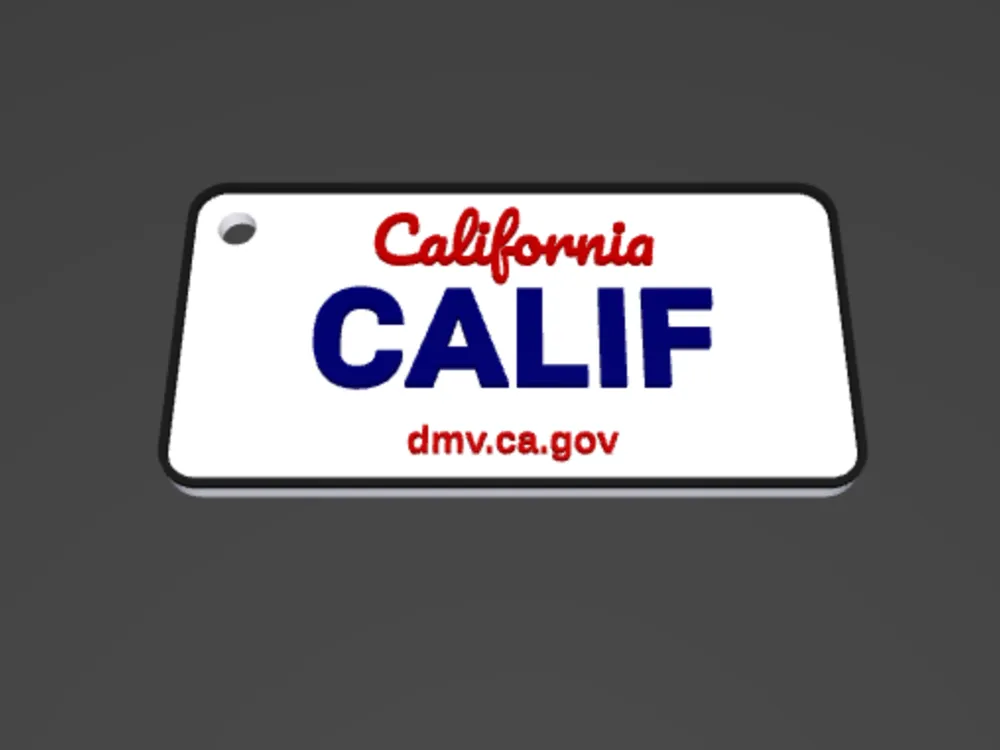
This is a highly detailed and fully customizable California license plate keychain. Whether you want to print your name, your car's model, or a special anniversary, this model can meet your needs.
We have specially optimized the ultra-thin bezel design, making it look more like a high-quality license plate holder than a bulky plastic block.
✨ Key Features:
- Fully Customizable: Use MakerWorld's "Customize" feature directly in your browser. Just enter text for an instant preview.
- Dual Styles:
- Modern White: Classic blue lettering, red tag, white background.
- Vintage Black: Textured black background with white lettering (1960s style).
- Detailed Restoration: Includes the classic "California" script and "dmv.ca.gov" text at the bottom.
- Proportion Optimization: Enlarged to an overall length of 60mm to ensure even tiny text is clearly printed.
- Optional Hanging Hole: Freely choose to have the hanging hole in the top-left, top-right, or completely remove it to use as a magnet.
🖨️ Printing Tips:
- Layer Height: Recommended 0.12mm for best text detail.
- Color Change Settings:
- Base plate thickness is 2.0mm.
- If you use Bambu Lab AMS, the system will automatically handle multi-color.
- If you are manually changing colors, please set a pause in the slicing software at 2.12mm, then switch to the color for the text/border.
- Ironing Mode: It is highly recommended to enable "Ironing all top surfaces". This will make the base plate and text surfaces as smooth as automotive paint.
- Infill: 100% is recommended to ensure the keychain is sturdy and durable.
🛠️ How to Customize:
- Click the 🟩 "Customize" button on this page.
- Enter your desired content (up to 7 characters) in the "License_Input" field.
- Select your preferred color scheme in "Plate_Style".
- Choose the hanging hole position in "Hole_Location".
- Click "Generate" and send it to your printer!
Like this design? Feel free to upload your prints (Boost) and give it a five-star rating! ⭐⭐⭐⭐⭐
License

You shall not share, sub-license, sell, rent, host, transfer, or distribute in any way the digital or 3D printed versions of this object, nor any other derivative work of this object in its digital or physical format (including - but not limited to - remixes of this object, and hosting on other digital platforms). The objects may not be used without permission in any way whatsoever in which you charge money, or collect fees.


Comment & Rating (0)