Search models, users, collections, and posts

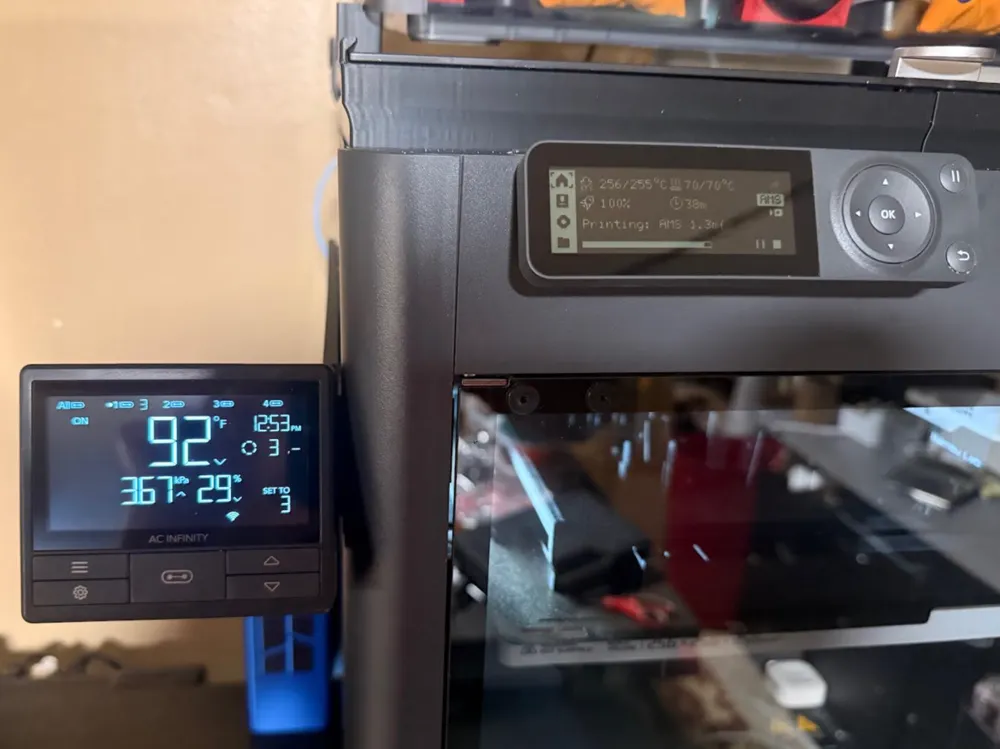
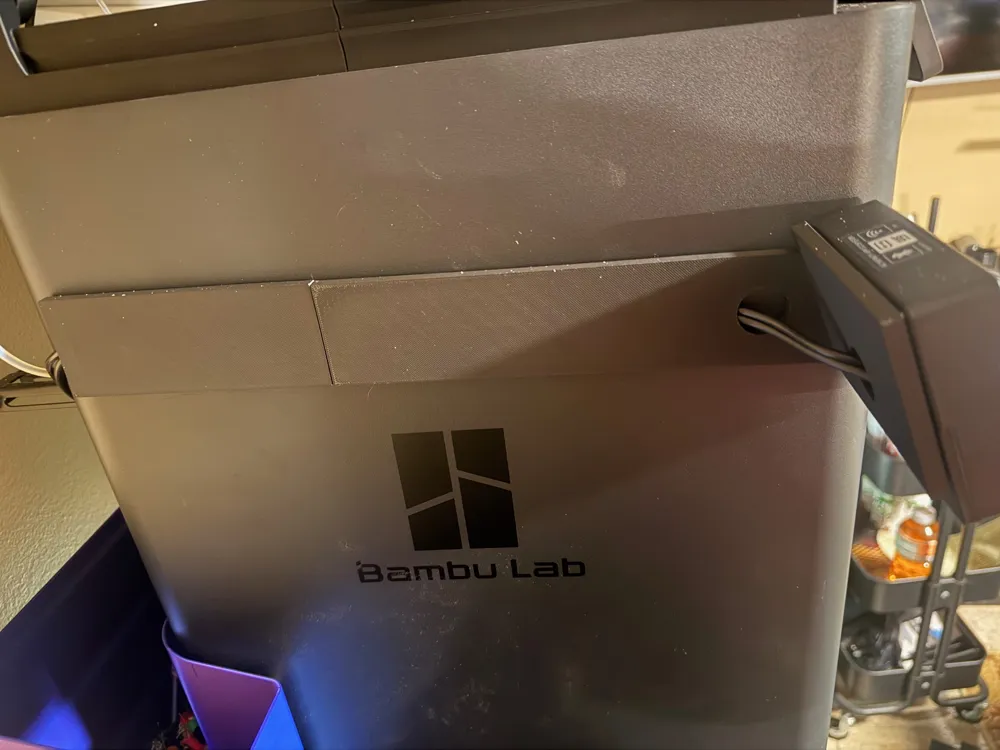
AC Infinity Fan Controller 69 Mount (BambuLab P1S)
IP Report
Print Profile(1)

0.2mm layer, 2 walls, 25% infill
Designer
2.3 h
1 plate
Open in Bambu Studio
Boost
4
12
0
0
2
1
Released
Description
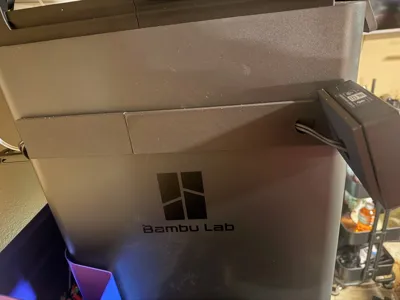
Upgrade your ventilation setup with this clean, flush-mount solution for the AC Infinity Controller 69. Size is based on a BambuLab P1S.
✨ Key Features
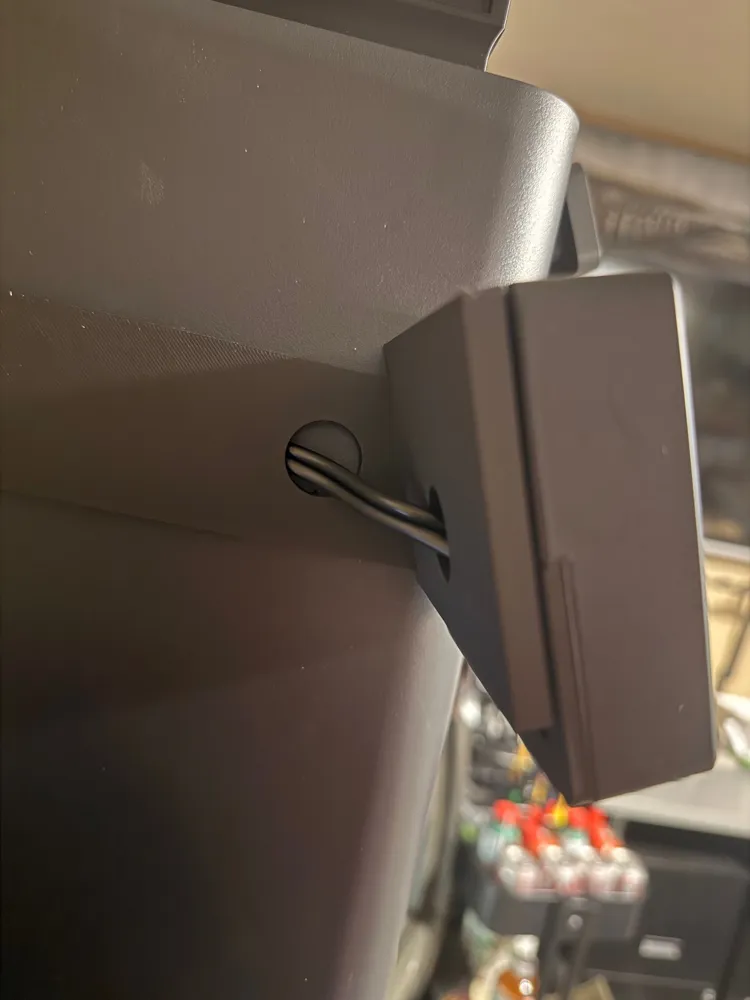
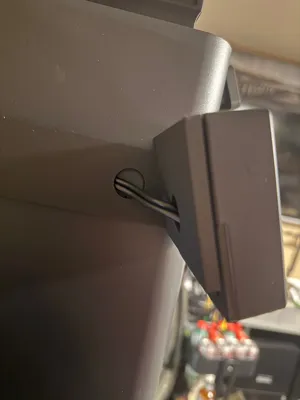
- Hidden Cable Routing: Features a dedicated cable pass-through hole behind the mount, allowing you to route wires invisibly for a clean setup.
- Ergonomic Viewing Angle: Angled specifically for easy visibility and access to the touchscreen controls.
- Secure Fit: Designed to hold the controller firmly in place.
🖨️ Compatibility
- Printers: Bambu Lab P1S, X1C, and P1P.
- Controllers: AC Infinity Controller 69 (Standard, Pro, and WiFi versions). I'm sure many other controllers will fit on it, the mounting face is approximately 3.75"w x 2.55"h.
⚙️ Print Settings
- Material: PLA, PETG, or ASA (PETG/ASA recommended if your chamber gets very hot, but PLA works fine for external mounting).
- Layer Height: 0.2mm standard.
- Walls/Perimeters: 3 walls for rigidity.
- Infill: 15% Gyroid or Grid.
- Supports: [Tree supports recommended for the cable opening / No supports required].
🛠️ Installation Guide
- Route your fan/probe cables through the circular cutout in the mount.
- Plug the cables into the back of the AC Infinity Controller.
- Use 2-way tape to secure the controller to the mount face. (I found magnets wouldn't be strong enough to hold securely)
Pull the cables through the channel and hold them taught while securing the main body to the 3d Printer chamber exterior with more 2-way tape.
This is my first published model, and I forgot to take pictures of it before I installed it, since I was originally planning on only using it personally, but it did work really well, and I couldn't find anything that already existed, so maybe this will help someone.
License

This user content is licensed under a
Creative Commons Attribution-Noncommercial


Comment & Rating (0)