Search models, users, collections, and posts

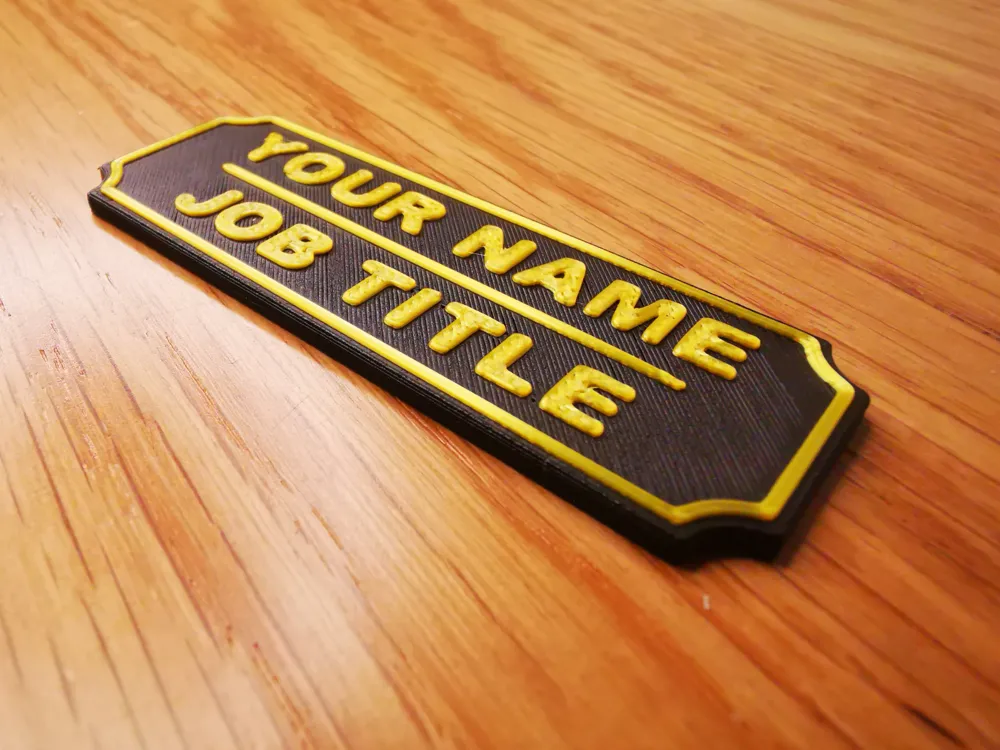
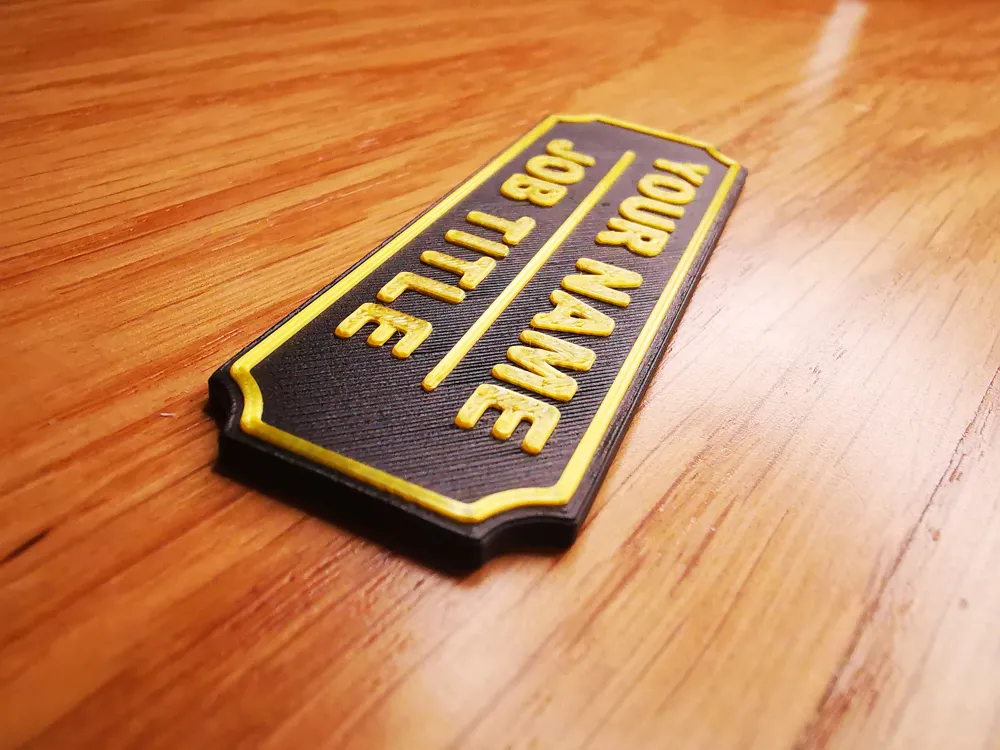
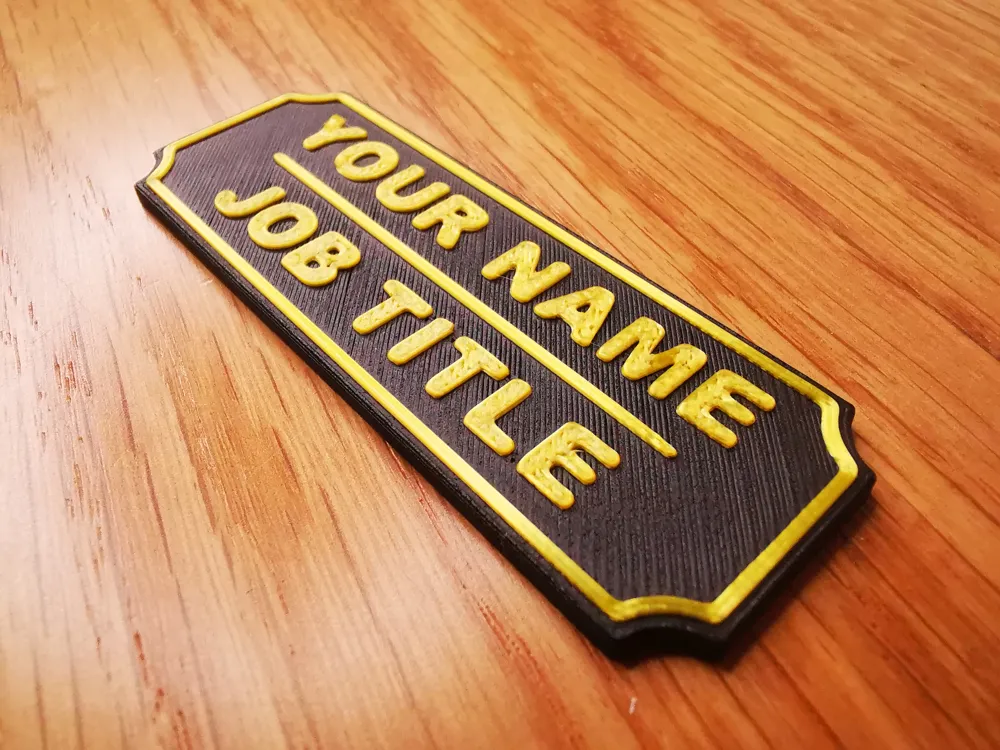
Customizable Name Plate - also magnetic

IP Report

Print Profile(2)

All
A1
X1
P1S
X1E
A1 mini
X1 Carbon
H2D
P1P
H2S
H2C
H2D Pro
P2S
X2D
A2L

normal identification tag (non-magnetic)
Designer
20 min
1 plate
5.0(24)

magnetic name tag
magnetic name tag
Designer
20 min
1 plate
4.8(4)

Open in Bambu Studio
Boost
116
376
59
11
1.1 k
531
Released 

Description

Content has been automatically translated.
Show original

READ THE DESCRIPTION 👇

Boost Me (for free)

❤️ If you loved it, Boost it! 🚀

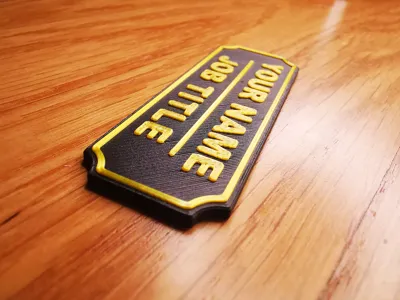
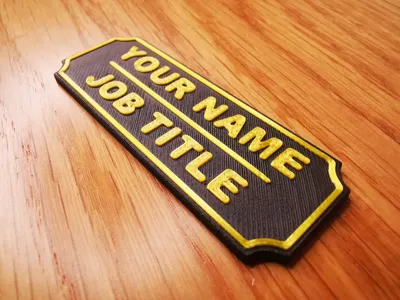
CUSTOMIZABLE Name Tag also MAGNETIC

  • Ideal for office / school use
  • To glue or attach to objects with double-sided tape
  • zero filament waste / color change set in Bambu Studio at layer 11
  • rounded non-sharp edges for greater ergonomics and elegance

Name tag in 2 versions:

  • STANDARD - Profile 1
  • MAGNETIC - Profile 2 (with pause at layer 8)

COMPLETELY CUSTOMIZABLE: in addition to colors, you can customize both the text directly in Bambu Studio and the voids created for the magnets (if you have magnets of different widths - max magnet height must remain 1mm)


IMPORTANT:

  • DO NOT CHANGE THE LAYER HEIGHT
    THE MODEL WAS SPECIFICALLY DESIGNED FOR A LAYER HEIGHT OF 0.20mm
  • MODIFY ONLY THE TEXT
     

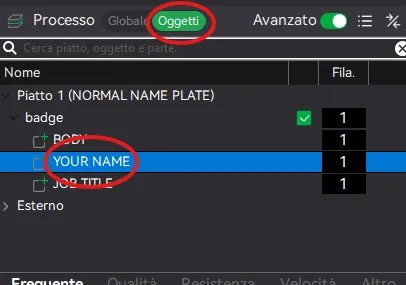
To customize the name IN BAMBU STUDIO:

  1. click on Objects and then on YOUR_NAME with the right mouse button - then edit text


  2. once the text editor is open, change YOUR NAME to your name
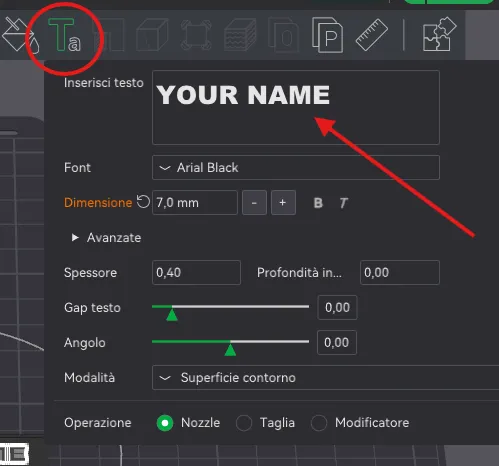
     

  3. Repeat steps 1 and 2 to also modify the second text (JOB_TITLE) as you prefer


APPLICATIONS AND USE

This name tag was designed to be attached behind a workstation. Being suitable for other purposes, I also created a magnetic version.

The magnetic version uses 2 cylindrical magnets with a diameter of 8mm and a height of 1.00mm

For example, it could be used as an identification tag on a work uniform thanks to the internally placed magnets which make it easily attachable with a metal plate inside the clothing.

I leave any other applications to your imagination!
 

SEE MY OFFICE PROJECTS COLLECTION

▄▄▄▄▄▄▄▄▄▄▄▄▄▄▄▄▄▄▄▄▄▄▄▄▄▄▄▄▄▄▄▄▄▄▄▄▄▄▄▄▄▄▄▄▄▄▄

Useful tips for optimal printing:
ALWAYS DRY the filament and keep the bed CLEAN
check the EXTRUDER TIGHTENING

I STRIVE to create useful or fun objects If it was worth it for you, reward my time:

Boost Me (for free)

❤️Fuel my passion ✨

See my other works on my PROFILE: https://makerworld.com/en/@kaledo


▄▄▄▄▄▄▄▄▄▄▄▄▄▄▄▄▄▄▄▄▄▄▄▄▄▄▄▄▄▄▄▄▄▄▄▄▄▄▄▄▄▄▄▄▄▄▄

Comment & Rating (59)

(0/1000)

Print Profile
normal identification tag (non-magnetic)
This print is amazing!! Totally customizable. Check out how I Customized it. https://www.instagram.com/reel/DZGzDy6RNoz/?igsh=MW56bzIwczRwMThkcg==
The profile uploader has replied
profile
1
Reply
Thank you very much for the rating and positive feedback 😍🚀
Show original
0
Reply
I am at a serious loss. I didn't edit the text at all, just change colors and for whatever reason I get black right in the middle of the print at layer 7
The designer has replied
0
Reply
I don't understand what you did... just download it again and try again
0
Reply
Replying to @kaledo :
Thats just it, I didn't do anything other than paint the letters. Just tried both files again and it's doing the same thing lol. Ive been printing on my A1 for seveal months and this is the first time this has happened. When I use the default colors that the file has it's fine however any other color I change the plate and or letters to it looks like the picture I posted in the original post. No change of colors from file 1 color change, change colors to what I want and it shoots to 8 color changes lol. Really really weird.
0
Reply
Print Profile
normal identification tag (non-magnetic)
Love these. I put magnets on one set I uae for chore names, and a Keychain on the other set so my kids and take them for the week!
The profile uploader has replied
profile
1
Reply
Thank you for the rating and feedback 🤩🚀
Show original
0
Reply
Print Profile
normal identification tag (non-magnetic)
Used a paint pen for the raised parts, which turned out great!
The profile uploader has replied
0
Reply
Very nice print! I'm a pubg player, so I appreciate a lot 😍 🚀
0
Reply
Print Profile
normal identification tag (non-magnetic)
Easy to print, Easy to customize
The profile uploader has replied
profile
1
Reply
thank you for the rating and feedback 🤩🚀
Show original
0
Reply
Print Profile
normal identification tag (non-magnetic)
perfect, thank you for sharing
The profile uploader has replied
Show original
0
Reply
Thank you for your rating and feedback 🤩🚀
Show original
0
Reply
nice model but I can no longer have the colored border even with the letters
The designer has replied
Show original
0
Reply
Perhaps because you changed the color. Re-download the model in 3mf format and open it again. Otherwise, you could set the color at the slicing level by acting on the layer height sidebar with the right mouse button, setting the filament change
Show original
0
Reply
Print Profile
normal identification tag (non-magnetic)
The profile uploader has replied
profile
1
Reply
🤩 🚀 Thank you
Show original
0
Reply
Print Profile
normal identification tag (non-magnetic)
The profile uploader has replied
0
Reply
thank you for the rating 🫶🚀
Show original
0
Reply
Print Profile
normal identification tag (non-magnetic)
The profile uploader has replied
0
Reply
thank you for the rating 🫶🚀
Show original
0
Reply