
Magnet Installation Alignment Tool - Pine Makers
Print Profile(1)

Description
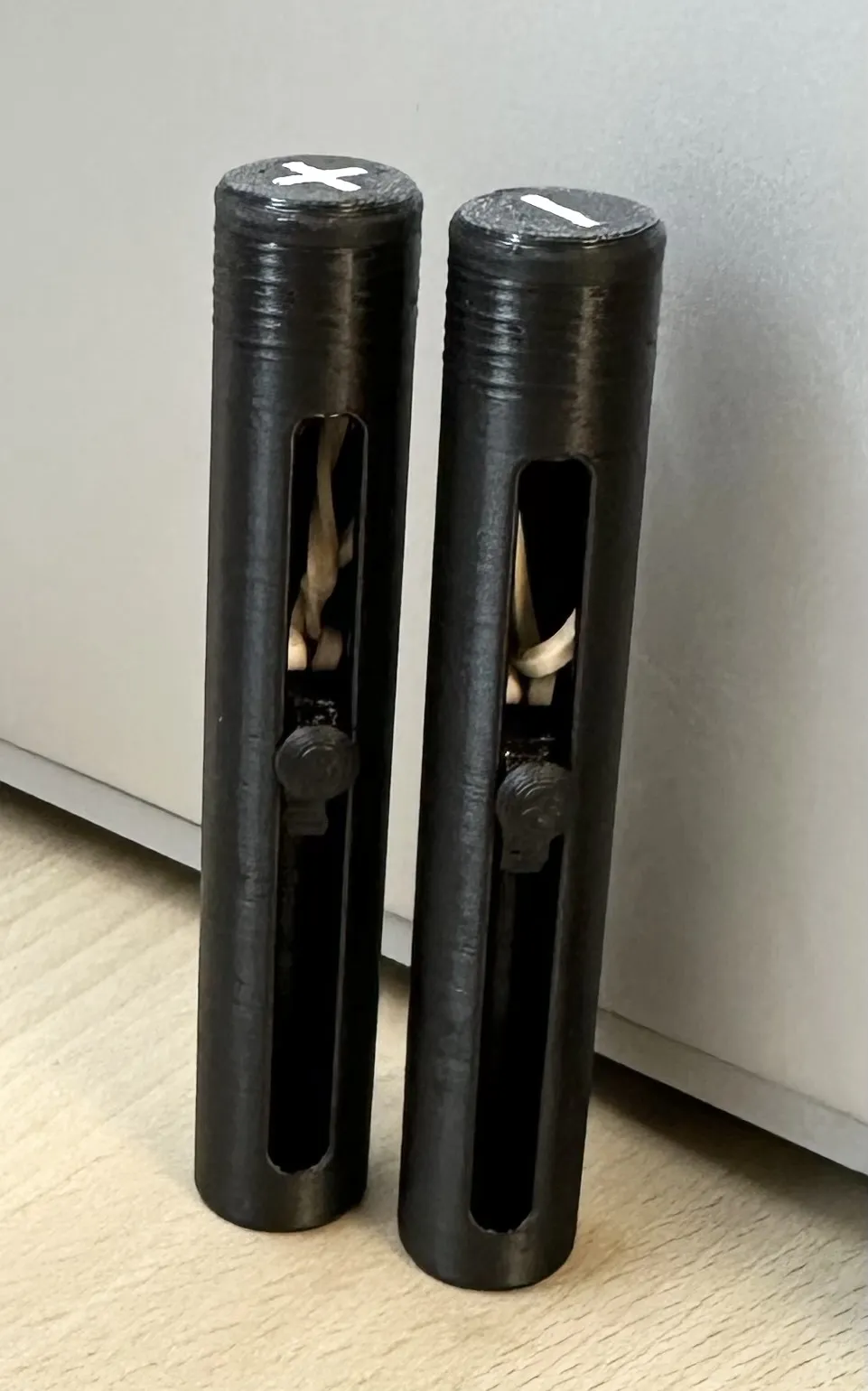
The Magnet Guide Stick is a practical tool for safely and accurately installing magnets without mixing up polarities. It works by using an internal magnet on a slider mechanism, controlled with your thumb. Pressing the thumb knob moves the internal magnet close to the tip, allowing your target magnet to attach. Once the magnet is in place, simply release your thumb and the rubber band retracts the slider, removing the internal magnet’s pull.
This tool makes working with small magnets much easier, more precise, and safer.
✅ Helps prevent polarity mistakes
✅ Compact and ergonomic thumb-control design
✅ Easy 4-part assembly with common materials
Like this design? Check out more creations and support my work over on Instagram:
https://www.instagram.com/pine_makers?igsh=MTNvaTR5N3IzeTZoNQ==
This 3D model is protected under a proprietary license. By downloading or purchasing this file, you agree to the following terms:
You are granted a non-exclusive, personal, and non-transferable license to use this file for personal 3D printing only.
You may not copy, modify, distribute, sell, or share this model or any derivative works in any form.
Unauthorized redistribution or commercial use is strictly prohibited and may result in legal action.
For commercial use, licensing, or collaboration inquiries, please contact me directly.
Thank you for respecting my work and supporting independent creators!
Print Settings
- Printer type: FDM
- Material used: PLA (recommended: PETG or ABS for better durability)
- Layer height: 0.2 mm
- Infill: 25%
- Supports: None required
- Approx. print time: ~40 minutes
- Post process: Superglue required during assembly
Assembly & Finishing Instructions
- Print all 4 parts:
- Part 1: Rod guide
- Part 2: Plug (top closure)
- Part 3: Thumb knob
- Part 4: Internal magnet slider
- Insert a 5×2 mm magnet into Part 4 and secure with superglue. Allow to dry completely.
- Attach a small rubber band (cut down and tie if needed) to Part 4.
- Insert the slider (Part 4) into the Rod (Part 1).
- Glue the Thumb knob (Part 3) in place inside the slider opening.
- Pull the rubber band to the Plug (Part 2), secure it, then twist the plug into the rod to close.
- Test the push-and-release action to ensure smooth movement. For best performance, I recommend adding a small amount of grease or lubricant inside the rod for smoother sliding.
Safety Notes
- Magnets can be hazardous if swallowed; keep away from children and pets.
- Be careful when handling small magnets — they can pinch skin or snap together quickly.
- Use protective eyewear if working with stronger magnets.
- Always double-check polarity before gluing magnets into permanent fixtures.
License

You shall not share, sub-license, sell, rent, host, transfer, or distribute in any way the digital or 3D printed versions of this object, nor any other derivative work of this object in its digital or physical format (including - but not limited to - remixes of this object, and hosting on other digital platforms). The objects may not be used without permission in any way whatsoever in which you charge money, or collect fees.


Comment & Rating (0)