Search models, users, collections, and posts

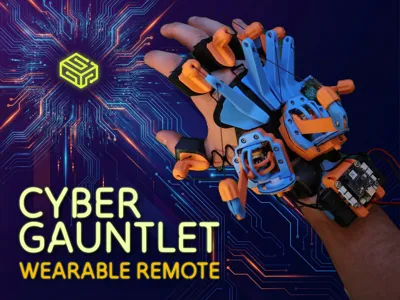
CyberGauntlet: Wearable Controller for CyberBrick
GIF

Print Profile(2)

All
P2S
X1
X1E
H2S
H2C
P1P
X1 Carbon
H2D
H2D Pro
P1S
A1
X2D
A2L

Medium size ● 0.2mm layer, 2 walls, 15% infill
Designer
12.3 h
4 plates
5.0(7)

Other sizes ● 0.2mm layer, 2 walls, 15% infill
Designer
9.8 h
2 plates
5.0(2)

Open in Bambu Studio
Boost
2051
4048
194
112
306
91
Released 

Bill of Materials

Maker's Supply Kits and Parts
Select all
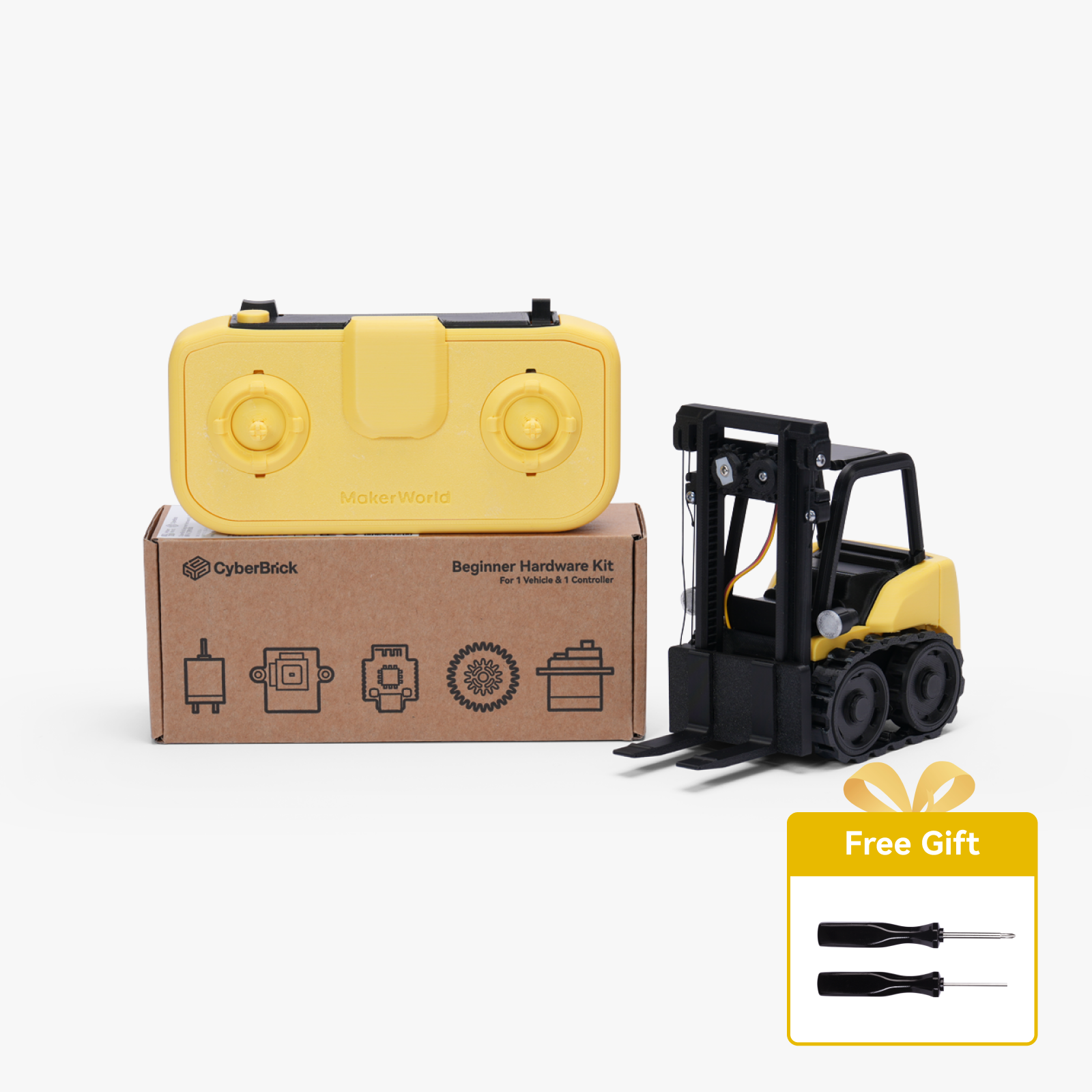
Beginner Hardware Kit - ZK004 (1 Vehicle, 1 Remote)
Bambu Filaments
Select all
Matte Mandarin Orange (11300) / Refill / 1kg
Cyan (10603) / Refill / 1kg

Description

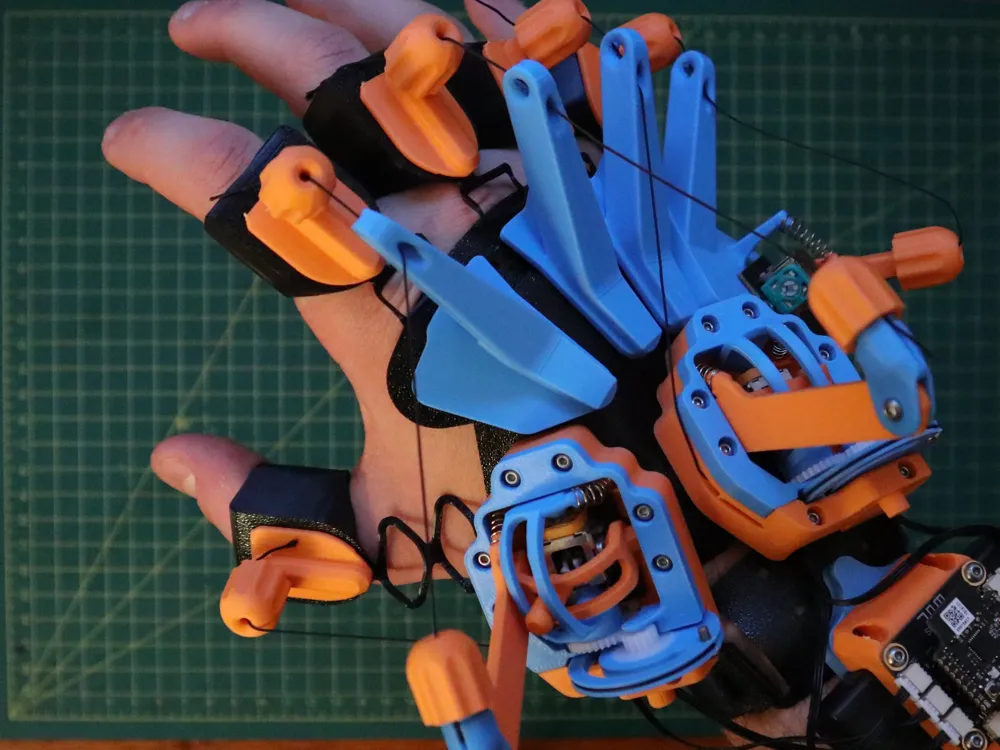
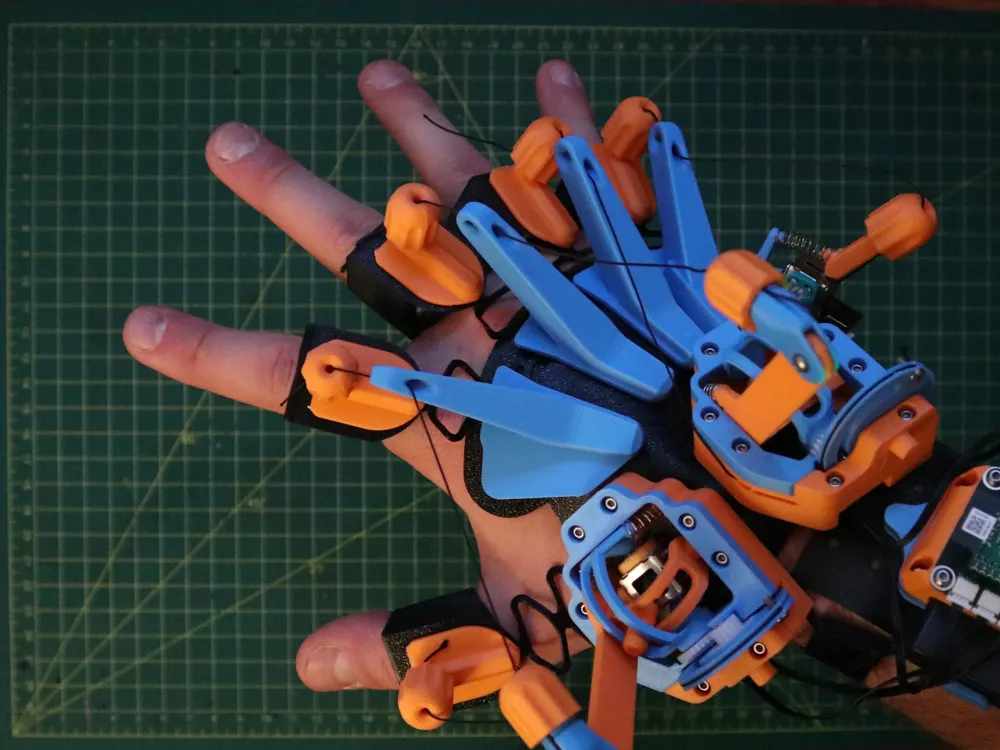
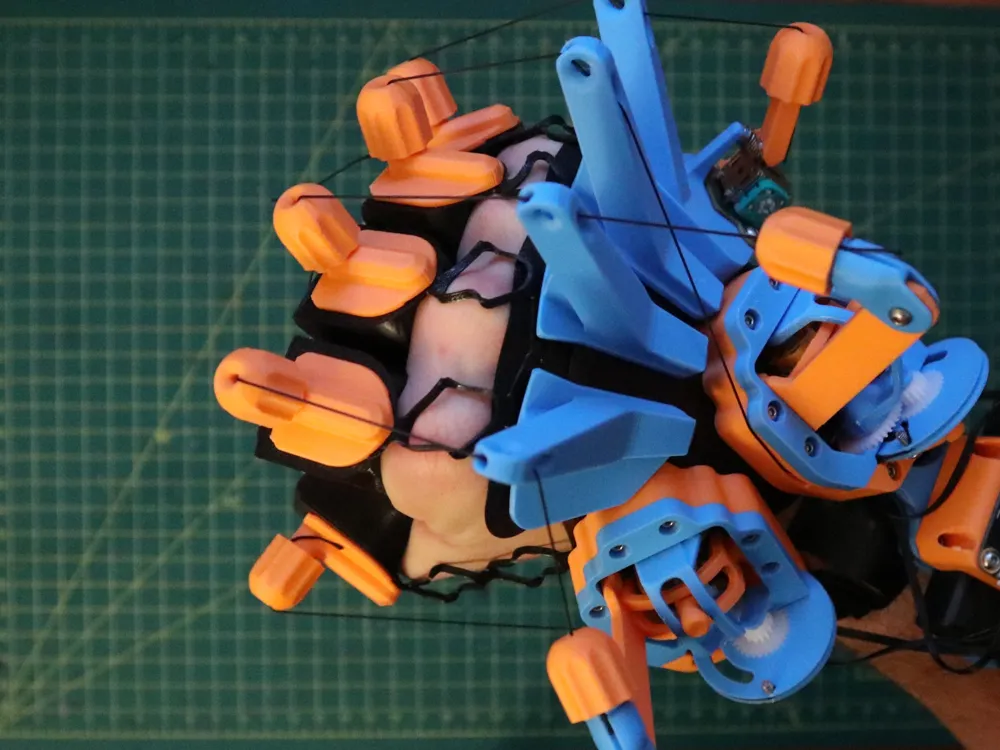
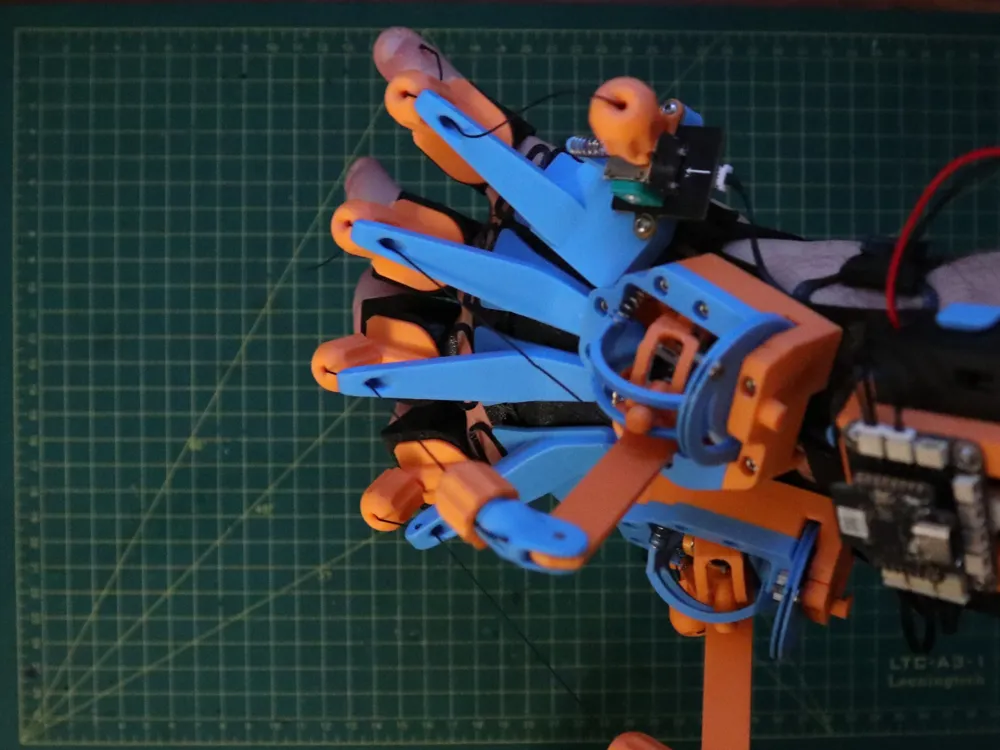
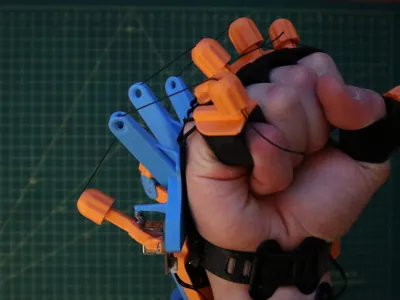
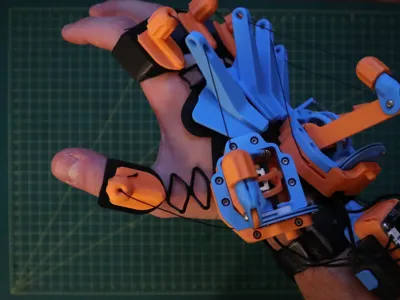
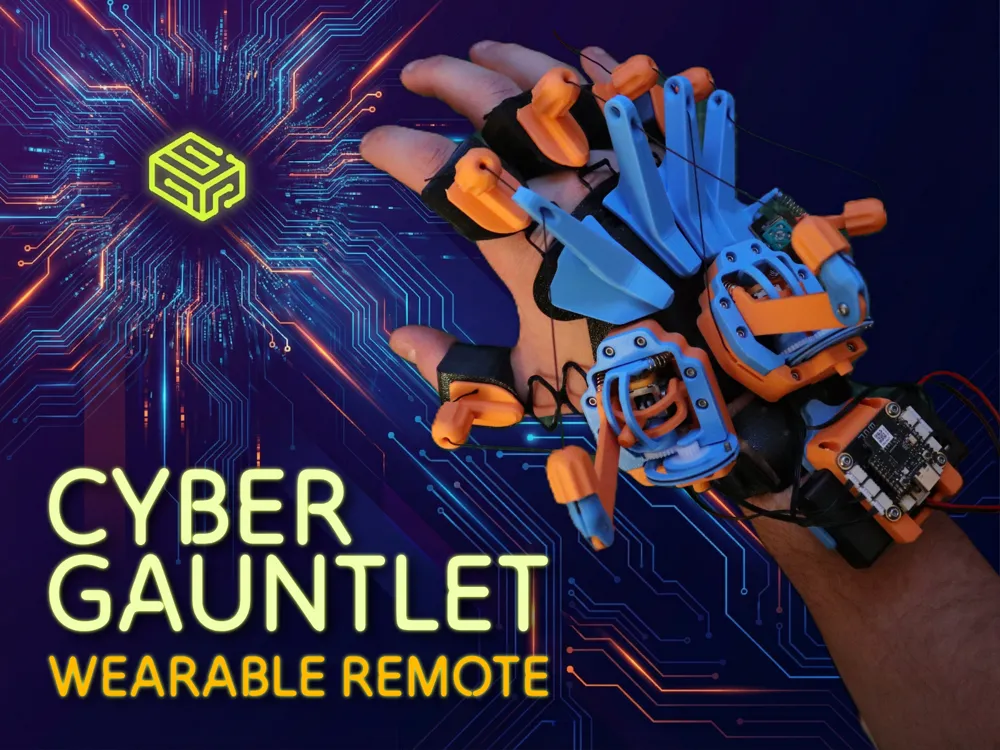
CYBERGAUNTLET: THE ULTIMATE WEARABLE REMOTE 🤖🫴
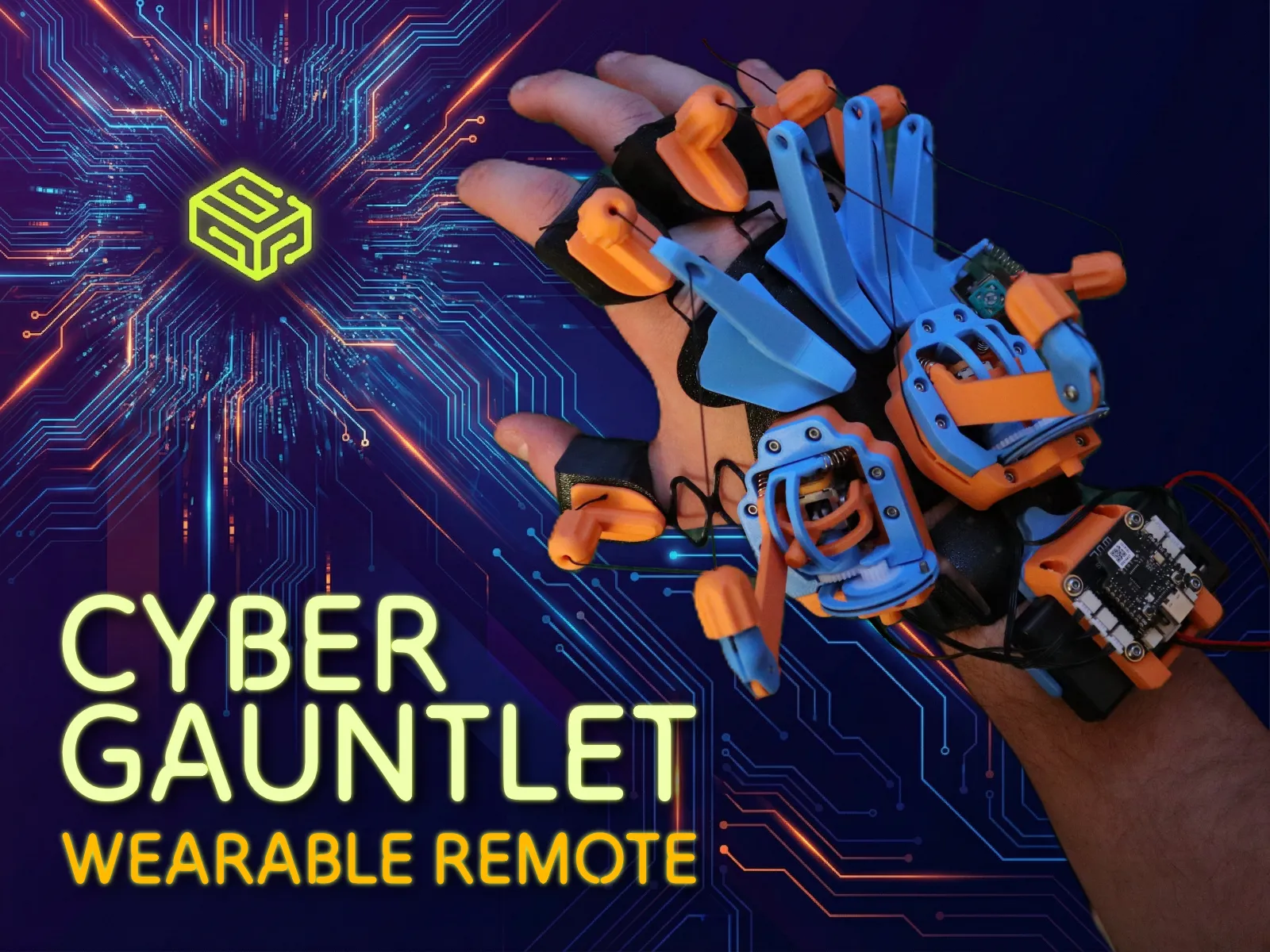
Control your CyberBrick world with the power of your own hand!

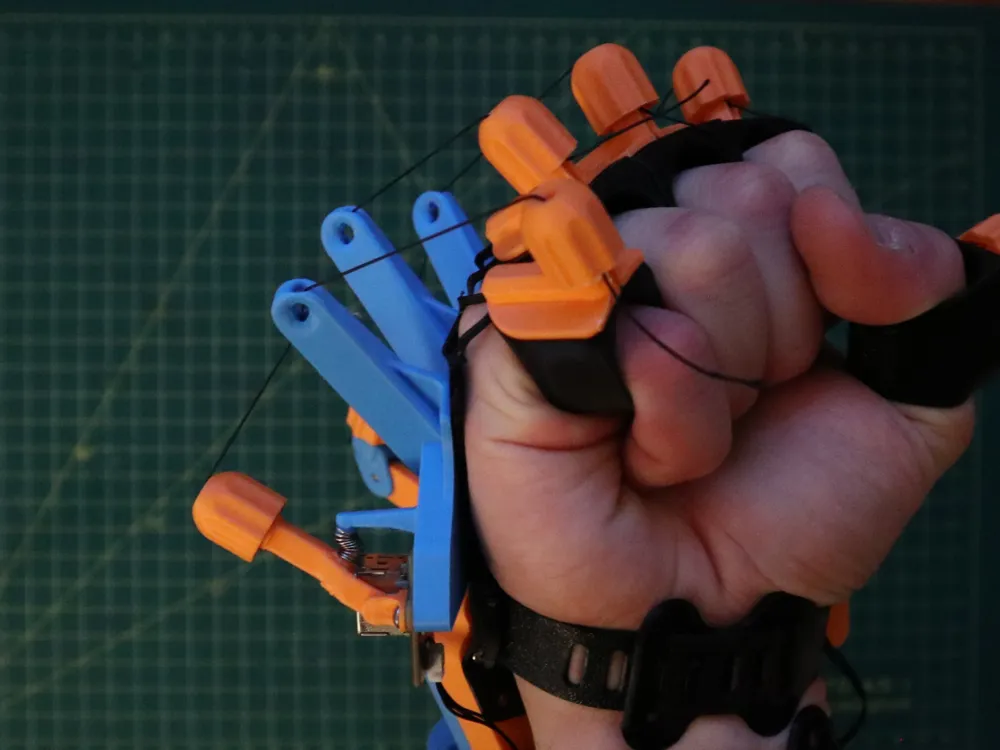
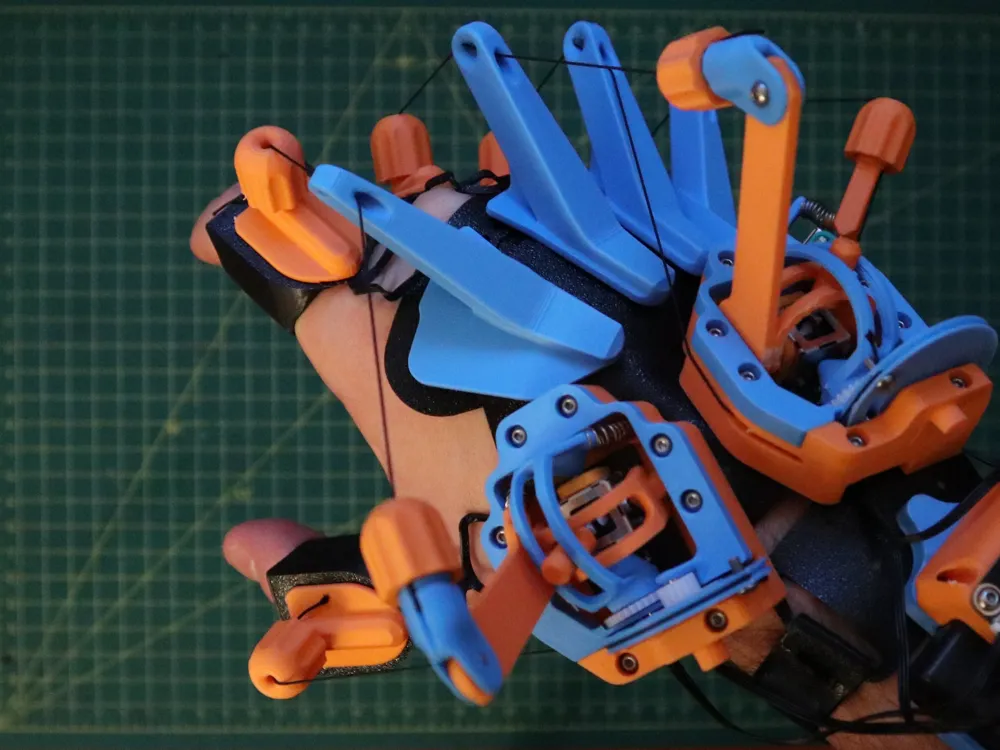
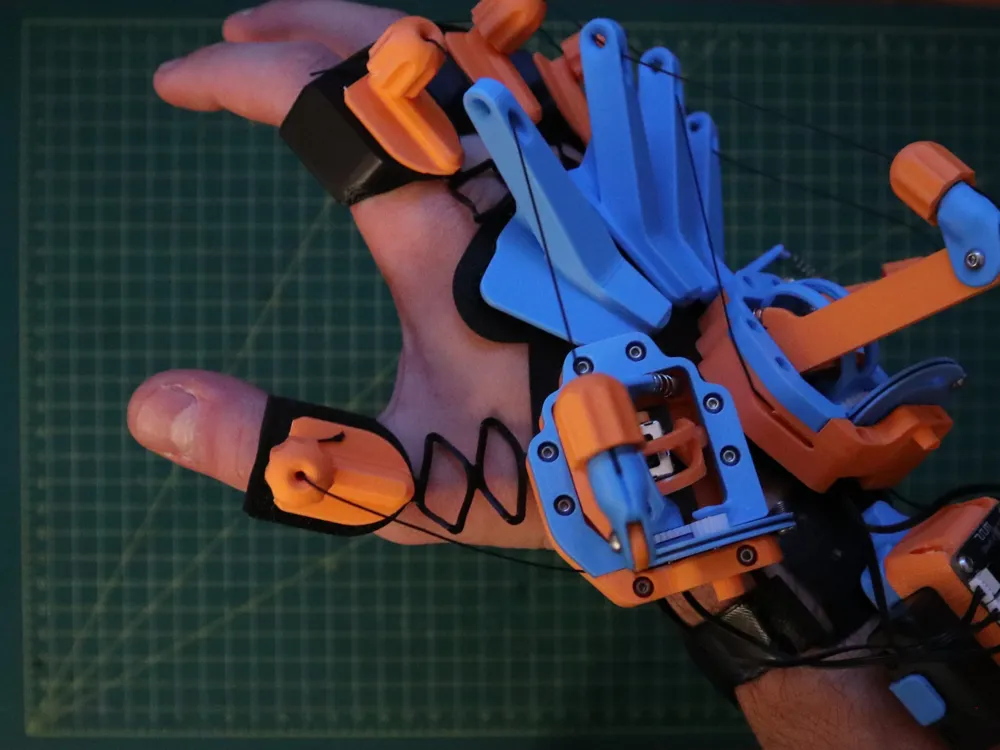
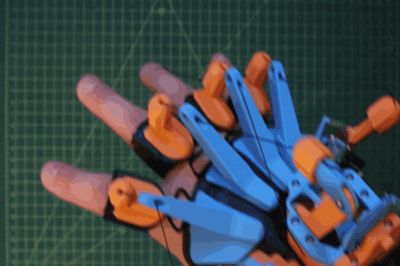
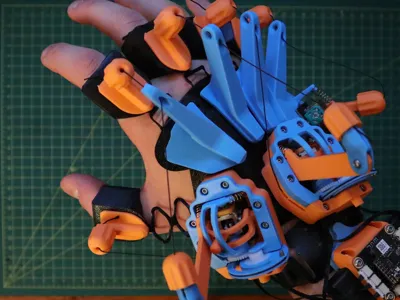
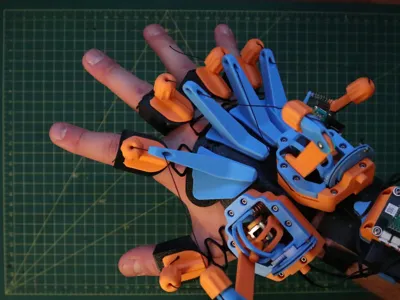
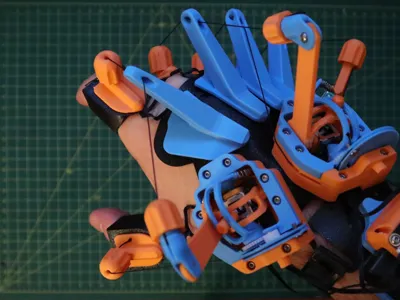
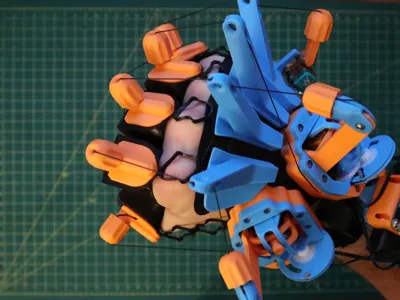
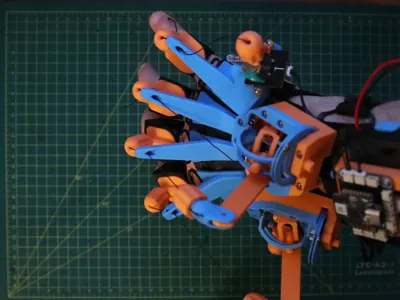
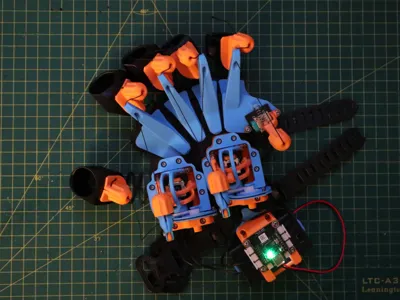
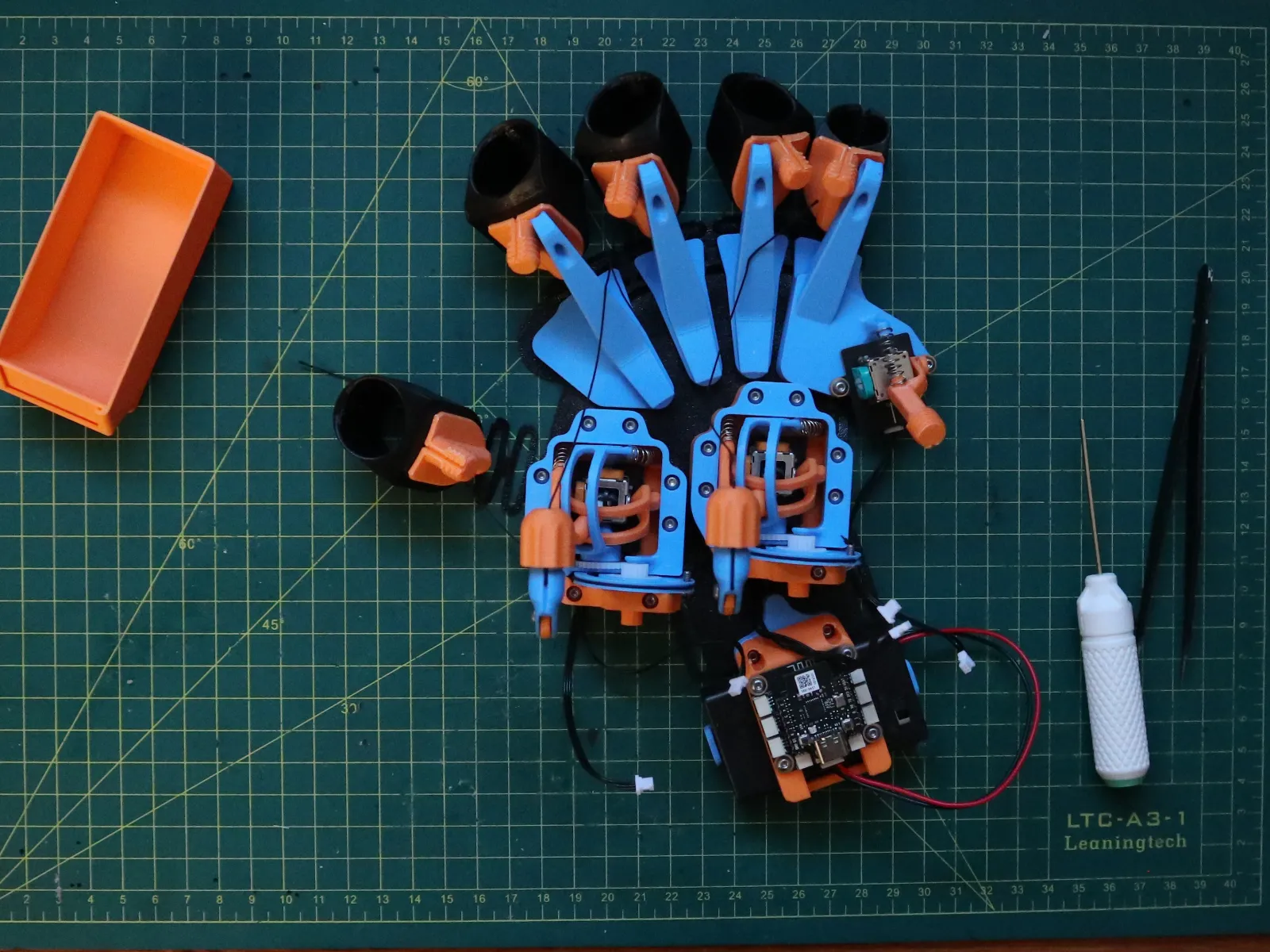
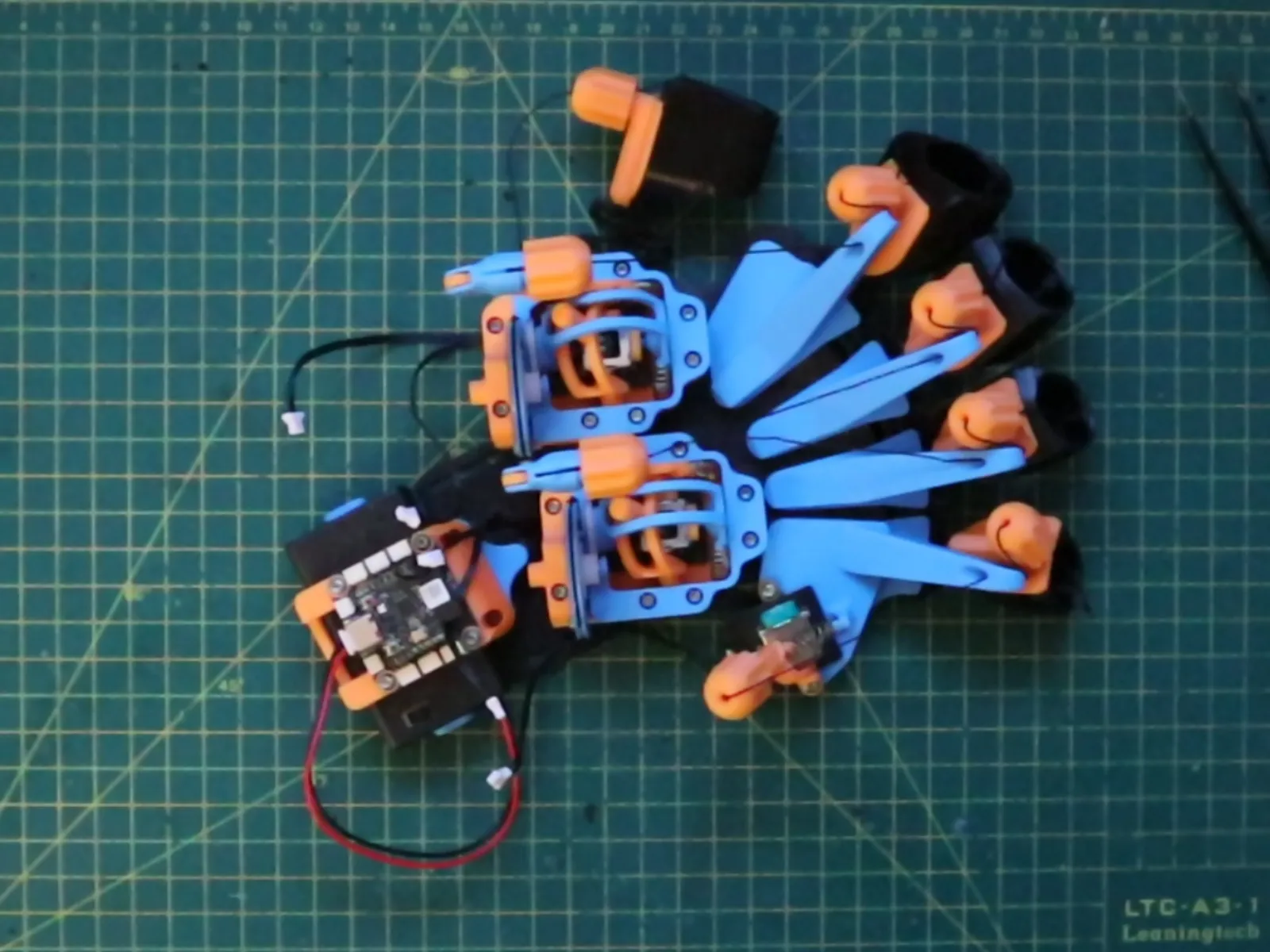
This project is an entry for the CyberBrick remote master challenge. It is a fully articulated, wearable exoskeleton controller designed to translate your finger movements into digital commands. Whether you are controlling a robotic arm, a vehicle, or a game interface, the CyberGauntlet offers unmatched immersion.

DESIGN PHILOSOPHY & HARDWARE

This model was designed with efficiency and accessibility in mind:

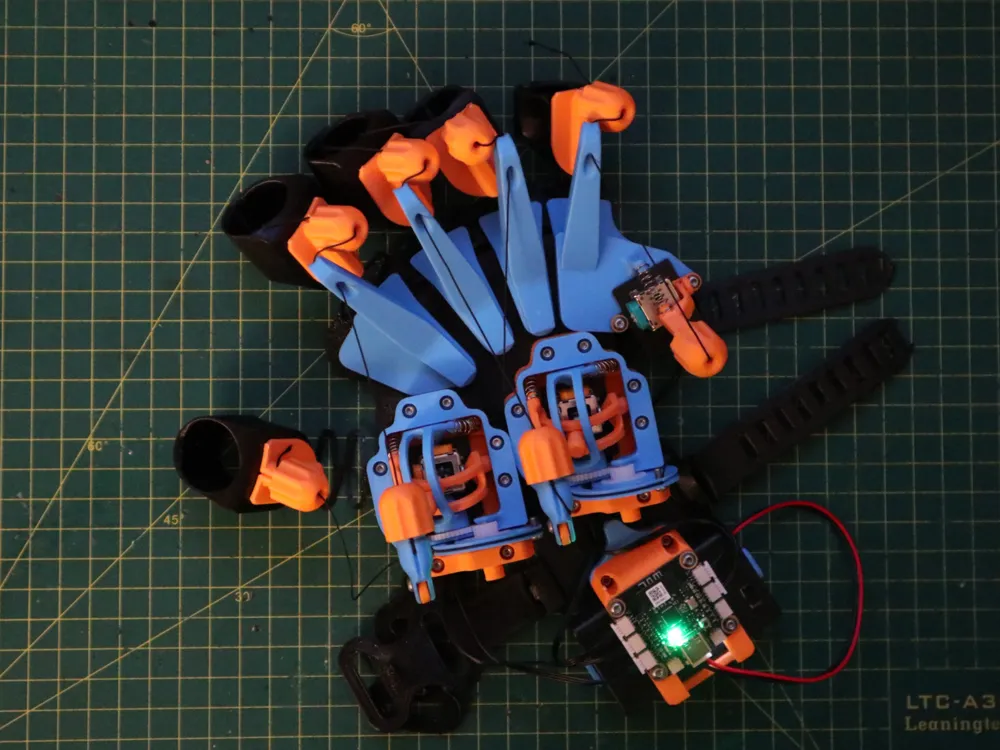
  • Single Kit Build: The entire project is designed to be built using ONLY the components found in the standard "CyberBrick Hardware Kit 1 (Controller/Remote)". No extra screws or obscure parts hunting required.

  • 5 Degrees of Freedom: The gauntlet tracks 5 individual movements (1 per finger) for better control.
  • Universal Fit: I designed it for my hand, but I have included 3 different sizes (Small, Medium (default), Large) to fit most users. Check the "Other Sizes" print profile.

CONTROLLER MAPPING

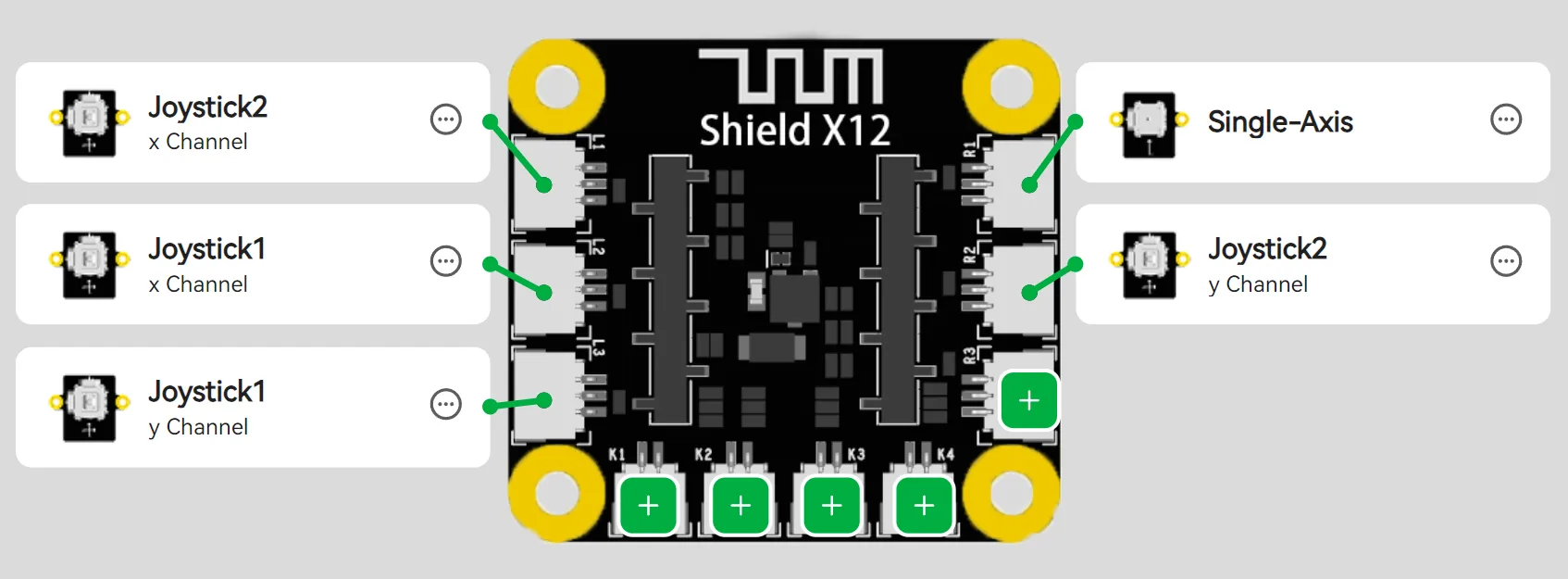
The 5 Degrees of Freedom are mapped to the CyberBrick channels as follows:
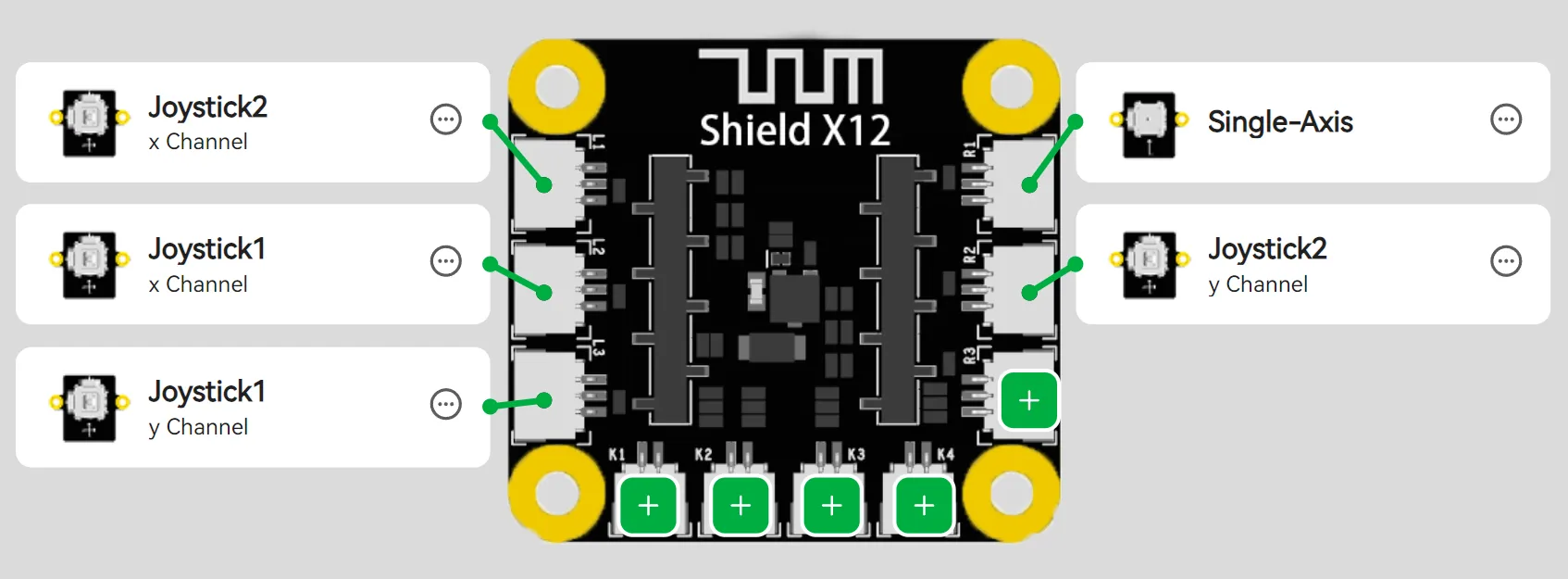
ThumbJoystick 1 - Channel X
IndexJoystick 1 - Channel Y
Middle Joystick 2 - Channel X
Ring Joystick 2 - Channel Y
PinkySingle-Axis 

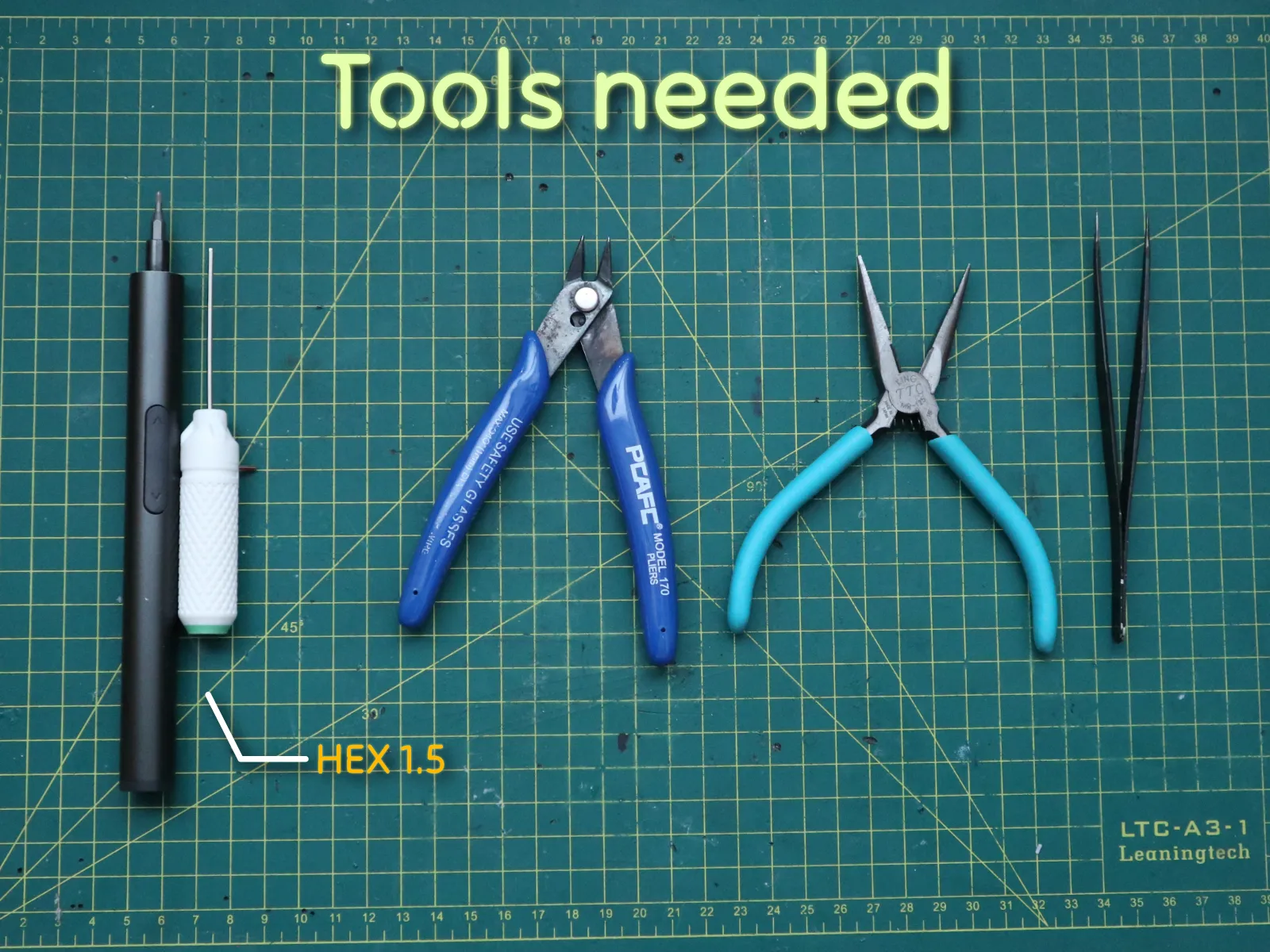
ASSEMBLY INSTRUCTIONS

  • Hex Driver (1.5mm)
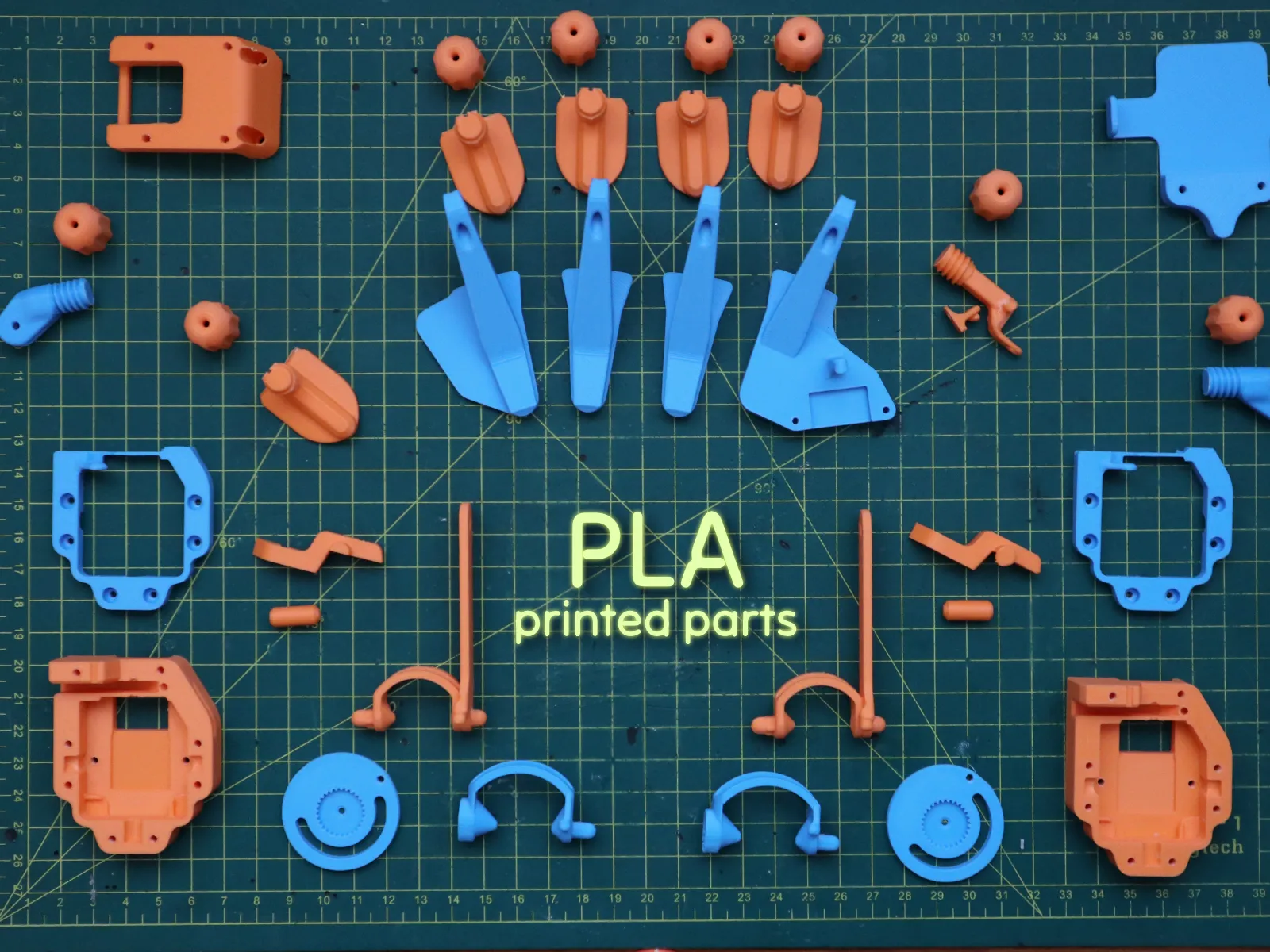
  • Flush Cutters (for cleaning printed parts)
  • Needle Nose Pliers
  • Tweezers

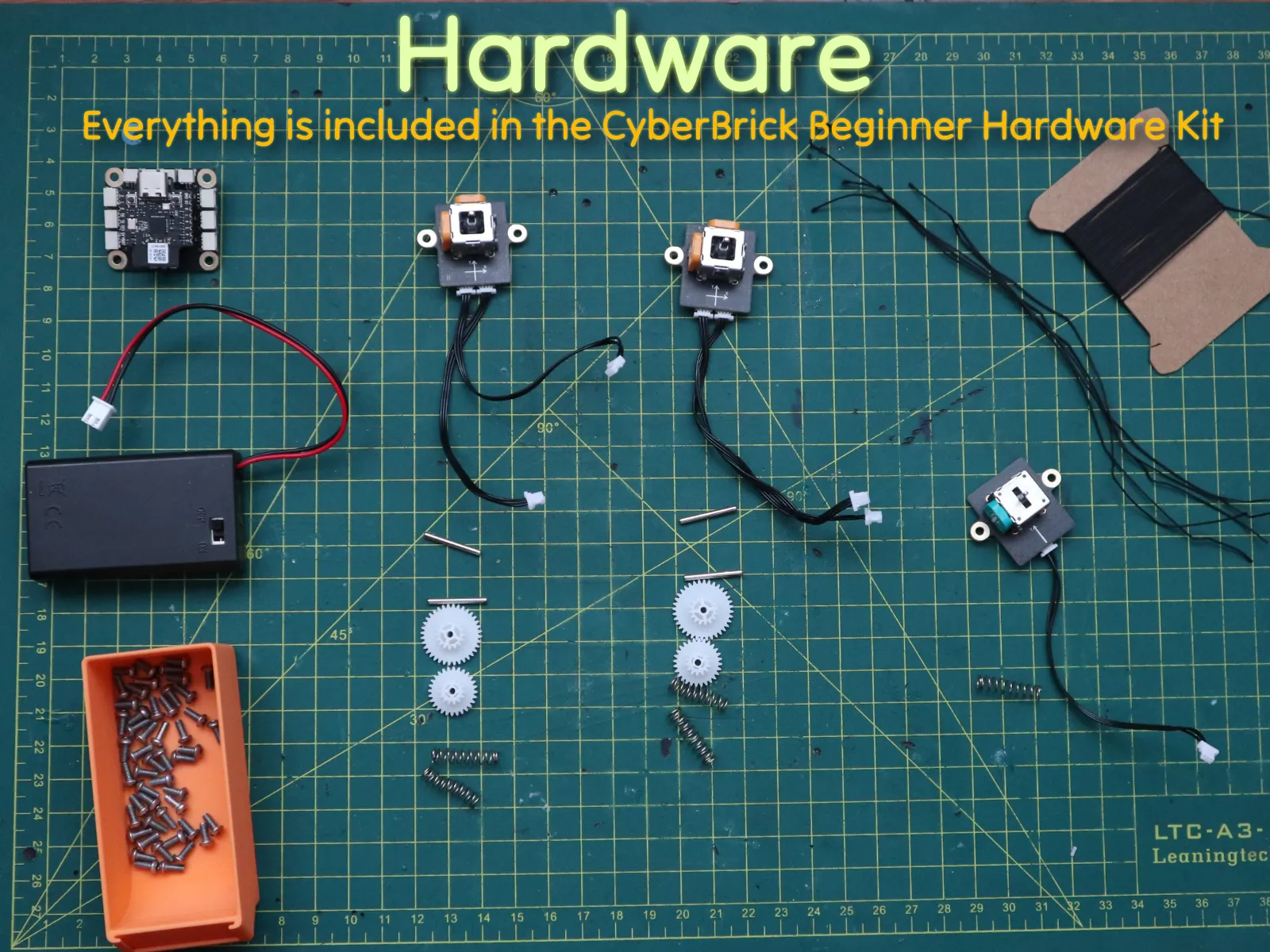
Hardware (all included in the beginner hardware kit)

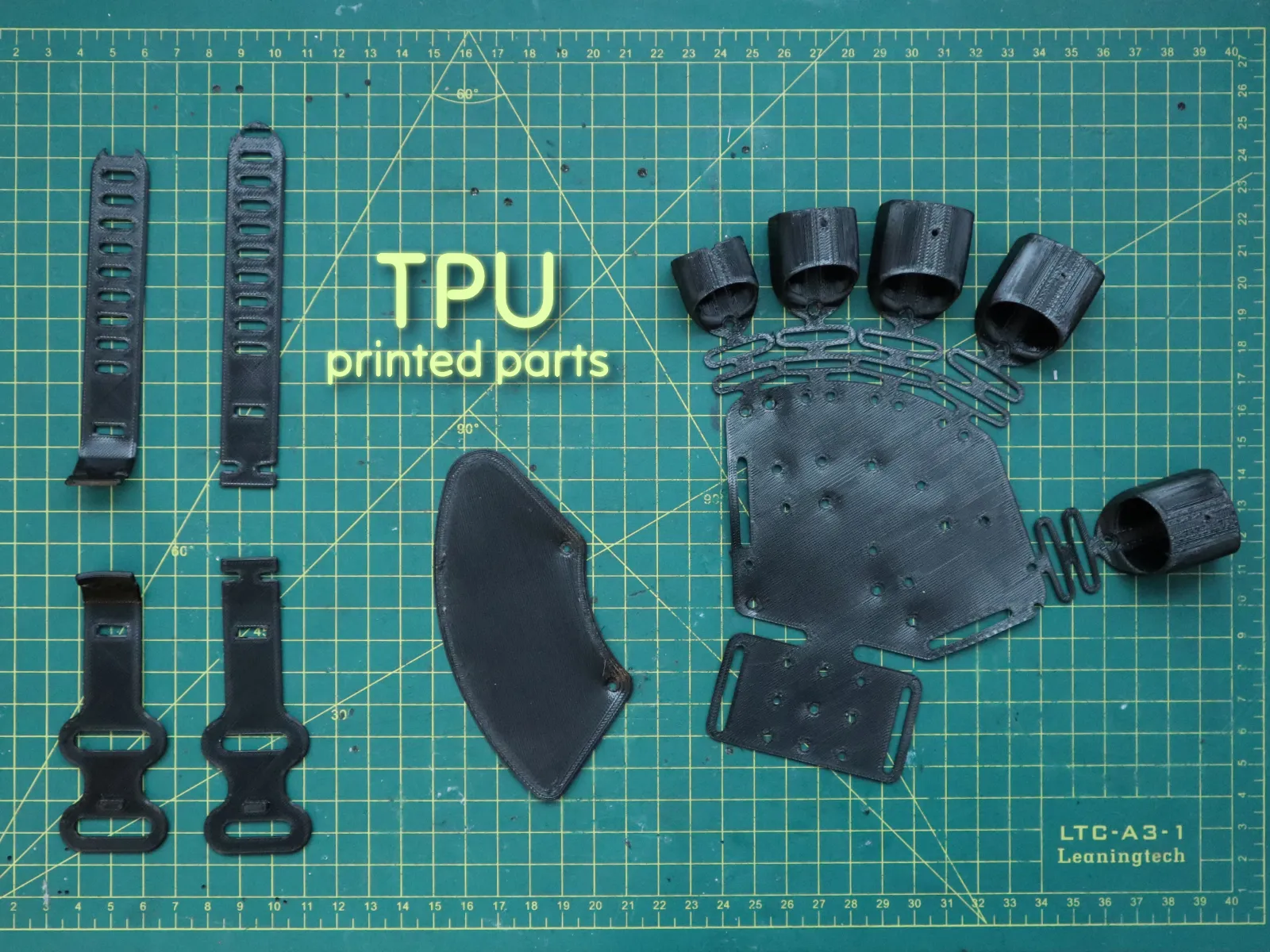
I used the Overture TPU in this project

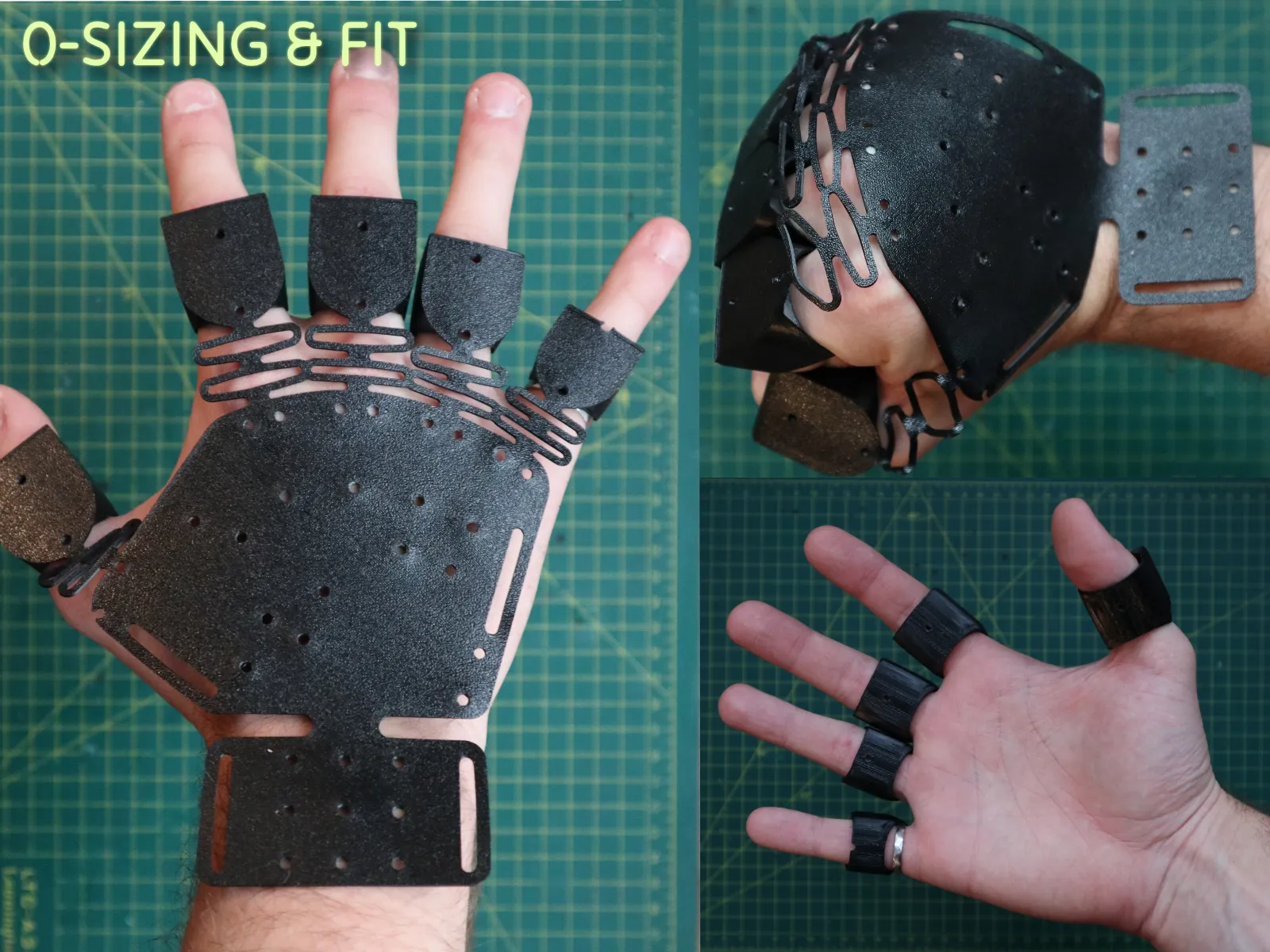
STEP 0: SIZING & FIT

Before assembling, ensure you have printed the correct size for your hand. Try on the printed parts and move your fingers to check for comfort.

Note: The main model is designed based on my hand size. I have created "Small" and "Large" versions available in the print profiles. I have not personally tested these versions yet, so your feedback is greatly appreciated and encouraged!


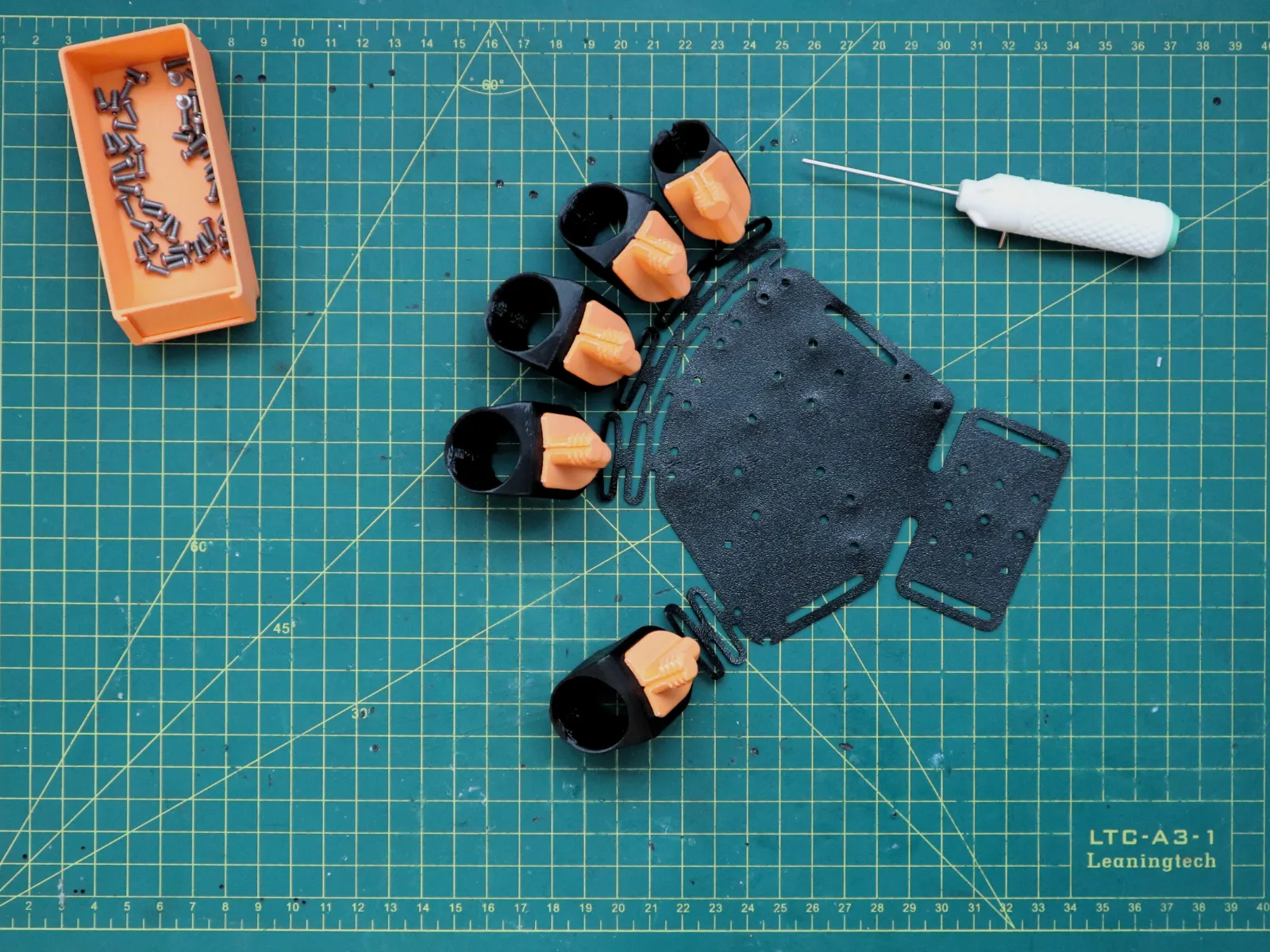
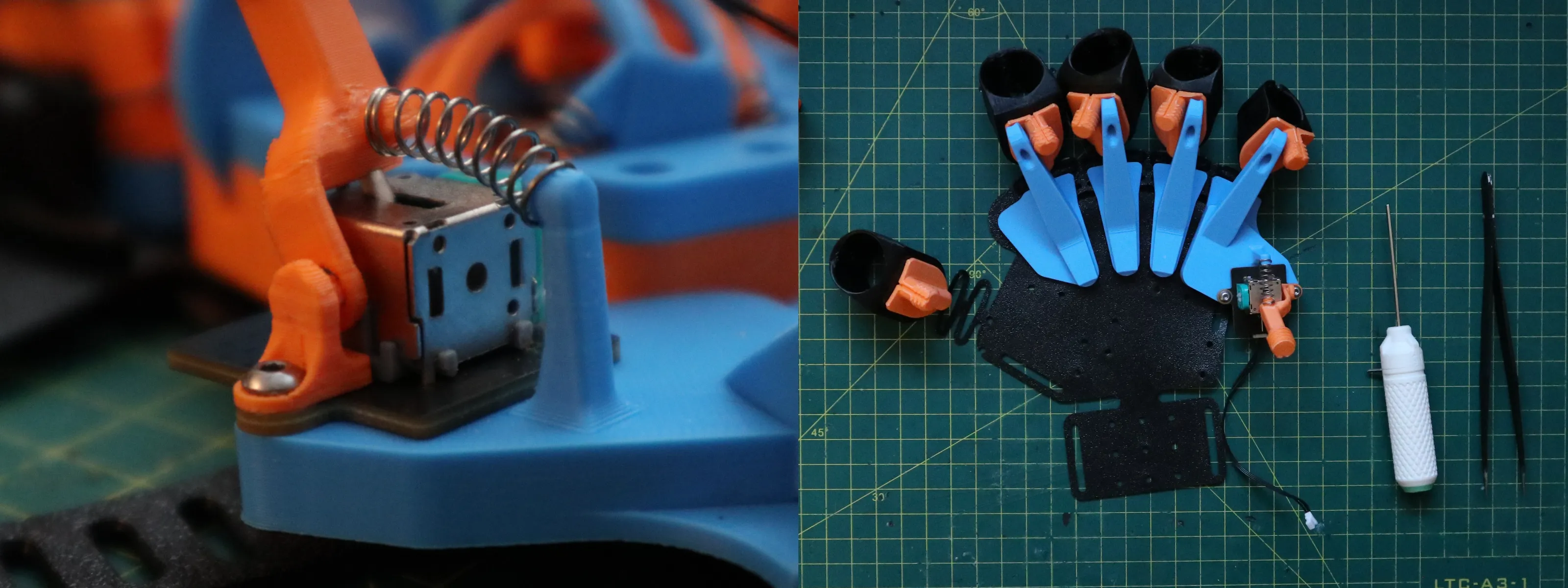


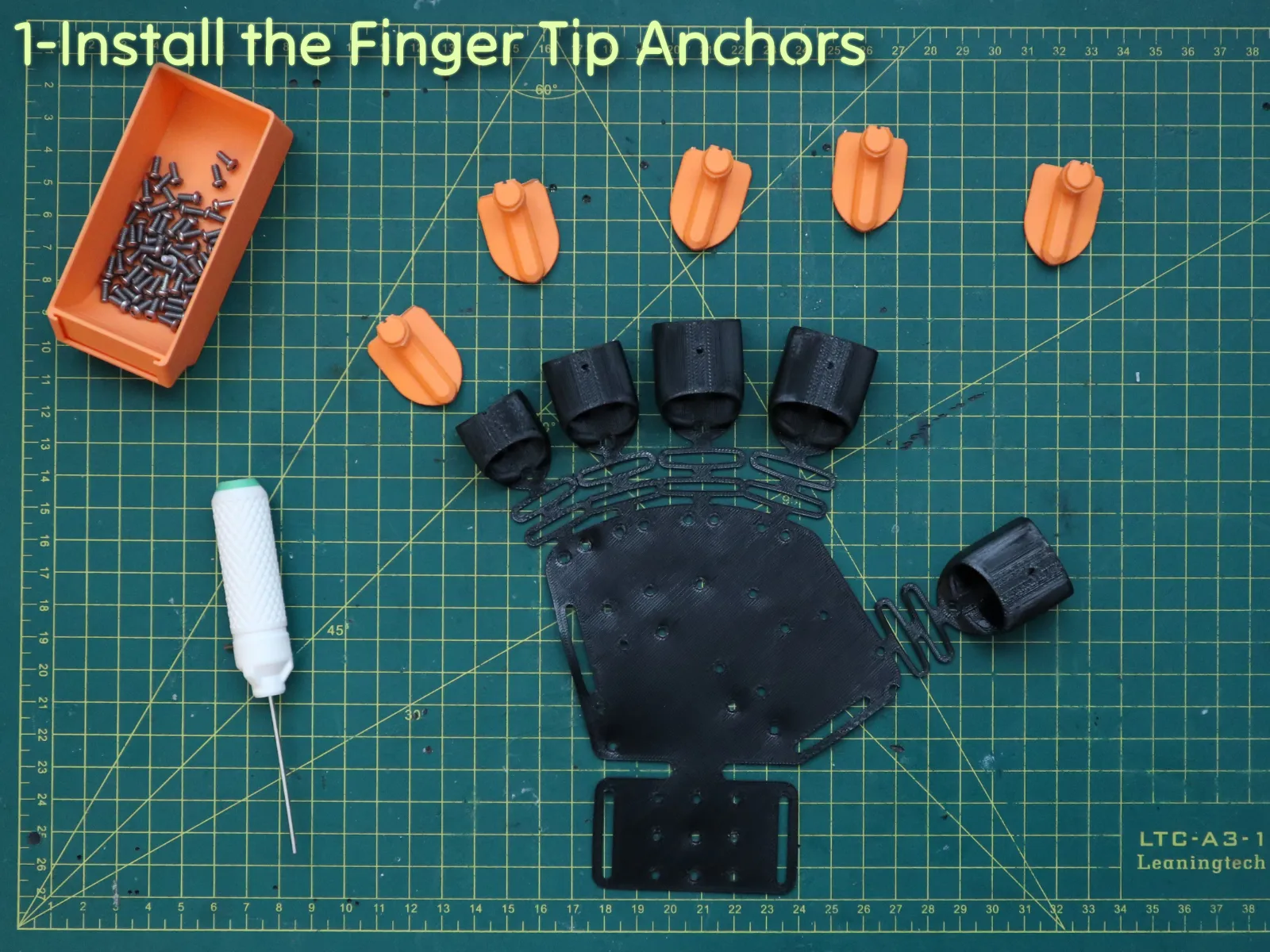
STEP 1: Install the Finger Tip Anchors
 



STEP 2: Assemble the Finger Wire Guides & TPU Pads
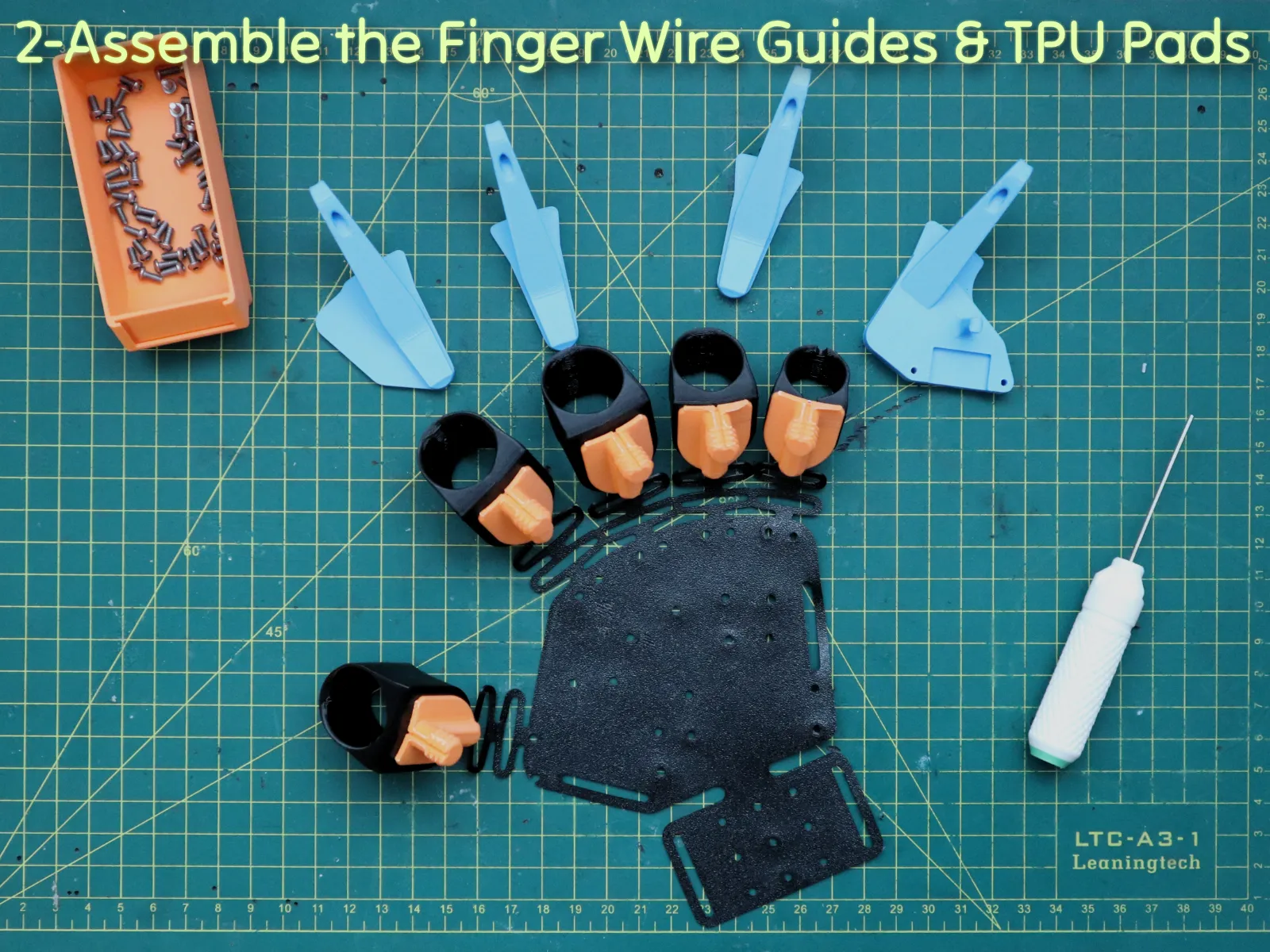
 


STEP 3: Assemble the Single-Channel Joystick (Pinky Module)
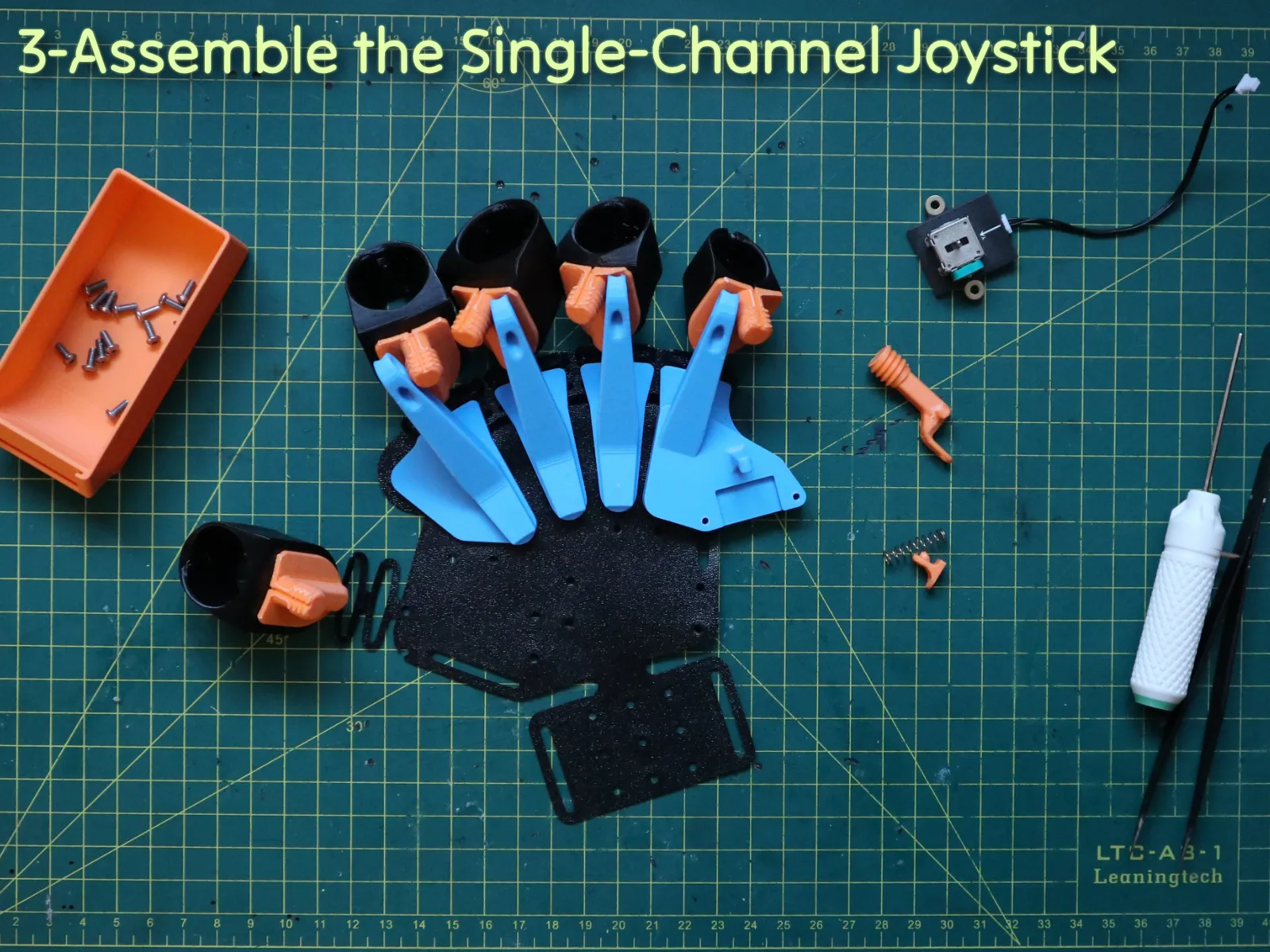
 

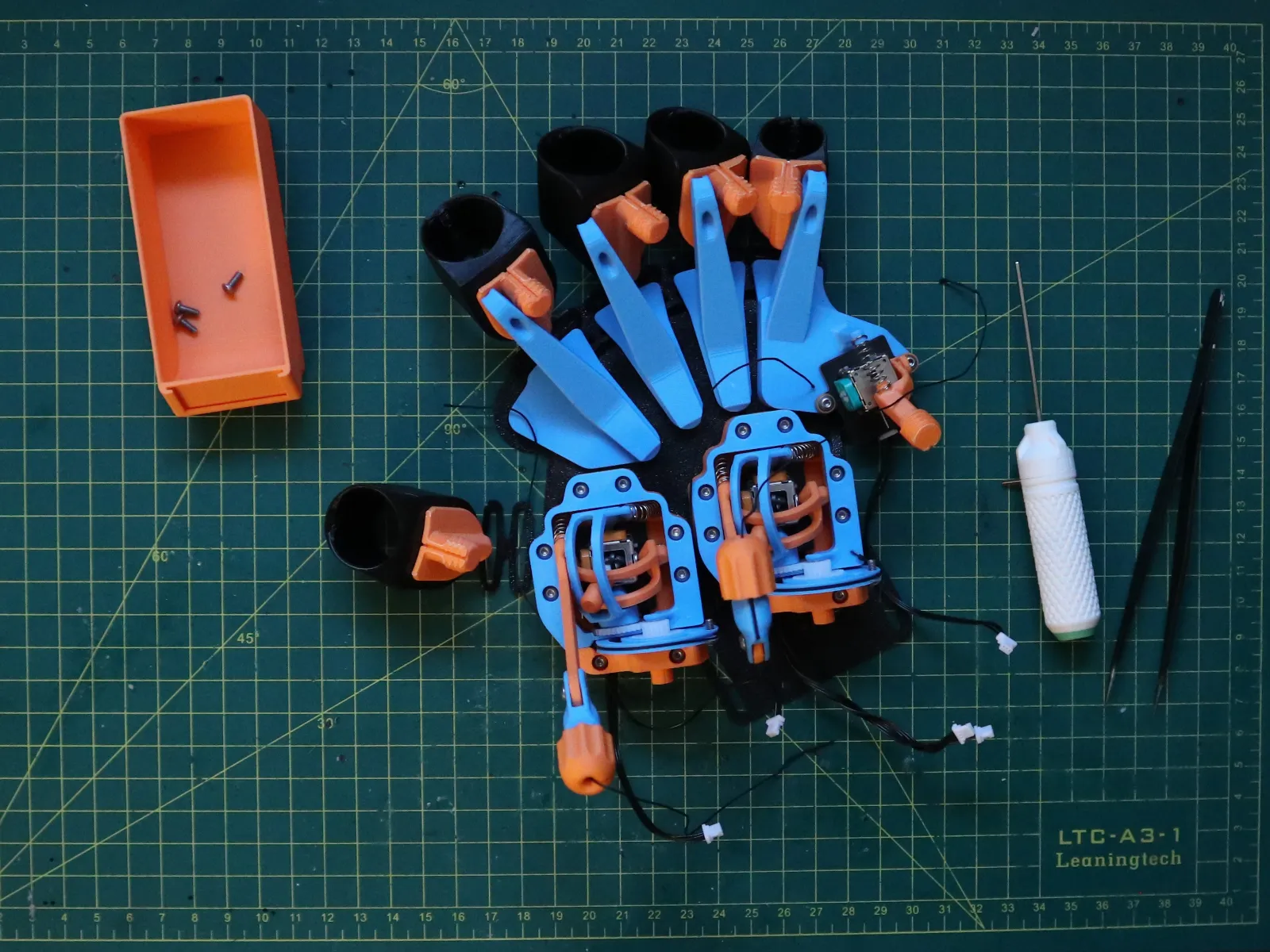
STEP 4: Assemble the Dual-Channel Joystick Units (x2)
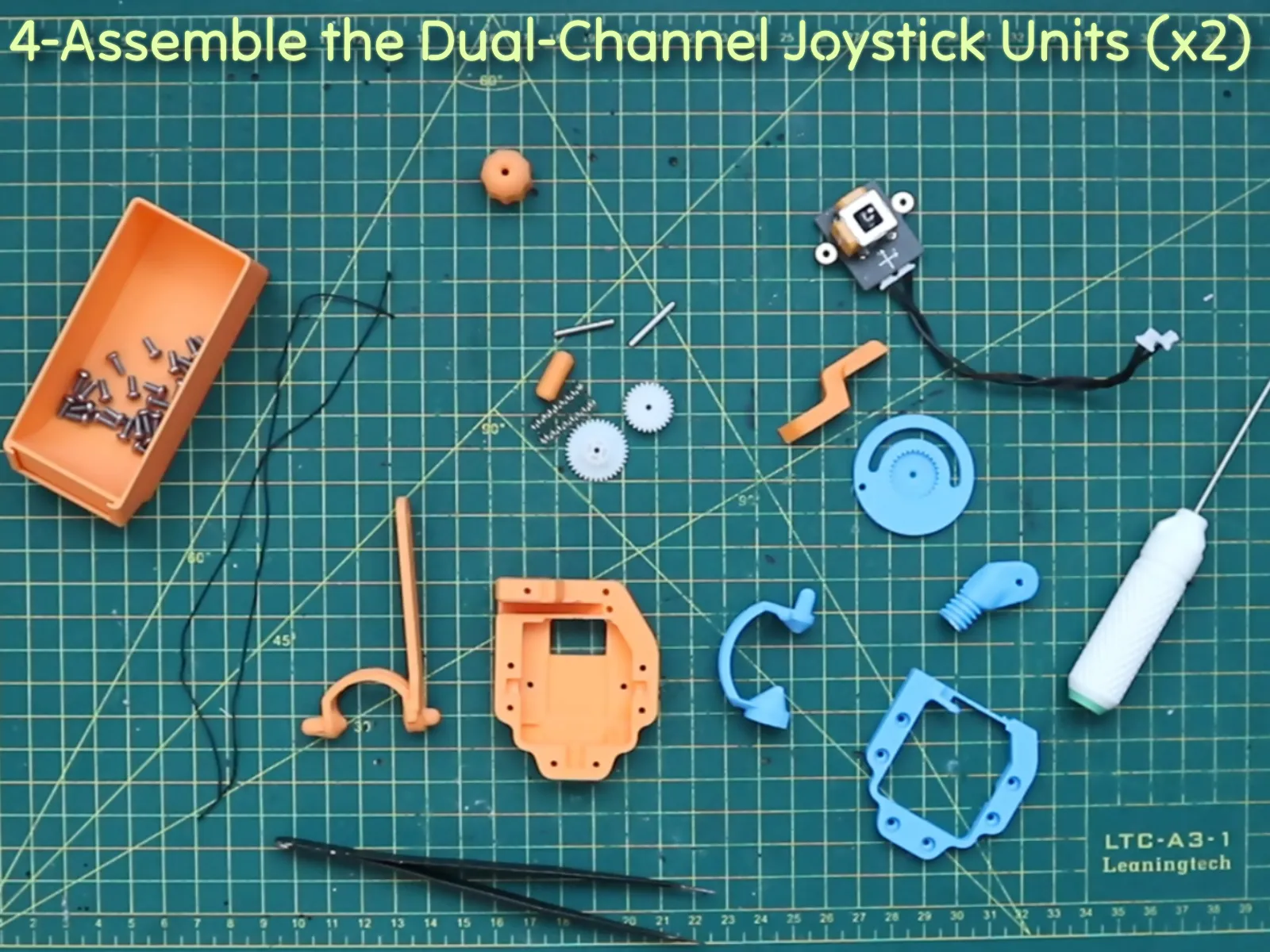
STEP 4.1: Screw in the joystick, insert the joystick extender, and place the Y-axis lever.

STEP 4.2: Insert the gears into their corresponding slots, assemble the upper part (in blue), and place it on the main base. Align the cable hole vertically (center position).

STEP 4.3: Screw on the top part and insert the cable as shown, securing it in the cable hole.

STEP 4.4: Screw in the remaining orange part to secure the wheel, and assemble the Y-axis cable fixture.

STEP 4.5: Insert the springs as shown.

STEP 4.6: Secure the Y axis cable.

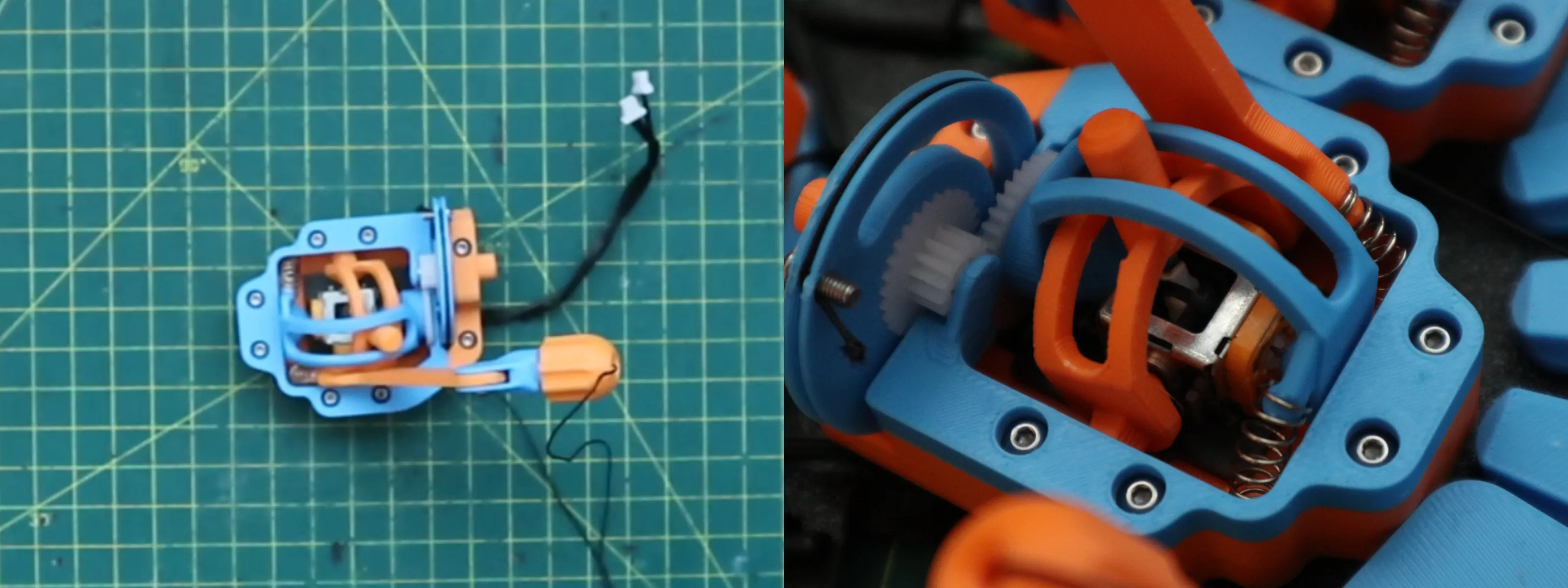
 

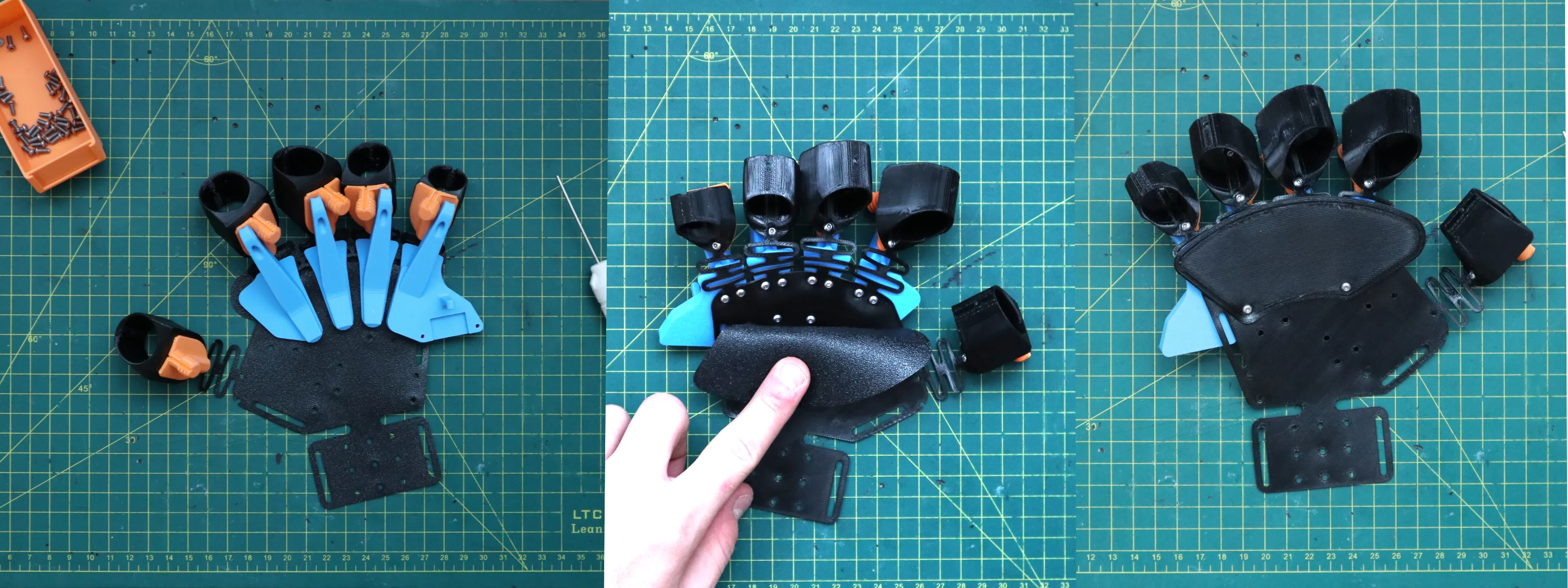
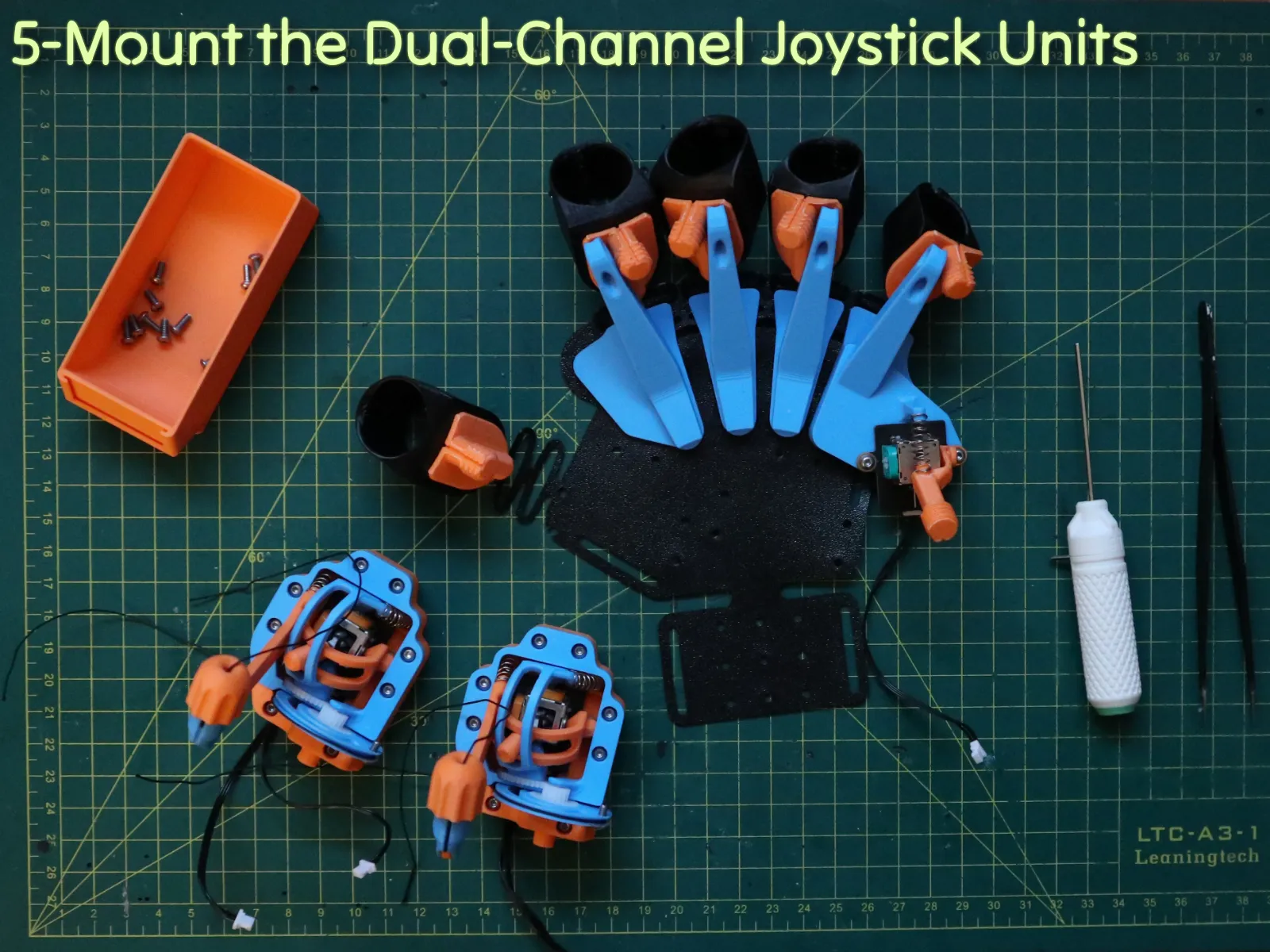
STEP 5: Mount the Dual-Channel Joystick Units
 


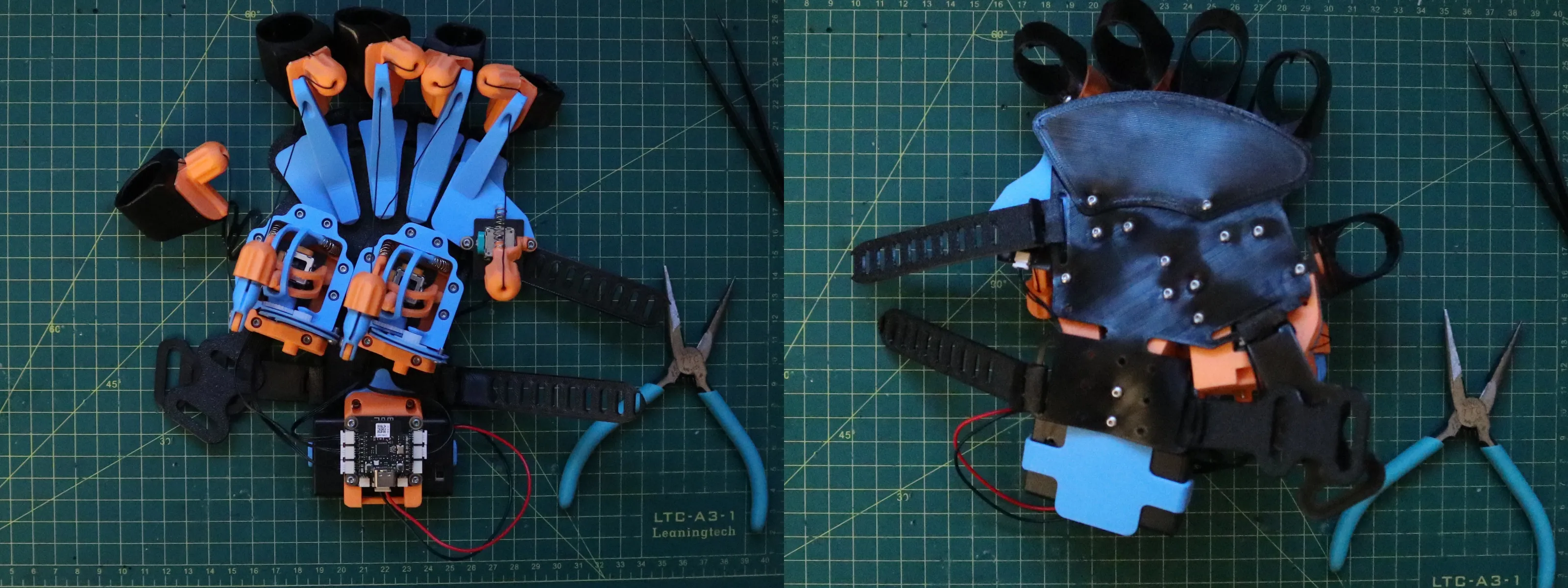
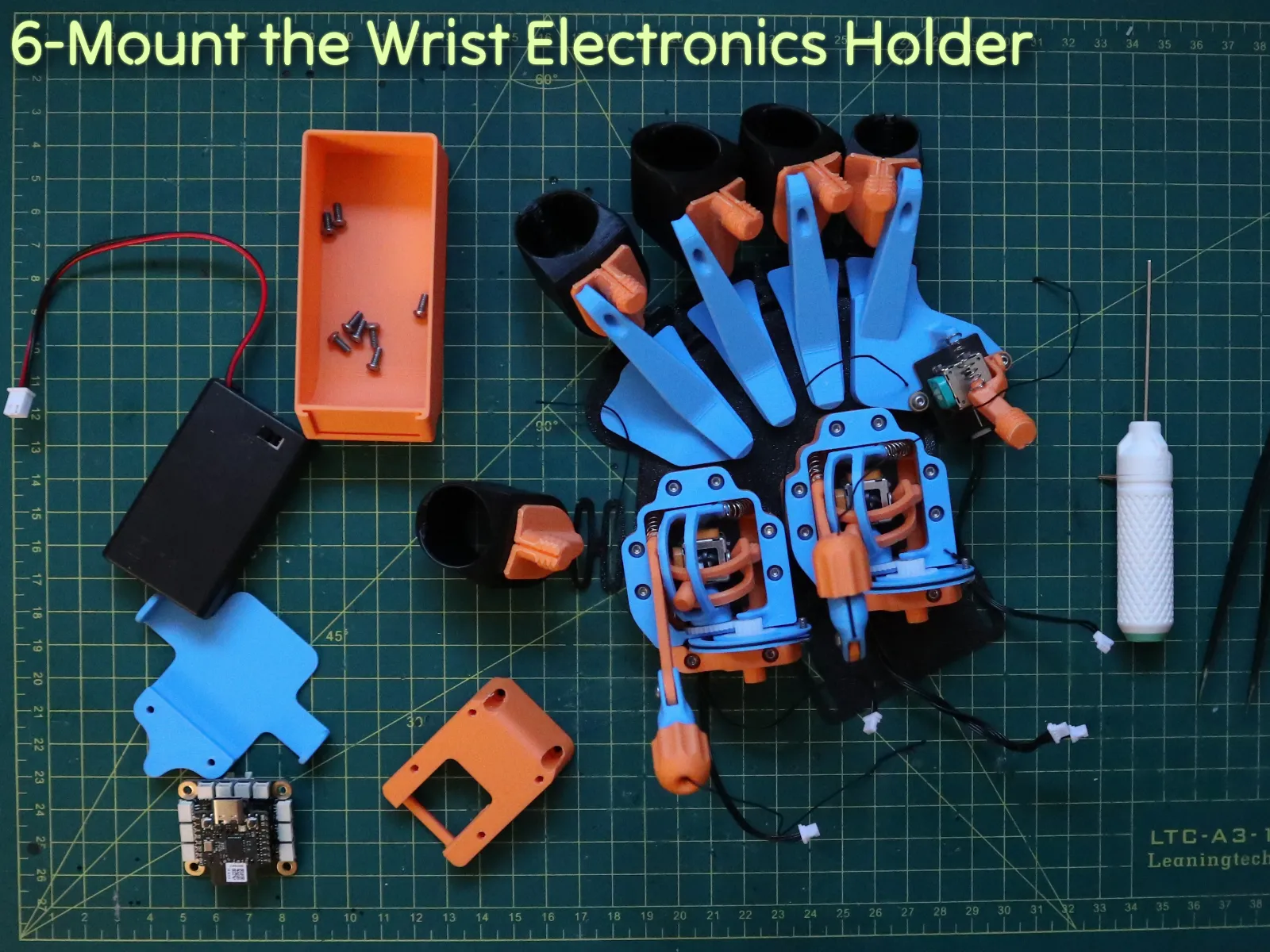
STEP 6: Mount the Wrist Electronics Holder
 

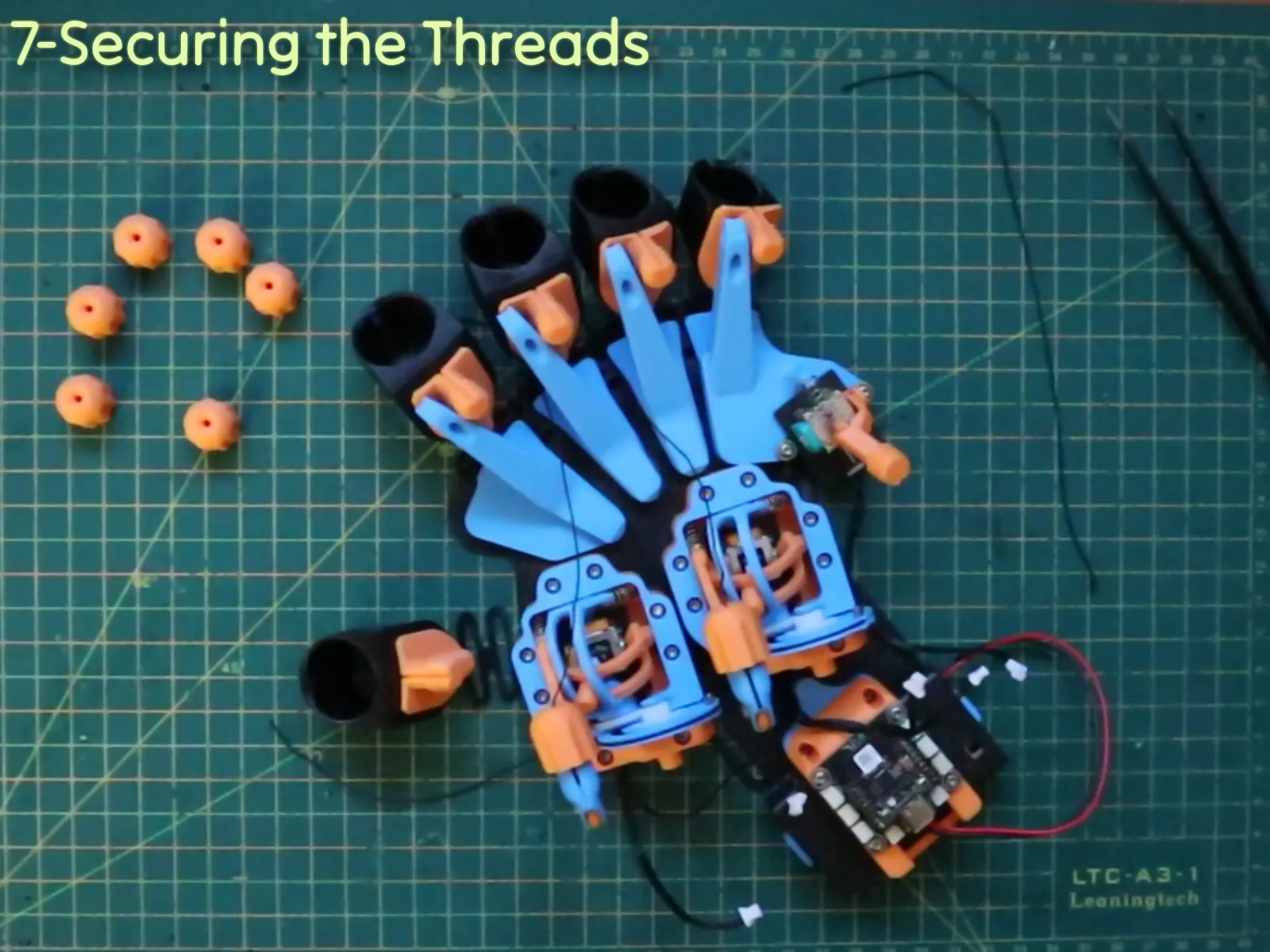
STEP 7: Secure the Threads
 

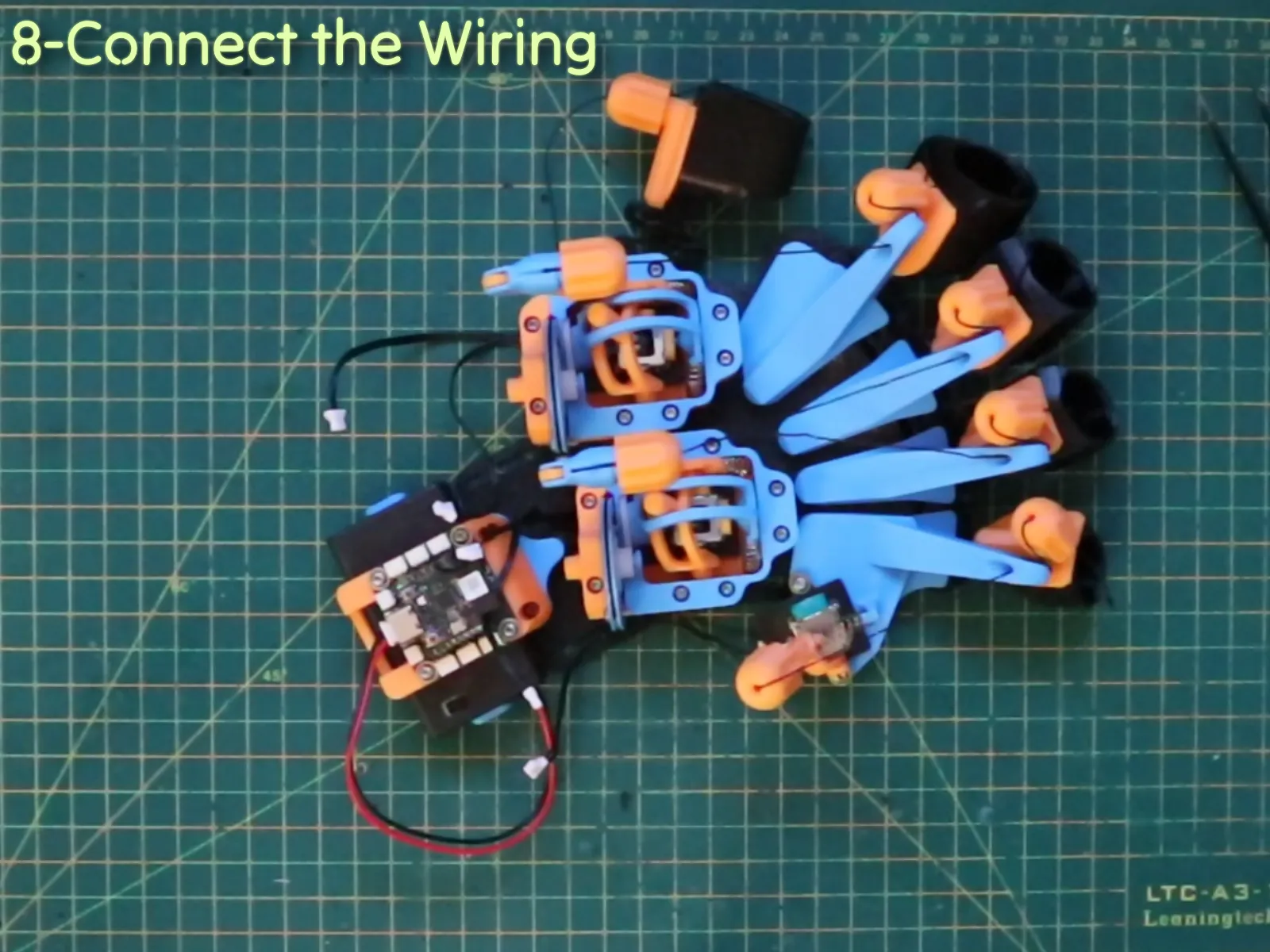
STEP 8: Connect the Wiring
 

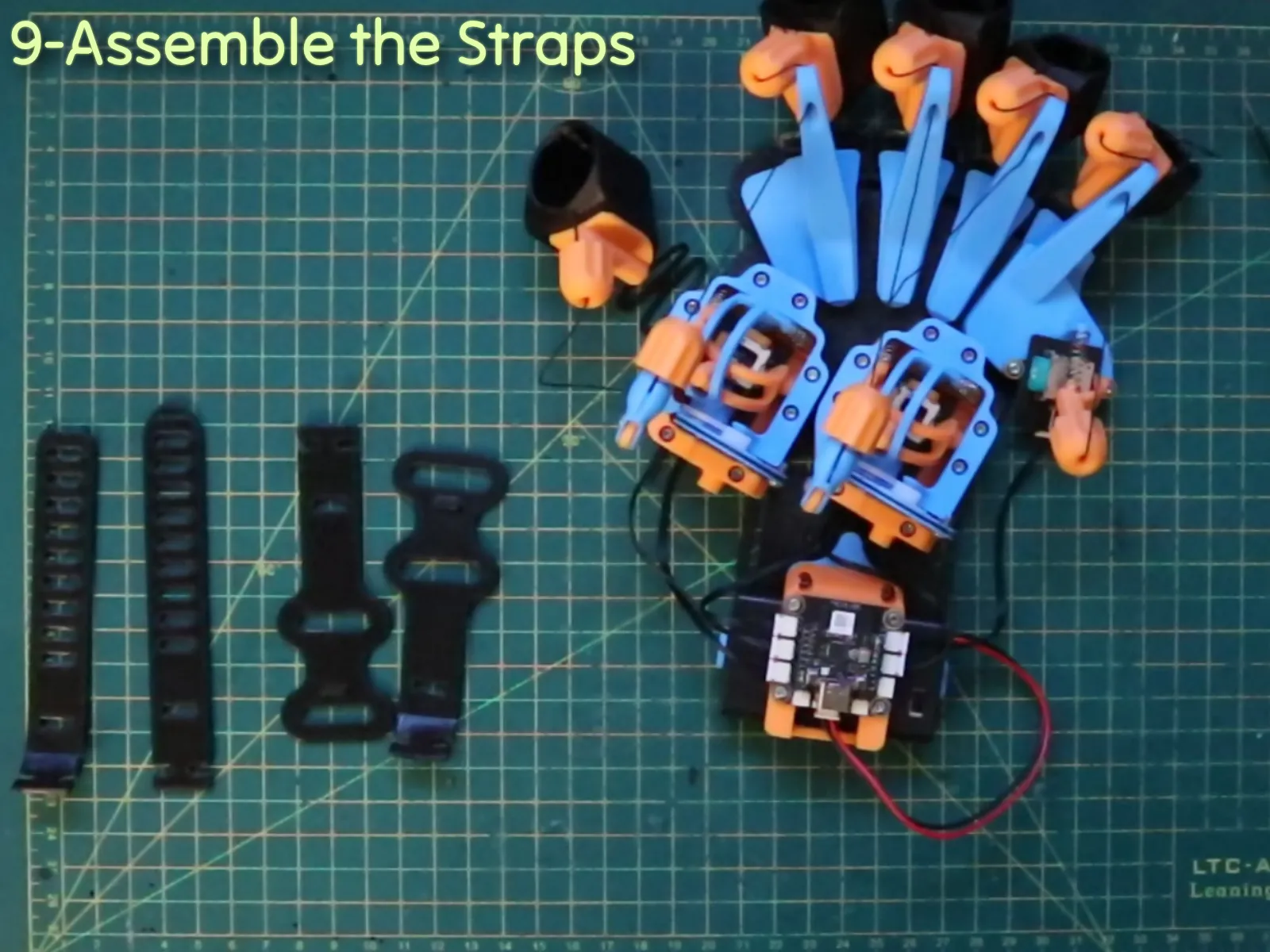
STEP 9: Assemble the Straps (optional)

You can use Velcro, I used this one 👉 https://www.amazon.ca/dp/B0DGQ261TX?ref=ppx_yo2ov_dt_b_fed_asin_title&th=1, otherwise If you want to print the straps, the assembly steps follow below:


STEP 10: Calibration & Tensioning

Adjust the length of the threads to maximize the joystick's range of motion and maintain proper tension.

 

Feel free to reach out if you have any questions or suggestions for improvement. I’m always open to feedback and eager to enhance the design. Enjoy your making journey! 🛠️💬

Boost Me (for free)

If you like this model, a boost is always appreciated ! 😊 Thank you very much !

If you really like what I do, you can also buy me a beer🍺! Happy printing!

CyberBrick Files (1)

FAQ
Official RC Framework
CYBERGAUNTLET

Comment & Rating (194)

(0/1000)

I love it but I wonder what it's for
The designer has replied
Show original
6
Reply
Haha, the short answer is: whatever your imagination comes up with! Explicitly, each finger acts as a channel. You could build a robotic hand that copies your movements, or use it to control complex mechanisms. I designed it to push the boundaries of CyberBrick—maybe someone could even turn it into a musical instrument! We see so many cars in this hobby, I simply wanted to show that robotics can be so much more.
8
Reply
a
(Edited)
1
Reply
a
(Edited)
2
Reply
Boosted
Huge congrats on taking 1st place - seriously well deserved! This has to be one of the coolest and most ambitious CyberBrick builds I’ve seen. The CyberGauntlet is just wild, super clever mechanics, great articulation, works with a single kit... honestly impressive. Amazing engineering all around. Huge respect for the amount of thought and skill that went into this!
The designer has replied
15
Reply
Wow, thank you so much! Reading this means a lot. Conceptually, I really tried something different with this design, so I am really glad to see that it was appreciated! Also, sticking to the 'single kit' constraint was a big challenge for the mechanics, so I'm really happy you noticed that specific detail!
7
Reply
Replying to @BlainLeVilain :
s
0
Reply
Yes Congrats
0
Reply
Spent all night assembling it, it's so cool. I'll try controlling the remote control car tomorrow ďźżďźżďźżďźżďźżďźż Tested it today, very cool, but it requires high finger dexterity. If you can curl one finger while keeping the adjacent fingers straight, then it's perfect, but I can't Playability 10 points Coolness factor 10 points Control accuracy 7 points (varies from person to person) Assembly instructions 7 points (assembly instructions would be better with more diagrams and text or a video. GIF images are too fast to see clearly and cannot be paused) In summary, it's very cool, highly playable, with no major flaws, but it requires finger dexterity. The assembly instructions could be presented in another format, and I believe some people won't be able to see the GIF images clearly because they are too fast
(Edited)
The designer has replied
Show original
1
Reply
That looks sick! Thanks a lot for the boost and for sharing! Hope you get some rest before the test drive!
0
Reply
I totally agree with you, I had to make something quick to participate in the contest, but I will improve the assembly instructions in the next days! Thank you very much for the feedback!!
0
Reply
Replying to @BlainLeVilain :
hi, can you do that now? im printing it right now and scrolling through the instructions trying to make sense of them. it would be very appreciated if you could.
0
Reply
Print Profile
Medium size ● 0.2mm layer, 2 walls, 15% infill
Printed Great! I found the assembly guide/instructions a little confusing. Other than that great print
2
Reply
See! it looks amazing 😻
0
Reply
First off, incredible. Secondly, what compelled you to make this, my man? lol Please don’t tell me you whipped this up just for the love of the game. 😭
The designer has replied
6
Reply
Haha thanks! To be honest, the contest was the kick I needed to finally start. I've liked the accessible robotics concept of CyberBrick for a while, but seeing so many standard remotes in the contest made me want to try something completely different. I started with the idea of a simple wearable, one thing led to another... and I ended up with the CyberGauntlet! But ultimately, I just love designing crazy projects, so yeah, it really is for the love of the game too! haha
17
Reply
Honestly The greatest game!
0
Reply
Hi please could you make/comake/start/think/i just like slashes a robot hand that can go along with it so i can justify the purchase
The designer has replied
2
Reply
Yes! I thought about jumping onto that in the next few weeks!
0
Reply
that would be absolutely incredible to see come to life if u did could u let me know as I am not constantly on here?
0
Reply
Yes I will do it, but I cannot say precisely when I will publish it, because I am busy with other projects right now.
0
Reply
printing last plate. will update when done
0
Reply
here's the finished product. looks very cool. haven't tried it out yet
0
Reply
There’s plates?
0
Reply
this looks really cool, but I’m confused about what its use is
The designer has replied
0
Reply
it’s just a cyberbrick controller. the inputs are actuated by moving one’s hand and fingers. seems pretty self explanatory
0
Reply
Haha, the short answer is: whatever your imagination comes up with! Explicitly, each finger acts as a channel. You could build a robotic hand that copies your movements, or use it to control complex mechanisms. I designed it to push the boundaries of CyberBrick—maybe someone could even turn it into a musical instrument! We see so many cars in this hobby, I simply wanted to show that robotics can be so much more.
2
Reply
woah
1
Reply
love it truly deserved 1st place, how did you even design that I’m impressed even maker would must be jealous
The designer has replied
4
Reply
Haha thank you for the comment!
0
Reply
Boost it? DEFINLY!
0
Reply
This might be the coolest design I have ever seen.
The designer has replied
4
Reply
Thank you very much! It means a lot!
1
Reply
same here
0
Reply

License

This user content is licensed under the MakerWorld Exclusive License.

You may create derivative works based on this object, provided that all such derivative works are published exclusively on the MakerWorld platform and include proper attribution to the original creator. You may not share, upload, host, distribute, or publish this object—or any derivative work of this object—on any other digital platform, marketplace, or distribution channel. Commercial use of this object and any derivative works is strictly prohibited. This includes, but is not limited to, selling, renting, sublicensing, or using the object in any context in which you receive monetary compensation or other financial benefits.