
DJI Air Series Payload Dropper
Print Profile(1)

Bill of Materials
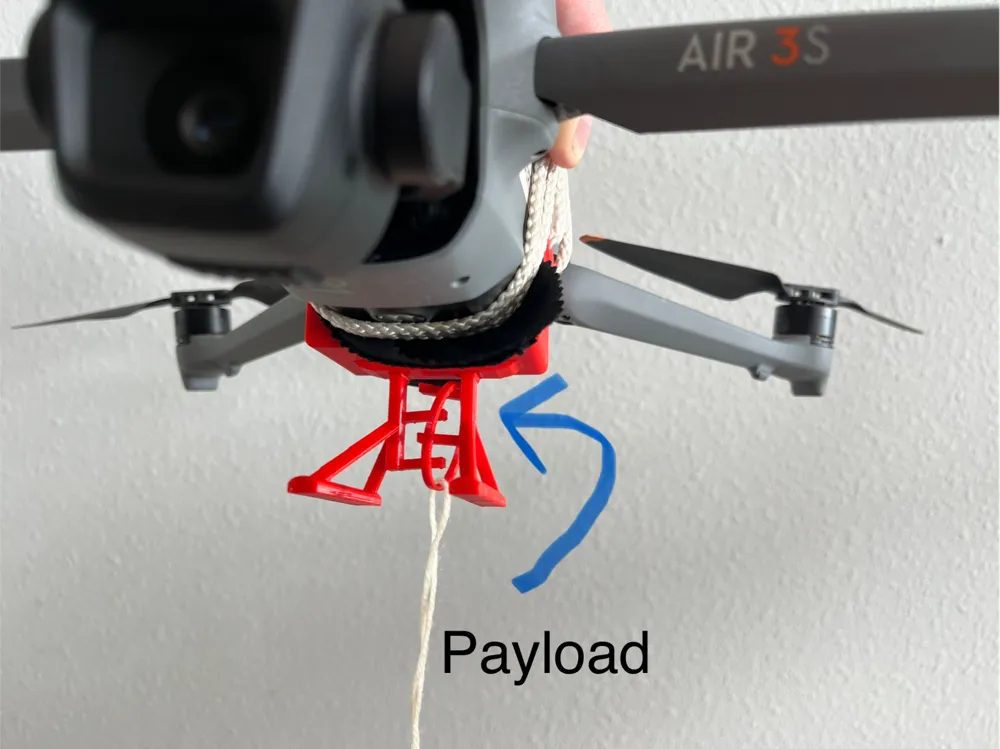
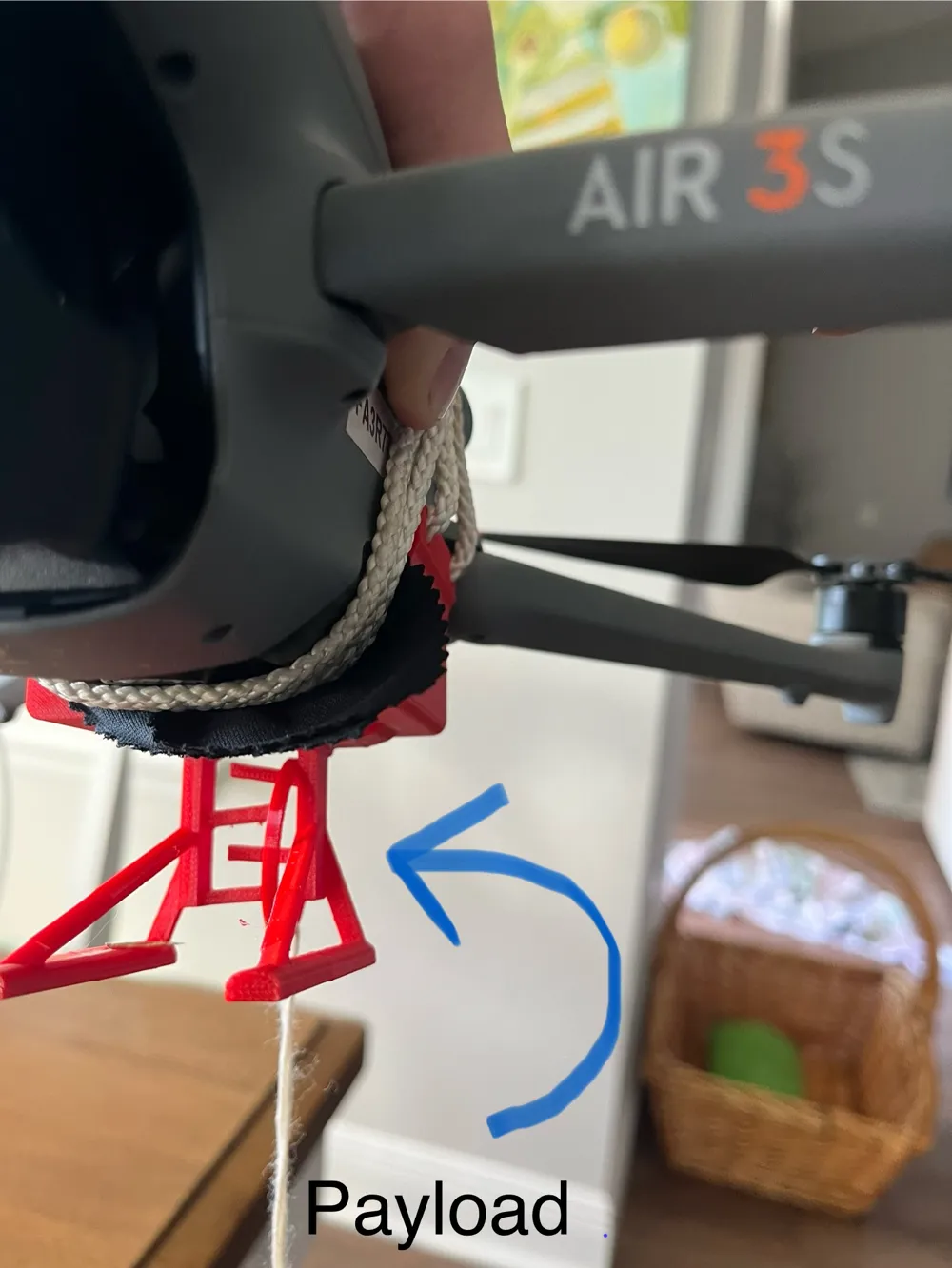
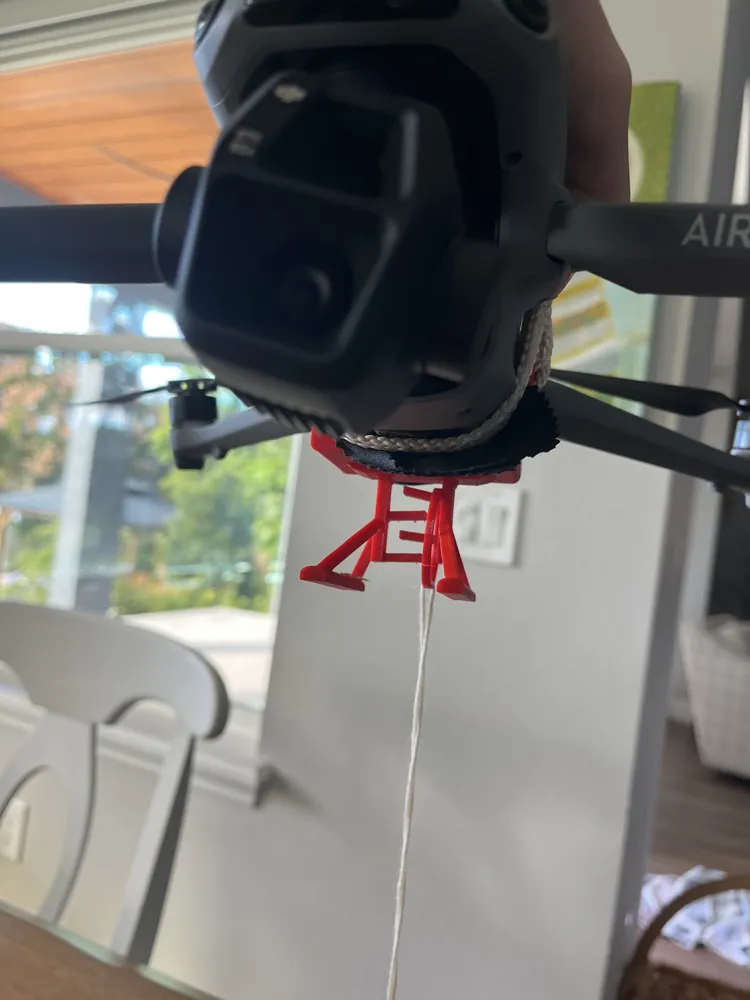
- Twine x 1: About 30 cm long
- Small cloth x 1: Protects bottom sensors from scratches
Description
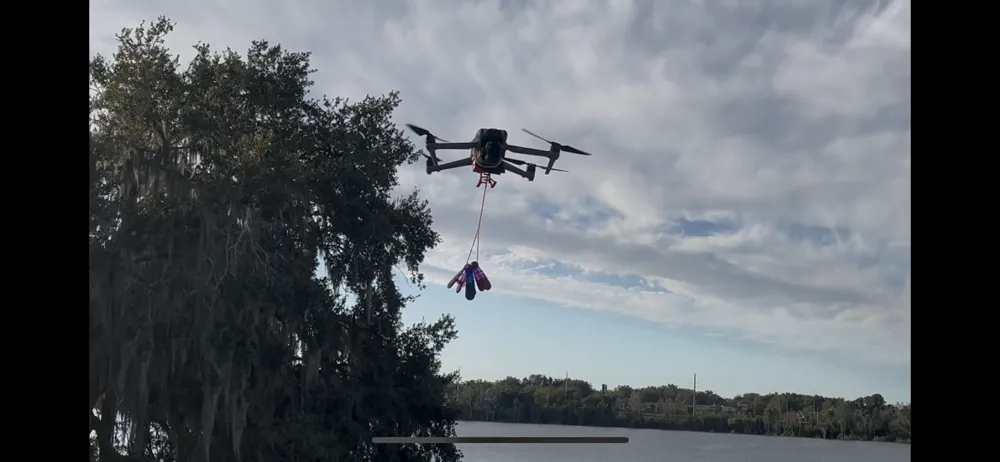
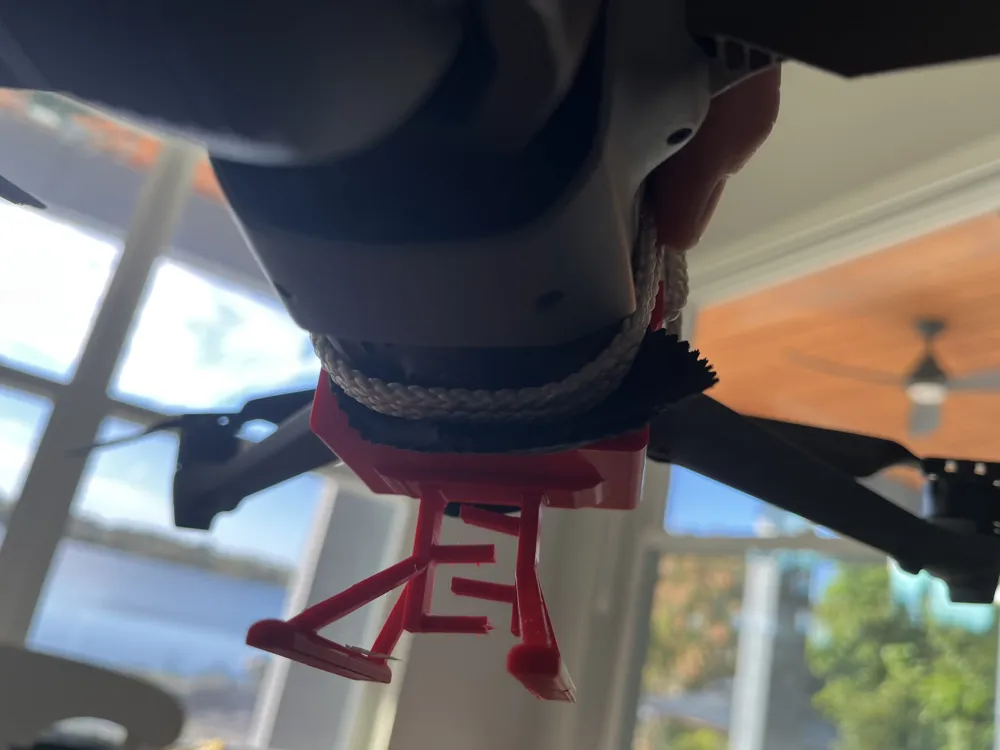
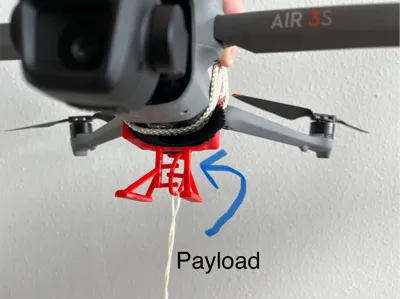
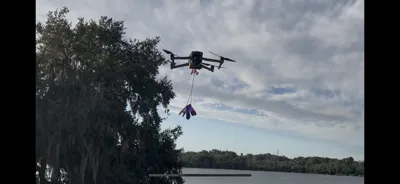
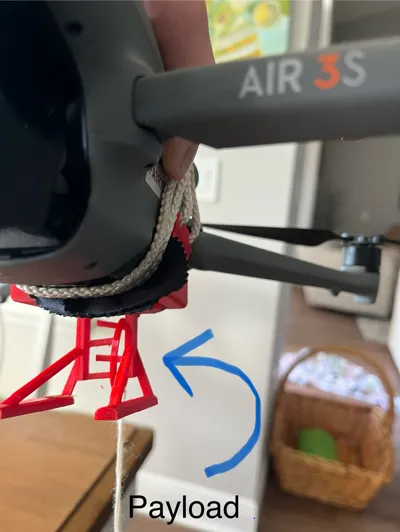
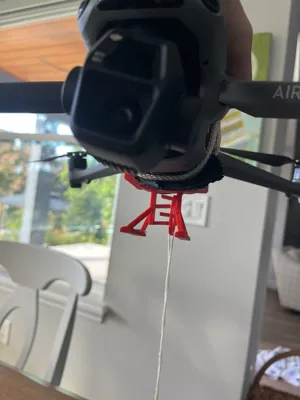
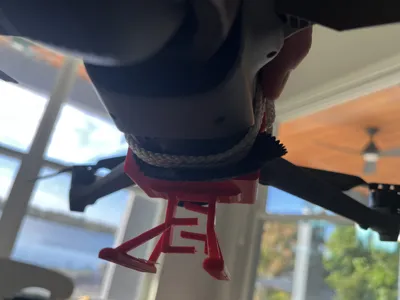
This drone payload dropper does NOT need electronics to function. Because of its simple and functional design, simply fly left and right a few times to release cargo. Its design allows it to release a payload from and DJI Air 3s or Air 3 drone. This design is based off of a model by @Elijahsprints. His design is made for the DJI mini 2 and the mini 4K at DJI Mini 2 (SE) Payload Tilt-Drop + Landing Legs by Elijah MakerWorld: Download Free 3D Models. Just to be clear, @Elijahsprints gave me permission to make my own version of his design. This is the equivalent to a remix of his model, but he gave me clear approval to post it as an original as long as I included him in the description. In order to attach the printed part to your drone, you'll need some twine or thin rope to tie around the top of your drone and a small cloth to protect the sensors on the bottom of the drone. (It goes between the printed part and the bottom of the drone.)
Boost Me (for free)
I'd love to keep getting better at 3D design, and your boost makes all the difference!
Flying Tips
It is best to fly in sports mode and to turn off the advanced safety settings in the DJI fly app. Obviously, this will require more focus while flying, but it is the equivalent of putting the drone in “payload mode”. Therefore, I recommend learning how to hand-catch the drone. Because the sensors are covered, it won't see the ground. Also, it is advisable to keep the string that you are using to attach the cargo to the payload dropper long, as that will prevent the string from getting caught up in the drone's propellers.
Print Settings
PETG is best for this project, as it is very strong. However, PLA would also work well. Separately, make sure supports are turned on to give you the best results. Make sure to wipe away all support material that is near or on the pegs. The goal is to make them as smooth as possible to ensure that the cargo can fall when desired.
Happy printing and flying!
License

You may create derivative works based on this object, provided that all such derivative works are published exclusively on the MakerWorld platform and include proper attribution to the original creator. You may not share, upload, host, distribute, or publish this object—or any derivative work of this object—on any other digital platform, marketplace, or distribution channel. Commercial use of this object and any derivative works is strictly prohibited. This includes, but is not limited to, selling, renting, sublicensing, or using the object in any context in which you receive monetary compensation or other financial benefits.


Comment & Rating (16)