Search models, users, collections, and posts

Mickey Keychain – 3D Model (Personal Use)
IP Report
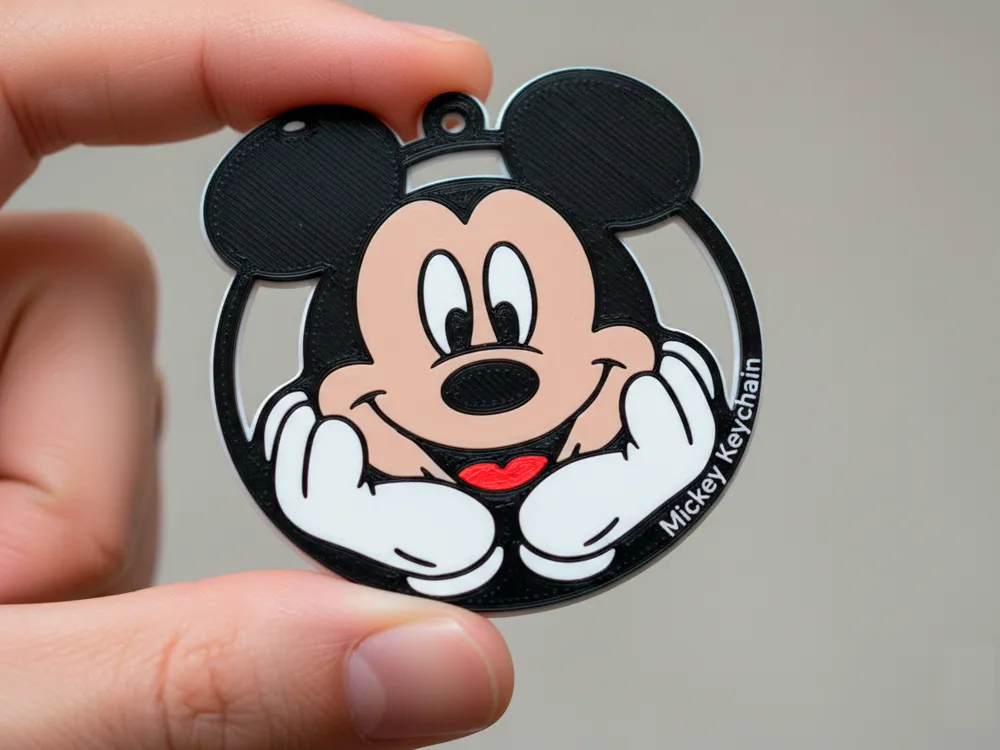
This model is created by Image to Keychain
Make Your Model
Print Profile(1)

0.2mm layer, 2 walls, 15% infill
Designer
2.9 h
1 plate
Open in Bambu Studio
Boost
27
80
1
0
68
30
Released
Description
Content has been automatically translated.
This is a Mickey keychain 3D model created exclusively for personal use, not for commercial purposes.
The design is simple, lightweight, and perfect for customization!
Customization: Add the child's name to the back
You can easily place the child's name on the back of the keychain.
Here's the step-by-step guide:
1. Ask ChatGPT to write the name in Disney font
Type the following into ChatGPT exactly as shown:
Write the name "JUNIOR" in solid black color in Disney font.
ChatGPT will generate the PNG image of the name in Disney style.
2. Convert PNG to SVG
Take the generated image and use any online PNG → SVG converter, such as:
- convertio
- vectormagic
- pngtosvg
Download the .svg file.
3. Import into the model
Open the keychain model in your 3D editor (MakerWorld Studio / Canvas / Bambu Studio):
- Click on the keychain.
- Go to Add SVG.
- Import the name file.
- Position it on the back of the keychain.
4. Adjust as negative part
- Set as Negative Part / Negative Part.
- Set the cut to 0.50 mm.
This will make the name "carved" into the back of the keychain with a clean finish.
License

This user content is licensed under a
Creative Commons Attribution-Noncommercial-Share Alike


Comment & Rating (1)