
Customizable Christmass tree family names
Print Profile(2)


Description
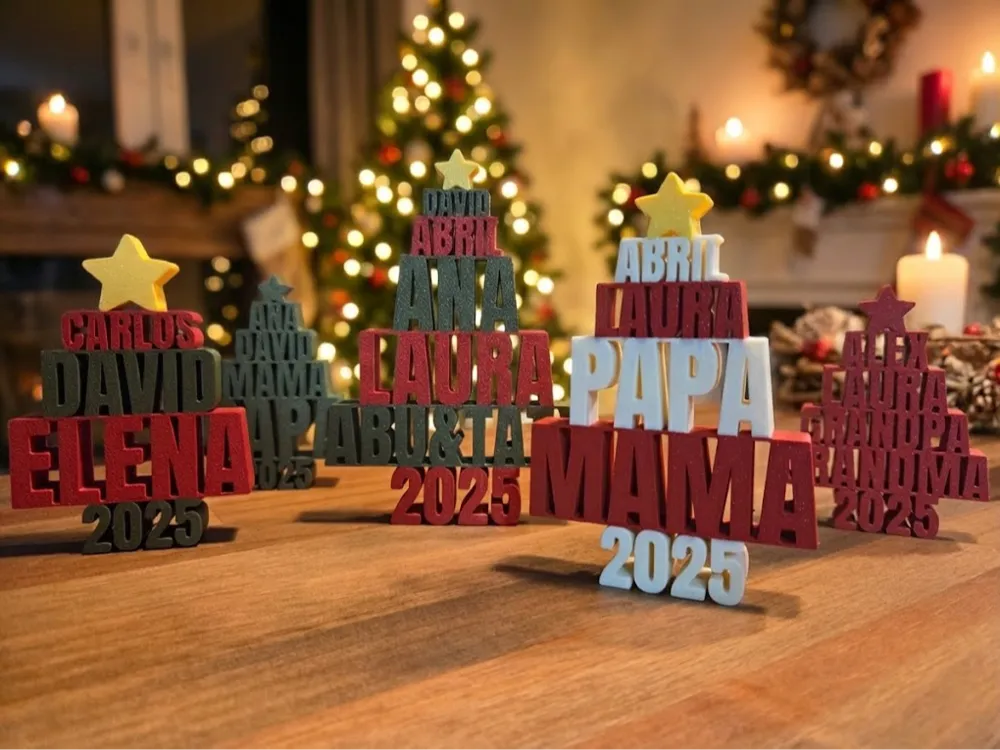
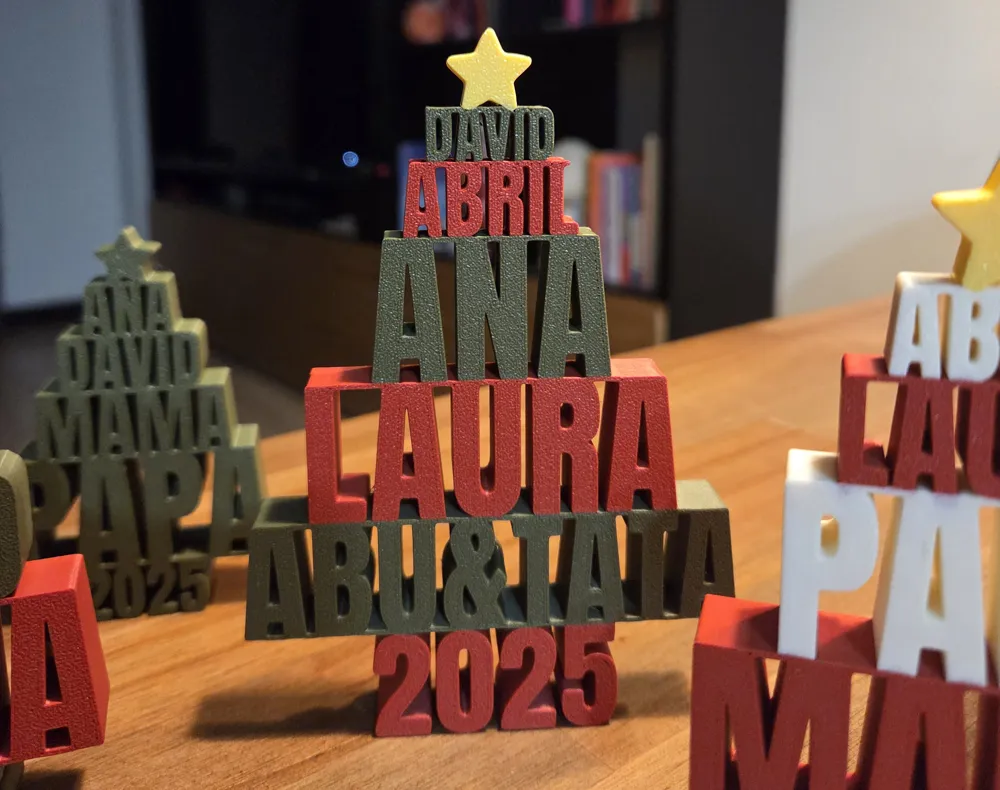
Create a fully personalized ornament featuring your custom text, such as family names, inspirational words, or any short message. This design automatically scales and arranges each line, allowing you to craft a unique decorative piece for gifts, events, holidays, or home display.
Boost Me (for free)
Boosts help me keep creating new designs. If you enjoy this model, boosting it is a great way to say thank you at no cost to you.
Printing instructions:
When printing in multiple colors take into account that Bambu Slicer color managing fails and will cause some color leaks in the infill. For avoiding this slicing problem, once the model, right click over it and select Split→ To objects:

Note: You can modify the “gap” between the different parts with the parameter partSeparationMultiplier under the “Export options” section for a better split detection
Parameters
names – The text lines displayed in the ornament.
Use * to separate multiple lines.
Example: "Ana*David*Mom*Dad"
Default: "Ana*David*mama*Papa"
year – Optional year shown at the bottom.
Leave blank if you do not want the year displayed.
Default: "2025"
Text Options
lineTextHeight – Base font size for the text lines.
Default: 10
lineThickness – Thickness of the separator bar between text layers.
Default: 1
Export options
separateByColor- When activated, it will split the model by colors. (Note: the rendering of the preview, might fail and show no color for some of the parts, but if you check each one of the plates, it should contain the color info)
Shape Options
extrudeHeight – The thickness of the ornament (Z height).
Default: 20
treeAngle – Defines the diagonal angle used to taper the line widths.
This parameter shapes the overall silhouette of the ornament.
Range: 15 to 45
Default: 25
starTipHeight – Controls the upper tapering height of the ornament, affecting the top silhouette.
Default: 10
Star Options
starOffset – Vertical adjustment of the star position.
Default: -1
Color Options
starColor – Color used for the star symbol.
Default: "#c7ab0d"
evenColor – Color used for even-numbered text lines.
Default: "#045125"
oddColor – Color used for odd-numbered text lines.
Default: "#9b131a"
Exporting the Model
- Set your parameters to customize the ornament.
- Generate the model using the included OpenSCAD script.
- Export the result as 3MF for multi-color prints or STL for single-color prints.
Your ornament is now ready to print and display anywhere — on a shelf, desk, wall, or included in holiday or event decorations.
License

You shall not share, sub-license, sell, rent, host, transfer, or distribute in any way the digital or 3D printed versions of this object, nor any other derivative work of this object in its digital or physical format (including - but not limited to - remixes of this object, and hosting on other digital platforms). The objects may not be used without permission in any way whatsoever in which you charge money, or collect fees.


Comment & Rating (131)