
Rubber Band Copter

Print Profile(4)


Description
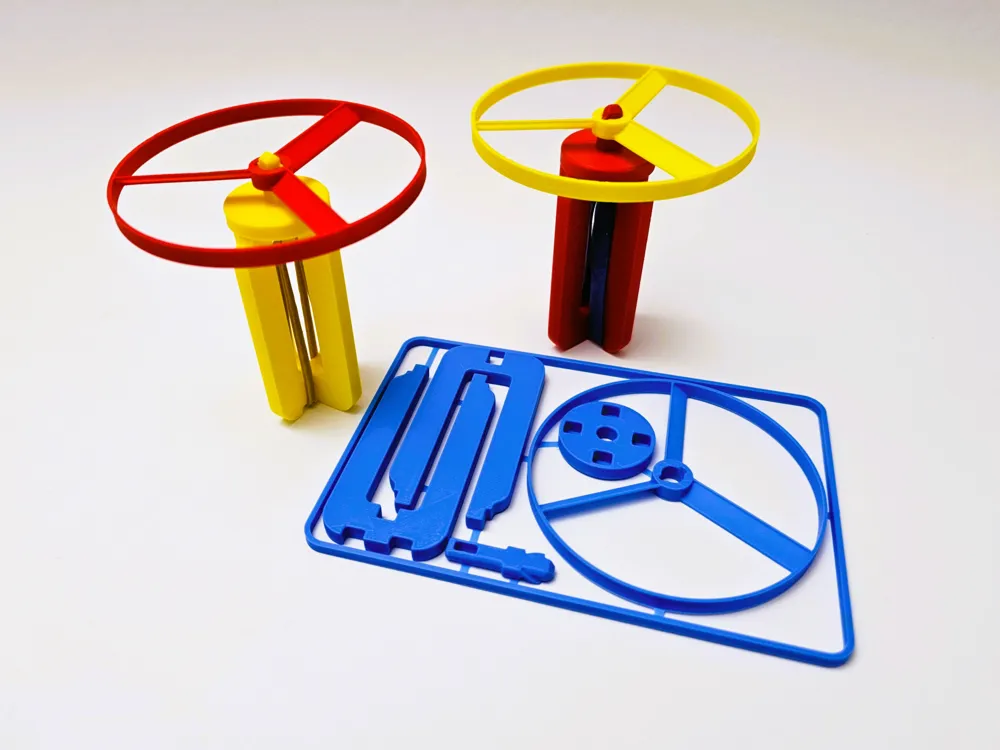
My contribution to the Kit Card Design Contest: the Rubber Band Helicopter.
Easy to print and easy to assemble.
No additional components required except:
- a robust rubber band,
- a drop of oil.
How to print:
Line width 0.4 mm, layer height 0.16 mm, first layer height 0.2 mm, no supports, don't print too fast. Or just use my print profile.
Assembly:
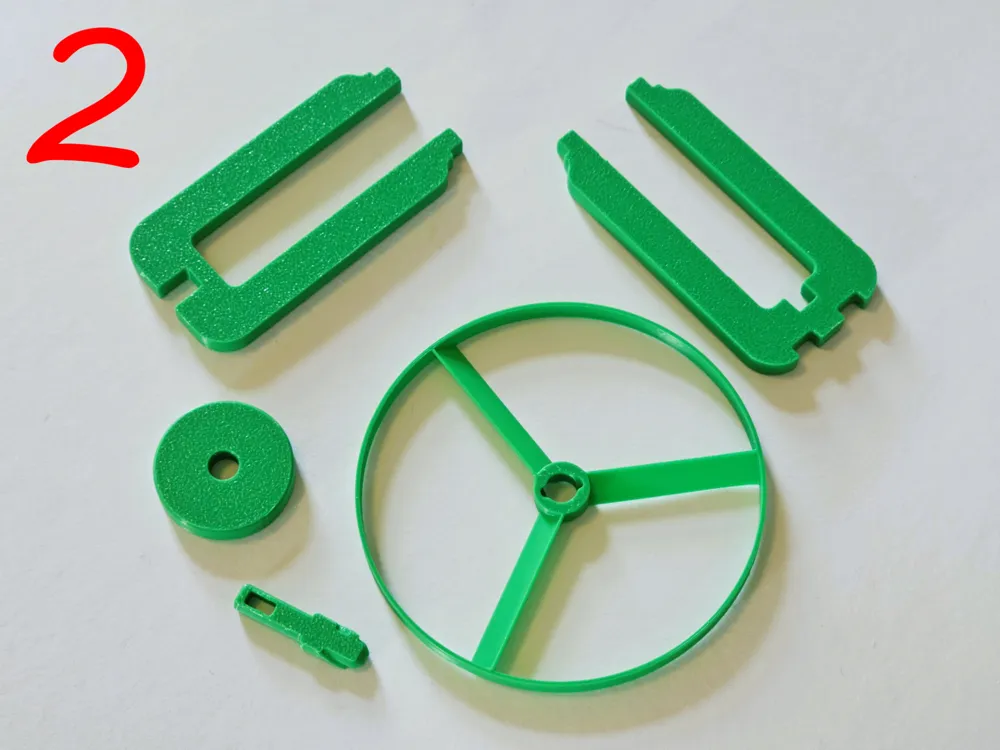
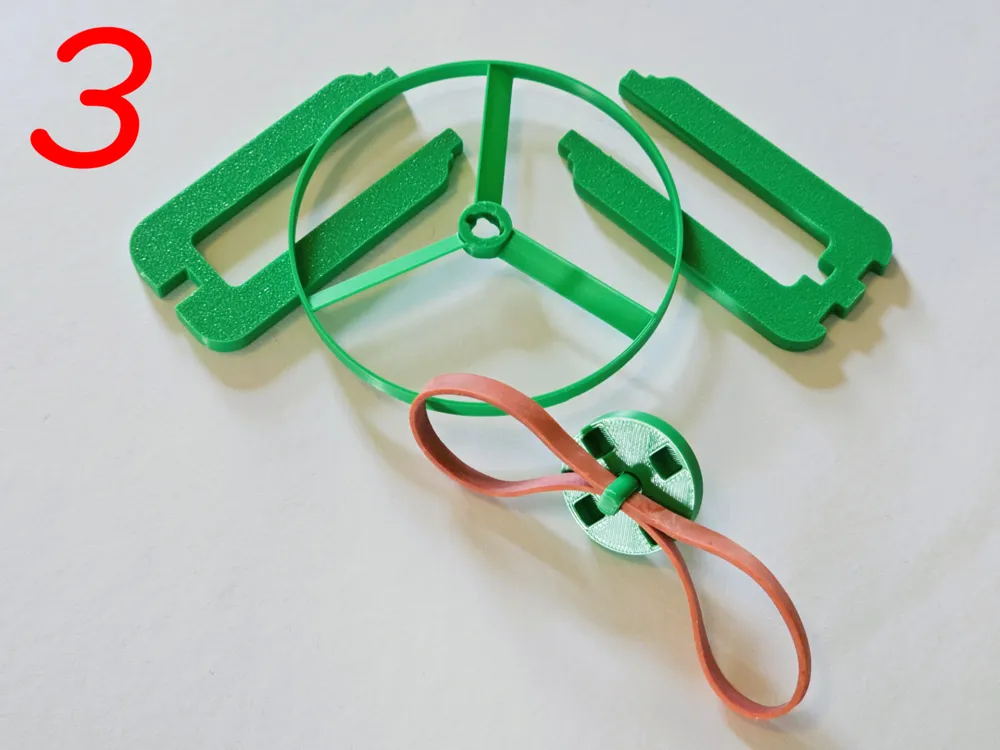
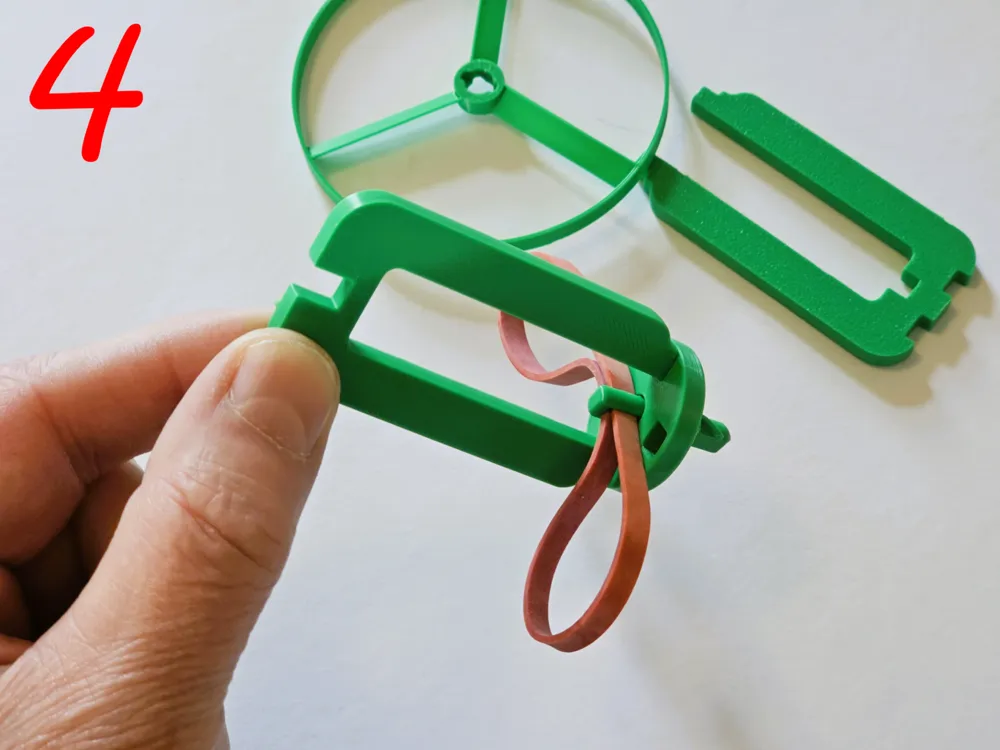
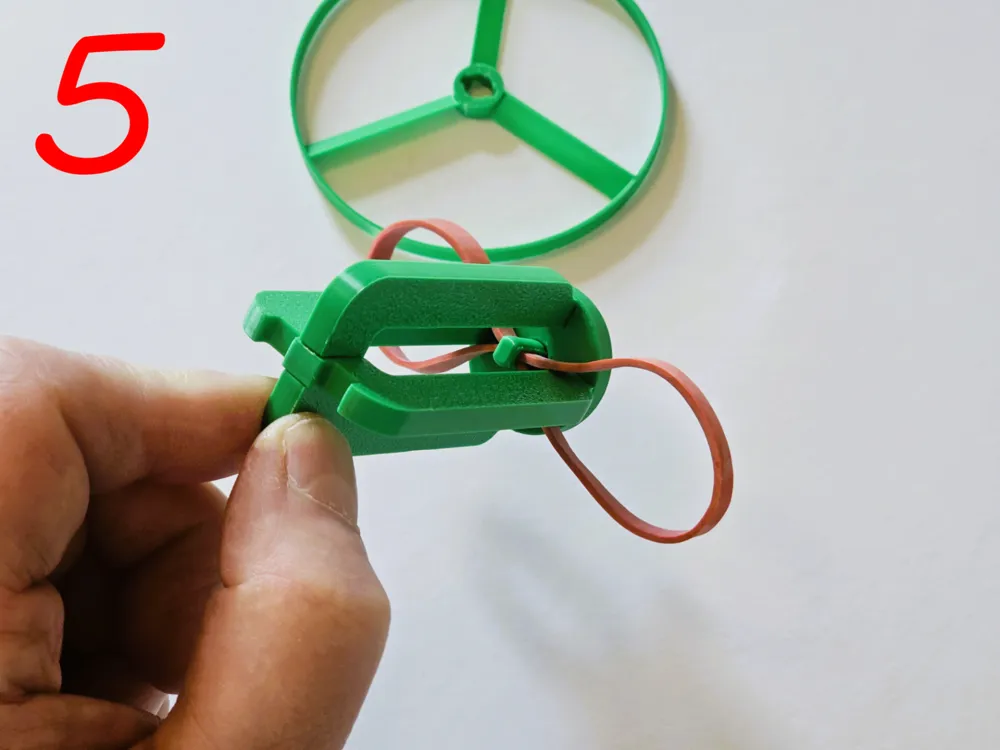
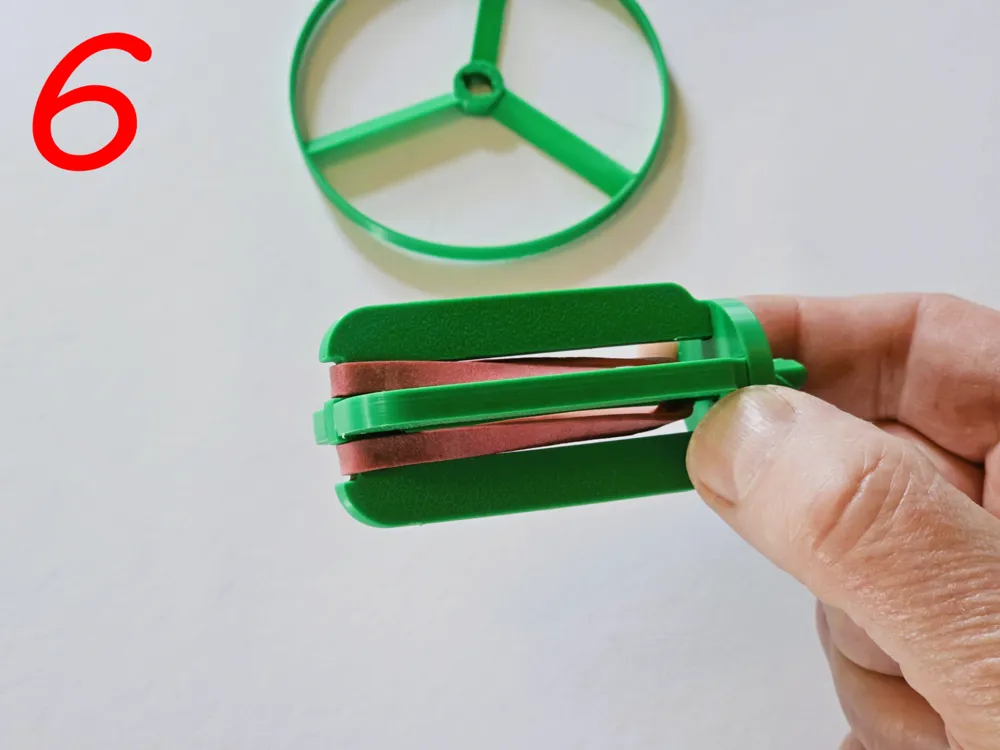
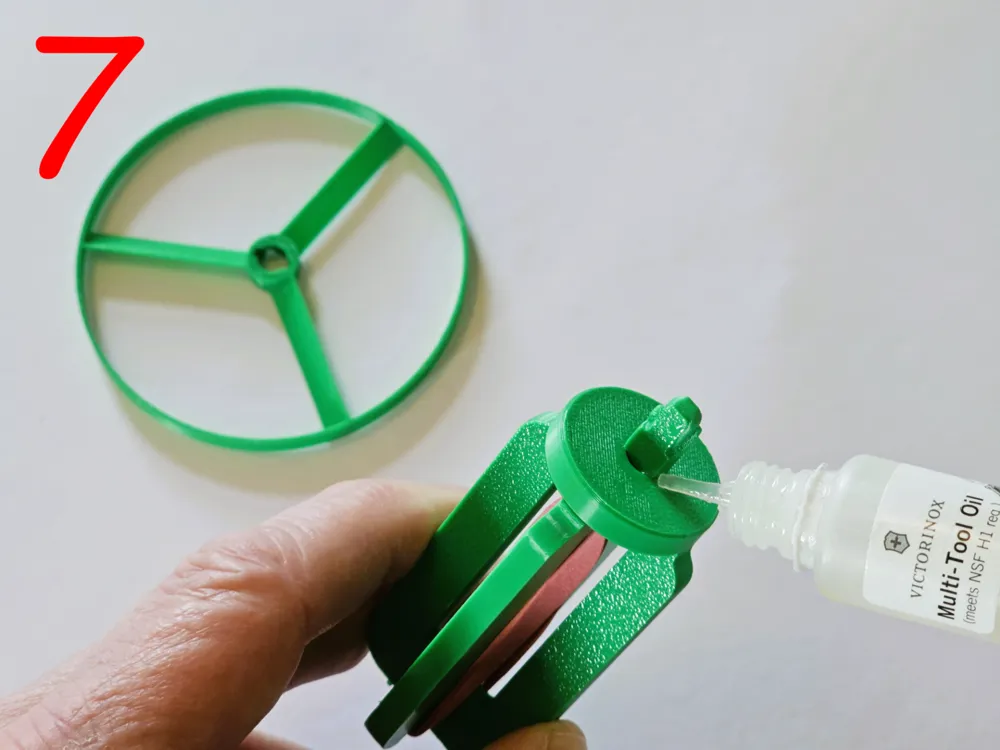
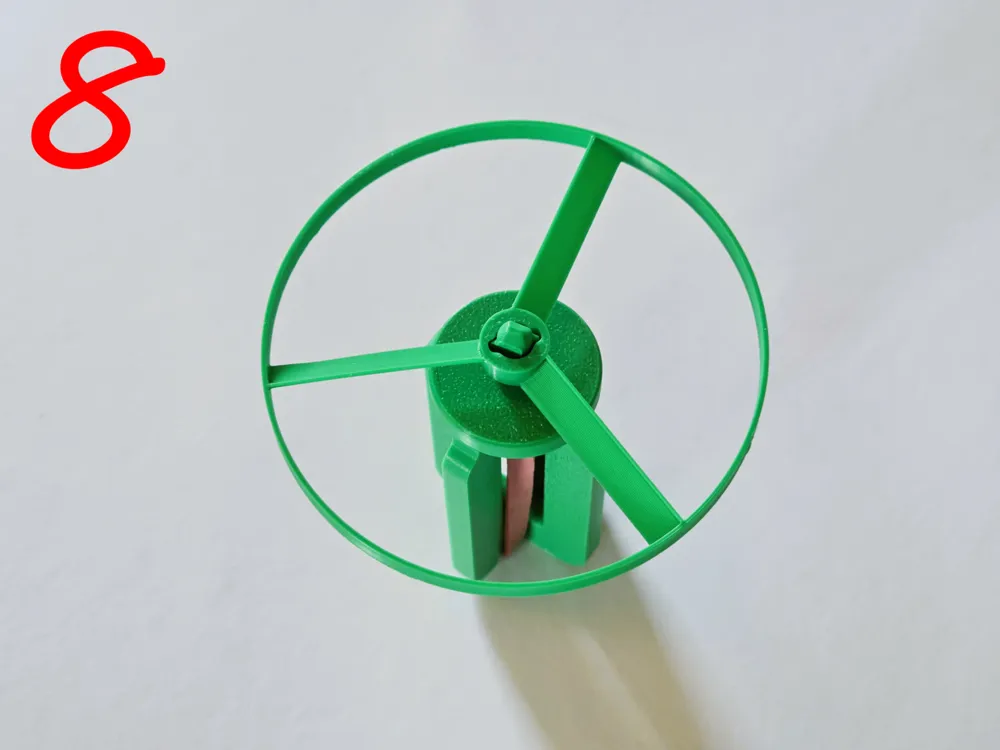
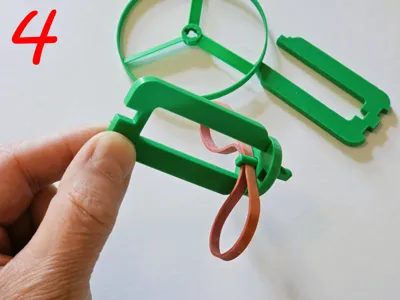
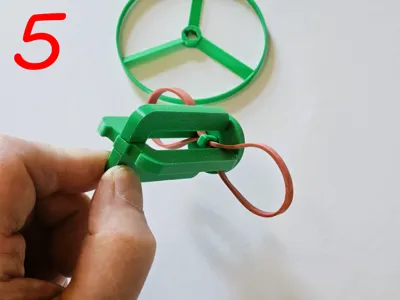
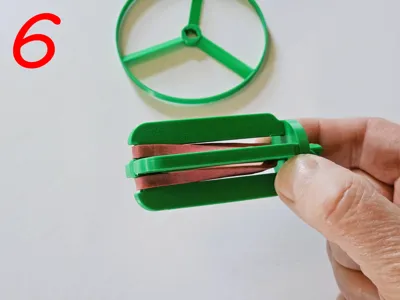
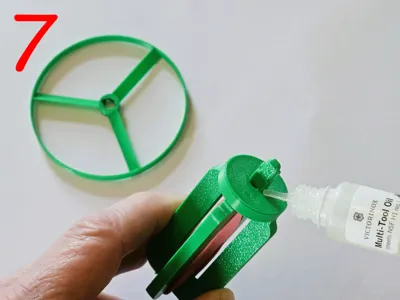
Please follow these building instructions, you can find the corresponding pictures above.
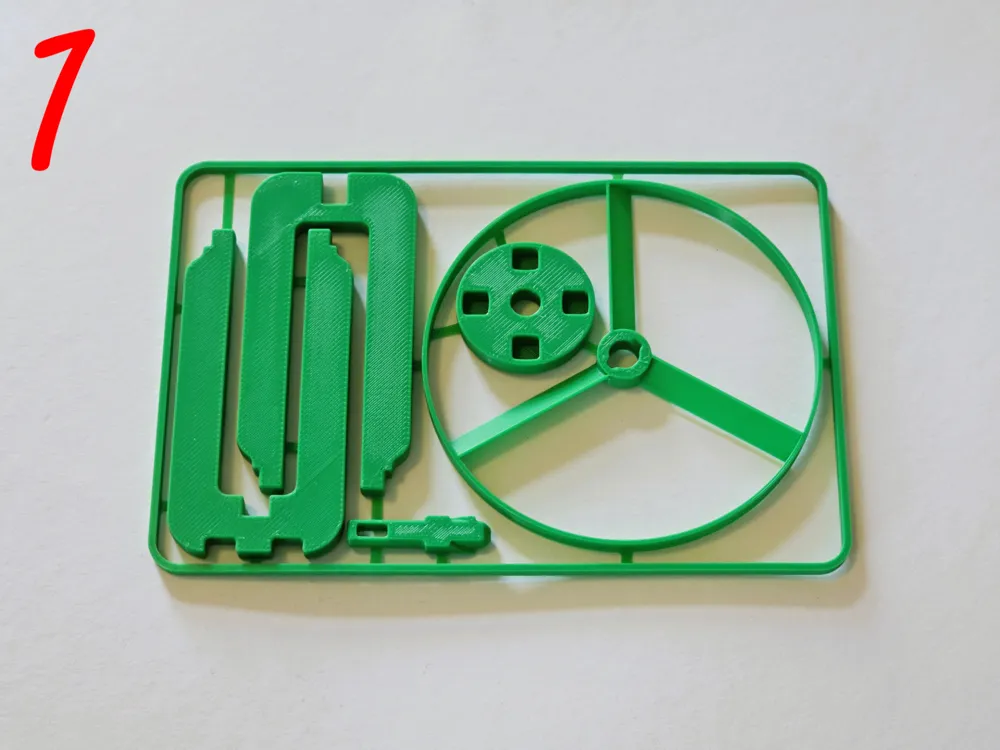
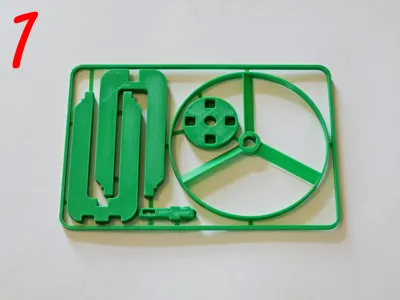
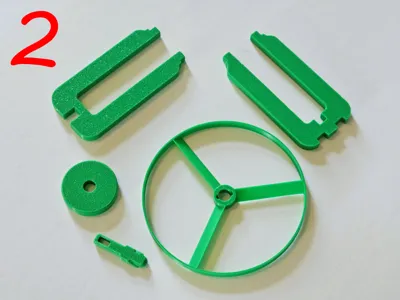
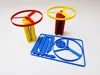
- Break out all individual parts from the kit card and remove any remaining fasteners (pictures 1 and 2).
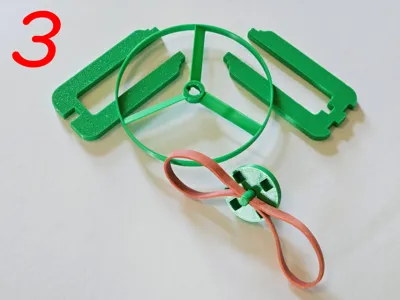
- Put the axle into the round bearing plate and insert the rubber band (picture 3).
- Insert one half of the handle into the round bearing plate (picture 4).
- Add the second half of the handle, making sure that the two loops of the rubber band wrap around the arms of the second handle part (picture 5).
- Pull the two loops of the handle evenly over the second handle part (picture 6).
- Add a drop of oil to the contact surface between the bearing plate and the axle (picture 7).
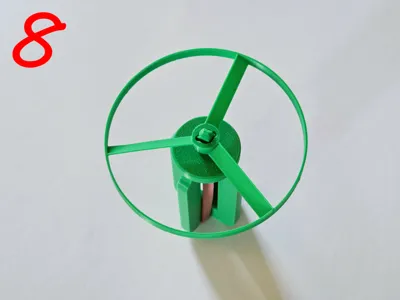
- Put the rotor on, the orientation doesn't matter (picture 8).
Do not leave out the oil, otherwise the system will lose too much energy due to friction!
Select a decent Rubber Band!
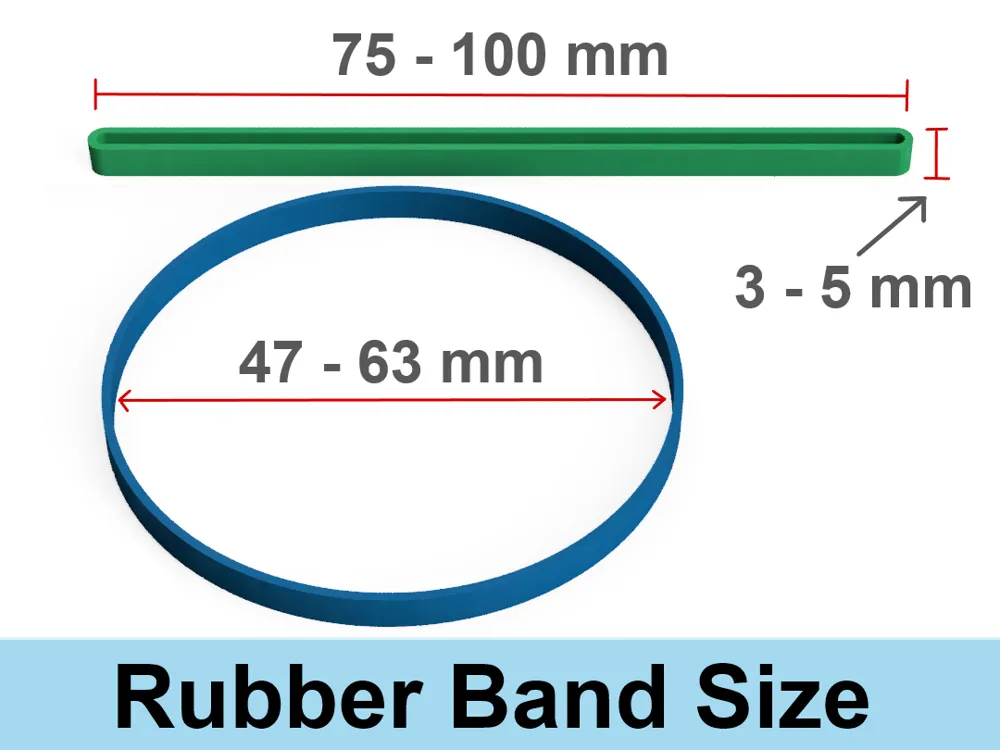
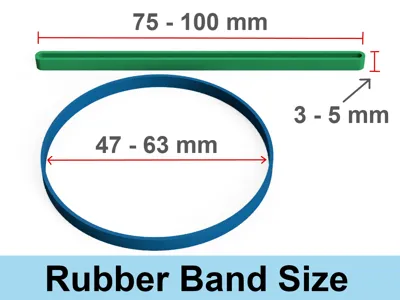
If you choose a rubber band from Maker's Supply, I recommend the RA017 (5x60mm). It's quite thick and a bit difficult to insert into the eyelet, but it offers tremendous power. If you choose another elastic band: not every cheap rubber band will work satisfactorily. I recommend a band that is at least 1 mm thick, 3 to 5 mm wide and 45 to 75 mm in diameter. It should be well elastic and have a decent restoring force. With a good rubber band, 5 to 10 turns of the rotor should be enough to get it to rise a few meters.
If you only have thin, simple rubber bands, try using 2 or 3 of them at a time.
How to use:

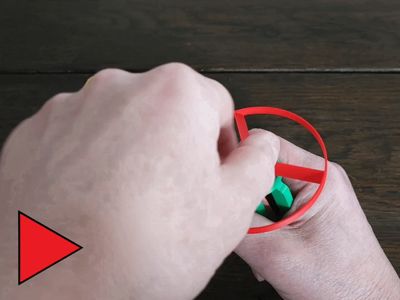
Place the rotor on top and turn it clockwise a few times. Then block it with your thumb until you want it to start. (See short video above).
WARNING: CHOKING HAZARD - Small parts, not for children under 3 yrs!
License

You shall not share, sub-license, sell, rent, host, transfer, or distribute in any way the digital or 3D printed versions of this object, nor any other derivative work of this object in its digital or physical format (including - but not limited to - remixes of this object, and hosting on other digital platforms). The objects may not be used without permission in any way whatsoever in which you charge money, or collect fees.


Comment & Rating (149)