Search models, users, collections, and posts

Rackholder / Cooling for MikroTik CSS318-16G-2S+IN
IP Report
Print Profile(1)

0.2mm layer, 5 walls, 20% infill
Designer
6.9 h
3 plates
Open in Bambu Studio
Boost
2
8
0
0
1
0
Released
Bill of Materials
Maker's Supply Kits and Parts
Select all

Description
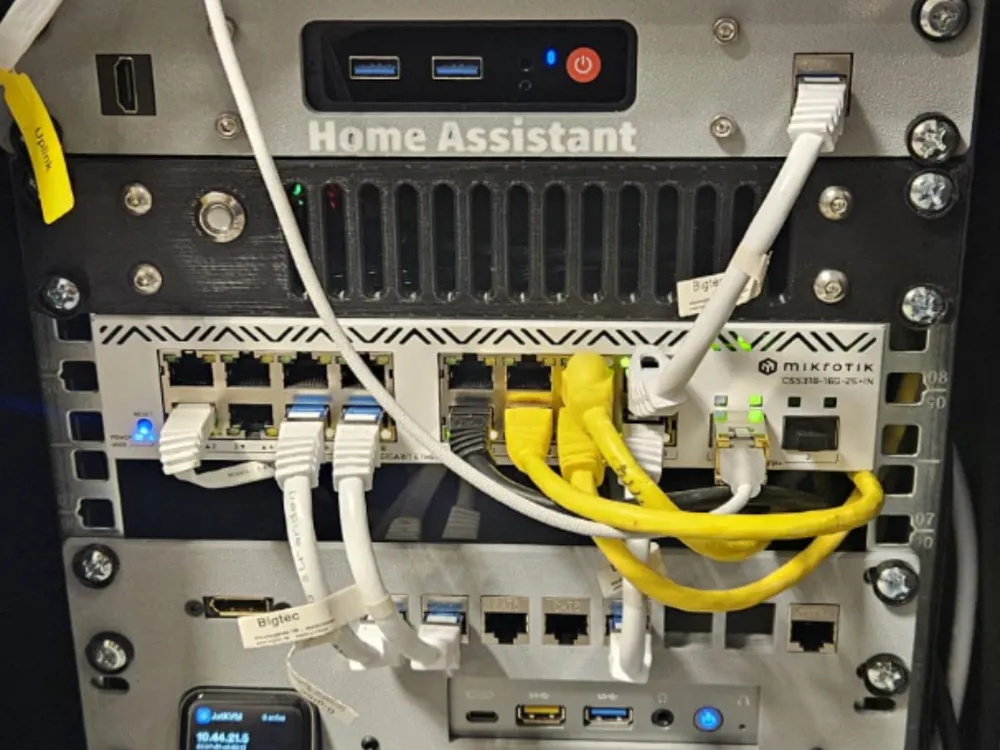
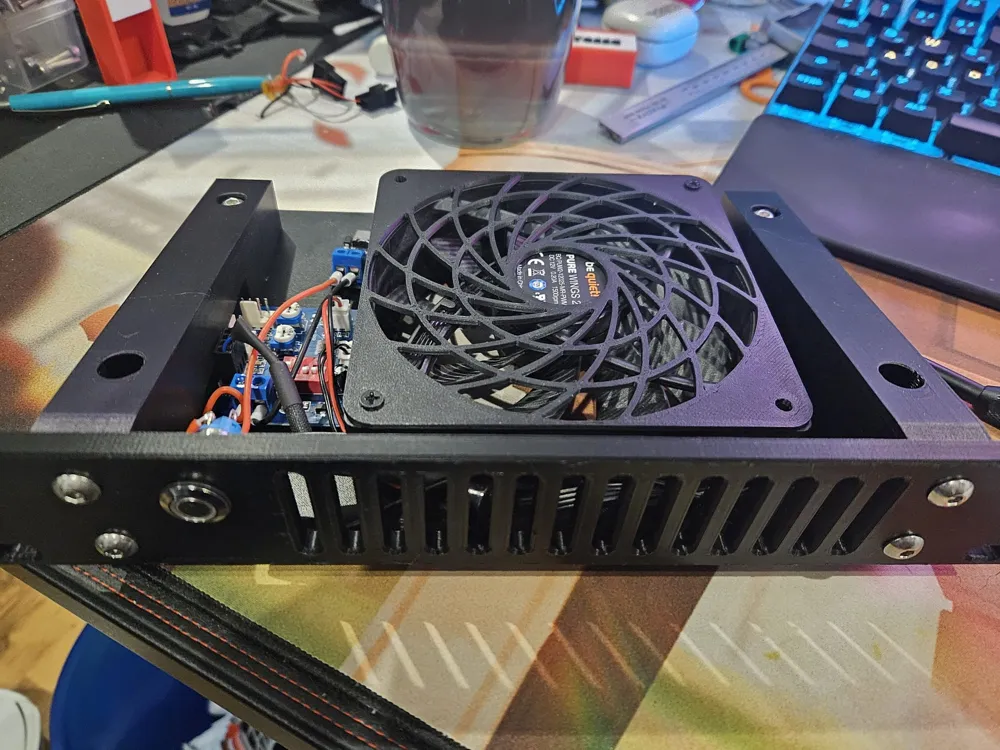
The switch is slightly too wide to fit into my 10inch rack with the rack ears attached, and the passive cooling is not sufficient for me, so I decided to replace the top cover. With this i can drop the rackears and cooling is drastically improved (started with about 60°C for switch and SPF+ transceiver, with now getting between 35-40 °C)
The original top cover is completely replaced.
You will need the following additional parts:
- Heatset Inserts:
- 5x M3 Threaded Brass Insert → to attach the switch to the printed cover
- 4x M5 Threaded Brass Insert → to attach front cover to side brackets
Screws:
- 2x M5x25 (can be smaller)
- 2x M5x16 (can be smaller, slightly bigger)
- 4x M5x25 (or slightly bigger) + 4x M5 nut
- (optional) 5x M3x12 → to replace the pretty short original M3 screws to attach the printed cover to the switch
- Electronics
- 1x 120mm 12V Fan (I recommend a silent one from Noctua or beQuiet, you don´t need massive amount of airflow)
- Some kind of fan controller ( i used a PWM controller with temperatur sensor)
- Some kind of power input to power the 12V fan ( I used one with USB-C PD power input)
- To power this via USB-C i used a small Anker Nano II 65W charger and an angled USB-C cable
- Some wires and optional wire ferrule
- (optional) 12mm self-locking switch
Assembly is pretty easy. Put in the heatset inserts into the printed parts.
Screw the 120mm fan and then the side brackets down into the printed top cover. Put in the electronics and wire everything up.
Screw in the front panel and put everything int your rack.
License

This user content is licensed under a
Creative Commons Attribution-Noncommercial


Comment & Rating (0)