
Print Profile(1)

Description
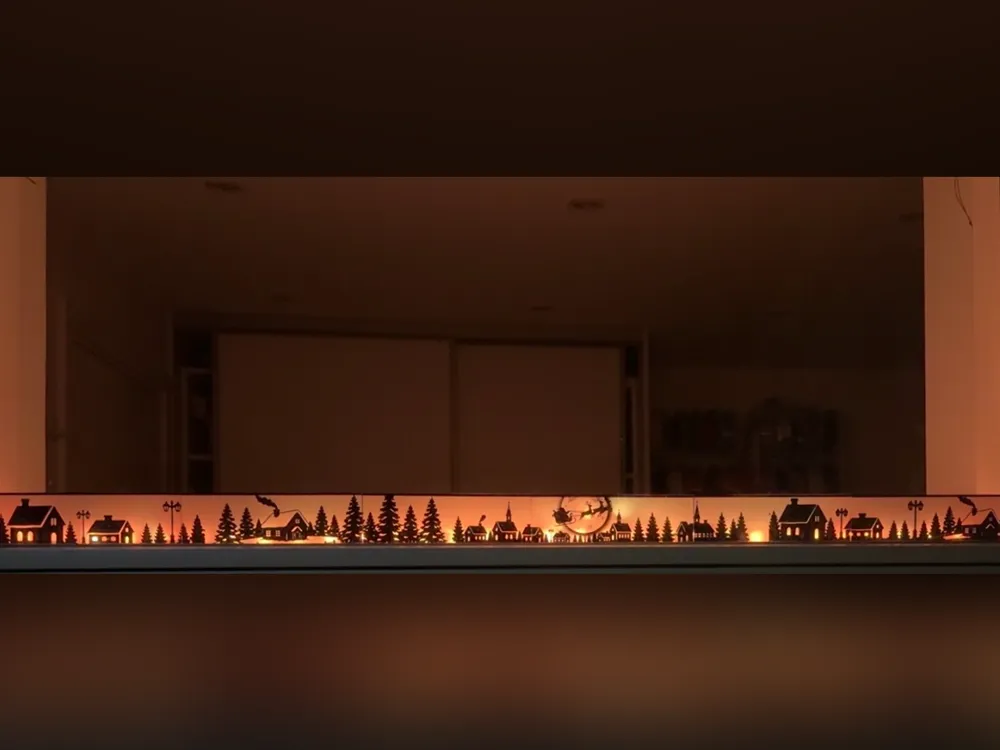
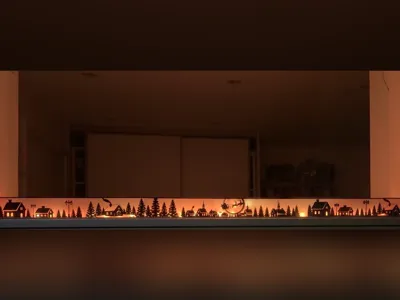
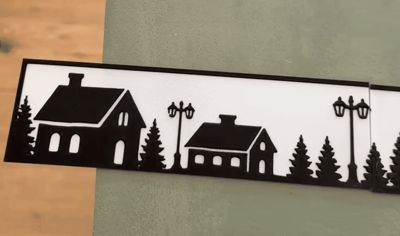
1-meter long, low-cost Christmas landscape light designed for windows.
I created this design for my own needs, but I received a lot of requests to share it, so here it is!

It is designed to be placed on a windowsill. Although it is 108 cm long and 5.5 cm tall, each image only uses ~7 g of filament due to some areas being paper-thin to allow more light to pass through.
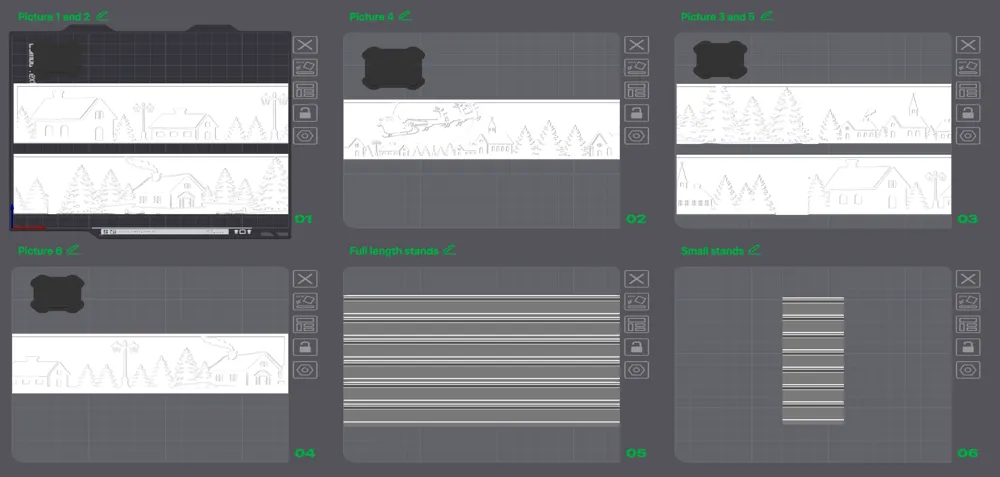
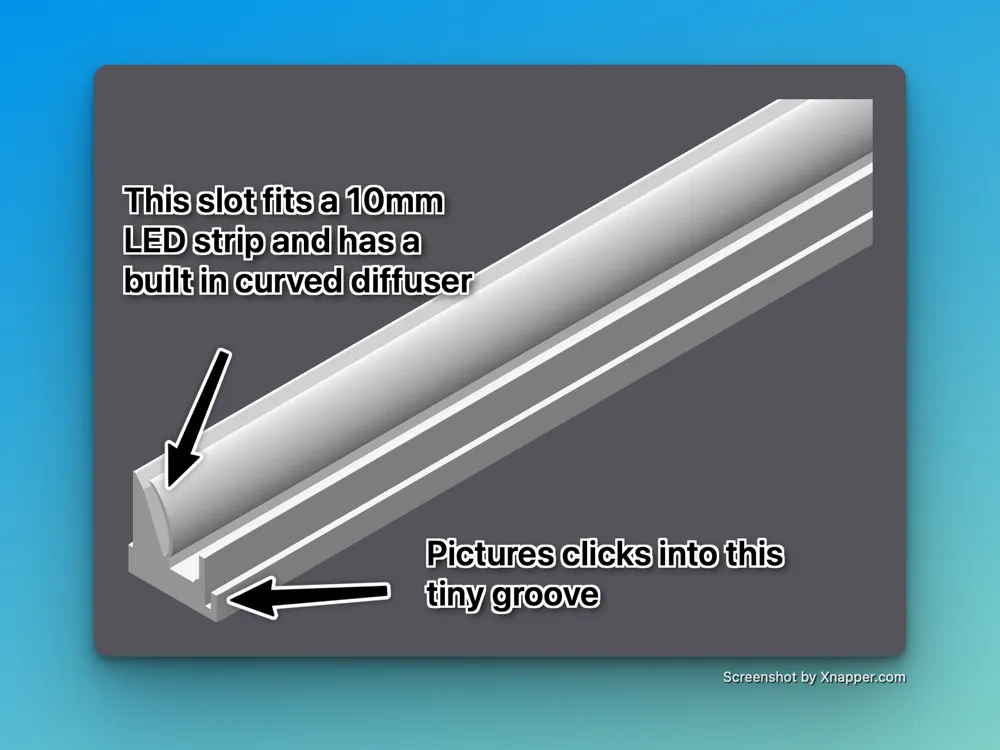
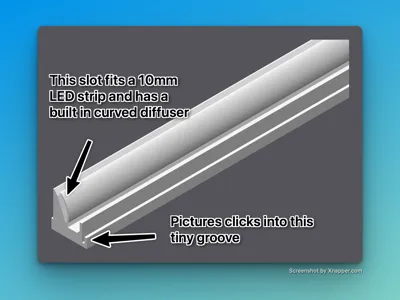
I have designed an optional holder with a slot for a 10 mm LED strip and a built-in curved diffuser. The holder is available both in full length and as small 4 cm versions. If you use the small versions, you need seven of them, which are then placed at each end of the landscape and between each image.
If you prefer to keep it simple, you can also just tape the images to the window and place the light of your choice behind them. Just be careful not to put tape on a very thin part of the print, as there is a risk of tearing it when removing the tape.
I prefer the smaller holders because the light appears more varied, and some of the LED points shine through more, making them look like small stars in the night sky. The photos themselves also act as diffusers.
Instructions
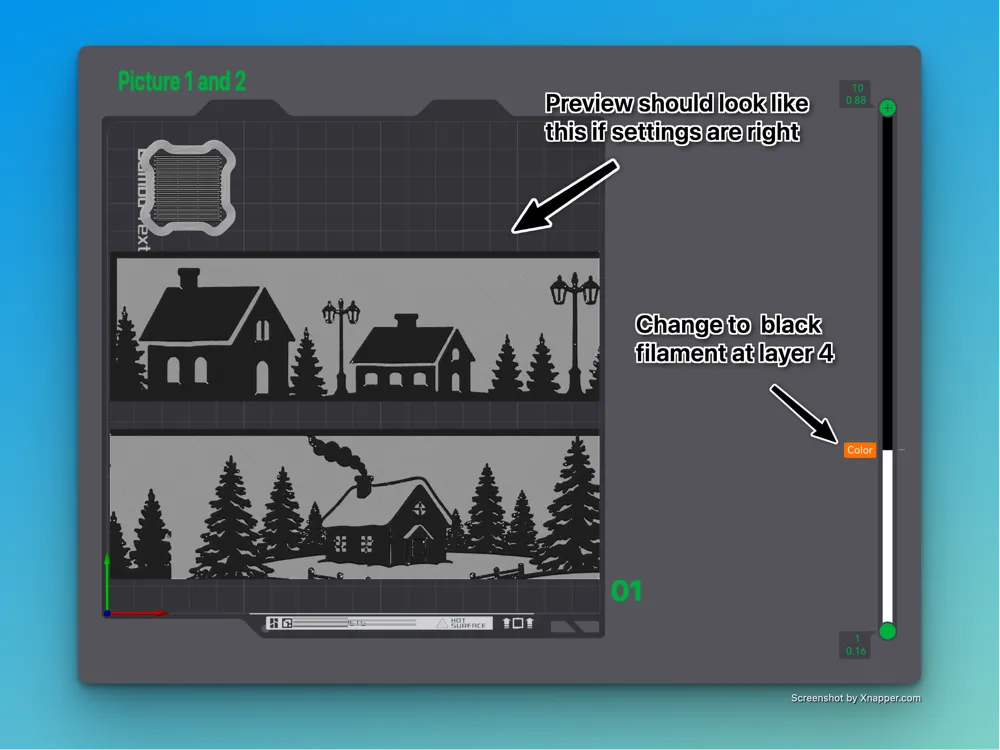
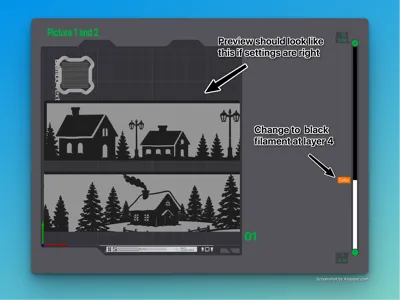
Please make sure that your slicer settings are correct; otherwise it will not look right at all.
- The layer height of the photos should be set to 0.08 mm.
- The initial layer height of the photos should be set to 0.16 mm.
- The sparse infill density of the photos should be set to 100%.
- I have not tested this, but the photos should be scalable as long as you scale all of them by the exact same amount and do not change the thickness. If you try scaling them, please leave a comment with photos and let me know how it went.
- I have used these filaments:
- Bambu Lab Silk+ White
- Bambu Lab Silk+ Black
- Bambu Lab Silk+ Titan Gray (for photo #4)
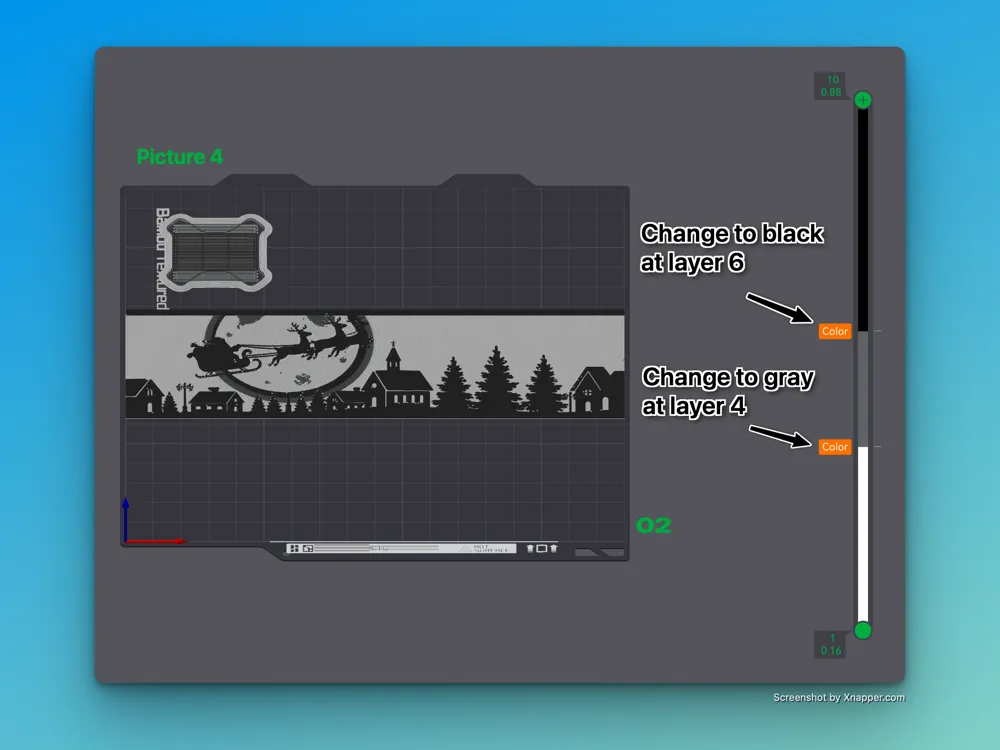
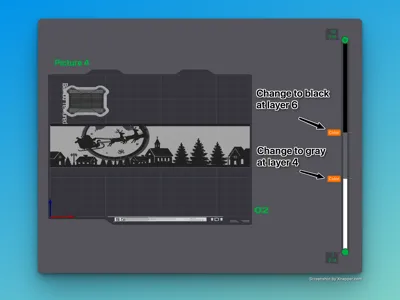
- Photo number 4, with Santa’s sleigh, uses an additional gray filament to create a beautiful gradient on the moon, which improves the sense of depth.
- Layer filament settings
- For photos 1, 2, 3, 5 and 6: start with white and change to black at layer 4.
- For photo 4 (Santa’s sleigh): start with white, change to gray at layer 4, and to black at layer 6.
Make sure to print the photos on a clean and suitable build plate, for example a Textured PEI plate.
When the prints are done, let the plate cool down before removing the prints. I placed the build plate outside in the freezing cold for 2 minutes; then the prints came off easily. As mentioned, some areas are paper-thin, and they WILL tear if you try to remove the print while it is warm.
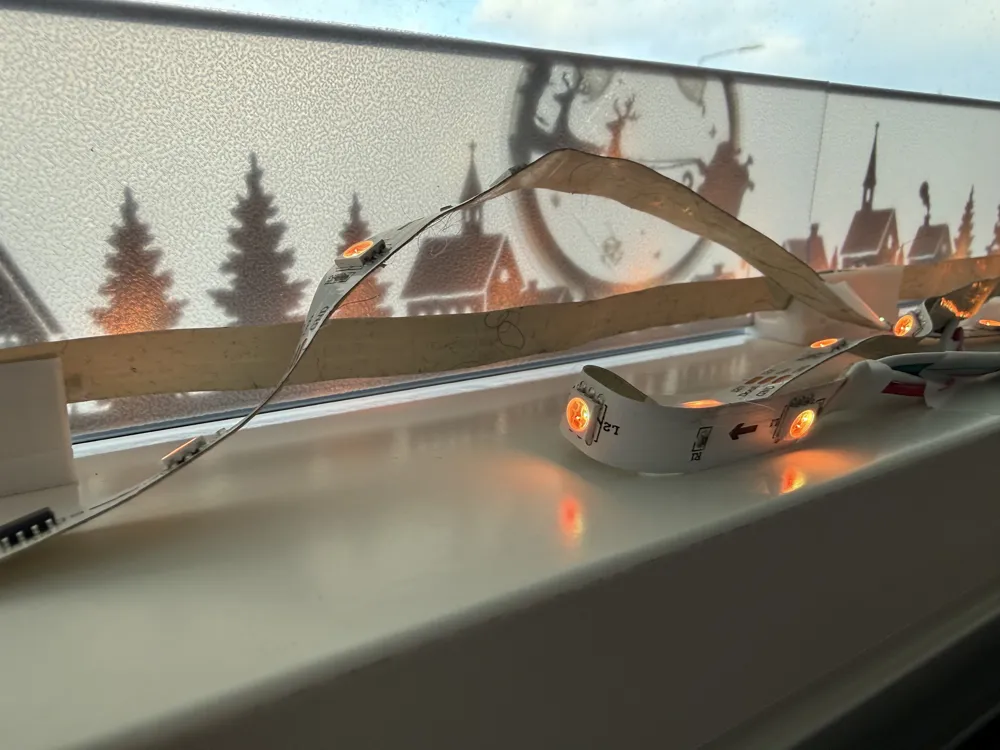
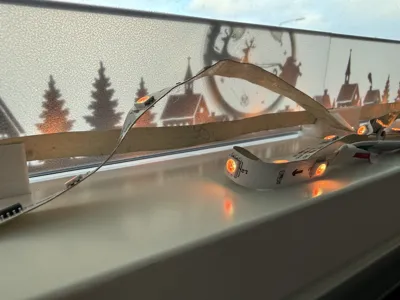
As seen on on if the photos, my LED strip was 2 meter long - and instead of cutting it to size, I decided to bend if at the end of the landscape and place the rest outside of the holders, with 2 pieces of tape to make a small bend behind Santa's sleigh, in order to highlight that area more - and the LED lights outside of the holders, adds some random nice looking star light effects.
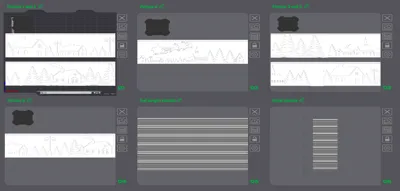
Note: I optimised the design and the photo plate layout for my A1 Mini. If you have a larger printer, you may fit more photos on the same plate — but photo #4 should always be printed alone, as it requires different settings.
That should be all — I hope it brings some joy to the dark winter evenings :-)
License

You shall not share, sub-license, sell, rent, host, transfer, or distribute in any way the digital or 3D printed versions of this object, nor any other derivative work of this object in its digital or physical format (including - but not limited to - remixes of this object, and hosting on other digital platforms). The objects may not be used without permission in any way whatsoever in which you charge money, or collect fees.


Comment & Rating (24)