Search models, users, collections, and posts

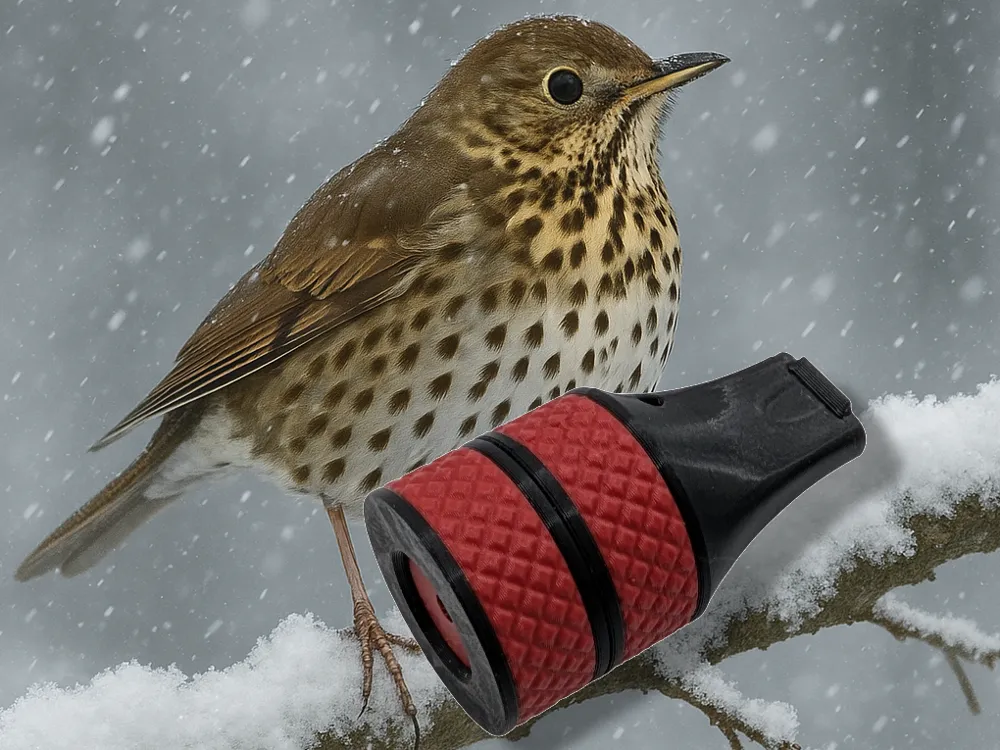
Song Thrush call

Print Profile(2)

All
A1
A1 mini
X1E
H2S
X1
P2S
H2C
X1 Carbon
H2D
H2D Pro
P1P
P1S
X2D
A2L

Reeds, 0.08mm layer
Reeds, 0.08mm layer
Designer
25 min
1 plate
4.9(115)

Body, no reeds, 0.2mm, optional two colors
Designer
1.1 h
1 plate
4.8(156)

Open in Bambu Studio
Boost
1904
4272
336
68
3.4 k
2.4 k
Released 

Description

Song Thrush call

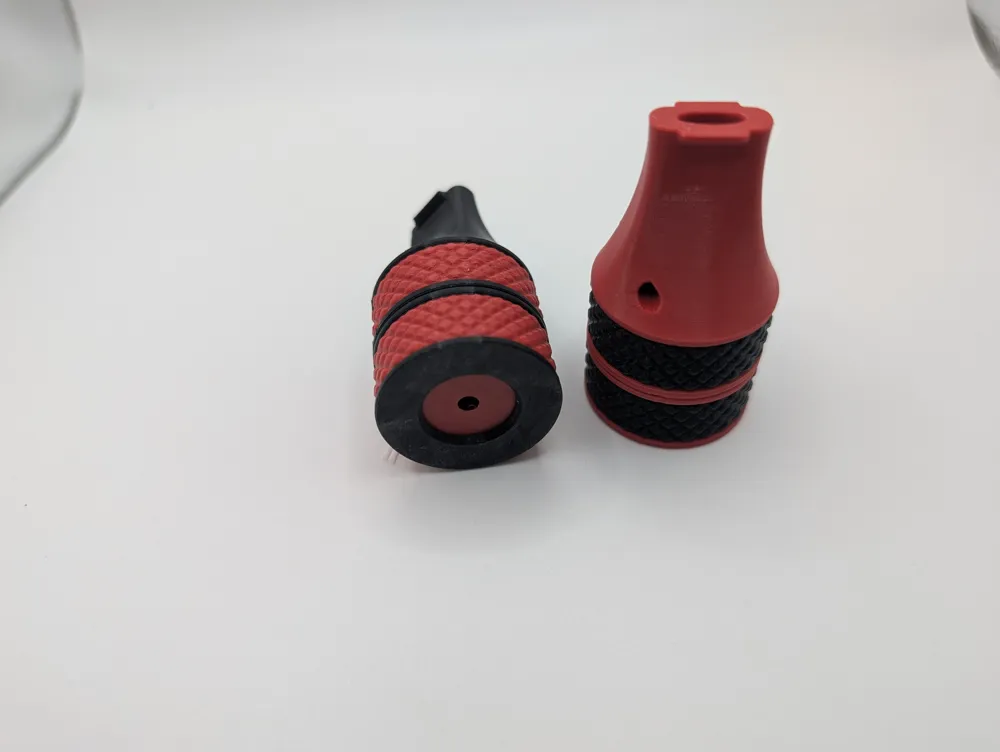
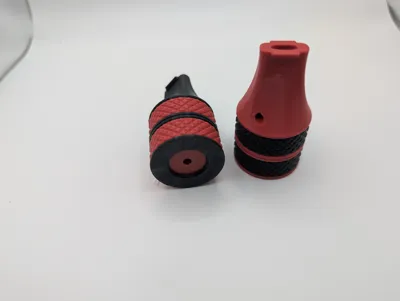
This is an ordinary “button whistle” inside of a body looking as a normal whistle, tuned to be used for mimic song thrush calls. It does requires som training to master since the song thrush is a very talented song bird with many different sounds. The size is quite big but this also allows for a little more power/volume.


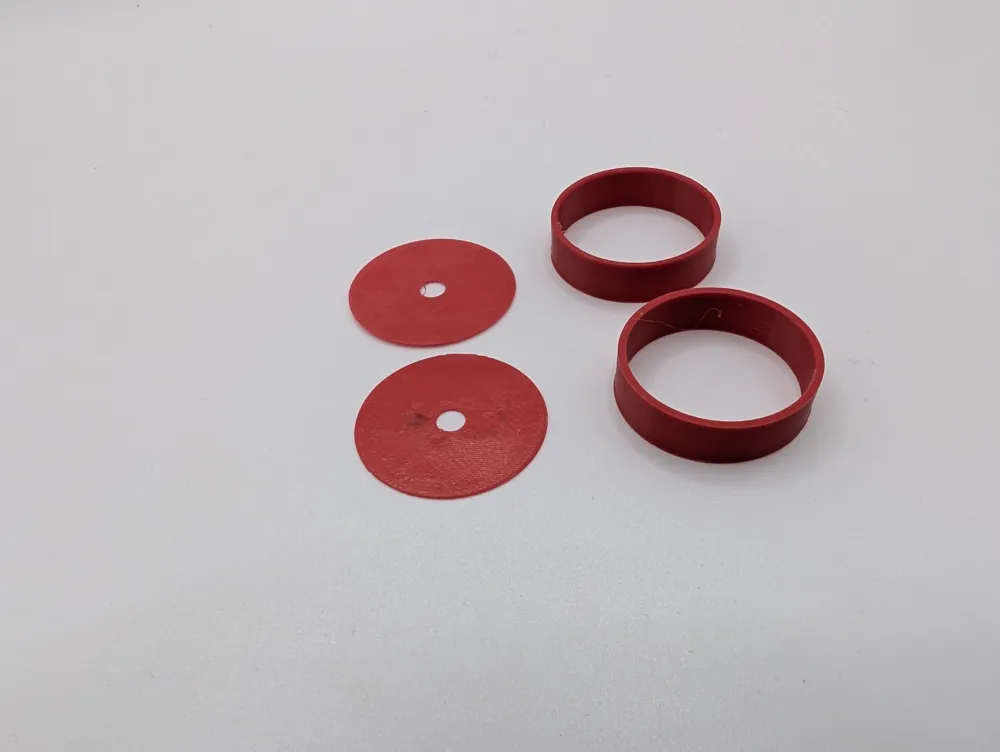
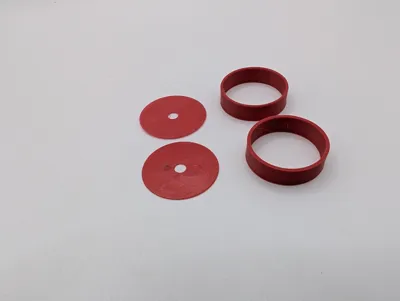
The body of this call can also be used to mimic a lot of other different animals. By changing the hole sizes and spacers many different frequencies can be created. (Smaller hole sizes normally needs a thinner spacer #1 between the reeds, picture in assembly section for parts). I plan to expand the collection here but feel free to experiment yourself.


Printing

I normally suggest PLA or another stiff material for my calls but in this case I actually think most materials will be ok for the main body. Although softer materials might damping the sound a little bit. For the reed parts (print profile #2)  I suggest PLA.

Avoid all CF/GF materials since you are going to breath in around it, you do not want small CF particles in your lungs.

All parts are designed for 3d-printing and no supports needed.

I suggest using 0.4 mm or finer nozzle.


Its divided into two print profiles because the reed parts will be better with lower layer heights and ironing. The body can be printed with 0.2mm layer heights without problems. The reeds should have a 4mm hole in the middle and this is quite important for the tuning. This is hard to get exact on many printers since they squish the first layer a little bit. I therefore suggest that you use a 4mm drill afterwards. Make sure the holes are sharp and fine without any debris. 


Assembling

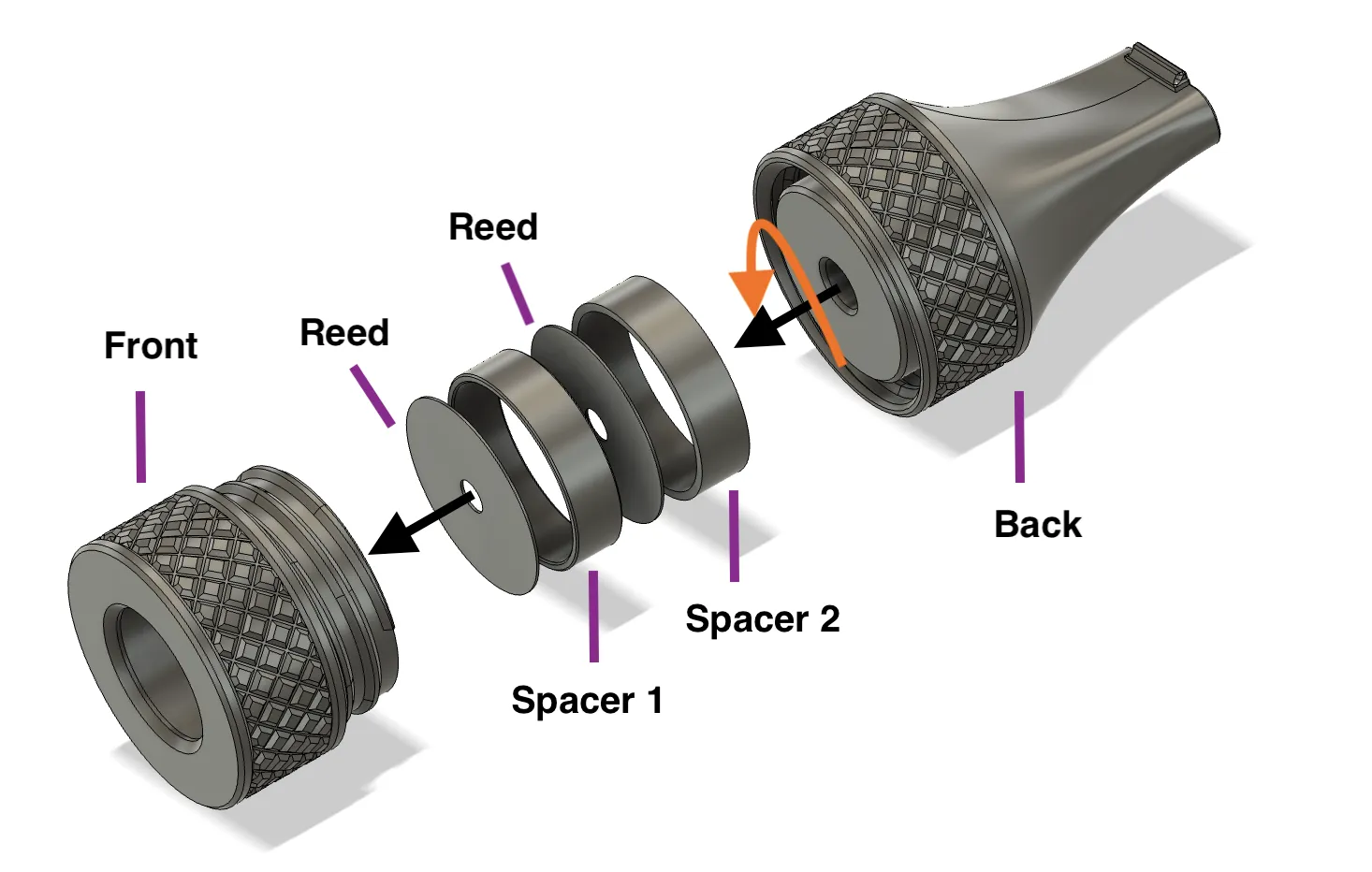
Place the reed and spacers in the correct order shown in the picture below into the front and lock them by screwing the back into the front. The reeds are both identical, the spacers are numbered on the side. ALL parts and their order is very important for the function, if you don't get sound, it is most likely you have either placed them wrong or that you have quality problem with the reeds. Its really important that the thin reeds are “air tight” except for the hole that needs to be round, sharp and 4mm.
Use

As with all button style whistles, this can be used both by blowing and on in-breath. Use your tung to modulate the sound. You can watch the video below for instructions on a similar call:

Comment & Rating (336)

(0/1000)

all prints come with this defect
The designer has replied
Show original
5
Reply
Layer shifts is error on your printer, not the model. If something would be wrong on the model, it would have been noticed by the hundreds of other that has printed it.
7
Reply
mine was fine
1
Reply
I have the same error
Show original
1
Reply
I have printed the object 3 times on a P1S and have always had the same printing defect. The first 2 times I started the print directly from the app, while the third time I sliced it from the PC. The purge tower is always perfect but for some reason the print always presents the same problem
The designer has replied
Show original
0
Reply
Sorry that it happens to you! There seems to be a small number of people that have this problem and I can not understand why. There is nothing wrong with the model (as you can see in the slicer). The body itself should not be that sensitive on the print settings, can you try changing layer height or something else?
0
Reply
Can you see the layer shift in the sliced file?
0
Reply
In the slicer everything looks fine but unfortunately the final object has that defect. I couldn't figure out what it depends on
Show original
0
Reply
Print Profile
Body, no reeds, 0.2mm, optional two colors
Reeds came from the second try. Sounds interesting, and likely it's possible to train sound of a real bird. But during assembly it looked like unoptimized scan of different product. Screwing was very hard, and there are notable seam in lower part. However, i slightly heated my PLA print with 70C water. And screwing became way smoother. Learned new PLA assembly hack.
The profile uploader has replied
0
Reply
Good that you got it to work. But the thread is actually optimized (manually designed) for 3d-printing with quite big margins (0.2 mm). So you should probably look into tuning your printer/material or you might have problems with other prints as well.
0
Reply
Replying to @malx :
Thank you. I'll explore the issue for similar designs. I printed default 0.16 0.4 nozzle without any tuning. But on medium-quality, not dried PLA. Could be affected by that. Probably few layer shifts clamped. Or not perfect adhesion of the first layers (also could be due to not fully dried PLA), ones where thread begins for the upper part.
0
Reply
The seam has to do with your 3D printer. Adjust this setting. options are different per software you use. Google for the solution (increase seam GAP, staggered seams, etc...)
0
Reply
Print Profile
Reeds, 0.08mm layer
funny little print works real well like everything from this creator love your work man happy hunting
profile
3
Reply
Print Profile
Body, no reeds, 0.2mm, optional two colors
the only slightly tricky part was removing the reeds. works very well
The profile uploader has replied
profile
1
Reply
Yea, the reeds are thin and is a little difficult. Thicker reeds would work, just not as well. Therefore I decided for the thin ones. (Button whistles are normally done in metall to keep the walls thin, but by keeping it inside of a body like this we can create a good whistle)
0
Reply
Replying to @malx :
first time printing something complex. so realised I needed tu use provided blade then no problem. great work!
0
Reply
Boosted
Print Profile
Body, no reeds, 0.2mm, optional two colors
sounds great!
1
Reply
love it! Tnx 🙏🏻
1
Reply
Print Profile
Reeds, 0.08mm layer
printed great and works! super cool fun print
profile
1
Reply
Print Profile
Reeds, 0.08mm layer
printed perfectly
Show original
profile
1
Reply
The print profile is no longer public
Plate count: 1. Printed on: X2D. Extrusion from: AMS2Pro. Filament: PLA Basic & PetG Basic. Color: Light grey & Dark grey. Speed: 124%. Adhesion issues: No. Assembly difficulty [1-10, 1 = None]: 3. I screwed this up somehow. broke a reed. im sure it works fine. Yet, no clue, [Approximate & Simplified] SIZE: X: 1.25” ~ Y: 1.75” ~ Z: 1.25” TY again Malx.
(Edited)
0
Reply

License

This user content is licensed under a Standard Digital File License.

You shall not share, sub-license, sell, rent, host, transfer, or distribute in any way the digital or 3D printed versions of this object, nor any other derivative work of this object in its digital or physical format (including - but not limited to - remixes of this object, and hosting on other digital platforms). The objects may not be used without permission in any way whatsoever in which you charge money, or collect fees.
