Search models, users, collections, and posts

Tattoo Machine Grip

Print Profile(3)

All
A1 mini
X1
H2C
H2S
P1P
X1E
P2S
X1 Carbon
H2D Pro
A1
P1S
H2D
X2D
A2L

PLA
PLA
Designer
1.7 h
1 plate
3.0(2)

PEBA 90A
PEBA 90A
Designer
2.5 h
1 plate

PEBA 90 600mm outer diameter
Designer
2.8 h
1 plate

Open in Bambu Studio
Boost
77
232
8
2
153
70
Released 

Description

Content has been automatically translated.
Show original

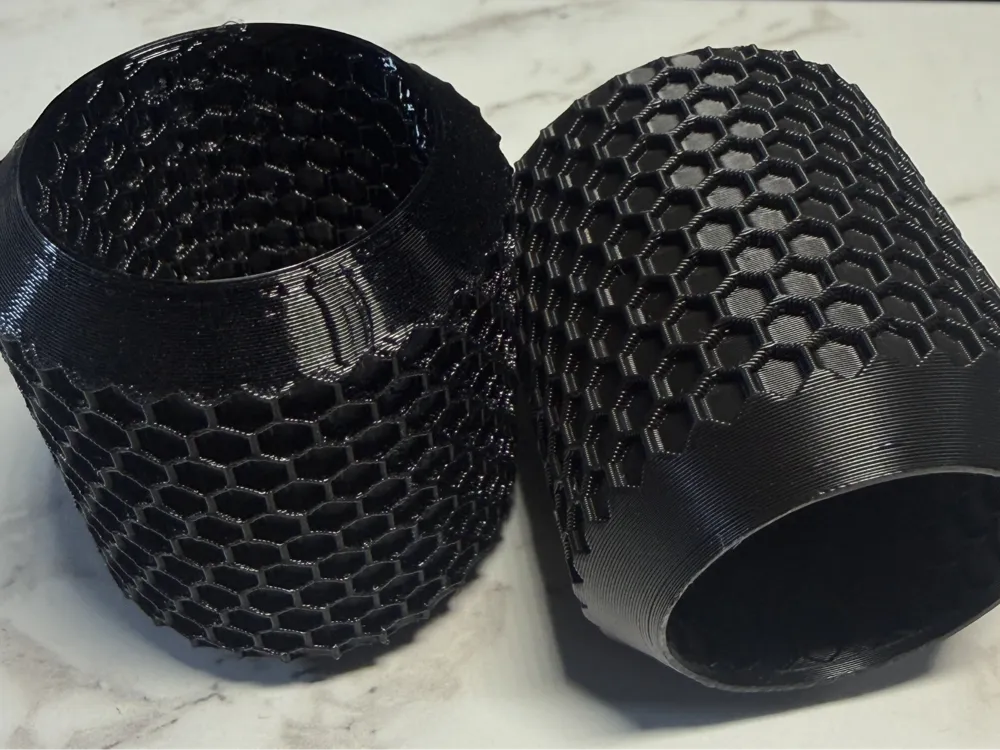
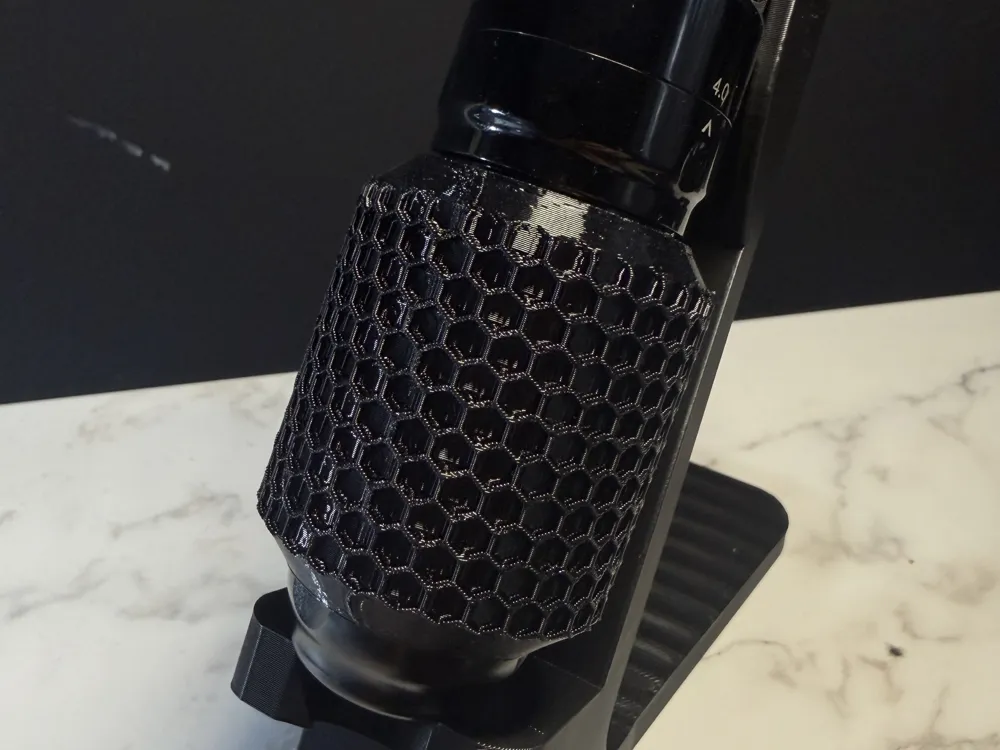
Tattoo machine grip with internal and external hexagon pattern for maximum grip and comfort.
Two variants available:

PLA Version:
– Inner diameter: 37 mm
– Outer diameter: 47 mm
– Height: 55 mm
Stable and dimensionally stable.

PEBA 90A Version:
– Inner diameter: 35 mm
Flexible, vibration-damping alternative.

Boost Me (for free)

Comment & Rating (8)

(0/1000)

Print Profile
PLA
bello
profile
1
Reply
what material did you use
0
Reply
sunlu silk tpu
(Edited)
profile
1
Reply
Print Profile
PLA
Bed Adhesion Issue:Unfortunately, I can't get this printed... it loses adhesion to the bed every time, no matter the filament or plate
The profile uploader has replied
Show original
0
Reply
I'm sorry you're having trouble with bed adhesion. The profile is generally reliable (I printed 2 new handles yesterday) The statement "regardless of the filament or plate" is a bit general. Could you please specify which printer, which print plate, and which filament (brand/type) you are using, maybe we can narrow down the problem together. On my Bambu A1 mini with Textured Plate and PLA Basic, the profile works without adjustments. I use a special profile for PEBA 90. Since printers, materials, and surfaces react very differently, I can only guarantee the function for the tested combinations. Adhesion problems are often due to factors such as: incorrect Z-offset / missing calibration / dirty or greasy print plate / unsuitable temperatures / drafts or excessive cooling in the first layers I'm also happy to send you the Fusion360 file and you can create your own profile :-)
(Edited)
Show original
1
Reply
I also used the A1 mini and Textured Plate with PLA Basic and have the exact same problem. It only adheres at the beginning and then detaches, resulting in spaghetti on the bed
Show original
0
Reply
Replying to @mischka_90 :
hmm do you use supports? If I don't use them, the print sometimes flies off too. Try marking supports up to the first pattern layer. Then the additional adhesion should help. Alternatively, you could reduce the speed by a few percent in the slicer. Alternatively, there is still the offer that I will send you the Fusion file. Then you can create an export yourself and adapt it to your needs
(Edited)
Show original
1
Reply
Very cool design and feels good in the hand
Show original
designer
1
Reply
No more

License

This user content is licensed under a Standard Digital File License.

You shall not share, sub-license, sell, rent, host, transfer, or distribute in any way the digital or 3D printed versions of this object, nor any other derivative work of this object in its digital or physical format (including - but not limited to - remixes of this object, and hosting on other digital platforms). The objects may not be used without permission in any way whatsoever in which you charge money, or collect fees.