
Mycelia + Prisma Playable Board Game Insert
Print Profile(1)

Description
Intro
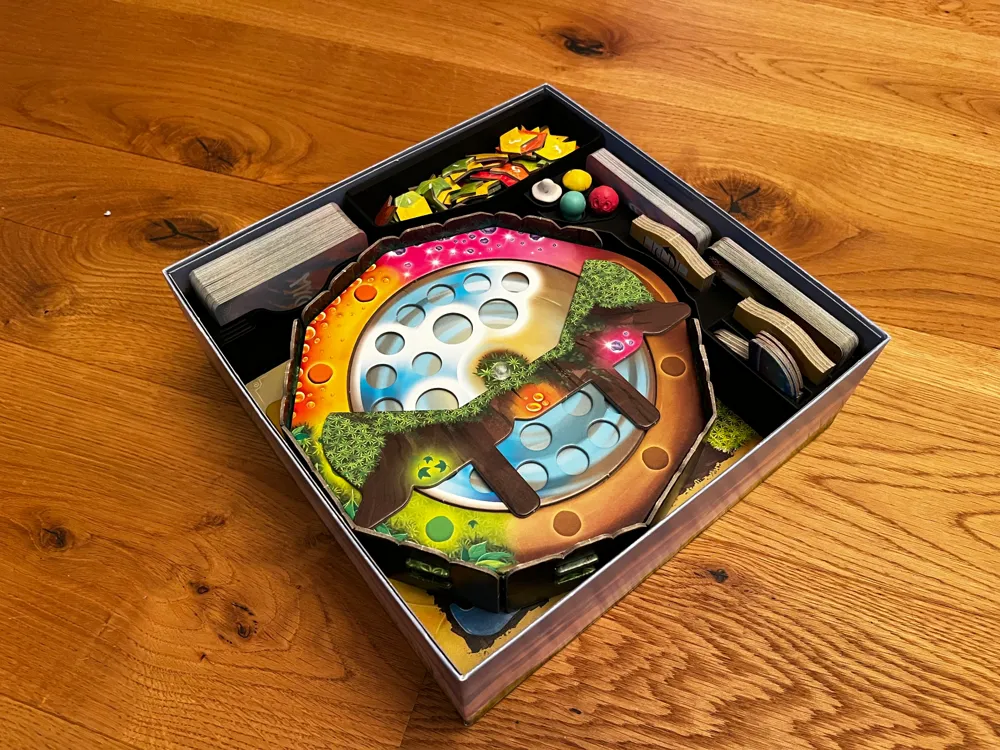
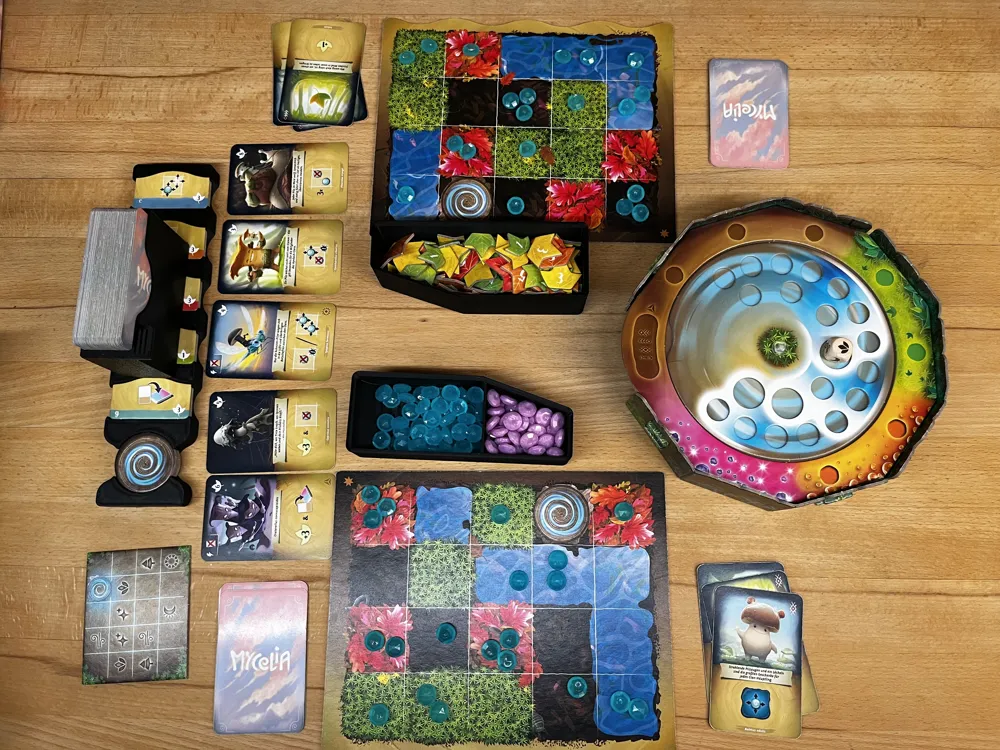
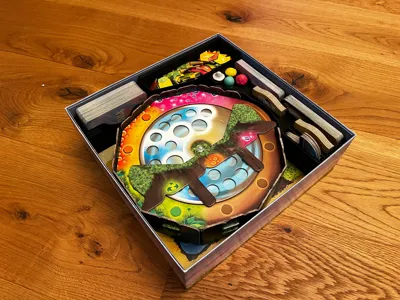
This insert fits both the base game and the Prisma expansion and is optimized for playability:
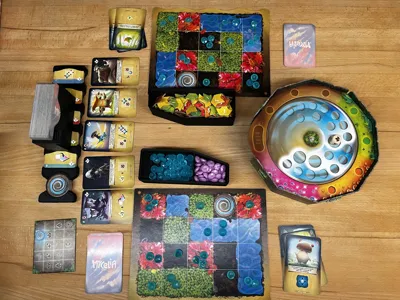
- Increased setup speed
- Simpler management of dew drops and action cards
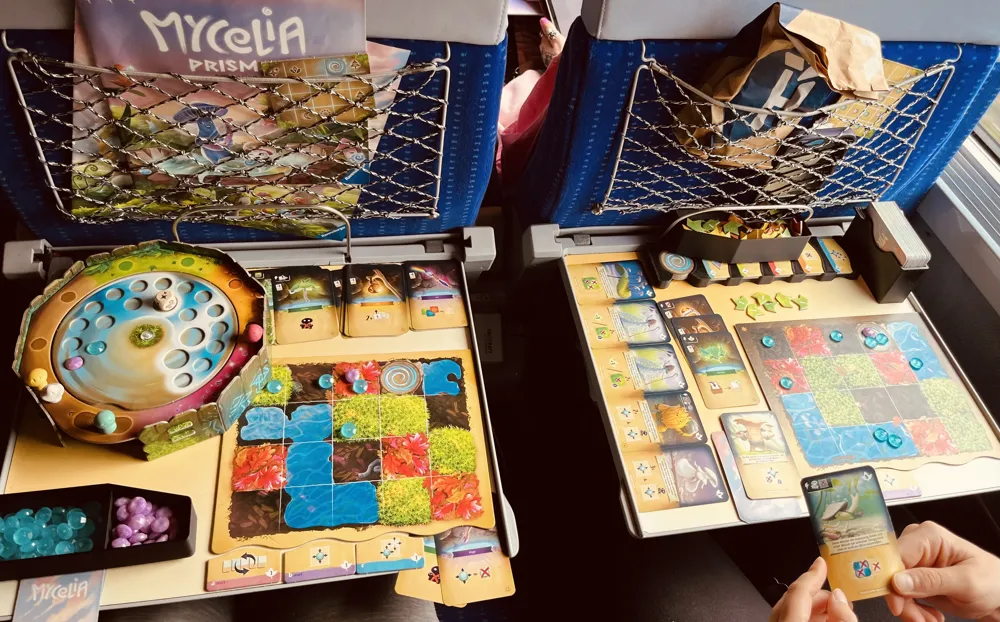
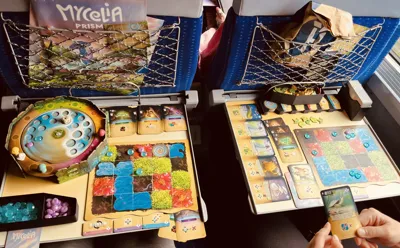
- Reduced footprint on the table if desired so you can easily play on a train or camping table
I've tested and refined this insert since Prism has been released in August and I'm pretty happy with it, so it feels ready to share!
Features
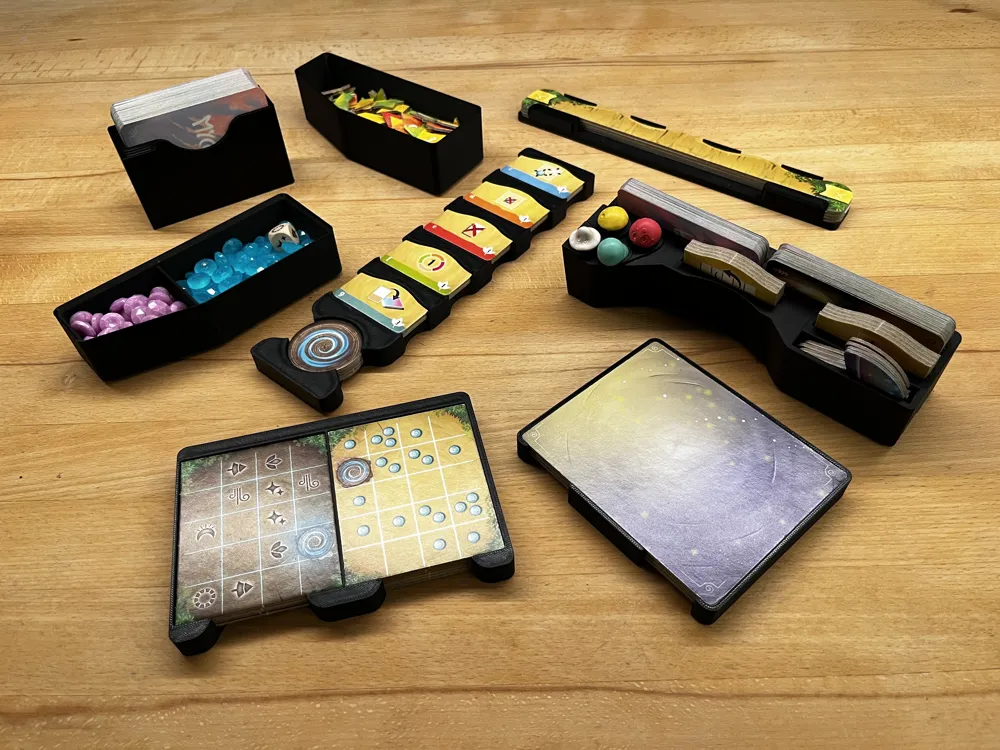
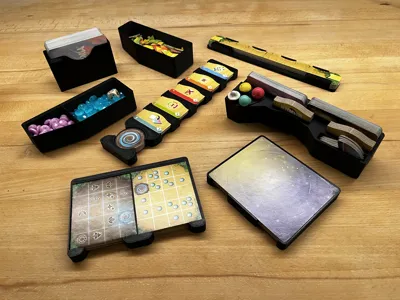
I designed this insert completely from scratch with the following parts:
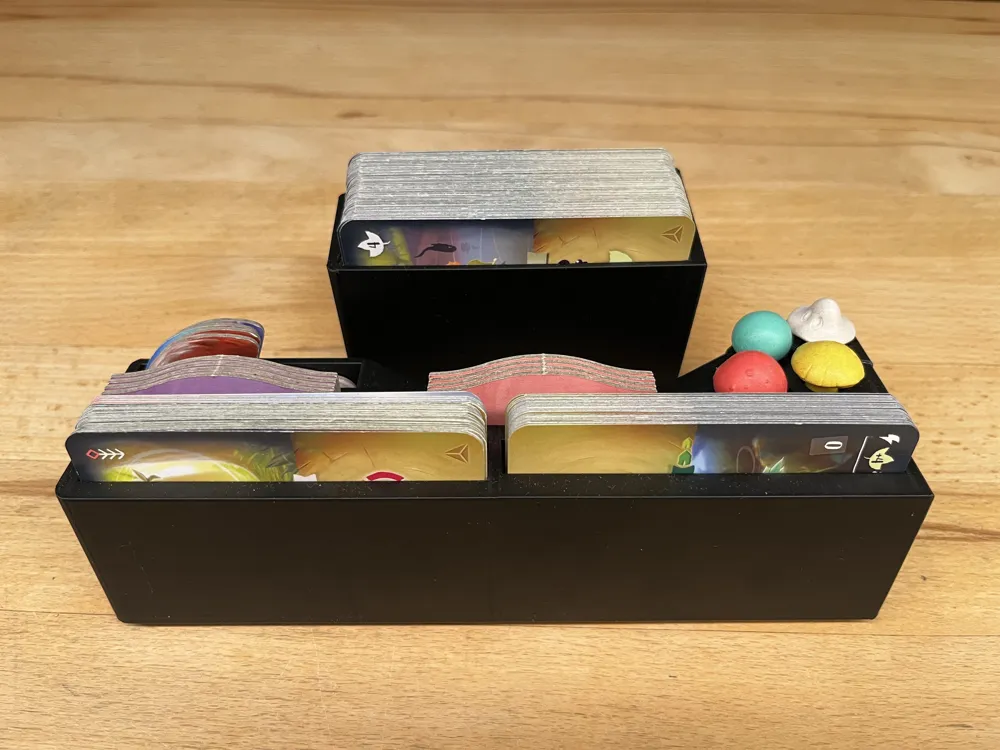
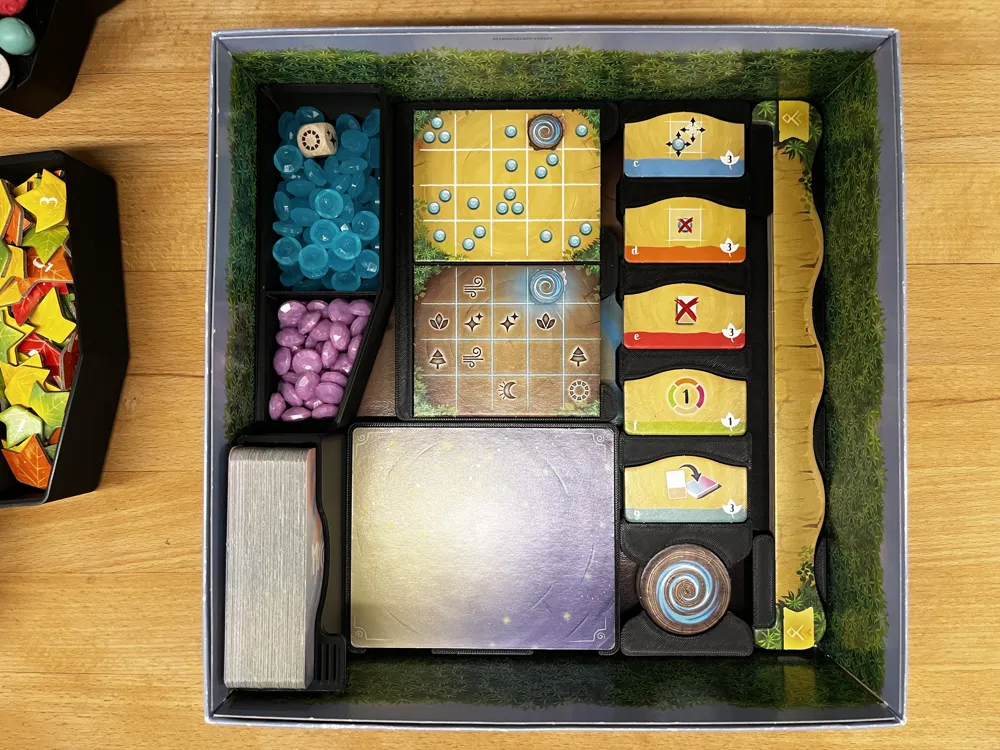
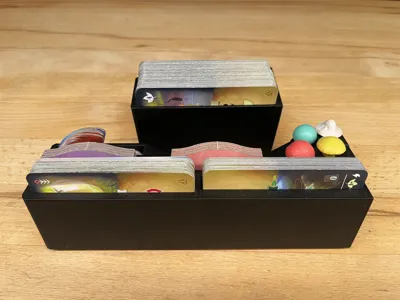
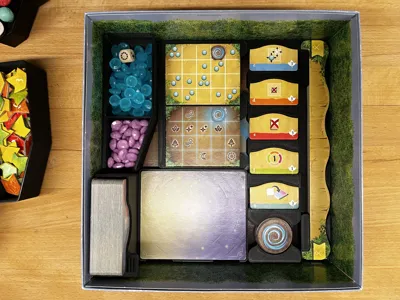
- Insert for all upgrade action-cards and portals (fully set up on the table in a single step)
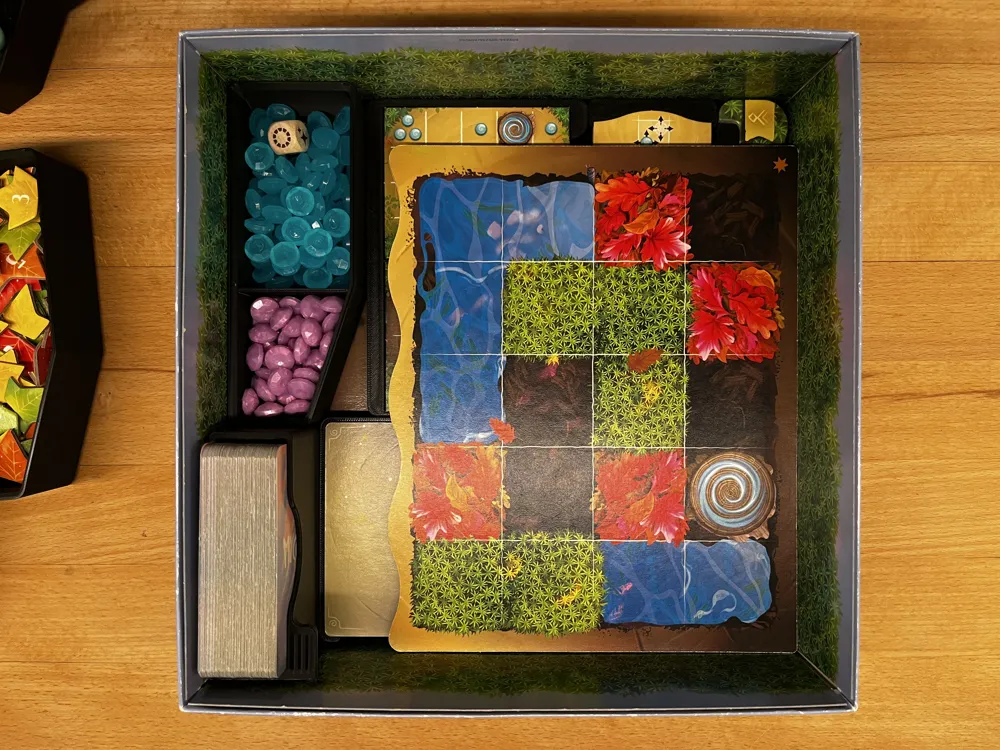
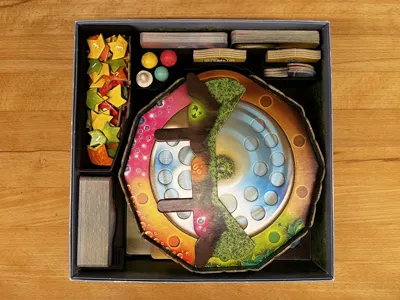
- Split container for dew drops and prism drops featuring gridfinity-inspired scoops to ease pulling out the last few drops
- Joint container for all leafs (playtests showed that a split container was harder to use)
- Box for all hero-cards you can draw from directly, allowing you to set the draw-pile up vertically
- Insert for mushroom figures, prisma cards, starter cards, default actions and starter markers
- Insert for setup and replenishment cards
- Box for all single-player “Gwidyon” pieces
- Insert for “gift area” add-on frames
The containers for leafs and drops stack with a grifdinity-inspired filleted edge.
Notes for usage
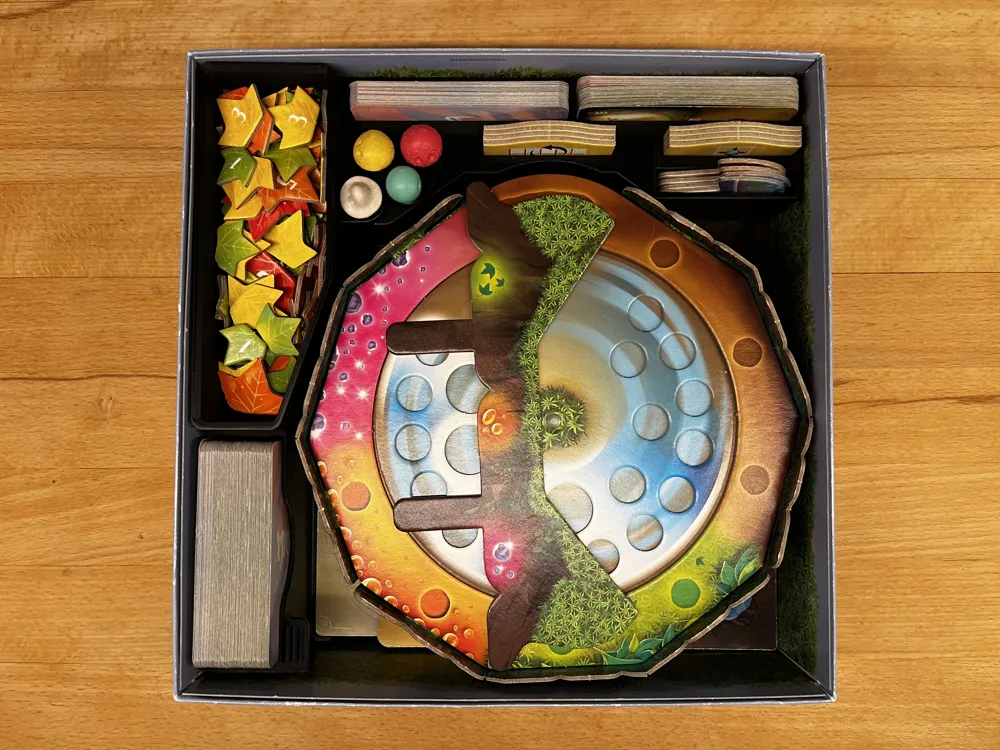
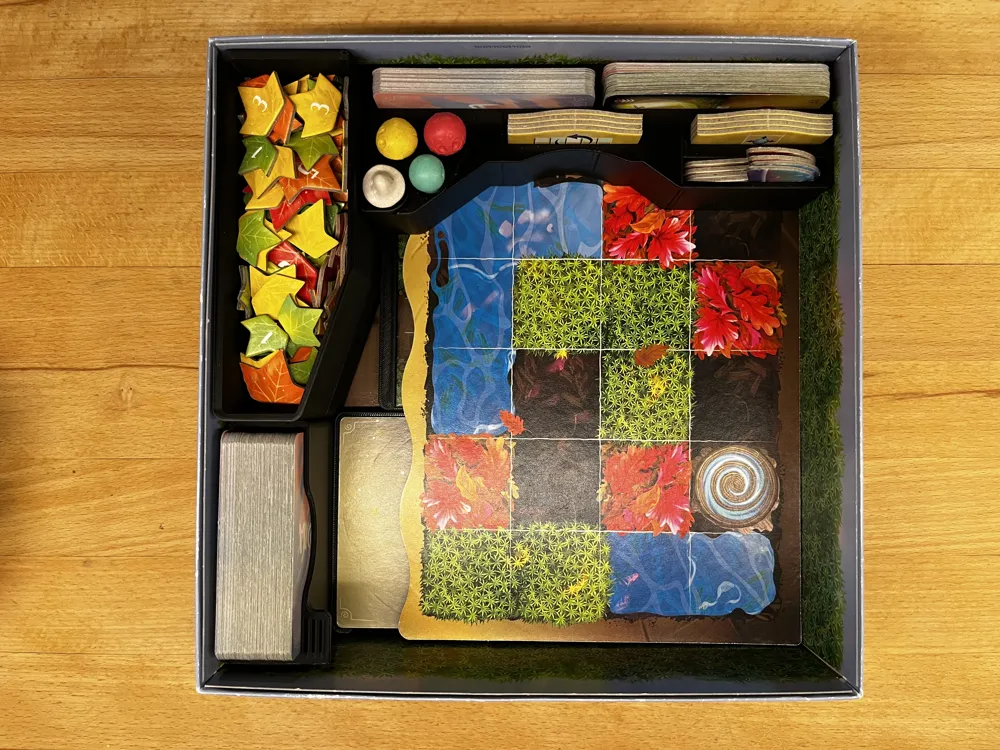
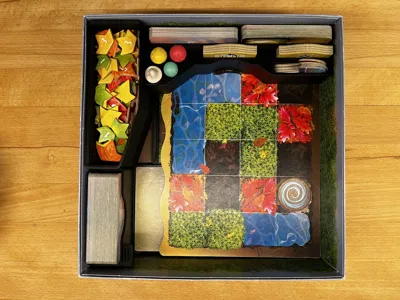
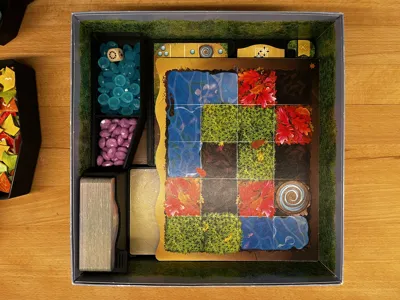
See the images for a detailed view of how everything fits into the box. Important notes:
The three card types have separate slots in the insert:
- All hero-cards you can buy with leaves go into “DeckBox.stl”
- The starter cards (and rule-reminder cards) go into the bigger slot of “CardsInsert.stl”
- The Prisma cards go into the smaller slot of "CardsInsert.stl”
The game plans for each player need to be aligned all the way down for “CardsInsert.stl” to fit above them.
Printing instructions
Print the Testpieces first! The file “ActionCardsInsert Testpiece.stl” is the very first thing you should print to ensure the interior fit will be correct on your machine. If it isn't, you might need to adjust printer settings or tweak the .f3d file, see “Remixing tips”.
Print the Gift Area insert second! The file “GiftAreasInsert.stl” stretches over the entire size of the box. It should fit in both orientations with roughly a millimeter of play. If it doesn't fit or is way too loose, there might be issues with your printer or your box might have a different size than mine! In the latter case, you can try adjusting the .f3d file, see “Remixing tips”.
Everything can be printed without supports! Almost all pieces are printed flat on the bed, but “DeckBox.stl” and “CardsInsert.stl” must be printed vertically, otherwise you need supports. They both feature a chamfer at the bottom to reduce the effects of elephant foot and fillets on the top for a smoother finish and the slots in them are sized to compensate for sag during bridging. The holes for the mushroom figures also have a flat top to ensure they are sized perfectly during horizontal printing.
I also recommend printing every piece separately to reduce the number of artifacts on the outer shell, which can interfere with the inserts sliding into the box smoothly.
Ideally, print the .3mf file instead of every STL-File separately! The .3mf already has all pieces set up in the correct orientation. It was made with Bambu Studio which supports multiple plates, so you might have to move the pieces in place when using PrusaSlicer or something else.
Remixing tips
The design was made in Autodesk Fusion. I did my best to make it parametric, for example to allow people to change the sizes of the card trays to fit sleeved cards, but I can't guarantee everything will be recalculated correctly.
There is one detail you might miss when modifying the parts in CAD; the outer fillets of the leaf/drops-containers and the Gwidyon-insert are important! If you remove them, these parts will interfere! You'll have to change the base shape of the containers to avoid that.
How to support me
A heartfelt “thank you” goes a long way! If you really want to send money (which is greatly appreciated but totally unnecessary), you can do so at https://ko-fi.com/ifreilicht or via bitcoin cash: qqvl90npx4qs0svtyuerk7akf3pn37v0jytucthx52
License



Comment & Rating (29)