Search models, users, collections, and posts

MINCRAFT CREEPER!
IP Report
Print Profile(1)
0.2mm layer, 2 walls, 15% infill

16 min
1 plate
Open in Bambu Studio
Boost
46
91
0
2
90
8
Released
Description
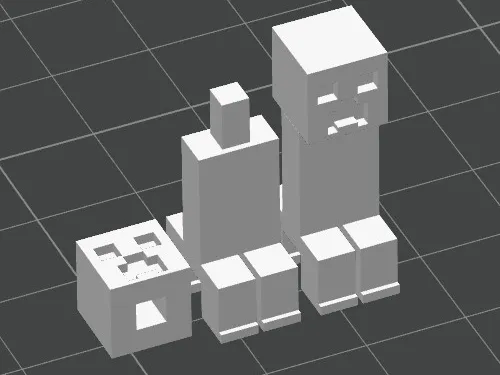
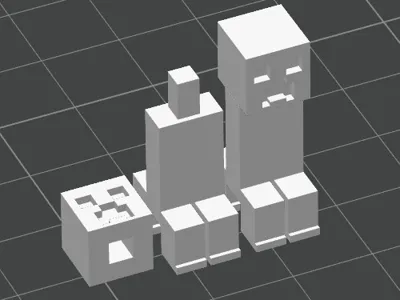
Two-piece Minecraft Creeper 3D model featuring a separate head and body that click together securely. Designed for easy printing with no supports required.
Basic PLA Settings (Rough Guide)
Temperatures
- Nozzle: 195–210°C
(Start at 200°C—go up if layers don’t stick, down if stringy.) - Bed: 50–60°C
(Start at 60°C for best adhesion.)
Speeds
- Print Speed: 45–60 mm/s
- First Layer Speed: 20–30 mm/s
- Travel Speed: 100–150 mm/s
Cooling
- Fan: 100% after the first few layers
- First 2–3 layers: 0–30% to help bed adhesion
Layer Settings
- Layer Height:
- 0.2mm (good balance for most prints)
- 0.16mm or 0.12mm if you want more detail
- Initial Layer Height: 0.2–0.28mm for easier adhesion
Retraction
- Bowden: 4–6 mm @ 45 mm/s
- Direct Drive: 0.8–1.5 mm @ 25–35 mm/s
If you get stringing → increase retraction or lower nozzle temp.
Adhesion
- Bed Surface: Clean with IPA
- Adhesion Type:
- Brim for small parts
- Skirt for most prints
- Z-offset: Make sure the first layer squishes slightly, not scraping.
Filament Tips
- Keep PLA dry (store in airtight bag or dry box)
- If filament pops or crackles → it’s wet
- Sunlight can make PLA brittle—store in shade
MINECRAFT
christmas
christmas gift
minecraft creeper
easy to print
models
no ams
print
quick print
gaming
gaming 3d model
3d model
kids
model
funny
gift
funny gift
present
minecraft mob
minecraft
hd model
15 min
creeper
minecraft gift
minecraft decor
minecraft gifts
minecraft toy
minecraft birthday
minecraft toys
minecraft theme
keychain
creeper keychain
minecraft gamer gift
charm
video games
mine craft
stocking filler toy
desk toy
green
minecraft file
3d printed
minecraft design
gaming merch
gift for gamer
gamer gifts
minecraft onament
block
fidget toy
minecraft figure
minecraft fan gift
License

This user content is licensed under a
Creative Commons Public Domain


Comment & Rating (0)