
Dummy Keyboard Switch (MX key)
Print Profile(4)
![[Tactile type] 0.2mm layer, 2 walls, 15% infill](https://makerworld.bblmw.com/makerworld/model/US5290c4bfb58115/674490364/instance/8c947e9c1e6eb057.jpg?x-oss-process=image%2Fresize%2Cw_100%2Fformat%2Cwebp)
![[Linear type] 0.2mm layer, 2 walls, 15% infill](https://makerworld.bblmw.com/makerworld/model/US5290c4bfb58115/674489978/instance/9e80df0d2a7a4787.jpg?x-oss-process=image%2Fresize%2Cw_100%2Fformat%2Cwebp)

Description
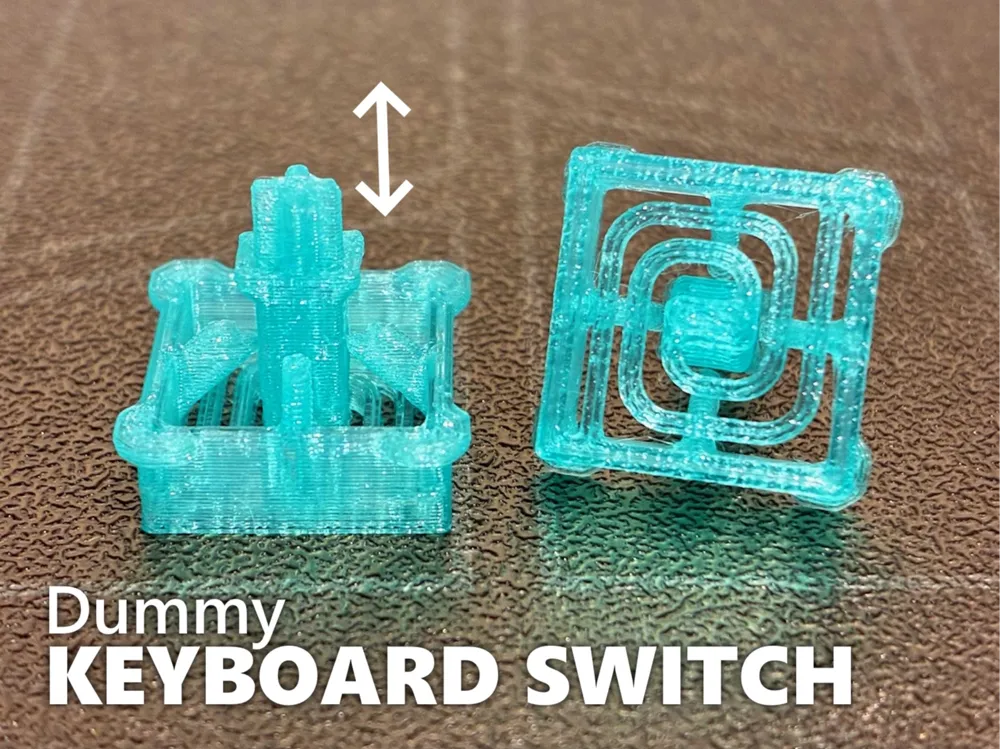
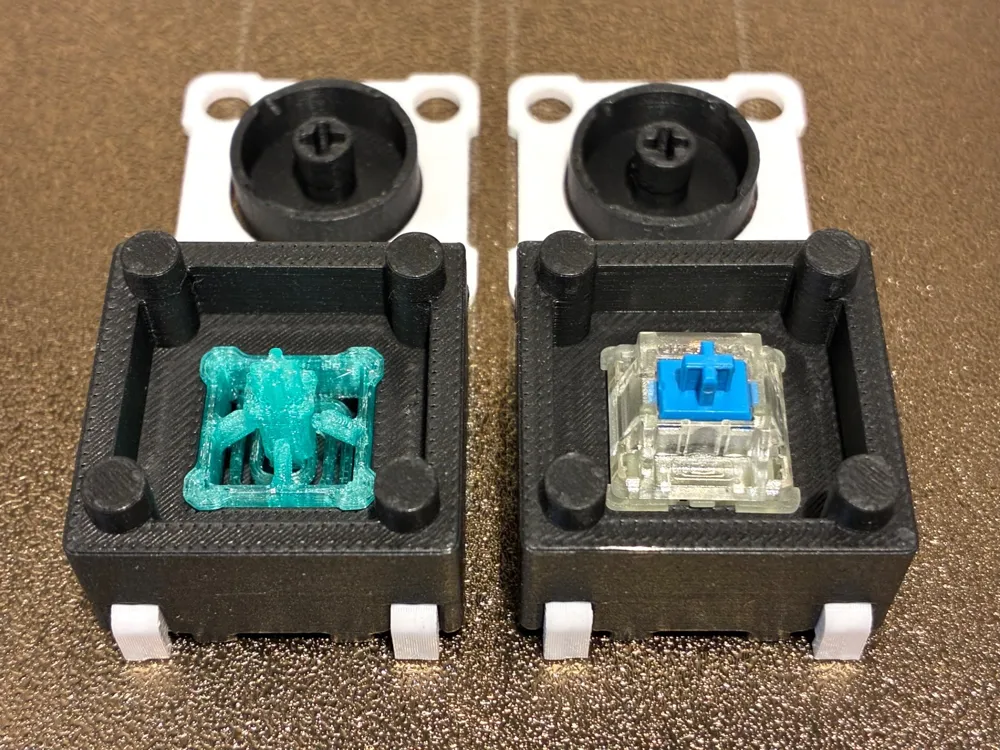
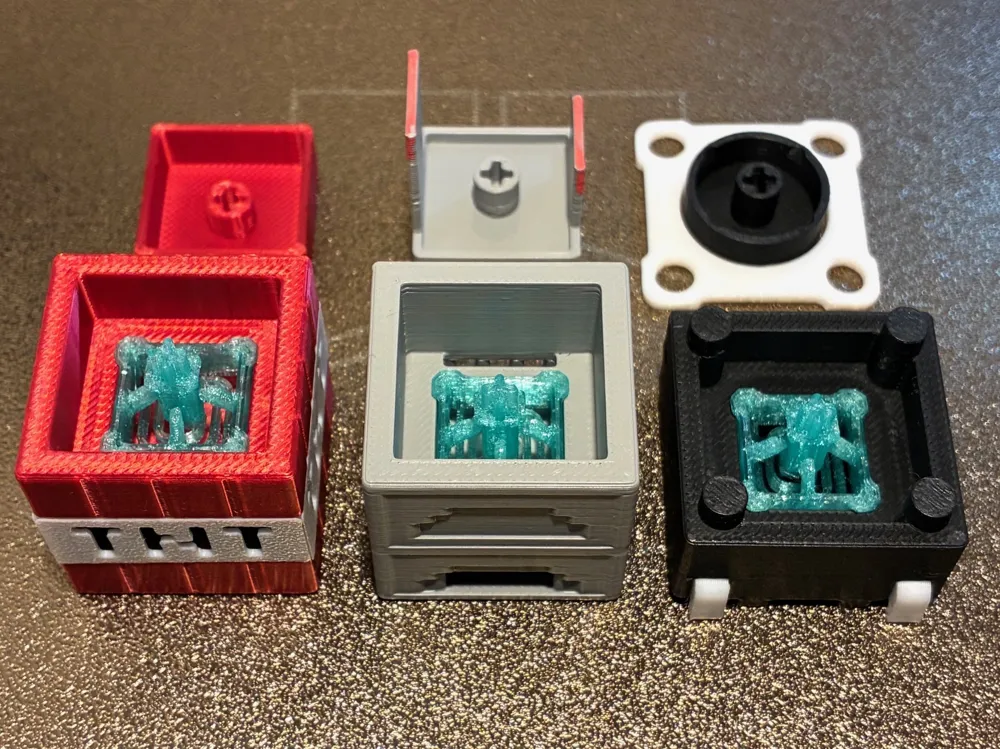
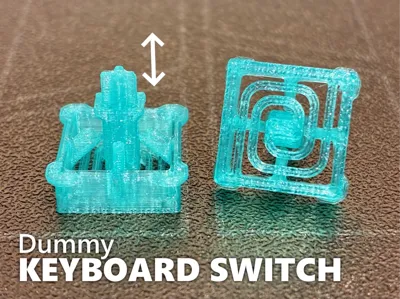
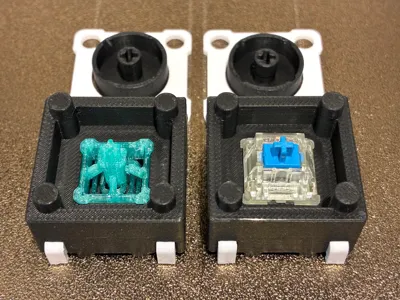
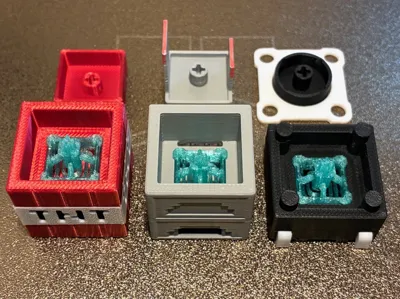
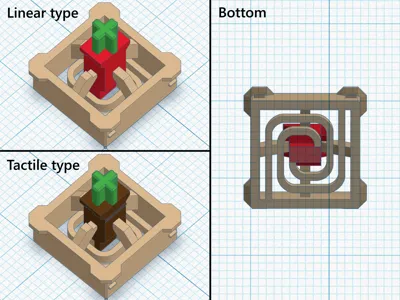
I have created a key switch alternative that perfectly fits the clicker fidgets I have published. When you don't have a real key switch, this dummy switch will come in handy. Please choose your preferred type from the two available options
Important:
- For optimal performance, PETG printing is recommended (If printed with PLA, the spring part may deform, shortening the key travel slightly)
- After printing, areas with narrow clearance around the shaft may be stuck together. Please push or wiggle to separate them before use. Also, if you feel any resistance when pressing, pressing it a few times will remove burrs and make it smooth
Features:
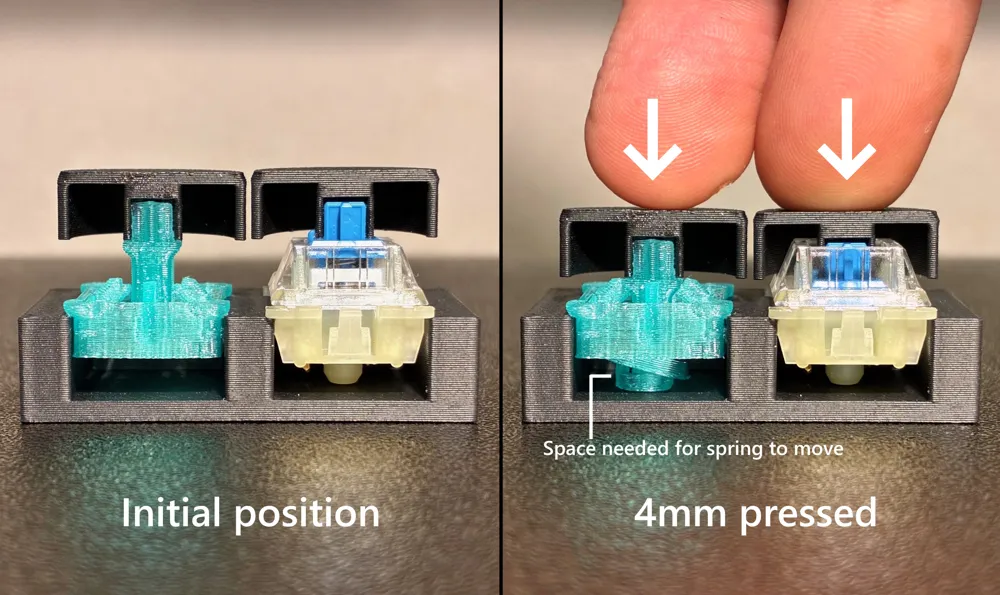
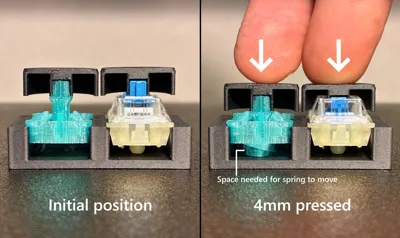
- Designed as a substitute for Cherry MX switches. Operation has been confirmed by installing it on my published clickers. Note: Full compatibility is not guaranteed for other models (There are differences, such as needing space at the bottom, as shown in the 4th photo)
- Fast to print and ready to use immediately (No supports or assembly required)
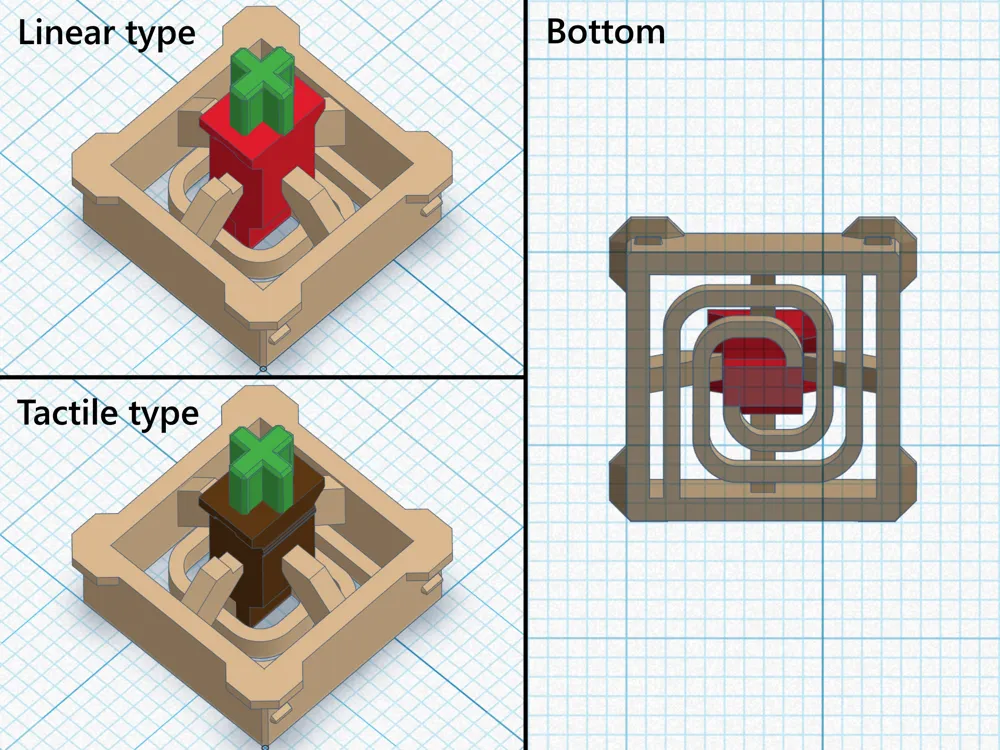
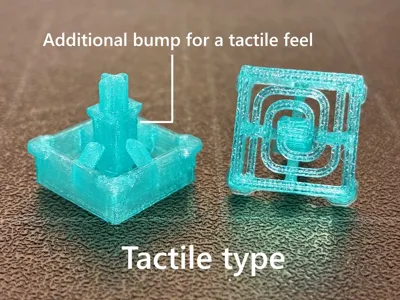
- Two types of models with different feels:
- Linear type: A light, smooth press all the way to the bottom (like MX Red)
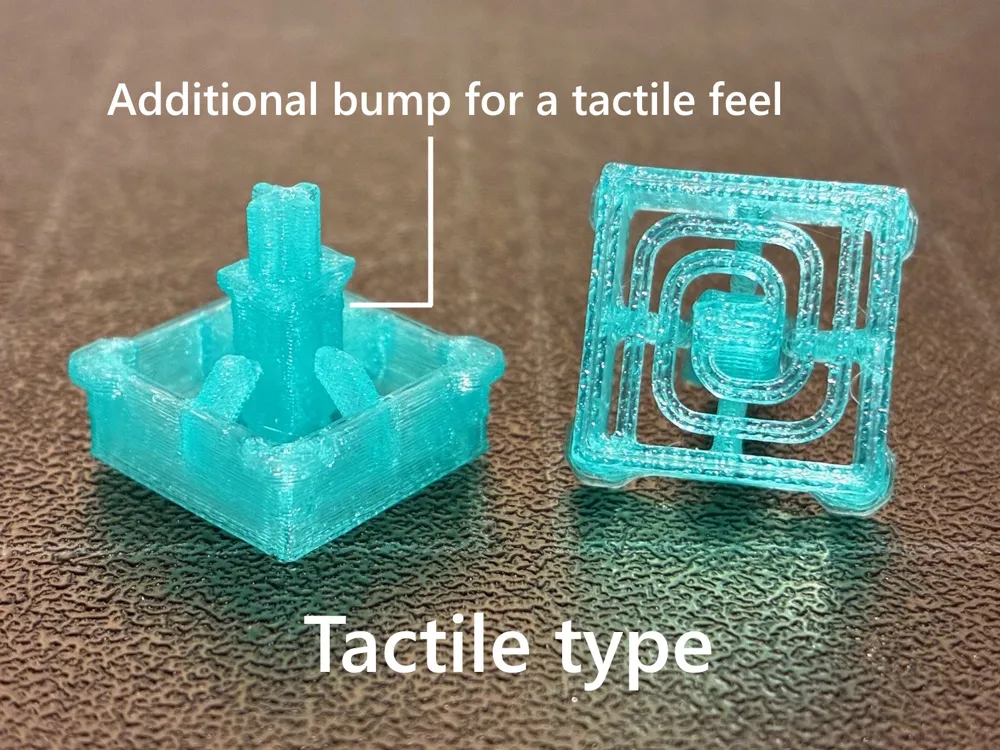
- Tactile type: A press with a clicky feel midway (like MX Brown)
- No click sound.
- 4mm key travel (same as MX switches). Includes a limiter to prevent damage from excessive pressing.
- Designed to stroke vertically with minimal wobbling, even when pressed off-center.
Tips:
- Model selection: If you're new, the linear type is recommended as it's easier to use (No fine adjustments needed)
- Solutions when the tactile type doesn't work correctly:
- If the feel is too stiff or it gets stuck and doesn't return (mounting hole too narrow) -> Break it in by pressing and pulling repeatedly / File down the outer frame of the switch slightly to make it smaller
- If there's no click feel (print is too small) -> Perform flow rate calibration / Print one by one / Print in a warm room if it's cold
- Assembly order: First, fit the switch into the base, then fit the keycap.
This is a part for clicker fidgets. It provides a mechanism to support and press the keycap. It cannot be used for electronic circuits.
★ Thank you for all your ratings and boosts
Model Update History:
- Mar 21, 2026: Added a stroke limiter to the switch itself (making assembly easier). Improved spring shape to reduce deformation with PLA (changed the shape of parts prone to deformation)
- Mar 07, 2026: Improved keycap joint fit (made it slightly tighter to prevent the keycap from coming off easily)
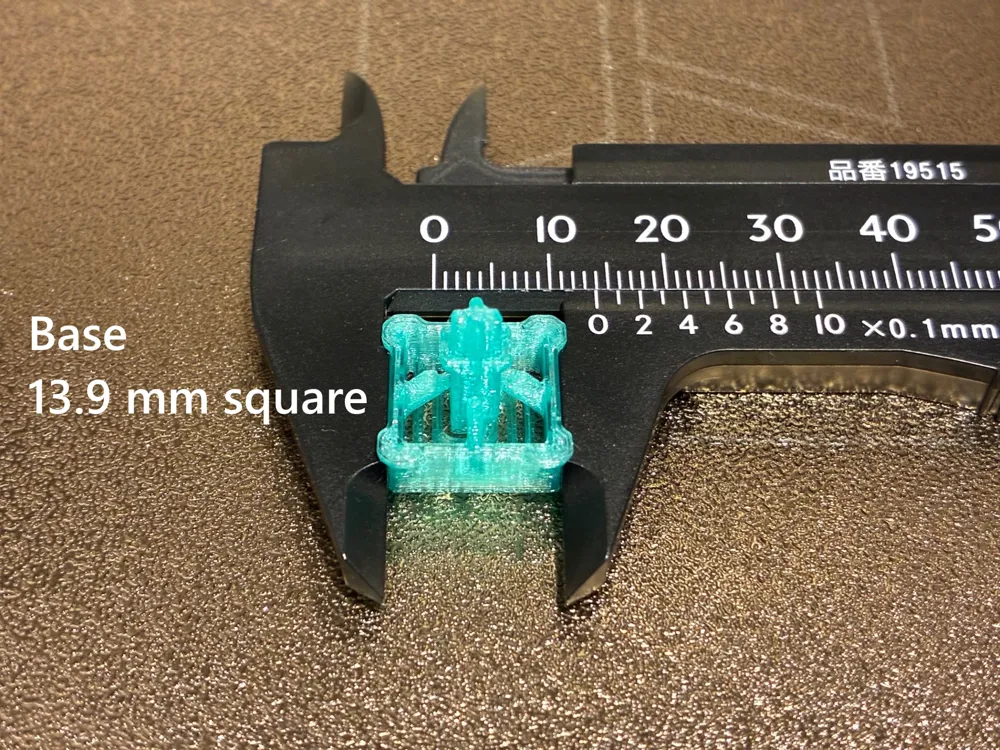
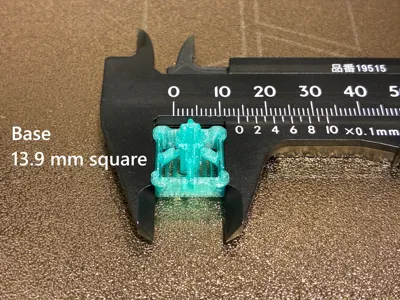
- Nov 19, 2025: Improved base dimensional compatibility (reduced from 14.0mm to 13.9mm to fit clickers with narrower mounting holes)
- Nov 16, 2025: Improved keycap joint precision (reduced molding dimension variations by manually specifying seam position)
- Nov 13, 2025: Added tactile type
License

You may create derivative works based on this object, provided that all such derivative works are published exclusively on the MakerWorld platform and include proper attribution to the original creator. You may not share, upload, host, distribute, or publish this object—or any derivative work of this object—on any other digital platform, marketplace, or distribution channel. Commercial use of this object and any derivative works is strictly prohibited. This includes, but is not limited to, selling, renting, sublicensing, or using the object in any context in which you receive monetary compensation or other financial benefits.


Comment & Rating (854)