Search models, users, collections, and posts

Gridfinity Tiles

Remixed by
IP Report

Print Profile(3)

All
X1 Carbon
P1S
P1P
X1
X1E
A1
A1 mini
H2D
H2D Pro
H2S
P2S
H2C
X2D
A2L

0.2mm layer, 3 walls, 10% infill
Designer
18 min
1 plate
5.0(45)

No Magnet Holes, prints faster
15 min
1 plate
4.9(28)

0.2mm layer, 3 walls, 10% infill
18 min
1 plate
5.0(1)

Open in Bambu Studio
Boost
385
1643
97
38
1.3 k
662
Released 

Description

Gridfinity Tiles.

I have quite a lot of drawers equipped with Gridfinity baseplates so I can put Gridfinity boxes in them.


But sometimes I don't have a grid filled yet and stuff gets into the open grid. So I made these Gridfinity Tiles. You can use them to fill empy spaces in your baseplates so stuff will not fall inside and you have a nice cover if you want to place some bigger item next to your bins, but still have the option to put bins in these places later.


Just print the tiles you want and place them in a Gridfinity baseplate. Gravity should hold them down nicely. In case you want to have the a more secure grip you can glue in 6x2mm magnets on the bottom of the tiles.


For printing the top of the tile is oriented down so you can give your tiles nice smooth or textured finishes.
 

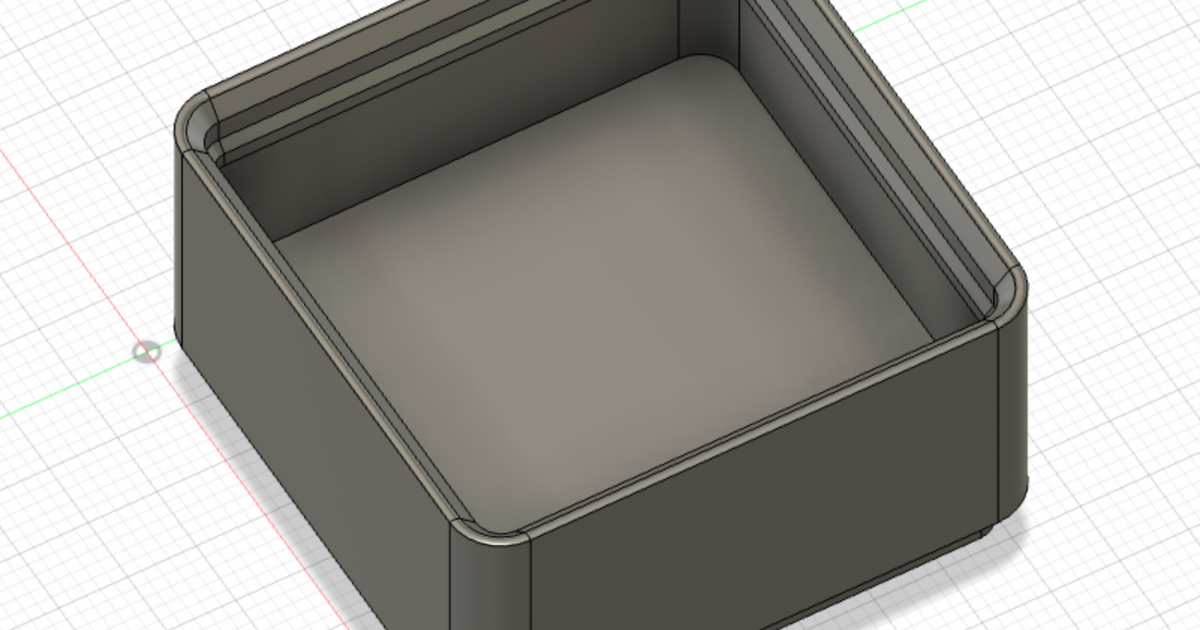
Differences of the remix compared to the original

From the empty bin model only the bottom part is used to be compatible to the Gridfnity system.

I designed the upper tile part myself.

Comment & Rating (97)

(0/1000)

I’m using them as an activity for my students with paths drawn on them for the Ozobot. Is there any chance you could make a 1x2 flat tile that I could use to connect two grids together and still keep the flat surface at the same height for the ozobot?
The designer has replied
1
Reply
Hi, this sounds really cool. But I cannot follow you completely. Maybe you could add a photo or illustration so I get a better grasp of what you are trying to achieve?
0
Reply
Replying to @Akio42 :
So I’d like to be able to connect multiple grids together so they don’t shift apart when kids are building larger paths. If two tiles are fused together they could put them across the two grids to connect them and keep them from shifting.
0
Reply
Replying to @user_3034315743 :
Very cool. When you click on the down arrow next to "Open in Bambu Studio/Download 3MF/Download STL/CAD Files" and select "Download STL/CAD Files" you can download all sizes. The print profile contains only the 1x1 file, but a lot of different sizes from 1x1 to 7x7 big tiles are available for download. The print profile contains only the 1x1 as makerworld required a photo from a print of every part contained in the print profile at the time that I added it. As I did not want to print every variant I only added the 1x1 in the print profile and made the others available with the model in general.
(Edited)
1
Reply
Works perfectly! thank you. Any chance you can combine and make some 2x2 tiles? or 3x3?
The designer has replied
designer
1
Reply
Looks great! When you go to "download cad/stl" you can find all tiles from 1x1 to 7x7.
(Edited)
2
Reply
Print Profile
0.2mm layer, 3 walls, 10% infill
pretty perfect (made a bunch)
profile
1
Reply
Print Profile
0.2mm layer, 3 walls, 10% infill
Super practical for gaps
Show original
0
Reply
Print Profile
0.2mm layer, 3 walls, 10% infill
works great
0
Reply
Boosted
Print Profile
0.2mm layer, 3 walls, 10% infill
good
0
Reply
Print Profile
No Magnet Holes, prints faster
printed well
0
Reply
Print Profile
0.2mm layer, 3 walls, 10% infill
printed perfectly!
0
Reply
Print Profile
No Magnet Holes, prints faster
0
Reply
Print Profile
No Magnet Holes, prints faster
0
Reply