Search models, users, collections, and posts

P2S Bambulab 4-in-1 PTFE Adapter Mount (no screws)
Print Profile(2)

All
P2S
H2D Pro
A1
H2D
X1 Carbon
P1P
X1E
P1S
H2C
A1 mini
H2S
X1
X2D
A2L

Single 4-in-1 PTFE Adapter Mount
Designer
35 min
1 plate
5.0(160)

Dual 4-in-1 PTFE Adapters Mount
Designer
40 min
1 plate
4.9(24)

Open in Bambu Studio
Boost
321
1277
237
57
1.1 k
946
Released 

Description

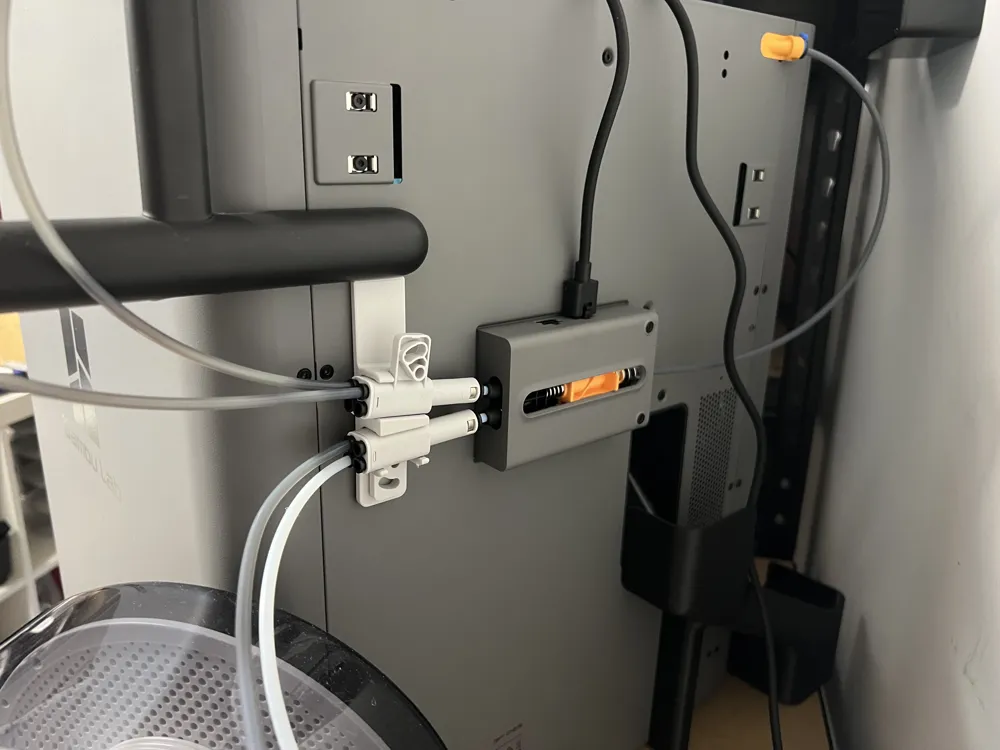
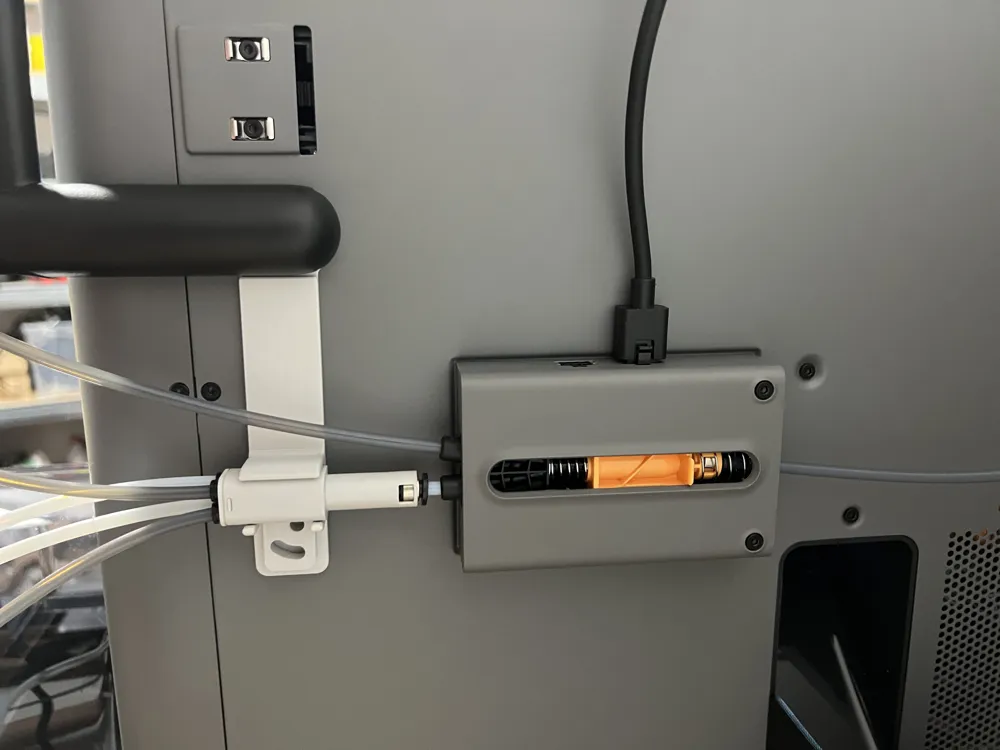
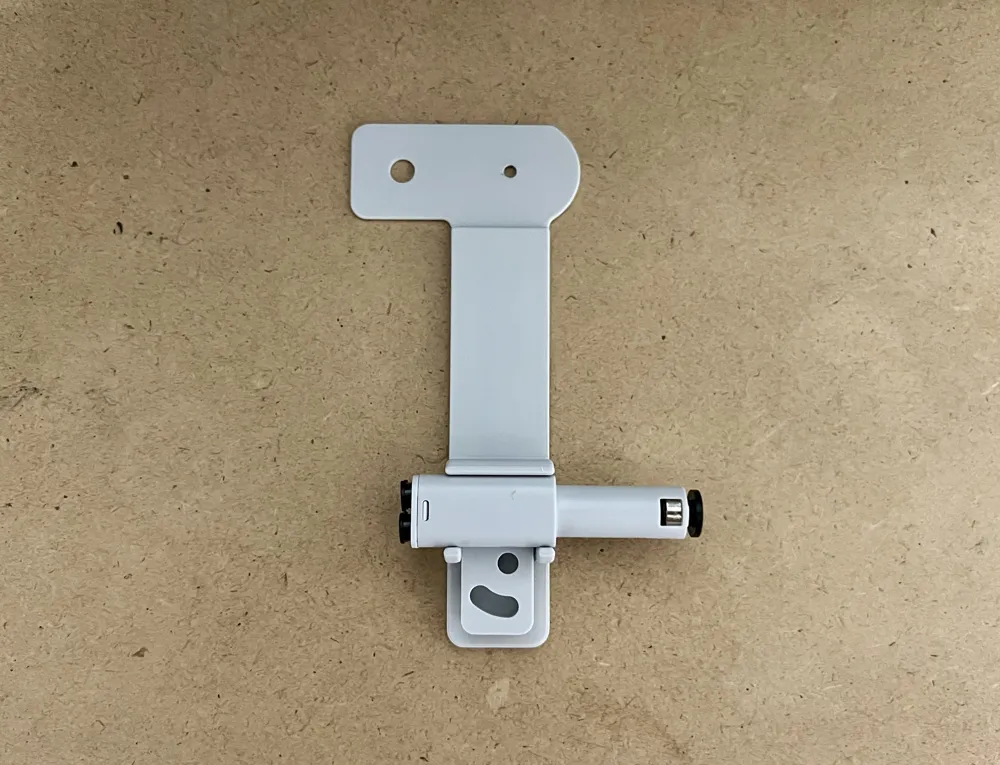
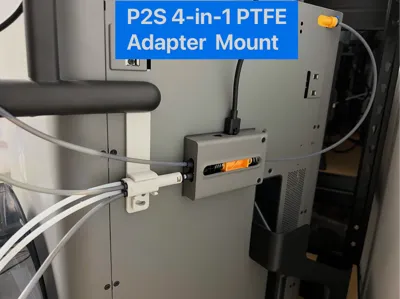
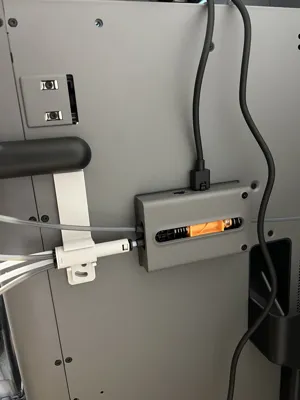
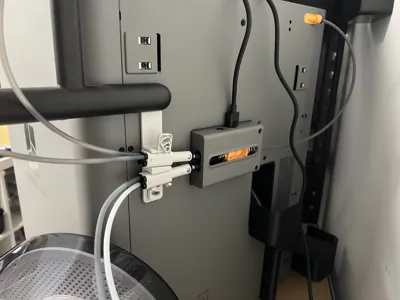
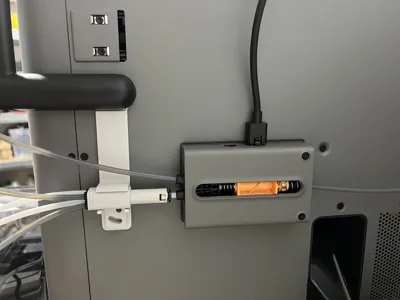
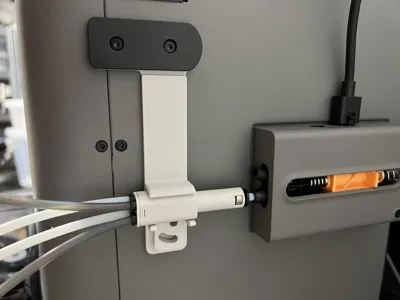
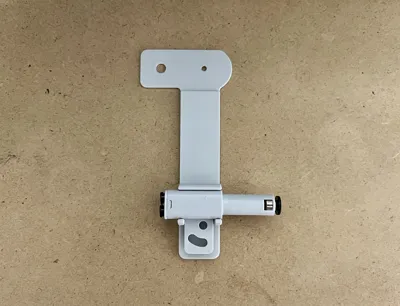
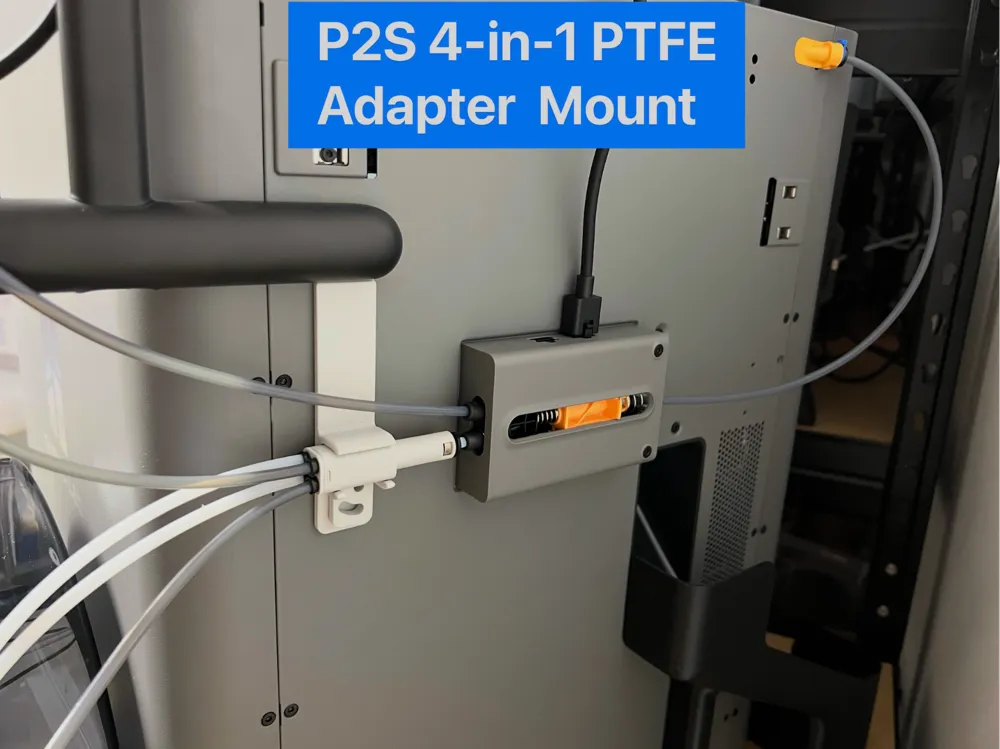
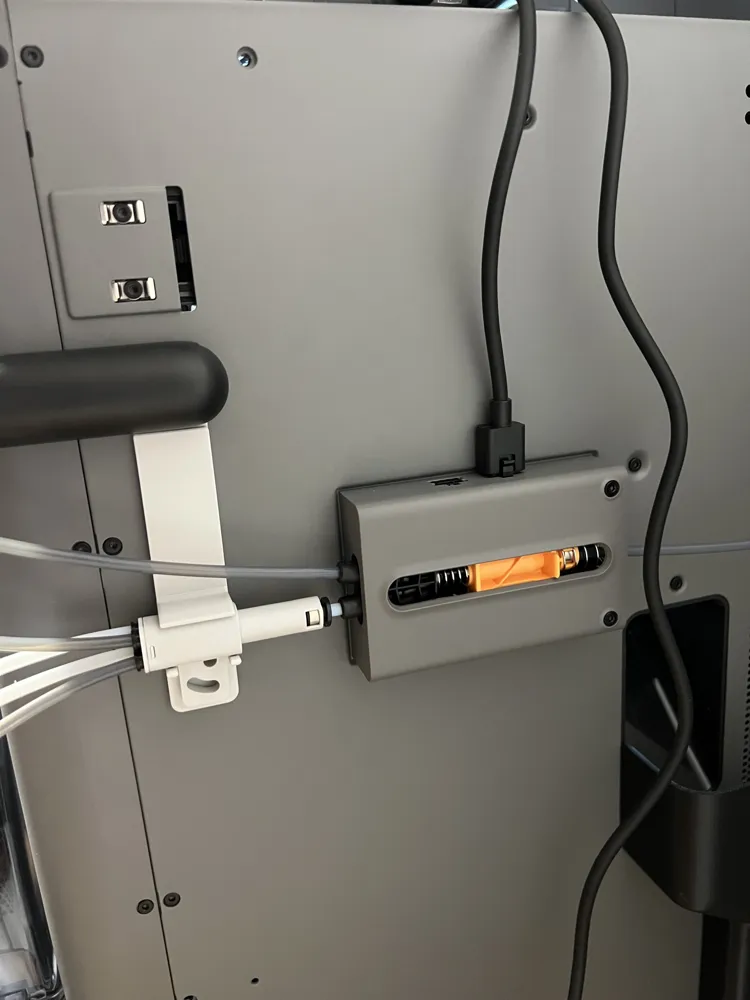
This mount is designed to hold one or two 4-in-1 PTFE adapter, allowing you to connect up to 8 AMS units easily.


2 versions are available depending if you want to mount one or two adapters : 
- Single 4-in-1 PTFE adapter
- Dual 4-in-1 PTFE adapters


4-in-1 PTFE adapter can be bought on Bambu Lab Store :  https://store.bambulab.com/products/bambu-4-in-1-ptfe-adapter


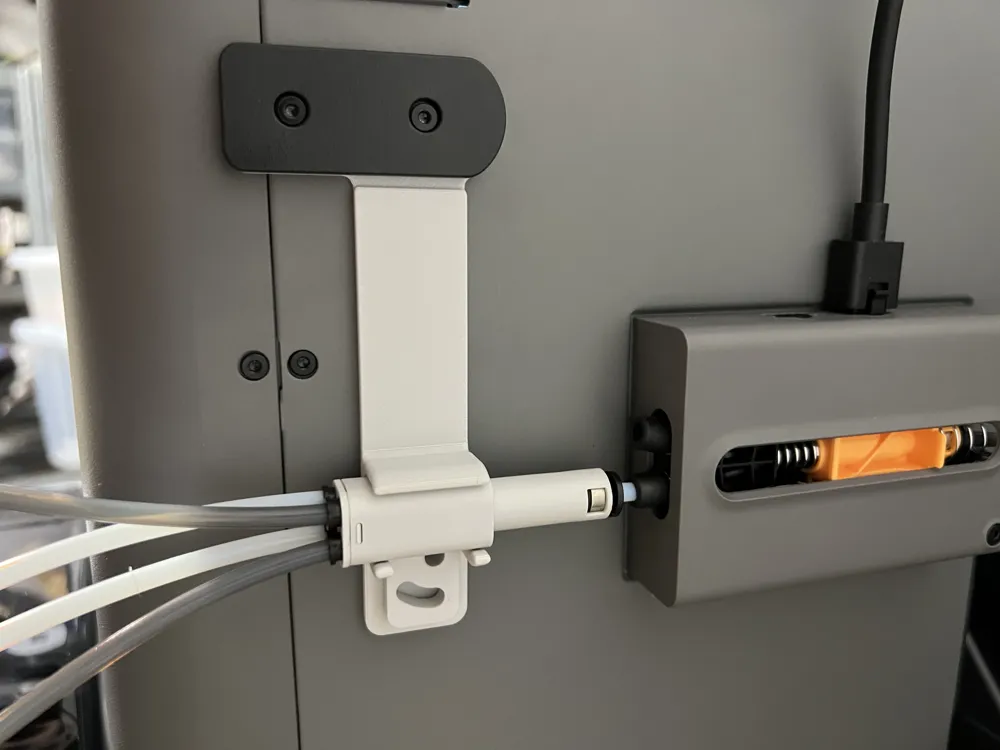
It’s simple to install, no extra screws. Just use the manual spool adapter plate to mount it securely.


Instructions:

  • Remove the external spool holder
  • Unscrew the 2 screws
  • Place the printed mount between the mounting plate and the printer
  • Screw the 2 screws back in
  • Cut PTFE tube(s) (length: 1 x 3 cm for the single version, 2 x 3cm for the dual version)
  • Insert the tube(s) between the P2S buffer and the 4-in-1 adapter(s) 
  • Clip the 4-in-1 adapter(s) onto the printed mount
  • Add the external spool holder back
  • Enjoy your multiple AMS setup!


Boost Me (for free)

If you like my work, don't hesitate to give me a boost 🤩

Comment & Rating (237)

(0/1000)

Print Profile
Single 4-in-1 PTFE Adapter Mount
Exactly what I needed to connect my external spool and my AMS HT to the printer! Thank you for creating, sharing, and maintaining!
Show original
3
Reply
Boosted
What cable management print is that? I haven't seen it before.. would you be willing to link to it? Thanks!
(Edited)
1
Reply
Replying to @jspirit :
That does look rather tidy indeed!
(Edited)
2
Reply
Replying to @jspirit :
Show original
2
Reply
absolute 🔥 worked flawlessly. any chance you can make a dual version so it can hold 2 ptfe 4-in-1s? pretty please!
The designer has replied
1
Reply
I will look into it ! The problem is that the ptfe adapter is not symmetrical 😅
(Edited)
1
Reply
that would be awesome, thanks! yeah for the second one I was thinking you might have to flip the spot for it so the screw holes on the 4-1 go upward, if that makes sense. that way the output tube lines up with the buffer
0
Reply
Replying to @mrperphekt :
I suck at modeling tools but I'll give it a shot as well and see if I can come up with something. I can draw in real life but computer art is not my thing. now if I could code it up, that I can do!
0
Reply
I'm advised that TPU should bypass the buffer and be fed directly to the extruder. On my X1C there's room to position the Bambu splitter just before the PTFE tube enters the printer. On mine, the AMS goes through one port and another filament can be fed into one or more of the remaining three ports, but on the P2S the yellow bracket holding the PTFE tube as it enters the P2S is too close to the RHS back corner so the X1C's solution won't work. I think I have a simple solution that puts the splitter on the PTFE tube coming out of the buffer, so TPU can be fed into the other splitter input. Simple, hey? Well not necessarily. The buffer thrusts forwards and backwards and any device attached to the buffer's output tube thrusts backwards and forwards too. So I added a "sled" to the splitter and a vertical channel to the printer. Now the splitter is supported
0
Reply
Do you have no problem moving the PTFE tube coming out of the Buffer on and off? I am personally working on a sleek solution to create an extra input (TPU/external spool) without going through the buffer and preferably as short as possible.
0
Reply
Replying to @GhostError :
My TPU is fed into a PTFE tube that bypasses the buffer - it goes through a splitter, then to the extruder
0
Reply
Replying to @BrianChester :
where can i find the files
Show original
0
Reply
Boosted
Print Profile
Single 4-in-1 PTFE Adapter Mount
By far the best solution for mounting the 4-in-1 PTFE Adapter for the P2S. I have two AMS 2 Pro units and a AMS HT connected. Printed with Sunlu PLA and cut 3cm of PTFE as recommended.
profile
3
Reply
Boosted
Works Great on my p2s with the AMS flipper!
3
Reply
sadly this file is not compatible with new model adapter set to me from Bambu.
The designer has replied
0
Reply
I also have this adapter. I will check to add support for it.
1
Reply
Print Profile
Single 4-in-1 PTFE Adapter Mount
printed very cleanly, I would recommend PETG as one of the thin parts on the bottom snapped off when trying to put back into place.
The profile uploader has replied
0
Reply
Thank your the feedback. I update the model in the print profile for better strength.
(Edited)
1
Reply
Print Profile
Dual 4-in-1 PTFE Adapters Mount
Perfect, although the bottom tabs could be a bit more resistant (one of them broke on the first insertion)
The profile uploader has replied
Show original
0
Reply
Thank your the feedback. I update the model in the print profile for better strength.
(Edited)
1
Reply
Print Profile
Single 4-in-1 PTFE Adapter Mount
Perfect print, thanks for the great model
Show original
1
Reply
Thank you for the boost! 😊 What modifications would you want to add?
The designer has replied
0
Reply
Boosted
I have very limited space so I'm not using external spool holder mounted on the printer, so I've basically just modified it to be mounted directly on the mounting plate for the spool holder. Haven't gotten my 4-in-1 PTFE adapter from Bambu, but it accidentaly fits even my printed one🙂
designer
3
Reply
Replying to @c1c3r0 :
Oh right ! It's very nice that it fit the printed one ! Also, even if you don't use the spool holder, you can still attach my model between the plate and printer.
0
Reply
Replying to @c1c3r0 :
thats great can you share this? Thanks!
0
Reply

License

This user content is licensed under the MakerWorld Exclusive License.

You may create derivative works based on this object, provided that all such derivative works are published exclusively on the MakerWorld platform and include proper attribution to the original creator. You may not share, upload, host, distribute, or publish this object—or any derivative work of this object—on any other digital platform, marketplace, or distribution channel. Commercial use of this object and any derivative works is strictly prohibited. This includes, but is not limited to, selling, renting, sublicensing, or using the object in any context in which you receive monetary compensation or other financial benefits.