
Parametric Corner Trim Edge Guard (L or U Profile)
Print Profile(1)

Description
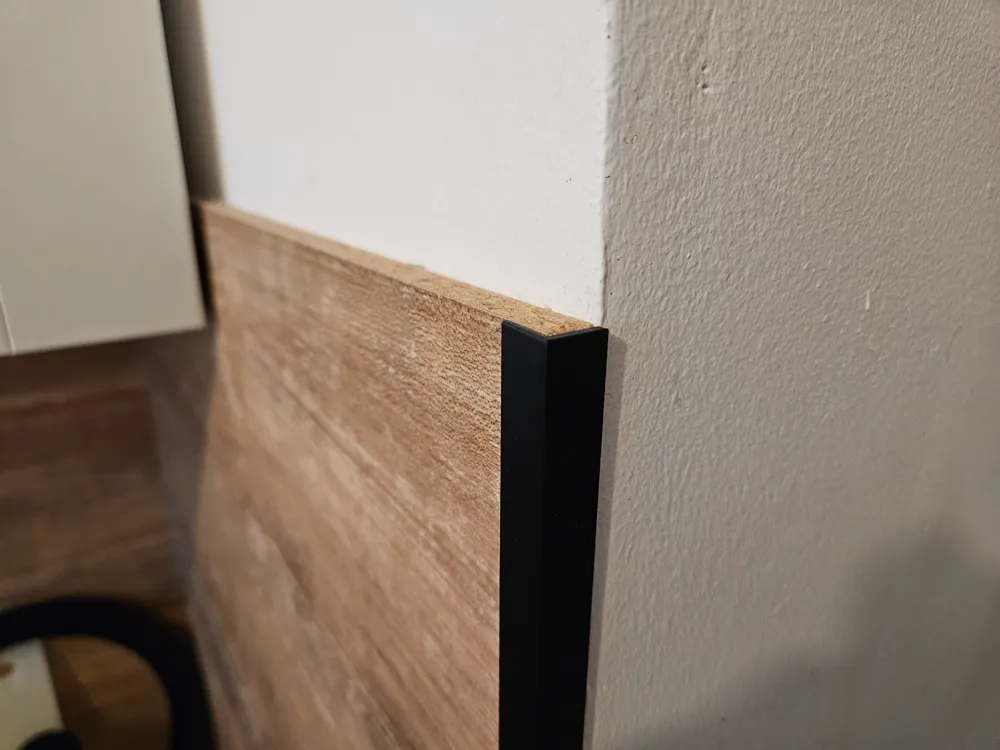
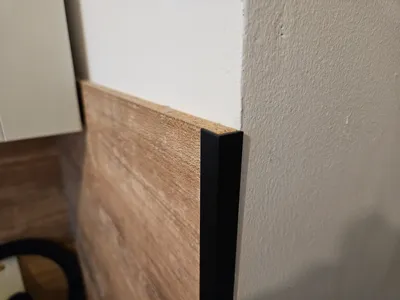
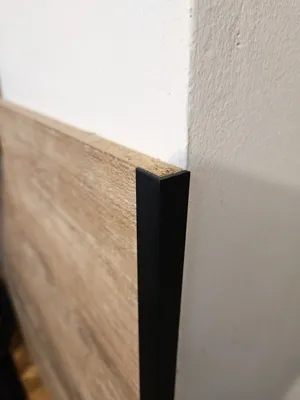
A simple and fully parametric trim profile generator I created for a personal project. Use it to create a custom-sized L-Shape or U-Shape profile, perfect for finishing the edges of furniture boards, countertops, or as a clean corner guard.
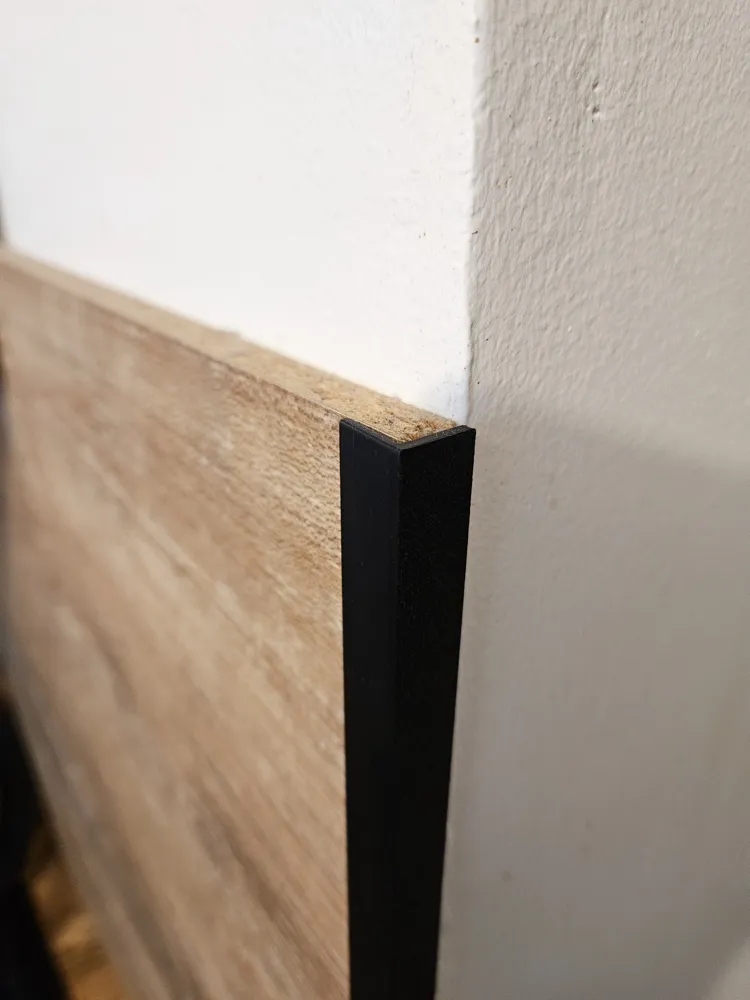
This started from a simple need: I had to neatly finish the raw edge of a woodenish board in my kitchen. Instead of designing one specific size, I decided to create this fully parametric OpenSCAD model. Now, both I and you can generate a perfectly fitting trim for any project in just a few seconds.
The model is designed to be 100% print-ready as soon as you generate it.
Key Features
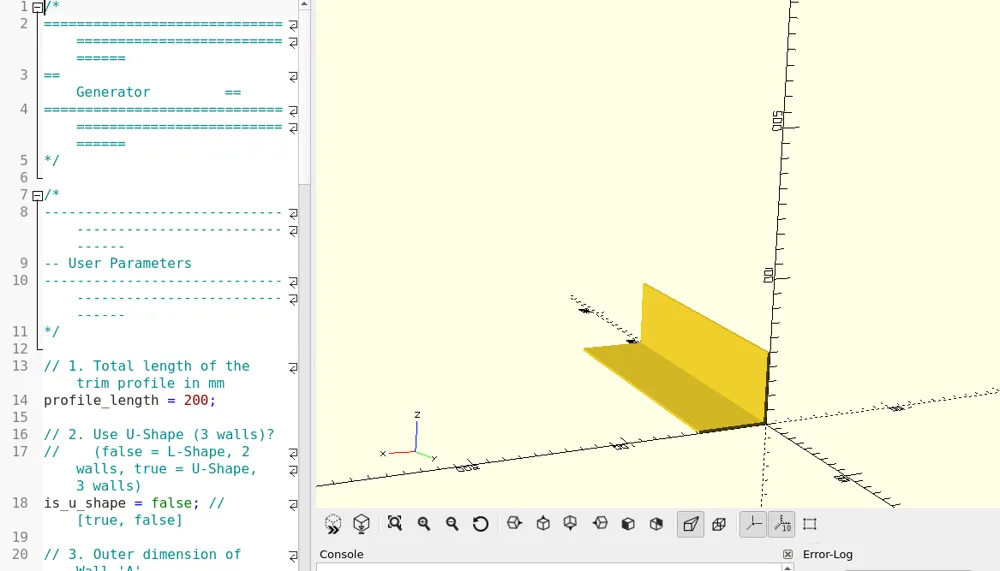
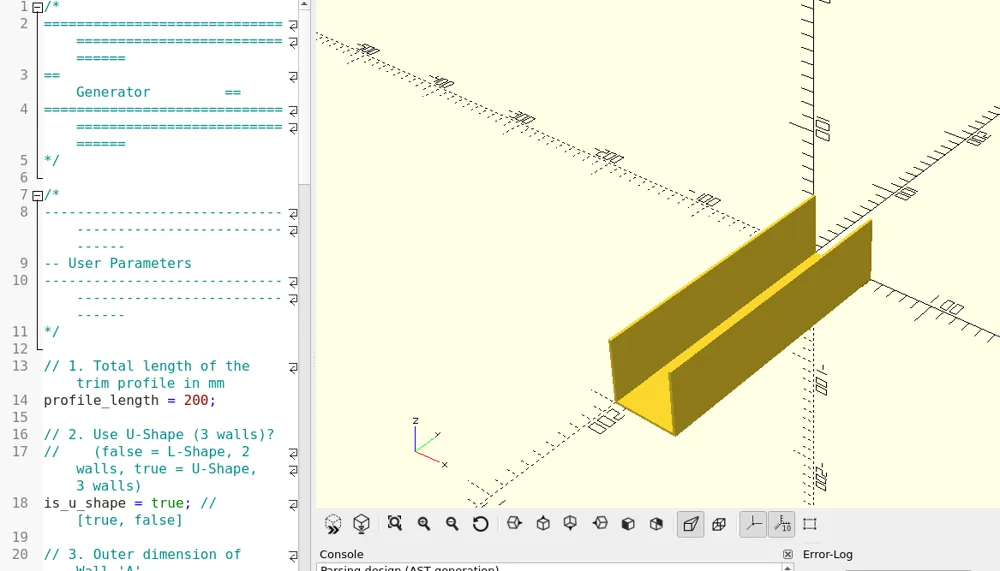
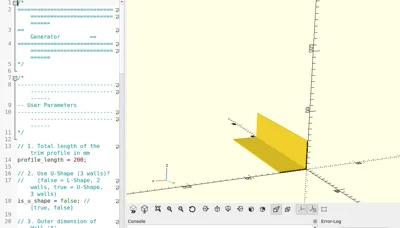
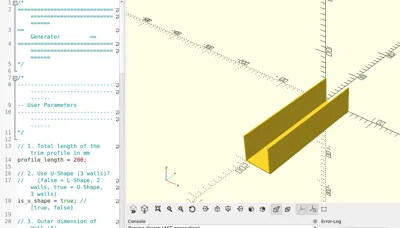
- Profile Selection: A simple is_u_shape toggle lets you switch between a classic L-profile (2 walls) and a U-channel profile (3 walls).
- Fully Parametric: Adjust the length, the outer dimensions of each leg (A, B, and optionally C), and the overall wall thickness.
- Versatile Application: Ideal for finishing furniture panels (e.g., 18mm boards), countertops, covering gaps, or as simple protective corners.
- 3D Print Optimized: The model is automatically generated lying on its side (flat on the XY plane) for maximum layer adhesion, strength, and easy, support-free printing.
📐 How to Customize
All parameters are available in the "Customise" tab.
- profile_length: The total length of the trim profile (in mm).
- is_u_shape: Toggles the profile shape.
- false (unchecked) = L-Profile (2 walls).
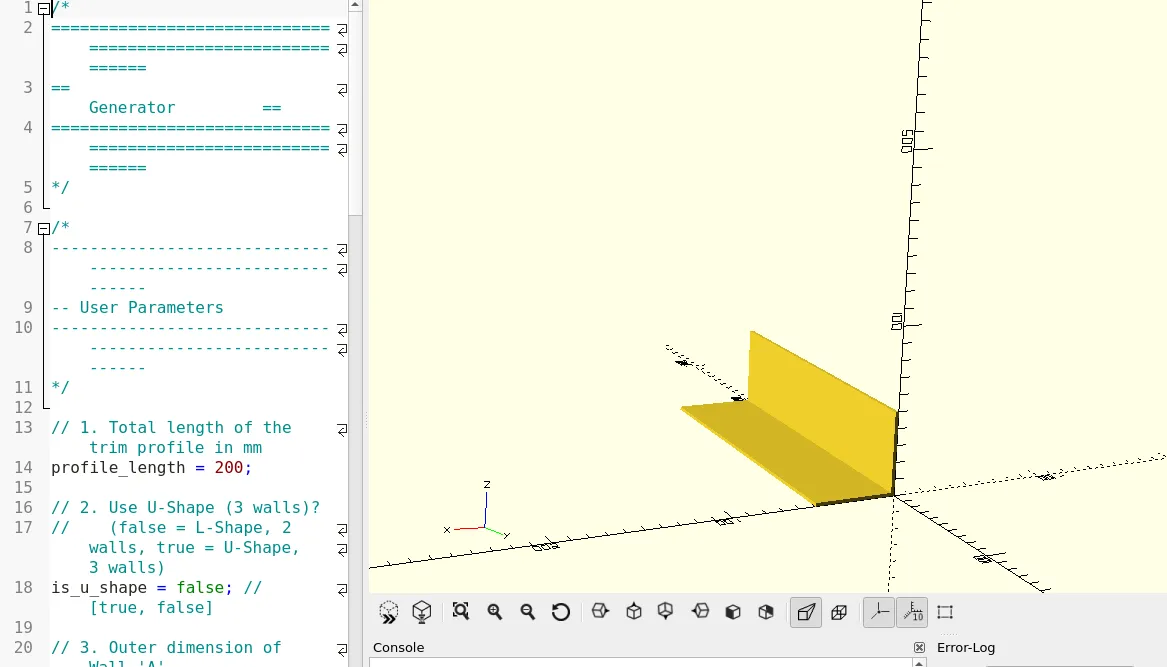
- true (checked) = U-Profile (3 walls).
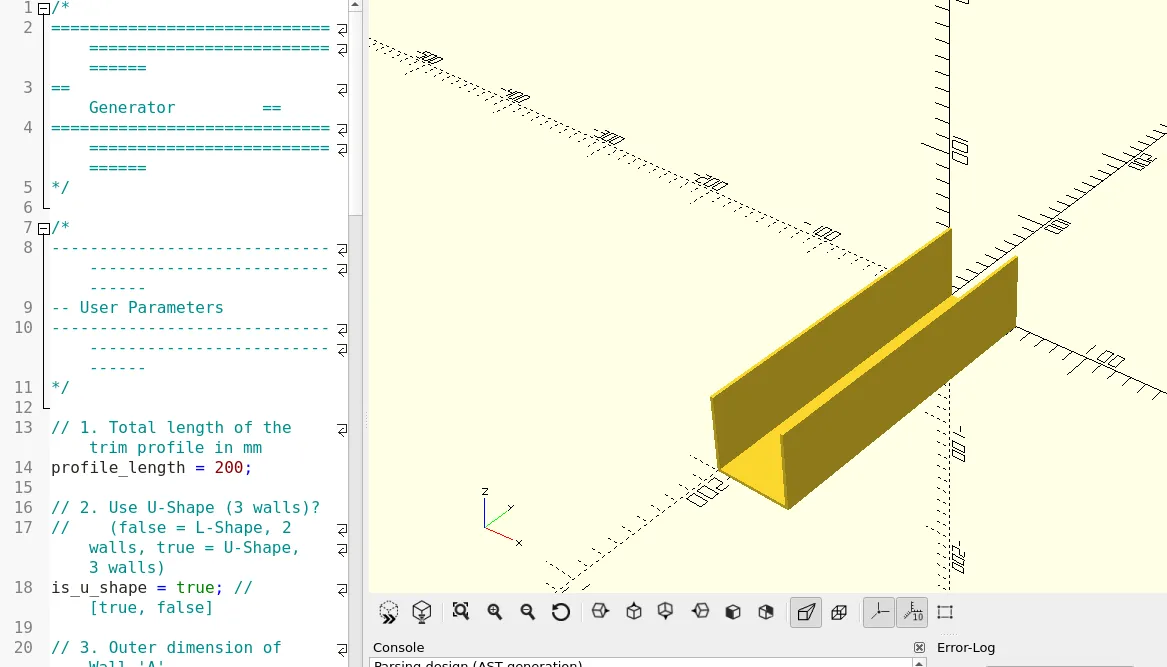
- dimension_a: The outer dimension of Wall 'A'.
- dimension_b: The outer dimension of Wall 'B'. (For U-profiles, this is the total outer width of the channel).
- dimension_c: The outer dimension of Wall 'C' (only used if is_u_shape = true).
- wall_thickness: The thickness for all walls of the profile.
🖨️ Print Settings
This is a very straightforward model to print.
- Supports: None required. The model is already pre-oriented to lie flat on the build plate.
- Material: Any standard filament (PLA, PETG, ABS, ASA). For kitchen or utility applications, I recommend PETG or ASA for better durability and moisture/heat resistance.
- Infill: 15-25% is sufficient for most applications.
- Perimeters (Walls): For a stiffer, more robust profile, I recommend using 3-4 perimeters.
- Layer Height: 0.2 mm provides a good balance of speed and quality.
🚀 Like this model?
Boost Me (for free)
If you found this project useful, please give it a boost! It's much appreciated and helps other makers discover it.
🖥️ Code
/*
============================================================
== Generator ==
============================================================
*//*
------------------------------------------------------------
-- User Parameters
------------------------------------------------------------
*/// 1. Total length of the trim profile in mm
profile_length = 200; // [10:2000]// 2. Use U-Shape (3 walls)?
// (false = L-Shape / 2 walls, true = U-Shape / 3 walls)
is_u_shape = false; // [true, false]// 3. Outer dimension of Wall 'A' (extends along the Y-axis)
dimension_a = 50; // [5:100]// 4. Outer dimension of Wall 'B' (extends along the X-axis)
dimension_b = 50; // [5:100]// 5. Outer dimension of Wall 'C' (extends along Y-axis, parallel to 'A')
// (Only used if is_u_shape is true)
dimension_c = 50; // [5:100]// 6. Thickness of all walls in mm
wall_thickness = 2; // [0.5:10]
/*
------------------------------------------------------------
-- Model Generation
------------------------------------------------------------
-- Do not edit below this line
------------------------------------------------------------
*/// Call the main module to generate the geometry
corner_trim_profile(
len = profile_length,
thick = wall_thickness,
dim_a = dimension_a,
dim_b = dimension_b,
dim_c = dimension_c,
u_shape = is_u_shape
);
/*
------------------------------------------------------------
-- Module Definition
------------------------------------------------------------
*/
module corner_trim_profile(len, thick, dim_a, dim_b, dim_c, u_shape = false) {
// Rotate the entire profile to lay flat on the XY plane
// (default OpenSCAD Z-axis is "up", so we rotate around X by 90 degrees)
rotate([90, 0, 0]) {
// Use union() to combine the parts into a single object
union() {
if (u_shape) {
// --- GENERATE U-SHAPE (3 WALLS) ---
// Based on total outer width (dim_b) and leg heights (dim_a, dim_c)// Wall A (Left Leg, Y-axis)
// Size: [thickness, height, length]
cube([thick, dim_a, len]);
// Wall B (Back/Web, X-axis)
// Positioned between the two legs
// Size: [width - 2*thickness, thickness, length]
translate([thick, 0, 0]) {
cube([dim_b - (2 * thick), thick, len]);
}
// Wall C (Right Leg, Y-axis)
// Positioned at the far right edge
// Size: [thickness, height, length]
translate([dim_b - thick, 0, 0]) {
cube([thick, dim_c, len]);
}
} else {
// --- GENERATE L-SHAPE (2 WALLS) ---
// Based on total outer dimensions (dim_a, dim_b)// Wall A (Vertical Leg, Y-axis)
// Size: [thickness, height, length]
cube([thick, dim_a, len]);
// Wall B (Horizontal Leg, X-axis)
// Starts after Wall A and extends to the full dim_b width
// Size: [width - thickness, thickness, length]
translate([thick, 0, 0]) {
cube([dim_b - thick, thick, len]);
}
}
}
}
}
License

You may create derivative works based on this object, provided that all such derivative works are published exclusively on the MakerWorld platform and include proper attribution to the original creator. You may not share, upload, host, distribute, or publish this object—or any derivative work of this object—on any other digital platform, marketplace, or distribution channel. Commercial use of this object and any derivative works is strictly prohibited. This includes, but is not limited to, selling, renting, sublicensing, or using the object in any context in which you receive monetary compensation or other financial benefits.


Comment & Rating (12)